
Inu Etc's Blog, page 11
April 7, 2024
The Ultimate Guide on How to Start a Money Making Blog in 2024
Hey, looking for a simple and beginner-friendly guide on how to start a money-making blog in 2024?
You’ve come to the right place!
Today I’m going to show you exactly how to start a profitable blog and make money blogging in 2024.
Let’s dive right in.
Related post: How Much Does It Cost to Start a Money Making Blog (The Cheapest Way)

Consistency is the key to your blogging success.
If you are blogging just because of money and you aren’t interested in what you are writing, then seriously, blogging is not for you!
Before starting a blog, you should choose a niche you are passionate about.
When picking a niche for your blog, make a note on the business value and the future of that topic.
A niche helps you find your targeted audience.
For example:
My blog Inuidea is all about online business, blogging, marketing, finance, and entrepreneurship.
Look:
I have a bunch of niches, but they all are related to each other, and the best thing is that I love sharing my thoughts and knowledge about these topics.
And who are my targeted audience?
Yes! Inuidea.com is a blog for young hustlers, bloggers, and aspiring entrepreneurs.
And because of my crystal clear niches, I know for whom I write a blog post. This way, I can connect and build a strong bond with my readers.
If you don’t know how to start a professional blog on your own, you can contact me!
This post contains affiliate links. I may receive a commission for purchases made through these links. This commission comes at no extra cost to you. Also, I don’t recommend anything that I don’t believe in.
After choosing a niche:Choose a name and a domain name for your blogRead more: 9 Proven Ways to Monetize Your Blog – Make Money Blogging
A domain name is your website URL.
For example:
The domain name for Inuidea is www.inuidea.com (It can be .org .net .xyz .in, etc instead of .com)
The Google global domain name is www.google.com, but the Google India domain name is www.google.co.in
Clear?
The first step of creating a blog is to choose a domain name for your blog.
It’s essential to have a short, catchy, unique, and easy-to-pronounce domain name.
There are over 1.8 billion websites in the world, and maximum number of people choose a .com extension for their sites. That’s why it’s so hard to get a short and meaningful .com domain.
You can quickly check domain name availability here:
If your desirable creative domain name isn’t available, choose a different name or stick to your name.
A lot of successful bloggers are using their name as their domain name. The plus point of using your name as your domain is that it’s unique!
In fact,
I’m using my first name on my domain name.
Inu + Idea + .com = Inuidea.com
No matter what your domain name is, If your blog is full of great content, people will love your blog.
So, don’t waste your time choosing a great domain name. Just keep it simple, short, and unique.
Choose a good and reliable hostingRead more: 7 Best Blogs to Learn Blogging
Hosting is like a home where your website is going to live.
Why free hosting sucks?The reason why free hosting sucks is that they come with an unprofessional domain structure.
For example:
www.yourdomainname.blogspot.com
Look at this:
It’s a subdomain, it’s long, and It looks unprofessional.
Also, free hosting gives you limited options to customize your blogs or websites.
Best reliable and affordable hosting solution for a new blogAs an online entrepreneur and a blogger, I have used Bluehost, Siteground, BigRock, Dreamhost, and for our web design company, we have used HostGator, but now I’m using Hostinger, which is the cheapest and the best hosting available online.
Hostinger is one of the most reliable and recommended WordPress hosting companies out there.
It’s a secure and the most affordable web hosting service you can use to start your blogging journey today.
They have one of the best loading speeds and their support team is fast, effective, and friendly.
If you want a fast and reliable web hosting service with great customer support, then Hostinger is perfect for you. They have affordable hosting plans for every budget and each plan comes with tons of useful features.
All their hosting plans include a free domain name, a free SSL certificate, LightSpeed Cache, 1-click WordPress installer, and lots of other useful features.

When you purchased hosting and the free domain name from Hostinger, you can install WordPress from the hPanel.
After installing WordPress, now you are ready to open your WordPress dashboards to start customizing your blog.
Read more: 11 “Must Have” Free WordPress Plugins Every Blog Needs.
[image error] [image error]
Choose a good looking and customizable ThemeEnough back-end setup!
Now we are going to do some front-end setup for your blog.
Till now, your blog has a name, a home to stay, but your blog is naked! LOL.
A theme is like a dress for your blog.
You can choose a good looking theme, and you can make modifications. Also, you can change your blog theme, just like a dress.
Once you’re in your WordPress site dashboard, you can install a theme on your blog.
Plenty of free themes are available on the WordPress.org site or other third party websites.
But just like the free hosting sucks, free theme sucks too.
They aren’t fully customizable and secure. Free themes look unprofessional, and they also want attribution!
So what’s the solution?
Well, there are thousands of pre-built premium themes available on many WordPress theme selling marketplace.
By installing a pre-built, premium theme, you will be able to create a complete, good looking, and professional site without coding.
If you are a newbie blogger, I recommend Divi by Elegant Themes.
Divi is a responsive and multipurpose WordPress theme. It supports drag and drop site building. Elegant themes also have amazing customer support.
For Inuidea, I’m using Avada by Envato Market.
And I’m in love with this theme. It’s the #1 selling theme of all time.
Just like Divi, Avada too a responsive and multipurpose WordPress theme that supports drag and drop building. You can create a unique and any website using Avada.
Need free help with Avada or WordPress themes? Contact me.
Essential Things to do After Installing WordPress – Configure Settings and Install Plugins.Related Post: 7 Best WordPress Themes for Blogs
WordPress installation comes with a sample post, a sample page, a sample comments, and some default settings. You should configure those default settings to improve your blog.
So, here is the first thing you should do after installing WordPress:
Delete defaults (Post, Page, and Comment)Set your timezone – Go to Settings > General and select your timezone. Click ‘Save Changes’.Set user registration – Allow or disallow people to register on your blog. The setting is available in the General section.Set WordPress discussion settings – Go to Settings > Discussion and follow this screenshot and configure discussion settings. Connect Google Analytics. Install the free MonsterInsights plugin and easily connect Google Analytics to your WordPress blog.Set up WordPress permalinks – Go to Settings > Permalinks and select ‘Post Name’. Click ‘Save Changes’.Install “must-have” free WordPress plugins for your blog. – Some plugins are essential to your blog. They can improve the SEO, security, and performance of your blog.
That’s it, after changing default settings and installing some essential plugins, now you are ready for the next step.
Add essential pages to your blog1. Home page.Your home page is all about your blog. It reflects your complete blog to your visitors. Make your homepage unique and extremely relevant to your blog.
2. About PageSometimes when your visitors are going through your blog or a high-quality blog post, they’re going to get curious and want to learn more about you.
By having an extraordinary about page, you can connect with your visitors; you can easily build a relationship with them and convert them into lifetime readers of your blog.
3. Contact PageIf you write great content on your blog, your readers are going to contact you to say thanks.
Sometimes they will contact you by asking for help from you. Also, your readers will give you suggestions to improve your blog.
Apart from that, brands and companies will want to contact for business inquiries.
4. Privacy Policy PageYour blog isn’t just a blog, now blogging is a business, and business grows when your customers trust you.
Internet users are now concerned about their personal information. A privacy policy informs your blog visitors about how protected they are when they visit your blog. This way, you can gain some trust from your blog visitors.
A privacy policy is required by law if you collect personal information from users.
Also, it’s necessary if you use third-party services such as Google Analytics, Adsense, etc.
Publish Quality Content
Content is king!
Maybe you’ve heard this evergreen sentence.
It’s true.
Content is the most crucial part of your blog.
You should write informative, engaging, and SEO-friendly articles to get more visitors to your blog.
How to write an engaging blog post?1. Add a personal touch – When you are writing a blog post, always write using ‘You’ and ‘I’. Because there is a single person, who is reading your blog post. Just like you are reading this post alone.
Don’t just write for the search engine. Make sure you aren’t behaving like a robot. Keep in mind that you are a person writing a blog post for another person.
2. Write better headlines – Add power words, and emotional words, and also add keywords to your blog post headline. Use Coschedule Headline Analyzer to analyze and improve your blog post headlines.
3. Write detailed content – Always write in-depth and detailed content. Feel free to write (1000+ words) long content. Also, try to help your readers by solving their problems.
Read more: Grammarly Review 2024: Boost Your Confidence and Enhance Your Writing
4. Add bucket brigades – You may be wondering what is “bucket brigades”?
Bucket brigades are words and phrases that add conversational value to your content. Bucket brigades make your content more conversational and engaging.
Some examples of bucket brigades are – “Look at this”, “Sounds familiar?”, “Ready?” etc.
Look at my content. I’m using lots of bucket brigades to make my content more engaging.
5. Use visuals on your blog – Add screenshots, graphs, infographics, and stock images. Don’t copy images from Google. Use copyright free stock image sites to download images for free.
Promote your blog and drive traffic to your blog
Read more: How To Write a Blog Post that Generates Traffic and Sales

Using CopyAI, you can generate complete high-quality blog posts in a matter of seconds. Write better copy for content marketing, blogs, websites, and more — all in one click! Save time and get better results with CopyAI, the world’s leading artificial intelligence copywriting tool.
Content is the king, but promotion is the queen.
Your blog has no value if there is no one to read your blog.
So what to do?
Don’t worry.
There are so many amazing ways to market your blog for free.
1. Social media – Especially Pinterest!Why Pinterest?
Pinterest is one of the most underrated social media platforms out there. Lots of new bloggers are not aware of the power of Pinterest.
SEO is difficult, and it takes time to rank on Google. So, when you are just starting with a baby blog, you can’t get traffic from Google.
Also, Facebook, Twitter, and Instagram don’t do well if you don’t have a huge fan following, and also on these platforms, only paid promotions works.
But Pinterest works well because it has a different algorithm than other social media platforms. After you saved a Pin on Pinterest, it gets impressions even after a few months.
Related Post: 11 Actionable Ways To Get Massive Traffic From Pinterest To Your Blog
Pinterest Group boards are gems for bloggers. They are very similar to the Facebook group. Multiple Pinterest users can save pins to a group board.
The popular Pinterest group board has a lot of followers. Meaning, more Pinterest users can see your pins at a time, they engage with your pins, and it goes viral.
You can join and contribute (Save your pins) to my Pinterest group board – Traffic Sphere.
If you want to see more blogging tips, online business tips on my Pinterest feed, then be sure to follow me on Pinterest.
Also, make sure that you are promoting your blog on other social media platforms too. It helps you with building your brand.
Look at my Instagram profile.

Instagram is not my primary traffic source. But I’m creating posts, especially for my Instagram feed.
So, feel free to promote your blog on every social media platform available on the internet.
2. Comment on other relevant blogsWhenever you like a blog post on a related blog, don’t just leave.
Drop a valuable comment or ask a question.
Blog commenting helps you get traffic, build relationships, build your brand, and it also helps you with SEO, even though blog comments give you a nofollow backlink.
3. Join and help people in blogging communities.Facebook groups and online forums are a great place to show off your authority and build your brand by helping fellow bloggers.
Quora is another great place to promote your blog. If you write a helpful answer on Quora and link out to your blog, hundreds of people will visit your blog.
Grow Your Email ListRead more: 17 Amazing Free Websites to Download Copyright Free Stock Images
The money is on the list.
This line is so true!
Top bloggers, media companies, business websites, and start-ups use an email list to market, monetize, and grow their businesses.
Email marketing is vital if you want to start a money-making blog in 2024.
You should invest your time and money in an excellent email marketing service to grow your email list.
I’m using MailerLite, an alternative to MailChimp.
MailChimp isn’t a branding-friendly and beginner-friendly email marketing service. On the other hand, Mailerlite is beginner-friendly, and it lets you easily customize and create beautiful email forms that fit with your branding.
MailChimp’s free version lets you have up to 2000 subscribers, and Mailerlite’s free version allows you to have up to 1000 subscribers.
But 1000 targeted subscribers is enough to market and monetize your blog as a starter blogger.
After that, you can use their service, or you can use other email marketing services such as Convertkit, Aweber, etc.
Monetize your blogI suggest you wait at least 5-6 months to try different ways to monetize your blog.
In the beginning, Instead of thinking about monetizing your blog, you should focus on creating quality content, and promoting and building your brand.
But you can use affiliate marketing to monetize your blog from day one.
Ways to monetize a blog.Once you have at least 20 blog posts on your blog and your blog gets around 10,000 views, you can monetize your blog following these methods.
1. Ads – We all know about Adsense. It’s the best Ad network to monetize your blog traffic.
But in order to make some real money from ads, your blogs need a lot of traffic.
Related Post: How to Get Google Adsense Approval Fast With a New Blog.
2. Affiliate marketing – Affiliate marketing is a process of earning a commission by promoting and selling someone else’s products.
You can join affiliate programs like Amazon Associates, ShareASale, etc. to get a unique link to promote a product on your blog.
Related Post: Top 29 Affiliate Programs You Must Join to Monetize Your Audience
3. Services – If you have any professional skill, you can promote and sell your services on your own blog.
For example:
You can promote and sell your consulting service, design service, or other services on your blog.
4. Products – You can sell your own products too. From printables to e-book, you will be able to sell anything that is valuable and helpful to your visitors.
5. Sponsorship – As you grow your blog, you can collaborate with brands. They can contact you to write a sponsored post for their products.
Also, you can contact the brands you want to collaborate with. Tell them how you can help grow their brand. But keep in mind that It works when you have a popular blog.
Now it’s your turn!Hey, you’ve read a blog post on How to start a money-making blog in 2024.
Are you feeling confused?
Feel free to contact me for free assistance on starting your first blog.
Finally, the question is:
Are you going to start a blog?
Or maybe you have a blog.
Tell me, What are you blogging about?
Leave a quick comment below.
Like this post? Don’t forget to share it with your friends and aspiring bloggers, who want to start a money-making blog in 2024.
The post The Ultimate Guide on How to Start a Money Making Blog in 2024 appeared first on Inuidea.com.


March 29, 2024
Grammarly Review 2024: Boost Your Confidence & Enhance Your Writing
You want your writing free of embarrassing grammatical errors and mistakes, right?
Grammarly is an online grammar checker and proofreading tool that automatically detects grammatical mistakes and helps you avoid typos, and grammatical errors and improves the quality of your writing.

This post contains affiliate links . I may receive a commission for purchases made through these links. This commission comes at no extra cost to you. Also, I don’t recommend anything that I don’t believe in.
As I’m not a native English speaker, Grammarly helps me to feel confident when I write in-depth content for my blog or when I write emails and social media posts.
No matter if you are a native, a non-native English speaker, a blogger, or a professional writer, we all make mistakes!
So, Grammarly is the tool you should use to write error-free content, and If you’re not confident enough to publish your blog posts, you should definitely use Grammarly to boost your confidence.
Grammarly Features: What Does Grammarly Do?Grammarly is an easy to use proofreading tool that improves your writing by checking for several errors.
It detects spelling errors, critical grammatical mistakes, and punctuation errors and tell you what needs to be changed and why.
Grammarly also detects plagiarism by comparing your writing to millions of articles across the web. It helps you avoid plagiarism as Google, and we all hate plagiarized content.
It will also help you enhance your writing style by providing real-time insights about your readability score, and sentence lengths, and it detects overuse of words, suggests relevant words, and much more.
Who is Grammarly Useful For?Read more: 17 Genuine Ways to Make Passive Income While You Sleep
Grammarly is a popular online grammar checker tool useful for both native English speakers and non-natives, who don’t write in the English language often and those who want their writing to be mistake-free including:
BloggersContent marketersAuthorsCopywritersStudentsProofreadersNon-Native SpeakersJournalistsBusiness professionals or anyone who wants to write perfect emails, social media posts, presentations, or a thesis, and reports.For new bloggers, writers, and non-native English speakers, Grammarly acts as a confidence booster as it removes all spelling mistakes and critical grammatical errors.
Grammarly also lets you select between American English, Canadian English, British English, and Australian English, and you can use any of these dialects in your writing.
How Does Grammarly Work?Once you create a Grammarly account for free, you’re ready to use it to improve your writing.
I love writing articles on Google Docs. After the recent Grammarly updates, now it’s compatible with Google Docs and it suggests corrections and suggestions as you’re writing the article.
To detect errors on Google Docs, you need to install the ‘Grammarly for Chrome‘ extension. Once you’re writing, It will flag any errors in red and underline incorrect words or grammar and show you what to replace it with and why if you simply hover over it.
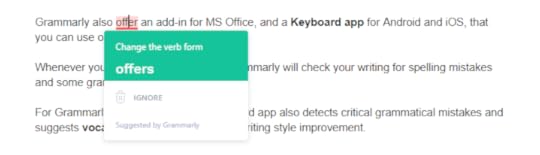
But if you want more features, you need to use the Grammarly web app or desktop app, which is available for both Windows and Mac.
You can set writing goals based on your intent, audience, writing style, etc.
After that, you just have to copy and paste your entire article or writing into Grammarly for proofreading, spell checking, and grammar checking.
Grammarly also offers an add-in for MS Office, and a Keyboard app for Android and iOS, that you can use on your mobile device.
Whenever you type with the keyboard, Grammarly will check your writing for spelling mistakes and some grammatical errors.
For Grammarly premium users, the keyboard app also detects critical grammatical mistakes and suggests vocabulary enhancement and writing style improvement.
How Much Does Grammarly Cost?Here is the pricing of each Grammarly plan as of 2019:
Grammarly Free – The free subscription is the best option for new bloggers and anyone who doesn’t have a budget and would like to test Grammarly before spending money.Grammarly Premium Monthly – Subscription costs $29.95 per month.Grammarly Premium Quarterly – Subscription costs $19.98 per month, billed as one payment of $59.94. Grammarly Premium Annual – Subscription costs $11.66 per month, billed as one payment of $139.92.It’s the best deal out of these three premium options. If you want to go with premium, go with the annual plan as its the most cost-effective plan.
Grammarly Business – Subscription costs $15 per member per month. If you have a team and you want Grammarly premium features, the business plan is your go-to subscription plan.It comes with features like priority 24/7 email support, monitoring tools, centralized billing, admin and user management controls for the privacy and security of your team’s work.
Grammarly Education – If you have an educational institution and you’re interested in giving your institute unlimited access to Grammarly, the education plan is only curated for you.It comes with all the premium features, including 24/7 support and vocabulary enhancement tools.
Should I Go With Free Or Premium?If you can’t afford the premium version of Grammarly, I would suggest going with their free version.
Grammarly’s free plan has almost everything the premium plan has besides the plagiarism checker and the advanced writing detector.

If you’re a new blogger or a writer, I think the free grammar checker and proofreader version is enough to boost your confidence, eliminate common errors, and make your content readable to your audience.
However, if you can afford a Grammarly premium plan and you want more advanced features, you need to go with Grammarly premium plan.

Grammarly Alternatives: What’s The Best Grammar Checker Tool?Read more: The Ultimate Guide on How to Start a Money Making Blog
Grammarly isn’t the only option when it comes to grammar checker and proofreading online tools.
There are other tools out there that are very similar to Grammarly; you might want to check out.
ProWritingAid – Probably the best Grammarly alternative out there. By using ProWritingAid you can eliminate error, fix writing style issues, and find the right words.Ginger – Ginger is another handy spelling and grammar checker tool that comes with a few extra features that Grammarly doesn’t have, such as a translator that lets you translate your writing content between 60 languages. Hemingway Editor – Hemingway Editor is a free web-based tool that you can use to check articles for readability, grammar, and spelling errors.All these tools are fantastic, and occasionally I use them too. But I think Grammarly is more beginner-friendly, user-friendly, and most effective grammar checker tool out there.
I like Grammarly because it’s the secret weapon that helps me boost my confidence. It automatically detects my mistakes and quickly gives me a solution in real-time.
Grammarly is the best writing assistant out there, but keep in mind that it’s not a replacement for a human proofreader.
Overall, Grammarly is a great grammar checker and proofreading tool that can make your writing error-free, advanced, and trustworthy.
So, you should use Grammarly if you’re a person who wants to feel confident by avoiding all embarrassing spelling errors and grammatical errors.
Now It’s Your Turn!Hey, I hope you enjoyed reading this Grammarly Review.
Now I’d like to hear from you:
Are you going to use Grammarly to improve your writing or to boost your confidence?
Let me know in the comment section below right now.
If you’re an existing Grammarly user, don’t forget to share your experience!
Also, share this post with your friends and new bloggers who are looking for an advanced, cost-effective, and beginner-friendly tool to improve their writing.
Grammarly Review 2023: Boost Your Confidence & Enhance Your Writing! #Blogging #WritingTips #Grammarly
Click To Tweet
If you have any questions, feel free to contact me. I’m always available to help young hustlers like you.
Keep hustling!
The post Grammarly Review 2024: Boost Your Confidence & Enhance Your Writing appeared first on Inuidea.com.
March 16, 2024
7 Effective Blogging Tips Every Beginner Should Know
Anyone can start a blog. Making this blog a success, however, is a whole different matter. If you are new to this business, you will need blogging advice, preferably from people who have been around the block.
Well, if you are searching for blogging tips for beginners, then this article is for you. Here you can find the best blogging tips and advice that will put your site on the map in no time at all. But before going to the tips, we will tell you why this blogging strategy is important.
7 Effective Blogging Tips Every Beginner Should Know1. Address Relevant TopicsPerhaps the most important thing you can do for your blog is to suggest relevant topics. You have to target what people are most interested in, and they will head back to your site in search of answers on which you have written. So, where do you get this topic from? Definitely, from your audience! Your best topic builder is the people you want to direct to your site. Therefore, your first business is to find out their hottest issues. You determine the top searches related to your blog. Make sure you tackle them first. Then sit back and see increased traffic to your site.
2. Produce Interesting Titles and Make an Impact With Your IntroductionIt is essential to know that any message you write will fight for the attention of thousands of other items in the results of the search engine. That’s why you need to come up with a big, intriguing, or unique headline solution. Use catchy words to draw the eye of your ad.
If your introduction isn’t going to grab your in- reader, they won’t bother to read the rest of the post. “The first thing you learn from blogging is that people are one click away from you. So you have to get straight to the point; you can’t waste people’s time. So your intro should draw the in- reader. Keep your title short and to the point, but also give the reader a taste of what will be covered in the post below.
In essence, ask the questions you know your reader will want to be answered. Then invite them to find out those answers in the mail.
3. Find Your Niche and Research Your CompetitionThere are millions and billions of blogs on the web. Therefore, you have to find a way to build a community of readers for yourself. To stand out and make it easier for your blog, you have to find your niche.
While you shouldn’t limit yourself too much, also avoid trying to cover up too much. Look for a niche that’s relevant but not as widely represented on the global web.
It doesn’t matter what the size of your niche is; you will have competition. However, you shouldn’t see these competitors as just a threat. They can also be quite an important resource. This is especially true if you are looking for a topic for an essay for you.
Look at the articles that are doing particularly well on these competing sites. This will give you a little idea of what to write about – just make sure your content is better than what they have to offer.
4. Find Your Voice and Add a Personal TouchThere is no denying that content is king. However, people don’t just read blogs for content. Therefore, you should find your voice before you even start your blog.
Do you want to be humorous, daring, progressive, or academic? Make sure your voice is authentic to you. It will then be much easier to build blog posts that are true to the character you have created.
The worst thing you can do for your blog just has a wall of information. Even academics will be turned off by this format. So, the best blogging tip is to make sure your articles are easy to read. This means having shorter sentences and paragraphs so that information is presented more clearly.
Use different headers to break up the monotony of the content. And, depending on your audience, GIFs and other types of media can work in your favor. If you want a more professional approach, use charts, tables, etc. After determining your audience and content goals, explore online tools or software options to create a GIF that complements your message effectively.
In addition to having your own voice, make sure you remind people that there is a real person behind your blog. It means writing about your own experiences related to your niche. Or, depending on the type of blog you are running, even providing personal updates. As far as blogging tips go, this one will guarantee your readers a much more intimate connection with your blog.
5. Read Before PublishingIt is not surprising that the most passionate writers are, in fact, the most passionate readers. It doesn’t matter if you are starting a blog, writing a book, or just doing your homework; if you want to be ready to give it a good try, it is important that you provide a perfect piece of writing, by the way, you have to learn to write by reading constantly. Read books and magazines, have an essay written for you, or subscribe to author blogs and bloggers you love. Plus, essay writing services can also help you to find test examples and discover the perfect structuring of the essay.
Learn writing styles and new vocabulary; it will also give you a better idea of how you should build your future articles as well as topics and gift ideas. At the very least, you will realize what kind of format you need to follow. Please pay attention to how others write, what they write, where, and why.
6. Create Easy-to-Read Messages and Be Consistent With The ContentIt doesn’t matter how good your blog is – if you’re not consistent with how often you post, you’ll start to lose readers. Consistency is, therefore, essential. Create a calendar for yourself and keep your readers informed. Then they will make a point to check-in at the appropriate times and access new content.
Even if you’re worried about having a tight schedule, give yourself a limited amount of time. Make sure to post every week or so – every two weeks at most. If you are unable to offer good quality content, check in with your readers in other ways – updates, discussions, etc.
Also, create content worthy of reference. One of the most important Blogging tips for beginners to keep in mind is that your readers see you as an expert in your field. They should use your blog as a point of reference. Now, if you have real credentials for this, great! Make sure to share your knowledge and experience with your readers.
In houses you have no references, do enough research to establish you as an expert. It means using reliable sources, covering topics in-depth, and staying up to date in your niche. You can then gather a loyal clientele.
7. Use SEO Techniques And Market Your BlogSEO becomes even more important in this fierce competition. That is why you should take the time and effort to learn SEO methods and the best tactics to use. There are a lot of articles that you can browse that will show you everything you need to know.
Then it’s just a matter of using the appropriate techniques for each of your posts. This will increase the chances of your blog being sent to the top of the search engine results list.
Simply having an amazing, SEO-ready Blog is not enough. You also need to market your blog in a proper way. On the one hand, you can offer your expertise on a forum. If you are relevant and effective, people will follow you around your blog.
This way, you can access a whole new audience. Another tip would be to write guest posts for other popular blogs and display your expertise there.
Most Important Benefits of Blogging Strategy1. Blogs Attract New ProspectsBlogs help you build relationships with new visitors to your site. Instead of being directly greeted by static pages, ads, or products, new readers may find it more fun to communicate with you for the first time with the relaxed tones available in their posts. This more “friendly” approach helps build relationships.
2. Blogs Help Build Customer TrustWhen you post content on a regular basis, visitors visit you many times because they consider you an expert in your industry or a particular topic. This can lead to regular sales without any further effort on your part.
3. Blogs Improve Your VisibilityBrands that create blogs attract new people to their website by improving their ranking in organic search results. SEO focuses on high-quality content that is updated regularly. Therefore, blogging is an effective way to increase your visibility.
ConclusionThese are the best tips to follow if you want to improve your blog. Use each of these suggestions, and you can pretty much guarantee that your blog will start to do better. Then, before you know it, you’ll be an expert blogger yourself!
This is a guest post written by Chris.
If you want to submit guest posts to Inuidea, check out the guest post guidelines for Inuidea.
Author Bio:Chris is a passionate writer, hungry for new innovation. New trends fill him with tons of enthusiasm to uncover hidden topics. Speakaudible covers a wide range of subjects related to audiobooks. You can check a list of high rated audiobooks on Speakaudible.
The post 7 Effective Blogging Tips Every Beginner Should Know appeared first on Inuidea.com.
March 3, 2024
The scary ecosystem of blogging, and affiliate marketing
The majority of what you see online is just repetition.
There’s nothing new, just Ctrl+C and Ctrl+V.
Every new blogger starts out by reading a ‘how to start a blog‘ guide, and then they start a new blog and teach people ‘how to start a blog’ too.
Also, they copy the exact same steps to start a blog — Domain, Hosting, WordPress, WordPress themes, etc.
The reason for this is that it’s the only way they can do affiliate marketing to promote WordPress related products, and web hosting services, and earn money out of it.
It’s like being stuck in a loop with a group of aspiring bloggers, you read something about blogging, you write the same thing on your blog, you promote the same affiliate products, and other aspiring bloggers read your blog post and do the same thing.
I want to be transparent here,
As a blogger myself, I started my blogging journey in exactly the same way. Normally I write about other topics, but somehow I was infected with the same ‘virus’ to write those kinds of articles. I have also written blog posts on “how to start a blog” and lots of other posts on blogging. By the way, some of them are unique and valuable.
Nowadays, there are many alternatives to WordPress for blogging. You can start writing on platforms such as Medium, Substack, and Ghost.
However, most of the bloggers only discuss about WordPress because they can make money if you start using the WordPress ecosystem as well.
I find this ecosystem scary because this ecosystem offers nothing new, a lot of people get into it, they start promoting the same thing, and they produce more such bloggers, but most of them fail.
There are many new bloggers (I call them baby bloggers, LOL) who invest money and fail after working on the same niche for a while because of the competition.
WordPress is a great platform to create your own personal website, where you can do whatever you want. Moreover, you can also monetize your site using ads. You can design and customize it the way you want, as I did with InuEtc.com, Inuidea.com, and Hostneur.com.
However, if you only want to focus on your writing, then platforms like Medium would be the best options for you.
It is also important to note that when you start your own website, you have to invest money, you have to take care of a lot of things, and you have to think about SEO, traffic, and security.
Initially, no one reads your first blog on your new website because there is no traffic to it as you are just starting out.
But, when you write on Medium, you’re writing for an existing audience of over 100 million active users. You just need to focus on your writings here, nothing else.
You don’t need to worry about hosting, domain name, design, or SEO. Just write quality content, and you will see the results.
What is the best way to monetize Medium posts?On Medium, you can’t monetize your content using ads.
But, that’s not completely true. Although you can’t use AdSense or other ad networks, you can still publish sponsored posts and ads from direct clients.
Also, you can promote your products and services. I regularly promote the services I offer, my blog Inuidea.com, our agency Hostneur, and my new book Ups and Downs.
You can also earn money through the Medium Partner Program. Unfortunately, it’s not available in India, so I can’t make money from it. You can make money promoting affiliate products on Medium, and you can also accept donations from your readers through platforms like Buy Me a Coffee or Patreon.
What is the best way to monetize Substack newsletter?Read more: Buy Me a Coffee — My New Income Stream?
On Substack, you can monetize your newsletter through paid subscribers. Additionally, once your newsletter becomes popular, you can receive sponsorship from brands. You can also get newsletter brand deals through platforms like Paved.com.
Should I start a WordPress site?It all depends on your requirements.
If you want a website that is completely yours, then you should start a WordPress website.
If you want to promote your work the way I do and build your personal brand, then you should start a website. You can use your website as a portfolio or as an online store to sell your products and services.
But, if you just want to write and don’t want to take extra headaches, I suggest you start writing on Medium. It’s a great platform to start your writing journey. Once you feel the need for a personal website, you can always start one.
You may also need a website if you own a business and want to sell something online. The main point is that you don’t need a website if you just want to write and make money writing online, although you can start a blog if you have the budget and if you want to publish your writing on a platform of your own, just like I did with Inuidea.com.
If you really think that you need a website, you can hire me to design a stunning website according to your requirements. To know more about my services, you can visit my work with me page or visit our agency’s website — Hostneur.com.
How to write something original?If you want to build a brand and make a name for yourself while making money online, do something different; if you want to steal, steal like an artist.
Originality is a myth.
Trying to come up with some completely original idea is pointless — if it’s ‘completely original’, it is probably worthless.
However, there is something called ‘almost original’ and if you want to call yourself an original creator, you have to create something that is ‘almost original’.
The only way to create something original is to use your brain, to put your thoughts, your experiences, and your emotions into it.
Keep writing.
Work smart, earn passively, and do what you love.
Take care. 
Thanks for reading this article.
If you loved what you read, would you be able to buy me a cup of coffee? Or purchase a copy of Ups and Downs? It’s okay if you can’t right now.
If you have any questions or if you wanna work with me, feel free to contact me. I’m always available to help young hustlers like you @InuEtc on Instagram.
Keep hustling!
The post The scary ecosystem of blogging, and affiliate marketing appeared first on Inuidea.com.
March 2, 2024
How Much Does It Cost to Start a Money Making Blog in 2024 (The Cheapest Way)
Today I’m going to show you exactly how much it costs to start a money-making blog in 2024.
Most aspiring bloggers and especially teenage aspiring bloggers don’t have much money to invest in a blog.
Everyone knows that to start a self-hosted WordPress blog you have to invest in hosting, domain name, themes, etc, and there’s no upper limit when it comes to blog investment. You can even hire one of the best Chicago software developers if your budget is ready to support that decision. You can even invest in website accessibility tools that can make your blog user-friendly for all visitors. This too will cost you some money.
But don’t worry,
In this guide, I will share the most affordable ways (The Inu Etc Formula! LOL!) to start a money-making blog in 2024 and I’ll share the minimum amount you need to spend to create a professional-looking, your own, self-hosted WordPress blog.
Let’s dive right in.
Blogging is proven and one of the oldest ways to make money online. If you have no idea what blogging is and how to start a blog, kindly check out my ultimate guide on how to start a money-making blog.
Where you have to invest your money to start a money-making blogTo start a money-making self-hosted WordPress blog, you have to invest your money in good hosting, domain name, themes, and much more (if you wanna invest more).
You can also build a professional blog without a premium WordPress theme. At our web design company, we use Elementor Pro to build sites for our clients.
If you don’t know how to start a professional blog on your own, you can contact me!
Also, you can’t start and maintain a professional WordPress blog from your smartphone. So, if you don’t have a laptop right now, I suggest you buy a laptop today to blog from anywhere.
This post contains affiliate links. I may receive a commission for purchases made through these links. This commission comes at no extra cost to you. Also, I don’t recommend anything that I don’t believe in.
The Best Web Hosting ServiceAs an online entrepreneur and a blogger, I have used Bluehost, Siteground, BigRock, Dreamhost, and for our web design company, we have used HostGator, but now I’m using Hostinger, which is the cheapest and the best hosting available online.

Hostinger is one of the most reliable and recommended WordPress hosting companies out there.
It’s a secure and the most affordable web hosting service you can use to start your blogging journey today.
They have one of the best loading speeds and their support team is fast, effective, and friendly.
If you want a fast and reliable web hosting service with great customer support, then Hostinger is perfect for you. They have affordable hosting plans for every budget and each plan comes with tons of useful features.
All their hosting plans include a free domain name, a free SSL certificate, LightSpeed Cache, 1-click WordPress installer, and lots of other useful features.
So what are you waiting for?
Domain Name – Website URLHostinger gives you a free domain name when you buy their premium web hosting.
But it’s better to keep your domain and hosting separate from each other to secure your blog.
You can buy top-level domain names from Godaddy, , or any other domain name providers out there.
SSL CertificateAn SSL certificate enables your websites to move from HTTP to HTTPS, which is more secure.
It’s important to make your blog secure using an SSL certificate because it helps your blog rank higher on Google and it ensures that your customers or your blog readers are secure on your website.
Hostinger gives you a free SSL certificate for LIFETIME when you buy any hosting plan from them.
Premium WordPress ThemeA good-looking theme can make all the difference between a boring website to an engaging and interesting website.
There are thousands of easy to customize, beginner-friendly, pre-built premium themes available on many WordPress theme selling marketplace.
If you are a newbie blogger, I recommend Divi by Elegant Themes.
If you want to design a highly customized, extremely well-built, and SEO optimized website, I highly recommend StudioPress by WP Engine.
For my blog, I’m using the Avada theme, which is a premium theme available on ThemeForest, Envato Market.
So, how much money does It cost to start a money-making blog in 2024?Related post: 7 Best WordPress Themes for Blogs
Let’s calculate the actual amount you have to spend per year to start and host your blog online.
Hosting:Hostinger premium web hosting – $2.59/Month ($2.59*12 = $31.08/Year)
Domain name:You’ll get a FREE Domain name with Hostinger premium web hosting. Also, you can buy a domain name from GoDaddy or for under 20$/Year.
SSL certificate:You can use the Cloudflare free SSL certificate on your blog but I recommend Hostinger, you’ll get a FREE SSL certificate (11.99$ value) for lifetime with any Hostinger hosting plan.
WordPress themes:Lots of premium WordPress themes are available on Themeforest for under 60$.
I’m using Avada, which is a premium WordPress theme available on Themeforest for $59.
The actual cost required to build and run your blog:
So if you follow my blog starting guide and buy the premium hosting plan from Hostinger + a premium WordPress theme from Themeforest, you have to invest $90+ and if you wanna buy a domain name from GoDaddy or , you have to invest $110+ to start a professional blog today.
*I’m using the ‘+’ sign here with the pricing because the tax amount is unknown.
Wanna invest more?There’s no upper limit when it comes to blog investment.If you’re a rich guy, and you wanna invest more, you can invest in an email marketing service to build an email list.
“Money is on the list”
Email marketing is a huge opportunity to engage with your loyal audience and there are hundreds of ways you can monetize your loyal audience whenever you want.
ConvertKit is the best email marketing service out there but there are more affordable alternatives available online such as Mailerlite, Aweber, MailChimp, Sendinblue, etc.
For Inuidea, I use Mailerlite, it’s a beginner-friendly email marketing and automation tool that lets you create beautiful and professional email forms that fit with your branding.
Mailerlite has a free plan that allows you to have up to 1000 subscribers. It’s a better alternative to MailChimp thanks to its easy-to-customize features.
If you wanna invest more to make more money from your blog, you can invest in ads, premium WordPress plugins such as WP Rocket, services such as Tailwind, SendOwl, Canva, Grammarly, and more.
Now it’s your turn!Read more: The Best Resources You Need to Make Your Online Entrepreneurial Journey Easier!
Hey, you have read a detailed blog post on ‘how much does it cost to start a blog?’
Now I’d like to hear from you:
Are you going to start a blog in 2024?
Or maybe you have a blog!
Oh yeah, you can migrate your site to Hostinger for free, just tell them you wanna migrate your site, they’ll be glad to help you out.
Tell me how much money you invested in your blog when you started blogging.
Leave a quick comment below.
Also, share this post with aspiring bloggers who want to know how much it costs to start a self-hosted WordPress blog in 2024.
If you loved what you read, would you be able to buy me a cup of coffee? It’s okay if you can’t right now.
If you have any questions or if you wanna work with me, feel free to contact me. I’m always available to help young hustlers like you.
Keep hustling!
The post How Much Does It Cost to Start a Money Making Blog in 2024 (The Cheapest Way) appeared first on Inuidea.com.
February 25, 2024
Top 29 AI Tools You Need to Know About in 2024
Everyone is talking about ChatGPT these days.
I also included ChatGPT in this blog post, and I use it almost daily.
I even generated the draft of the ‘final thoughts’ of this blog post using ChatGPT. I have edited the draft to make it original and I have added my thoughts as well.
No doubt, ChatGPT is a revolutionary AI tool.
However, you can find hundreds of AI tools on the internet that can make your life easier, increase your productivity, and help you generate more in less time and effort.
In this post, I have compiled 29 of the best AI tools that I believe will be of great assistance to you.
The 29 AI tools you need to know in 2024 are listed below.
1. ChatGPTAll of us are familiar with this awesome tool. It’s a large language model chatbot developed by OpenAI based on GPT-3.5. ChatGPT understands and responds to human conversation naturally, allowing users to have engaging conversations.
Link: https://chat.openai.com/
2. CopyAIAI-generated copy that actually boosts conversions. Write better copy for content marketing, blogs, websites, and more – all in one click!
Link: https://www.copy.ai/
3. WordtuneRead more: I wrote a paragraph using CopyAI and received $100 for it
You can use Wordtune to rewrite and rephrase your writing with AI!
Link: https://www.wordtune.com/
4. SynthesiaSynthesia allows you to create AI videos from text in minutes. A variety of 85+ AI avatars will be available, and you can choose from 120+ languages and accents.
Link: https://www.synthesia.io/
5. LookaLooka’s AI-powered platform lets you design a logo and build an awesome brand. With Looka, you’ll be able to launch your brand and look great from the very start.
Link: https://looka.com/
6. InkYou can create text and visuals 10X faster and easier with patented SEO and user engagement optimization.
Link: https://inkforall.com/
7. PictoryAIWith this simple AI video creation tool, you can automatically convert long-form content into short, highly-shareable branded videos.
Link: https://inuidea.com/go/pictory/
8. FlairCreate branded content in seconds with AI.
Link: https://flair.ai/
9. BeatovenCreate unique royalty-free music that fits your story. Using advanced AI music generation techniques, Beatoven.ai creates music that fits any video or podcast.
Link: https://www.beatoven.ai/
10. CleanvoiceRead more: 11 Websites to Download Free and Copyright-Free Music for YouTube Videos
Using Cleanvoice, you can remove fillers, stutters, and mouth sounds from your podcasts and audio recordings.
Link: https://cleanvoice.ai/
11. KrispWith Krisp’s AI, background voices, noises, and echoes are eliminated from all your business calls, so you can speak with confidence.
Link: https://krisp.ai/
12. UnbounceUsing Unbounce, you can create beautiful, high-performing marketing campaigns in just a few minutes with its AI-powered features.
Link: https://unbounce.com/
13. VidyoCreate short-form social media videos from long-form content in just a few clicks with AI.
Link: https://vidyo.ai/
This post contains affiliate links . I may receive a commission for purchases made through these links. This commission comes at no extra cost to you. Also, I don’t recommend anything that I don’t believe in.
14. MaverickWith Maverick, eCommerce stores are able to engage with each of their customers across their journey using AI-generated video.
Link: https://www.trymaverick.com/
15. QuickchatWith Quickchat, you can have a fully conversational and multilingual AI Assistant that is powered by OpenAI’s GPT-3.
Link: https://www.quickchat.ai/
16. SEO.aiWith SEO.ai, you get high-quality SEO content in less time, and you can guarantee that it will perform. It is available in more than 50 languages.
Link: https://seo.ai/
17. SoundrawMake your own royalty-free music instead of looking for one online. There is no need to worry about copyright issues with Soundraw.
Link: https://soundraw.io/
18. CleanupWith the quick and simple interface, you can remove any wanted object, defect, people, or text from your photos in seconds.
Link: https://cleanup.pictures/
19. Resume WordedResume Worded is an AI-powered platform where you can get instant feedback on your resume and LinkedIn profile as well as write and improve them.
Link: https://www.resumeworded.com/
20. Stockimg.aiIn seconds, generate the best stock image you need. You can also design logos, wallpaper, posters, book covers, illustrations, and more.
Link: https://stockimg.ai/
21. There’s An AI For ThatA daily updated comprehensive database of AI tools available for every task.
Link: https://theresanaiforthat.com/
22. PodcastleA web-based platform that combines studio-quality recording, AI-powered editing, and seamless exporting.
Link: https://podcastle.ai/
23. Descript
With Descript, you can write, record, transcribe, edit, collaborate, and share videos and podcasts.
Link: https://www.descript.com/
24. OtterWith Otter, you can record meetings, take notes in real-time, and generate a summary to share with everyone.
Link: https://otter.ai/
25. IllustrokeFrom text prompts, create stunning vector illustrations.
Link: https://illustroke.com/
26. Originality.AIA plagiarism checker designed for web publishers and the most accurate AI detector capable of detecting GPT-3 and ChatGPT-generated content.
Link: https://originality.ai/
27. CopyMonkeyIn seconds, CopyMonkey can generate and optimize your Amazon listings. You can rank organically on page one of Amazon by using AI to place all of the important keywords in your Amazon listing.
Link: http://copymonkey.ai/
28. OcoyaOcoya allows you to create, auto-generate, and schedule social media content quickly.
Link: https://www.ocoya.com/
29. JasperYou can produce amazing, original content 10X faster with Jasper’s AI Content Generator. Easily write blog posts, and make AI-generated images.
Link: https://www.jasper.ai/
30. PatternedWith this simple AI tool, you can search & create thousands of royalty-free patterns for every surface.
Link: https://www.patterned.ai/
31. Vondy AIVondy AI is a creativity assistant tool that uses artificial intelligence to provide support and assistance for creative tasks. However, what makes Vondy stand out from other AI tools is that it offers you more than 100 useful apps (AI tools) for all kinds of tasks.
Link: https://www.vondy.com/
Final Thoughts: Top 29 AI Tools You Need to Know About in 2024Bookmark this post to scroll through when you need it.
The field of Artificial Intelligence is rapidly growing, and becoming an integral part of our daily lives, and as such, it is imperative to have an understanding of the top AI tools.
My favorite tools are ChatGPT, CopyAI, OpenAI, and Wordtunes. Among all these 29 AI tools, I use these 4 the most.
No matter what level of AI experience you have or where you are in your career, mastering these tools will give you a competitive edge and help you stay ahead of the curve.
In the coming years, the AI industry is expected to expand rapidly, making these tools more and more important.
I think this is the perfect time to learn more about AI and build skills related to artificial intelligence and AI tools.
Now it’s your turn!
I’m impressed. You just finished reading a complete blog post about the best AI tools!
Now I’d like to hear from you:
Can you think of any other AI tools that should be included on this list?
Let me know in the comment section below right now.
Also, share this post with your friends, tech enthusiasts, AI enthusiasts, and content creators who want to learn more about AI and may find these AI tools useful.
If you loved what you read, would you be able to buy me a cup of coffee? It’s okay if you can’t right now.
If you have any questions or if you wanna work with me, feel free to contact me. I’m always available to help young hustlers like you!
Keep hustling!
The post Top 29 AI Tools You Need to Know About in 2024 appeared first on Inuidea.com.
February 23, 2024
Basic Mountaineering Course in ABVIMAS, Manali – My Thrilling Experience – Discovering Mountaineering and Myself
There are similarities between our lives and hills, mountains, and everything in nature because we are part of nature as well.
You should go on a trek at least once in your life if you want to understand life better.
The first time I went on a trek as a solo traveler, I was without electricity and network access for two days. For the first time, I learned hundreds of new things about life without Google and books.
I realized what my family meant to me. I learned the importance of nature, adjustment, fitness, discipline, routine, teamwork, collaboration, and the importance of the journey rather than the destination.
The journey, the process, is everything, there’s nothing after you achieve the goal, sure you feel the accomplishment, but then you crave that feeling again, and maybe that’s why I’ll never stop traveling, I will never stop living until my last breath.
During the trek, as I walked along the edge of the mountains and saw the downside, the adrenaline rush—ah, yes—it is still so alive and vibrant even now.
The moment I reached the peak, I realized that I had done something great, I had achieved something. I realized I had conquered my fear, learned new things, and discovered my new passion; trekking and mountaineering.
On 15 July 2023, I applied for the Basic Mountaineering Course at Atal Bihari Vajpayee Institute of Mountaineering and Allied Sports, Manali. Until now, I have never been happier about spending my hard-earned money.

Himachal Pradesh, August 2023
31 August – Guwahati to New DelhiI took a flight from Guwahati Airport to New Delhi Airport. The condition of Himachal Pradesh was really bad after two months of floods and landslides, so my direct bus from Delhi to Manali was canceled and I had to book another bus to Mandi, Himachal Pradesh.
1 September to 10 September – Atal Bihari Vajpayee Institute of Mountaineering and Allied Sports, Manali.I reached Mandi at 5 AM.
From Mandi I shared a taxi with a Russian Couple and a guy from Kerala and went to Bhuntar, from Bhuntar I took the bus to Kullu then another Bus to Manali, and then another taxi to the institute.
I reached the institute around 1 PM. After completing all the formalities, I got a bed at Beas Hostel room D4, and met some of my batchmates.

Inu Etc in Atal Bihari Vajpayee Institute of Mountaineering and Allied Sports, Manali.
It was a really great campus and the lunch was good as well.
After lunch, I collected all the necessary clothing and equipment from the storeroom.
From the 2nd to the 10th of September, our day started at 5:30 AM with an extreme workout session involving running and exercises. Later in the morning, we had practical lessons on Rock Climbing in the rock climbing field, followed by a Mountaineering theory lecture in the afternoon. Our day concluded with an obstacle race and exercises to relax our muscles.

Inu Etc in the Rock Climbing Field, ABVIMAS.
We used to visit different local temples almost every day during our morning walks.
We learned all the important things about mountaineering in our daily theory lectures during the first 10 days that we were in the institute, and made ourselves prepared by increasing our stamina, and knowledge.

On September 6, we watched the Netflix documentary film ‘14 Peaks: Nothing is Impossible‘ in our institute auditorium. I think every aspiring mountaineer should watch this movie as it was so inspiring and entertaining at the same time. The movie is based on Nepali mountaineer Nirmal Purja’s (known as Nims or Nimsdai) ascent of all 14 of the world’s 8,000-meter peaks in a period of six months and six days.
On September 9, we learned about river crossing in the Beas River, near Mall Road in Manali.

Manali to Solang Valley – Inu Etc
11 September – Manali to Solang ValleyTo reach Solang Valley, we walked 14 kilometers carrying a 25 kg (approximately) rucksack. Our institute’s skiing center was in Solang Valley, where we stayed and acclimatized before trekking to our base camp in the mountains.

Patalsu Trek — Himachal Pradesh, India. Photo by Inu Etc
12 September – Patalsu TrekFrom Solang Valley, we went on a trek to ‘Patalsu Trek’ as a part of our acclimatization process. The trek was challenging even though we didn’t have rucksacks.

Batch 365, Patalsu Trek Group Photo,
We saw the beautiful Solang Valley and Patalsu during the trek. We learned about the flora and fauna found in the area, and we also learned about the mountains around Patalsu Peak.

Solang Valley to Bakarthach, ABVIMAS Base Camp. Photo by Inu Etc
13 September – Solang Valley to Bakarthach, ABVIMAS Base CampOnce again, we began our journey in the morning with that 25 kg rucksack. Finally, we were going to learn ice and snow crafts and go on a height-gain trek as well.
After hiking for so long, we finally reached the base camp in the afternoon, and after lunch, we felt so relaxed.
In the evening, we learned about Bakarthach and about the mountains around it. The views from our base camp were spectacular, we were able to see a lot of beautiful peaks, such as the 7 Sister Peaks, Friendship Peak, and the Hanuman Tibba Peak. Our instructor told us about the peaks and their altitudes, as well as some discipline rules we must follow while we are in the mountains.
After dinner, we went to our tent. There were five of us in one tent, and all of them were my roommates in the institute as well. During the course, we had a lot of fun.
We used to trek for two hours to reach the practice field with our climbing gear in our rucksacks to practice ice and snow crafts for the next six days.
We were without electricity, internet, and network for 10 days. On those days, we didn’t take baths either. Well, how can you bathe in the ice-cold water of glaciers? Even washing our utensils was challenging; my palms and fingers became reddish immediately.
We were completely away from our friends, families, and work. Isolated from the rest of the world, we only focused on learning ice and snow crafts. It was like meditation therapy and a digital detox for me.

Inu Etc in the Ice Climbing Field, ABVIMAS, Bakarthach.
22 September – Height Gain.With only dry fruits in our backpacks, we started our trek to Shiti Dhar Camp One, 15700 feet. Except for three, everyone in our batch completed the height gain. Though it was the most difficult trek for me, I still made it at my own pace.

Inu Etc in Shiti Dhar Camp One, 15700 feet
23 September – Bakarthach to Solang ValleyOur snow and ice craft and height gain went well, and we descended to Solang Valley.
The survival night was another important part of the course. An expedition in the mountains may require us to survive without food and shelter, so it was important to learn how to survive a night in the mountains.
In the evening, our instructors told us to bring our sleeping bags, torch lights, ropes, and warm clothes. We were divided into six teams, each of which received a tent outer, and our instructors told us to stay in the pine forest all night without having dinner
We were a group of 12 people, and I would like to highlight the diversity in our group.
I was the only person from Assam. One of the guys was Tarun, a National Cadet Corps member from Delhi, another was Amar, an aspiring mountaineer from Gujarat, and the third was Rahis, a trekking guide from Himachal Pradesh.
I remembered their names because they were my roommates.
Our group also included two individuals from Karnataka, two from Kerala, three from Chhattisgarh (gold medalists in national sports), and a senior member, Avinash Raipally, the Joint Director of the National Institute of Fashion Technology, Hyderabad.
We all went to the pine forest, we found the perfect spot to set up the tent and made it with our rope and tent outer.
The night went well for us in the forest, and we managed to survive until the morning.
24 September – Solang Valley to ManaliWe finally hiked to our institute in Manali after a successful survival night in Solang Valley. It was wonderful to sleep in bed after spending so many days inside sleeping bags in the mountains. We were finally able to bathe in warm water. LOL
25 September – Written ExamDuring our written exam at the institute, all the questions were based on our theory classes and what we had learned so far. After the exam, everyone was free. It was the first time in our course that we had some free time. Some went to the market, while I sat on the badminton court and already started to miss the institute.
26 September – Ceremony DayThe day was memorable for us all, but it was even more special to me.
Well, a few days ago, Akhil sir asked me to make a short film about my Basic Mountaineering Course experience, using all the footage I took during the course, which will be shown on the big screen at the ceremony.
The tight schedule of the institute made it extremely difficult to select the best footage from three-hour-long videos. But within two days, I edited the film and showed it to Akhil sir, and he approved it right away.
Finally, on the day of the ceremony, almost 200 people watched my documentary film on the big screen of the auditorium hall. This was a dream come true moment for me, I had always dreamed of watching my work on the big screen. It was a joy to see people praising my work with a round of applause.
We then received badges from the institute director and the joint director. Then we enjoyed a cultural program where our batchmates from different cultures and states performed their dances.
After the ceremony, some of our instructors shared their feedback and praised my short film. They also asked if I could send them the movie so that they could watch it on their phones. I was overwhelmed by their response and grateful for it.
Final Thoughts: Basic Mountaineering Course in ABVIMAS, Manali – My Thrilling Experience – Discovering Mountaineering and MyselfThat’s it, that was my experience and journey during the Basic Mountaineering Course at the Atal Bihari Vajpayee Institute of Mountaineering and Allied Sports.
I was fortunate to experience hostel life again after 7 years and met awesome people from all over India and the best instructors at the Atal Bihari Vajpayee Institute of Mountaineering and Allied Sports.
In the span of 26 days, I transformed into a mountaineer, embraced a soldier’s discipline, developed a profound love for nature, prioritized fitness, and honed my self-discipline.
As I really want to do the Advance Mountaineering Course, I’m eagerly waiting for my certificate.
Update: I have received an A grade, and I am now planning to apply for the Advance Mountaineering Course in 2024.
It was a pleasure to be a part of batch 365 of the Basic Mountaineering Course at Atal Bihari Vajpayee Institute of Mountaineering and Allied Sports, Manali, Himachal Pradesh, India.
Until September 29, I stayed at the Jungle by Sturmfrei Hostel in Manali. During my previous visit to Manali as a digital nomad, I stayed at the same hostel.
My bus journey from Manali to Delhi began on September 29, and I reached Delhi on September 30. I saw Shah Rukh Khan‘s Jawan Movie in Delhi and stayed in a hotel that night, as I had my flight to Guwahati the next day.
Thanks for reading this article.
If you have any questions or doubts about the Basic Mountaineering Course, mountaineering course fees, and anything related to mountaineering, trekking, and travel, please feel free to send me a direct message on Instagram @InuEtc
If you loved what you read, would you be able to buy me a cup of coffee? It’s okay if you can’t right now.
If you have any questions or if you wanna work with me, feel free to contact me. I’m always available to help young hustlers like you @InuEtc on Instagram.
Keep traveling!
The post Basic Mountaineering Course in ABVIMAS, Manali – My Thrilling Experience – Discovering Mountaineering and Myself appeared first on Inuidea.com.
February 21, 2024
7 Best Shopify Themes for Your Store (2024)
Looking for the best Shopify themes?
Today I’m going to talk about some of the best Shopify themes that you can use on your eCommerce store to increase the conversion rate to make more money.
The best part is,
Some of these premium Shopify themes are multipurpose, which means they can be used for any kind of Shopify store.
Also, all these Shopify themes are easy to customize, responsive, professional, elegant, beginner-friendly, SEO optimized, and really, they are eye-catching.
My 7 Favorite Shopify Themes for Your StoreThere are hundreds of Shopify themes available for your store on the market.
But, it’s not easy to find the best Shopify themes for your new e-commerce store when you are a beginner.
So, I’ve done my research and found the 7 best Shopify themes for blogs in 2024.
This guide is enough to help you pick the best theme for your Shopify eCommerce store.
Let’s dive right in.
If you have no idea about building a Shopify store, my friend Baldeep Dhurkot (Shopify eCommerce brand developer) and I can help you build a perfect eCommerce store. You won’t even need to buy a Shopify Plan for as long as the store is under development no matter for 14 days or 14 months, 6 months of free technical support, plus more marketing benefits. Book a meeting today, click here.
This post contains affiliate links (I don’t recommend anything that I don’t believe in), meaning at no extra cost to you, I might receive a small commission for purchases made through these links.

Wokiee is one of the best premium Shopify themes available. Having it for your current Shopify store or future store will be a great choice. This Shopify theme provides all the necessary tools and modules for fast responsive and mobile-ready websites with great UX.
The wide variety of layouts and styles allows for the creation of numerous structures that satisfy specific needs and requirements.
With Premium Shopify theme Wokiee, you can avoid expensive web development and minimize your design costs. With your own Content Management System, you’ll have complete control over your entire website, including the navigation, site content, images, products, collections, and so much more.
On Themeforest, the theme has more than 20,588+ sales and 424+ ratings.
Furthermore, you are not required to purchase additional plugins. Wokiee includes a number of premium plugins valued at $2352. Moreover, the theme is only $89.

Ella is an all-in-one Shopify Theme with multiple layouts and styles that allows you to create different structures and satisfy any specific requirements as well as provide you with a number of Child Themes for various business types.
Thanks to stunning banners and product blocks on 22+ homepage and skin layouts, 9+ shopping pages, 12+ layout options for product pages, and multiple headers and footers, Ella puts your products in the spotlight and helps skyrocket sales.
Additionally, the theme supports 3D models and media videos.
On Themeforest, the theme has more than 26,032+ sales and 700+ ratings.

With a wide range of features and 95+ skins, the Fastor Theme is a multipurpose Shopify theme you can’t miss.
Throughout 2019 and 2022, it has been ranked as the best-selling Shopify theme. Also, Fastor Theme is a highly rated Shopify theme on Themeforest.
On Themeforest, the theme has more than 13,952+ sales and 1.6k+ ratings.

This responsive and mobile-friendly Shopify theme comes with 40+ homepage layouts and 15+ single product layouts.
With Kalles, you can build a robust online store that provides a seamless and smooth shopping experience for your customers no matter what you’re selling.
It has a modern design, a minimalist feel, and a variety of specific demonstrations that are designed for various online businesses.
By using Kalles Shopify Theme you can ensure that your items are displayed in a professional manner and that you make shopping easy for your customers.
On Themeforest, the theme has more than 8,851+ sales and 700+ ratings.

Besides being a Shopify theme, Porto is a powerful package with everything you need for a Shopify store. With its powerful tools and features, you can create a super-fast, responsive website with great UI and UX.
The Porto premium Shopify theme enables you to avoid a lot of development and design costs. You can create your own modern Shopify store using 20+ demos and layouts. You can manage all aspects of your website with your own Content Management System such as navigation, site content, images, products, collections, and so much more.
On Themeforest, the theme has more than 6,673+ sales and 253+ ratings.

With its modern, user-friendly, responsive, and functional design, Electro is a great theme for your Shopify Gadgets & Digital store.
On Themeforest, the theme has more than 4874+ sales and 217+ ratings.

Minimog can handle anything you want to sell: whether it is clothing, jewelry, sports goods, shoes, bags, electronics, POD, dropshipping – you name it, Minimog can handle it.
It has over 50+ demos & with FoxKit, a special app built especially for Minimog – this theme has such a wide range of ready-made layouts, elements & components.
Minimog comes with a ton of content blocks you can use to build a page quickly and easily.
On Themeforest, the theme has more than 4341+ sales and 245+ ratings.
Final Thoughts: 7 Best Shopify Themes for Your StoreAll these themes are premium and a perfect fit for a profitable Shopify store.
There are free Shopify themes as well. But if you really wanna build an engaging and highly profitable eCommerce store, you should invest some amount in a premium Shopify theme.
But, if you ask me to choose the best Shopify theme among them, I would like to choose Ella, Wokiee, and Fastor. Sorry, I can’t choose only one of them, because really they are awesome and suitable for all kinds of eCommerce stores.
Now It’s Your Turn!Hey, you’ve read about the 7 best Shopify themes for eCommerce stores.
And now you know which Shopify theme is suitable for your new store!
Let me know which one of these Shopify themes you’re gonna install on your store.
Leave a quick comment below.
Also, share this post with your friends and online business owners who are looking for the best Shopify theme for their stores.
If you have any questions, feel free to contact me. I’m always available to help young hustlers like you.
The post 7 Best Shopify Themes for Your Store (2024) appeared first on Inuidea.com.
February 18, 2024
How To Become a Digital Nomad and Travel The World (2024)
Nowadays, it’s becoming easier to become a digital nomad and live in a place you love while you work remotely.
More and more people are escaping their 9-5 job. It’s because now it has become easier to follow your passion and pursue a career you love.
Also, people are aware of passive income opportunities, remote jobs, online businesses, and opportunities to work remotely are rising.
According to a recent study, 4.8 Million Americans consider themselves Digital Nomads.
Pieter Levels, the founder of Nomad List, predicted that there’ll be an estimated 1 billion digital nomads roaming the planet by 2035.
Here’s an easy-to-understand definition of a Digital Nomad:
Digital nomads are people who are location independent and travel the world full time while working remotely to earn a living.
They often work in coworking spaces, coffee shops, hotel rooms, or public libraries, relying on devices such as laptops, and smartphones with internet access.
Actually, anybody who can do their job with a laptop, a smartphone, and an internet connection can become a digital nomad.
In this post, I’m going to show you exactly how to become a digital nomad, the ways you can build skills, the best job and business you can do as a digital nomad, the best fully remote companies for digital nomad jobs, the best places to visit as a beginner digital nomad, and much more.
Let’s dive right in.
How Do You Become a Digital Nomad?The way of becoming a digital nomad isn’t the same for everyone. Everyone has different passions, skills, and professions.
So, there isn’t one specific blueprint for everyone to follow.
But there are some steps you can follow to become a digital nomad if you are just passionate about becoming a digital nomad.
You need some high-paying skills, a remote job or an online business, a little bit of confidence, and a destination with a reliable internet connection.
Let’s break down the steps of becoming a digital nomad.
This post contains affiliate links. I may receive a commission for purchases made through these links. This commission comes at no extra cost to you. Also, I don’t recommend anything that I don’t believe in.
Related post: 9 Ways to Make Money While Traveling [Travel 365 Days/Year]
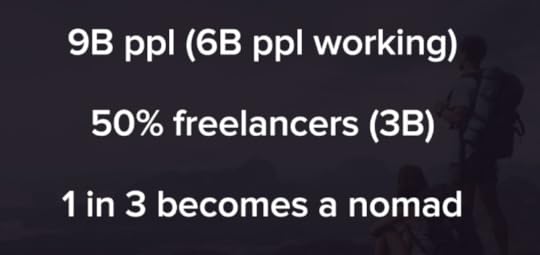
There will be 1 billion digital nomads by 2035 – Pieter Levels, the founder of Nomad List
Learn Required SkillsGoogle and YouTube and relevant blogs are the best teachers out there.
But it’s not easy for everyone to learn from these free resources because educational resources from those platforms are not organized and straightforward.
So, you can use online courses to learn the required skills.
Here are the best places to educate yourself and build skills:
YouTubeUdemySkillshareCourseraLyndaUdacityBy signing up for one of these resources, you can get access to thousands of online courses that will help you build skills fast.
Udemy and Skillshare are the best places to learn creative skills and the required skills to become a digital nomad, such as graphic design skills, photography skills, marketing skills, web design skills, etc.
If you want to learn to code, you can try FreeCodeCamp or CodeAcademy to get free coding lessons and tutorials.
Read more: How I Travel The World Working Online

How Digital Nomads Make Money While Traveling The World?
There are many ways you can make money while traveling the world as a digital nomad.
You can make money doing freelance jobs and remote jobs for companies.
Also, you can build a passive income generating business to make money while traveling or even sleeping too!
Here are three types of jobs and businesses digital nomads do while traveling the world.
1. Start Your Own BusinessYou can start a blog, podcast, or YouTube channel to document your nomadic life and share your experience.
The best part is,
By doing these, you can build a passive income-generating business that makes money while you travel.
Also, you can start other passive income-generating businesses to make your digital nomad life easier. Because having passive income streams means true financial freedom.
Check out this post to get some genuine passive income ideas and to learn more about passive income.
2. Freelancing
Freelancing isn’t a passive income-generating business, but it’s one of the best ways to make instant active income as a digital nomad.
In freelancing, you have to sell your services to earn money. If you have a high-paying skill, you can make massive money by doing freelance jobs.
For example,
If you are a graphic designer, you can sell your graphic design services. You can design logos, banners, flyers, illustrations, etc.
The best place to sell your graphic design service is 99Designs. It’s the only design-specific freelance marketplace available on the market.
You can be a freelance writer, photographer, virtual assistant, digital marketer, and the list goes on.
If you’re a beginner, I suggest you start your freelance career on Fiverr because it’s user-friendly and beginner-friendly.
Read more: Freelancing for Beginners – The Ultimate Guide to Freelancing in 2024
Also, you can use Upwork, Freelancer, Guru.com, Facebook groups, and other social media platforms to get more clients.
3. Get a Remote Job
Are you a young hustler?
Join our facebook group – ‘Young Hustlers‘
The difference between remote jobs and freelance jobs is remote jobs mean you’re a full-time or part-time employee at an organization or a company, while freelance jobs end once the project is over. In both cases, your presence isn’t required at the office.
Remote jobs are better than freelance jobs because sometimes it’s hard to get clients as a freelancer and remote jobs make your digital nomad life more secure.
If you have the required skills and degrees, you can quickly get a remote job and work from anywhere.
You can be a web developer, app developer, growth hacker, marketing specialist, graphic designer, software engineer, and the list goes on.
Some well-known companies offer flexible remote jobs for digital nomads. Some of them are:
MailerLiteZapierBufferDoistHubstaffAutomatticSafetyWingRead more: The Ultimate Guide to Remote Job – 7 Remote Companies to Get a Remote Job and Travel the World
Online job boards such as We Work Remotely, RemoteOK, and Remote.co are some of the great places to find flexible part-time jobs or full-time remote jobs. Or, if you’re looking for something more specific, here’s a good site for remote SQL jobs.
Also, the power of networking is huge. LinkedIn is a great place to apply for jobs. Also, it’s a great platform where you can showcase your experience and skills and network with other professionals.
You can directly approach a company for a remote job. Choose a remote-friendly company, let them know who you are and how the company can benefit from your skills, and ask if they have any positions available.

Get rid of debt, save money, build your own business, or get a remote job and reduce other obstacles.
Educate yourself, motivate yourself, and boost your confidence by reading relevant blogs and books. Also, listen to podcasts and watch travel videos.
Nomadic Matt, Digital Nomad Soul, Hobo with a Laptop, Making It Anywhere, and Wandering Earl are some of my favorite digital nomad blogs which you can follow to learn more about the digital nomad lifestyle.
Some digital nomad books I recommend are:
How to Travel the World on $50 a Day by Matt KepnesThe 4-Hour Workweek: Escape 9-5, Live Anywhere, and Join the New Rich by Tim FerrisVagabonding: An Uncommon Guide to the Art of Long-Term World Travel by Rolf PottsTravel While You Work: The Ultimate Guide to Running a Business from Anywhere by Mish SladeAlso, you should read two of my favorite books, ‘Rich Dad Poor Dad‘ by Robert Kiyosaki and ‘Crushing It‘ by Gary Vaynerchuk, to learn more about income streams, new-age business strategies, and achieving financial independence.
You can join digital nomad communities such as Couchsurfing, Nomad List, and Facebook Groups to get support and to meet more digital nomads.
Get Digital Nomad InsuranceIt’s essential for remote workers and digital nomads to have international health insurance and travel insurance.
SafetyWing is a travel medical insurance that was created by nomads for nomads. You can purchase a policy even if your trip has already started. You can pause and resume coverage with flexibility. 185 countries are covered and you don’t need to let them know about your itinerary in advance. Perfect for people like me who don’t know where they’ll be next month! Check out their website at SafetyWing.com.
Get International Internet ConnectionAs digital nomads often work online, a reliable, fast, and secure internet connection is a must for digital nomads.
Although you will find WIFI in most places today, it’s always a good idea to have a backup plan, like a mobile hotspot. Your smartphone hotspot can help you, but you have to buy a new SIM card whenever you travel internationally.
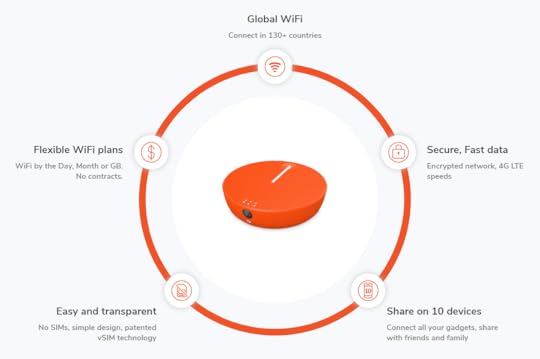
So, I recommend Skyroam; it is a global hotspot, which means you don’t have to buy a new SIM card everywhere you go. Inuidea readers get an exclusive discount with promo code INUETC.
Choose a Destination and Go!If you’re a beginner digital nomad and still learning how to become a digital nomad, I suggest you go to a popular as well as beginner-friendly digital nomad destination.
It’s obvious that you want a place with a lower cost of living with a higher quality of life. But more than that, you want to meet other digital nomads to make your digital nomad life easier.

Taipei, Taiwan
So, as a beginner, you have to choose your first destination wisely.
Here are the top 7 locations for digital nomads along with the cost of living.
Koh Lanta, Thailand – Average Cost of Living: $575-$1,620 per month.Prague, Czech Republic – Average Cost of Living: $970-$2,420 per month.Playa del Carmen, Mexico – Average Cost of Living: $900-$1,500 per month.Taipei, Taiwan – Average Cost of Living: $1,400-$2,560 per month.Las Palmas de Gran Canaria, Spain – Average Cost of Living: $1,620-$2,420 per month.Medellin, Colombia – Average Cost of Living: $710-$1,620 per month.Tbilisi, Georgia – Average Cost of Living: $700-$1,550 per month.Do you know?
Bali is one of the most popular digital nomad destinations to avoid if you’re a beginner digital nomad. Bali was a paradise for digital nomads, but it has become too crowded and too expensive!
As well as Chiang Mai and Berlin become expensive too, and Cape Town has become unsafe for visitors.
Quick Tips: You can use Nomadlist to find out your next destination. It’s the biggest crowdsourced database of cities in the world, analyzing 1,902,719+ data points to help you choose where to go next.
AccommodationFor free accommodation, check out Couchsurfing, it lets you meet and stay with locals all over the world for free.
Also, exploring Booking.com, Agoda, and Airbnb is a great way to find low-cost accommodation around your destination.
Final Thoughts – How To Become a Digital Nomad and Travel The World in 2024Read more: 7 Cheapest Places to Visit in Europe!
Becoming a digital nomad requires time, lots of effort, and patience because It takes huge time to be financially independent and location independent.
So, keep patience and keep working to achieve your goals. If you’re passionate about becoming a digital nomad, you can easily become a digital nomad even though it requires lots of effort, money, and confidence.
Follow these steps, learn more about the digital nomad lifestyle, and start hustling today!
Now It’s Your Turn!Read more: The Pros and Cons of Digital Nomad Life, Freelancing, and Remote Job
Hey, I hope you enjoyed reading this guide to becoming a digital nomad.
Now I’d like to hear from you:
What do you think about the term ‘Digital Nomad’?
Let me know in the comment section below right now.
Also, share this post with your friends and aspiring digital nomads who are looking for an in-depth guide to becoming a digital nomad.
How To Become a #DigitalNomad and Travel The World! #TravelTips
Click To Tweet
If you have any questions, feel free to contact me. I’m always available to help young hustlers like you.
Keep hustling!
The post How To Become a Digital Nomad and Travel The World (2024) appeared first on Inuidea.com.
February 17, 2024
17 Amazing Free Websites to Download Copyright Free Stock Images
Images are vital if you want to write an attractive and engaging blog post.
But it’s not easy to find out the best and copyright free images to use on your blog.
Today I’m going to show you 17 amazing free websites to download copyright free stock images for your blog.
These websites are free to use, full of high resolution and copyright free images. You can use any images from these websites, and the free version of Canva to design almost anything! You can design high quality Pinterest graphics to drive massive traffic from Pinterest to your blog.
Images from these websites are free from copyright restrictions and licensed under the ‘Creative Commons Public Domain‘ dedication.
So, you can copy, modify, distribute and perform the work, even for commercial purposes, all without asking permission and without giving attribution.
Let’s take a look at the list!

Inu Etc in Dzukou Valley
0. Copyright Free Images by Inu EtcDownload the collection of copyright free images by Inu Etc, ranging from captivating travel photos to mesmerizing AI-generated art and stunning wallpapers.

Unsplash provides over 1,000,000 high resolution photos for free and the number is growing rapidly.
The website is easy to navigate, all photos are nicely tagged, searchable and extremely gorgeous.
Unsplash is my favorite stock image downloading site. It’s full of awesome, free to use (even for commercial purposes) and high resolution images.
Read more: 11 “Must Have” Free WordPress Plugins Every Blog Needs.
[image error]
2. PexelsPexels provides high-quality stock photos and videos licensed under the Creative Commons Zero (CC0) license, which means you can use these images for commercial purposes too.
All photos are nicely tagged, searchable, and also easy to discover through their Discover pages.
Pexels has thousands of free stock photos and every day they add new high-resolution photos, which you can use for free.
3. Pixabay
Pixabay provides 1 million+ high quality free to use stock images, illustrations, vector graphics, and videos.
All contents are released under the Pixabay License, which makes them safe to use without giving attribution – even for commercial purposes.
The website is easy to navigate and it’s extremely easy to find out the proper images for your blog post in less time.
Related post: 9 Best Sites to Sell Stock Photos Online

Canva is my favorite design tool that I use to design graphics for my blog posts and social media accounts.
Canva provides millions of high quality free stock photos, which you can use to design graphics on Canva. Also, you’re allowed to download those images to use them on other projects too.
Free images on Canva comes from Pixabay and Pexels. So, it’s obvious that these images are licensed under the Creative Commons Public Domain license.
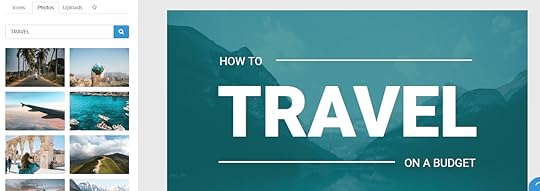
Snappa is a Canva alike graphic design tool that I occasionally use to design logos, blog post images, social media graphics, etc.
The best part is,
Snappa provides 1,000,000+ royalty free stock images, which you can use to design graphics on Snappa.
Read more: How to Start a Podcast for Free in 2020 (Complete Guide)

Burst is a free resource powered by Shopify that provides royalty free stock images for entrepreneurs.
You can use images from the Burst photo library for any projects, websites or blogs.
Their photo library is growing fast because they are constantly adding new photos to their library.
Burst lets you edit, crop or otherwise modify these images without giving attribution. They’re free for commercial purposes too.
7. Reshot
Reshot offers beautiful, high quality stock images, that you can copy, edit, modify, distribute and use any photos on your websites or your creative projects without giving attribution.
All photos from Reshot are free to use, both for commercial and non-commercial purposes.
StockSnap has a large number of beautiful free stock photos and high definition images, which you can use on your blog, business website, magazine or some other creative projects without giving attribution.
They add hundreds of copyright free images on a weekly basis and all photos are licensed under the Creative Commons Public Domain license.

Founded by Ryan McGuire, Gratisography has the world’s quirkiest collection of high resolution free to use stock images.
You may use Gratisography pictures to do almost anything you can think of. You can edit and modify these images to use on your blog, website or other commercial and non-commercial projects.

Are you a food blogger looking for some high quality and free to use photos to use on your food blog?
FoodiesFeed provides high quality food images to pair with your food blog posts.
All photos published on Foodiesfeed are licensed under the Creative Commons Zero (CCO) license. Which means you can use the photos as if you took them yourself.
Read more: The Ultimate Guide on How to Start a Money Making Blog in 2020

Picography provides gorgeous, high resolution stock images licensed under the CC0 license, this means that you can use the images from Picography to do almost anything without giving attribution.

MMT provides free CC0 photos, videos for personal and commercial use on blogs, websites, apps, and such other projects.
They also offer free templates compatible with adobe illustrator to create graphics for social media posts, stories, etc.

Picjumbo is a free stock photo site founded by Victor Hanacek.
It has a free version and a premium version. But the free version is enough for bloggers and small business owners.
Picjumbo provides 2941+ high quality free stock photos that you can use for personal and commercial purposes. You can use them on your blog or website, attribution isn’t required.
After Unsplash and Pexels, Picjumbo is my third favorite royalty free photo downloading site.

Foter uses the Flickr API and searches Creative Commons photos and displays those copyright free stock photos on their site.
It takes time to find out the best and copyright free images on Flickr.
So, instead of searching on Flickr you can use Foter to get the right image for your next blog post or your creative project.

Life of Pix is a stock photo downloading site created by LEEROY Creative Agency that offers high resolution images with no copyright restrictions.
They add new photos on a weekly basis and all photos are licensed under the Creative Commons Public Domain license, which lets you do anything with all their photos.
Also, check out their sister site, Life of Vids. It’s a free video clip downloading site created by LEEROY Creative Agency.
Read more: 13 Reasons Why You Should Start an Online Business When You’re Young
Freestock is a free image downloading site that offers you royalty free stock photos for your blogs and websites.
They also offer royalty free vectors, icons, and videos for free of charge.
All images on Freestock are licensed under Public Domain, so they are free to use for any purpose.

ISO Republic offers free to use HD images for blogs and websites.
All photos and videos on ISORepublic are free for both personal and commercial use and licensed under a CC0 license.

Pikwizard holds a stunning library of over 1 million stock images and videos. What makes Pikwizard stand out is you can take each image and edit it on graphic design software, Design Wizard!
The images of people are also great! There’s no attribution required, meaning you can use each image and video as you please.
19. DesygnerDesygner, an online design tool, has many features that can be used to create posters, cards, and other print or web assets. You can find templates, royalty-free images, and vectors as well as fonts and illustrations.
Desynger uses a lot of images from Shutterstock. Shutterstock is an image service that you must pay for. It’s a win/win situation. You can pay Desygner to get Shutterstock images.
Hey, I really hope you enjoyed this list of free stock image downloading websites.
Now I’d like to hear from you:
Which ‘stock image downloading website’ do you prefer to download images for free?
Let me know in the comment section below right now.
Also, share this post with your friends and bloggers who are looking for some image downloading sites to download free images for their blogs or other creative projects.
Check out 17 amazing free websites with high quality, beautiful and #CopyrightFree stock #Images that can be used for personal and commercial purposes. #Blogging #BloggingTips
Click To Tweet
If you have any questions feel free to contact me. I’m always available to help young hustlers like you.
Keep hustling!
The post 17 Amazing Free Websites to Download Copyright Free Stock Images appeared first on Inuidea.com.


