Michael Hyatt's Blog, page 177
January 28, 2013
Join Me for a Free Platform University Q&A Teleseminar


Please join me for a free, LIVE Platform University Q&A Teleseminar on Tuesday, January 29, 2013 at 8:00 pm Eastern Time (7:00 pm Central, 6:00 pm Mountain, 5:00 pm Pacific).
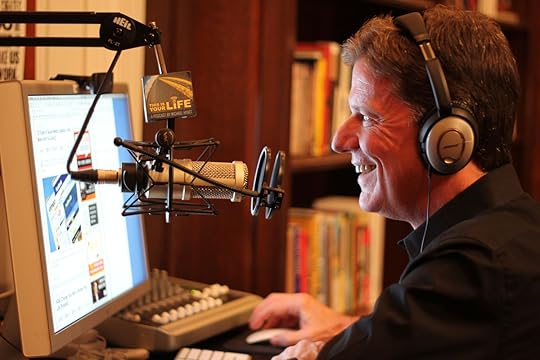
As you may have heard, last week we opened the doors to Platform University. So far, almost one thousand people have joined. The level of engagement has been incredible.
One of the monthly features is a live Q&A call for our members. I am opening this first teleseminar up to everyone—member or not—so you can sample Platform University for yourself.
During the call, I’ll share briefly what a platform is, why you need one if you are going to get your product, service, or brand noticed in today’s noisy world, and how to take your platform to the next level.
I’ll spend the bulk of our time together answering questions LIVE—a perfect opportunity for you to ask me anything about platform-building. But you must register to participate.
What You’ll Learn
During this teleseminar, I’ll share:
The three components of my social media framework. If you feel overwhelmed, this model will help you prioritize your time and focus your efforts.
A list of my favorite platform-building tools, including the ones I use day-in and day-out. They will save you hours every week!
How you can find time to build a platform, even if you have a full-time job and a crazy-busy life.
The pros and cons of building a personal brand vs. corporate brand. I, too, struggled with this at the beginning.
The one thing you must do to succeed. If you don’t do this, you will fail. If you do this, you can survive any mistake you make.
And, as I mentioned, I will also answer your questions. The call will last one hour.
How to Register
This call is FREE. You can access it LIVE by phone or a streaming web audio player.
Please note: I only have room for 3,000 people on this teleseminar. (That’s the limit imposed by our hosting company.) Therefore, you must register now to participate.
Register for the FREE Platform University Q&A Teleseminar
I am really excited about this online event. I want to help you take your platform to the next level and sample what we have to offer at Platform University. I know personally what this can mean for your future.
If you still have questions, read the FAQs below.
FAQs
Q: What is a teleseminar?
A: Think of it as a giant conference call. You dial in (or listen via streaming web audio), along with others and listen while I share and answer questions.
Q: How much does this cost?
A: It’s free. If you choose to access the LIVE call via phone, you may incur standard long-distance charges if you choose a dial-in number that is not local to you (there are multiple dial-in number options). Other than that, no fee at all.
Q: What is the date and time?
A: The LIVE call will take place on Tuesday, January 29th, 2013, at 8:00 pm Eastern Time (7:00 pm Central, 6:00 pm Mountain, 5:00 pm Pacific).
Q: How can I access the LIVE call?
A: You’ll have two options. Our call capacity is 3,000 total. Five hundred can access the call via phone, the rest via streaming web audio (listening via your computer). Access is on a first-come, first-served based on registration and which access option you chose. We will notify you prior to the call with the specific phone number and web address.
Q: I can’t make the LIVE call. Will there be a recording?
A: Yes, I will make the recording available after the LIVE call. You’ll have the option to listen to the replay online or download an MP3 file.
Q: How do I ask a question for you to answer during the call?
A: When you register there will be an option for you to submit a question. I’ll do my best to answer as many questions as possible during the LIVE call. However, I will likely not get to all of them. I’ll try to make sure I address common themes.
Q: Do I need any special equipment?
A: No, you won’t need anything special. You won’t need to download anything to access the call. If you use the dial-in access then you simply make a phone call. If you use the streaming web access then you simply open a web browser, click play, and listen. I will send the instructions to you via email.
Q: When do I get access information after I register?
A: I will send you access information via email tomorrow (Tuesday).
Question: What do you hope to get from the teleseminar? You can leave a comment by clicking here.








January 26, 2013
Lessons from the Ordinary
This is a guest post by Skip Prichard. He is a dear friend of mine, an accomplished CEO, turnaround business leader, and keynote speaker. I highly recommend you subscribe to his blog and follow him on Twitter.
Every year, I meet incredibly interesting people. You may think I’m thinking of famous people. Yes, famous people can certainly be interesting. Equally interesting, at least to me, are people I meet in everyday life.

For example,
The barista at the coffee shop who remembers exactly what I want.
The guy who waves me into the car wash with the slightest flick of his hand indicating where my tires should point.
The newly-minted, hilarious college graduate who told me his future: two wives (he says his first marriage won’t work out), three kids, a dog, and a dead-end job.
The lady at the bookstore who smiles when she sees me rearranging the shelves, putting my favorite authors’ books face-out.
Be Alert
Each one of the people crossing my path offers an opportunity to learn. I study people shuffling by at a busy store. There we go, I think, as I imagine where they are heading. People are incredibly fascinating.
Sure, some disappoint. You wonder why you work so hard at some friendships when it’s clearly a one-way path to nowhere. Then there’s family, some family members are truly biological—with blood coursing through their bodies to prove it. Others we adopt, friends who are so true we wouldn’t dream of letting them go.
People teach us remarkable lessons if we are open to learning. Criticism we launch at someone else likely has its roots in our own shortcomings.
Slow Down
Today, as you rush through your day, look at those around you a little closer. Slow down just a bit—you don’t need to view the text message the minute it chimes. You don’t need to check Facebook and Twitter as if you’re looking for signs of life in a patient.
Just watch. Listen. Ask some questions.
See Beyond
If you can see beyond the obvious, you can learn some incredible lessons.
You may discover that the barista prides herself on remembering your drink because she’s really good at it, and her father always told her she was stupid. She’s incredibly bright and works hard to overcome his harsh words. She absorbs your praise faster than your coffee does the cream.
Lessons: Everyone is hurting in some way. Everyone needs praise. Get comfortable with praising good work.
You may discover that the car wash guy is the lead singer in an up-and-coming band and has a real shot at making it. His backstage stories are better than a movie. And his writing is better than most professional writers.
Lessons: Everyone has a hidden talent. Take time to get to know your employees. Often the most needed skills are right in front of you.
You may learn that the college graduate was influenced by his parents’ painful divorce and his insight on relationships beats anything you’d read in a book.
Lessons: Age doesn’t equal wisdom. Learning from mistakes and the failures of others can benefit you more than you realize.
You may find that the bookstore lady is a book herself, full of knowledge you can tap into. She’s actually a retired business executive, filling time. She knows how to incorporate businesses, develop marketing plans, and lead strategic planning.
Lessons: Often what we see is just the surface. Take time to realize the full abilities of the people around you.
See these people are anything but ordinary. Everyone has something extraordinary that can change you. A different perspective, a unique experience, a gift. We’re all ordinary people, but we are all extraordinary in our own way.
Question: What lessons have you learned from “ordinary” people and “everyday” events? You can leave a comment by clicking here.



January 25, 2013
10 Types of Social Media Updates—How Many Are You Using?
A few days ago, I spoke to a group of a thousand plus real estate professionals on the topic of Platform. I walked them through my five-part framework.
As usual, I ended with fifteen minutes of questions and answers. I got my usual top three questions:
Where do you find the time to build a platform?
Should I build my platform around my corporate identity or my personal one?
How can I get more blog readers?
However, near the end of the session, a gentleman asked a question that I have never had anyone ask.
Can you give an example of what you might post on Facebook or Twitter? I don’t know where to start.
Hundreds of heads nodded in agreement. I was suddenly aware of how much I had assumed!
If you’re new to social media and want to build a following, I want to give you several quick examples of the kinds of things you might post.
These are not blog post ideas. (By the way, I have published 13 Blog Post Template as a bonus for joining Platform University.) I am talking about posting to services like Twitter, Facebook, LinkedIn, or Google+.
So, here is a list of ten types of social media posts, along with examples from my own Twitter account.
Share a resource. You can point people to a news item, a blog post, a website, a software tool, or anything else you think would be helpful to your followers. Share the link to the resource.
“Everyone Should Start an Online Business (or How You Can Be Your Own Patron)” @jeffgoins | mhyatt.us/10FWhKY
— Michael Hyatt (@MichaelHyatt) January 20, 2013
Repost another’s post. Occasionally, you will read something from one of your friends or someone you follow that you just have to share with your friends.
RT @stevetn: [New LinkedIn Post] How to craft a voicemail message “Effective Prospecting Voicemail Tips” | LinkedIn mhyatt.us/10uSvP6
— Michael Hyatt (@MichaelHyatt) January 24, 2013
Make an announcement. Whenever you post something new to your blog, select winners in your contest, or start a new business, tell your followers and provide a link for more information.
We’ve had a tremendous response to #PlatformU. Don’t miss the Early Bird special. Only $20 a month | mhyatt.us/T7bj9z
— Michael Hyatt (@MichaelHyatt) January 23, 2013
Reveal something personal. This is what humanizes you and makes you real. It is also what connects people to you and builds trust.
Here I am with my brother, Greg, and my sister, Cathy. I’m the oldest. Greg is the youngest. twitter.com/MichaelHyatt/s…
— Michael Hyatt (@MichaelHyatt) January 14, 2013
Ask a question. One of the beauties of social media is that you can crowd-source your research. Use the “wisdom of crowds” to do everything from finding a great restaurant to solving a specific problem.
Anyone know how to solve this @skype video problem? Thanks. mhyatt.us/TwVnv3
— Michael Hyatt (@MichaelHyatt) January 2, 2013
Provide a discount. If you have an opportunity for your followers to get a deal or save money, share the love. Just be careful you don’t use this as an excuse for spamming your followers.
Bluehost is running a special for my readers. Full website (or blog) hosting for just $3.95 a month: mhyatt.us/WfMXJE
— Michael Hyatt (@MichaelHyatt) January 24, 2013
Reply to a question. Remember that first and foremost, social media is intended to be social. It’s all about the conversation. This means you need to reply to questions people ask you if you are to be taken seriously.
@normdunaway You can find the Bluehost setup instructions here: mhyatt.us/NqPU61
— Michael Hyatt (@MichaelHyatt) January 24, 2013
Report what you are doing now. This is something also humanizes you. If you are doing something particularly interesting, share it with your followers. It’s often useful to include a link to a photo.
I’m sitting on the front row, about to hear my good friend, @andyandrews, speak to a crowd of 2,000. So excited!
— Michael Hyatt (@MichaelHyatt) January 22, 2013
Offer your congratulations. Use social media to celebrate the accomplishments of others. Don’t make it all about you. Be generous with others and you’ll find it comes back to you.
Made my connection. Thank you @americanair. Your service was outstanding! So grateful.
— Michael Hyatt (@MichaelHyatt) January 23, 2013
Wish someone well. Whether it’s a simple “happy birthday” or “congratulations on your promotion,” social media provides a way for you to call attention to the people you care about.
My buddy, @therobertd is about to break into Amazon’s top 100. Check out my review of his new book: mhyatt.us/UkGjzm
— Michael Hyatt (@MichaelHyatt) January 3, 2013
I’m sure I have only scratched the surface. But hopefully, this will give you some ways to get started or expand your social media repertoire.
Question: What have I missed? What are some other types of social media posts you can make? You can leave a comment by clicking here.


January 23, 2013
#038: Change Your Story, Change Your Life [Podcast]
Inside your head and mine, there is a narrator. He or she is constantly telling us stories. These stories shape how we perceive reality.

In fact, if we don’t intervene, these stories can shape our destiny for the worse. Or, if we are intentional and take control of the narrative, these stories can shape our destiny for good.
Click to Listen
Podcast: Subscribe in iTunes | Play in browser | Download
You can change your life by changing your story. There are five ways you can take control of the narrative in your head.
Recognize the voice in your head.
Jot down what the voice is saying.
Evaluate whether this story is empowering.
Write down a different story.
Start telling yourself the new story.
Listener Questions
Jana Botkin asked, “How can I tell the difference between telling myself a story of delusional optimism and the truth?”
Julie Sunne asked, “My inner narrator often take me in a million different directions. Can you offer some pointers for focusing our inner stories?”
Mary DeMuth asked, “When you are living your story and continue to do the same thing over and over again, getting the same crummy result, how do you encourage yourself to think differently and stop doing that thing that’s not working?”
Noah Coley asked, “What is your best advice for helping someone understand that they can be the authors of their own story rather than simply reacting to a story that’s been given to them?”
Russ Hess asked, “Is there a practical way to refocus the meaning we associate with the various events of our lives to lead us to a greater sense of fulfillment?”
Rob Ketterling asked “Why do you think we work so hard to avoid the change rather than make the change?”
Bobby Warren asked, “How important is faith in changing your story?”
Special Announcements
We have just opened membership to Platform University. This is a project I and my team have been working on for months.
My book, Platform: Get Noticed in a Noisy World, only scratched the surface. Platform University picks up where that left off and provides an opportunity to dive deeper, bringing you the insights and tools you need to build a platform that gets you, your brand, your cause noticed.
The Early Bird special ends this week, so if you want to get in on the lowest possible price—for life!—visit PlatformUniversity.com
We still have a few tickets left for the Platform Conference, which will be held here in Nashville on February 11–13, 2013—just about a month away.
This conference is for anyone who wants to jump start their platform or take it to the next level. If you are an author, public speaker, blogger, recording artist, business owner, entrepreneur, sales person, mortgage broker, pastor, or corporate brand manager, this conference is for you!
We have an incredible lineup of speakers, including:
Ken Davis
Pat Flynn
Jeff Goins
Stu McClaren
Cliff Ravenscraft
John Saddington
Carrie Wilkerson
Andrew Buckman
Michelle Cushatt
And, of course, yours truly.
My next podcast will be on the topic of “The 7 Benefits of Keeping A Journal.” I will include my tips for doing keeping a journal, along with a couple of software recommendations. If you have a question on this subject, please leave me a voicemail message. This is a terrific way to cross-promote your blog or website, because I will link to it, just like I did with the callers in this episode.
Episode Resources
In this episode I mentioned several resources, including:
Post: “Change Your Story, Change Your Life”
Conference: The Platform Conference
Book: Platform: Get Noticed in a Noisy World
Website: Platform University
Show Transcript
You can download a complete, word-for-word transcript of this episode here, courtesy of Ginger Schell, a professional transcriptionist, who handles all my transcription needs.
Subscription Links
If you have enjoyed this podcast, please subscribe:

iTunes

Zune

RSS
Your Feedback
If you have an idea for a podcast you would like to see or a question about an upcoming episode, e-mail me.
Also, if you enjoyed the show, please rate it on iTunes and write a brief review. That would help tremendously in getting the word out! Thanks.
Question: What story do you want to change? How might this change your behavior and your outcome? You can leave a comment by clicking here.



January 21, 2013
Platform University Is Now Officially Open!
I’m pleased to announce that Platform University is officially open. My team has been working on it for months, and I am so excited to be able to share it with you.
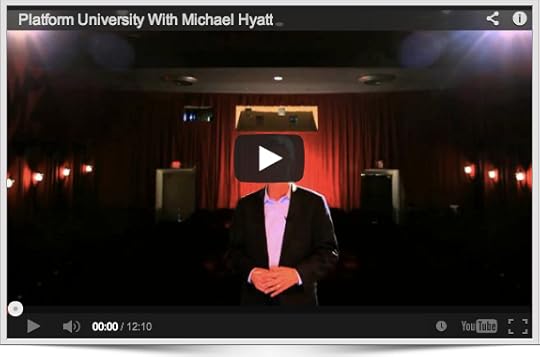
I won’t repeat what we have on the Platform University site, but I would like to encourage you to check it out today.
If you want more visibility for your product, service, brand, or cause …
If you want want to turbo-charge your platform-building efforts …
If you want to avoid making the same dumb mistakes others have made …
If you are ready to experience the benefits of having a platform sooner rather than later …
Then Platform University is for you.
And when you join this week, you can take advantage of the Early Bird discount, which ends on Tuesday, January 29th. (We will NEVER offer this introductory deal again.)
There has never been a better time to build or expand your personal platform. This year—2013—could be your year to make it happen. My colleagues and I are here to help.
Question: What would a platform make possible for you? You can leave a comment by clicking here.



January 20, 2013
PodiumCue
If you are a public speaker, you owe it to yourself to check out PodiumCue. It is a simple app that manages your speaker notes. You use simple swipe gestures to move from point to point. The color coding makes it possible always to know where you are in your talk. It is incredibly easy to use.



PodiumCue [Link]


PodiumCue

iTunes App Store
If you are a public speaker, you owe it to yourself to check out PodiumCue. It is a simple app that manages your speaker notes. You use simple swipe gestures to move from point to point. The color coding makes it possible always to know where you are in your talk. It is incredibly easy to use.
January 17, 2013
Content Success Summit [Event]

Content Success Summit 2013 is a live online conference that will enable you to increase your exposure, grow a loyal following and achieve sales growth with content marketing techniques. The world’s leading content marketing pros will show you how.
Date:
February 14, 2013
Time:
02:00 p.m.
Event:
Content Success Summit
Topic:
Platform: Get Noticed in a Noisy World
Sponsor:
Social Media Examiner
Venue:
Virtual Event
Location:
Virtual Event
Public:
Public
Registration:
Click here to register.



My Top 10 Favorite iPad Apps and How I Use Them
As I mentioned in a previous post, I bought an iPad Mini and am loving it. It goes with me everywhere. It is what I think the iPad should have been from the start.

Since writing that post, I have been asked numerous times about which iPad applications I use. I thought I’d share here my top ten favorites. These are the applications I am using daily.
Nozbe: This is my task management program. I am running the new beta version, and it’s beautiful. (It should be available in the App store soon.) It is fully GTD-compliant and is a joy to use. In a word, it is my “command center.” It keeps me organized and on-task.
Clever HD: I live in Evernote. It has enabled me to go almost completely paperless. It is my virtual filing cabinet. However, I am not crazy about the recent interface changes. I feel like I lost a lot of functionality. Clever HD is an alternative interface that directly accesses my Evernote database and does exactly what I wish Evernote did.
Agenda Calendar: This is an alternative to the native iOS Calendar application. I like its simple and elegant interface much better. It is just more intuitive to me. (I also use it on my iPhone.) It connects directly to Google Calendar, which is what I use to manage my appointments.
Mail: This is the native iOS application. It does everything I need. I have been especially pleased with the recent upgrade, including the VIP feature. For processing lots of e-mail, I still prefer the desktop version, as I use a lot of AppleScripts and Mail rules. But for checking on the go, this does the trick.
1Password: I also use this app on all my devices to manage login information, passwords, and software licenses. I sync via Dropbox, so the same database is available everywhere on every device. This is one of the first apps I install on any new device.
DropBox: When I first started using this app, I did so to be able to share documents with other people. Now I use it to ensure that all my documents are available on every device I own. In fact, my entire Documents folder is under DropBox. (It also makes for a great supplemental backup solution.)
Moleskine Journal: When I first got my Mini several weeks ago, I tried virtually every notebook app available for the iPad. There are some great options available. I finally settled on this one. I like the way it handles my handwriting (e.g., “wrist guard”) and syncs with Evernote.
Mr. Reader: This is what I use to read my RSS subscriptions on the go. It’s my favorite RSS client. I only wish it were available on my desktop. (I use Google Reader, which I like too. This is just a slicker interface.) I especially like the way it integrates with Buffer.
Kindle: I bought my iPad Mini primarily as an e-book reader. I can highlight passages, take notes, and access both of these in the cloud. For social reading, I use BookShout, which is also a terrific e-reader app.
HootSuite: I use this device on every device to manage my Twitter account. It’s a huge timesaver. It also has the ability to manage my Facebook and LinkedIn accounts, but I usually use the native apps for that. HootSuite allows me to separate my followers into various columns. I track direct messages, mentions, family, friends, thought leaders, etc.
Honestly, with 275,000 applications on the iPad, you have plenty to choose from. I am discovering new ones each week. I only wish Apple had a way that you could “try before you buy,” since you never really know what you are getting until you try it for yourself.
Question: What are your favorite iPad apps? You can leave a comment by clicking here.



January 16, 2013
Content Success Summit
Content Success Summit 2013 is a live online conference that will enable you to increase your exposure, grow a loyal following and achieve sales growth with content marketing techniques. The world’s leading content marketing pros will show you how.