
Barb Drozdowich's Blog, page 40
August 23, 2015
How to put a Signature at the bottom of a blog post (video)
Today’s video tutorial talks about putting a Signature or some sort of a sign off at the bottom of your blog posts.

There are several reasons for this. As I talk about in the video, new readers to blogs have trouble determining where a blog post starts and ends. They haven’t developed their eye for the pattern of blog posts. Help them out. Make it obvious where the end of your post is. Other than being friendly and thanking your readers for reading your post, it is also important to ask your readers to share and also to let them know of news – book signings, books on sale or upcoming new releases.
Watch the video and as always, let me know if you have any questions!
* * *
I’d like to thank you for dropping by today! I hope I helped simplify another tech issue. If you have a friend that would benefit from this post, please use the share buttons below to pass it on. I have created almost 20 of these videos now to address sticky problems that I get questions about. If you are interested in getting these videos delivered directly to your inbox, sign up for my Tech hints newsletter off to the right ⇒
I’ve now re-worked and republished the first two of my books. They were written in hopes of helping. If they sound interesting, click on the covers and you will be taken to Amazon.
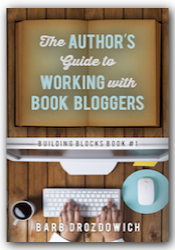
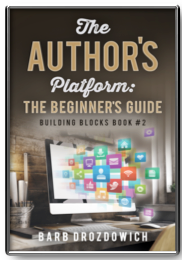
The post How to put a Signature at the bottom of a blog post (video) appeared first on Bakerview Consulting.


How to put a Signature at the bottom of a blog post
Today’s video tutorial talks about putting a Signature or some sort of a sign off at the bottom of your blog posts.
There are several reasons for this. As I talk about in the video, new readers to blogs have trouble determining where a blog post starts and ends. They haven’t developed their eye for the pattern of blog posts. Help them out. Make it obvious where the end of your post is. Other than being friendly and thanking your readers for reading your post, it is also important to ask your readers to share and also to let them know of news – book signings, books on sale or upcoming new releases.
Watch the video and as always, let me know if you have any questions!
* * *
I’d like to thank you for dropping by today! I hope I helped simplify another tech issue. If you have a friend that would benefit from this post, please use the share buttons below to pass it on. I have created almost 20 of these videos now to address sticky problems that I get questions about. If you are interested in getting these videos delivered directly to your inbox, sign up for my Tech hints newsletter off to the right ⇒
I’ve now re-worked and republished the first two of my books. They were written in hopes of helping. If they sound interesting, click on the covers and you will be taken to Amazon.
The post How to put a Signature at the bottom of a blog post appeared first on Bakerview Consulting.
August 19, 2015
Build Your Business on Google+ (Infographic)
Today – more on Google+! As I said a few weeks ago, I don’t think that we pay enough attention to Google+ – and since it is part of the Google monster, we really should.
I hope you learns from this great infographic and finds some little gems to take away and try!
Enjoy!
The infographic was created by JSEO

The post Build Your Business on Google+ (Infographic) appeared first on Bakerview Consulting.
August 16, 2015
How to put HTML code on the Sidebar of a Blogger Blog (Video Tutorial)

Today’s video talks about putting HTML code on the sidebar of your Blogger blog. The principle is the same whether you are putting HTML code or iframe code on your sidebar. For those of you that are glazing over at that comment – a YouTube video is put in place using an iframe code and a link to a picture can be put in place using HTML code. As bloggers we frequently are given code to throw up on on our sidebar. Like putting videos in place, code is not difficult to manipulate when you know what you are looking for.
If you use Blogger and are a bit intimidated by the thought of putting code on your sidebar, take a few moments and see if the video will help you understand what needs to be done.
* * *
I’d like to thank you for dropping by today! I hope I helped simplify another tech issue. If you have a friend that would benefit from this post, please use the share buttons below to pass it on. I have created almost 20 of these videos now to address sticky problems that I get questions about. If you are interested in getting these videos delivered directly to your inbox, sign up for my Tech hints newsletter off to the right ⇒
I’ve now re-worked and republished the first two of my books. They were written in hopes of helping. If they sound interesting, click on the covers and you will be taken to Amazon.
The post How to put HTML code on the Sidebar of a Blogger Blog (Video Tutorial) appeared first on Bakerview Consulting.
How to put HTML code on the Sidebar of a Blogger Blog
Today’s video talks about putting HTML code on the sidebar of your Blogger blog. The principle is the same whether you are putting HTML code or iframe code on your sidebar. For those of you that are glazing over at that comment – a YouTube video is put in place using an iframe code and a link to a picture can be put in place using HTML code. As bloggers we frequently are given code to throw up on on our sidebar. Like putting videos in place, code is not difficult to manipulate when you know what you are looking for.
If you use Blogger and are a bit intimidated by the thought of putting code on your sidebar, take a few moments and see if the video will help you understand what needs to be done.
* * *
I’d like to thank you for dropping by today! I hope I helped simplify another tech issue. If you have a friend that would benefit from this post, please use the share buttons below to pass it on. I have created almost 20 of these videos now to address sticky problems that I get questions about. If you are interested in getting these videos delivered directly to your inbox, sign up for my Tech hints newsletter off to the right ⇒
I’ve now re-worked and republished the first two of my books. They were written in hopes of helping. If they sound interesting, click on the covers and you will be taken to Amazon.
The post How to put HTML code on the Sidebar of a Blogger Blog appeared first on Bakerview Consulting.
August 12, 2015
The Ultimate On-Page SEO (Infographic)
Today’s topic for the infographic is SEO. I’ve run into a few examples of bloggers trying to get ahead by buying SEO ‘help’ on Fiverr lately. What has happened in the recent examples is what we call Black Hat SEO being use and resulting in the site being black listed.
So…don’t pay someone to ramp up your SEO unless you are really certain that they know what they are doing…and even then…don’t try to game the system as Google usually wins 
I hope you enjoy this post and learn a lot from it!
Enjoy!
I found this infographic HERE

The post The Ultimate On-Page SEO (Infographic) appeared first on Bakerview Consulting.
The Ultimate On-Page SEO
Today’s topic for the infographic is SEO. I’ve run into a few examples of bloggers trying to get ahead by buying SEO ‘help’ on Fiverr lately. What has happened in the recent examples is what we call Black Hat SEO being use and resulting in the site being black listed.
So…don’t pay someone to ramp up your SEO unless you are really certain that they know what they are doing…and even then…don’t try to game the system as Google usually wins
I hope you enjoy this post and learn a lot from it!
Enjoy!
I found this infographic HERE
The post The Ultimate On-Page SEO appeared first on Bakerview Consulting.
August 9, 2015
How to put an Image on the Sidebar of a Blogger Blog (Video Tutorial)

One of my pet peeves is pictures that hang off the edge of a sidebar. I’m never sure if the blogger just doesn’t know how to size pictures or if they are just lazy. There are some simple strategies that can be used to get images fitting and looking good on any size sidebar.
If sizing pictures is something that puzzles you and you are using Blogger, take a few moments to let me show you how easy this can be.
* * *
I’d like to thank you for dropping by today! I hope I helped simplify another tech issue. If you have a friend that would benefit from this post, please use the share buttons below to pass it on. I have created almost 20 of these videos now to address sticky problems that I get questions about. If you are interested in getting these videos delivered directly to your inbox, sign up for my Tech hints newsletter off to the right ⇒
I’ve now re-worked and republished the first two of my books. They were written in hopes of helping. If they sound interesting, click on the covers and you will be taken to Amazon.
The post How to put an Image on the Sidebar of a Blogger Blog (Video Tutorial) appeared first on Bakerview Consulting.
How to put an Image on the Sidebar of a Blogger Blog
One of my pet peeves is pictures that hang off the edge of a sidebar. I’m never sure if the blogger just doesn’t know how to size pictures or if they are just lazy. There are some simple strategies that can be used to get images fitting and looking good on any size sidebar.
If sizing pictures is something that puzzles you and you are using Blogger, take a few moments to let me show you how easy this can be.
* * *
I’d like to thank you for dropping by today! I hope I helped simplify another tech issue. If you have a friend that would benefit from this post, please use the share buttons below to pass it on. I have created almost 20 of these videos now to address sticky problems that I get questions about. If you are interested in getting these videos delivered directly to your inbox, sign up for my Tech hints newsletter off to the right ⇒
I’ve now re-worked and republished the first two of my books. They were written in hopes of helping. If they sound interesting, click on the covers and you will be taken to Amazon.
The post How to put an Image on the Sidebar of a Blogger Blog appeared first on Bakerview Consulting.
August 5, 2015
Your Guide to Google+ Business to Business Marketing (Infographic)
Today’s subject is Google+. I frequently hear complaints about Google+. What do I do with it? It drives me batty…the list goes on.
Since Google owns Google+ we really need to pay attention to it. The infographic below will entertain you as well as teach you the all important question of ‘What do I do with Google+.”
Enjoy!
I found this infographic on Business 2 Community
The post Your Guide to Google+ Business to Business Marketing (Infographic) appeared first on Bakerview Consulting.


