Brian Meert's Blog, page 64
October 9, 2020
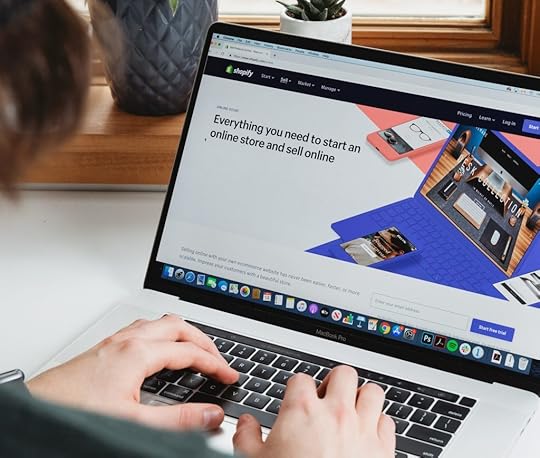
Shopify vs WooCommerce: What’s the Best E-commerce Website for Dropshipping?

OCT. 9, 2020
Roberto Cortese / Unsplash
In 2020, e-commerce sales soared more than ever before due to quarantine regulations that stop the further spread of COVID-19. In fact, just in the first quarter of this year, U.S. retail e-commerce sales amounted to more than $160 billion, about 2.33% more than Q1 2019.
Sales in the U.S. are projected to grow up to $6.54 trillion by 2022, so if you’re thinking of approaching this market and starting your own online business, now is the right time to act.
There are a few different ways you can start your own business, but if you don’t have the budget to purchase stocks of products and if you’re not really the creative or crafting type, perhaps dropshipping might be the right sector for you.
What Is Dropshipping?
Dropshipping is a low-risk retail fulfilment method used by many e-commerce entrepreneurs worldwide. In this model, the e-commerce owner runs a business-to-consumer (B2C) online store without any physical product stock. Only after the customer purchases the products does the owner buy the ordered goods from a wholesale supplier, who also arranges the shipping of purchased goods to the customer.
Thanks to this business model, dropshippers can virtually sell any product that weighs up to 11 pounds. With dropshipping becoming more popular every year, the only thing to argue about is the e-commerce website on which to build the online dropshipping store.
The most popular platforms are WooCommerce and Shopify. While WooCommerce has more than 82 million downloads and powers more than 26% of all online stores, Shopify has 21% of the share with 500,000 vendors and about $45 billion in revenue. These two platforms are very different from each other. This article lists some of the core differences so that you can decide which one is the best for your dropshipping business.
WooCommerce
Here are the pros of WooCommerce.
With WooCommerce, you have unlimited store customization options and full control of the functionality of your website, design, and products. You can add virtually anything you want to your store without any limits. Moreover, with WooCommerce being a free plugin for WordPress, you could even kill two birds with one stone, making use of your WordPress blog to drive traffic and attention to your products.
WooCommerce can indeed help you grow your online business, providing a fast and responsive experience for e-commerce stores of any size.
Here are the cons of WooCommerce.
However, if you’re not familiar with WordPress — the world’s most popular CMS — you would have some difficulty understanding how WooCommerce works. To get the customization you want, you will either need to know coding or spend money in themes and plugins.
Despite WooCommerce being, technically speaking, a free plugin, you would still need to count in the costs for purchasing web hosting, domain name, and SSL certificate.
Additionally, WooCommerce does not have a dedicated customer service team; however, there are several WooCommerce community forums that you overcome any problem you might encounter.
Shopify
Here are the pros of Shopify.
Shopify is an all-in-one solution that allows you to build a basic online store in just a few minutes, even without any knowledge of coding or previous experience in website-building.
For a monthly fee, you will have access to hundreds of apps that can help you market your products and that can be easily integrated to your store.
This CMS, developed especially for e-commerce websites, will provide you with everything you need, from the domain name to store themes to content management. There will not be any additional fees for web hosting or SSL certificate, and you will not need to connect your store with any other website management platform. Moreover, you will have a dedicated customer care team that will assist you 24/7 in any matter related to your website.
Here are the cons of Shopify.
While the above points are just enough to sell the idea that Shopify is what you need, don’t forget that there are some drawbacks to this platform. For one, you don’t have full control over your website. Your store’s customization options are limited, and the monthly payments will not stop, even if you’re not making any sales.
Which Is the Best E-commerce Website?
There is no set answer to this question. Whether you choose one or the other depends entirely on you. The two platforms are quite different, and they offer different kinds of services.
If you’re not familiar with the CMS world, and you have never worked with WordPress, the best choice for your dropshipping business would be Shopify, since this platform can provide everything you need to get your business started in just a few minutes. You would not have to worry about anything other than what products to upload. However, if customization and full control is what you’re looking for, then WooCommerce is your best choice, even though it might need a bit more maintenance and initial effort to launch.
Regardless of which one you choose for your online business, you can rest assured that both will allow you to run an online store without having to go through the logistics and storage hassles. This is precisely what dropshipping is:
Low maintenance
No product storage
Freedom to choose (almost) any product you want
Freedome to change your online store catalog
This article talks about some of the major features and the distinctions between the two platforms. Now the choice rests on you. Choose the software that best suits your needs and become your own boss today.


October 7, 2020
35 Banned and Restricted Products You Can’t Advertise on Facebook

4
/
5
(
2
votes
)
OCT. 7, 2020

Joshua Hoehne / Unsplash
Although most businesses are welcome to advertise on Facebook’s platform, there are some products and services that Facebook won’t allow on its site. Before you decide to promote your business with Facebook ads, review this list of products and services banned and restricted from Facebook’s platform.
1. Tobacco Products
Facebook doesn’t allow the advertising of tobacco and tobacco-related products, including these:
Cigarettes
Cigars
Chewing tobacco
Tobacco pipes
Hookahs
Hookah lounges
Rolling papers
Vaporized tobacco delivery devices
Electronic cigarettes
However, Facebook does allow ads that promote blogs or groups about tobacco. Other tobacco-related ads are also allowed, such as those that promote anti-smoking campaigns, e-books, counseling services for smoking addiction, rehabilitation programs, and facilities for smokers.
2. Weapons and Explosives
Facebook doesn’t allow ads promoting weapons, including the following:
Firearms
Ammunition
Paintball guns
BB guns
Fireworks
Explosives
Pepper spray
Knives
Tasers
Self-defense weapons
If your ads link to landing pages where people can purchase weapons, those ads will be flagged by Facebook.
Images of weapons are acceptable, as long as the weapon is not pointed directly at the person seeing it. Ads that promote blogs or groups about weapons are allowed. Those ads may contain images of weapons, as long as they are not pointed directly at the users seeing the ad.
3. Derogatory Personal, Political, and Religious Content
Facebook bans ads that promote hatred against its users. In particular, the social media company doesn’t allow ads attacking the following:
Race
Sex
Creed
National origin
Religious affiliation
Marital status
Sexual orientation
Gender identity
Language
If your ads promote hate speech against any of the above, they will be rejected and your account flagged.
4. Spy Cams and Surveillance Equipment
James Bond may be the world’s most famous spy, but his new idea for a spy store won’t get very far on Facebook. The social media company doesn’t allow the promotion of spy cams, mobile phone trackers, or other surveillance equipment. The promotion of private detective services may be allowed, so be on the lookout for Magnum PI.
5. Counterfeit Goods
A study shows that nearly 25% of luxury-item ads on Facebook were leading to sites that may promote or facilitate the sale of counterfeit goods. Facebook has taken a firm stance and will block any ads that fall within this category.
6. Fake Documents
Forgers looking to expand from dark alleyways and windowless vans will run into problems on Facebook. Ads may not promote fake documents such as degrees, passports, and immigration papers.
7. Adult Products and Services
As a general rule, Facebook ads may not contain nudity, overly sexual, or pornographic material of any kind. But how much skin can be shown in a Facebook ad before it gets rejected? Here are examples of what Facebook rejects and approves.
Facebook Ad Was Approved
Facebook ad with woman in t-shirt with minimal cleavage.
Facebook ad with woman in low v-neck t-shirt with noticeable cleavage.
Facebook ad with woman in normal swimsuit.
Facebook ad with woman in normal t-shirt wearing underwear or boy shorts.
Facebook Ad Was Rejected
Facebook ad with woman in bikini.
Facebook ad with woman in shorts with no shirt, hands covering breasts.
Facebook ad with normal shorts with low cut t-shirt exposing some underside of breast.
However, ads for family planning services and contraceptives are allowed.
8. Penny Auctions
Penny auctions lure consumers into thinking they are able to purchase high ticket items like iPads, designer handbags, and other electronics for a margin of the retail price. What the companies don’t disclose is that you must pay to bid, meaning multiple people are paying money, but only the highest bidder receives the final item. Facebook has stated that no ads may promote penny auctions, bidding fee auctions, and other similar business models.
9. Alcohol
Although alcohol is allowed, you must abide by local laws. For example, while the drinking age in the US is 21, it’s 18 in the U.K. Additionally, some countries may not allow the promotion of alcoholic beverages.
10. Body Parts
Because the sale of body parts is illegal, it also isn’t allowed on Facebook. “Body parts” specifically refer to the illegal sale of organs.
11. Cannabis
Although legal in several U.S. states, any promotion of cannabis is banned from the site. This includes cannabis paraphernalia, such as bongs and rolling papers.
12. Dating
Although dating ads are allowed on the platform, advertisers must abide my Facebook’s policies to make sure their ads are approved to run. Advertisers must also be pre-approved by Facebook to run ads.
13. Drug Tests and Exam-Taking Services
Services that involve taking exams or drug tests on behalf of clients are banned from Facebook.
14. Face Masks
Due to COVID 19, the demand for face masks rose. However, with this demand came price gouging. As a result, face masks that protect the nose and mouth are allowed with restrictions. Cotton masks are allowed while medical-grade masks aren’t. Ads must not also promote false information about COVID-19 or unrealistic promises about the benefits of face masks.
15. Fake Followers Services
Companies that offer to sell fake followers, engagement, or website traffic to clients are banned from the platform.
16. Gambling
Only certain types of gambling are allowed on Facebook. For example, ads for casinos are allowed while online gambling isn’t.
17. Hacking and Surveillance
Services and software for hacking and surveillance are not allowed on the platform.
18. Illegal Automobile Modification Products
Illegal automobile modification products are banned from Facebook. Here are the five most common products:
Radar detectors
Loud exhaust
Under-body neon lights
Modified headlights and taillights
Super dark tint
19. Lottery
Lottery ads are allowed but with restrictions. Government-run lotteries are allowed, as long as their targeting abides by the law.
20. Multi-Level Marketing
Ads for multi-level marketing companies, or pyramid schemes, are banned from Facebook.
21. Over-the-Counter Drugs
OTC drugs are allowed but with limitations.
22. Payday and Short-Term Loans
The following loans are banned from Facebook:
Payday loans
Paycheck advances
Bail bonds
Short-term loans (90 days or less)
23. Personal Loans
Personal loans are also not allowed on Facebook.
24. Online Pharmacies
Ads for online pharmacies are allowed, but ads for pharmaceutical drugs are not.
25. Politics
Although political advertisers must first be approved to run ads, political ads are usually allowed on Facebook, as long as they abide by applicable laws.
26. Recreational Drugs
Recreational drugs and drug paraphernalia are banned from Facebook.
27. Prescription Drugs
Prescription drugs are not allowed
28. Rehab
Ads for rehabilitation centers are allowed but with restriction.
29. Reproductive Health
Ads promoting reproductive health are allowed but with limitations.
30. Spyware and Malware
Spyware (spy cams, phone tracking devices) and malware (computer viruses) are not allowed on Facebook.
33. Subscription Services
Subscription services with the following conditions are not allowed:
Negative options
Automatic renewal
Free-to-pay conversion billing
34. Unauthorized Set-Top Boxes
Unauthorized set-top boxes are not allowed on Facebook.
35. Unsafe Supplements
Unsafe supplements, such as anabolic steroids, chitosan, comfrey, dehydroepiandrosterone, ephedra, and human grow hormones, are banned from Facebook.
36. Binary Options
Facebook bans financial products and services associated with misleading or deceptive practices. The following are not allowed:
Binary options
Initial coin offerings
Contract for difference trading
To stay up to date on Facebook’s ad guidelines, read the full list of Prohibited Content on Facebook.com.
By AdvertiseMint Staff
October 4, 2020
How to Turn Off Sound On for Facebook Videos

OCT. 5, 2020 Back in 2017, Facebook announced on its newsroom blog that videos will automatically play with sound on. After Facebook tested automatic sound in News Feed and received positive feedback from participants, the company decided to slowly bring sound-on to more users.
“As people watch more videos on phones, they’ve come to expect sound when the volume on their device is turned on,” said Facebook’s announcement. “After testing sound on in News Feed and hearing positive feedback, we’re slowly bringing it to more people.”
In the announcement, Facebook also added that playing videos automatically with sound on brings “videos to life.” Of course, not all may agree, but Facebook’s vice president, Dan Rose, is confident that this change will be well received by users.
“We think people are comfortable with it now,” Dan Rose said at the Code Media conference at Ritz-Carlton in Dana Point, California.
As many users are familiar with by now, with the sound-on feature, sounds fade in and out as they scroll through their videos on their News Feeds. If the phone is set to silent, however, videos will play without sound.
Upon this feature’s debut, some, who prefer watching videos with sound off, may dislike it. After hearing the news of videos automatically playing with sound on, AdvertiseMint’s CEO, Brian Meert, commented:
“This is a horrible idea. Videos that play with sound on are intrusive, and you can only watch these types of videos in limited situations. For example, you won’t be able to watch videos while at a noisy room or at a quiet library. Sound on limits these videos’ accessibility.”
Facebook’s decision to transition to automatic play with sound on is, indeed, surprising, considering 80 percent of users react negatively to videos that automatically play with sound, and videos that optimize for sound off perform better than videos that optimize for sound on. Although this new feature may be inconvenient for some Facebook users, it may be convenient for advertisers who will no longer need to design video ads for sound off, saving them more time and money.
Fortunately, those who don’t want their videos to play with sound can disable the feature in Settings. Here’s how.
How to Turn Off Automatic Sound On
Although sound on will be the default option, Facebook still allows users to opt out. Doing so takes only several seconds, and it can only be done from mobile devices.
Step 1: Tap the three-hamburger icon from the upper-left corner of your screen.
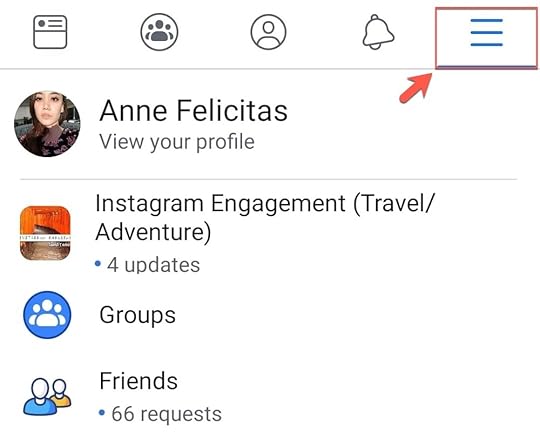
Step 2: Scroll to the bottom of the drop-down menu and tap “Settings & Privacy.” Next, tap “Settings.”

Step 3: Scroll all the way to the bottom. Tap “Media and Contracts.”

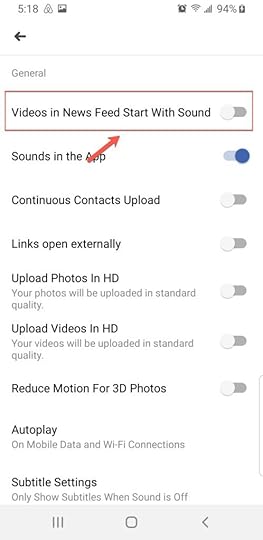
Step 4: Slide the toggle button to the left for the first option, “Videos in News Feed Start With Sound.” The toggle button turning from green to gray is an indication that all videos appearing in News Feed will automatically play for sound off.
Many users may dislike Facebook’s decision to make all videos play automatically with sound on, despite the company and its executives’ belief that it improves the video-viewing experience. Will automatic sound on grow in popularity? Only time will tell.
By Anne Felicitas
October 2, 2020
A Resource of 50 Free Stock Photo Websites

OCT. 2, 2020

If you manage ad campaigns on your own without the help of a Facebook advertising agency, then you know the difficulties of obtaining high-quality creatives. To obtain these creatives, you will need to either hire a graphic designer or photographer or purchase licensed photos online (unless you can photograph and edit photos, in which case, that will be more time consuming for you).
Of course, there are easier, cost-free ways of obtaining photos for your ads by searching for images on Google. However, this method can be costly to you because, although those photos are accessible and downloadable online, you can’t legally use many of them. This means if you downloaded a photo online that a photographer or graphic designer has full rights to, you can get sued for copyright infringement or plagiarism.
Fortunately, you can avoid this predicament by downloading free stock photos instead. Stock photos are professional, high-quality images of common places, landmarks, nature, events, or people.
The list below contains free stock photo websites, with licenses under the Creative Common Zero, or CC0. Photos licensed under CC0 can be used for any legal purpose. These photos, which you can edit, copy, and distribute, are free for personal and professional use without the need for attribution (asking for permission from the photographer or giving credit to the source).
The list below contains the 50 best free stock photo websites that exist online. These are the best websites because of the following criteria:
Quality of photos
Ease of search
Diversity of photo collections
The size of photo gallery
From among the plethora of other stock photo sites, these are the 50 best.
1. Unsplash

Unsplash contains free high-quality photos, from images of couples to nature to workplace — it has it all.
2. Pexels

Currently, Pexels contains more than 25,000 free stock photos, and the platform releases 3,000 new ones every month. All photos are hand-picked from photos uploaded by Pexels’ users or sourced from free image websites.
All of Pexels’ images are under the CC0 license — they’re free to use. However, the site creators ask that you don’t portray identifiable people in the images in a negative or offensive light without their consent.
3. Pixabay

Pixabay currently contains more than 850,000 free stock photos, art illustrations, videos, and vectors. All of Pixabay’s photos can be depicted on social media sites, including Facebook. Note, however, that some of the photos here are photos sponsored by Shutterstock. These photos, which are still free to use, are watermarked with Shutterstock’s logo.
4. Stocksnap

Stocksnap adds hundreds of stock photos weekly, photos which are free from copyright restrictions. When searching, you can sort the images by trending, date, views, downloads, and favorites, making it easier for you to find the image that you need.
5. Negative Space

Negative space provides HD stock photos for free. Hundreds of new images are added each week.
6. Deposit Photos
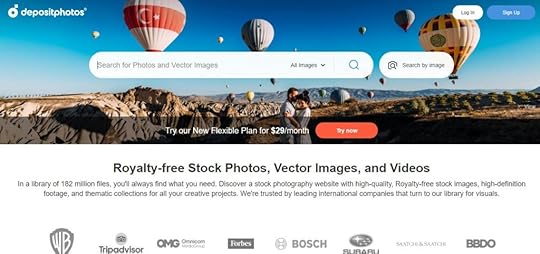
To gain access to the free images provided by this website, you must sign up for an account.
7. Life of Pix

Although Life of Pix contains hundreds of free photos for you to use, note that some of these photos are sponsored by Adobe Stock. Adobe Stock photos are still free to use; however, they are watermarked with the brand’s logo.
8. Picjumbo

When using Picjumbo’s images, consider adding attribution or linking back to Picjumbo’s website as it is greatly appreciated by the owner. Adding attribution is, of course, optional.
9. Free Stocks

Although all photos are free for personal and commercial use, when using Free Stocks’ photos, remember to respect registered trademarks and intellectual and private property. Your are not allowed to redistribute these photos to other free stock photo websites (such as the websites listed in this article).
10. Gratisography

Gratisography offers free high resolution images for free. More images are added weekly by the photographer, Ryan McGuire.
11. Good Stock Photos

Created by Kevin Ma, Good Stock Photos contains free images that are uploaded by the daily, keeping its site’s content fresh. Unlike most stock photo sites, however, the images uploaded to Good Stock Photos are not sourced from other sites. Instead, they are taken and uploaded by the creator himself. Kevin’s photos are free for both personal and commercial use.
12. iStock
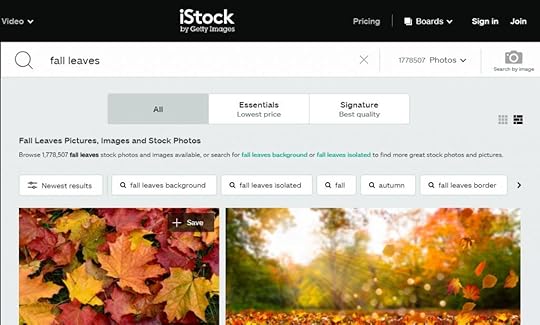
This stock photo website provides free images that users can download confidently, without infringing on copyright, moral right, trademark, or intellectual property right. Free downloads come with the same rights as paid downloads.
13. Burst
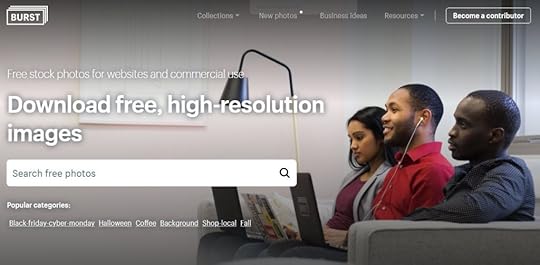
Burst is a website created by Shopify that contains high-quality images in various collections, including Black Friday, Cyber Monday, Fall, and Halloween. Images here can be used for commercial and noncommercial purposes.
14. Reshot
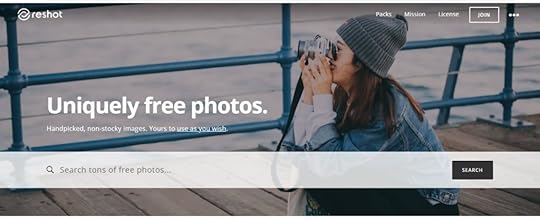
Reshot markets itself as a platform that offers “hand-picked, non-stocky” stock photos. From this website, you’ll discover images that look more artistic than what you typically see.
15. Kaboom Pics
Kaboom Pics offers thousands of free images, even for commercial use. The website also has a blog, which provides advice on design and (of course) stock images.
16. Foca Stock
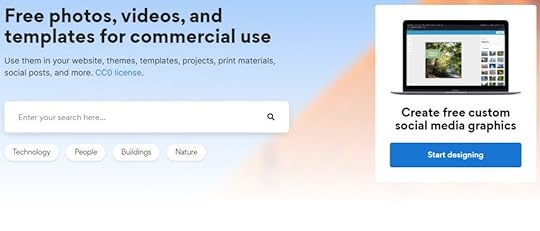
Foca Stock not only offers images with a CC0 license (a license that allows for use of any purpose), but it also offers free custom social media graphics you can post to platforms like Instagram, Facebook, or Pinterest.
17. Picography
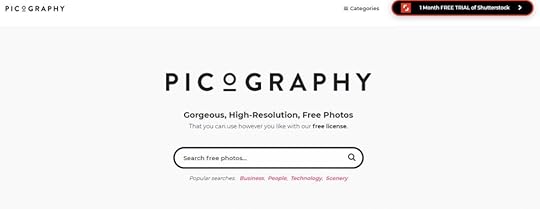
Picography offers high-resolution images for free. The site contains 24 different categories — art and design, fashion, wildlife — from which to browse for images.
18. Foodies Feed
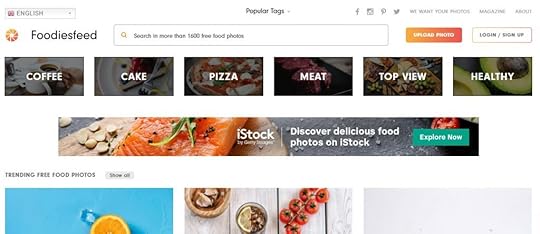
The aptly named Foodies Feed focuses on one specific niche: food. Choose from a selection of more than 1,600 images of drinks, breakfast items, chefs at work, and more.
19. Life of Pix
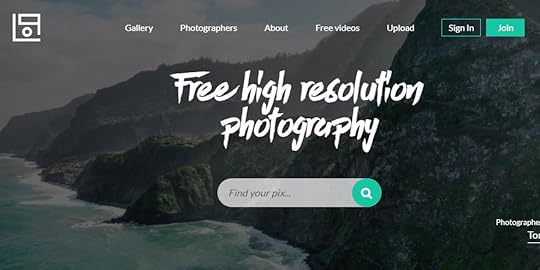
This stock photo website not only offers free images, but it also offers free videos, from a woman sketching a ballerina to a fire blazing under the grill, cars driving through a bridge to a sailboat traveling across the sea.
20. The New Old Stock
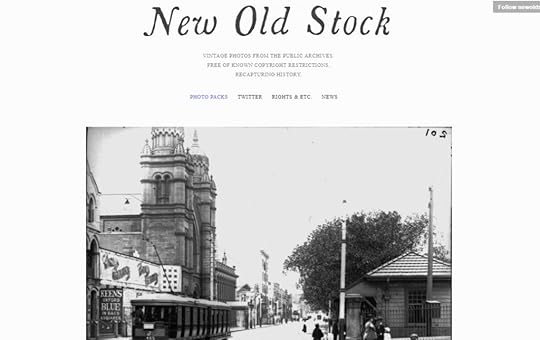
This website is unlike any stock photo platform you’ve seen before. It contains a collection of vintage photos, which are free to use thanks to their availability in public domains. If you want to know more about their licenses, you can click the link provided on each photo.
21. Little Visuals
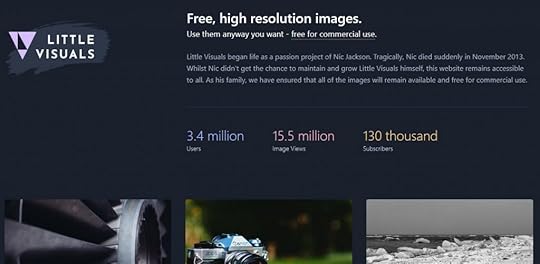
Little Visuals is a small collection of photographs taken by Nic Jackson, who unfortunately passed away back in 2013. Nick’s family is allowing the public to use his work, free of charge.
22. Jay Mantri

Jay Mantri is the eponymous creator of the stock image website. A designer based in Los Angeles, he offers his collection of photos to the public for free. All images have a CC0 license. On the site, Mantri encourages his visitors to “make magic.”
23. Skitter Photo
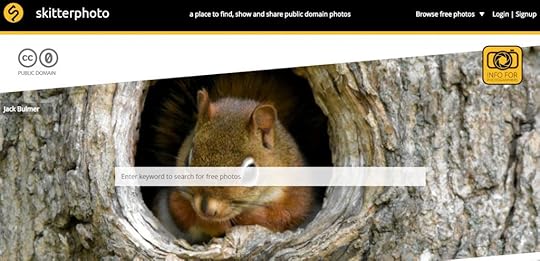
All of the images in Skitter Photo are public domain, which means they are free to use for any purpose, commercially or not. Categories include business and finance, travel, sports, and animals.
24. Picspree
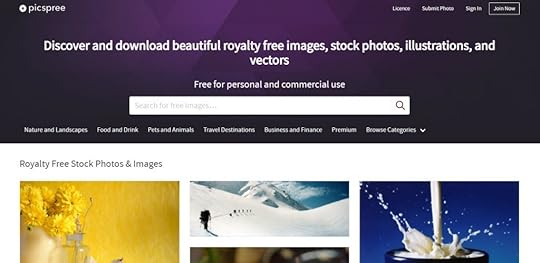
The images in this website offer the following rights: perpetual (no expiration date on use of images), worldwide (anyone from anywhere can use), unlimited (images can be used for an unlimited number of times, and exclusive (others can use the same images you used).
25. Styled Stock
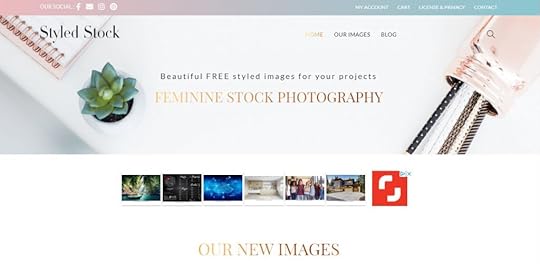
Styled Stock markets itself as “feminine stock photography.” Indeed, many of the images contain subjects you might associate with femininity: women’s clothing, pink objects, and soft colors.
26. ISO Republic
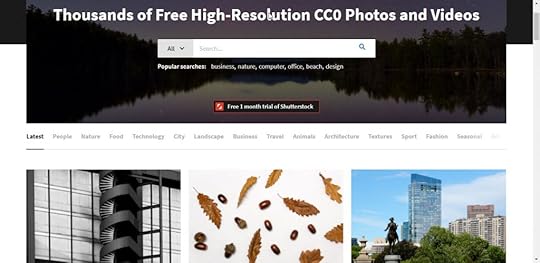
This website offers free images and videos. Categories include landscape, fashion, people, and food.
27. Pikwizard
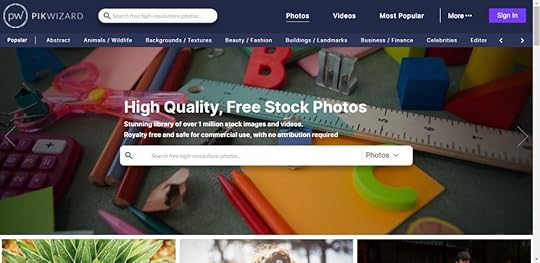
Pikwizard boasts more than one million free stock images. Although the site offers photos from numerous categories — food, backgrounds and textures, abstract — it also provides free use of videos.
28. Rawpixel
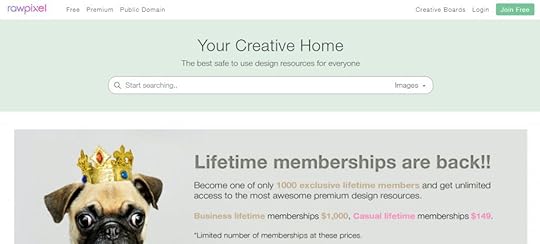
Although this site offers free images, it also offers membership packages for those wanting access to more stock photos. Rawpixel offers two memberships: Business lifetime at $1,000 and casual lifetime at $149.
29. Morguefile
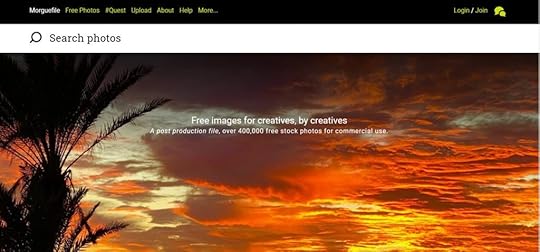
Don’t be fooled by this website’s name. Contrary to what you might believe, this site doesn’t specialize in images of the morgue. In fact, it offers stock photos from a variety of categories, including animals, landscape, and architecture. If you can’t find the image you want, you can also make a request.
30. Stock Vault
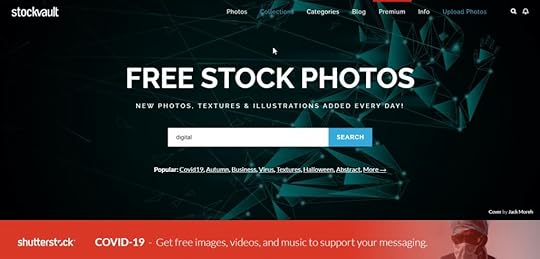
You’ll find new images, textures, and illustrations added each day.
31. Barn Images
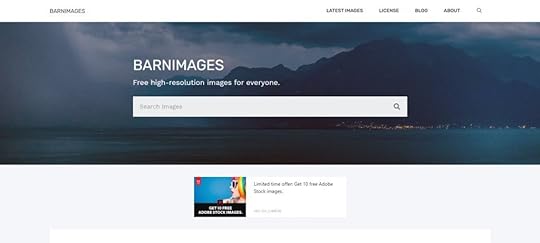
Barn Images is a small collection of stock photography, ranging from landscapes to people, animals to food. All of the images are free to use.
32. Free Food Photos
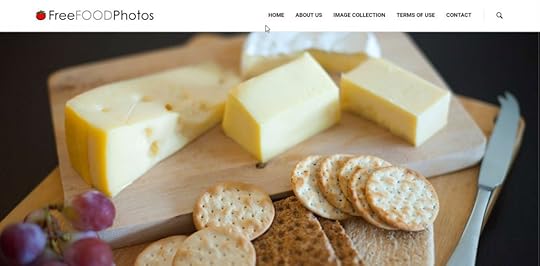
The name says it all: This website offers free photos of — you guessed it — food. The site calls its collection of images “mouthwatering creativity.”
33. Albumarium
This website offers a collection of albums, containing images that you can use. When searching for images, you can filter for license, any license, or commercial.
34. Death to the Stock
Death to the Stock is a website created by artists who wanted to “make the internet beautiful” by producing free authentic, fresh stock photos and videos. New images, available for unlimited downloads, are uploaded each month.
35. Scatter Jar
Another website that focuses on food, Scatter Jar offers free images of mouthwatering treats, produce, and dishes.
36. Snapwire Snaps
Snapwire Snaps boasts 200,000 image from talented photographers.
37. IM Free
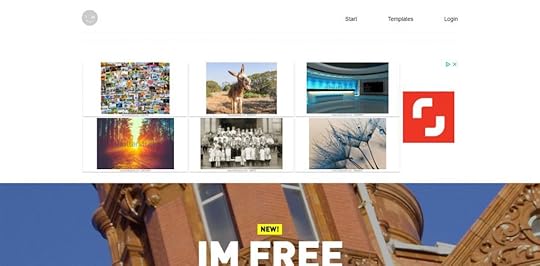
The name is self-explanatory. The images in this website are, yes, free.
38. Public Domain Archive
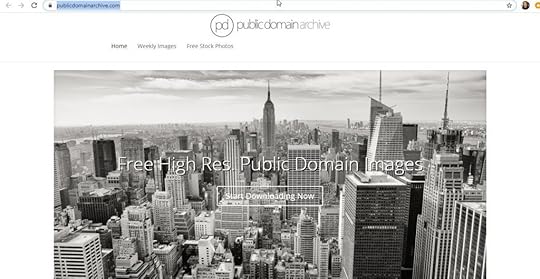
Public Domain Archive provides free images for public and commercial use. The website provides both modern and vintage images. New pictures are added weekly.
39. Free Photos.CC
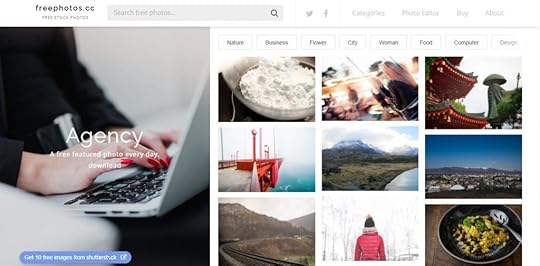
This website offers a free photo-editing tool for once you find the perfect photo that you want to refresh or personalize.
40. Freestocks
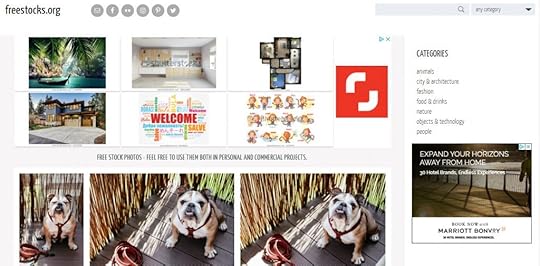
The images at Freestocks are safe for personal and commercial use. Categories include animals, city and architecture, fashion, and technology.
41. Splitshire
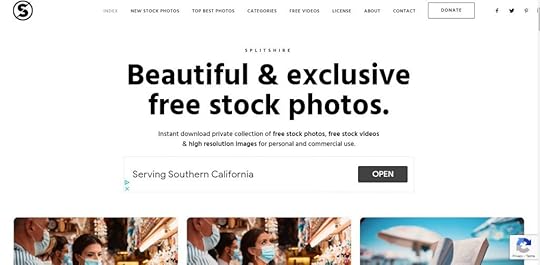
Splitshire offers images you can use for personal (perhaps to post on your social media account) and commercial (perhaps for your Facebook ads) purposes.
42. Free Images
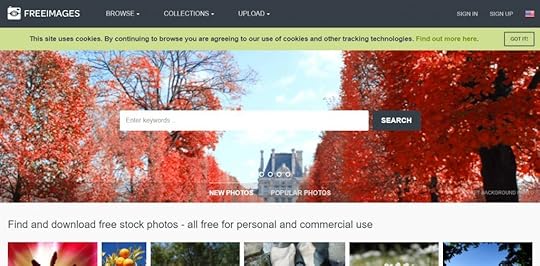
With more than 300,000 images available for public use, the offerings of Free Images span a diverse range of categories, from wildlife to religion, industrial to weapons, architecture to fashion.
43. Flickr
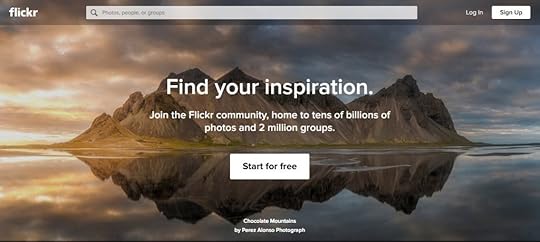
On Flickr, you can search for images according to your intended use. For example, you can search for all creative commons images, images for commercial use, or for images with modifications allowed. Make sure to carefully read the license of each image before downloading.
44. CreateHER Stock
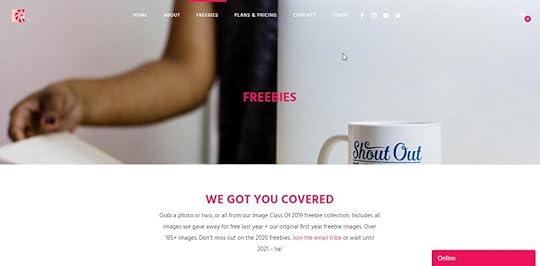
This website provides a collection of more than 185 free images for download. It seems the site uploads new collections each year: You can join the site’s newsletter to gain access to the 2020 collection. Otherwise, you can wait until 2021.
45. Jopwell
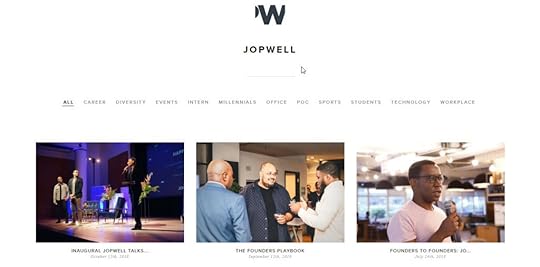
This website is owned by digital diversity recruitment company called Jopwell. Although the images, which are corporate in themes, are free to use, you are required to provide your email to download.
46. Deposit Photos
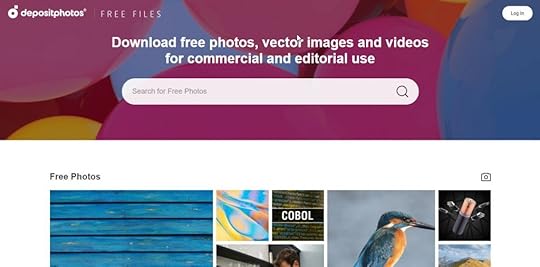
The images provided here are safe for personal, commercial, and editorial use. Simply type in your keywords in search to find the image you want to download.
47. Super Famous

Most of the images provided here are landscape photos. Although free to download, you are required to give credit to the photographer.
48. Crello
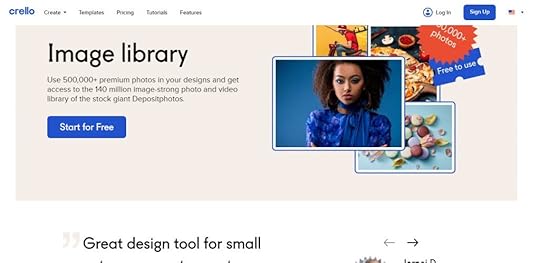
On top of design templates and animation, Crello offers access to more than 500,000 free images. However, you must create an account with the site to get them.
49. Canva
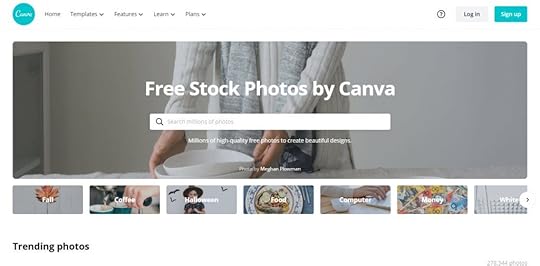
This might come as a surprise to you. Canva, the website that provides free digital templates, has a section dedicated to free images.
50. Dreamstime
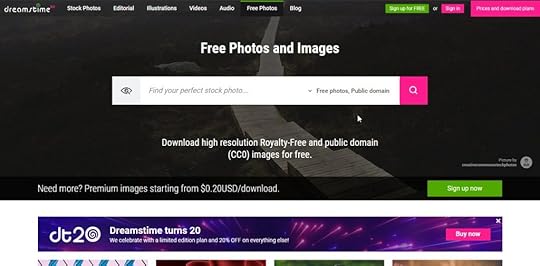
Dreamstime offers stock photos with CC0, royalty-free, and public domain licenses. Search from a collection of business, nature, finance images, and more.
October 1, 2020
Users Can Finally View Stories Anonymously — On LinkedIn

OCT. 01, 2020
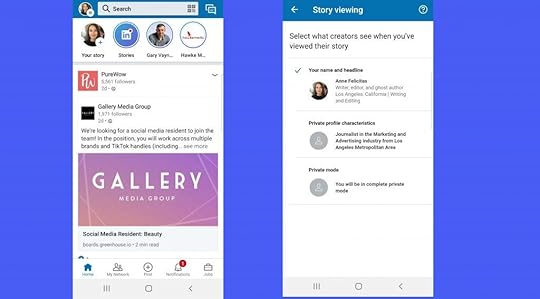
The Stories feature, originated by Snapchat, has been such a hit with users across social media platforms that many companies have appropriated it. Both Facebook and Instagram have their own versions, and even Pinterest is trying it out. The next platform to adopt Stories may come as a surprise: LinkedIn.
LinkedIn Stories appears on top of the app, right under the search bar.
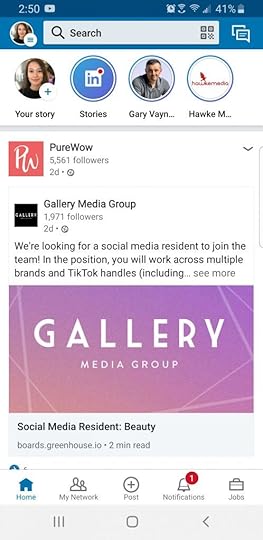
Unlike many of the other platforms with this feature, LinkedIn has a capability that is attractive to users: an option to view anonymously.
By default, views in LinkedIn Stories are visible to the person posting the Story, but users do have the option to change their visibility by going to their settings and clicking the “Visibility” section.
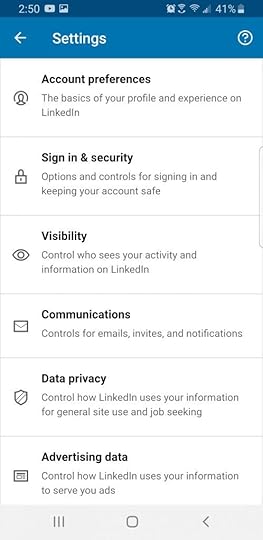
From there, they can click “Story viewing options” and choose how they would like to appear. Users can choose to show their profile picture, full name, and headline; their profile characteristics only, or they can also choose to appear in complete private mode.
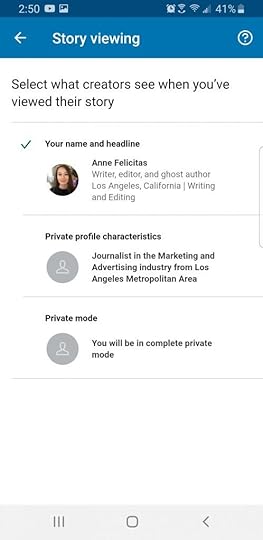
Will other platforms adopt anonymous viewing to remain competitive against LinkedIn? Many users probably hope so.
By Anne Felicitas
September 30, 2020
Tips for Creating a High-Converting Social Media Landing Page

SEPT. 30, 2020

Campaign Creators / Unsplash
Social media is now a significant part of people’s lives. According to Emarsys, there are 3.5 billion social media users, or about 45 percent of the entire global population. Review42 reported that people spend an average of three hours per day on social media networks.
It’s no wonder, then, that businesses are using social media to reach their target audiences. This also means that more and more companies are making use of social media landing pages.
This article explains the purpose of social media landing pages and the ways to create a great one.
Social Media Landing Pages Defined
A social media landing page is a specific web page where you send people after they’ve clicked on a link you’ve shared on a social media post. Landing pages can be used for both paid and organic social media marketing campaigns.
Why not just send someone to your website’s home page? A phenomenon known as choice overload states that when consumers are overwhelmed with too many options, they often end up taking no action at all. This can easily happen if you send them to your home page.
Landing pages are designed to prompt specific actions. If you send visitors to a landing page as opposed to your home page, there’s a much better chance they’ll take the action you want them to take. That action might be giving you their email addresses, signing up for a free trial, registering for a webinar, or even making a purchase.
Now that you know the purpose of a social media landing page and why you need one, how do you create it?
Tips For Creating a Social Media Landing Page
Social media landing pages are not particularly difficult to create. You can use landing page software to build one yourself without any coding knowledge required. If you’d rather outsource the work, you can ask your web designer to do it for you.
This section contains the steps you need to take to create a brilliant landing page. Let’s get started!
1. Determine the goal of your social media landing page.
Before you can start, you need to be clear on what you want to accomplish. In other words, what is your goal? This must be specific and clearly defined if you want to achieve it.
Here are only some of the things you might want your social media landing page to do:
Increase brand awareness . This might involve directing site visitors to your blog posts or sharing a piece of news such as a new release.
Increase subscribers to your email list. Once you have someone’s email address, you can market to them. You can offer a lead magnet, such as a discount, coupon, or access to a downloadable resource to increase the number of people who will sign up. You can use an email finder to validate the email addresses you receive, reducing your bounce rate and keeping your deliverability score high.
Sell a product or service. Businesses usually first warm leads before trying to make them purchase a product or service. However, in some cases, landing pages are designed to inspire an immediate purchase.
Get visitors to try out your product or service. You can offer a demo or a free trial to show new prospects the benefit of your product or service.
Get visitors to sign up for an event. If you’re holding a virtual event such as a webinar or online conference, you can use your social media landing page as your registration page.
It’s best to have just one goal for each page. Mixed messaging will only confuse your audience, leading to choice paralysis. Once you’ve determined your goal, you can design your social media landing page around that.
2. Make sure your landing page mirrors your social media content.
Coherence in branding and messaging is essential. Therefore, ensure that the content and tone of your social media posts are reflected on your landing page. Use the same or similar color scheme, font, images, and language. This is important because you want to maintain a good customer experience.
Your call to action in your social media ad or post should also be the same as the CTA on your landing page. Check out these examples from BigCommerce:
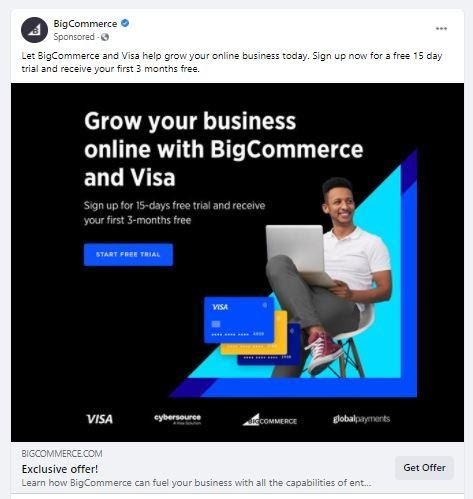
BigCommerce

BigCommerce
Notice that both use the CTA “start free trial.”
Consistent messaging is key to getting your visitors to take your desired action. If your messaging and branding are consistent, you provide that seamless customer journey from the social media post to the landing page and beyond.
3. Include a clear call to action.
Your call to action, or CTA, is where you tell visitors what to do. It must be clear and concise. If your final instruction on your social media landing page is unclear or hard to follow (or worse, completely absent), your visitors will simply leave your page and not come back.
Your CTA should have the following characteristics:
It should be action-oriented. Use action words such as “click,” “get,” “stay” and “join.”
It should stand out. To make your CTA stand out, use a bigger font or a different color.
It should be prominently located. Don’t hide your CTA. Make sure it’s one of the first things visitors see when they arrive on your landing page.
Check out this example from Snickers:
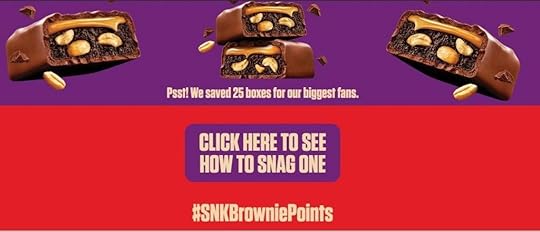
Snickers / Twitter
The CTA uses a clear and simple instruction. It is also right in the middle of the page, in a bigger font, and in a bright color that contrasts with the red background. In other words, it’s very hard to miss.
4. Add eye-catching visuals.
Humans are visual creatures. The brain processes visual information 60,000 times faster than purely written information. In marketing, images grab and hold consumers’ attention, and holding someone’s attention gives you the best chance of converting them.
Visuals on your landing page can increase conversions by a whopping 80 percent. This is because visitors will stay on the page for longer, making them more likely to take the desired action. Therefore, make sure you utilize images such as photographs or infographics. You can also use video content for an even high conversion rate.
Here’s an example from Designrr, a software that helps users create ebooks:
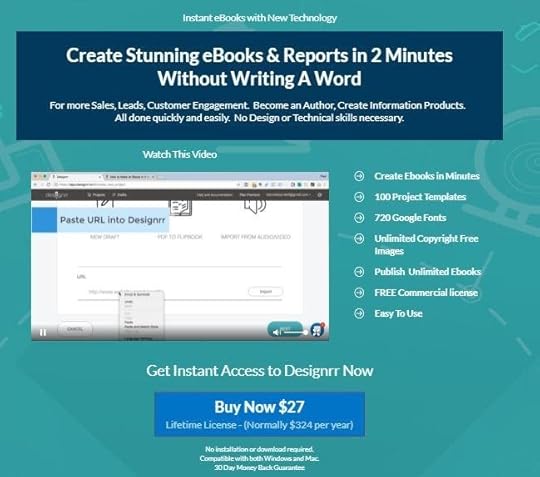
Designrr
This landing page includes a video demo of the company’s product. That video supports Designrr’s goal of getting visitors to purchase the heavily discounted lifetime product license.
Of course, the video and visuals you use must be directly relevant to your offer and your CTA.
5. Leverage testimonials.
It’s always a good idea to include customer reviews on your social media landing page. Testimonials serve as a kind of social proof. If your visitors see that your customers believe in your product, they will be more likely to want it as well. Social proof is the best way to convince website visitors to trust you when they are unfamiliar with your company or product.
Here’s an example from Elementor, a page builder tool. This is where visitors are directed when they click on Elementor’s Facebook ad:

Elementor
Right after its CTA “Choose your plan,” Elementor includes testimonials from previous clients. This helps visitors see that it’s a high-quality product from a trustworthy company. Using a picture of each person who has given a testimonial also makes them more credible.
Make sure you include positive customer reviews or testimonials on your landing page. This gives your website visitors reason to believe your product or service is as great as you say it is. For maximum results, locate the testimonials very close to your CTA button.
6. Keep it simple.
Aim for a simple social media landing page. A site that is too busy or has too many elements looks untidy and makes it more likely that visitors will get distracted.
Therefore, use short snippets of text and just the right amount of supporting visuals. Look at every element with a critical eye. Does it add to the page and make it more likely to achieve its purpose? If not, get rid of it.
Here’s an example from BambooHR:
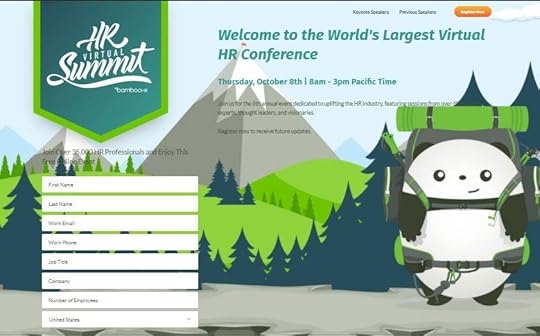
BambooHR / Twitter
This is the landing page customers see after clicking a promotional Tweet. Its goal is to get visitors to sign up for a virtual event. All the elements are aligned with that goal and strongly tied to the company’s brand. The page is visually engaging and appealing and well laid out, containing only the most essential information.
Wrapping Up
If you’re doing social media marketing, landing pages are a critical aspect of a successful campaign. Getting people to click on your ad is only half the battle. The right social media landing page can help you drive visitors to take your desired action, bringing you closer to achieving your goals.
It’s not too hard to create a great social media landing page as long as you follow a few basic best-practice tips. It might take a bit of trial and error, but you’ll soon master it.
Hopefully this guide will help you as you. Good luck with your campaign!
September 28, 2020
How to Tell a Brand Story for Effective Online Advertising

SEPT. 28, 2020

Ian Schneider / Unsplash
Once upon a time, a startup owner needed to advertise her brand effectively but had exhausted all the organic possibilities — or so she thought.
Little did the startup owner know that there was one avenue that she hadn’t yet tried. It was effective, and it didn’t require a massive investment of time or skill. Best of all, it was free.
That avenue was brand storytelling.
Storytelling sounds like a pleasant, fun, creative way to spend some time. Storytelling in terms of branding and advertising can be a great way to make more connections with your clients and customers, and it can, likewise, be pleasant, fun, and creative.
With more focus on startups and homegrown, grassroots small businesses these days, storytelling for brand development has hit the roof, and it’s effective. One study found that, across the board, people spent more on products that were paired with a story.
Especially in these times, we tend to crave connections with everything that comes our way, including the brands we buy from and the products they sell. How do you craft a compelling, catchy brand story? Here are six important steps to take.
1. Know Your History
To tell a good brand story, you can follow one popular piece of writing advice from Lewis Carroll: Begin at the beginning, go on to the end, and then stop. Begin at the beginning. For a brand, that isn’t just the launch or the first time that a curious browser turned into an avid consumer. Brands usually start well before the time that they reach the public eye.
Whether you’re crafting the story on behalf of someone else or you’re writing from your own past history, it’s important to get at the root of what inspired the brand. We all love an inspirational tale. It gives us something to connect with. Even if that original root was, “Do something to make a living,” that’s still a connective link with your audience. Entrepreneurship for the sake of paying the bills is not shameful; your audience will understand it.
But go deeper than that. If you started your company because you were out of a job and wanted to do something different, “do something different” is the key to unlock your audience’s sympathies. Go deep. Write down the facts of how the brand first got started and the values that it’s based on. That’s your story’s foundation.
2. Know Your Audience
A key aspect to successful storytelling, whether it’s an advertisement for a company or a stand-up comedian on a stage, is knowing who is listening. That’s important. Not so you can change your history to appeal to the audience or so you can make up parts that don’t seem to fit. No, it’s important because you want to communicate on a level that they will understand.
That doesn’t mean restricting your vocabulary, although you might have to do that at times. It means knowing what details from your brand story they are already aware of. What do they value about the brand? What should you highlight? How likely are they to respond to a story that highlights emotion versus one that stresses practicality?
Again, this doesn’t mean that you change the details to give the audience what you think they want. It’s actually a great opportunity to surprise them, to throw in details that they may not have been expecting. You’re like a good cook who knows that his guests love blueberries and chooses to use them in their salad as an unusual ingredient. Use your knowledge of your audience to enhance the story.
3. Find the Details That Resonate
The entire purpose of telling your brand story is to create a connection with your audience. That connection leads to deeper engagement and involvement, which leads to investment and often to brand loyalty. It all adds up to a heightened brand reputation with those who matter the most.
The key here lies in the details you include in the brand story. Don’t just include details at random — that’s a quick way to turn a great brand story into a major sleeper. Cherry-pick your details to appeal to the audience, the ones that will draw them in.
What details should you include? Again, it depends on the story and on the audience you’re writing for. Details such as the exact moment of inspiration, when the brand was born in the creator’s mind, are very effective for setting the mood. Details of challenges that were overcome build up sympathy in the audience, too. Everyone loves an underdog, and it’s a rare company that doesn’t have to fight to survive at some point in its timeline.
Connecting with your audience on an emotional level is a great way to sell the brand to them without resorting to traditional marketing techniques.
4. Be True to the Brand Personality
“Authenticity” is a buzzword that gets a lot of air time in branding these days. Your potential clients and customers can tell if you’re not being authentic. It’s easy to get caught up in mismatched branding. If your brand personality says “quirky and grassroots” but your marketing says “cold, sleek, and corporate,” it’s inevitable that the juxtaposition will be pointed out, and you’ll lose potential interest because of it.
Authenticity is especially important when it comes to telling the brand story because a lack of authenticity is easy to see. The brand story is a larger chunk of information, and it needs to harmonize with other branding and the personality that the public sees. Otherwise, it loses all its impact.
5. Don’t Be Long-Winded
Telling a good brand story means knowing what to include and what to leave out. Keep your story simple. Remember, cherry-pick your details. Everything that is included in the story should all work toward a common goal: building your brand by making connections.
Examples differ, but remember that your basic brand story should be a few-minutes read at the most. Consider working up a few variations. You can include one on a dedicated “About Us” or “Our Story” page on your website, have shorter and more concise versions to share on social media, and go into more depth on specific details in blog posts if necessary. Just remember not to over complicate your story.
6. Share Your Story
Once you’ve written all your content down and edited, spell-checked, and asked for feedback, it’s time to take the next important step in using your brand story for effective online advertising: sharing it with others. Your website is the first obvious place to post your brand story, but it should go further than that in order to be most effective.
Use shorter variations or quotes from your story and wrap them into visual content to post on your social media platforms. Choose quotes or passages that are intriguing, perhaps something that highlights the challenges you went through in creating your company. Include a link to the full story along with the quotes. In the process make sure you are branding your company’s story with effective visual designs that will help elicit emotions from your target audience.
A valuable part of branding includes positioning yourself as an expert, and depending on your experience, portions of your brand story could actually serve that same function. Say, for example, you had a big challenge finding investment for your startup. Detailing your experience in a blog post, including “been there, done that” advice from the front lines, makes the post more shareable, makes your brand more appealing, and makes the most of your own history.
Your brand has a story — we all have a story. Our stories are what connect us to others, and your brand can make those same connections. Leveraging your brand story is one of the most effective ways of stealth advertising, and it can be true in your case, too!
Written by Zaheer Dodhia
How to Tell a Brand Story for Effective Advertising Online
SEPT. 28, 2020
Ian Schneider / Unsplash
Once upon a time, a startup owner needed to advertise her brand effectively but had exhausted all the organic possibilities — or so she thought.
Little did the startup owner know that there was one avenue that she hadn’t yet tried. It was effective, and it didn’t require a massive investment of time or skill. Best of all, it was free.
That avenue was brand storytelling.
Storytelling sounds like a pleasant, fun, creative way to spend some time. Storytelling in terms of branding and advertising can be a great way to make more connections with your clients and customers, and it can, likewise, be pleasant, fun, and creative.
With more focus on startups and homegrown, grassroots small businesses these days, storytelling for brand development has hit the roof, and it’s effective. One study found that, across the board, people spent more on products that were paired with a story.
Especially in these times, we tend to crave connections with everything that comes our way, including the brands we buy from and the products they sell. How do you craft a compelling, catchy brand story? Here are six important steps to take.
1. Know Your History
To tell a good brand story, you can follow one popular piece of writing advice from Lewis Carroll: Begin at the beginning, go on to the end, and then stop. Begin at the beginning. For a brand, that isn’t just the launch or the first time that a curious browser turned into an avid consumer. Brands usually start well before the time that they reach the public eye.
Whether you’re crafting the story on behalf of someone else or you’re writing from your own past history, it’s important to get at the root of what inspired the brand. We all love an inspirational tale. It gives us something to connect with. Even if that original root was, “Do something to make a living,” that’s still a connective link with your audience. Entrepreneurship for the sake of paying the bills is not shameful; your audience will understand it.
But go deeper than that. If you started your company because you were out of a job and wanted to do something different, “do something different” is the key to unlock your audience’s sympathies. Go deep. Write down the facts of how the brand first got started and the values that it’s based on. That’s your story’s foundation.
2. Know Your Audience
A key aspect to successful storytelling, whether it’s an advertisement for a company or a stand-up comedian on a stage, is knowing who is listening. That’s important. Not so you can change your history to appeal to the audience or so you can make up parts that don’t seem to fit. No, it’s important because you want to communicate on a level that they will understand.
That doesn’t mean restricting your vocabulary, although you might have to do that at times. It means knowing what details from your brand story they are already aware of. What do they value about the brand? What should you highlight? How likely are they to respond to a story that highlights emotion versus one that stresses practicality?
Again, this doesn’t mean that you change the details to give the audience what you think they want. It’s actually a great opportunity to surprise them, to throw in details that they may not have been expecting. You’re like a good cook who knows that his guests love blueberries and chooses to use them in their salad as an unusual ingredient. Use your knowledge of your audience to enhance the story.
3. Find the Details That Resonate
The entire purpose of telling your brand story is to create a connection with your audience. That connection leads to deeper engagement and involvement, which leads to investment and often to brand loyalty. It all adds up to a heightened brand reputation with those who matter the most.
The key here lies in the details you include in the brand story. Don’t just include details at random — that’s a quick way to turn a great brand story into a major sleeper. Cherry-pick your details to appeal to the audience, the ones that will draw them in.
What details should you include? Again, it depends on the story and on the audience you’re writing for. Details such as the exact moment of inspiration, when the brand was born in the creator’s mind, are very effective for setting the mood. Details of challenges that were overcome build up sympathy in the audience, too. Everyone loves an underdog, and it’s a rare company that doesn’t have to fight to survive at some point in its timeline.
Connecting with your audience on an emotional level is a great way to sell the brand to them without resorting to traditional marketing techniques.
4. Be True to the Brand Personality
“Authenticity” is a buzzword that gets a lot of air time in branding these days. Your potential clients and customers can tell if you’re not being authentic. It’s easy to get caught up in mismatched branding. If your brand personality says “quirky and grassroots” but your marketing says “cold, sleek, and corporate,” it’s inevitable that the juxtaposition will be pointed out, and you’ll lose potential interest because of it.
Authenticity is especially important when it comes to telling the brand story because a lack of authenticity is easy to see. The brand story is a larger chunk of information, and it needs to harmonize with other branding and the personality that the public sees. Otherwise, it loses all its impact.
5. Don’t Be Long-Winded
Telling a good brand story means knowing what to include and what to leave out. Keep your story simple. Remember, cherry-pick your details. Everything that is included in the story should all work toward a common goal: building your brand by making connections.
Examples differ, but remember that your basic brand story should be a few-minutes read at the most. Consider working up a few variations. You can include one on a dedicated “About Us” or “Our Story” page on your website, have shorter and more concise versions to share on social media, and go into more depth on specific details in blog posts if necessary. Just remember not to over complicate your story.
6. Share Your Story
Once you’ve written all your content down and edited, spell-checked, and asked for feedback, it’s time to take the next important step in using your brand story for effective online advertising: sharing it with others. Your website is the first obvious place to post your brand story, but it should go further than that in order to be most effective.
Use shorter variations or quotes from your story and wrap them into visual content to post on your social media platforms. Choose quotes or passages that are intriguing, perhaps something that highlights the challenges you went through in creating your company. Include a link to the full story along with the quotes. In the process make sure you are branding your company’s story with effective visual designs that will help elicit emotions from your target audience.
A valuable part of branding includes positioning yourself as an expert, and depending on your experience, portions of your brand story could actually serve that same function. Say, for example, you had a big challenge finding investment for your startup. Detailing your experience in a blog post, including “been there, done that” advice from the front lines, makes the post more shareable, makes your brand more appealing, and makes the most of your own history.
Your brand has a story — we all have a story. Our stories are what connect us to others, and your brand can make those same connections. Leveraging your brand story is one of the most effective ways of stealth advertising, and it can be true in your case, too!
Written by Zaheer Dodhia
September 25, 2020
10 Creative Ways for Affiliate Marketers to Make Money on Instagram

SEPT. 25, 2020

Social Cut / Unsplash
Affiliate marketing can be tremendously lucrative. As of this year, the industry is estimated to be worth more than $12 billion globally. More than 80% of brands currently operate some kind of affiliate program, and they exist in every niche you can think of.
Affiliate marketing is a form of revenue sharing. You (the affiliate) share links to a third party’s products (the merchant). Each time a customer purchases using your affiliate links, you make a commission. Merchants use affiliate management technologies, such as Impact, to monitor and reward their affiliates while affiliate marketers use affiliate tracking software to track and optimize their campaigns.
Unfortunately, affiliate marketing can suffer from an undeserved bad reputation. Due to the poor behavior of a minority of affiliates and merchants, many dismiss it as a get-rich-quick scheme. However, affiliate marketing is legitimate. At its best, it’s a way to share products you love with your audience and make money while doing so. Companies you’ll be familiar with that use affiliate marketing include Walmart, Amazon, Ebay, and TripAdvisor. Some of the top affiliate marketers include Pat Flynn of Smart Passive Income and Jeff Rose of Good Financial Cents.
Can Affiliate Marketers Make Sales Using Instagram?
Yes!
Whether you’re an influencer, marketer, or expert in a particular niche, you can leverage your Instagram following to make money. Even better, you can do so without spamming your audience or turning them off. After all, chances are you occasionally share products or services you love with your followers. Most people do this on social media without even thinking about it. Affiliate marketing is simply a way to monetize these recommendations.
Want to do affiliate marketing on Instagram the right way? Here are the core principles of how to do that:
Promote products or services that you genuinely love and believe in. You should use them yourself and be knowledgeable about them — this will help you connect with your audience and provide valuable content.
Partner with well-regarded, trustworthy companies.
Always be honest with your audience.
Focus on providing great content and building your promotions into it organically.
How to Make Money on Instagram through Affiliate Marketing
There are many ways to promote your affiliate links and make money, and using social media is just one of the most effective. With more than a billion active monthly users on the platform, if you still ignore Instagram, merchants are here to remind you of its true potential.
Many affiliate marketers ignore Instagram due to its restrictions around linking. You cannot post a clickable link within a photo or video caption, and you can only include one link in your profile. Therefore, you’ll need to be a little more creative if you want to make the most of the platform. Instagram can be a great source of revenue if you use it well.
Here are some of the best Instagram affiliate marketing strategies.
1. Define your style.
Influencer marketing has a reputation of being overly curated to the point of being unrealistic. Exotic locations, high-end camera equipment, and a team of image professionals all work to build an image that is not relatable to many people.
In recent months, however, travel restrictions and social distancing have forced influencers to go for a more DIY approach. Instead of featuring beautiful scenery, Instagram users are now sharing photos taken at home, perhaps featuring their families or pets.
It’s a cliché but a truism: The most powerful thing you can be is yourself. Defining your own style can be a struggle, but it’s what will set you apart. Make sure that everything, from the color scheme you choose to the copy to the choice of products you promote, speaks to who you are as an individual.
Studies show that people tend to trust people they perceive as being like them. A perfect, filtered, Instagram-ready life simply isn’t relatable to most people, especially in the current challenging climate. By presenting a more real self on social media, you’ll allow your audience to feel more of a connection to you. In turn, this authenticity and connection means you’ll have more impact as you share products with your audience.
Here’s an example from actor, blogger, and lifestyle influencer, Yenis Monterrey:

@yenismonterrey / Instagram
In this post, Monterrey uses a natural and unfiltered photograph and addresses the reality of how shopping for food has changed in the wake of COVID-19. By sharing how the product she’s advertising has helped her family during this time, it comes across as more genuine.
You also don’t need to be relentlessly positive at all times. In a world where there is currently a lot of negativity, positive social media posts can be a welcome respite from the harsh reality. However, excessive and relentless positivity can come across as disingenuous or out of touch. This will have an impact on your affiliate earnings in the immediate and long term, and it can do serious damage to your reputation.
Strive to be empathetic and sensitive. Influencers should be aware of what’s going on around them and seek to use their influence and reach to address these problems. In other words, don’t be afraid to address the ways in which the world is a scary place right now.
2. Run contests and giveaways.
Instagram contests are a great source of affiliate leads. They can drive traffic to your site, grow your following, increase your engagement, and make you more attractive to the best affiliate programs in your niche.
The mechanics of your contest should reflect your goals. For example, if you want to get more followers, you should require participants to follow you in order to be eligible for entry. You can also ask your followers to tag a friend. Photo contests where participants must tag you and the brand or use a special hashtag are also hits among the Instagram community. Here’s an example of an Instagram giveaway:
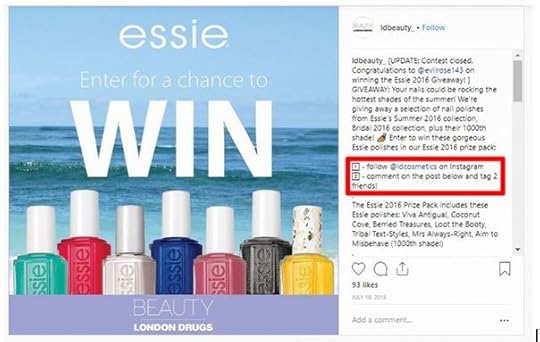 @ldbeauty_ / Instagram
Make sure your rules are clear. For example, if there is any geographical restriction, say so upfront. Following the best practices for Instagram contests will keep your followers and the company you’re promoting happy. It’s also recommended that you announce the winner publicly. This shows the contest was genuine and builds trust with your audience.
The benefits of a well-run contest can last far beyond the immediate term. Ecommerce retailer Coconut Bowls ran an Instagram giveaway that generated more than 40,000 new email leads and more than 37,000 new social media followers.
How did Coconut Bowls do it? Here are the core principles the company followed, which affiliate marketers can also use for their contests:
A thorough and robust understanding of its audience
A great prize that carried high value relevant to the company’s audience (in this case, a Vitamix blender, which retail for $350 to $600)
The use of bonus actions as an opportunity for participants to earn more entries
Utilizing video content to promote the giveaway
Kickstarting the giveaway with an announcement to its existing email subscribers
Asking brand partners and influencers to share the giveaway
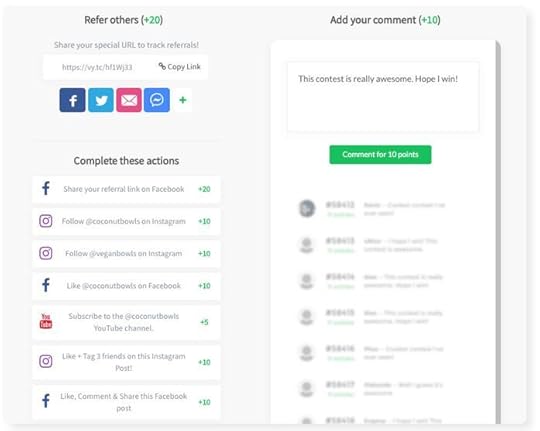 Source:
Vyper
Source:
Vyper
If you think it has to be prohibitively expensive to generate this kind of engagement, you’d be mistaken — this campaign cost less than $1,000! This success story proves the power of giveaways in leveraging social sharing and rewarding engagement.
3. Invest in sponsored posts.
A sponsored post is a type of paid advertising where you pay a fee to Instagram to put your content in front of more people. If your Instagram profile is attached to a Facebook Business page, you can easily advertise on Instagram through Facebook Ads Manager. Otherwise, you need a business profile to take advantage of Instagram’s promotional features.
If you don’t have much of a following or you have just started your Instagram profile, sponsored posting is a great way to boost your following and engagement. You can define who you would like to see your sponsored posts based on target demographics and interests. For example, if you promote a clothing line aimed at young people, you might target college students and 20-year-olds. If you promote a line of home gym equipment, you’d target fitness enthusiasts, and so on.
Contrary to misconceptions, a sponsored Instagram post doesn’t have to be tremendously expensive. Since you get to set your own maximum spend, you’re in complete control, and you can boost a post for as little as $1 per day. Of course, the more you spend, the more people you can potentially reach. If you only have a small advertising budget, don’t be put off. You can still make sponsored posts work for you.
If you want to maximize the effectiveness of your sponsored ads, follow these tips:
Refine your audience to ensure you’re targeting the right people. What is your ideal customer’s age, gender, geographical location, and area of interest?
Be clear on your campaign’s objective. Are you looking to generate awareness, grow your following, or make immediate sales?
Use an appealing, eye-catching, and relevant image.
Make sure your ad copy is as good as it can be. You have only seconds to capture your audience’s attention, so make them count.
Include a relevant and click-worthy call to action.
Finally, make sure to use an affiliate tracking software that integrates with the Facebook Conversion API, so you can measure and optimize your campaigns according to real conversions as opposed to just engagement. That way, you can make tweaks to improve your results as you go along.
4. Be smart with your hashtag game.
Hashtags are a great way to get your post noticed by the right people. They allow people who aren’t following you to find your content, and they help build a community around your posts. Hashtags allow you to be part of a wider conversation centered around a niche, an interest, a geographical location, or an event.
Branded hashtags connected to the companies you work with identify you as an affiliate marketer promoting that brand, and it can help existing fans of the products or services find you. These hashtags allow you to run contests, collect user-generated content, and monitor how well your brand is doing in Instagram Insights.
You can use up to 30 hashtags in an Instagram post. Unlike other social media platforms, the more the better. As long as they’re all genuinely relevant, use as many hashtags as you like. Do some research to see what other affiliate marketers and influencers in your niche are using. You should also take some time to see what’s trending and tie a promotion or product ad to a trending hashtag.
Here’s how fashion influencer Ewelina Kanty does it:
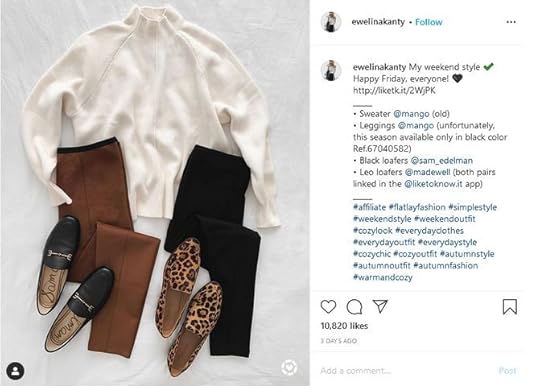
@ewelinakanty / Instagram
By using relevant fashion- and style-related hashtags, she increases the organic reach of her post, ensuring the right people will see it.
As an affiliate marketer, hashtags can also keep you on the right side of advertising law and Instagram regulations. If your post contains any affiliate links, or you’re making money from it, the FTC requires this to be disclosed. A simple way to do this is to use hashtags like #aff, #affiliate, or #ad. Kanty does this in the screenshot above with the hashtag #affiliate.
5. Include a coupon code in your photo description or Instagram Story.
Although you cannot post affiliate links directly in your Instagram captions, coupon codes are a great workaround. If you have an exclusive coupon code for a great discount or bonus, it’s a win-win for you and your audience. They’ll get a great deal, and you’ll become a preferred affiliate each time they shop.
A coupon code works quite similarly to an affiliate link: When your followers go to your partner’s online store and type in the coupon code, the site recognizes it as a referral from you and credits your account with the commission. Here’s an example of an Instagram post using an affiliate coupon:
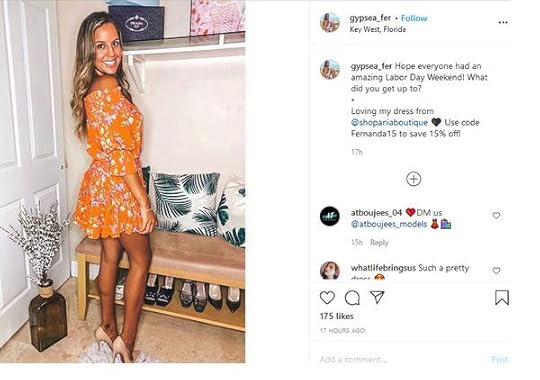
@gypsea_fer / Instagram
Include coupon codes in your bio, photo captions, or your Instagram Stories. You can even edit them directly into images so followers will see them as they scroll through their feed, if you wish.
6. Use the “link in bio” workaround.
Instagram only allows you to put one link in your bio and does not allow clickable links in photo captions at all. Fortunately, businesses and influencers have created a useful workaround. You may have noticed many Instagram users captioning photos with phrases like “link in my bio.” You can do this and change the bio link each time you have something new to promote. However, this is time consuming and inefficient. Instead, use an Instagram linking tool. These useful tools allow you to send your followers to a simple landing page where they can find all your relevant links. The most popular tools include lnk.bio and Linktree.
Here’s an example of how it looks:

Plann / Linktree
Just remember to use “link in bio” in your posts and add the relevant affiliate link to whichever linking tool you’re using.
7. Send people to your blog from Instagram.
Do you have a blog or website where you promote your affiliate products? If so, you should share each new blog post or piece of content on Instagram, using the link-in-bio workaround mentioned above to send your followers to your blog. This strategy has a number of advantages: If your followers love your blog content, they’ll likely return again and again, and you’ll become their preferred affiliate when they need what you sell. In addition, more web traffic also boosts your search engine optimization (SEO), allowing your site to show up higher in search results. This leads to more organic traffic and — you guessed it — more sales.
Also, because none of the “link in bio” tools let you connect with the Facebook Pixel or Google Analytics, sending visitors to your blog lets you build up Custom Audiences.
Pro tip: Sync your latest blog post with your current Instagram promotion so users always land on the right blog post when they click on your “Link in Bio.”
8. Use Instagram Insights to see how your posts are doing and inform your approach.
There’s a lot more to being a successful affiliate marketer than just posting and waiting. The highest-earning affiliates take a scientific approach and use data to make their affiliate marketing campaigns more effective. That’s where Instagram Insights comes in.
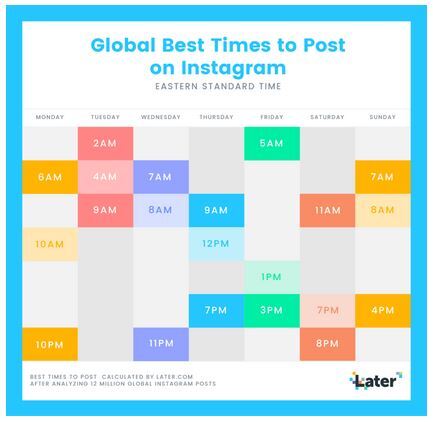
Instagram Insights helps you determine which posts have the widest reach and where your traffic comes from. You can also see the best days and times for posting on Instagram. If you’re posting on a Sunday, the data shows that the best times are 7 a.m. and 4 p.m. EST, while on Mondays the best times are 6 a.m. and 10 p.m.
Source: Later
Instagram users see new content first. Therefore, by paying attention to this data, you can maximize the number of people who will see your posts.
Tracking your metrics is also essential for seeing how your posts are doing and where you could improve. Is one type of content getting much more engagement than another? That’s valuable information that will help you tweak your approach and maximize your sales.
9. Collaborate with other influencers.
Marketing is more powerful when people work together. Therefore, why not team up with another influencer for a collaboration? You obviously don’t want to be competing for the same sales, so find someone who is promoting products in a different but related niche. For example, if you’re a beauty and fitness influencer, you might team up with a fashion influencer.
Here are a few fun ways to collaborate:
Agree to share each other’s links or coupon codes. This is a win-win for both of you and for your audiences.
Do story takeovers on each other’s accounts.
Use the “Go Live with a friend” function to host an Instagram Live video together or do a crossover Instagram Reel with another user.
Create a mutually beneficial bonus. For example, a discount code for your store for the other person’s existing customers, and vice versa.
By working together, you can find new audiences and expand your reach.
10. Use swipe-ups to promote affiliate deals through Instagram Stories.
Instagram Stories is a tremendously powerful way of boosting your affiliate earnings. More than 500 million people use Stories every day, and brands use it to interact directly with their followers and fans in real time. The Swipe Up feature allows you to post a link within an Instagram Story. Users can visit the link simply by swiping up on their smartphone screens. Here’s an example of how it can look:
 @thesorrygirls / Instagram
Unfortunately, this feature requires that you have at least 10,000 followers, so it’s not available to every user. If you have a large following, you should definitely make use of it.
Wrapping Up
There is no doubting the power of Instagram. With more than one billion active users and still growing, it’s one of the world’s biggest social networking platforms. For that reason, affiliate marketers and influencers cannot afford to ignore it as a source of revenue.
You don’t have to use every idea on this list. Pick just one or two to start with. You can always scale your efforts later. As with any other marketing channel, approach Instagram marketing strategically and make sure you have a plan. If you do, you’ll boost your following, get more clicks on your affiliate links, and increase your earnings.
Best of luck with your Instagram affiliate campaigns!
September 23, 2020
20 Best Digital Marketing Tools For Growing Your Business in 2020

SEPT. 23, 2020
 Photo Mix / Pixabay
In business, you’ll need to stay on top of the latest trends to avoid falling down the pecking order. Digital marketing is the major and most effective method of giving your brand valuable exposure, thanks to the popularity and widespread reach of the internet. Multiple online platforms and software can aid you in creating and maintaining quality content that will drive your business engagement. These digital marketing tools will also help you identify and reach your target audience with ease. They range from social media advertising to email marketing apps, website analytics to content creation software, and more.
1. Google Analytics
Tech giant Google shows its commitment to helping startups and medium enterprises get ahead with its free analytical tool, Google Analytics. Despite its advanced appearance, it’s easy to learn, and it’s also invaluable for analyzing your audience’s interactions with your website. Google Analytics is best for tracking website performance. You can find, for example, your most visited web page, your number one traffic source, and specific metrics (views, page duration, bounce rates) related to your blog posts.
2. HubSpot
The allure of combining CRM and marketing in one place makes HubSpot one of the best digital marketing tools for growing your business in 2020. It helps you attract potential customers while also creating an avenue to close your deals. Here are some of the activities you can perform using this tool:
Content curation
Website development
Analytics
Marketing automation
Social media management
3. Mailchimp
When looking to keep in touch with customers or update them on new products or services, email marketing is often the perfect strategy for many enterprises. Mailchimp helps you contact potential customers through email campaigns. It offers a free package, great customer service support, and multiple integration options for business owners. Plus, you have the option to A/B test campaigns, create audience segments, and schedule emails in advance. Those are only a few of the activities you can do with Mailchimp.
4. Hootsuite
You’ll need to monitor the performance of your social media accounts to get the best out of it. Excellent knowledge of your post stats is one of the key criteria when looking to obtain certain social media goals, such as doubling your Instagram followers. Hootsuite helps you achieve that goal: It tracks your product or service mentions, ROI, content performance, and more. You can also use it to schedule and store posts across multiple platforms.
5. Slack
If you want to ensure seamless and effective communication with members of your business, then Slack is just right for you. It offers multiple integrations, and it’s easy to set up. Slack users can easily switch between channels without having to go through multiple time checks. This tool is a better alternative to long email threads, sparing your inbox from too many unreads while also keeping communication fast.
6. Brand24
It’s crucial to know what people are saying about your product or service, especially on social media. It’s impossible to monitor mentions yourself, given that about 3.6 billion people use social media. Brand24 helps you solve this dilemma. It keeps tabs on your brand mentions and ensures you stay in the loop on conversations about your business.
7. Trello
When it comes to content management, few digital tools make the process seamless and organized as much as Trello. Members of your organization can keep tabs on post schedules, and you can easily assign tasks to your team of developers, marketers, or writers. This way, no team member gets confused, as everyone is aware of the task they’re supposed to handle.
8. Google Adwords
Google Adwords is a paid advertising platform for businesses looking to gain exposure to their target audience via Google’s search engine result page. The pay-per-click ads appear in search results depending on the keywords users place into search. These ads then direct them to your website. Payment is flexible here, as you can choose between the pay-per-call or pay-per-click option.
9. Buffer
Social media accounts are excellent marketing platforms for brands looking to grow their businesses. You’ll need to have a strong presence on multiple major platforms such as Facebook, Twitter, Instagram, and more. Buffer helps you manage all of your social media accounts in one place. You’ll get to create and schedule your posts, engage with followers, and more.
10. Asana
In the world of marketing, effectively communicating with members of your team is critical to success. Asana offers business owners a collaborative workflow management system. Team members can perform the following actions using this digital marketing tool:
Prioritize tasks and map out deadlines
Assign tasks
De-silo data with one another
Record projects
11. Databox
Today, most businesses have their presence spread across several online platforms. This is an attempt to carry out improvement and analysis practices in all their sectors. As a business owner, being able to manage your presence from all these platforms with just one tool can help you save a lot of time and effort. This is something Databox can do, as its developers created it to pull all your data into one place.
12. Twitter
Aside from being a great social media platform for acquiring the latest news and trends, Twitter is a great digital marketing tool. The network offers a wide range of promotional features, including ads, retweets, and more, that allow businesses to carry out the marketing of their digital products with ease. To learn more about this, you can always check out some top twitter marketing tips and strategies from experts in the industry.
13. Facebook Ads Manager
Facebook has an ads platform. A large number of businesses use this platform to target certain markets, and with the Facebook Ads Manager the whole process is a lot easier. Facebook created Ads Manager in an attempt to improve specific advertising campaigns. Today, it provides new targeting and budgeting features for users.
14. SEMrush
SEMrush is one of the top digital marketing tools you can use for the growth of your business in 2020. It offers a platform for you to find solutions for content, SEO, PPC, social media, and competitive research. From its wide range of plans and prices, you can pick a valuable tool that supports your business. Many of the available tools include research tools for keywords, a backlinks checker, and more.
15. Moz
Moz is a powerful tool for digital marketing strategies involving SEO. It comes as a software tool that has two separate versions for classic and local SEO practices. Through your business location, Moz can improve your presence across search engines.
16. Infusionsoft
Another one of the top digital marketing tools you can use for the growth of your business is Infusionsoft. It comes as a software tool that allows small business owners to store contact information and activity history of their leads, prospects, and their customers. It segments and analyzes the data to enable businesses to access them with efficiency.
17. BuzzSumo
As a growing business, there are several strategies you can apply to speed up the process. One includes writing content with popular trends that are relevant to your industry. There are several types of trends, including e-commerce trends, social media trends, advertising trends, and more. When it comes to finding these trends through research and monitoring, BuzzSumo is a great tool that can help you do that. It helps you find the most shared content across several social media channels.
18. Canva
Canva is one of the top tools that businesses can use for their digital marketing strategies that involve designs. The tool provides a wide range of features that allow businesses to create designs for newsletters, social media posts, logos, banners, and many more.
19. Ahrefs
Ahrefs is a website developed to help business owners find answers to their SEO questions. It features a set of SEO tools that allow them to run full website SEO audits, keyword research, competitor site analysis, and a lot more.
20. Yoast
If your business has a WordPress website, then one tool you should start using is the Yoast SEO tool. It provides free and paid versions that come with a wide range of features to help you improve your SEO. A few benefits you get for using Yoast for your website are automatic generation of SEO files, website SEO audit, SEO solutions for your content, and many more.
Final Thoughts
When looking at some of the largest industries in the world, marketing is never left out of the picture. Today, business owners are now adopting the use of several digital marketing strategies to drive their audience and improve sales. Luckily, several tools can make this a lot easier. The above article talks about the top 20 digital marketing tools that you can use for business growth. Good luck!