Brian Meert's Blog, page 35
September 30, 2023
All You Should Know About Amazon FBA Private Label
What do you know about Amazon FBA private label?
Amazon FBA private label is the best solution for seasoned sellers looking to expand their product line. It also offers a great opportunity for new Amazon sellers to start their brand.
This blog post will guide you on how to run a successful private label business on Amazon. We will cover the following:
What is Amazon FBA private label?Benefits of selling Amazon FBA private label products.How to start your Amazon FBA private label business.Frequently asked questions.What Are Private Label Products on Amazon?Private label products on Amazon are items produced by one company but sold under another company’s brand. In simpler terms, it’s like putting your label on a product someone else makes.
Imagine you love a specific type of shampoo and want to sell it as your own brand on Amazon. You’d find a manufacturer that makes that shampoo, work with them to put your unique label on it, and then sell it under your brand name.
This concept allows you to create your line of products without having to invent or manufacture them yourself. It’s like having your own store with your own brand, but you’re not responsible for making the product – you leave that to experts. This way, you can focus on marketing and growing your business while offering products that look like your creations.
Read more: How to join the Amazon Associate program.
Benefits of Selling Amazon FBA Private Label ProductsThe following are the advantages of selling private-label products on Amazon:
Source: Canva.
Brand control: When you sell private-label products, you control how your brand looks and feels. You can design logos, choose packaging, and create a consistent brand image. This helps you build trust among customers who recognize your products.Profit margins: Private-label products often cost less to produce than the price they sell. This price difference translates into higher profit margins, allowing you to reinvest in your business or increase your earnings.Less Competition: You face less competition by finding unique or underserved niches. This means it will be easier for potential customers to find your products amidst the sea of options. You will have higher chances of making sales.Customization: You can modify private-label products to cater to specific customer needs or market trends. For instance, you can adjust colors, sizes, or features. This ensures your products meet your customer’s demands.Scalability: Once you establish a successful private-label product, you can expand your offerings. Adding complementary products under your brand allows you to reach a broader customer base, making it easier to scale your business and increase revenue.Amazon’s customer base: Leveraging Amazon’s extensive customer base means your products are exposed to millions of potential buyers. This exposure significantly increases your chances of making sales, especially if your products align with what customers seek.Fulfillment by Amazon (FBA): Amazon’s FBA service handles storage, shipping, and customer service. Using FBA saves time and effort, allowing you to focus on growing your business rather than managing logistics.How to Start Your Amazon FBA Private Label BusinessLet’s take you through the step-by-step process of starting an Amazon FBA private label business.
1. Market research.Conduct in-depth market research to identify a niche or product category that interests you and has a healthy demand on Amazon. Look for areas with less competition but a substantial customer base. You can use tools like Jungle Scout or Helium 10 to analyze product ideas and potential competitors.
2. Product sourcing.Once you’ve identified a product, source reliable suppliers from countries like China through platforms like Alibaba. Requesting samples to assess the quality of the products you intend to sell is crucial. Establish a good relationship with your supplier; this partnership is vital for your business’s success.

Source: Canva.
3. Create your brand.Develop a unique brand identity, including a memorable brand name and logo. Design attractive and professional packaging that protects your product and stands out on the Amazon marketplace. Strong branding helps establish trust and recognition among customers.
4. Legal requirements.Ensure your business is registered legally and acquire any necessary licenses or permits. Also, make sure your products comply with Amazon’s regulations and policies. This step is essential to avoid legal issues down the line.
5. Amazon seller account.Sign up for an Amazon seller account. You can choose between an Individual account (suitable for beginners) or a Professional account (ideal for those planning to sell multiple products). Ensure you follow Amazon’s guidelines for creating your seller account accurately.
6. Listing creation.Create compelling product listings that include high-quality images and detailed, persuasive descriptions. Optimize your listings with relevant keywords to enhance visibility when potential customers search for similar products on Amazon. A well-optimized listing significantly improves your chances of making sales.
7. Pricing strategy.Determine your pricing strategy by considering your production costs, competitor pricing, and desired profit margins. Be competitive, but ensure your prices allow for a healthy profit. You should consider running promotions or discounts initially to attract customers.
8. Inventory management.Leverage Amazon’s FBA service for inventory storage and order fulfillment. Monitor your inventory levels closely to prevent stockouts to ensure that your products are always available to customers. If you run out of stock, it can lead to a loss of potential sales and affect your rankings on Amazon.
9. Marketing and promotion.Utilize Amazon PPC (Pay-Per-Click) advertising to increase the visibility of your products. You should also encourage customers to leave reviews by providing excellent customer service and high-quality products. Positive reviews build trust and credibility, influencing potential buyers.
10. Launch and monitor.Launch your products with a strong marketing push, potentially including special promotions or advertising campaigns. You can hire an Amazon advertising agency to guarantee the best results. After the launch, continuously monitor your sales, customer reviews, and feedback. Stay responsive to customer queries and concerns to maintain a positive reputation.
Final Thoughts About Private Label Brand on AmazonAmazon FBA Private Label offers an incredible avenue for aspiring entrepreneurs and seasoned sellers to build profitable businesses. By following the strategies and steps outlined in this post, you can transform ordinary products into extraordinary success stories. So, don’t hesitate to explore this exciting opportunity and start your private labeling journey today!
Frequently Asked Questions on Amazon Private Label BusinessWhat are the most popular Private-label products on Amazon?Here are the following in-demand products on Amazon:
GroceriesGadgets and electronicsHousehold productWhat are the few things you need to consider for your private label on Amazon?The following are the few things you need to consider in choosing your first Amazon private-label products:
Weight of the productEasy to market and no uncomplicated things on the producttry to avoid limited and seasonal productsWhat is a private label model?A private-label business model is a production arrangement where a company manufactures the product, and the other company creates its own branded products to sell and market.
Related Articles:Amazon FBA vs. Dropshipping: Which Is Better?


Amazon PPC and How It Works
What is Amazon PPC advertising, and how does it work?
Amazon PPC is a trusted way to boost your product visibility and make more sales. Whether you’re an e-commerce veteran or a beginner, understanding Amazon PPC can help you stand out in the world’s largest online marketplace.
This article will break down Amazon PPC campaigns in simple terms.
What is Amazon PPC?Amazon PPC, or Pay-Per-Click, is a form of online advertising where sellers pay a fee each time a potential customer clicks on their ad. The ads are highly effective at improving sales and may appear in Amazon’s search results and product detail pages.
Read more: A guide to reselling on Amazon.
How Does Amazon PPC Ads Work?The information below will show you how Amazon PPC advertising campaigns work:
Keyword research: Amazon sellers choose keywords related to their products. Their ads appear when a shopper searches for these relevant keywords on Amazon.Bid amount: Amazon sellers set a bid for their PPC campaigns, the maximum amount they will pay when a shopper clicks on their ad. The higher the bid, the more likely the ad will be shown.Ad placement: Amazon uses a complex algorithm to decide where ads appear. It considers the bid amount, the ad’s relevance to the searched term, and its historical performance.Cost-Per-Click (CPC): This is the “pay-per-click” part of Amazon PPC. Amazon charges sellers only when a shopper clicks on their ad, not when it is displayed.Importance of Amazon PPC for Sellers on AmazonBelow are reasons why Amazon PPC ads are a game changer in the world of online marketing:
Boosts visibility: Using PPC turns on the spotlight and makes your product pop up when shoppers search for related stuff.Control over budget: Sellers using Amazon PPC can decide how much they will spend each day or for an advertising campaign. You can set a daily or lifetime budget using Amazon PPC, ensuring you spend your money wisely.Data-driven insights: Amazon provides heaps of data on ad campaign performance. You can see what keywords score big and where your money is most useful. It’s like having a GPS for your advertising strategy.Immediate results: Your ads can run within minutes once you set up your Amazon PPC campaigns. So you won’t have to wait for months to see results.Competition edge: Amazon PPC levels the playing field. You can outbid and outshine your competitors, even if they are industry giants.Amazon PPC Advertising Features and TermsHere are some key terms and features of Amazon PPC:
1. Keywords.Keywords are like breadcrumbs that lead shoppers to your products. They are the words and phrases shoppers type into the search bar. So, it would be best to choose your keywords wisely.
2. Bids.Bids are like tickets to the front row of the ad show. Sellers set a bid, the maximum amount they will pay when a shopper clicks on their ad. The higher the bid, the better the chance your ad takes center stage.
3. Ad placement.Have you noticed some Amazon ads at the top of search results and others at the bottom? That’s ad placement. The algorithm decides where your ad shows up based on your bid, relevance, and past performance.
4. Impressions.Impressions are like window shoppers that see your ad but don’t necessarily click. The number of times your ad is displayed gives you an idea of how many people are window shopping for your products.
5. Click-through-rate (CTR).CTR is the percentage of people who click on your ad after seeing it. A high CTR means your ad is popular and engaging.
6. Cost-Per-Click (CPC).CPC is your advertising cost. It is what you pay when a shopper clicks on your ad. You should manage your bids wisely to control your CPC.
7. Campaigns and ads group.Think of campaigns as big folders and ad groups as smaller folders with neatly labeled files. Campaigns help organize your ads; ad groups let you group similar products or target specific words.
8. Negative keywords.Negative keywords tell Amazon when not to show your ads.
9. Automatic targeting vs. manual targeting.Automatic targeting means you let Amazon’s algorithm decide where to show your ads. Manual targeting, on the other hand, puts you in control, allowing you to choose the keywords and call the shots.
Types of Amazon PPC AdBelow are the different types of Amazon PPC ads:
1. Sponsored product ads.Sponsored product ads appear in the search results and product pages. They blend in seamlessly, giving your product a good chance of being seen by potential customers.
2. Sponsored brand ads.Sponsored brand ads showcase your brand and multiple products at once. They appear at the top of search results, creating a visual feast for shoppers and establishing your brand presence.
3. Sponsored display ads.Sponsored display ads can extend your reach by appearing on product detail pages, customer reviews, and third-party websites. These sponsored ads can boost your sales significantly.
4. Video ads.Video ads allow you to showcase your products in action, telling a visual tale that engages shoppers. These PPC ads appear in search results, product detail pages, and Amazon’s home page.
5. Lock-screen ads.Lock-screen ads appear on Kindle E-readers and Fire tablets’ lock screens. These PPC ads catch shoppers’ attention outside the Amazon marketplace. It’s a subtle yet effective way to make an impression.
Read more: The best items to sell on Amazon.
How to Create Automatic Sponsored Product Ads on AmazonBelow, we will explain the procedures for creating automatic sponsored product ads to boost your product’s presence and drive sales:
Step 1: Log into your Seller Central account.You can start by logging into your Amazon Seller Central account. This account is your command center for all things related to selling on Amazon.
Step 2: Navigate to the advertising console.Once inside Seller Central, find the “Advertising” tab and click on it to enter the advertising console.
Step 3: Select “Create Ad Campaigns.”Look for the “Campaign Manager” in the advertising console and click “Create Campaign.”
Step 4: Choose “Sponsored Products”From the campaign types available, opt for “Sponsored Products.” This selection is ideal for spotlighting specific items in your product lineup.
Step 5: Opt for “Automatic Targeting.”Choose “Automatic Targeting” and let Amazon’s algorithms work their magic. With this selection, you won’t need to manually select keywords, as Amazon selects them based on your product information.
Step 6: Set your campaign budget.Decide your daily or lifetime budget. This budget is the amount you will invest in your Amazon PPC ad campaign daily or over its entire duration. Consider starting modestly and adjusting your budget as you gauge performance.
Step 7: Fix your bid.Set a bid that aligns with your budget and the competitiveness of your product category. A reasonable bid ensures your ads have a good chance of featuring prominently.
Step 8: Name your campaign and set the duration.Give your campaign a memorable and clear name. Also, decide if your campaign will run continuously or within a specific timeframe.
Step 9: Create an ad group and set the default bid.You can organize your products into ad groups, each with its bid. Higher bids for more critical products can give them a better chance of being seen.
Step 10: Add your products.Select the products you want to feature in this campaign. Choose wisely and focus on products that could benefit most from increased visibility.
Step 11: Review and launch.Take a moment to review your campaign settings. If everything looks good, hit the “Launch Campaign” button, and your automatic campaign is live.
Step 12: Monitor and optimize.Please keep an eye on your campaign’s performance in the Advertising Console. Identify top-performing keywords and products and adjust your bids accordingly. Stay agile and ready to adapt your strategy based on what’s working and needs improvement.
Improving Your Automatic Sponsored Product Ads on Amazon
Source: Unsplash
Once you set up an automatic sponsored product campaign, the next step is to ensure it is firing on all cylinders. Below are the simple steps to optimize PPC campaigns:
Step 1: Regularly review your campaign metrics.Head to your Amazon advertising console and closely examine your campaign metrics. Monitor important indicators like click-through rates, conversion rates, and overall spending. Understanding how your campaign is performing is the first step to optimization.
Step 2: Identify high-performing keywords.Amazon’s automatic targeting does the heavy lifting in choosing keywords, but it’s up to you to identify the winners. Check which keywords are driving clicks and conversations. You can find this data under the “Search Term Report” in your advertising console.
Step 3: Adjust your bids strategically.Consider adjusting your bids based on your keyword analysis. Also, allocate a higher bid to keywords that bring sales and lower bids for less effective ones. This strategy helps you spend your budget efficiently.
Step 4: Optimize product selection.Are certain products driving more success than others? You have the flexibility to adjust your product selection within the campaign. You can highlight your best-performing products to maximize returns.
Step 5: Utilize negative keywords.Negative keywords can be a game-changer. These keywords are terms for which you don’t want your ads to appear. Review your search term report and add irrelevant or underperforming keywords to your negative keyword list. Doing this helps refine your targeting and avoid wasted clicks.
Step 6: Refine ad copy and imagery.Your ad’s content matters, so ensure your product titles, descriptions, and images are compelling. If you notice certain products need to get clicks, consider tweaking their presentation.
Step 7: Experiment with ad scheduling.Test different times and days to see when your audience is most active. Amazon allows you to schedule your ads, so take advantage of this feature to optimize your campaign’s visibility during peak hours.
Step 8: Monitor your competition.Amazon is a competitive marketplace, so please check what your competitors are doing regularly. If a rival campaign seems to outperform yours, analyze their strategy and consider adjusting to stay ahead.
Step 9: Optimize for mobile users.Many Amazon shoppers use mobile devices, so ensure you optimize your product listings and ads for mobile viewing. Check that your images are clear and your product details are readable on small screens.
Step 10: Monitor your budget and adjust as needed.Monitor your daily or lifetime budget closely. If a campaign consistently performs well, consider increasing the budget to capitalize on its success. Conversely, if a PPC campaign is underperforming, reallocate funds to more successful endeavors.
How To Craft Manual Sponsored Product Ads on AmazonThe following are the steps to creating a manual sponsored product campaign on Amazon:
Step 1: Sign in and navigate to Seller Central.Log into your Amazon Seller Central account. Once you are in, click on the “Advertising Tab.”
Step 2: Create your ad campaign.Within the advertising console, locate the “Campaign Manager” and click on it. In the campaign manager, tap the “Create Campaign” button.
Step 3: Select “Sponsored Products”From the campaign types available, choose “Sponsored products” to put a spotlight on specific products in your inventory.
Step 4: Opt for “Manual Targeting”Select “Manual Targeting” to take full control over the keywords that will trigger your ads. Doing this allows you to tailor your campaign based on your unique insights and market research.
Step 5: Set your campaign budget.Decide on your daily or lifetime budget for the campaign.
Step 6: Determine your bid.Set a bid for your keywords. Be strategic by considering your niche’s competitiveness and adjusting your bid accordingly.
Step 7: Create an ad group and set the default bid.You can organize your products into ad groups, each with its bid. Doing this gives you more control over your advertising strategy, allowing you to prioritize certain products over others.
Step 8: Add your keywords and craft your ad.Add relevant keywords that potential customers might use to find products like yours. Be specific and choose keywords that closely match your product. Also, compose an attention-grabbing headline and compelling ad copy. Showcase the unique features and benefits of your product to entice potential buyers.
Step 9: Review and launch.Before you hit the launch button:
Review all your settings.Ensure your budget, bid, and keywords align with your advertising goals.Once you are satisfied, launch your manual campaign.Step 10: Monitor and adjust.Please keep an eye on your campaign’s performance. Analyze which keywords are driving results and adjust your bid strategy accordingly.
Improving Your Manual-Sponsored Product Campaigns on AmazonFollow the steps below to get the most out of your manual sponsored product campaigns on Amazon:
Step 1: Regularly check your campaign metrics.You can regularly head to your Amazon advertising console to monitor your campaign metrics. Key indicators like CTR, conversion rate, and overall spending provide insights into your campaign’s health.
Step 2: Fine-tune your keywords.Analyze your keywords’ performance by identifying the keywords driving clicks and conversions and adjusting your bid strategy accordingly. Eliminate underperforming keywords and focus on those bringing in the most value.
Step 3: Adjust bids strategically.Now that you know which keywords are shining, adjust your bids strategically. Allocate a higher bid for keywords driving sales and consider lowering bids for less effective ones. Doing this optimizes your budget for maximum returns.
Step 4: Optimize your product selection.Review your product lineup within the campaign. Are certain products consistently outperforming others? Shine the spotlight on your winners by adjusting bids or consider adding more top-performing products to the campaign.
Step 5: Refine ad copy and imagery.Regularly review and refine your ad copy and imagery to keep it fresh and engaging. A compelling ad can significantly impact click-through rates and conversions.
Step 6: Utilize negative keywords wisely.Review your Search Term Report and identify underperforming or irrelevant keywords. Add them to your negative keyword list to prevent your ads from being triggered by searches that won’t convert.
Step 7: Experiment with bid adjustments.Amazon allows you to adjust bids based on time of day, device type, and more. Experiment with bid adjustments to capitalize on peak shopping times or target specific audience segments.
Step 8: Stay competitive.Check your competitors’ strategies regularly and adjust your approach accordingly. If a rival campaign seems to outperform yours, analyze what they are doing right and adapt.
Step 9: Optimize for mobile users.With the rise of mobile shopping, optimize your ad and product details for mobile users. Check that your images are clear and your product details are readable on smaller screens.
Step 10: Review your budget regularly.Please review and adjust your budget regularly based on performance. If a campaign delivers excellent results, consider allocating more budget to maximize its potential.
ConclusionAmazon PPC is a potent tool for sellers aiming to boost their product visibility and sales on the platform. By understanding the basics of Amazon PPC and how it works, you can make your products shine in the crowded digital marketplace. So, buckle up, set your bids wisely, and watch your products soar to new heights on Amazon.
Would you need some professional help with your Amazon PPC ad campaigns? Consult the top advertising agency on Amazon.
Frequently Asked QuestionsWhat is Amazon PPC, and how does it work?Amazon PPC, or Pay-Per-Click, is an advertising model on Amazon where advertisers pay a fee each time a shopper clicks on their ad. These ads feature prominently on Amazon search results and product pages and help boost visibility. The auction-based system allows sellers to bid on keywords, and when a shopper searches for those terms, the highest bidder’s ad gets displayed.
How do I choose keywords for my Amazon PPC?Start by thinking about terms relevant to your product. Then, leverage Amazon’s keyword research tools, analyze competitor listings, and consider long-tail keywords. Also, regularly review and refine your keyword list based on performance data from your campaigns to ensure optimal targeting.
What is the difference between automatic and manual targeting in Amazon PPC?In automatic targeting, Amazon’s algorithms decide when to display your ads based on product information. Manual targeting, on the other hand, allows you to choose specific keywords for your ads. Automatic is hands-off and great for beginners, while manual targeting provides more control over targeting.
Related BlogsHow To Sell Books on Amazon in 8 Easy Steps
Do you want to learn how to sell books on Amazon?
Selling books on Amazon can be a lucrative and straightforward venture. Whether you are an aspiring author or simply looking to declutter your bookshelf, Amazon offers a great opportunity.
This comprehensive guide will walk you through the ins and outs of successful book selling on Amazon.
What Types of Books Can You Sell on Amazon?You can sell different types of books on Amazon. Here are the primary types of books you can sell on the platform:
Brand new books: You can sell fresh releases and recently published books to Amazon customers.Pre-owned books: Gently used or secondhand books are popular on the platform. Books without ISBNs: Amazon provides a platform to sell books that lack an International Standard Book Number (ISBN), enabling the listing of unique and specialized publications.Collectible reads: Rare, vintage, or collectible books hold a dedicated market on Amazon, including first editions, autographed copies, historically significant titles, and comic books.Digital eBooks: Beyond physical copies, authors and publishers can leverage Amazon Kindle Direct Publishing (KDP) to distribute and sell eBooks. This provides a vast digital readership.Educational texts: Whether new or gently used, textbooks are consistently sought after by students. You can make significant returns selling textbooks on Amazon, particularly during peak academic seasons.Read more: Is Amazon FBA worth It?
Where To Get Books To Sell on AmazonYou should have a product source before selling books on Amazon. Here’s a list of places you can find books to sell on your Amazon store:
Wholesalers: Wholesale book distributors or wholesalers can be a great source for purchasing books in bulk and at a discounted price.Distributors: Distributors can provide access to a wide range of books from various publishers. They often supply to retailers and can offer competitive prices.Publishers: Some publishers may offer overstock or clearance sales, allowing you to purchase books at a discounted rate for resale.Bookstore sales: Keep an eye on local bookstores, especially independent ones. They have clearance sales and book discounts from time to time.Thrift stores: Thrift stores resell books at very low prices. You can find a variety of titles and genres at these stores.Yard sales: Yard and garage sales can be excellent places to find books at rock-bottom prices. Look for sales that mention books specifically.Estate sales: Estate sales can have extensive book collections, especially if the person who passed away was an avid reader. You might find valuable or rare books at these sales.Other online marketplaces: You can source books from online marketplaces like eBay, Craigslist, or Facebook Marketplace. Many people sell books in bulk or individually at reasonable prices.Library sales: Libraries may hold sales to sell off excess or donated books, which can be a great source of books for resale.Book fairs: Attend book fairs and expos to find books. Publishers and distributors often offer book deals and discounts at these events. Source: Canva
Source: Canva
How To Sell Books on AmazonSelling books on Amazon is a great way to reach a wide audience and make a profit. Here’s a step-by-step guide on how to sell books on Amazon:
1. Create an Amazon seller account.Choose between an individual or professional seller account on Amazon Seller Central. Individual accounts are suitable for those selling just a few books, while professional accounts are better for those planning to sell in larger quantities. Note that a professional account requires a monthly subscription fee.
2. Gather your books.Ensure your books are in excellent condition. Books with minimal wear and tear sell better.
 Source: Canva
Source: Canva
3. Research the market.Use Amazon’s Seller Central and tools like Keepa or CamelCamelCamel to analyze price trends and competition for the books you want to sell. Pay attention to the sales rank, as books sell faster than higher ranks typically.
 Source: Canva
Source: Canva
4. List your books.Craft compelling and detailed descriptions highlighting the book’s condition, edition, and any unique selling points. You should also use high-quality images to showcase your books. Finally, consider using Fulfillment by Amazon (FBA) for Prime eligibility and easier shipping and returns.
5. Fulfill orders.If you choose Fulfillment by Merchant (FBM), be prepared to handle shipping, customer service, and returns yourself. Meanwhile, choosing FBA means shipping your books to an Amazon fulfillment center. They will handle storage, packing, and shipping.
6. Provide good customer service.To build a good reputation and high seller rating, respond to customer inquiries promptly and professionally. You should also handle returns and refunds according to Amazon’s policies.
7. Manage inventory.Regularly update your listings to reflect accurate stock levels. Consider removing or discounting slow-moving inventory to free up capital and storage space.
8. Monitor performance.Keep an eye on seller performance metrics such as order defect rate, late shipment rate, and tracking rate. You should maintain a strong seller rating to build trust with potential buyers.
 Source: Canva
Source: Canva
8 Popular Book Genres to Sell on AmazonSome book genres sell better than others on Amazon. Hence, you need to know the best-selling book genres as a seller. Here’s the list of the ideal book genres to sell on Amazon:
Fiction: From romance and mystery to science fiction and fantasy, fiction books always find eager readers. This makes fiction a great genre for Amazon sellers.Romance: Romance novels come in various sub-genres like contemporary, historical, paranormal, and romantic suspense. This genre caters to diverse tastes in love stories.Mystery/thriller: Mystery and thriller novels, known for their suspenseful and engaging plots, have a wide and dedicated readership. The genre includes everything from classic detective stories to psychological thrillers.Science fiction: Fans love this genre for its exploration of futuristic worlds, advanced technology, and imaginative concepts. Young adult fiction: Young adult (YA) fiction is immensely popular among young readers. These books often tackle coming-of-age themes and issues relevant to young readers.Non-fiction: Non-fiction books cover various topics, from history and biographies to self-help and popular science. The popularity of non-fiction can vary greatly depending on the subject matter.Children’s literature: Children’s books, including picture books and early readers, are sought after globally. Religion and spirituality: Books on faith, spirituality, and personal development cater to readers seeking guidance and enlightenment.The Benefits of Selling Books on AmazonSelling books on Amazon can be a profitable and rewarding move for different reasons. Here are some benefits of selling books on Amazon:
Extensive audience: Amazon’s massive customer base offers a substantial market for your books.Global reach: The platform expands your reach internationally, making your books accessible to readers worldwide.Easy setup: Amazon’s user-friendly platform simplifies listing, pricing, and inventory management.Fulfillment ease: Reduce your workload by using Amazon’s FBA for efficient storage and shipping.Discoverability boost: Amazon’s search algorithm helps your books get noticed by potential readers.Reviews impact: Positive reviews enhance your book’s credibility and increase sales.Marketing support: Access various Amazon tools for effective book promotion and advertising.Self-publishing: Self-publish your books via Kindle Direct Publishing (KDP) and gain creative control.Competitive pricing: Set competitive prices to capture cost-conscious readers.Data-oriented decisions: Amazon offers detailed sales data and analytics to help you make informed business choices.Final Thoughts on “How To Sell Books on Amazon”Remember that Amazon has specific guidelines for the condition of used books. It’s also important to accurately describe the condition of the books you sell to ensure customer satisfaction. Additionally, ensure you have the necessary rights and permissions to sell books, especially eBooks, to avoid copyright issues.
Are you looking to advertise your products on Amazon? You should contact the top Amazon advertising agency.
Frequently Asked Questions on “How To Sell Books on Amazon”Where can I sell books online other than Amazon?You can sell books online on BookScouter, eBay, Chegg, and AbeBooks. Each platform has unique features and audience, so you can choose the one that best suits your needs and target market.
How profitable are new and used books?New books may have lower profit margins due to competitive pricing. Used books often offer higher margins, especially if they are in good condition or possess rarity or collectible value.
How much is the referral fee?Amazon imposes a referral charge for every product sold, and the precise sum fluctuates based on the product’s category. These referral charges typically fall from 8% to 15%.
Related ArticlesHow to Sell Used Items on Amazon
September 29, 2023
What Products Are Amazon Best Sellers?
Are you searching for Amazon best sellers?
As an Amazon seller, you should always pay attention to what shoppers are buying. Knowing what’s hot on Amazon will help you keep the right inventory and maintain your business’ profitability.
Join us as we explore Amazon’s best-selling product categories to keep you on top of your game.
What Is Amazon Best Sellers?Amazon Best Sellers is a constantly updated ranking of the most popular products on Amazon’s massive online marketplace. It’s like a digital showcase of what’s trending and in demand among Amazon shoppers. This list covers various categories, from books and electronics to clothing and kitchen gadgets.
Amazon calculates these rankings based on factors like sales volume, customer reviews, and overall popularity. So, when you explore the Best Sellers list, you’re essentially getting a snapshot of what’s hot and selling like hotcakes on Amazon at any moment.
Whether you’re looking for gift ideas or curious about what others are buying, the Amazon Best Sellers list is your go-to source.
12 Amazon’s Best Sellecatching online shoppers’ eyes and walletselling items, reflecting shoppers’ unique interests and needs. Whether you’re into the latest tech gadgets, trendy fashion, or kitchen essentials, there is a best-sellers list just for you. Let’s walk you through the top-selling categories on Amazon.1. Health and Household.Amazon’s Health and Household category houses different well-being and daily living products, including personal care products, vitamins, supplements, medical supplies, and cleaning supplies. So, it’s easy to see why it’s so popular.

Amazon’s Cell Phones and Accessories category is a top seller. It includes smartphones, cases, chargers, headphones, and smartwatches. The popularity of this category is thanks to the necessity of these devices in our daily lives. Thanks to its affordable pricing and wide product selection, Amazon is the go-to destination for cell phone and accessory purchases for people globally.

Source: Canva.
3. Toys and Games.Amazon’s Toys and Games is a perennial best-seller. It includes action figures, board games, puzzles, and electronic toys. The timeless appeal of play, creativity, and social interaction influences its popularity. Amazon’s wide selection, competitive pricing, and convenience make it a top choice for toy and game shoppers. So, it maintains its best-seller status year-round.

Source: Canva.
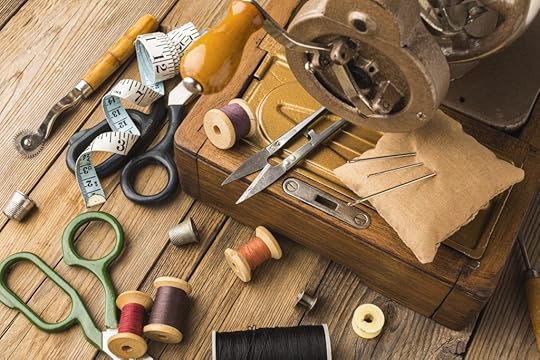
4. Arts, Crafts, and Sewing.Amazon’s Arts, Crafts & Sewing category appeals to various creative audiences and consistently ranks as a best seller. It includes art supplies, craft kits, sewing materials, and more. Its popularity arises from the human desire for self-expression and practical DIY projects.
Source: Canva.
5. Office Products.Amazon’s Office Products category is a best seller, serving businesses, students, and remote workers with various supplies, including pens, paper, furniture, and printers. Its universal appeal stems from the need for office supplies in professional and educational settings.

Source: Canva.
6. Computers and Accessories.Amazon’s Computers and Accessories category, including products from private label brands, consistently ranks among the top sellers. It offers various tech products, from laptops to peripherals and accessories.
This category’s popularity is due to technology’s vital role in work and personal life. Also, Amazon’s competitive prices, reviews, and reliable shipping make it a preferred choice for buyers. This solidifies its status as a best-selling category.
7. Sports and Outdoors.Amazon’s Sports and Outdoors category is another best-seller. It offers a wide range of gear for enthusiasts, athletes, and adventurers. The category includes sports equipment, fitness gear, outdoor apparel, camping and hiking equipment, and more.

Source: Canva.
8.) BooksAmazon’s Books category consistently ranks as a best-seller. It offers diverse books, from fiction and non-fiction to textbooks and e-books. The book category’s popularity reflects the timeless appeal of literature and education. Thanks to its user-friendly features, Kindle e-readers, and efficient delivery, Amazon is a preferred destination for book enthusiasts.
Read more: How to sell books on Amazon.

Source: Canva.
9. Beauty and Personal Care.Amazon’s Beauty and Personal Care category remains a best-seller due to the universal desire to look and feel one’s best. It includes skincare, cosmetics, hair care, fragrances, and grooming tools.
10. Pet Supplies.The Pet Supplies category on Amazon is a best-seller catering to pet owners’ needs. It includes pet food, toys, grooming supplies, and more. Its success is due to the bond between people and their pets. Seasonal trends, like holiday-themed products, also contribute to its year-round best-seller status.
11. Home and kitchen.Amazon’s Home and Kitchen category offers many products for homeowners and those improving their living space. It includes kitchen appliances, decor, furniture, bedding, cleaning supplies, etc.
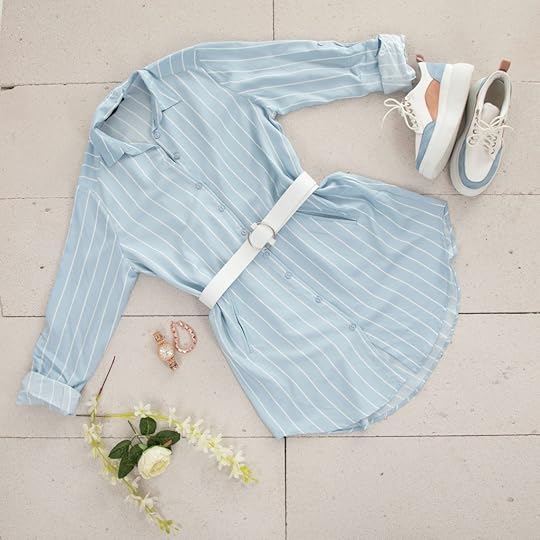
12. Clothing, Shoes, and Jewelry.Amazon’s Clothing, Shoes, and Jewelry category features various fashion items and accessories. This includes clothing for all occasions, shoes for various activities, and a wide array of jewelry pieces.
Amazon’s extensive selection, competitive prices, and online convenience make it a preferred destination for fashion-conscious individuals. However, sales can be influenced by seasonal fashion trends and special occasions.
Source: Canva.
Final ThoughtSo, there you have it – the Amazon best sellers! From the latest tech gadgets to kitchen essentials and everything in between, these top picks give us a glimpse into what’s capturing the hearts and wallets of shoppers worldwide. As trends evolve and new products emerge, keep an eye on these best sellers to stay in the loop.
Unlock the full potential of your Amazon eCommerce business with our Amazon advertising agency, your trusted partner for transformative growth!
Frequently Asked Questions on Amazon Best Sellers CategoriesHow does Best Seller Rank (BSR) work?Amazon’s Best Seller Rank (BSR) is an hourly-updated ranking system that indicates a product’s popularity and recent sales performance within its category.
Can I use the Amazon Seller app to buy products?The Amazon Seller app is best for sellers to manage their listings rather than for buying products as a regular customer.
Can I rely on Amazon’s best sellers for product recommendations?Amazon’s best sellers can provide useful insights into popular products. Still, they may not always reflect the best choice for your specific needs or preferences, so it’s advisable to consider additional factors when purchasing.
The Best Items to Sell on Amazon
The Beginner’s Guide to Reselling on Amazon
Did you know you can make money reselling on Amazon?
Reselling on Amazon is a thriving and accessible online business model. It allows individuals and small businesses to capitalize on their knack for finding great deals.
If you are looking to make money reselling products on Amazon, you are reading the right blog post. This is your comprehensive guide to navigating the Amazon marketplace as a reseller.
Who are Amazon Resellers?

Source: Pixabay
Amazon resellers buy products from various sources and sell them on the Amazon marketplace for a profit. They act as middlemen, connecting buyers with products that are hard to find elsewhere. These Amazon sellers get products from both brick-and-mortar stores and online marketplaces.
Read more: The best items to sell on Amazon.
Is It Legal to Resell Products on Amazon?Yes, it’s legal to resell products on Amazon. Generally, as long as you purchase items legitimately, you have the right to resell them on the platform. However, there are some rules to follow:
Authentic Products: Ensure that the items you sell are genuine and not counterfeit. Selling fake goods can lead to legal issues and account suspension.Copyright and Trademarks: Be cautious with branded products. Avoid using trademarked logos or copyrighted material without permission.Product Condition: Clearly state the condition of the items you’re selling. Amazon has strict guidelines for product descriptions, so accuracy is key.Restricted Categories: Some product categories require approval from Amazon, such as certain electronics or beauty products. Check and adhere to these restrictions.How Amazon Reselling Works

Source: Unsplash
Below, we will break down how Amazon reselling works to help you start your online entrepreneurship:
Step 1: Create your Amazon Seller Central account.The first step in the reselling on Amazon journey is to set up a seller account via Seller Central. You can choose between an individual or a professional account, depending on the volume of products you aim to sell.
Step 2: Find your niche.Amazon is like a massive online mall with endless aisles. Your job is to pick a section or niche that suits your business model or the items you want to sell. It could be anything from vintage toys to brand-new gadgets.
Step 3: Source your products.There are three popular ways to source the products you want to resell on Amazon, and they are as follows:
Retail Arbitrage: With retail arbitrage, you can buy products from an online retailer and sell them on Amazon. You can also hunt for deals at local stores.Wholesale: Another way to source your products is by buying bulk from wholesalers.Dropshipping: It involves partnering with suppliers who ship directly to customers. In this partnership, you sell while your business partners ship the products.Used items: You can declutter your home by selling used items on Amazon. However, they must be in good condition.Step 4: Create product listings.Now, you can create product listings with catchy titles, clear descriptions, and dazzling images. Think of it as creating an online shop window that beckons customers to come in and browse.
Step 5: Fulfillment options.There are two main ways your products can go from your space to your customers, and they are as follows:
Fulfillment by Amazon (FBA): With FBA, Amazon handles product storage, packing, and shipping. FBA sellers send their items to the Amazon warehouse, and Amazon takes care of the rest.Fulfillment by Merchant (FBM): With FBM, you manage packing, storage, and shipping. It is hands-on but gives you more control.Read more: Amazon FBA vs. FBM.
Step 6: Customer services.Customer satisfaction is a secret sauce when you resell products on Amazon. So, you should answer questions quickly and aim for five-star reviews. Doing this will keep your customers coming back for more.
Step 7: Manage your finances.The Amazon Seller app provides tools to track your financial journey, so use these tools to monitor your expenses, sales, and profits. Watch out for fees and adjust your prices to keep the cash flowing.
Step 8: Scale your business.Once you’ve got the hang of it, consider exploring new niches by trying different sourcing methods and marketing strategies.
How To Be a Successful Amazon ResellerFollow these tips to become successful at reselling on Amazon:
1. Adaptability.Successful reselling business models are masters of adaptation. Adaptability is essential because market trends, customer preferences, and Amazon’s policies shift like wind. Being adaptable means staying informed, adjusting strategies when needed, and always monitoring what’s hot and what’s not to improve your own brand.
2. Research skills.A keen sense of what sells is crucial to make a splash reselling on Amazon. New online retailers should invest time in market research to understand customer demands and identify profitable niches. Whether scouring local stores for retail arbitrage or building relationships with wholesalers, research skills guide reselling success.
3. Customer-centric approach.Successful Amazon reselling businesses requires trust. Resellers who prioritize customer satisfaction by providing accurate product descriptions, prompt communication, and efficient service create a positive shopping experience. Happy customers lead to positive reviews and repeat business, helping you win the buy box and fostering a thriving reselling venture.
4. Financial management.Effective management of finances is a hallmark of a successful Amazon reseller. Beyond just making sales, understanding fees, expenses, and profit margins is crucial. As a professional seller reselling on Amazon, you should monitor your business’s financial health and adjust your pricing strategies. In addition, you should budget wisely to ensure sustained profitability.
5. Optimized listings.In Amazon’s online marketplace, visibility is everything. As an Amazon seller reselling on Amazon, you should optimize your product listing for maximum visibility. An optimized listing includes high-quality images, compelling product descriptions, and strategic use of keywords.
Why Some Amazon Resellers Hit RoadblocksWhile reselling on Amazon offers a golden opportunity to profit, not all journeys are smooth. Understanding the pitfalls that lead to failure can help aspiring resellers steer clear of these challenges. The following are the reasons some resellers on Amazon stumble:
Lack of research.Choosing the wrong niche.Poorly optimized listings.Ignoring customer service.Financial management carelessness.Overlooking Amazon policies.Relying solely on one sourcing method.Lack of adaptability.ConclusionReselling on Amazon is an exciting endeavor filled with opportunities for growth and success. You can confidently navigate the Amazon reselling landscape by following this guide. As you incorporate this knowledge into your reselling business, it’s poised to thrive and stay ahead of competitors.
Would you like some help with your reselling campaign on Amazon? Contact the best Amazon advertising agency.
Frequently Asked QuestionsWhat is the first step to start reselling on Amazon?The first step is to create a seller account on Amazon. You can do this by visiting the Amazon Seller Central website and setting up your account.
How do I choose what to sell on Amazon as a beginner?Start by identifying a niche or product category that interests or aligns with your existing items. Consider what you are passionate about to make the process more enjoyable. Research popular and in-demand products within that niche.
Do I need a lot of money to start reselling on Amazon?No. You can start with a modest budget by selling items you already own. Or you can choose to explore retail arbitrage, where you find discounted products at local stores. As your business grows, you can reinvest profits into expanding your inventory.
Related BlogsWhat Is the Amazon Restocking Fee?
Top 20 Most Popular Instagram Hashtags
What are the most popular Instagram hashtags for 2023?
Whether you are a social media pro or a beginner, you can’t afford to overlook Instagram hashtags. These trending tags are your secret weapon for boosting visibility and engagement.
Join us as we explore the most popular Instagram hashtags right now.
What Are Hashtags for?Hashtags serve various purposes on social media platforms. They allow users to organize and categorize content based on themes or topics. When users click on a hashtag, they see all the posts produced with it. This makes it easier to find related content.
Additionally, hashtags are often used to identify trending topics or events happening around the globe. Platforms collate the trending hashtags to showcase popular discussions and encourage users to join the buzz.
For brands, hashtags can help promote products, campaigns, or events. It can help brands foster a sense of community among their users and encourage them to produce user-generated content related to the brand.
Popular Instagram Hashtags Source: Canva
The following are the most popular Instagram hashtags that you can use on your content:
#love (2.1B posts)#instagood (1.7B posts)#fashion (1.1B posts)#photoftheday (1B posts)#photography (1B posts)#art (1B posts)#beautiful (831M posts)#nature (793M posts)#picoftheday (725M posts)#happy (704M posts)#follow (704M posts)#travel (710M posts)#cute (669M posts)#instadaily (652M posts)#style (648M posts)#tbt (585M posts)#followme (557M posts)#summer (557M posts)#beauty (535M posts)#fitness (527M posts)Read more: The right dimensions for Instagram Stories.
How To Discover Popular Hashtags Source: Canva
The following is a guide you can follow to discover popular and trending hashtags:
Use Instagram’s Explore page: The Explore page shows trending and viral content related to your niche. It also includes the hashtags associated with them. Check it for insights into what is popular in your niche and what hashtags are gaining traction.Explore related hashtags on your niche: Using niche hashtags and related ones will help ensure that your Instagram posts reach a targeted and interested audience.Competitor analysis: Look at your competitors or other influencers in your niche. Checking the hashtags they frequently use can help you generate your own.Hashtag generator tools: You can use online tools and apps to discover popular hashtags related to your keywords. Utilizing an Instagram hashtag generator will help you streamline the process of generating a branded hashtag to promote your brand identity and marketing campaigns. These tools can give you the necessary analytics and identify popular and trending hashtags within your niche.Look for seasonal or event hashtags: Use seasonal events and holidays to your advantage. You can use relevant hashtags associated with them to generate interest in your posts.Tips for Using Hashtags EffectivelyThe following are the tips you can follow to use hashtags effectively:
Maintain relevance: You should use hashtags relevant to the content you are sharing. They should describe what your post is about. Doing so can help you attract your target audience.Research and select carefully: It is also imperative for you to research popular and trending hashtags related to your niche. It will help you increase your reach while targeting a relevant audience.Create branded hashtags: Develop a unique hashtag linked to your brand or campaign. Then, encourage your audience to use it. Doing so will help promote user-generated content, which can help increase brand recognition.Use Instagram Insights: If you are running a business account on Instagram, you can use Instagram Insights to understand which hashtags are giving you the most views and reactions.Mix trending and evergreen hashtags: You can combine trending and evergreen hashtags to reach more audiences. Trending hashtags will give your content a short-lived boost, while evergreen hashtags will give you long-term visibility. You can also use campaign hashtags that resonate with your brand to further engage your followers.Capitalize the first letter of each word: You can use capitalization for better readability. It will help users understand the words in the hashtag more.Consult an advertising agency: An advertising agency can help you develop high-performing hashtags that convert. Hence, working with the best Instagram ad agency will do a lot for your brand.Final Thoughts on “Most Popular Instagram Hashtags”Instagram hashtags are the ultimate tool to enhance your social media game. By incorporating the most popular Instagram hashtags into your posts, you can amplify your reach, connect with a broader audience, and boost engagement. So, don’t wait—start using these trending hashtags today and watch your Instagram presence soar to new heights!
Frequently Asked QuestionsShould I always use the most popular hashtags?It is crucial to mix popular and trending hashtags with niche-specific hashtags. Using purely popular hashtags might cause your content to be buried in the massive number of posts associated with the hashtag.
What are niche-specific hashtags, and why are they important?Niche-specific hashtags are relevant to a certain topic. Using them will make targeting a particular audience related to your niche easier.
Can I use hashtags on Instagram stories?Yes, you can use hashtags in Instagram Stories. Place your desired hashtag using the text tool. Doing so will heighten the discoverability of your stories.
Related ArticlesThe Instagram Swipe-Up Feature
September 28, 2023
TikTok Storefront: Sellers Ultimate Guide
Did you know you can sell products directly to TikTok users via the TikTok storefront?
In today’s digital age, social media channels are more than just a way to connect with friends. Social platforms are now powerful tools for businesses to showcase and sell their products, and the TikTok app is no exception.
If you want to set up a TikTok storefront to sell products directly to customers, you are in the right place. This blog post will teach you all you need to know about selling products on TikTok shops.
What Is a TikTok Shop?
Source: Unsplash
A TikTok Shop is a shopping feature on the TikTok app that enables merchants and creators to showcase and sell products directly on TikTok. TikTok shopping is like setting up a little store on the platform.
Who Can Use TikTok Shopping?TikTok live shopping is available to two main groups, and they are as follows:
1. Businesses.TikTok shopping is valuable if you own a business and want to sell products. Whether you have a small online store or a big brand, you can use TikTok shopping to reach potential customers on TikTok.
2. Creators.TikTok creators, known for their entertaining and creative content, can also use the TikTok shopping feature. As a content creator, you can sell products related to your niche or brand. The TikTok shopping feature can help you monetize your TikTok presence.
Read more: How to get verified on TikTok.
What Do You Need to Use TikTok Shopping?
Source: Unsplash
There are a few requirements for TikTok shopping, and they are as follows:
1. Creator or business account.The primary thing you need to use the TikTok shop is a creator or business account on the TikTok platform. You can easily switch to one if you don’t have it already.
2. Eligible locations.TikTok shopping is only available in some regions, so check if it’s available in your area. The following countries are where the TikTok shop is currently available:
IndonesiaMalaysiaThe PhilippinesSingaporeThailandThe United KingdomThe United States of AmericaVietnam3. Compliance with TikTok policies.As a TikTok shop seller, you should follow TikTok rules and policies for advertising and commerce. Following the rules helps maintain a positive experience for all TikTok users.
5. High-quality content.Creating engaging, eye-catching, and original videos is crucial. High-quality content can attract more viewers and potential buyers to your dedicated shopping tab.
6. Linked online store.As a TikTok shop seller, you should consider linking your TikTok account to your online store’s website. This link allows TikTok users to purchase products directly through your TikTok live shopping videos.
7. Product listings.Prepare a clear and appealing product showcase tab with images, titles, and prices. This information helps viewers understand what you are selling.
8. Engagement skills.Engaging with your audience is vital. So, consider responding to comments, answering questions, and building a community around your TikTok shopping experience.
9. Creativity.Get creative with your TikTok videos by using music, hashtags, and captivating visuals to make your content stand out from other in-feed videos.
ConclusionTikTok shopping is a valuable feature that allows merchants, brands, and creators to expand their reach and boost sales. But to use TikTok shopping, you must have a business or creator account, meet TikTok’s requirements, and create engaging content. After that, you call selling your products right on the TikTok app.
Are you looking to sell more products via TikTok? Get the leading TikTok advertising agency.
Frequently Asked QuestionsWhat is TikTok shop, and how does it work?A TikTok shop or storefront is a feature that lets sellers showcase and sell their products directly on TikTok. It allows businesses and creators to create a digital storefront within the TikTok platform.
Who can use TikTok shop?Businesses and creators can use TikTok shops. If you have a business or creator account, you can set up a TikTok shop to sell items related to your brand or niche.
What do I need to set up a TikTok shop?To set up a TikTok shop, you need a business or creator account, engagement skills, and eligibility based on your location.
Related ArticlesThe Best Items to Sell on Amazon: Your Path to E-Commerce Success
Are you curious about the best items to sell on Amazon to boost your e-commerce business?
Amazon, the world’s largest online marketplace, offers an excellent platform for new sellers to start their businesses. However, aspiring Amazon sellers need to identify the top-selling items to boost their chances of success.
Discovering the best-selling products on Amazon involves a combination of research, trend analysis, and a sprinkle of entrepreneurial intuition. This simple guide will show you the best items to sell on Amazon and how to find the top-selling categories.
How To Find the Top-Selling Products to Sell on Amazon
Source: Unsplash
Finding best-selling products on Amazon can improve your monthly sales and seller rank. Below are ways to find the best product-market niche to sell on Amazon:
1. Amazon best sellers rank.Navigate the “Best Sellers” section on the Amazon page to access information about the popular categories across various products. Pay attention to the top 100 in each category and analyze trends to identify items with consistent demand.
2. Amazon’s movers and shakers.Check out Amazon’s “Movers and Shakers” section to discover products trending in the past 24 hours. The Movers and Shakers section is an excellent indicator of emerging trends and can give you a sneak peek at future profitable products.
3. Google trends.You can use Google Trends in your Chrome extension to identify top-selling items in other e-commerce sites outside the Amazon store. Product research tools allow sellers to see how search interest for a particular product has changed over time. Conduct product research on high-demand products with consistent sales; such product categories indicate sustained consumer interest.
4. Keep an eye on seasonal trending products.Certain products experience spikes during specific seasons or holidays. Good examples include Halloween costumes, Christmas decorations, and summer essentials. Aligning your product selection with seasonal trends can improve your sales margins at the right times.
Read more: How much do Amazon sellers make?
5. Niche market research.While popular products are tempting, exploring niche markets can be equally rewarding. Hence, you should look for products catering to specific interests or needs. A focused approach in a niche market can lead to low competition and a more dedicated customer base.
6. Social media and forums.You can engage with social media platforms and forums to understand what people are discussing. Reddit, Facebook groups, and niche forums can be treasure troves of information on emerging trends and potential product gaps in the market.
7. Amazon reviews.Product reviews on Amazon are a goldmine for insights. You can analyze customer feedback to understand what users like or dislike about existing products. This information can guide you in refining existing products or identifying opportunities for new and improved offerings.
8. Use Amazon’s FBA calculator.Before finalizing your product choice, use Amazon’s FBA (Fulfillment by Amazon) calculator. This tool helps you estimate the fees associated with selling a particular product on Amazon, allowing you to calculate potential profits accurately.
9. Attend trade shows and expos.Physical events like trade shows and expos provide an excellent opportunity to discover new trends and products to sell on Amazon. Meeting suppliers, other sellers, and industry experts can give you valuable insights and connect you with potential product sources.
10. Consider private-label products.Private labeling involves branding and selling ready-made items. This strategy allows you to create unique offerings or improve existing products. Partnering with manufacturers can open doors to customizing products according to your specifications.
Best Items to Sell on Amazon

Source: Unsplash
Below are the best-selling products that can boost your monthly sales volumes on Amazon:
1. Electronics and accessories.Gadget lovers are always looking for the latest tech gadgets and accessories. Products like wireless headphones, phone cases, and portable chargers are hot-selling products on Amazon. Watch out for trending electronics and stay up-to-date with the latest releases.
2. Health and wellness products.Health-conscious consumers are a significant market on Amazon. You can explore niches like supplements, fitness equipment, or eco-friendly products. However, ensure you comply with Amazon’s regulations on health-related items.
3. Home and kitchen essentials.Everyday items for the home are evergreen. Think about products like kitchen gadgets, cookware, and home organization solutions. These are the types of items that are frequently in high demand.
4. Personal care and beauty products.The beauty industry is booming, and you can tap into this market by selling skincare products, makeup, or haircare items. High-quality, unique, or organic products are among the top-selling products on Amazon.
5. Toys and games.Toys and games are always among the top-selling items, especially during the holiday season. Monitor trending toys and consider seasonal items like outdoor games in the summer or indoor board games in the winter.
6. Fashion and accessories.If you have a flair for fashion, consider selling products like clothing, shoes, or accessories. Look for unique or niche items that set you apart from the competition.
7. Books.Despite the digital age, physical books are among the top-selling items on Amazon. You can source books in various genres, including textbooks, rare editions, and collectibles.
8. Pet supplies.Many consider their pets part of the family and are always willing to invest in pet supplies. As a result, pet supplies like pet food, grooming tools, and accessories are among the top-selling items on Amazon.
10. Home improvement products.DIY enthusiasts and homeowners always look for tools and home improvement items. Look for popular categories like power tools, gardening equipment, or home décor.
11. Unique handmade items.If you have a creative streak, consider selling handmade or artisanal products. Amazon Handmade is a great platform for showcasing unique crafts, jewelry, or artwork.
12. Subscription boxes.Subscription boxes have gained immense popularity. You can make sales by curating a niche subscription box with items that cater to a specific audience’s interests. This can be gourmet snacks, fitness gear, or beauty products.
ConclusionFinding top-selling items you can sell on Amazon requires a mix of research, adaptability, and a keen eye for emerging trends. Stay informed, be flexible, and don’t be afraid to explore new avenues. Remember, success on Amazon often involves riding the current wave and anticipating the next one.
Would you like some professional help to market your products on Amazon? Contact the best advertising agency.
Frequently Asked QuestionsWhat types of products generally perform well on Amazon?Products consistently performing well on Amazon include electronics and accessories, health and wellness items, and home and kitchen essentials. Beauty and personal care products, toys, and games are also among the best products to sell on Amazon.
Is it better to sell popular items or explore niche markets?Both approaches can be successful, but your choice should depend on your strategy. Popular items can offer a broad customer base, but competition is fierce. Exploring niche markets allows for less competition but requires careful targeting. Find the right balance between popular and niche.
How do I know if a product has the potential for high profitability on Amazon?Assessing a product’s profitability involves considering selling price, Amazon fees, shipping costs, and potential profit margins. Tools like the Amazon FBA calculator can help estimate costs and profits, ensuring your chosen product aligns with your financial goals.
Related BlogsInstagram Audit: What It Is and How To Do It
Do you want to know how to conduct an Instagram audit?
An Instagram audit is essential for businesses, influencers, and regular users. From analyzing your performance to understanding your audience, an Instagram audit can be a game-changer.
This blog post will break down the concept of an Instagram audit, explain why it’s essential, and provide you with actionable steps to perform one.
What Is an Instagram Audit?An Instagram audit thoroughly examines and evaluates an Instagram account’s performance, content strategy, and overall presence on the platform. The primary goal of an Instagram audit is to assess the effectiveness of an individual’s business’s Instagram strategy and identify areas for improvement.
Read more: How to post on Instagram.
How To Perform an Instagram AuditA good Instagram audit goes beyond the surface and delves into the intricacies of your social media accounts. Here’s a step-by-step guide on how to conduct an Instagram audit:
1. Gather data: Collect all relevant data related to your Instagram account. It can include data from the Insights feature on Instagram, Google Analytics, or any third-party tool.
 Source: Canva
2. Profile evaluation: Review your Instagram profile, including the profile picture, bio, contact information, and highlights. Assess whether the profile accurately represents the user or brand and whether it effectively communicates the purpose or message.
Ask yourself the following questions:
Is your username memorable and relevant to your brand or identity?Does your bio effectively communicate your identity or what your business offers?Is the website link up-to-date and directing users to the desired destination?3. Content strategy review: Review your Instagram posts and stories.
 Source: Canva
Consider the following questions when doing your audit:
Content types: What types of content do you post? (photos, videos, carousels, stories, reels)?Consistency: How often do you post, and is it consistent?Quality: Are your visuals and captions high-quality and on-brand?Engagement: Identify your most engaging posts and the common elements they share.Hashtags: Evaluate the effectiveness of your hashtags.4. Audience analysis: Examine your audience demographics using Instagram Insights to understand your followers better. This will allow you to offer them more relevant content.
 Source: Canva
It would help if you took note of the following:
Age, gender, location, and interests of your followers.When your followers are most active (use this data for posting times).Growth rate of followers (identify spikes or drops in growth).5. Competitor analysis: Research your competitors or accounts similar to yours. Identify what works for them and what doesn’t. Compare their engagement rate and content strategies. You can also check on their follower demographics. Review the content your competitors are sharing.
Consider the following:
Content quality: Assess their posts’ visual quality and creativity.Content themes: Identify recurring themes or topics in their posts.Storytelling: Evaluate how well they tell their brand’s story through content.Content strategy: Study the types of content they post and the frequency of posting.Engagement metrics: Analyze their post engagement, including likes, comments, and shares.6. Hashtag strategy: Evaluate your hashtag usage and its impact on your reach and engagement. Your hashtags should be relevant and effective.
To assess your hashtag’s relevance to your content and target audience, ask yourself the following:
Do these hashtags accurately represent the content in my posts?Are they aligned with my brand or personal identity?Do they cater to the interests and preferences of my audience?7. Content calendar and scheduling: Assess the timing of your posts to determine if there is an optimal posting schedule that can help give you an engaged audience and a wide reach. You should also check if your content calendar aligns with seasonal trends, holidays, or events relevant to your niche. Ensure you’re capitalizing on relevant trends and leveraging them in your content.
 Source: Canva
8. Stories and Highlights: Analyze how well your Instagram Stories engage your audience. Look at metrics and check which parts of your Stories viewers interact with the most. You should also review the feedback and questions you receive through story replies. Finally, assess the effectiveness of links in your Stories.
Read more: The best dimensions for Instagram Stories.
 Source: Canva
10. Paid advertising: Look at the data from your Instagram paid advertising campaigns. You can obtain the necessary data from the Instagram ads manager. If your Instagram ads aren’t delivering the desired results, consider hiring an Instagram advertising agency.
Key metrics you should gather include:
Impressions: the number of times your ads were displayed.Clicks: the number of clicks on your ads.Click-through rate (CTR): The percentage of clicks relative to impressions.Conversions: The number of desired actions after clicking on the ad.Cost per click (CPC): The average cost for each click.Return on ad spend (ROAS): The revenue generated compared to ad spend.Ad placement: Where your ads were displayed.11. Action Plan:
Complete your audit by making an effective Instagram action plan. Create an action plan that outlines the necessary changes and steps based on the audit findings. This plan should include a timeline for implementing improvements.
Why Perform an Instagram Audit?An Instagram audit is usually a game-changer because it uncovers areas for improvement. Here
Performance evaluation: An audit provides an opportunity to assess how well your Instagram account is performing. It helps you to identify strengths and weaknesses in your strategy.Goal alignment: It ensures your Instagram efforts align with your goals and objectives. By evaluating your performance against your goals, you can determine whether you’re on track or need adjustments.Optimization: Audits help you identify areas for improvement. You can pinpoint content or strategies not delivering the desired results and make data-driven decisions to optimize your approach.Content quality: Assessing your content quality ensures that you maintain a consistent brand image and provide value to your audience. It helps you identify the type of content that resonates most with your followers.Audience understanding: Analyzing audience demographics and behavior helps you gain insights into your followers’ interests. This information can guide your content strategy to better care for your target audience.Competitive analysis: An audit allows you to benchmark your performance against competitors or similar accounts. You can learn from successful strategies and discover opportunities to stand out in your niche.Adaptation to algorithm changes: Instagram’s algorithms and features are constantly evolving. Regular audits help you stay up-to-date and adjust your strategy to maintain visibility.Risk mitigation: Audits can uncover any irregularities or unauthorized account access. It can help you identify and address potential security risks or issues.Data-driven decision-making: Instagram audits are rooted in data analytics. They enable you to make informed decisions based on real insights rather than assumptions.Continuous Improvement: Regular audits promote a culture of continuous improvement. You can adapt to changing trends and audience preferences by consistently evaluating and adjusting your strategy.Final ThoughtsRegular Instagram audits are a good practice, whether quarterly, semi-annually, or annually. They ensure that you stay up-to-date with changes in performance and can adapt your strategy accordingly. By conducting regular Instagram audits, you can refine your strategy and work toward achieving your Instagram goals effectively.
Frequently Asked QuestionsIs there a free Instagram audit tool I can use?Yes, there are several free Instagram audit tools available that help you assess certain aspects of your Instagram account’s performance.
Is an Instagram audit a one-time process, or should it be ongoing?While you can conduct a one-time Instagram audit, making it an ongoing process is advisable. Doing so will help you adapt to changing trends, algorithms, and audience preferences.
How do I spot fake followers?To spot fake followers on Instagram, look for profiles with generic usernames, low-quality profile pictures, and a lack of posts or engagement. Additionally, watch out for accounts with an unusually high follower count compared to their low post engagement, as this can be a red flag for fake followers.
Related ArticleThe Perfect Instagram Story Dimensions
 Source: Canva
Do you want to know the perfect Instagram Story dimensions for your content?
As Instagram enthusiasts, we understand how important it is to create eye-catching Instagram Stories that fit seamlessly. However, this can be puzzling for beginners and even some experienced Instagrammers.
This article will cover everything you need to know about Instagram Story dimensions.
What Are the Best Instagram Story Dimensions? Source: Canva
The best Instagram Story dimensions are 1080 by 1920 pixels with a 9:16 aspect ratio. Keeping your content within these dimensions ensures it looks its best on the platform. Here is a breakdown of the right dimensions for your Instagram Story:
1080 pixels by 1920 pixels: This is the standard resolution for Instagram Stories. Keep your images and videos at this size to ensure high-quality visuals.Aspect ratio 9:16: Instagram stories are vertical, so an aspect ratio of 9:16 works perfectly. This format fits the screen of most smartphones and provides a full-screen experience.Video length: Instagram stories can be up to 15 seconds long for a single clip. However, you can create longer stories by stringing multiple 15-second clips together.File type: The right file type for Instagram stories is JPEG for images and MP4 for videos. Using these formats ensures your content looks great while keeping file sizes manageable.File size: Your Instagram Story pictures should be less than 30 MB, while your Instagram story video should be less than 4 GB.Text and graphics placement: Keep important text and graphics within the safe zone, as Instagram may crop content slightly on different devices. This zone is roughly the center 1080×1920 pixels of your story.Read more: Ideas for Instagram Stories.
Why Are Dimensions Important?Instagram dimensions are important for the following reasons:
Visual quality: Using the correct dimensions (1080×1920 pixels) maintains the highest visual quality for your images and videos. This ensures your Stories look crisp and professional.Full-screen experience: The 9:16 aspect ratio fills the entire screen on most smartphones, creating an immersive viewing experience that captures the viewer’s attention.Prevent cropping: Sticking to these dimensions prevents Instagram from cropping or cutting off parts of your content. This ensures that your entire message is visible to your audience.Consistency: Using the right dimensions across all your stories maintains a consistent and cohesive look for your brand or personal profile, reinforcing your visual identity.Professionalism: Properly formatted stories demonstrate commitment to quality and professionalism in your social media marketing efforts.Engagement: When your stories look good and fit the screen correctly, they become more engaging and likely to capture the interest of your audienceUser experience: Adhering to the right dimensions improves user experience. Viewers will be able to consume your content without distractions or issues.Design Tips for Instagram Stories Source: Canva
Here are some design tips you can apply to your Instagram Stories:
Maintain consistent branding: Use your brand’s colors, fonts, and logo to have a more cohesive and recognizable look on your content. Doing so will help you reinforce your brand identity.Utilize templates and layouts: Use Instagram’s built-in templates to create visually appealing layouts that give your stories structure and appeal. You can also get free templates for your Instagram Stories online.Optimize for mobile viewing: Your content must be readable on smaller screens since Instagram is usually accessed on mobile devices. You should prioritize clear fonts and visuals.Incorporate high-quality images: Use high-resolution images and videos to maintain a professional look on your content. Blurry or pixelated visuals can make your content lose its appeal.Add text and captions effectively. Incorporating concise and impactful text can also help convey your message better. Use catchy fonts and colors to make it even more attention-getting.Include interactive elements: You should engage your audience using stickers like polls, questions, quizzes, and countdowns. Mix media formats for variety: Incorporating a mix of elements and storytelling techniques is key to creating great Instagram stories. Combining photos, videos, boomerangs, and GIFs will help keep your stories visually diverse and engaging. Likewise, different types of media help add excitement and intrigue to your content.Final Thoughts on “Instagram Story Dimensions”Understanding and applying the correct Instagram Story dimensions can make a world of difference in your content’s impact and engagement. By following the 1080×1920 pixel resolution with a 9:16 aspect ratio, you’ll ensure your stories look polished and professional while capturing your audience’s attention.
Looking for ways to boost your brand’s visibility on IG? Work with the best Instagram advertising agency!Frequently Asked QuestionsAre there any size restrictions for Instagram Story file sizes?The maximum file size for Instagram story images is 30 MB, while the maximum for videos is 4 GB.
Are there any tools or apps to help create Instagram story content?Yes, there are various apps and tools available. You can use Adobe Spark, Canva, and Instagram’s story creation tools to help you make captivating content.
Can I use multiple images in a single Instagram story frame?Yes, you can use multiple images in a single Instagram story frame by creating a collage or using apps that will allow you to combine images into a single frame.
Related ArticlesHow to Resolve Instagram Shadowban