
Val Silver's Blog, page 5
March 21, 2024
AI Tools for Content Writing: 9 Creative Ways to Use Tai Freestyle

Attention all writers: Imagine having a reliable tool that helps you craft engaging content with ease, captivating your visitors from start to finish. Sounds like a dream, right? Well, it’s no dream, because AI tools for content writing have arrived!
Today, I’m exploring the features of Tai Freestyle from SBI!. Tai’s a smart AI tool that boosts your productivity and assists you in your content writing, idea generation, research and monetization planning.
Let me show you nine examples (with videos) of how Tai Freestyle can help you in your daily work as a blogger and solopreneur.
Join me now as I explore the capabilities of Tai Freestyle!
Use Tai to Research and PlanOne of Tai’s greatest strengths is its ability to dig deep and extract data, making it a great tool for research and planning. Research forms the backbone of content that draws in readers and satisfies Google’s requirements for creating helpful, reliable content. It’s not just about content, either. You’ll want to research the best ways to monetize, too.
The videos below show how Tai can help you research and plan your work to achieve better results.
Discover New Topic IdeasBoost engagement and retain visitors by publishing a wealth of knowledge in your niche. You’ll never run out of inspiration because Tai can uncover endless topic ideas to captivate your audience. And visitors love fresh, rich content.
Plus, creating abundant content is a winning strategy to gain search engine visibility. Watch this clip to see Tai brainstorm and retrieve a bounty of untapped topic ideas.
As you watch the video clips, you might notice something on the screen called “CVS.” CVS is a setting known as the Consistency-Variability Scale. It lets you control how consistent or variable (aka creative) you want Tai’s output to be.You’ll also discover the Cheaper-Better selector, a feature that lets you toggle between the more economical GPT-3.5 and the superior GPT-4, tailoring the balance between cost and quality to suit your needs.Know What Your Visitors Are Looking ForKnowing the true search intent behind a keyword is crucial for your site’s visibility. Consistently meeting that search intent is what makes your visitors like your site and want to come back for more. If your content misses the visitors’ intent, they’ll click the dreaded Back button within seconds, which sends negative signals to Google.
Watch this video to see how Tai Freestyle makes discovering search intent about specific keywords easy, revealing how to align your content with that intent for maximum impact.
Show Me the Money!Who doesn’t need to improve their revenue? Using Tai Freestyle as part of your monetization brainstorming process will help you isolate opportunities in your niche that resonate with your audience’s needs, wants, and desires.
In fact, you might say Tai helps you find ways to turn your content into gold. Watch this video now to see how Tai Freestyle simplifies monetization research, making it easier to turn your passion into profit.
 save pin for later
  Improve Your Writing With Tai Freestyle
Apply the power of Tai Freestyle to your writing and watch as it changes the way you create content. Tai is the perfect writing assistant to spark new ideas, weave together compelling articles, and finalize it all with flawless grammar.
The videos in this section highlight features that will help you wrangle words into perfect prose.
Create Content OutlinesOutlining is an important step for organizing your thoughts and ensuring a smooth, logical flow in your work. It also ensures that your blog post contains everything your visitors want to know about and addresses their pain points. Tai Freestyle excels at turning your ideas into structured content outlines.
The video below presents the magic of Tai Freestyle grasping a topic, then shaping it into an outline that will form the basis for your article. Check it out!
Polish Your WorkScrub your articles clean with Tai Freestyle and bid farewell to repetitive phrases and unclear copy. Tai sharpens your writing, ensuring every word serves a purpose. It will free your content from the clutches of repetition while maintaining the essence of your words.
Watch the clip to see the transformative effects Tai Freestyle can bring to your content, making it more compelling for your visitors.
Let Tai Freestyle Say It for YouDo you ever get stumped while writing a page and don’t know what to say? Writer’s block is a thing of the past because Tai Freestyle assists in expanding your ideas into fully developed, coherent paragraphs. This enhances the flow of your writing and enriches the content.
Watch now as Tai understands your paragraph’s context, then suggests ways to complete it, making it sound natural.
Productivity and Other UsesTai Freestyle helps you boost your productivity. For example, it can carry out time-consuming tasks, like summarizing long articles or assuming the role of an expert in any topic.
This saves you time and effort, letting you focus on the fun and creative parts of writing.
The videos in this section will show you how Tai can help you get more done in less time.
An AI tool to Summarize TextTai Freestyle lets you distill extensive documents into concise, digestible summaries to save time while staying abreast of your topic.
It’s perfect for quickly grasping the essence of detailed material, making information more accessible and actionable. Watch how you can use Tai Freestyle to power up your productivity.
Role-Playing to Capture Points of ViewTai Freestyle is a great storyteller, capable of crafting stories, poetry, and scripts. But it surpasses fiction-writing to capture the unique viewpoints of people and identities. This makes it possible for Tai to communicate not only words, but authentic perspectives that resonate with targeted audiences.
Explore the power of role-playing in this video clip. See the benefit of using Tai to convey messages through character perspectives.
Free Your ImaginationEnter the world of unbound creativity with Tai Freestyle‘s “Go Crazy” feature. Using the prompt in our example will inject your work with fun, boldness, and radical ideas.
Set a higher number on the CVS slider to boost Tai’s creative side. It’s great for composing fiction or for going outside the box.
The video shows how Tai Freestyle goes all out with super creative, catchy ideas for image creation. What could you use it for?
Tai Freestyle: Powerful AI Tools for Content WritingThese short video clips showcase some of the features that make Tai Freestyle a valuable assistant for bloggers and solopreneurs.
It allows you to focus on what matters most — your creativity. Tai helps with efficiency and accuracy, freeing you to write your best.
With Tai Freestyle, you can craft engaging and informative pieces that stand out.
Ready to write content that converts?
Try Tai Freestyle today and see the difference in your content creation.
 Brenda Rowe
Brenda Rowe is a freelance writer who's been an SBI! enthusiast since 2006. She's the creator of BirthdayBullseye.com, where she transforms birthdays into extraordinary experiences. Beyond content creation, Brenda has a passion for helping and devotes herself to several volunteer activities. She also enjoys baking, crafting and decorating her country home where she lives with her husband of over 30 years.
|The post AI Tools for Content Writing: 9 Creative Ways to Use Tai Freestyle appeared first on SiteSell Blog - Proven Real-World Advice for Solopreneurs.


March 14, 2024
The Buzz on Bytes: Can I Sell AI-Generated Art on Etsy?
Dreaming of transforming your AI doodles into Etsy’s next big thing? Hold your digital paintbrush for a second, because the world of AI art and Etsy’s policies aren’t quite black and white (yet).
You might be wondering: Can I sell AI-generated art on Etsy?
Yes, you can sell AI-generated art on Etsy. However, although the marketplace doesn’t explicitly ban AI art, it can’t be a direct download from your AI muse. Etsy demands human intervention before your creation hits the virtual shelves.
So how do you inject your human touch into these computer-crafted creations? Let’s explore some options in this guide.
How to Ensure Your AI-Generated Artwork Is Legal on EtsyHere’s how to make sure your artificial intelligence creations are always Etsy-approved:
Collaborate: AI can be your artistic muse, but the final piece must be crafted by you. Think of it as a duet, not a solo act.By the way, the same applies to written AI-generated content. We strongly emphasize this in the process we teach when you use Tai, Solo Build It!’s smart business-building AI assistant. Respect copyrights: While the copyrightability of prompts is a complex and evolving issue, always use prompts that respect existing intellectual property rights. Craft your unique prompts from scratch. Avoid the possibility of plagiarism: Don’t directly copy phrases or ideas and use them in your prompts. For example, using lines from a famous poem as your prompt without permission may be problematic. Be transparent with your audience: Let your buyers know your art is AI-assisted. Consider sharing your creative process and highlight the human touch you added. Always have proof of humanity: Be ready to show Etsy evidence of your artistic input. Screenshots, sketches, or progress photos can be your legal allies. Check and recheck Etsy’s policies: The handmade items store constantly updates its policies regarding AI, so stay up-to-date to avoid legal issues.Level Up Your AI Art: 7 Steps to Humanize Your MasterpieceNow, let’s dive into seven actionable steps to humanize your AI art and make it a star on Etsy!
Tip 1: Curate and Cultivate Your ArtThe first thing to keep in mind is that you shouldn’t settle for the first AI offering after entering your prompts. Think of yourself as a digital gardener, sifting through the algorithmic blooms to find the most promising bud.
Tweak the colors, adjust the composition, and nurture the details. In other words, let your artistic eye guide the evolution of your AI-inspired masterpiece.
Remember, the canvas isn’t just pixels; it’s a playground for your unique vision.
Tip 2: Bridge the Divide to Let Analog Meet Digital

Our next piece of advice is to try to breathe life into your AI art with real-world textures and techniques.
For instance, you can layer watercolor washes over a futuristic landscape. Or, you might add metallic flecks to a cybernetic portrait. The possibilities can go as far as your imagination allows them to!
But most importantly, check for unrealistic or illogical elements in your art. For example, everyone knows that AI finds it difficult to paint hands, which results in funny pictures that don’t make sense.
So, stay on the lookout for occurrences that can lower the value of your AI-generated pieces.
 save pin for later Tip 3: Paint With Words, Captivate With Stories
Another important tip is:
Don’t just sell images, sell experiences. Craft a captivating narrative around your AI-generated creation. Is it a portal to a forgotten dimension? A glimpse into a robot’s dreams?
Let your words and art intertwine, painting an authentic story that captures hearts and ignites imaginations.
This point can differentiate your work from other AI-generated pieces, giving it a human’s unique desire to tell stories from that person’s perspective.
Tip 4: Think Beyond the FrameThe wonderful thing about human artists is that they know how to think outside the box when it comes to art and design. You can make that work to your advantage on Etsy.
Sure, prints and posters are your classic companions, but why limit yourself? Transform your AI art into phone cases, t-shirts, coffee mugs, and more, using a print-on-demand marketplace like Zazzle.
Your best bet is to research popular or trending digital product ideas before starting your creative process.
Then, remember that quality is key. Create digital products that showcase your art in its best light, making it sing for every customer who encounters it.
Tip 5: Embrace Imperfections in Your Digital ArtDespite the desire of real artists to make perfect art pieces, the beauty of human art lies in its imperfections.
Don’t shy away from quirks and glitches in your AI art—they can become signature elements that showcase your boldness.
Think of them as happy accidents that add a touch of your artistic personality.
Tip 6: Experiment With Different Styles in Your Creation Process

Another guideline that can help your art stand out is to play with style when you’re writing your prompts.
One time, try leaning toward the bold strokes of Van Gogh. Another, go for the dreamy swirls of Impressionism or the geometric precision of Art Deco.
Find an artistic synergy between your preferences and the AI’s capabilities, creating art that speaks in your visual language.
Tip 7: Constantly Work on Your Prompt-Writing SkillsWhen developing your prompts, consider yourself as the image producer who works with an unlimited number of talented artists. Your prompt gives these artists (aka AI Image generators) the basic direction for their creation.
One excellent technique for prompting image generators is referred to as additive or progressive prompting. Start with the basic concept you have in mind, using as few words as possible to see what the program brings back, then add (or subtract) words as needed.
Our article “AI Image Generators for Niche Websites” walks you through this technique.
If you struggle with coming up with suitable prompts, here’s a clever workaround: ask a chatbot like Google’s Gemini or SBI!’s Tai to create the prompt for you.
Selling AI-Generated Art on Etsy: A Stepping Stone, Not a DestinationWhile AI-generated art has opened doors for creative expression on Etsy, think of it as a launchpad, not a final destination.
True success lies in building a sustainable online business with your own website as the cornerstone.
Etsy is fantastic for initial sales and exposure, but it’s ultimately a marketplace you don’t control.
Here’s the key takeaway: leverage AI art to test the waters on Etsy, but focus on establishing your brand and cultivating a loyal following through your own website. This lets you control what your readers see and experience. It also lets you connect with them on a more personal level, and grow your business over time.
TRY TAI FOR FREETRY SBI! PLUS TAIAuthor information Margit Streifeneder
Margit Streifeneder is the Marketing Co-Director at SiteSell. She works with a small but mighty team to spread the word about Solo Build It!, via helpful content, informative emails and eye-catching ads. She's passionate about helping solopreneurs achieve success, and enjoys interviewing SBI! members about their achievements. Besides growing her own online business, she loves exploring new places, hiking, dancing and spoiling her three cats.
|The post The Buzz on Bytes: Can I Sell AI-Generated Art on Etsy? appeared first on SiteSell Blog - Proven Real-World Advice for Solopreneurs.
March 7, 2024
AI Site Builder Comparison: A Closer Look at 5 Platforms
Want to know how today’s top website builders have integrated artificial intelligence (AI) into their platforms?
Wonder no more.
In this website builder comparison post, I’ll delve into the AI functionalities of four popular site builders and compare their content creation abilities to Tai, SBI!’s AI content creation and analysis tool.
The goal is to help you understand how different platforms leverage AI and how Tai compares to them. Ready? Okay, here we go!
Wix AIFirst up is Wix, famous for its streamlined, user-friendly website building process. Wix’s Artificial Design Intelligence (ADI) allows you to create personalized website designs based on your business. Wix simplifies the site-building process, saving you precious time.
You answer some questions about your business, and the ADI generates suitable designs, helping you choose colors, fonts, and images. Wix then provides apps and other add-ons to integrate, pairing a list of choices with your goals and services.
Wix has also extended its AI offerings to SEO tools, AI chatbots, and AI-generated marketing plans.
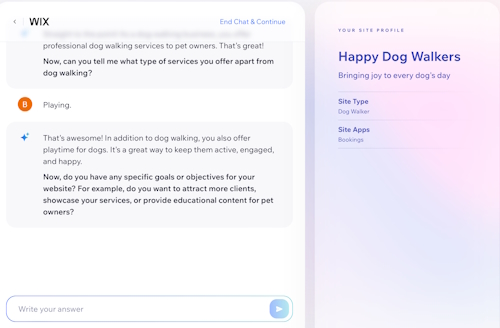
Wix’s content creation process is fast and slick, just like its site-building process. It uses template pages like About, Welcome, Services, and Intro that come ready-made with text blocks. Then AI crafts corresponding content to fill those templated blocks.
Here’s how it works: As above, the AI Text Creator asks you questions about your business and creates content based on your input. For example, if your business involves dog walking, Wix will create content related to dog walking services.

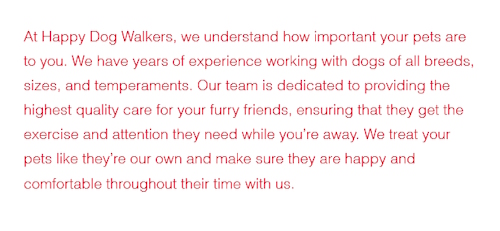
This chunk of text completes their specific template so you can build your page. My result was a business-oriented piece of content, around 75 words in length, designed to integrate with the selected template. You can see it here:
Wix’s AI capabilities also include image suggestions, narrowing down choices based on relevance. This can be a great time-saver for image sourcing.
Wix AI Content Creation Tool vs. TaiWix’s fast, friendly set-up is ideal for users who want a website up and running in no time. However, when compared against Tai’s abilities, Wix’s AI Text Creator is limited.
It’s perfect for creating short chunks of template-based content swiftly. But Tai rules when it comes to generating unique content the search engines love and that’s more likely to rank highly.
Squarespace AINext up is Squarespace, which is known for its clean, minimalist design and individual-centric approach to site-building. Squarespace’s AI-assisted process helps users put together an artistic, terrific-looking site.
AI also assists with aspects like text block creation, image captions, and email campaign coordination on Squarespace.
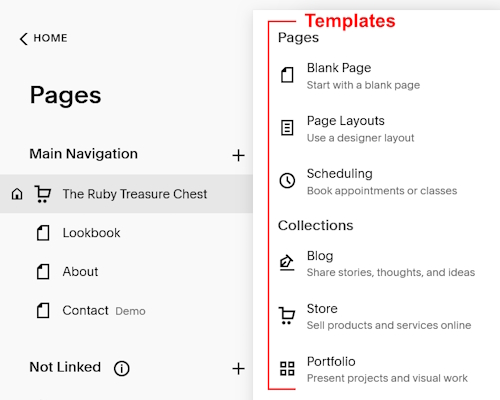 Squarespace AI TemplatesSquarespace AI Content Creation Tool
Squarespace is template-oriented like Wix, but you can use Squarespace’s AI content creator to create freeform content, too.
 Adding a text block to your page launches this tool. Clicking on “Write here…” activates the tool.
You launch the AI tool by adding a text block to your page, then clicking the AI symbol shown above. The AI tool reveals buttons to compose paragraphs, pitches, and blurbs based on your input:

To give you some idea, the default prompts are “Write a paragraph about…,” “Write a pitch about…,” and “Write a blurb about…” as shown below.

You simply fill in your specific topic as above, then proceed to submit your prompt. The responses I received spanned approximately two to three paragraphs, varying according to which prompt I selected.
By crafting my own prompt instead of using the premade ones, I was able to push this tool into a superior quality range.
Unfortunately, this technique is not detailed in Squarespace’s documentation, leaving the average user unaware of how to achieve similar results.
This knowledge gap gives Tai users a distinct competitive advantage. Tai doesn’t just provide the tools, it also offers the step-by-step training you need if you want to make the most of generative AI.
Squarespace AI vs TaiSquarespace’s AI content creator is easy to use if you’re familiar with AI tools. Beginners will probably struggle.
Squarespace’s AI training currently consists of a 42-second video and an 850-word webpage. Meaning, some users’ lack of knowledge may keep them from tapping into the full spectrum of Squarespace AI’s power.
Squarespace does offer an intuitive way to construct paragraphs, pitches, and blurbs based on the user’s input. But it falls short compared to Tai’s innovative approach to creating highly effective, customized prompts that generate quality targeted content written specifically for your site visitor. And all with a few clicks of a mouse.
GoDaddy AISimilar to Wix, GoDaddy’s user-friendly site builder relies on AI to recommend personalized web designs, textual content, and colors according to the users’ business preferences. Its AI capabilities also include an AI-powered SEO tool and a virtual assistant.
GoDaddy’s short content snippets are excellent for whipping up sites quickly, and perfect for non-techies who prioritize speed over unique content. Unfortunately, they may not produce the same level of visibility and uniqueness that organic or highly customized content would yield.
Here’s how the content tool works: The content writer is a section to the right of the page. You access the AI in this tool by clicking the “Get Copy Suggestions” button. The tool then presents snippets of content that fill pre-created, categorized content boxes.
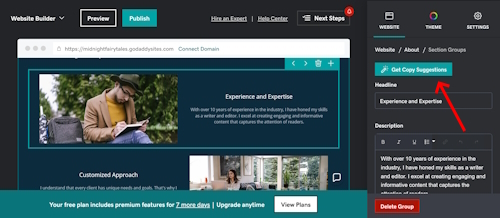
The content produced by GoDaddy’s copy suggestion tool is pretty generic and lacks originality. Per Google’s Helpful Content Algorithm, no site will rank well in Google’s search results unless its content is helpful and reliable, and considers people first.
GoDaddy’s AI Content Creation Tool vs. TaiAlthough GoDaddy’s AI tool offers basic content creation capabilities, it pales in comparison to Tai in terms of uniqueness and depth of subject.
With GoDaddy’s text snippets, you can assemble a simple site, but the tool falls short when it comes to creating the rich, unique content that Tai can help you create.
Even before the advent of AI content tools, websites built with GoDaddy were less likely to attract large amounts of organic traffic compared to SBI! sites.
GoDaddy’s ability to build sites rapidly will be more appealing to folks who aren’t concerned with receiving free search engine traffic or have an alternate plan to generate traffic.

Not to be left behind, WordPress finds its niche as a widely used site builder/content management system famous for customization and control.
By adding plugins, WordPress users can tap into different AI capabilities. One such plugin is Jetpack, which includes an AI Assistant block for content generation. I’ll use Jetpack for this comparison.
Jetpack AI Assistant Plugin Content Creation ToolJetpack AI Assistant makes content creation simple. The plugin is straightforward. Users input their requests into a prompt box, then choose from an array of content options.
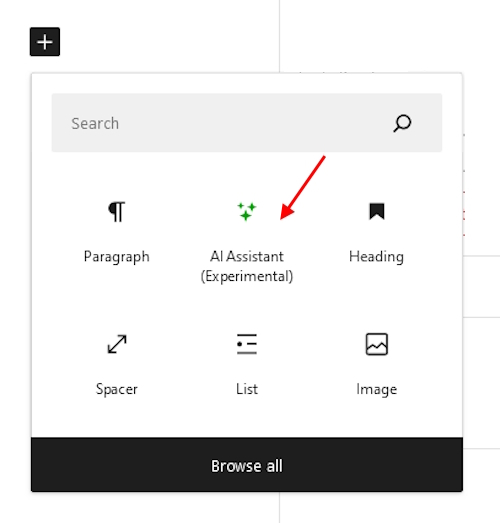 Choose between creative inputs like “Write about…” or “Make a table for…”, topped with a “Write with AI” button. This launches a suite of pre-configured prompts, including:
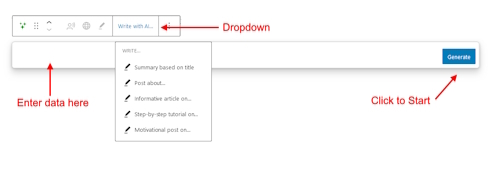
Each of the above pre-created prompts created a roughly 500-word structured post with headings, subheadings, and bullet points. Each option offered a unique article perspective, delivering structured posts rapidly, which many users will find appealing.
However, the generated content often sounded formulaic and needed significant editing.
JetPack’s AI Assistant also supports custom prompts, like those used with Tai, allowing for more flexibility in content creation than the built-in prompts.
Using my personal, custom-made prompt, I received an 800-word article that sounded considerably more authentic and less robotic than the outcomes from Jetpack’s pre-set prompts. This suggests that the tool has some potential for creating higher quality content.
Jetpack AI Assistant vs. TaiPlugins like the Jetpack AI Assistant allow you to incorporate AI into the WordPress site-building process.
While Jetpack’s plugin has prompts to make content generation simple and effective, those built-in prompts generate a machine-sounding voice requiring a lot of editing.
Without training, it’s uncertain if all users will be aware of this editing requirement and actually do it.
Jetpack AI was fairly easy to use, and provided decent results with my custom-made prompts. Your mileage may vary, since I learned prompting by reading the Tai Guide, an in-depth training module every Tai user has access to.
In the end, I don’t know if a newbie would fare as well as I did with WordPress and a plugin like Jetpack’s AI Assistant, but not necessarily because of AI.
AI is pretty easy no matter which tool you use. But with WordPress, nothing is ever only that one thing. You have to deal with everything, from hosting issues, to security, to content creation, to design.
AI is simply the newest icing on top. Some do well with all these challenges, but to others, it’s frustrating.

It’s tough to compare Solo Build It! to the popular site builders mentioned in this post, since SBI! is in a different category and much more than a site builder.
Where other site builders might require upgrades or additional, fee-based plugins, SBI! comes with everything you need to build and run an online business, right out of the box.
 save pin for later
 Here are some tools included with SBI!:
Business planning and research toolsSite-building softwareContent creation toolsBuilt-in SEO toolsMonetization guidanceSocial media integrationExtensive guidance and supportThriving communityHosting and securityContinuous learning resourcesTai, SBI!’s new business-building AI assistantIn summary, Solo Build It! is a comprehensive platform designed for individuals serious about building a profitable online business.
How Tai’s Different From Other AI Integrations
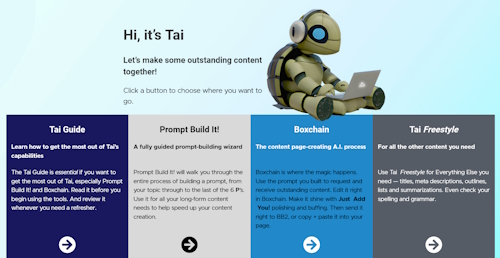
Each of the site builders I’ve explored in this article boasts a suite of powerful features tailored to meet the diverse needs of its users.
However, none matches Tai in its specialized capability to produce outstanding long-form content that fulfills your visitors’ search intent.
While competing platforms may prioritize a fast and easy website construction experience, Tai distinguishes itself by focusing on the creation of authentic and distinctive content.
This content is the heartbeat of your online business, attracting visitors to your site and compelling them to stay, explore, and, ultimately, convert into loyal followers or customers.
Don't just create content - craft experiences that captivate your audience. AI-powered tools can help you deliver the impactful content that resonates.Click To TweetTai’s Unique FeaturesAmong the many capabilities Tai brings to the table, these are some key features:
Prompt Build It! guides you through a series of six questions to craft the best possible prompt, which is key to getting the most out of generative AI.Boxchain takes this a step further, leading you through a structured process to generate content in your desired style and tone. Follow-up prompts transform mediocre results into stunning ones.Tai Freestyle supports you in all other tasks besides writing long-form content. It also has analytical capabilities to provide critical insights into your website’s performance. Think of it as your personal website consultant, helping you identify new opportunities for traffic and monetization.The included Tai Guide, a comprehensive training module, teaches you everything you need to know about using AI in general and Tai specifically.Then there are the SBI! Forums, indispensable for friendly help and support.Final ComparisonNow that we’ve explored Wix, Squarespace, GoDaddy, and WordPress’s Jetpack AI Assistant, let’s revisit our initial question:
How does Tai match up against these platforms’ AI content creation tools?
Tai goes far beyond snippet creation. Its strength lies in its sophistication in terms of niche and market analysis, research capabilities, long-form content generation, SEO optimization and monetization planning.
Between templated content and snippets of text, those other tools won’t get you far in search results.
But the most striking advantage of Tai is its comprehensive training and step-by-step guidance. Without this kind of education, you won’t be able to use generative AI to its full potential, and you might even use it the wrong way.
To get the most out of any AI tool, you need to know how to use it properly. Tai helps you harness the enormous potential of AI thanks to the comprehensive Tai guide.Click To TweetTai Is Available as a Standalone ToolOne more thing that sets Tai apart from other site builders is its accessibility.
While it’s included in SBI! and SBI! for WP, Tai is also available as a standalone tool anyone can use.
Embrace the FutureThe bottom line is that embracing artificial intelligence in content creation is no longer an option. It’s about to become a requirement for success.
With Tai, you’re not just creating a website or a blog anymore. You’re crafting unique experiences that elevate your brand and keep your audience coming back for more.
Ready to write your online success story? Harness the power of AI and reshape your digital presence — try Tai for free today!
TRY TAI FOR FREETRY SBI! PLUS TAIAuthor informationBrenda RoweBrenda Rowe is a freelance writer who's been an SBI! enthusiast since 2006. She's the creator of BirthdayBullseye.com, where she transforms birthdays into extraordinary experiences. Beyond content creation, Brenda has a passion for helping and devotes herself to several volunteer activities. She also enjoys baking, crafting and decorating her country home where she lives with her husband of over 30 years.
|The post AI Site Builder Comparison: A Closer Look at 5 Platforms appeared first on SiteSell Blog - Proven Real-World Advice for Solopreneurs.
March 1, 2024
The Future is Here: Is Blogging Still Profitable in 2024?

Is blogging still profitable in 2024? The blogging sphere has witnessed a transformative journey in recent years. Technological advancements and evolving algorithms have changed how people earn money.
So, is blogging still profitable? You’ll find out in this article!
The evolution of blogging is tied to the algorithms of search engines. As algorithms evolve, bloggers adapt their strategies to maintain visibility.
Today, the sheer volume of blog posts is staggering. Yet, the key to success lies not just in the frequency of content creation but in the ability to craft unique, engaging content.
As technology advances, once-effective blogging tactics become outdated. Bloggers must continually adapt to emerging trends and tools to stay relevant. Additionally, bloggers must learn about changes in search (for example, Google’s AI-powered Search Generative Experience) and how to adapt their writing to rank on page one.
What’s more, narratives should capture the attention of the target audience. Nowadays, the blogging industry is shifting towards quality over quantity. But is blogging still profitable in 2024 with all of these changes?
Adaptation is key when it comes to blogging. Bloggers need to adapt and continually implement new strategies to maintain visibility and thus income.Click To TweetIs Blogging Still Profitable in 2024? What to ExpectYes, blogging is still a profitable business model in 2024! But, you need to learn business-building principles before you can become successful as a blogger in an AI world.
Bloggers have at their disposal an array of revenue streams which have evolved over the years. To earn money as a blogger in 2024, you must learn about display advertising, affiliate links (and changes affecting them) and selling digital products.
Combining these revenue streams allows for a diversified and robust income portfolio.
Exploring the Different Income Streams for Bloggers in 2024Are you starting a blogging journey? Below are some of the ways bloggers can earn money in 2024.
Affiliate MarketingAffiliate marketing has become a cornerstone of bloggers’ income strategies. By promoting a company’s products or services, bloggers may earn commissions on successful referrals.
Ahrefs says that people can earn anywhere from $30,000–$50,000 per year from affiliate links. Its effectiveness lies in the genuine recommendations bloggers provide.
This means that creating a symbiotic relationship between content creation and income generation is a must.
Display Advertising, Google AdSense, and Other Ad NetworksDisplay advertising on Google AdSense is a reliable source of income for bloggers. Still, how much you earn here depends on your niche and traffic.
To get an estimate of how much you can earn from display advertising, check out Google’s revenue calculator.
Selling Online Courses and Digital ProductsOnline courses and digital products are powerful tools for bloggers to enhance their income. Bloggers can package their expertise into courses that cater to their audience’s needs.
As per Medium, beginners selling online courses earn $6,000 per year. Meanwhile, mid-range earners get $120,000, and top earners receive $600,000 per year.
If you have a blog, it may be worth selling digital products on your website.
Building a Profitable Blog: A Step-by-Step GuideHow do you ensure that your blog becomes profitable? Below is our step-by-step guide.
1) Select a Profitable NicheThe foundation of a profitable blog begins with choosing a niche. First, make sure that it aligns with your interests and expertise.
Niche selection not only defines the target audience, it also shapes the content strategy. A profitable niche has a balance between audience demand and your ability to provide valuable content.Click To Tweet2) Choose a Hosting Plan and Set Up a Blogging PlatformChoosing the right blogging platform and hosting plan is critical to establishing an online presence. In general, successful blogs have platforms that cater to their content style and audience preferences.
Note that the hosting plan should align with the blog’s expected traffic and growth projections. This ensures optimal performance and helps provide the best user experience.
3) Use Email MarketingEmail marketing remains a powerful tool for bloggers to connect directly with their audience. Successful bloggers build and nurture their email lists.
How do you do it?
Start by providing subscribers with exclusive content, promotions, and updates. This engagement strengthens your audience relationship and becomes a base for monetization.
4) Create High-Quality Blog ContentThe cornerstone of a profitable blog is high-quality and personal content. What this means is that you must strike a balance between SEO (search engine optimization) and emerging SGE (Search Generative Experience) optimization recommendations as well as authentic storytelling.
Engaging blog posts connect with the audience on a personal level. They contribute to increased readership and build the foundation for a loyal and dedicated audience.Click To Tweet5) Study Strategies for Increasing Blog TrafficBuilding consistent and organic traffic requires strategic planning.
Successful bloggers employ various strategies to promote their website. These include social media promotion, and collaborations with like-minded individuals.
Understanding the target audience and tailoring content to meet their needs is vital to attracting a steady flow of visitors.
6) Diversify Your IncomeA profitable blog seldom relies on a single income stream. Bloggers explore various avenues, including partnerships, sponsored content, and digital products.
This diversification safeguards you against fluctuations in specific income channels. Plus, it also enhances the overall financial stability of the blog.

One tip is to foster engagement through meaningful interactions and responding to comments. Strive to create a sense of community and understand your audience’s needs.
8) Learn Effective Optimization TechniquesOptimize content for keywords and topics that fit search intent. Improve your blog’s structure and speed. Link to complementary articles whenever possible.
Stay informed about algorithm changes and AI advancements. Adapt your strategies to ensure the blog maintains visibility.
9) Scale with Artificial Intelligence and AutomationIncorporating AI and automation tools can streamline various aspects of blogging. Use it for content creation and even audience engagement.
Successful blogs use technologies for scaling efforts. Having these allows you to focus on strategic aspects of your blog while maintaining a consistent and engaging presence.
Profitable Blogs in 2024What topics will make you the most money in 2024?
According to a survey by Hubspot, 36.6% of readers visit entertainment, music, or movie sites. Meanwhile, 28.5% prefer nonfiction journalistic sites, and 24.2% like to read about storytelling.
On top of this, 17.8% of respondents love reading DIY and step-by-step guides. Plus, 17.4% visit blogs about cooking tips and recipes.
Below are some of our suggestions for blog niches you can get into.
Personal Finance Blogs: Offer advice on budgeting, investing, and achieving financial goals. This blog type lets you earn through affiliate marketing, sponsored content, and selling courses.Health and Wellness Blogs: This type covers topics such as fitness routines, healthy recipes, and mental health tips. It caters to a growing audience seeking guidance for a balanced lifestyle.Tech and Gadget Blogs: For those passionate about technology and gadgets, blogs present a promising path. Explore partnerships with tech companies and review the latest gadgets for sponsored content.Parenting and Family Blogs: Parenting remains an evergreen niche. Monetize through sponsored content, affiliate marketing, and creating parenting guides.Travel and Adventure Blogs: Do you have a passion for travel? Travel bloggers may earn through sponsored travel collaborations and affiliate marketing.

The future of blogging is tied to emerging trends and technological advancements, including AI.
As we navigate through 2024 and beyond, you may witness a rise in interactive content. Examples of this are virtual reality experiences and the use of artificial intelligence.
Using these trends can boost your user experience and open new ways for creative storytelling. In the end, you’ll need to adapt to changes if you want to have a profitable business in 2024 and move forward!
 Capitalize on AI and Search Engine Rankings
Artificial intelligence is reshaping the blogging landscape. You may need to increasingly use AI tools to analyze data, optimize content, and create images.
Search engine algorithms are now more sophisticated. Adapting to AI-driven strategies is crucial for maintaining visibility.
Use Social Media Platforms to Drive Organic TrafficSocial media platforms play an ever-expanding role in driving organic traffic to blogs. Successful bloggers leverage platforms like Instagram and Pinterest to expand their reach.
Create Video Content and CoursesVideo content continues to dominate online platforms. Bloggers are now embracing this medium to connect with their audience.
Incorporating video elements, like vlogs or live sessions adds a dynamic dimension to blogging. Additionally, online courses in video format are becoming increasingly popular.
In short, videos provide an interactive way to share your expertise.
Closing ThoughtsIs blogging still profitable in 2024? Yes, we believe blogging remains a vibrant and profitable pursuit!
Sharing stories, building audiences, and exploring income streams are all relevant to creating a profitable blog. However, beginner bloggers need to pay attention to newer strategies and topics that will make their blog more successful.
To answer any questions you might have, talk to our online business advisors.
Try Tai For FreeBECOME AN SBI! MEMBER TODAYAuthor informationMargit StreifenederMargit Streifeneder is the Marketing Co-Director at SiteSell. She works with a small but mighty team to spread the word about Solo Build It!, via helpful content, informative emails and eye-catching ads. She's passionate about helping solopreneurs achieve success, and enjoys interviewing SBI! members about their achievements. Besides growing her own online business, she loves exploring new places, hiking, dancing and spoiling her three cats.
|The post The Future is Here: Is Blogging Still Profitable in 2024? appeared first on SiteSell Blog - Proven Real-World Advice for Solopreneurs.
The Future is Here: Is Blogging Still Profitable in 2024
The blogging sphere has witnessed a transformative journey in recent years. Technological advancements and evolving algorithms have changed how people earn money.
So, is blogging still profitable in 2024? You’ll find out in this article!
The evolution of blogging is tied to the algorithms of search engines. As algorithms evolve, bloggers adapt their strategies to maintain visibility.
Today, the sheer volume of blog posts is staggering. Yet, the key to success lies not just in the frequency of content creation but in the ability to craft unique, engaging content.
As technology advances, once-effective blogging tactics become outdated. Bloggers must continually adapt to emerging trends and tools to stay relevant. Additionally, bloggers must learn about changes in search (for example, Google’s AI-powered Search Generative Experience) and how to adapt their writing to rank on page one.
What’s more, narratives should capture the attention of the target audience. Nowadays, the blogging industry is shifting towards quality over quantity.
Adaptation is key when it comes to blogging. Bloggers need to adapt and continually implement new strategies to maintain visibility and thus income.Click To TweetIs Blogging Still Profitable in 2024? What to ExpectYes, blogging is still a profitable business model in 2024! But, you need to learn business-building principles before you can become successful as a blogger in an AI world.
Bloggers have at their disposal an array of revenue streams which have evolved over the years. To earn money as a blogger in 2024, you must learn about display advertising, affiliate links (and changes affecting them) and selling digital products.
Combining these revenue streams allows for a diversified and robust income portfolio.
Exploring the Different Income Streams for Bloggers in 2024Are you starting a blogging journey? Below are some of the ways bloggers can earn money in 2024.
Affiliate MarketingAffiliate marketing has become a cornerstone of bloggers’ income strategies. By promoting a company’s products or services, bloggers may earn commissions on successful referrals.
Ahrefs says that people can earn anywhere from $30,000–$50,000 per year from affiliate links. Its effectiveness lies in the genuine recommendations bloggers provide.
This means that creating a symbiotic relationship between content creation and income generation is a must.
Display Advertising, Google AdSense, and Other Ad NetworksDisplay advertising on Google AdSense is a reliable source of income for bloggers. Still, how much you earn here depends on your niche and traffic.
To get an estimate of how much you can earn from display advertising, check out Google’s revenue calculator.
Selling Online Courses and Digital ProductsOnline courses and digital products are powerful tools for bloggers to enhance their income. Bloggers can package their expertise into courses that cater to their audience’s needs.
As per Medium, beginners selling online courses earn $6,000 per year. Meanwhile, mid-range earners get $120,000, and top earners receive $600,000 per year.
If you have a blog, it may be worth selling digital products on your website.
Building a Profitable Blog: A Step-by-Step GuideHow do you ensure that your blog becomes profitable? Below is our step-by-step guide.
1) Select a Profitable NicheThe foundation of a profitable blog begins with choosing a niche. First, make sure that it aligns with your interests and expertise.
Niche selection not only defines the target audience, it also shapes the content strategy. A profitable niche has a balance between audience demand and your ability to provide valuable content.Click To Tweet2) Choose a Hosting Plan and Set Up a Blogging PlatformChoosing the right blogging platform and hosting plan is critical to establishing an online presence. In general, successful blogs have platforms that cater to their content style and audience preferences.
Note that the hosting plan should align with the blog’s expected traffic and growth projections. This ensures optimal performance and helps provide the best user experience.
3) Use Email MarketingEmail marketing remains a powerful tool for bloggers to connect directly with their audience. Successful bloggers build and nurture their email lists.
How do you do it?
Start by providing subscribers with exclusive content, promotions, and updates. This engagement strengthens your audience relationship and becomes a base for monetization.
4) Create High-Quality Blog ContentThe cornerstone of a profitable blog is high-quality and personal content. What this means is that you must strike a balance between SEO (search engine optimization) and emerging SGE (Search Generative Experience) optimization recommendations as well as authentic storytelling.
Engaging blog posts connect with the audience on a personal level. They contribute to increased readership and build the foundation for a loyal and dedicated audience.Click To Tweet5) Study Strategies for Increasing Blog TrafficBuilding consistent and organic traffic requires strategic planning.
Successful bloggers employ various strategies to promote their website. These include social media promotion, and collaborations with like-minded individuals.
Understanding the target audience and tailoring content to meet their needs is vital to attracting a steady flow of visitors.
6) Diversify Your IncomeA profitable blog seldom relies on a single income stream. Bloggers explore various avenues, including partnerships, sponsored content, and digital products.
This diversification safeguards you against fluctuations in specific income channels. Plus, it also enhances the overall financial stability of the blog.
One tip is to foster engagement through meaningful interactions and responding to comments. Strive to create a sense of community and understand your audience’s needs.
8) Learn Effective Optimization TechniquesOptimize content for keywords and topics that fit search intent. Improve your blog’s structure and speed. Link to complementary articles whenever possible.
Stay informed about algorithm changes and AI advancements. Adapt your strategies to ensure the blog maintains visibility.
9) Scale with Artificial Intelligence and AutomationIncorporating AI and automation tools can streamline various aspects of blogging. Use it for content creation and even audience engagement.
Successful blogs use technologies for scaling efforts. Having these allows you to focus on strategic aspects of your blog while maintaining a consistent and engaging presence.
Profitable Blogs in 2024What topics will make you the most money in 2024?
According to a survey by Hubspot, 36.6% of readers visit entertainment, music, or movie sites. Meanwhile, 28.5% prefer nonfiction journalistic sites, and 24.2% like to read about storytelling.
On top of this, 17.8% of respondents love reading DIY and step-by-step guides. Plus, 17.4% visit blogs about cooking tips and recipes.
Below are some of our suggestions for blog niches you can get into.
Personal Finance Blogs: Offer advice on budgeting, investing, and achieving financial goals. This blog type lets you earn through affiliate marketing, sponsored content, and selling courses.Health and Wellness Blogs: This type covers topics such as fitness routines, healthy recipes, and mental health tips. It caters to a growing audience seeking guidance for a balanced lifestyle.Tech and Gadget Blogs: For those passionate about technology and gadgets, blogs present a promising path. Explore partnerships with tech companies and review the latest gadgets for sponsored content.Parenting and Family Blogs: Parenting remains an evergreen niche. Monetize through sponsored content, affiliate marketing, and creating parenting guides.Travel and Adventure Blogs: Do you have a passion for travel? Travel bloggers may earn through sponsored travel collaborations and affiliate marketing.
The future of blogging is tied to emerging trends and technological advancements, including AI.
As we navigate through 2024 and beyond, you may witness a rise in interactive content. Examples of this are virtual reality experiences and the use of artificial intelligence.
Using these trends can boost your user experience and open new ways for creative storytelling. In the end, you’ll need to adapt to changes if you want to have a profitable business in 2024 and move forward!
Capitalize on AI and Search Engine RankingsArtificial intelligence is reshaping the blogging landscape. You may need to increasingly use AI tools to analyze data, optimize content, and create images.
Search engine algorithms are now more sophisticated. Adapting to AI-driven strategies is crucial for maintaining visibility.
Use Social Media Platforms to Drive Organic TrafficSocial media platforms play an ever-expanding role in driving organic traffic to blogs. Successful bloggers leverage platforms like Instagram and Pinterest to expand their reach.
Create Video Content and CoursesVideo content continues to dominate online platforms. Bloggers are now embracing this medium to connect with their audience.
Incorporating video elements, like vlogs or live sessions adds a dynamic dimension to blogging. Additionally, online courses in video format are becoming increasingly popular.
In short, videos provide an interactive way to share your expertise.
Closing ThoughtsIs blogging still profitable in 2024? Yes, we believe blogging remains a vibrant and profitable pursuit!
Sharing stories, building audiences, and exploring income streams are all relevant to creating a profitable blog. However, beginner bloggers need to pay attention to newer strategies and topics that will make their blog more successful.
To answer any questions you might have, talk to our online business advisors.
Try Tai For FreeBECOME AN SBI! MEMBER TODAYAuthor informationMargit StreifenederMargit Streifeneder is the Marketing Co-Director at SiteSell. She works with a small but mighty team to spread the word about Solo Build It!, via helpful content, informative emails and eye-catching ads. She's passionate about helping solopreneurs achieve success, and enjoys interviewing SBI! members about their achievements. Besides growing her own online business, she loves exploring new places, hiking, dancing and spoiling her three cats.
|The post The Future is Here: Is Blogging Still Profitable in 2024 appeared first on SiteSell Blog - Proven Real-World Advice for Solopreneurs.
February 22, 2024
How I Used Tai to Uncover My Visitors’ Pain Points (And You Can Too!)

When does a blog post truly resonate with your readers? When it speaks directly to their challenges and pain points.
The problem is, we don’t always know what those challenges are.
I decided to ask Tai, SBI!’s business-building AI assistant, to help me uncover my visitors’ pain points. As a real world example from my niche, I used the topic of learning embroidery stitches.
One of the best ways to use AI for your website is to gain a better understanding of your audience's pain points.Click To TweetThe Evolution of a Prompt: Simple BeginningsI started the experiment with this simple prompt:
Explore the topic of learning new embroidery stitches and identify common challenges in this domain.Before showing you the results, let me explain which settings I chose in Tai Freestyle and why.
First, there’s the Cheaper-Better selector. Cheaper uses GPT-3.5 and helps you save on Tai credit expenses. Use it for less demanding tasks like checking grammar and spelling or summarizing an article.
For high-value tasks like developing a monetization plan, outlining an article or digging into your audience’s challenges, choose “Better,” which uses the more advanced GPT-4 model.
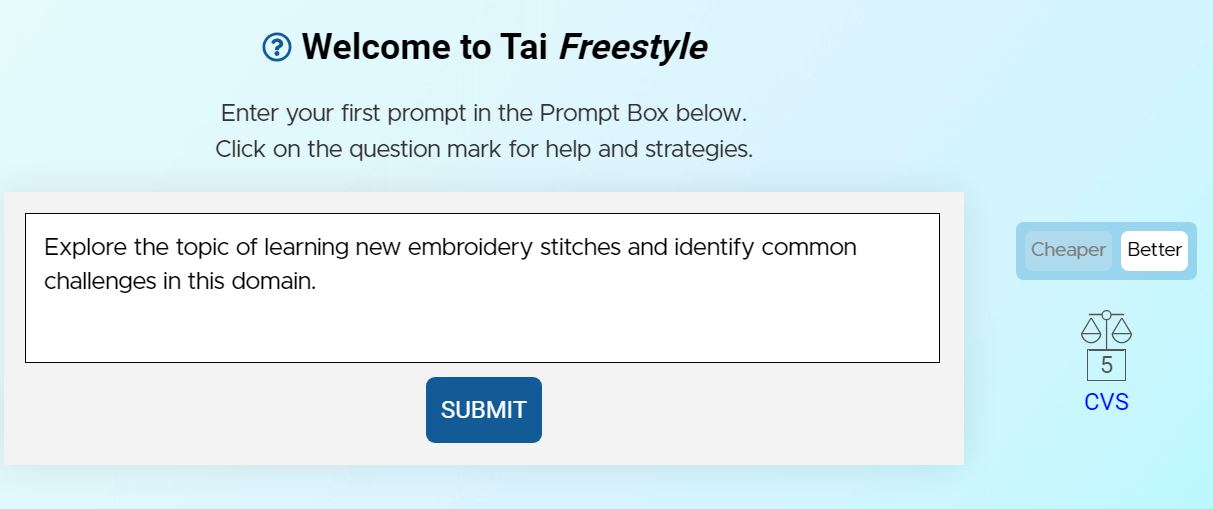
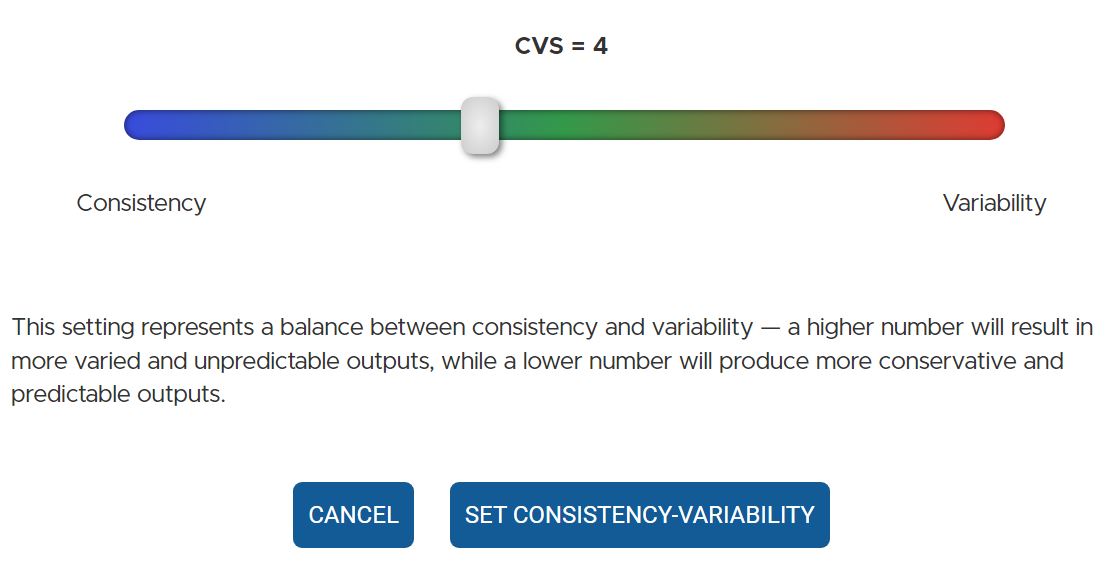
The second setting is the “Consistency-Variability Scale” (CVS). The CVS lets you determine how consistent or variable (aka creative) you want the content to be.
The default setting is 5. For today’s purpose, I dropped the CVS down to 4 to keep things more accurate.
And here’s the result of running the prompt.
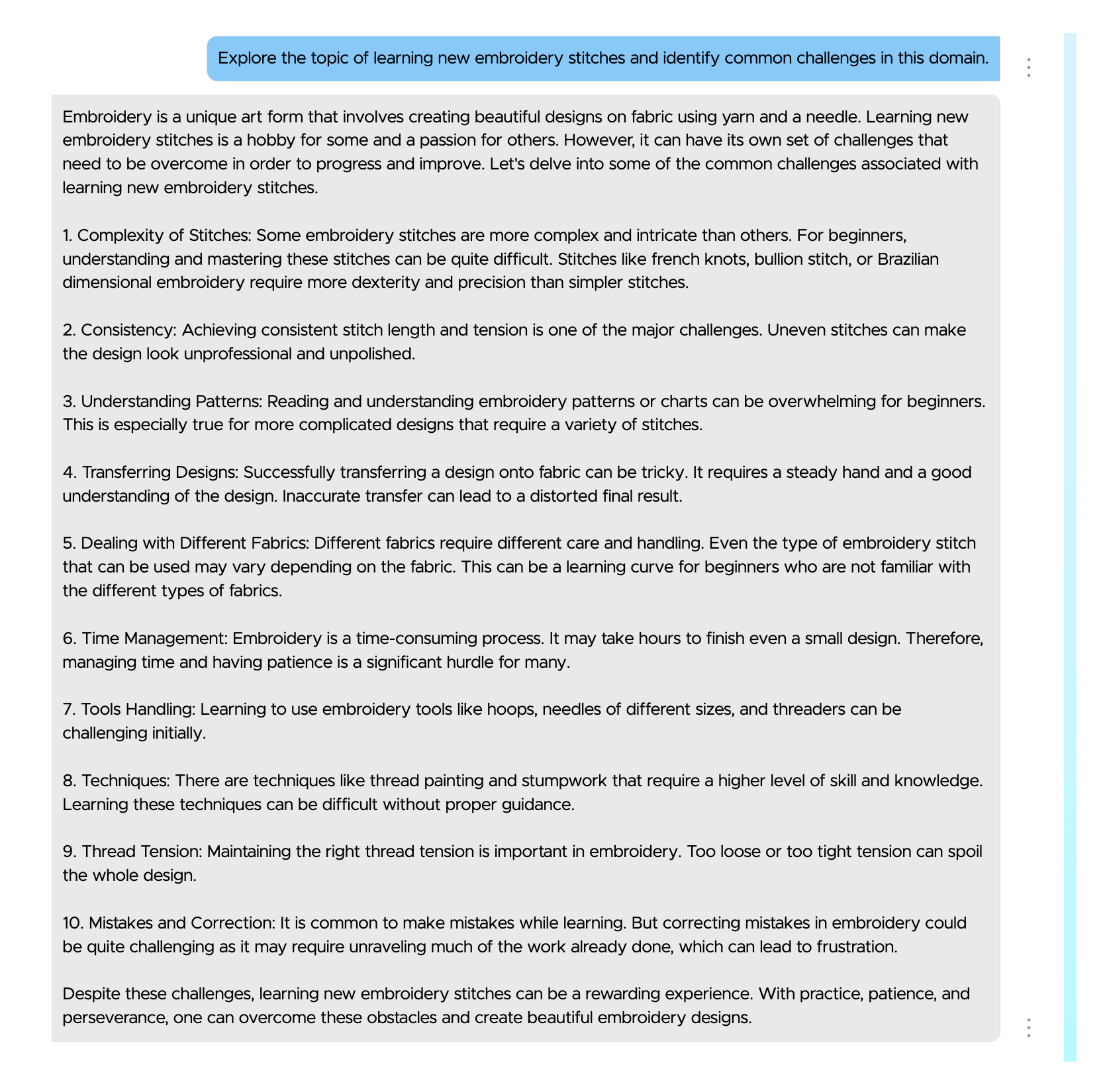 In case you can’t read the screenshot easily, here are the top three answers:
Embroidery is a unique art form that involves creating beautiful designs on fabric using yarn and a needle. Learning new embroidery stitches is a hobby for some and a passion for others. However, it can have its own set of challenges that need to be overcome in order to progress and improve. Let’s delve into some of the common challenges associated with learning new embroidery stitches.
Complexity of Stitches: Some embroidery stitches are more complex and intricate than others. For beginners, understanding and mastering these stitches can be quite difficult. Stitches like french knots, bullion stitch, or Brazilian dimensional embroidery require more dexterity and precision than simpler stitches. Consistency: Achieving consistent stitch length and tension is one of the major challenges. Uneven stitches can make the design look unprofessional and unpolished. Understanding Patterns: Reading and understanding embroidery patterns or charts can be overwhelming for beginners. This is especially true for more complicated designs that require a variety of stitches.The responses are pretty general, with not much to inspire me there, although they’re correct. So I decided to give Tai a little more instruction.
The Evolution of a Prompt: Giving Tai More InstructionsHere’s my new prompt:
Explore the topic of learning new embroidery stitches and identify common challenges in this domain. For each challenge:Describe the nature of the challenge.Explain why it’s a typical obstacle or sticking point in the topic.Provide real-world examples or scenarios illustrating the challenge.Discuss why these challenges are often difficult to overcome.Focus on delivering clear, concise, and contextually relevant insights for each aspect of the challenge.
This time I got much more useful output.
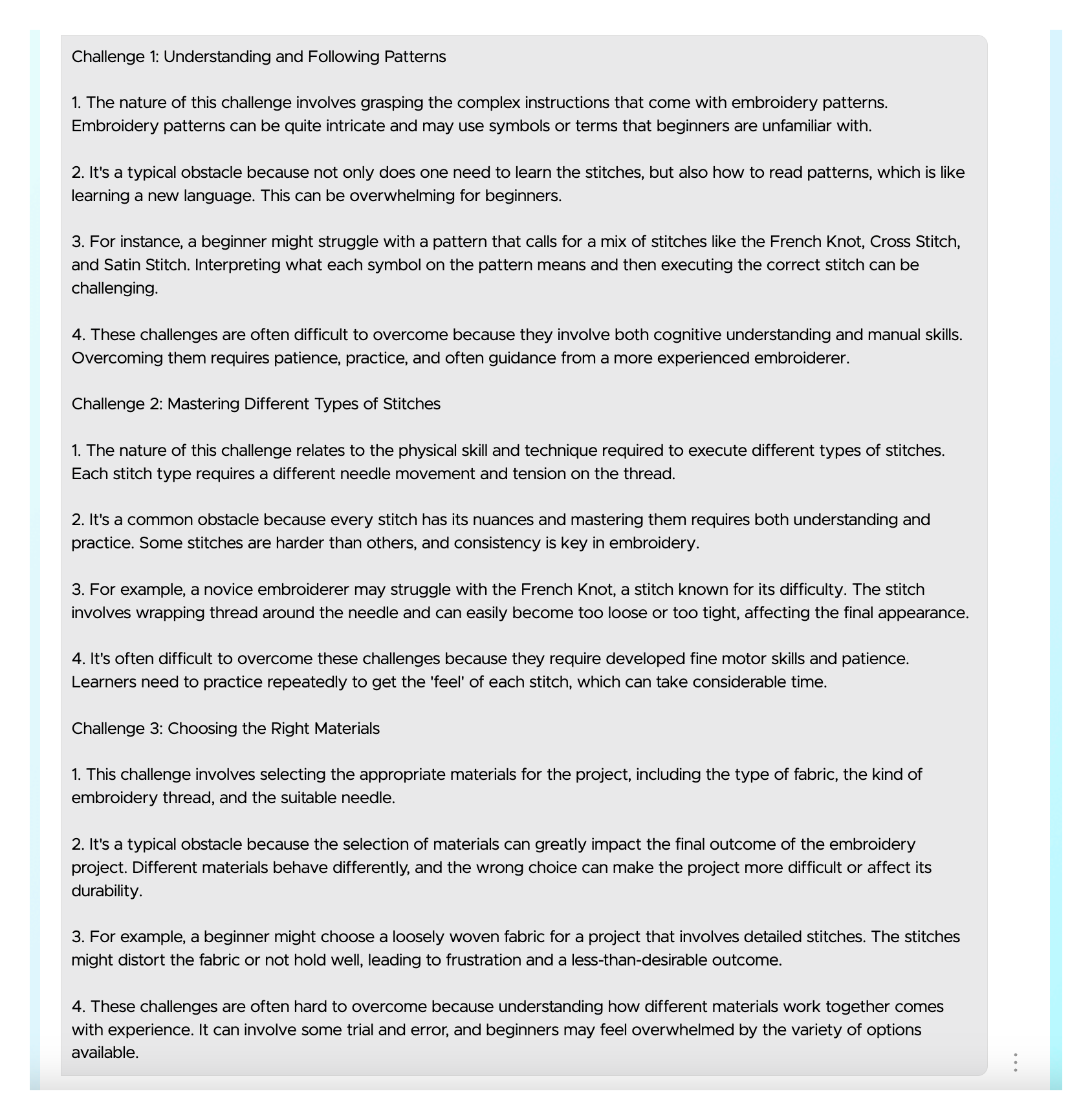
Again, in case you can’t read the screenshot, here’s the first section of the results.
Challenge 1: Understanding and Following Patterns
The nature of this challenge involves grasping the complex instructions that come with embroidery patterns. Embroidery patterns can be quite intricate and may use symbols or terms that beginners are unfamiliar with. It’s a typical obstacle because not only does one need to learn the stitches, but also how to read patterns, which is like learning a new language. This can be overwhelming for beginners. For instance, a beginner might struggle with a pattern that calls for a mix of stitches like the French Knot, Cross Stitch, and Satin Stitch. Interpreting what each symbol on the pattern means and then executing the correct stitch can be challenging. These challenges are often difficult to overcome because they involve both cognitive understanding and manual skills. Overcoming them requires patience, practice, and often guidance from a more experienced embroiderer.Much better! This really makes me think of the difficulty from a beginner’s point of view.
Refining your prompt makes a world of difference to the output quality of AI-generated content.Click To TweetThe Evolution of a Prompt: Giving Tai a “Role” to PlayI wondered if I could improve things further?
So I revised the prompt again. This is what I ended up with…
You are an analytical expert specializing in the identification and analysis of challenges within various topics. Your role is to provide a thorough exploration of specified topics, identifying common obstacles and articulating why these challenges are significant. Your responsibilities include:– Detailed Analysis: Scrutinize each challenge to understand its nature and implications in the context of the given topic.
– Contextual Examples: Offer real-world scenarios or examples that clearly illustrate each challenge.
– Insightful Reasoning: Explain why these challenges are typical in the field and why they are difficult to overcome.
– Clarity and Conciseness: Ensure that your analysis is clear, focused, and to the point, avoiding unnecessary details.
Approach each topic with a critical and analytical mindset, aiming to provide valuable insights that deepen the user’s understanding of the challenges within that topic.
The topic is learning new embroidery stitches.
I ran this prompt and got the following results:
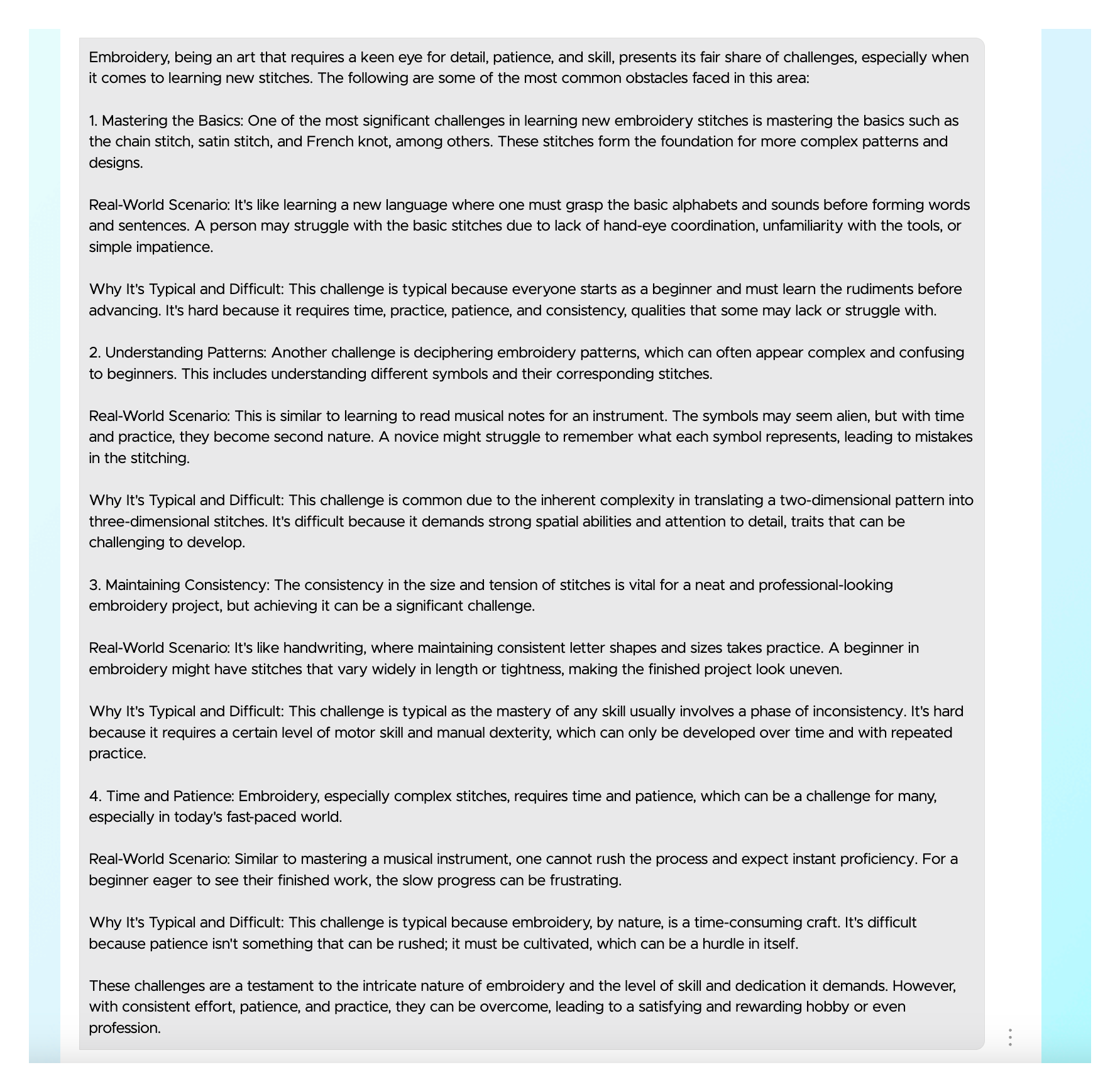
Here’s a close-up of the same section about understanding patterns.
Understanding Patterns:
Another challenge is deciphering embroidery patterns, which can often appear complex and confusing to beginners. This includes understanding different symbols and their corresponding stitches.
Real-World Scenario: This is similar to learning to read musical notes for an instrument. The symbols may seem alien, but with time and practice, they become second nature. A novice might struggle to remember what each symbol represents, leading to mistakes in the stitching.
Why It’s Typical and Difficult: This challenge is common due to the inherent complexity in translating a two-dimensional pattern into three-dimensional stitches. It’s difficult because it demands strong spatial abilities and attention to detail, traits that can be challenging to develop.
Not bad! This response puts things more in context, although it didn’t use my “labels” for each section.
I noted the credits available before running this and after. It went from 9813 to 8950, which wasn’t bad at all.
My final step in this experiment was to try my last prompt on a different topic. This time I picked “learning camera settings on a DSLR.” I opened a new Tai Freestyle session for this one.

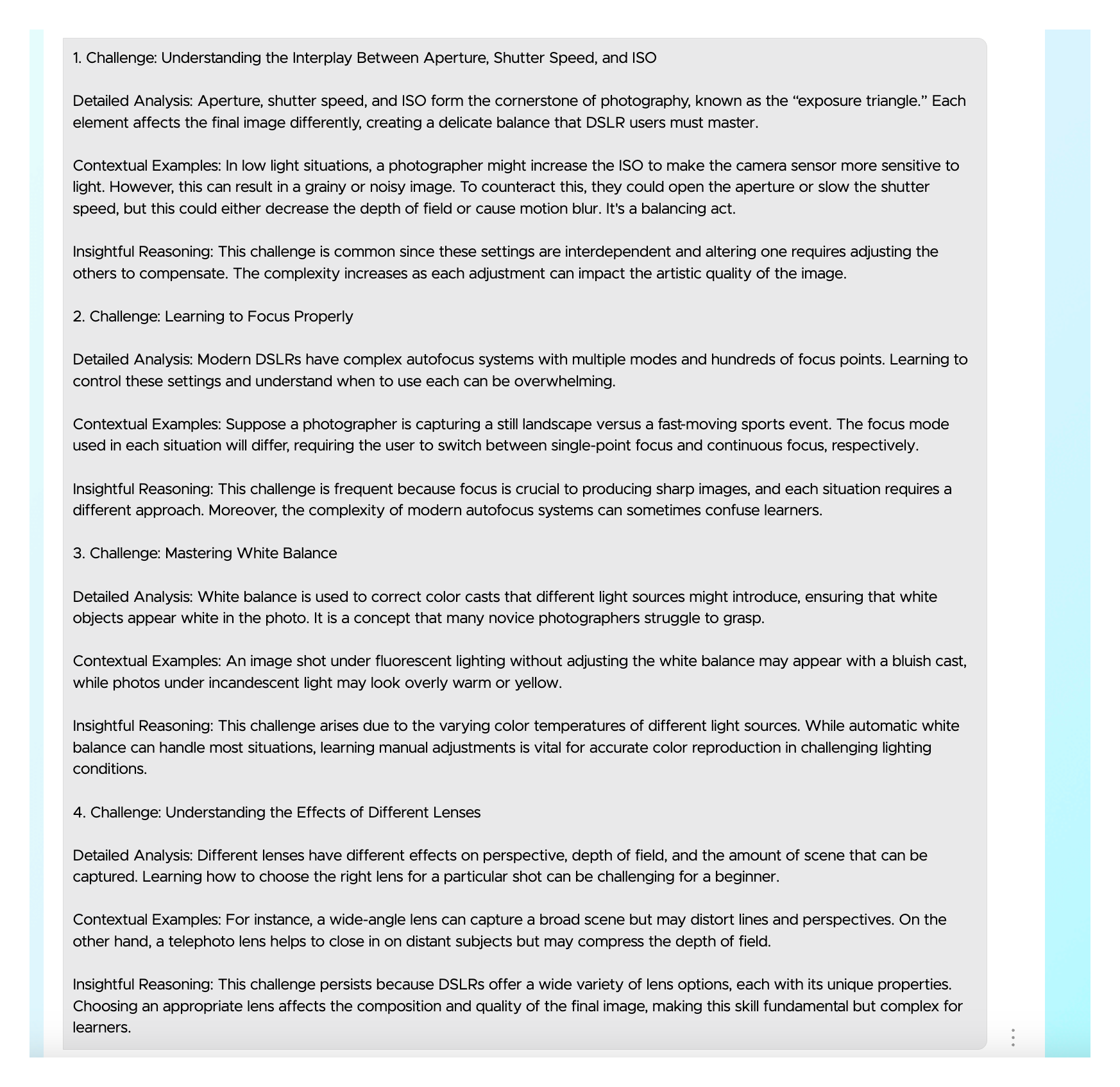
Here’s the text of the first two challenges…
Challenge: Understanding the Interplay Between Aperture, Shutter Speed, and ISODetailed Analysis: Aperture, shutter speed, and ISO form the cornerstone of photography, known as the “exposure triangle.” Each element affects the final image differently, creating a delicate balance that DSLR users must master.
Contextual Examples: In low light situations, a photographer might increase the ISO to make the camera sensor more sensitive to light. However, this can result in a grainy or noisy image. To counteract this, they could open the aperture or slow the shutter speed, but this could either decrease the depth of field or cause motion blur. It’s a balancing act.
Insightful Reasoning: This challenge is common since these settings are interdependent and altering one requires adjusting the others to compensate. The complexity increases as each adjustment can impact the artistic quality of the image.
Challenge: Learning to Focus ProperlyDetailed Analysis: Modern DSLRs have complex autofocus systems with multiple modes and hundreds of focus points. Learning to control these settings and understand when to use each can be overwhelming.
Contextual Examples: Suppose a photographer is capturing a still landscape versus a fast-moving sports event. The focus mode used in each situation will differ, requiring the user to switch between single-point focus and continuous focus, respectively.
Insightful Reasoning: This challenge is frequent because focus is crucial to producing sharp images, and each situation requires a different approach. Moreover, the complexity of modern autofocus systems can sometimes confuse learners.
This time Tai kept my labels and gave me the Detailed Analysis, Contextual Examples and Insightful Reasoning that I had requested. I wonder if I had run this last prompt for the stitches topic in a new session it would have done the same? Let’s check!
Here are the results.
And the section on following patterns again in close up…
 4) Challenge: Understanding and Following Patterns
Detailed Analysis: Embroidery patterns can be complex and hard to follow. They use various symbols to denote different stitches and colors, and interpreting these correctly is crucial to accurate execution.
Contextual Example: A pattern may indicate that certain areas should be filled with satin stitches, while others should be done in backstitches. Misinterpreting these symbols can lead to the wrong stitches being used.
Insightful Reasoning: This challenge is significant because misreading a pattern can lead to mistakes that are hard to correct. Overcoming this requires careful attention to detail and often a degree of prior knowledge or experience, which can be challenging for beginners.
Compare this to the result my first, simple prompt generated:
Understanding Patterns: Reading and understanding embroidery patterns or charts can be overwhelming for beginners. This is especially true for more complicated designs that require a variety of stitches.
Quite the difference, don’t you think?
Another lesson learned here is to start a new session if you build on the prompt.
Uncover Visitor Pain Points With Tai: Key Take-Aways Develop a focused prompt: Craft a clear prompt that guides Tai towards identifying specific challenges within your chosen topic. The more specific the prompt, the more insightful the results. Iterate and refine: Tai learns and responds based on your prompts. Don’t stop after your first prompt. Refine it based on Tai’s initial responses. Each iteration can lead to deeper, more targeted insights. Once you have your final prompt, use it in a new Tai Freestyle session. Embrace context: Go beyond just identifying challenges. Ask Tai to explain why they’re common and how they impact your audience. This contextual understanding is crucial for creating truly helpful content. Seek real-world examples: Don’t get lost in abstract information. Ask Tai to illustrate challenges with relatable scenarios, making them easier for your audience to understand and connect with. Ask for clarity and conciseness: While Tai offers detailed information, ask it to provide its results in a clear, concise manner.Bonus tip: Save successful prompts in Tai’s Prompt Library. This way, you can access it for similar tasks in the future.
You can also make it accessible to fellow SBI! members, just like I did with mine.
I hope you found my experiment helpful and that it encourages you to run a similar test for your own prompts.
If you haven’t tried Tai yet, go ahead and sign up now. You’ll get 20,000 credits for free. There’s no subscription and you don’t have to be an SBI! member to use it.
Try Tai For FreeBECOME AN SBI! MEMBER TODAYAuthor information Carol Leather
Carol Leather is head of content at SiteSell. She started her first successful online business, www.needlework-tips-and-techniques.com, with Solo Build It! in 2006 and it's still going strong. She loves photographing and drawing wildlife. She shares her walks in the English countryside on her new site www.naturewalkswithcarol.com. When she is not busy with all the above, she works on her two art sites! All using Solo Build It!, of course.
|The post How I Used Tai to Uncover My Visitors’ Pain Points (And You Can Too!) appeared first on SiteSell Blog - Proven Real-World Advice for Solopreneurs.
February 8, 2024
An AI Tool to Create Website Content: How Tai Makes Site-Building Fun Again
The realm of website creation is undergoing an exciting transformation. On one hand, building engaging, high-traffic websites that visitors love is more challenging than ever.
On the other hand, Artificial Intelligence (AI) has arrived to change all that. SBIers are already using an AI tool to create website content. The tool is called Tai, and it’s helping SBIers breathe new life into their businesses. And that’s just the beginning. The good news is that the Tai party is open to everyone, whether you’re a proud Solo Build It! family member or you’re going it alone.
Remember the days when building an online business was a thrilling pursuit filled with exploration and discovery? You might recall evenings spent spinning your life’s work and expertise into digital gold in hot pursuit of digital independence.
Alas, the sands of time shifted, and the once-exhilarating journey of website business creation became mired with perplexing algorithms and ever-growing competition, turning your cheer into a chore.
Fear not, for Tai has arrived with a dash of modern “magic,” whisking us back to those golden days when site-building was a more pleasant experience. Once again it’s possible to create your future and build the lifestyle you want while growing an online business. Let’s dive into how Tai puts the zing back into things.
Tai: A Friendly AI Tool to Create Website Content
For newcomers to the Solo Build It! blog, Tai is a generative artificial intelligence tool that can generate new and original content without scraping or plagiarizing. existing content. Think of Tai as a whiz at learning from what’s already out there, then using it to come up with its own original take on ideas.
It’s like having a clever friend who listens to your ideas, then creates something better, fresh, and new. What’s great is how it can help in all sorts of areas, from creating art, to generating content, to solving simple and even complex problems. With Tai, you’re stepping into a world where creating cool new content is easier than ever before.
Tai Is a Catalyst for Creativity Tai’s creative prowess is likely to be the first thing you fall in love with. Ever find yourself at a loss for words or ideas? Perplexed over a problem with your business? Tai brims with creative solutions. Simply describe your issue, request a solution, and Tai delivers. Here are some examples of how Tai can spur your imagination:
An Example of Using Tai for a Creative Twist
The Prompt

The Result

Keep in mind, Tai’s results are tailor-made and unique to your business needs. It all depends on what you ask for. A click unleashes original ideas, all at your disposal, ready to be implemented after you add your personal touch. In a world where big tech dominates, Tai boldly hands you back the controls. (Yesss!)
Creativity flows differently for everyone. Some effortlessly generate ideas at the drop of a hat. Others struggle with creativity or find business problem-solving difficult or stressful.
With Tai, a solution is just a description away. Share your situation, ask for solutions, and voilà! Tai delivers fresh, workable answers right to your fingertips.Click To TweetIt’s like having a creative genius on call, anytime you need it! Tai has definitely made finding solutions much more fun than it used to be.
Tai Is SmartAnother enchanting facet of Tai is its uncanny intelligence. Pinpointing the exact needs, wants, and desires of your website visitors can be time-consuming and challenging. Some site or blog owners never do get it exactly right, which means untapped revenue opportunities.
The reason? The knowledge is not easy to acquire! Normally, fully understanding your visitor requires testing, testing and more testing. But while you tinker, toil, and try to decipher the data, your competitors are not only hot on your heels, they’re passing you!
Tai, however, sails through these challenges with grace. It offers a treasure trove of insights into search behavior and visitor preferences at the click of your mouse. That knowledge helps you weave these insights into your content now, sidestepping months and months of labor.
This brilliant feature not only ramps up visitor engagement, it frees up time for you to indulge in more pleasurable pursuits, whatever they might be. 

Ranking well in the search results can seem nearly impossible these days. Increasingly complex ranking factors, ever-changing demands, and fierce competition are a powerful mix of challenges that require a powerful tool to overcome. With Tai as your ally, these challenges shrink to a more approachable size.
That’s because Tai’s vast knowledge and cutting-edge algorithms make crafting compelling content a breeze, which in turn helps you scale the peaks of search rankings.
Obstacles like tough competition, confusion, and lackluster content? They’re distant memories with Tai. All you have to do is ask.
Tai Is a WizardThe days of labor-intensive page creation are over. Now, Tai revolutionizes the process with Prompt Build It! (PBI!) and Boxchain, transforming web page construction into a series of simple mouse clicks.
Tai expertly guides you through pertinent questions, arranged in an optimal sequence, all designed to extract the most useful information for your page. You articulate your vision to Tai using PBI!, and Boxchain takes over the creative reins, effortlessly crafting your content.
Say goodbye to tedious content creation! With Tai's Prompt Build It! and Boxchain, building a web page is exponentially easier and quicker!Click To TweetTai can be likened to an AI that generates websites: you share your ideas, and presto – instant, custom-made content appears. Tai makes building your website or blog an enjoyable and engaging experience, seamlessly creating content that resonates perfectly with your vision.
 Boxchain Eliminates Content StrugglesIf writing posed a challenge for you in the past, it might have been a significant hurdle to building an online business. But with Tai, those days are behind you.Click To Tweet
Now, the process is streamlined: simply convey your requirements to Tai, and in no time, comprehensive and richly informative content materializes.
The final touch is yours to add, a phase affectionately termed Just. Add. You. This step is all about injecting your unique style, flair and experience into the content, making it distinctively yours.
Tai Tunes to Your Frequency Tai doesn’t just know its stuff; it knows you. As you use it, it adapts its interactions to fit your style, which helps you get good results. Pose a question to Tai, and it responds with intelligence, learning and evolving with each interaction.
Here are some tips to get more out of Tai:
Confused by Tai’s advice? Just ask for clarity. Tai will respond with more information or a rephrasing of its previous response.Curious about how a suggestion could elevate your project? Tai is ready with enlightening explanations. It can tell you exactly why it thinks its suggestion will benefit your business.Not crazy about Tai’s responses? Ask for more of the same or slightly change your input and get an entirely fresh new set of ideas to explore.No matter the puzzle you face, Tai is equipped to offer solutions, explain them, and tailor them to your unique needs. Craving simplicity, more information, or fresh inspiration? Tai is always at the ready. Why make it hard, when Tai can make it fun?
The SBI! Forums: A Playground for SolopreneursHopefully you can see how Tai brings the fun back to site-building. But remember those golden days I told you about? Ever since then, there have always been the SBI! Forums, the friendliest tool in any online toolbox.
To this day, the forums are still a great source of site-building fun. Here, in a lively community of fellow web artisans, creating a website is never lonely. It’s a shared journey with like-minded people, eager and willing to lend a hand or listen to an idea.
Whether brainstorming or solving technical riddles, the SBI! Forums are a nurturing ground, where every question sparks growth and every hurdle is a chance to evolve.
The camaraderie there is real as members exchange wisdom, stories, and successes. This help-and-be-helped spirit not only spices up the website creation process, but enriches the entire adventure, transforming website building into a joyful and fulfilling life journey.
In the forums, you’re not just constructing a website. You’re part of a community that champions creativity and turns the journey of site-building into a personal development challenge.

The allure of Tai lies not only in its remarkable capabilities but in the sheer enjoyment it brings to the creative process. Witnessing your ideas spring to life as high-performing web pages really is a special kind of fun.
If using AI to create websites interests you, Tai is your go-to tool. You don’t have to be an SBI! member or even have a website or blog to begin.Click To TweetTai conjures the future of website-building, marrying AI smarts with your creative flair and hard-won expertise to craft a digital space that’s unmistakably yours. Revel in the possibilities of growing your business, savoring each step, and falling head over heels for your online venture.
With Tai, let’s bring back the joy and excitement to website building!
Try Tai For FreeBECOME AN SBI! MEMBER TODAYAuthor informationBrenda RoweBrenda Rowe is a freelance writer who's been an SBI! enthusiast since 2006. She's the creator of BirthdayBullseye.com, where she transforms birthdays into extraordinary experiences. Beyond content creation, Brenda has a passion for helping and devotes herself to several volunteer activities. She also enjoys baking, crafting and decorating her country home where she lives with her husband of over 30 years.
|The post An AI Tool to Create Website Content: How Tai Makes Site-Building Fun Again appeared first on SiteSell Blog - Proven Real-World Advice for Solopreneurs.
January 25, 2024
Maximizing Income: How Many Blog Posts to Make Money

Blogging has transcended its traditional role to become a significant platform for generating income. Today, a fundamental question arises: how many blog posts to make money? In other words, does publishing frequently have an effect on building income? Or is consistency the primary key?
The answer isn’t straightforward, as it’s not just about the number of posts. Monetizing a blog requires a delicate balance between the quality of your content, the quantity and… consistency.
High-quality content is crucial, as it not only engages your audience, it improves search engine visibility, which sends essential organic traffic to your blog.
This guide aims to demystify the intricacies of blog monetization, emphasizing how a well-calculated blend of ideal frequency and top-tier posts can effectively transform your blog into a lucrative business.
Let’s begin!

There isn’t a specific number of successful blog posts that you need to publish to earn a decent income. In other words, asking how many blog posts to make money is an incomplete approach.
To turn a blog into a profitable business, grasping certain fundamentals is your key. At the heart of blog monetization are concepts like affiliate links, Google AdSense, and other monetization strategies.
Affiliate links are a cornerstone of income for many bloggers. They’re special URLs that track the referral of products or services, earning the blogger a commission for each sale or click.
Google Adsense allows bloggers to earn income by displaying targeted ads from Google’s advertising network on their blogs. Google AdSense is typically a starting point for bloggers. Once traffic grows to a solid level, consider higher tier ad monetization options like Mediavine. Ad strategies form the backbone of monetizing online content.
Equally critical is understanding the role of a targeted audience and how to rank on page one at Google — commonly called “search engine optimization” or SEO.
Historically, SEO has involved optimizing your content to rank higher in search engine results, thereby increasing your blog’s visibility and organic traffic. But there’s more to ranking high on Google and other search platforms these days than simply implementing SEO tactics. Solo Build It! for WordPress teaches how to write for an audience and for the search engines.
Naturally, the higher your content ranks, the more likely it is to be seen and clicked on by potential readers and customers, effectively boosting your earning potential.
The synergy of unique, well written content, writing for your audience and using smart monetization tactics can significantly enhance a blog’s revenue stream.
Why Content Quantity and Quality MatterA common question among bloggers is how many blog posts to make mone or what is the ideal post-per-week rate? While there’s no one-size-fits-all answer, a general guideline is to aim for one or two high-quality blog posts weekly — if you can manage it.
This frequency helps maintain reader engagement and keeps your blog fresh in search engine results. However, quantity should never overshadow quality.
High-quality blog posts are those that offer valuable, well-researched information tailored to your target audience. Posts should solve problems, answer questions, or provide unique insights into your blog topic.
Quality content also establishes credibility and trust, which are essential for attracting and retaining a dedicated readership.
For instance, food bloggers might share detailed recipes and professional cooking or baking tips, while tech bloggers could offer in-depth reviews on the latest AI tools.
Such content not only resonates with your specific audience, it enhances your blog’s visibility and appeal, making it the go-to resource in your niche.
Different Blog Niches and Driving Audience EngagementChoosing the right blog niche significantly impacts the frequency and nature of your posts. But what exactly is the “right blog niche” and how do you decide on one?

Different niches attract different audiences, each with unique expectations, like:
Personal Blogs: Often driven by storytelling, they might not require frequent posting. Quality and relatability matter more, drawing readers into your world.Food Bloggers: Regular posting of new recipes, tips, or food reviews is key to keeping food enthusiasts engaged and coming back for more.Tech Blogs: Consistency is vital, with rapid industry changes (e.g., the rise of generative AI) demanding frequent, informative posts about the latest technology.Furthermore, the role of social media platforms in amplifying blog traffic cannot be overstated. Leveraging social networks for your blog niche is crucial. For instance:
Visual Niches (e.g., Food, Travel): Platforms like Instagram and Pinterest are ideal for sharing engaging visuals and short stories.Information-Driven Niches (e.g., Tech, Fitness): Use X or LinkedIn for sharing tips, updates and industry news.Personal Blogs: Facebook, Instagram, YouTube and TikTok can be effective for building personal connections with your audience.Leveraging Affiliate Marketing and Digital Products To enhance your earnings, consider adding affiliate marketing links to your blog content, as they present a lucrative opportunity.
When you recommend products or services through affiliate links, you earn a commission for each sale or click, turning your blog posts into a source of passive income.
This method is especially effective when the products align well with your blog’s niche and your audience’s interests.
Promoting digital products — such as ebooks, online courses, or webinars — is another lucrative revenue stream.
By offering your expertise in a digital format, you cater to your audience’s desire for in-depth knowledge and convenience.
Many successful bloggers have harnessed the power of affiliate marketing and digital product sales. For example, Pat Flynn of Smart Passive Income has become a prominent figure in affiliate marketing, openly sharing his earnings and strategies.
Another example is Cath Andrews, who successfully integrates her passion for raising backyard chickens by providing educational information sprinkled with relevant affiliate products on her chicken themed blog.
These folks demonstrate how blending relevant affiliate partnerships with valuable digital products can significantly boost a blog’s revenue potential.
Strategies for Growing Blog TrafficGrowing your blog’s traffic is a dynamic and ongoing process, requiring a blend of creativity, strategy, and analytics.
To achieve a steady increase in visitors per month, it’s crucial to employ a multifaceted approach. Here are some effective strategies:
Write for Your Audience and GoogleBeyond basic optimization, delve into newer strategies like optimizing for voice search or to get a placement in the “People Also Ask” section on Google.
Use long-tail keywords to target specific queries and improve your chances of ranking higher in search results and creating popular blog posts.
Diversify Social Media Engagement
Create platform-specific content rather than simply posting links to your content.
For instance, publishing short videos on TikTok or using polls on X can drive more engagement and lead followers back to your blog.
CollaborationsCollaborating with other professional bloggers and solopreneurs can tap into new audiences, adding more views per month.
This brings fresh content to your blog and it extends your reach through the guest’s followers.
Email Marketing IntegrationBuild an email list and regularly send out newsletters with highlights from your blog.
Personalize these communications to make subscribers feel valued and more likely to engage with your content.
Use Google Analytics GA4 for Deeper InsightsGo beyond basic metrics.
Use GA4 to understand which posts convert better, and gain insights into user demographics for more targeted content creation and monetization opportunities.
Build Community on Groups and ForumsEngage in relevant online communities like Reddit or Facebook groups.
Participate in discussions and subtly direct members to your blog for more information on the topics discussed.
Final Words About How Many Blog Posts To Make MoneyThe question of how many blog posts to make money doesn’t have a one-size-fits-all answer. It depends on a mix of quality, consistency, and strategic planning.
Aiming for one or two high-quality posts per week is a solid goal, balancing the need for fresh content with the importance of maintaining high standards. Remember, each post is an opportunity to engage your audience and enhance your blog’s visibility.
By focusing on creating valuable content, optimizing your posts, and using effective monetization strategies, you can build a successful blogging career.
Consistency in your efforts will not only attract but also retain a loyal readership, paving the way for a profitable blogging journey.
Turn your blog into a profitable business by following a proven process. Research, evaluate niche data and get access to all the tools you need to develop theme-focused income generating blog articles.
Get SBI! for WPAuthor informationMargit StreifenederMargit Streifeneder is the Marketing Co-Director at SiteSell. She works with a small but mighty team to spread the word about Solo Build It!, via helpful content, informative emails and eye-catching ads. She's passionate about helping solopreneurs achieve success, and enjoys interviewing SBI! members about their achievements. Besides growing her own online business, she loves exploring new places, hiking, dancing and spoiling her three cats.
|The post Maximizing Income: How Many Blog Posts to Make Money appeared first on SiteSell Blog - Proven Real-World Advice for Solopreneurs.
January 12, 2024
Triumph Over Traffic Tumbles: Overcoming Major Google Algorithm Updates Using Tai
Passion, dedication, and relentless effort — the cornerstones of any successful business, online or off. But in the digital realm, another force holds immense sway: Ever-shifting Google algorithm updates.
Experiencing a setback due to Google algorithm updates change can be challenging and disheartening.
These updates, heralded as “improvements,” can feel like tremors to online businesses, shaking traffic and income with each iteration. Unprepared, your aspirations for a thriving online venture could crumble beneath the algorithm’s unpredictable upsurges.
 Setbacks are setups for comebacks. Algorithms may shift, but with resilience and the right tools, triumph awaits.Click To Tweet

In this post, I explore one of the most recent Google algorithm updates and share tools to help you recover from the negative impacts it can have on your site. As a bonus, I describe what you can do to minimize potential effects of future updates, which can help to stabilize your business going forward.
Then I’ll show you how to use Tai to adapt to the future and overcome the daunting challenges it holds. Let me offer you a silver lining: with Tai, Solo Build It!’s new AI assistant, navigating your recovery isn’t the harrowing task it used to be.
Ready to start? Let’s get you back in the game.
What Is the Google Algorithm?Algorithms are essentially a set of rules, sequenced in step-by-step order, to control how a process works. The Google algorithm, which is the search engine’s operational process, works on this principle.
It uses specific, predetermined criteria to prioritize certain web pages over others in its search results. Therefore, when Google alters its algorithm criteria significantly, it can flatten your site’s traffic if your site doesn’t meet the new standards.

Such a plunge can dramatically affect your revenue and challenge the stability of your online business. The solution is having a reliable recovery plan. Recovery is not just possible, it’s right around the corner.
What Does the Google Helpful Content Update Impact?One of the most recent Google algorithm updates, dubbed the Helpful Content Update, places a strong emphasis on elevating people-first quality content centered around the user experience.
Like a handshake with Google, this update aligns seamlessly with the principles that SBI! has been advocating for over 20 years, like over-delivery on search intent, pleasing human visitors, and building trust.
If you’ve noticed a recent dip in your traffic, it’s a smart move to reevaluate your strategy. Google’s mission has always been to present users with the best possible answer to their query. You want to be the one to deliver this answer.
As you map out your recovery strategy, review each piece of content with the following principles in mind:
Your content should:Offer a high-quality user experienceBe people-oriented, not SEO-orientedBe original and uniqueDisplay expert, authoritative knowledgeBe trustworthyHave honest titles that don’t misleadBe factually accurateHave good readabilityBe mobile-friendlyIf you spot pages that don’t adhere to these guidelines, address them as soon as possible.
For a more comprehensive understanding of Google’s Helpful Content Update, I recommend referring to this detailed article for further insights.Now, let those Helpful Content criteria crystalize in your mind as we explore your site’s recovery plan … which is coming up next!
Get Ready to Recover From Google Algorithm UpdatesDuring your site audit, jot down immediate fixes and page-specific notes. This creates a clear action plan for later edits.
Stay Organized With My Free “Algorithm Fix Tracker”To help you keep all your notes and page specific edits in one place, I’ve created a spreadsheet template for you.
It’s a Google Sheet. You can either make a copy of it and use it online (if you have a Google account) or download it as a CSV or Excel file for offline use.
Click here to access the template, then follow the instructions.
Want more free resources like this one? Subscribe to the Solo Build It! newsletter.Assess the Damage Using Google Search ConsoleThe easiest way to figure out which pages have been affected by Google’s update is to use Google Search Console, which you most likely have set up for your site or blog already. Here are the steps needed to gather your list of affected pages.
Open Google Search Console.Select the correct property from the upper left-hand dropdown box.Click on the Performance tab on the left.Click on the pencil icon, in the main panel, next to the “Date:” option. In the “Date Range” dialogue box, select the “Compare” tab,
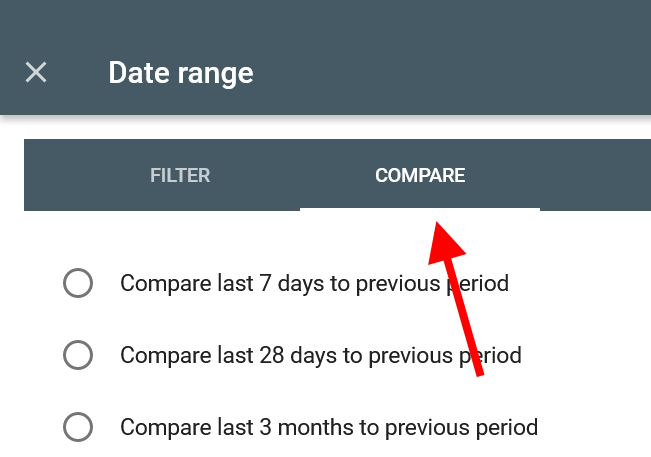 Then set up your comparison dates like this:
Note: the Google Helpful Content update rolled out between September 14th and 28th, 2023, so the comparison should exclude the rollout dates.
This comparison view displays which pages were impacted most. It compares the data across the “Clicks” columns and also across the “Impressions” columns.
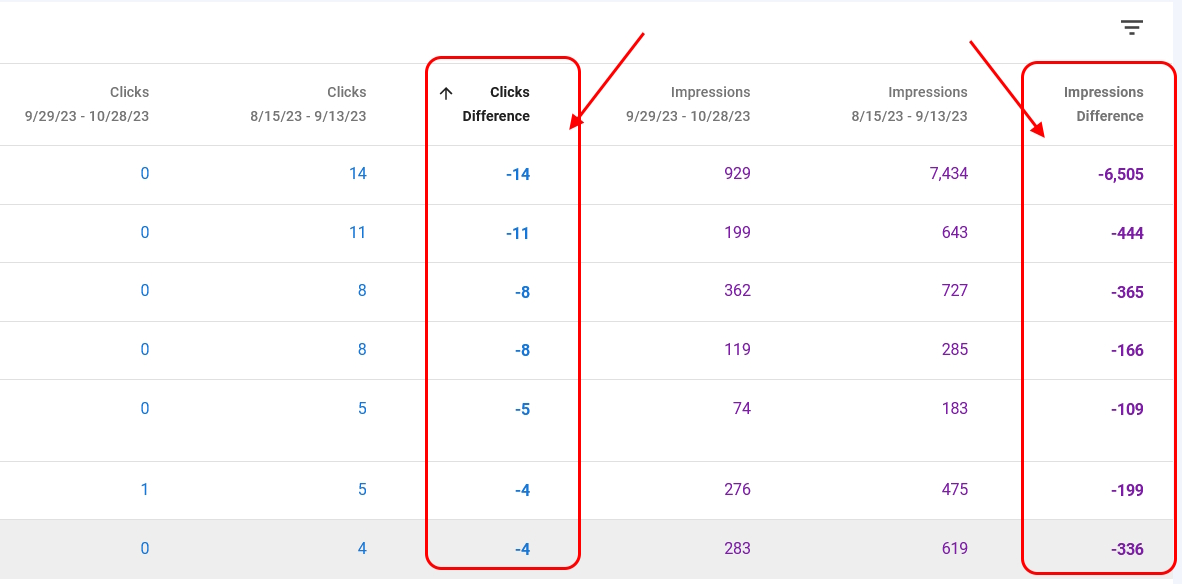 Look for minus signs, which indicate drops in performance.
When you have your list of affected pages, copy/paste that data into your spreadsheet. Next, you’ll start planning fixes and repairing the site!
 Knowledge is power: Dive into Google Search Console to unveil the impact of algorithm changes. It's your compass in the storm.Click To TweetTai in Action: Using Tai for Page Improvements
Recovering from an update requires several steps. To get going, start a new session by logging into Tai and choose Tai Freestyle.
Map Out Your Site’s Recovery Plan
Mapping things out is a breeze now, with Tai. As you work through this process, you’ll get recommendations not just for spotting what’s wrong, but for fixing it too. This really takes the agony out of the recovery process.
The best part about Tai? It handles the heavy lifting, leaving you to enjoy the creative work. You decide how much of Tai’s advice to use and how to use it. Think of it as Tai providing the blueprint, and you bringing it to life with your own voice, ideas, experiences, expertise, creativity, or even humor. Taking a “Just. Add. You!” approach is not only fun, it’s what sets you apart. You want your site to be you, not Tai.Using Tai to Develop a Recovery Plan Let’s start using Tai to revitalize your site. Here’s an overview of the steps:
Now, look at your spreadsheet and:
Find a page in your Algorithm Fix Tracker that’s not performing well.Open that page in your browser and copy all the content.Paste it into the Tai Freestyle prompt box.Just before the pasted content, type your prompt at the top of the box. Here’s an example prompt to try. Be sure to replace the words inside the <>’s with your information. Like this:Read the web page after the ***** and tell me what information has not been covered on this web page for the who is interested in the keyword “.”Specifically, 1) what is new and belongs on this page, and 2) what important information is absent that our target audience () would want to know about ?
Here is the content:
*****
The Prompt
This is what the prompt looks like, all filled and ready for the submit button.
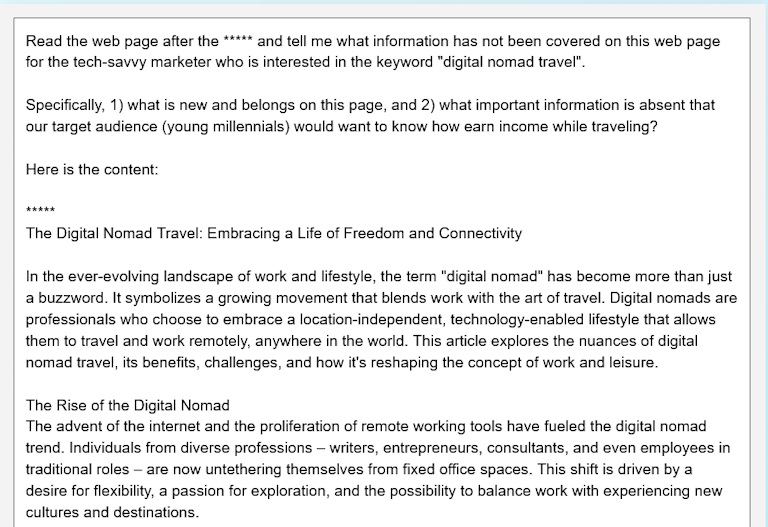
When you have it all typed / pasted in, click Submit.Review your result.Copy and paste the results into your fix it spreadsheet.
The Results
This is what the results look like. Notice how Tai provides concrete suggestions to improve your page.
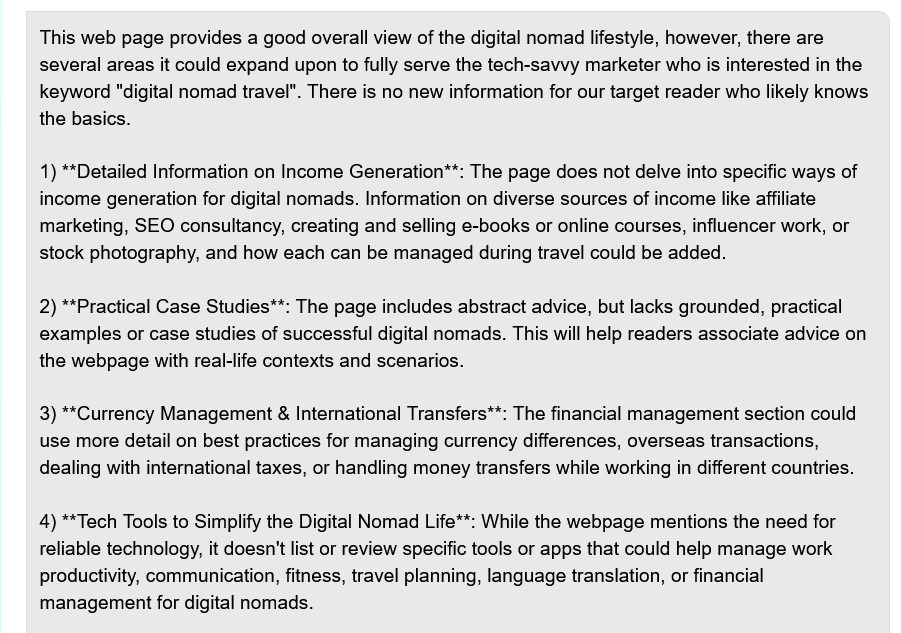
To develop your site’s recovery plan, you’ll run the prompt above (or a similar one of your choosing) for each page on your list. Copy/paste the results into your spreadsheet.

That’s it! Once you go through each affected page on your site, it’s time to formulate your plan. Be sure to consider the data from your Google Search Console statistics, Tai’s recommendations, as well as the quality standards we outlined earlier.
Writing the PlanThis step is as simple or complex as you wish it to be. First, though, it’s important to think back before continuing. While doing your assessments, you might have spotted some key priorities that needed fixing right away. List those items at the top of your overall plan and start working on them first.
Then, make a step-by-step list of fixes and updates to align your pages with Tai’s recommendations and Google’s helpful content guidelines. This written plan will be your roadmap as you research and implement changes, keeping you focused and on-track for recovery.
Using Tai to Check Your Keywords and Align Search IntentOne of the most important components to recovery is ensuring that your content fulfills what visitors are searching for. This is known as aligning search intent.
For example: A page called “Best Android Apps for Note Taking” that only talks about note taking but doesn’t mention specific apps is off-target. When a page does not fulfill the reason people search for that keyword, it will rank lower.Schedule misaligned pages for a search intent check. To find these traffic-killing culprits, look for low-performing pages that have struggled over a longish term (independent of the update.) If they’ve been riding the bottom for a while, they may not stand out on the list in your spreadsheet.
But if you’ve seen a traffic drop, it surely doesn’t hurt to check every page and fix what you can. After all, Google loves a sharp focus.

If you find pages with mismatched search intent, fix them as part of your recovery plan.
First, find out what users expect from your page, using a prompt like the one below.Then, adjust your page’s content to match your visitors’ search needs and wants.If you find a big mismatch, consider repurposing or deleting the off-target content. In any case, here’s the prompt for determining the search intent for your web page’s main keyword focus. To use, simply type this into the Tai Freestyle prompt box.
The Prompt: Be sure to replace the words inside the <> with your information.
Suppose a person is searching Google using the term “,” where we don’t know anything more about the searcher. List the three most likely search intents in order from most to least likely. Specifically, what do they most want to find and why? Also provide a percentage likelihood for each intent.The Results: These are the results of a query about digital nomad travel. Notice what the majority of folks are looking for on that page. Your lowest traffic pages are likely out of sync with what searchers are looking for.
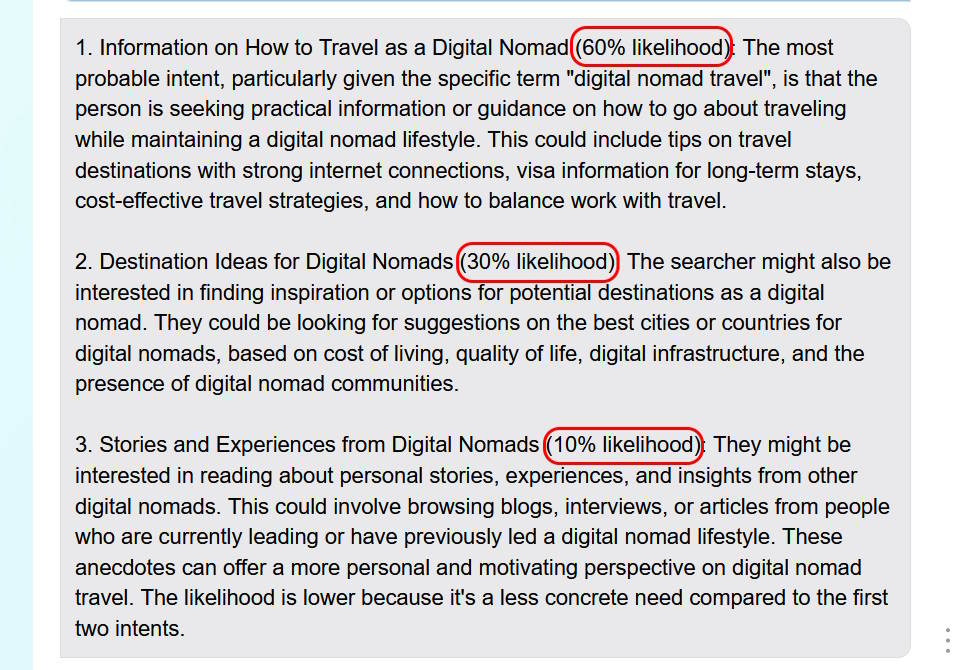
The insights from this prompt reveal exactly what visitors are searching for on Google. Remember, the secret to a successful web page is delivering what people want. Following the prompt, Tai provides valuable information about user interests. Add these valuable tips for improvement into your spreadsheet, then incorporate them later into your web or blog page.
 Nailing search intent is paramount for overcoming an algorithm hit. Tai helps fix misaligned intent for a content strategy that resonates with visitors.Click To Tweet
You control your prompts. If something catches your interest, experiment. Modify the prompt. The right tweak can yield amazing results! You can also pick and choose what ideas to use and when to use them.
Using Tai to Improve Readability and Check for Grammar and Spelling ErrorsWhile you’re enhancing your site, Tai can offer even more tips for improvement. For instance, you can ask Tai to check your content and suggest ways to make it better. You can also ask it to check for grammar and spelling errors.

Please note: The prompts in this section only require the use of GPT 3.5, so change your Cheaper-Better Selector and save money.
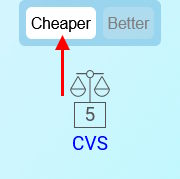
Example Prompts:
Here are some prompts to help improve your content. Again, experiment and find your own style. That’s why it’s called Tai Freestyle!
*****
Grammar-Check a Page – This prompt will help eliminate those grammar errors that can ruin your site’s credibility.Check the grammar of the content following the 5 asterisks. Also, list the changes made to fix grammatical errors and report each error and the corrections made.*****
Improve Readability – This prompt helps you tailor your message to your audience’s level. Use these results in future Tai queries to adjust the age range and reading level to fit your site’s audience.Review the following content and provide a report on its reading level and readability. Include suggestions to improve it and explain why you made those suggestions. The content follows the 5 asterisks.*****
You could also say something as simple as this prompt to improve the content, which starts out a little too rough-sounding.
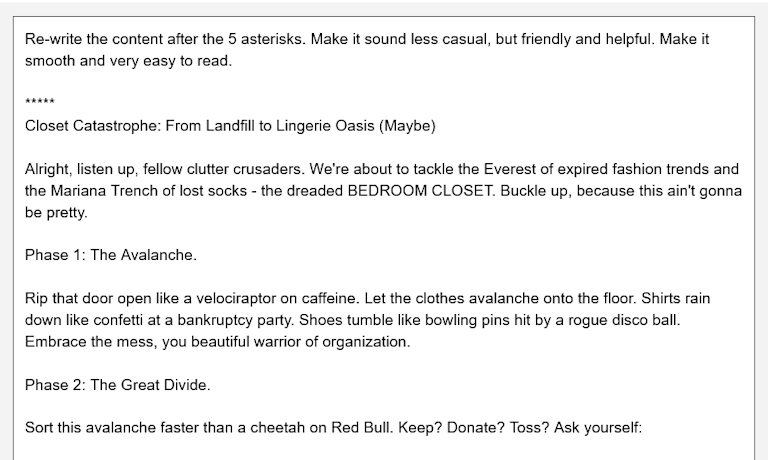
The Result: Much smoother, with a more professional tone.
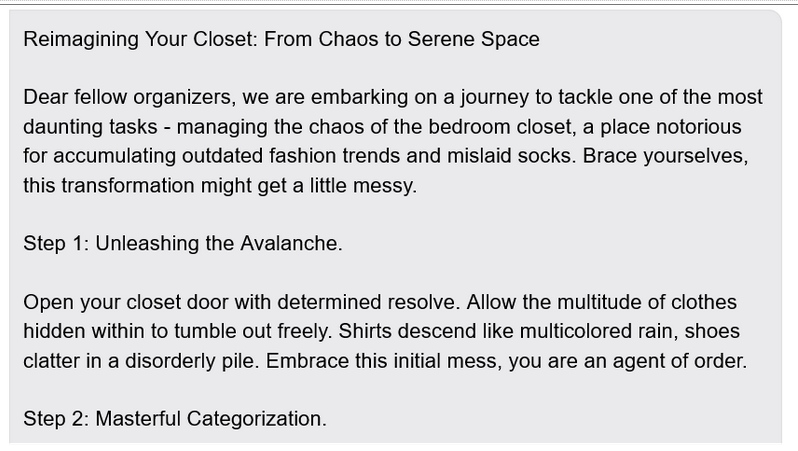
Tai is easy to use and highly adaptable. You’re encouraged to experiment with your own prompts and discover new avenues. Always verify Tai’s responses for accuracy, including any results from prompts suggested here. Google prioritizes correct and factual content, which is also essential for a positive experience for your visitors.
The Future Plan: Systematic Self-AuditsNow that you have this step-by-step Tai Google Algorithm Updates Recovery Guide, you can regularly check and enhance your pages using Tai’s latest insights, helping to prevent traffic and income drops.

Therefore, the following high-level to-dos need a place on your calendar. You choose the frequency according to your site’s topic and size:
Stay current by prioritizing critical areas of your site in need of regular updates.Ask Tai for suggestions and find things to implement that fit you and your visitors.Update the non-critical areas in phases.You can also roll out changes gradually as your site matures.Set up a maintenance schedule to incorporate the above. Regularly refreshing your content helps you keep pace with ongoing Google updates, and it enhances your site’s stability. You also stay in sync with your visitors’ needs.
Not only does regular content updating help keep algorithm hits at bay, but it also plays a big role in maintaining site performance and outranking competitors. Click To TweetAlthough future Google updates are impossible to predict, your own proactive updates ensure your site stays relevant and active, which can stave off potential damage in the future.
Give Tai a Try and Start Improving Your Content TodayThose are some real Tai prompts that can help you recover from major Google algorithm updates. Use Tai on your site and explore what works best for you. It’s easy to use and requires minimal skills.
While you might have recently experienced a dip in your website’s traffic, remember there’s always a chance to recover and flourish once again. It doesn’t have to be the painful process it used to be, because Tai helps you find immediate ideas and solutions to the problems you discover. You don’t have to wait or do so much legwork to figure out an idea.
Continuous learning and adapting to changes are important to staying relevant within the rapidly evolving online world. With Tai as your smart AI assistant, you’re already a step ahead in the game, and ready to sail the stormy seas of major Google algorithm updates.

Give Tai a try for your website. You don’t even have to be an SBI! member to use it. It works for non-SBIers, too, right out of the box. If you’re interested in using AI to create websites, you’ll want to try it.
Try Tai For FreeBECOME AN SBI! MEMBER TODAYAuthor informationBrenda RoweBrenda Rowe is a freelance writer who's been an SBI! enthusiast since 2006. She's the creator of BirthdayBullseye.com, where she transforms birthdays into extraordinary experiences. Beyond content creation, Brenda has a passion for helping and devotes herself to several volunteer activities. She also enjoys baking, crafting and decorating her country home where she lives with her husband of over 30 years.
|The post Triumph Over Traffic Tumbles: Overcoming Major Google Algorithm Updates Using Tai appeared first on SiteSell Blog - Proven Real-World Advice for Solopreneurs.
January 5, 2024
Create Exceptional Content With Tai, SBI!’s New AI Assistant
Welcome to a new era for solopreneurs! Introducing Tai, our brand new business-building AI assistant. Tai was designed to take the text GPT-4 provides for any given topic (keyword) and reconfigure it into content that overdelivers on the visitor’s search intent.
Tai’s Boxchain module enables marketers to “deepen and personalize” with their own experience, stories, expertise, and original thinking, all of which strengthens Trust and Authority, two critical elements to rank highly at the search engines.
For over 20 years Solo Build It! (SBI!) has been enabling “everyday people” to build niche-based websites that deliver targeted traffic at unmatched rates and levels of success,” says founder and CEO Ken Evoy, clearly still excited after 20+ years of SBI! member success.We’ve replicated the process with Tai, our own take on GPT-4, that gathers all of its incredible potential and refocuses it optimally. We take care of the technical underbelly while SBIers grow their businesses.
SBIers are loving the results more than ever.
Now we’re extending the offer of Tai to SBI! non-members. Folks can sign up for 20,000 free credits as a trial with only their first name and email address, No credit card is necessary.
Credits are so cheap for what you get, it’s almost like continuing for free. I don’t know how OpenAI does it, but we’re happy to pass along their low price in the form of low margins to enable as many people as possible to capitalize on the powers combined in Tai.”
Tai users are guided through a structured way of building efficient and effective prompts. They also learn how to edit and improve the AI-generated content to overdeliver on their audience’s expectations.
Key Components of TaiPrompt Build It!: a fully guided prompt-building wizard that leads the user through six questions relevant to their topic, resulting in the best possible prompt for generating long-form content.

StyleBuilder: allows the user to describe their desired writing style by entering five writing samples of about 200 words each, either from their own site or from a site whose writing style they like.
Prompt Library: a library pre-stocked with an ever-growing hub of 900+ proven prompts.
Boxchain: the place where Tai sends the user’s prompt to GPT-4 and then displays the content it produces. Prompt Build It! and Boxchain work as a team to create long-form content for the user’s website or blog.
Tai Freestyle: lets users interact with GPT in a conversational manner identical to ChatGPT. It’s the module for any tasks that are simpler than creating content for a web page, like brainstorming keywords, summarizing long articles, simplifying complex topics, turning data into neat tables, or generating outside-the-box monetization ideas.
The Tai Guide: a comprehensive manual that helps the user make the most of Tai and generative AI for their business-building journey.
For over two decades, Solo Build It! members have trusted SBI! to help them turn their passion, hobbies or skills into profitable online businesses.
With the release of Tai, this journey has become more doable and enjoyable than ever before.
Tai can be used as a standalone product or as an integral part of a Solo Build It! or SBI! for WP subscription.
Every user, whether standalone or within Solo Build It!, starts out with 20,000 free Tai credits. More credits can be purchased on an as-needed basis.
Try Tai For FreeBECOME AN SBI! MEMBER TODAYAuthor informationMargit StreifenederMargit Streifeneder is the Marketing Co-Director at SiteSell. She works with a small but mighty team to spread the word about Solo Build It!, via helpful content, informative emails and eye-catching ads. She's passionate about helping solopreneurs achieve success, and enjoys interviewing SBI! members about their achievements. Besides growing her own online business, she loves exploring new places, hiking, dancing and spoiling her three cats.
|The post Create Exceptional Content With Tai, SBI!’s New AI Assistant appeared first on SiteSell Blog - Proven Real-World Advice for Solopreneurs.


