Ava Fails's Blog, page 3
December 26, 2018
Self-Publishing with Dale L. Roberts in 2019 and Beyond – The Candid Cashflow Podcast – Episode 53

In a hurry? Grab the PDF show notes and get all the links and bonuses! <<< Feel free to share it with your list or with a friend!
Welcome, welcome Cashflow Nation to this very special Season 1 wrap-up of The Candid Cashflow Podcast! We are finally to the last episode of 2018. When we speak again, a New Year will have dawned. I hope all the best for you in 2019!
Joining me today is Dale L. Roberts, the quintessential knowledge base in all things self-publishing! I’ve been working with Dale for almost 2 years now, and he’s not only my client, but he’s also my good friend!
In the past few years, Dale has built one of the most stellar online communities that I’ve ever had the privilege to be a part of. This guy really made me see that birds of a feather collect together. Good people draw in other good people, and what you end up with an unstoppable group of people doing big things and helping each other.
One of my favorite things about Dale is that he really goes out of his way to highlight people in his community and make everyone feel equally important. He is accessible to his community and has formed many genuine friendships with the members therein.
The community a person is able to build really says a lot about the character and integrity of that person.
Sure, Dale draws a great crowd of people, but the reason behind that is also important.
I would be hard-pressed to find anyone online or off who knows more about the self-publishing industry than Dale. He has made it his business to be in the know. When changes happen, he usually knows first and is informing his audience before anyone else.
I would venture to say that there are others in the industry who look to Dale to get the breaking news for their own people.
At the foundation of all that community and knowledge is a guy who is in the game because he genuinely wants to help people and is passionate about books.
I am thankful every day that God brought Dale into my life and I’m honored to present this interview when I sat down with Dale to talk self-publishing, wrestling, resources, and what’s coming in 2019.
I have to preface this episode with an explanation of the inside joke…when I did my first cut of Dale’s intro, I called him Dan. I had been on a quick store run and realized standing in the checkout line that I was 15 minutes from this call. Needless to say, I was a bit rushed. That coupled with live calls residing outside my comfort zone, I was a bit tongue-tied. I’ve talked to Dale countless times and we communicate multiple times on a weekly basis, so this was a bit embarrassing. I just wanted to make sure you were all in on the inside joke.
Before we jump in…a quick word from our sponsor:
You’ve written your book, now what? Head over to PublishDrive and create your free account. PublishDrive is an aggregate publishing platform with distribution to all the major booksellers including iBooks, Amazon, Barnes & Noble, Kobo, and Google Play Books! You’re just a few clicks away from the title PUBLISHED AUTHOR. Check it out today at HeyYoAva.com/publishdrive.
Without further ado!
 How Dale L. Roberts Got Into Self-Publishing
Before Dale got into self-publishing, he did a lot of different things. He worked as a personal trainer, activities director at a nursing home, and there was also a smattering of wrestling in there!
Dale actually went to college to become a writer. He was majoring in journalism and minoring in English. He made it about a year and a half until he decided he just didn’t need college and he walked away from being an author.
Sometime later, around 2014, he self-published his first book. He made a little more than 20 bucks his first payday from that book, and he quit his day job…probably a bit prematurely.
He moved forward draining a small nest egg. He and his wife, Kelli, spent a year on Ramen noodles and frozen veggies while Dale tried to figure out his place.
Dale immersed himself in learning EVERY aspect of self-publishing. He watched videos, bought courses, and hired a coach all the while knowing he wasn’t cut out for going back to the 9 to 5 rat race.
As a creative individual, self-publishing allows Dale to express himself and do one of the biggest things that he finds most fulfilling: help other people.
Dale said, “One of my greatest highs is helping people achieve lifelong dreams.”
He describes what he does as curating information. He loves to figure out what is fact and what is fiction. He likes to break things, make mistakes, and share those findings with his audience to help them do it better.
Dale got into self-publishing because he is passionate about books and literature. For him, it’s not a just a money-making venture, but a passion project. He loves the business!
Dale’s been tried in the fire of Ramen noodles and veggies. He’s been at the bottom and climbed his way to the top so that he could share his experiences, his failures, and his successes with YOU.
Dale Was a Wrestler?
Dale has worn many hats, but the wrestling one always stops traffic!
As an adult, Dale fell in love with a sport that was larger than life. It was ultimately wrestling that made Dale fall in love with health and fitness. Many of you may not know that Dale found success in self-publishing first writing and publishing fitness-related books.
The thing that people often miss about pro wrestling is that it’s story-telling at it’s finest. It’s stunt work with a storyline. Much like you’d go to the theater to be entertained, wrestling is entertainment. The health and fitness aspects were great, but it was really the story-telling that drew Dale in.
Dale became obsessed with wrestling and actually went to Calgary to train with a former WWE star, Lance Storm, for 3 months. He was all in.
For 2 years, he pushed his body to the max in the gym and went to every independent show he could with or without pay.
In 2008, all of that ended when he blew out his back. At that point, he had to reaccess where he was going and he decided then that he couldn’t continue in his current path.
He could still be passionate about wrestling without being a participant. He dabbled a bit with announcing, but in 2011, he moved to Arizona and that was the end of wrestling for him.
One of his huge takeaways from the wrestling business was the ability to communicate well.
 When Did Dale First Realize Self-Publishing Was Something He Wanted to Do?
When Dale was employed, he had a corporate wellness coach who suggested that he carry over his passion for fitness into writing a book. Dale always new that self-publishing existed, but it was this thing that had a stigma to it. It was like your weird uncle who had a garage full of books he’d self-published that he was always giving as Christmas gifts.
So, when Dale got into self-publishing, that’s kind of how he viewed it. He’d have a book to hand out to his friends and family. It was never about making money in the beginning.
As he got further into it and got some estimates from local printers, he realized he couldn’t justify the expense of the print run. He just kept investigating different printers online until he stumbled upon CreateSpace.
That’s when a whole new world was exposed to him. He could publish and it would be on Amazon. He realized millions of people would have access to his book and that’s when he fell into the self-publishing rabbit hole completely.
Dale’s Favorite Aspect of the Self-Publishing Business
Dale answered without hesitation, “There’s so many, but probably creatively expressing myself.”
He said that probably sounds crazy coming from a non-fiction writer, but anytime you are writing, there is a creative aspect to the process.
Explaining Self-Publishing to a Newbie
“If you’re interested in writing and publishing books and you’d like to eventually land a traditional publishing deal, then self-publishing is for you,” he answered after just a few seconds of thought.
Is Self-Publishing Still Viable Going Into 2019?

The technology is the reason why self-publishing is where it is today. This is the reason Dale is such a proponent and advocate for becoming an indie author. Everything is so accessible!
If you have the imagination, resiliency, and technology at your disposal then self-publishing is a huge opportunity and it’s only going to get better!
Look how accessible audiobooks are now. Remember back in the day when audiobooks were this huge case thing of several cassette tapes. Now we have digital downloads!
If you have a decent smartphone, you can record your own audiobook anywhere. While we wouldn’t suggest doing so, it’s right there, and it’s only going to get better!
People want to use the word “saturation” to say self-publishing isn’t viable, but there are billions and billions of people in this world. Saturation doesn’t exist in this business!
What Makes Dale Stick With Self-Publishing Rather Than Using as a Stepping Stone to the Next Big Thing?
Dale credits his love of literature with his continued interest in the self-publishing business. He loves to see an entire day melt by with a good book.
Other entrepreneurs who have come and gone in this business were passionate about the income it provided, and there’s nothing wrong with that, but to build it up and just dispose of it, is egregious on their part.
You can work self-publishing as a long-term business model to grow your brand. It’s more scalable then people give it credit for.
What Can We Look Forward to From Self-Publishing With Dale in 2019?
“All I see right now when it comes to self-publishing is the rise of the audiobook,” Dale said.
He’s been trumpeting this for 2 years now informing his audience that audiobooks are huge and they’re only getting bigger.
People are finally starting to take notice, but they are also learning it’s not as easy as print books. However, as technology continues to evolve, that will be less of a concern.
What it’s really all going to be about is building a brand. Branding is huge. Being an author isn’t just about writing and publishing a book. It’s about creating a brand. You’re not just an author, you’re a brand. You are the person solely responsible for communicating your purpose.
 Resource Name Drop
Dale has an affiliate relationship with many of his recommendations, but that’s not something he takes lightly. The resources he recommends here are ones that he’s been using a while himself and highly recommends.
In order of emphasis and importance to Dale (Also, these are his affiliate links so if you’d like to toss him some support, that’d be great!):
Grammarly – spelling and grammar checker – The nice thing about Grammarly is it spellchecks and grammar checks your social media and writing on other platforms automatically. They have both free and premium models.
KDP Rocket – keyword and niche research tool from the Kindlepreneur himself, Dave Chesson. This one is a HUGE time-saver!
YouTube! – simply for the learning aspect of the platform. You can learn how to do almost anything FREE! Dale learned live-streaming via YouTube
Why Would You Tell Someone NOT to Get Into Self-Publishing?
“If you’re getting into self-publishing to make some quick cash, this is the wrong business,” Dale offered without hesitation.
You can get faster money from a 9 to 5 job. You’ll hear a lot of success stories online, but don’t get swept up in the hype. The people making $20K in their first 90 days, are the exceptions, not the rules. They’re the unicorns.
Dale has met literally thousands of aspiring authors and self-publishers who have barely made $500 in the course of a year. The average amount indie authors make in a year is insanely low.
Dale’s Take on the Low/No Content Phenomenon

Dale’s been playing around with this for the last couple years, and it’s a significant income. “Hopefully, your listeners have heard your interview with my wife, Kelli Publish. If not, go back and listen to that episode and take notes,” Dale implores.
Low/No content books are essentially books that don’t require the burden of having to write the books.
Low/No content books include something as simple as a diary or notebook or it could be a puzzle book. A lot of people forget that picture books also fit into this category.
A lot of people get excited about low/no content books, but just like any other aspect of self-publishing, it’s not a get rich quick scheme.
It’s going to take a lot of patience, creativity, and resilience to succeed.
Dale would personally rather write a book any day!
Dale’s YouTube Channel Recommendations
Knowing that Dale consumes a ton of YouTube, I asked him for 3 channels that he would recommend to the Cashflow Nation, and these were his answers:
Nick Nimmin – channel based on making YouTube content
WrestleTalk – Dale modeled his early thumbnails after this channel
This one varies from one month to the next…this month…it’s BookLaunchers.
When Should Publishers Hire an Assistant?
Think about it in terms of discretionary expenses vs. discretionary time.
If you’re brand new to this business, which do you have more of? If you have a job, kids, and a lot of extracurricular activities, then you want to think about what you can delegate. You should not hire an assistant if you don’t have the money.
You’re ready to hire if you’ve broken the 4-figure mark. From there, you need to determine what you’re strongest at and hire those things out.
Dale admits he’s not great at web development and podcast platforms, so those are two things he has me handle for him. Just general advice, take 10% of your earnings over a 3-month period of time and set it aside. That’s the money you’re going to use to hire out the things you just don’t have the time or knowledge to do.
If you hate writing ad copy, hire a copywriter, if you hate formatting, hire out formatting.
Budget wisely!
Where Cashflow Nation Can Find Dale Online
SelfPublishingwithDale.com – You can get all the following links at this one spot!
YouTube
Facebook Group
Dale’s Number One Tip for Cashflow Nation
“Do what you love and love what you do!”
That’s a Wrap!
I hope y’all enjoyed this episode as much as I did making it! Dale is such a dear friend and all around nice guy! I urge you if you are into self-publishing to follow Dale, join his Facebook Group, and meet the great community he’s drawn to himself! It has changed my life!
Don’t miss these Season 1 Outtakes!
Please consider subscribing to The Candid Cashflow Podcast because I have GREAT plans for the coming year, and I’d love for you to be a part of it. Find us in your favorite listening app by visiting HeyYoAva.com/candidcashflow.
Connect with the Cashflow Nation on Facebook! Now is the time to join the Group as a founding member and help us create a wonderful community that helps each other with tips and resources to get financially free at HeyYoAva.com/facebook.
To you and yours, we wish you a very Merry Christmas and blessed New Year.
Remember, we release a new episode each Wednesday!
Until next year, turning your passion into cashflow!
The post Self-Publishing with Dale L. Roberts in 2019 and Beyond – The Candid Cashflow Podcast – Episode 53 appeared first on HeyYoAva.com.


December 19, 2018
Your Author Platform – Should You Use WordPress? – The Candid Cashflow Podcast – Episode 52
Good day, Cashflow Nation! How are we this week? Is it your last full work week of the year? I wish you and yours a very Merry Christmas and prosperous New Year!
Building your platform certainly doesn’t have to be centered around authors. I work mostly with authors and publishers in my Virtual Assistant business, and I don’t think there is enough emphasis on encouraging other authors to establish their author platform.
 What is this “platform” that I speak of?
Well, it can be made up of many elements including your social media presence as well as your author pages…or your podcast pages, or really just whatever you’re into. You platform entails the entirety of your online web presence.
I suppose that offline things can be a platform as well, but we will stick to our focus concentrating on the the web.
If you’d like to learn about building a good author platform and how to get started, then you know what to do, stay tuned!
If you’re ready to invest some time into learning almost anything, check out Skillshare. They offer a wide variety of courses to help you with things like WordPress, Social Media, and Self-Publishing. If that’s not what you’re into, then they probably have a course on a topic that does interest you. Check them out and try out some of their free courses to start. Visit HeyYoAva.com/skillshare.
Why Indie Authors Need a Platform
In traditional publishing, your publisher and agent handle most of your platform for you. They’re in charge of marketing and selling your books as well as furthering your reach as an author.
As an independent author and self-publisher, all of that responsibility falls on you.
Expanding your presence on the web as wide as possible will help you in that endeavor.
Your readership will look for you online, especially on Social Media. You want to be visible in the places where your readers hang out online because that is also the catalyst for gaining new readers.
The strength of your platform will dictate your sales.
What Are the Elements of a Good Author Platform?
Well, you don’t want to overwhelm yourself trying to do everything at once. You most likely already have a Social Media presence, so why not start optimizing those accounts to be the beginnings of your platform?
At a minimum, I suggest having a Facebook Page (not profile) and a Twitter account. That goes for ANY business online, not just authors.
After Google and YouTube, Facebook is the next largest audience online. I suggest creating a Page rather than using your personal Profile. If you’re not on Facebook yet, understand that you will have to create a Profile before you can build your author Page. Pages cannot stand alone on Facebook, they must have an owner.
It’s quite easy to make a page. Just click Create next to your Home button at the top of your Facebook account, and select Page.
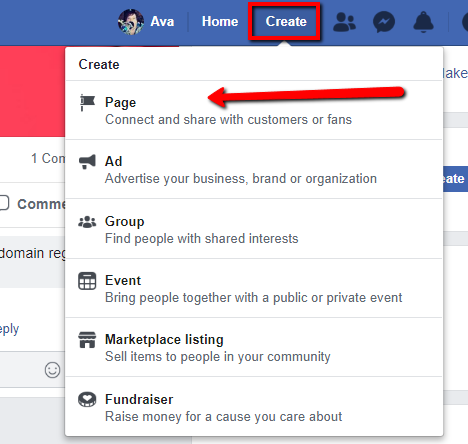
Facebook will walk you through setting up your new Page. It’s super easy.
As for Twitter, I know a lot of people balk at the mention of this network. Why?
Because I just don’t think they understand how to use Twitter. I know I didn’t when I first began. However, it can be an important element for authors.
It is considered to be a “micro-blogging” platform. When it first started, users were limited to 180 characters to express their thought, link, quote, or whatever they were sharing. As a result of that limitation, lots of third-party sites arrived on the scene like link shorteners and picture hosts. Twitter didn’t have a native image feature. All of that came later along with the new 240 character limit.
 I’ve been on Twitter since January of 2008. I love the network and think it has so much potential although I find some of their censorship rules don’t align with my belief in free speech. Let’s not wax political.
As an author, the limited post length can really show off your skills to convey messages using as few words as possible. Twitter is also the perfect place to share quotes (even from your own books!), links, messages, and so much more!
Tie everything together with just the right hashtag, and boom, perfection.
I cover Twitter in much more detail in Episode 28 of The Candid Cashflow Podcast. I sincerely encourage you to check out that episode. I also shared a free ebook that shows you how to pretty much put your Twitter account on autopilot even if you don’t know what to tweet. Be sure to the grab the show notes for links to that and more at HeyYoAva.com/Episode52.
A good author platform includes a website and a few Social Media profiles done well. Once you have this mastered, then you can consider expanding your reach.
Where in the World Do You Start?

We sort of covered this already, but start right where you are. A good number of people already have Facebook. If that’s you, start there. Create your author Page, and invite your friends to check it out and give you a Like. That alone will build you a fledgling audience.
If you can engage your tribe on Facebook with your offering as an author, you’ll have it made.
This is something I majorly struggled with. It seemed like no one cared about my books or what I was saying about writing until I did this one thing…
I started doing sessions on Facebook where I would ask my audience to give me a word and I’d write a poem or maybe a 100-word short story for them based on a word or phrase they gave me. This was something they could easily share on their Facebook, and they just LOVED it.
I’ve had people come back to me years later and ask me to help them find the piece I wrote for them because they lost it. Luckily, Facebook saves everything, and you can even download it.
I even built an email list from my Facebook friends and family that I would send advance, free copies of my books in exchange for honest reviews. I figured I could sell my books to strangers…why not give them to friends and family. It works okay. It’s not necessarily something I would recommend for everyone.
Once you’ve built a presence where you are, then you can consider expanding. Don’t wait on building a website.
I know this can be scary for some, especially when you’re technically challenged, but it’s easier now than it’s ever been.
Choosing a Platform for Your Website

I’m a diehard WordPress fangirl, and I’ll discuss why in a few minutes.
Honestly, WordPress has a steep learning curve.
However, if you have experience with other blogging platforms, that should give you a leg up. Before WordPress, I used LiveJournal and Blogger. So, when I switched to WordPress, I didn’t have much difficulty figuring it out. It’s a well-documented platform, and Google Search holds pretty much every answer you seek regarding WordPress.
That being said, I am starting to realize that WordPress isn’t for everyone.
The main point here is to have a website.
Do you really need one? Yes. Why? Because you need a central hub for your business online. Amazon isn’t it. When someone buys your product via Amazon, they are an Amazon customer. Unless you capture their contact information somehow, it’s possible you’ll never see them again.
Sure, you can do this by including links in your books to your email opt-in form without ever having a website, but then what?
Absolutely include an opt-in in your book, but if that opt-in doesn’t link to your website, then you should have your website link right there beside it!
If Amazon banned you tomorrow, where would your readers find you? If you have one, on your website! You can even sell your books directly from your website in addition to Amazon.
When you’re ready to create your website, choose the platform that is the least overwhelming to you. How will you know what that is? Research! I suggest checking out some YouTube videos.
Check out Wix.com for sure. It’s one of the most user-friendly platforms out there for creating websites. The caveat with things like Wix is that you never quite own your website. They do. So, it’s always possible they could remove it without notice. That’s why I like WordPress. It’s mine, and no one can tell me what I can put on it. It if gets deleted, that’s going to be due to a user error on my part.
Do your due diligence. Play around with some of these platforms. Wix is free to start and you can get a feel for their interface. WordPress has a free option at WordPress.com. It’s a lot different from self-hosted WordPress, but you can get an idea of how WordPress works.
Just to clarify, WordPress has two products: WordPress.com is a platform where you can create a free blog as a subdomain of wordpress.com, so it would be yourblog.wordpress.com. You can use your own domain as well, but WordPress.com has limited functionality compared to WordPress.org or self-hosted WordPress.
They also don’t allow affiliate links, so monetizing a blog on WordPress.com is quite difficult.
WordPress.org is the home of the open source software that powers self-hosted WordPress websites. It’s completely free to download and use. You’ll also find the WordPress Codex (extensive documentation of the platform), Plugin Library, and more at WordPress.org.
Why WordPress?
 Why am I so adamant about WordPress? It’s simply the best. You can do anything with it.
WordPress powers 30% of the Top 10 Million websites online. That speaks for itself, but let’s go further.
WordPress is free and open source. You’ll need a domain and hosting to use it, but these things can both be obtained cheaply. I’ll talk more about the cost of running a WordPress site later in the show.
You can create either a static website or a robust blog with WordPress. Its customization and functionality are extended to infinity and beyond through an extensive library of plugins, many of which are free.
I have built WordPress sites that handle e-commerce, memberships, podcasts, videos, forums, and more! Sometimes, all on the same website!
If you can imagine it, you can accomplish it on WordPress.
Is WordPress Hard to Learn?
 Yes. Er, no. Er, I don’t know.
It’s been a long time since I started with WordPress and it was a lot different when I first started. I’d venture to say harder to use. Back then, if you wanted to add a theme or plugin, you actually had to install it via FTP. Now all of that is built right into the interface.
You can install plugins and themes direct from your Dashboard.
I think if you’ve never used any kind of blogging platform before, then WordPress will be very overwhelming.
However, if you have used WordPress.com or Blogger, things will be more familiar to you.
For the Cashflow Nation, I actually have an extensive tutorial that I wrote on learning WordPress. It’s called, well, Learn WordPress. That will be available to you absolutely free in the show notes at HeyYoAva.com/Episode52. It is more than 130 pages of instructions and screenshots that take you step-by-step through WordPress’ Dashboard.
There will also be an episode of The Candid Cashflow Podcast coming soon with more specifics on getting started with WordPress. So, now is the time to subscribe. Find us in your favorite listening app at HeyYoAva.com/candidcashflow.
I’ll be updating that guide to include the latest information regarding the new Gutenberg Editor in WordPress which is quite possibly the biggest change to the platform since it was launched.
How to Get Started with WordPress
The first steps are to buy a domain and hosting where your site will call home.
Most web hosts these days include free one-click installs for WordPress which makes it super easy to have a WordPress site within seconds of initiating the setup.
I recommend and use HostGator for hosting.
Have you ever noticed how web hosts are like cable or Internet providers? It’s hard to figure out which one is the best because of the cacophony of good and bad reviews which seem to cancel each other out?
I chose HostGator because of the hosts my clients use, it was the fastest and easiest to deal with.
How Much Does All This Cost!?!
Hosting ALL of my websites, a few of my own and several for clients, it costs me about $203 per YEAR.
My domain is around $12 per YEAR.
So, for less than $220 per YEAR, I have a website that is the central hub to everything I do online. I can pretty much take it any direction I want. I can sell products, I can promote my books, anything I want.
If you can afford to pay upfront for a year of hosting, it gets even cheaper.
Making sure that you have an author platform is really a no-brainer. With it, you have a place on the worldwide web trumpeting about who you are and what you do even while you sleep.
That’s a Wrap!
That’s it for this episode of The Candid Cashflow Podcast. If you have any questions about WordPress, hit me up at HeyYoAva.com/soundoff and ask them! I’m here to answer.
My passion is to help you, author or not, build a platform online that can be the central hub of you becoming financially free. I don’t have anything to sell you. What I have is information to fuel your journey. Please consider subscribing to The Candid Cashflow Podcast because NEXT WEEK I sit down with Dale L. Roberts of Self-Publishing with Dale!
If you’re looking for the leader in providing you with the latest about self-publishing, then you won’t want to miss that show!
Grab your copy of the show notes at HeyYoAva.com/Episode52 so you get all the links and goodies. I just released the latest ebook containing all the show notes including bonuses for episodes 41 through 50. The link will be included in the show notes!
Don’t forget, I release a new episode each Wednesday!
Until next time, turning your passion into cashflow!
The post Your Author Platform – Should You Use WordPress? – The Candid Cashflow Podcast – Episode 52 appeared first on HeyYoAva.com.
December 12, 2018
How to Use Pinterest for Marketing Your Business – The Candid Cashflow Podcast – Episode 51
Hey, hey, Cashflow Nation! I hope this Wednesday finds you well, happy, and ready for Christmas!
So Pinterest is another topic that’s been sitting in my queue for a long while, actually since the beginning. I’ll be honest, my Pinterest account is a trainwreck!
There, I said it!
It’s a mess!
I’d have to say that Pinterest is probably one of the easiest social media platforms to use, but at the same time, it’s a lot of work! Especially if you’re trying to use Pinterest for marketing.
How about a disclaimer! I’m far from a Pinterest expert, and as far as getting traffic from Pinterest, I’m a complete failure.
That being said, I’ve devoured a lot of information about Pinterest to help you get set up right, and that’s what I’m going to share in this episode!
The main thing you need to know about Pinterest is that it can drive traffic to your business online. I’ve seen people sell a 7-dollar PDF for Etsy shop owners, and the big secret inside was Pinterest.
If you want to learn how to use Pinterest to drive massive traffic to your website and/or online shop and 10x your views, then stay tuned!
If you’ve listened to The Candid Cashflow Podcast before, you’ve probably heard us mention Canva. Canva is a free online graphics tool that allows you to create images for your blog, social media, and a lot more.
We recently discovered a new tool you should definitely add to your arsenal. It’s called Snappa, and we’re quite impressed by its simple interface and the fresh-looking templates. You can try it out completely free, and only upgrade if you need to. Check the show notes to see it in action. Try it for yourself at HeyYoAva.com/snappa.
What is Pinterest?
If you’ve never heard of it, Pinterest is essentially a social bookmarking site. Users are able to “pin” links to anything on a virtual pinboard interface.
The beauty of Pinterest is that you don’t have to deal with comments and many of the other things involved with social media. You pin your ideas and move on with your life.
Pinterest is also a literal treasure trove for finding ideas about anything under the sun.
A Simple Glossary of Pinterest Terms
Boards – These are virtual bulletin boards that hold your Pins. Boards should only be about one topic/niche.
Pins – These are the links you share on your boards. They must be accompanied by an image, video, etc.
Tries – These are Pins you’ve actually tried. This could include recipes, travel locations, products, etc.
Followers – Well, you want to build some kind of audience, right? These are the people who follow you on Pinterest.
Pinterest by the Numbers
Pinterest has 250 million active users every month. 2 million users save product pins to their boards every day. Pinterest is also known for its female majority demographic, but more and more men are realizing the value of the platform. 40% of new sign-ups are now men.
The median age of Pinterest users is 40, but most active users are under 40.
What about the millennials? Since their numbers surpassed our last big generation, the Baby Boomers, what do they think of Pinterest? They use it as much as Instagram, and well, if you don’t know, Instagram is HUGE. To be more specific, 1 out of 2 millennials use Pinterest.
Here’s an important one: half of the users on Pinterest earn at least $50K per year. That’s important for anyone hoping to reach buyers. Ten percent of users make upwards of $125K per year. Here’s the kicker, a whopping 40% of users are in the $100K range! That’s insane!
The numbers just get better and better. See more at https://www.omnicoreagency.com/pinterest-statistics/.
Convinced?
Yeah, so let’s do this as simply as possible because…
I’m Not Going to Sugarcoat it, Pinterest is WORK!

Setting up your account is not terrible, but to really rock Pinterest, there’s a lot to do! For example, Pinterest likes vertical images. That means you have to create a special image just for Pinterest for your Pins to really be taken seriously. If I could change anything about Pinterest, this would probably be the thing I would choose.
For every other place I share my content, I can use one image across the board. For Pinterest, I have to create a special image.
I admit this has hindered me going all in on Pinterest and the progress I’ve made on Pinterest for marketing my business.
As of this broadcast, I have more than 15,200 impressions on my Pins for the month, but ZERO engagement with any of the Pins for my business.

My account has pretty much been a work in progress since I converted it to Pinterest for Business which you will want to do if you plan to use your account for marketing. First, let’s talk about how to set up your account if you don’t already have one.
Creating Your Pinterest Account
Creating an account on Pinterest is simple. You can even log in with Facebook or Google if you want to skip the minute amount of typing it requires.

You can also skip the hoopla or converting your account to Pinterest for Business by clicking Create a business account at the bottom of the sign-up form.

Either way, your account is completely FREE, and you know I LOVE free!
Converting to Pinterest for Business
If you have an existing Pinterest account that you’d like to convert to Pinterest for Business, it’s quite a painless process. Simply visit https://pinterest.com/business/convert/ and you should be able to take care of the process there. Since I’ve already done this long ago, it’s difficult for me to show you that process step-by-step, but if you’re technically challenged, look around. I’m sure there’s a YouTube video that covers it.
I’ll have that link for you on the blog and in the show notes. Grab those at HeyYoAva.com/Episode51.
Optimizing Your Pinterest Profile
Head over to https://www.pinterest.com/settings/#profile.
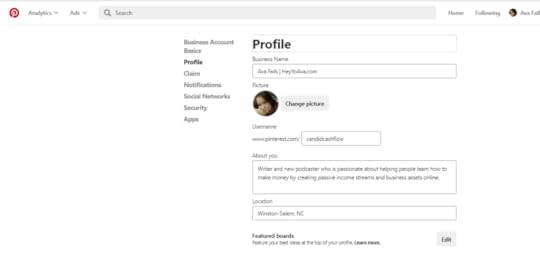
There’s a lot of settings on this page, but we’re just going to focus on the main ones that appear to other Pinterest users.
Business Name – This field should consist of your name and either your business name or a keyword or two. In my case, I just used the URL of my website.
Picture – Use a picture of yourself, preferably smiling. This is a point of first impressions for Pinterest users encountering your business for the first time. Make it count. If you are a man, an image of you with your female significant other is most effective here. I know it sounds sexist, but it’s just what is proven to work on this female-dominated platform. If you’re of the LGBT persuasion, do YOU.
About you – In less than 160 characters you should outline what you do and who you help. Keywords are good thrown in here too.
Location – This field is self-explanatory.
As for everything else, fill it out as you see fit. Hint: you definitely want to claim your website at the very least if you have one.
Let’s Start Pinning!

To start, you need at minimum 10 Boards with 10 Pins on each one. I told you Pinterest was work!
This is assuming that you have something to market and some content to get started. If not, you can always explore Pinterest and begin pinning things that interest you. That’s what it’s truly all about anyway! Darn marketers always overtaking everything!
As with every other platform on the Internet that you are considering using as a part of your marketing strategy, you want to use keywords. Now is a great time to subscribe to The Candid Cashflow Podcast because I’m going to dedicate an entire episode to keywords very soon. You can find us in your favorite listening app at HeyYoAva.com/candidcashflow.
Pinterest Keyword Hack
To find keywords that are already being heavily searched for on Pinterest, type your main keyword into Pinterest search and check out the auto-suggested terms.
Using Pinterest as my main keyword, I got results like “pinterest fails”, “pinterest marketing”, and “pinterest party”.

Let’s try something else. I’m into vintage radios. I have a Pinterest Board with nearly 1000 Pins dedicated to that niche. This would be one of my residual personal boards that I refuse to part with. More on that in a second.
A search for “vintage radio” suggested “vintage radio cabinet repurposed”, “vintage radio cabinet”, and “vintage radio repurposed”. These would make great board titles for a Pinterest account dedicated to vintage radios!
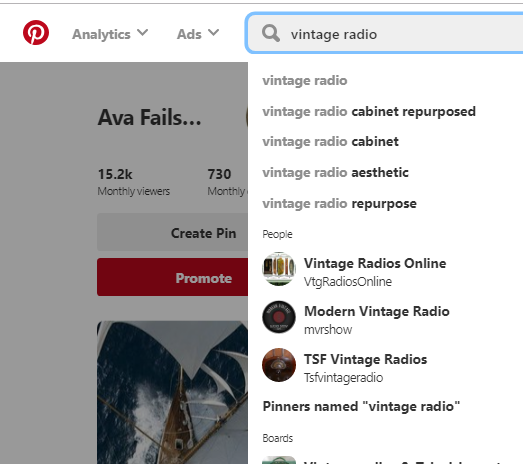
It gets even better when I add an “s” on the end of that keyword. I get terms like “vintage radios for sale”. Boom! So just play around with it and see what you can come up with.
Creating and Optimizing Your Pinterest Boards
So yeah, use your main keywords for your niche, products, or whatever it is you’re trying to market and title your boards accordingly.
Click the big red + from your Boards tab inside your Pinterest account.

Type the name of your new Board. This should be one of the titles you found during your keyword research we just spoke about. Click Create.
In case you thought you might escape having to optimize here, you won’t.
Click the pencil icon at the top.

Optimize your new Board as follows:
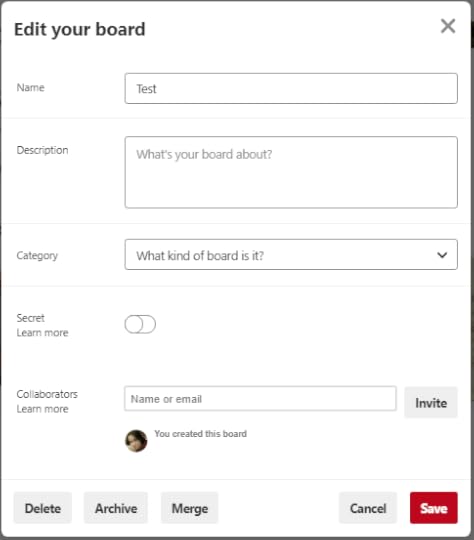
Name – This will be whatever you specified in the previous step, so you shouldn’t need to edit it. If ever you want to edit it, this is the place.
Description – Write a couple of sentences that include your keyword detailing what this board is about overall.
Category – Choose the most relevant category from the drop-down menu.
Secret – Leave this toggled to off.
Collaborators – If you’d like to create a Group Board that other users can pin to, you can add those people here. Group Boards are a whole other animal that could be very useful in your Pinterest Repoitoire. We’ll talk about them a little later.
Click the red Save button, you’re all done creating this Board. Rinse and repeat creating 8 more boards.
NOTE: Once you’ve saved some Pins to your Boards, you’ll need to Edit them again and select a Cover image. You can make this the Pin you most want to emphasize, or you can make it a custom image. I’m branding my business boards with a 564×564 image that links to my main landing pages. You can see that in action on my profile at Pinterest.com/CandidCashflow.
What to Pin
For your 10th board, create a “Best of” board. It should be “Best of [Your Website]”. Optimize it the same as your other Boards as we just discussed in the previous steps.
This one is for your content only and should be the first board listed on your Boards page. Pinterest has a simple drag and drop interface, so if this board isn’t in the first spot, simply drag and drop it there.
Now it’s time to start adding Pins.
For your own content, you’re going to need Pinterest-friendly images. The proper size of which is 600 pixels wide by 900 pixels high according to Pinterest. Opinions and practices here vary wildly. I’ll stick to Pinterest’s own suggestion myself.
I could sit here and tell you 17 rules about creating Pinterest images, but I think the best teacher is to go on Pinterest, type in your keyword and see what catches your eye. Duplicate the general idea what you like in accordance with your brand.
You’ve heard me talk about Canva.com many times on The Candid Cashflow Podcast. You can create great Pinterest images for free using their platform.
I also became aware of another platform called Snappa that is a lot like Canva. You can also use it totally free, but if you choose to upgrade, it’s cheaper than Canva for Business and bit less cluttered.
I’ll include a tutorial in the show notes for both of these platforms, so be sure to grab your copy at HeyYoAva.com/Episode51.
Create at least 10 images for 10 pieces of content you want to share.
Creating Your First Pin
To create a Pin, click the + sign either in the top-right corner of your Pinterest account or inside the Board you’re populating.
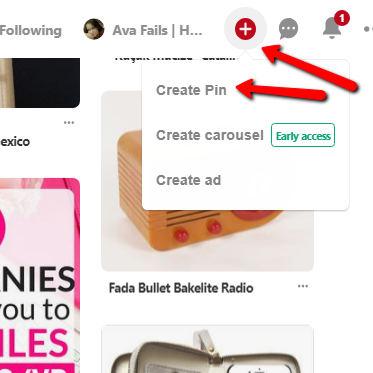
Fill out your Pin completely as follows:

Add a Title – This should be the title of your content and include your keywords. If I were to use my previous vintage radios example, an effective Pin title would be something like “Vintage Radio – Motorola Brand” or something like that.
Drag and drop your image – Or you can simply click to upload your image or video. If you already have Pinterest-ready images inside your content, you can save it from your site.
Say more about this pin – Write a couple of sentences including keywords and a hashtag or two as well.
Add the URL this pin links to – Put in your link, of course! This could be to a blog post or even a product.
Choose a board – Choose the board where you want this Pin to reside.
That’s it. Once you’re done, click the red Save button in the top-right corner.
Congratulations, you’ve created your first Pin!
Repeat the process for all 10 pieces of content you are saving to your “Best of” Board.
Pinning Content From Others
Once you have your “Best of” Board under control, it’s time to find some content from others relevant to your niche.
Search for the title of your Board in the Pinterest search and see what comes up.
Actually click through and see what the Pin is all about before you decide to save it to your board. My Vintage Radio niche has very few images that have actually been created for Pinterest. It’s just the nature of the beast. This isn’t really a niche that I’m trying to sell products in or market. Let’s try something else as an example.
I typed “make money online” in and found there were many more images optimized for Pinterest in that niche.

Before you begin pinning wildly to populate your Boards, I strongly suggest that you actually click through each Pin before you select it. Curate the content. Choosing Pins willy-nilly that link to mediocre content will affect the overall performance of your Pinterest account.
This is one mistake I’ve made in the past with my own account.
I’ve actually removed Boards that had Pins to crummy content. Now, I click through and only pin items with excellent content. Let me just note here, that I’m speaking only for those Boards on my account directly aimed at my business. I still have a ton of personal boards too.
I’m currently in the process of differentiating between the two with Cover images.
Getting Followers
You’re going to get a decent amount of followers organically just from pinning regularly. If you set up your account as I’ve outlined in this episode, then Pinterest’s algorithm will help you here as well.
As with nearly all other social media platforms, you can boost your acquisition of new followers by following others, finding people with a lot of followers and following their followers, and by finding and pinning to Group Boards.
Pinterest Group Boards
To find Group Boards, look for high-profile Pinterest users in your niche. Browse through their Boards. The odds are good that they have some Group Boards already set up that you can apply to join.
You’ll recognize Group Boards by the circle-shaped collage of users in the lower left corner of the Board cover image.
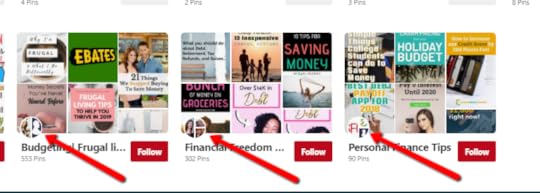
The criteria to apply and get accepted will vary by user.
Pin your best content regularly to those Group Boards, and you’ll also gain followers from there.
Pinterest Tools
There are many third-party tools out there for Pinterest just as we see with most popular social media platforms. The most notable is Tailwind. I’ve just started using Tailwind myself, and so far I’m impressed with the insights provided by the tool. It allows me to schedule Pins, republish Pins that aren’t performing well, and the interface is pretty user-friendly.
So far, I’d definitely recommend it if you’re looking to invest in making Pinterest a fruitful part of your marketing strategy. Tailwind is currently $9.95 per month, but you can start off with a free trial and see if it’s a fit for you. No credit card required.
For a full list of my recommended Pinterest tools other than Tailwind, be sure to get a copy of the show notes. I’m including a list of free tools in the BONUS section!
Happy Pinning!
That’s it! If you follow this tutorial, you’ll be well on your way. Even so, I encourage you to keep seeking information on becoming an even better Pinterest user because it will only benefit you.
Michelle Schroeder of Making Sense of Cents once said that half of her traffic comes from Pinterest. If you’re not familiar with Michelle, she earns 6 figures every month with her blog, and I’d venture to say a good bit of her momentum came from her efforts on Pinterest.
She’s not the only one, there’s a lot of blogs out there building traffic from Pinterest! That’s not all, many people in e-commerce also utilize Pinterest to send traffic to their online stores and products. It can be a total game changer!
There are things we didn’t even cover like Rich Pins, creating Pins where users can buy directly on Pinterest or the new native video feature that was just added recently. As I said at the beginning of this episode, I’m no expert when it comes to Pinterest. I’m a floundering fangirl at best, but my 15.2K impressions speaks for itself.
At the time of recording, I was up to 16.4 impressions! I must be doing something right!
That’s a Wrap!
That’s it for this episode of The Candid Cashflow Podcast! There’s a lot of over-the-shoulder type screenshots and things you don’t want to miss, so be sure to visit the blog. The link is in the description.
You can also grab a copy of the show notes. I always try to include a BONUS with the show notes to make it worth your while. Grab yours so you get all the links, goodies, and bonuses at HeyYoAva.com/Episode51.
Thanks so much for stopping by and listening. You’re the reason I do what I do! I do have a tidbit of exciting news this week, and that is that I bought CandidCashflow.com! I’m not sure when I’ll move everything over to the new site yet, but I’m excited about it!
If you’d like to connect with the Cashflow Nation, visit our new Facebook Group at HeyYoAva.com/Facebook.
Do you have an idea for a show or guest? I’d love to hear from you at HeyYoAva.com/soundoff.
As always, I hope you’ll consider subscribing so we can meet again. I’m passionate about helping you gain financial freedom through multiple streams of income online. Find us in your favorite listening app at HeyYoAva.com/candidcashflow.
Remember, I release a new episode each Wednesday.
Until next time, turning your passion into cashflow!
The post How to Use Pinterest for Marketing Your Business – The Candid Cashflow Podcast – Episode 51 appeared first on HeyYoAva.com.
December 5, 2018
Why You Should Start a YouTube Channel Even If You Don’t Want to Show Your Face on YouTube – The Candid Cashflow Podcast – Episode 50
In a hurry? Grab this post in PDF and take it with your on the go -OR- share it with someone…even you email list! ^^^
Happy Wednesday, Cashflowers! Cashflow Nation? Which do you prefer? Let me know in the comments!
Also, stay tuned to the end for an Episode 50 update on The Candid Cashflow Podcast, where we’ve been, and where we’re going!
This topic has been on my episode list since I started The Candid Cashflow Podcast. The main reason I’ve procrastinated on letting you know why you should start a YouTube channel is because it has taken me a long time to figure out how I want to present myself on that platform.

There’s a lot of information out there about how to build a successful YouTube channel, but I’m here to debunk most of that rubbish…with examples!
The main thing that I want you to know is that you CAN monetize youtube channel without 4000 hours and 1000 subscribers. YouTube requires that you have 4000 hours of watch time and/or 1000 subscribers before you can monetize with Adsense. That’s THEIR monetization platform, not yours. You can monetize a new or old channel that doesn’t meet those requirements even if you never want to show your face on YouTube.
Are you ready to find out how? Let’s do this. You know what to do! Stay tuned!
In this week’s episode, we are using TubeBuddy for all of our YouTube research and analytics. TubeBuddy provides some important insights for optimizing your videos to rank on YouTube. Try it out free at HeyYoAva.com/tubebuddy. You won’t be disappointed!
Also, just an insider tip for you: TubeBuddy offers premium plans. Don’t buy right away. Wait for them to email you a discount, because they will. If you have under 1000 subscribers to your channel, it’s less than $5 per month. Again, that’s HeyYoAva.com/tubebuddy.
It seems the “rules” for building a YouTube channel play like a broken record.
You must show your faceYou must have high-resolution thumbnailsYour face needs to be on your thumbnailsYour thumbnail background should be such and such a colorYou must fill out your about pageYou must have cardsYou must have end screensYou must release videos on a scheduleAdd your video to a playlistAdd tagsTweet itMake your title 70 characters longYou must ask people to subscribe, like, comment, and click the bellHave a high-end cameraHave good lightingHave great soundBe good at video editing
The list goes on and on. While a lot of these things do help you reach and engage more people, they are not all requirements for success.

If you’re hellbent on becoming the next big YouTuber, this probably isn’t the episode for you, but if you want to learn how to implement YouTube into your business without all the hoopla, then let’s talk!
A YouTube Glossary in Brief
I want to go over a few of these terms in case you’re completely new to creating for YouTube.
Cards are a way to offer more information to your audience while they’re watching. They pop up in the top corner of your video as a little “i” indicating there’s more information to know about what you’re currently discussing.

You can use cards to link to other videos or blog posts on the same or similar topics.
Thumbnails refer to the image that appears as your video in search. You can actually create custom thumbnails with text and images to give viewers a visual representation of what your video is about. If you don’t create a thumbnail, YouTube will generate one for you from your video footage. These tend to be less engaging than creating a custom image.

If you are a regular watcher of YouTube videos, then you’ll recognize End Screens as an overlay of the last few seconds of a video prompting you to Subscribe to that channel and view other videos by the same creator.

You can create Playlists on YouTube much like you would in your favorite music app. You can add videos to a playlist from your own channel or from other channels. Playlists will appear in YouTube search and pull in their own viewers, so it’s beneficial to utilize them as content you really want your Subscribers to see.
Playlists can also be added to your channel page so they are presented to your audience. These can represent things you want to promote or videos you really want your audience to see.
Tags on YouTube are much like tags in other places, say on a blog. They are usually comprised of keywords to improve the search rankings of your videos.
Does YouTube Fit Into Your Personal or Business Model?
It all boils down to how you want to use YouTube. Can what you want to share be presented in video format? I’m sure it probably can.
If you’re going the personal route, the only advice I have is to be unique. Don’t copy others. Be your authentic self, and your tribe will build itself. There is a little bit of everything out there when it comes to YouTube. I’m almost certain you will find others who share your interests and passions.
If you’re looking to expand your business with YouTube, then go for it. We’ll talk about what kinds of videos you can share in the next section.
What you need to know right now is that YouTube can increase the reach of your business exponentially. By expanding into video, you are going to reach a whole new audience. You’ll also reach your existing audience in a whole new way.
In addition, you can use video to enhance the content you’ve already been creating. Did you know that video is a great way to reduce the bounce rate on your website?
If you’re unfamiliar with the term, bounce rate, this is an average of the amount of time visitors spend on your website. If they click onto a page from a search engine and don’t find what they are looking for, they will leave very quickly. This makes the bounce rate higher and the search engines will rank your site lower as a result.
This is a part of the evolution of Search Engine Optimization toward the importance of user experience rather than other ranking factors like meta data, pagerank, and the like.
Does YouTube fit in with your business model? It’s all going to depend on if you have enough of the right content to share.
Why You Should Start a YouTube Channel and What to Record
As humans, we are inherently interested in the daily lives and goings on of other humans.
We relate to the people we see, and these relations can be significantly important for us in our lives and businesses.
It’s just like the way I shared last week how I’d seen a video from Katnipp Illustrations on YouTube that changed my whole perspective on making money with art.
Had Catherine never created that video, I would not have had the revelations I had, and I’d be more than $200 poorer right now.
So, if you’re thinking that all of your content ideas are irrelevant and unimportant, you’re probably wrong.
Here’s an exercise for you: go to YouTube.com and type something you’re interested in into the search box. Maybe even try to think of something obscure…get results? Of course you did.
Fun Fact: YouTube is the second largest search engine on the Internet after Google.
If it’s out there, it’s on YouTube. I’ve found everything from archival footage to long lost songs from my childhood. I’m absolutely smitten with YouTube as a content consumer.
Record videos about what makes you come alive.
The worlds needs that more than ever right now. If your business doesn’t do that for you, why are you in it?
My favorite type of videos to create are ones where I can teach or show someone something they may not have known before to help them.
Debunking the “Rules”

Yesterday, I ranked a YouTube video on the first page for 11 out of 11 keywords while breaking more than half of the “rules” I mentioned at the beginning of this episode.
If you’d like to know exactly how I did that, I’m including a tutorial in the show notes, so be sure to grab those for all the links and goodies at HeyYoAva.com/Episode50.
With that video, I didn’t show my face, I didn’t release it on a schedule, I didn’t include cards or an end screen, I didn’t do any fancy editing…I could go on.
Maybe you can hear it in my voice, I really hate it when someone tells me I have to show my face on video in order to get anywhere.
I don’t have a problem with showing my face. If you look up my old channel, ProWebWriter, you’ll see I did several talking head videos.
How many times have you checked out a channel on YouTube to find the creator has included their face on every thumbnail?
A lot, right? It’s a known fact that having your face all over your content helps to establish trust and authority. It HELPS. It’s not a requirement. Quite honestly, that’s just not my style. If it is your style, then you should absolutely do it, but if it’s not, don’t be disingenuous. Do YOU!
YouTube’s mantra used to be, “Broadcast Yourself”. Broadcast yourself, not yourself as you think more people would like.
You can absolutely build a successful YouTube channel without your face plastered everywhere. Check out these examples:
TopTenz has 1.2 million subscribers, no face videos – https://www.youtube.com/user/toptenznet/videos5-Minute Crafts has a whopping 42 millions subscribers, no face – https://www.youtube.com/channel/UC295-Dw_tDNtZXFeAPAW6Aw/videosArt Arena is pressing toward a million subs at 766K with, you guessed it, not a face in the crowd – https://www.youtube.com/channel/UCtFSeQTTjc9w_t9EycG4gPA/videos
I came across a channel this morning although I can’t remember what it was that had atrocious thumbnails and more than 100K subs, so if your content is interesting enough, you will gain a following.
Sure, all of these other things help, but like I said, they are not requirements. The most important factor in the success of your YouTube channel is that you be your authentic self. All of these “rules” are second fiddle to that concept in my book.
The most important thing you need to rank your videos are good keywords, and I’m going to show you how to find them in a few minutes.
Resources and Equipment for Creating YouTube Videos
If you watch YouTube frequently and subscribe to any serious YouTubers, you’ll end up seeing a lot of expensive equipment from cameras to lighting to green screens to microphones.
Of course these are things that make video production better, but as with most things they are NOT a requirement.
These days, most smartphones have a good enough camera and microphone to get by. The important thing here is to just do it!
Why? Because even small channels can make money on YouTube. I personally know a couple channels pulling in 5 figures with only a few thousand subscribers because they’ve monetized by promoting products and services that are theirs, someone else’s, or both.
If you’re planning to record tutorial style screen capture videos, then you don’t need a camera at all.
In fact, I say if you’re going to invest in equipment, start with a decent microphone. Even if your video looks stellar, if your viewers can’t hear you, it will be ineffective.
I’ve mentioned my cheap mic that I bought last year more than once in The Candid Cashflow Podcast. It became available about this time last year during a lightning sale on Amazon, and I snagged it for just under 20 bucks.
It’s not special, but it works well enough, and it’s better than the microphone that was built into my laptop.
I recently recorded a video for my YouTube channel talking about how I use OBS to record my podcast interviews. You can also use OBS to record your screen.
In fact, OBS or Open Broadcast Software, is a completely free program that can take your videos to the next level. You can easily switch between different scenes, and broadcast audio from your desktop as well.
I learned OBS using just one video. It’s a very intuitive and logical piece of software.
Links to everything I’m sharing as always will be on the blog and a little extra in the show notes at HeyYoAva.com/Episode50.
I use Camtasia for editing, and it’s a great piece of software, but it’s pricey. A client actually provided me with it, so that was fortunate.
Lightworks is a great free alternative if you can’t afford Camtasia’s $299 price tag.
I use TubeBuddy for keyword research, best practices, and ranking.
I use Canva.com to create my thumbnails. They have a bunch of free templates to give you a starting point.
How To Rank YouTube Videos on the First Page Fast
For a more detailed tutorial, please grab the show notes! However, what I’m about to share will suffice.
Step 1. Brainstorm a list of keywords you want to research. Start with your main keyword. For example, if this post were a YouTube video, my main keyword would be “starting a YouTube channel”.
You don’t need a huge list, just a place to start, so use your main keyword and a few variations.
You can use TubeBuddy to find good keywords. Keywords ranking around the 60s and 70s are good. If you can get in the 80s, that’s gold. To see what the heck I’m talking about, visit the blog or download the show notes. I’ll include a video tutorial.
Step 2. Type your keyword into the search on YouTube.com. Look at the front page of results. If around 50% of the videos are less than a year old, that’s a good keyword to try and rank for.
Step 3. Choose the best 3 from your keyword list.
Step 4. Optimize your title, description, and tags using your 3 keywords. Your description should be around 350 words give or take and include your main keyword in the first 2 lines.
Type your 3 keywords into the Tags section.
Step 5. Create an attractive thumbnail. I use Canva for this, as I stated early. I suggest that you use one of their templates or create your own, and customize it for each video you create. This will make your channel look uniform.
You can even split-test a couple designs to find out what performs the best.
That’s it. Your videos should rank on the first page of YouTube within 5 minutes for your main keyword.
Sound too easy? I thought so too, but it absolutely worked!
Other Video Sites to Consider Uploading On

A decade ago, there this great free service called TubeMogul where you could upload to I think it was 15 video sites at once. Adobe acquired that service, and its current iteration is something completely different.
In fact, I found the Internet severely lacking in information on other videos sites to consider. YouTube has dominated that market, but with their implementation of censorship in the last year or so, some great alternatives and oldie goldies have entered the video space.
For a comprehensive list, grab the show notes, but a few honorable mentions are DailyMotion, Instagram TV, and MetaCafe.
If you want to take your video aspirations to the blockchain, I highly recommend DTube and BitTube.
Episode 50 Update

My last update was in Episode 20 of The Candid Cashflow Podcast. Here’s a quick overview of the stats and information I mentioned in that episode:
My initial commitment to this podcast having never done it before was 6 months. I happily renewed that in June 2018 for another 6 monthsBy Episode 20, I had received very little feedback on the show, and ZERO feedback from anyone who would have comprised my regular listening audienceI had not generated any affiliate revenueI was celebrating new distribution channels. I’ve since expanded even further, and The Candid Cashflow Podcast is included on more than 25 audio platformsI had started and stopped a weekly newsletterI started typing my episodes directly into my blog instead of writing them out longhandFinally, I was excited about a new record in March for downloads at 224
The Candid Cashflow Podcast will celebrate one year online on December 12, 2018. I plan to commit for the next 6 months again.
Deciding this in 6 month increments seems to agree with me.
I am beginning to hear back from the community, and I think a big part of that is because I’ve started booking guests on the show. I’m only doing one guest spot per month right now, but I expect to increase that after the New Year.
I have generated a small amount of revenue.
My research in expanding the distribution of The Candid Cashflow Podcast has been made into a PDF, and is now for sale for a nominal fee of $7.99. I call it Podcast Everywhere because it shows you exactly how to get your podcast everywhere.
The newsletter is something that I may consider resurrecting in the future…or not. We now have a Facebook Group for the Cashflow Nation that might suffice.
My new download record is 419 which was achieved in September of this year, and that’s a sincere thanks to all you out there hearing this broadcast right now.
Being the proprietor of The Candid Cashflow Podcast is an honor and privilege.
That’s a Wrap
We’ll wrap this one up since I’ve already been yapping for way too long!
Thanks for being here. It would mean so much to hear from you. Leave a comment or shoot me an email at HeyYoAva.com/soundoff.
Don’t forget to grab a copy of the show notes. There’s a ton of links this week and a huge bonus section. Get them at HeyYoAva.com/Episode50.
I hope that you will consider subscribing to The Candid Cashflow Podcast because I’m passionate about helping you find ways to achieve financial freedom through various online income streams. Find us on your favorite listening app at HeyYoAva.com/candidcashflow.
I’d like to shout out Kelly and Elle who connected with me this week to let me know they enjoy the show. That made my week! Join us in our new Facebook Group!
Remember, I release a new episode each Wednesday!
Until next time, turning your passion into cashflow!
The post Why You Should Start a YouTube Channel Even If You Don’t Want to Show Your Face on YouTube – The Candid Cashflow Podcast – Episode 50 appeared first on HeyYoAva.com.
November 28, 2018
Earn Money From Your Artwork and Never Be a Starving Artist – The Candid Cashflow Podcast – Episode 49
Greetings Cashflowers! This week’s episode is near and dear to my heart. I’m going to attempt to keep the boring backstory brief, but you know that’s hard for writers!
My background is in art. It was my first love and the thing that I found I had talent in first. When I realized that I could draw well, I thought my future was decided. I wanted to be a Disney Animator!
Thus began my journey to definitely NOT being a Disney Animator! I laugh now, but in reality, I’ve wasted so much time being clueless about how to do exactly what The Candid Cashflow Podcast tries to teach: how to make money from my passion which was and is art.
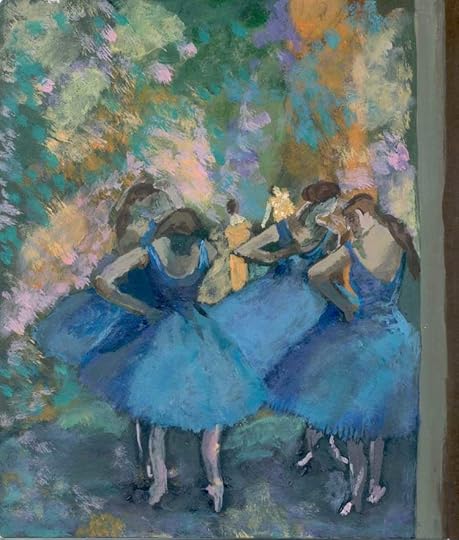

If this podcast ever helps ONE person avoid what I’ve been through, then my job here is done.
A lot of elements come into play as to why I’m just now figuring this out, but the main one is that I was already well into adulthood when computers became as common to households as the television.
Many of the opportunities available to young artists just simply didn’t exist for me. What a time to be alive! I’m getting a late start, but that doesn’t mean you have to!
If you’re an artist and you want to learn how to make money with your talent, then you definitely want to stay tuned!
Are you an artist who is ready to begin selling your work online? Step one is to create an account at Creative Fabrica! It’s free to join and free to set up your shop. Get started earning passive income from your artwork by visiting HeyYoAva.com/getcreative.
Early Attempts to Sell My Designs
I majored in Graphic Design in college. My problem was that I was a decent fine artist, but not a great Graphic Designer. It seemed that Graphic Design was the only career route for an artist when I started out.
The current web trends at the time coupled with my early attempts earned me a couple of unhappy clients. While I was great with a pencil to paper, trying to create an aesthetically pleasing digital logo didn’t jive with my abilities.


While I can draw anything in the world I can see, I’m not great when it comes to drawing from my head. If you’re the same way, stay tuned because I’m going to share a technique in just a minute that helped me immensely in that area.
I quickly gave up when my clients weren’t pleased with my designs. That’s when I turned to writing. I know, I give up way too easily. The Internet was a much different place back then. There was no YouTube to find TONS of free training, and I needed a way to make money.
I entered the workforce for the second time in my life, and wrote articles as a side gig. There I remained for nearly 2 decades.
I’m telling you this, so it doesn’t have to be you! There is a space for you and your art. You can earn money from your artwork!
My Epiphany
I watch ridiculous amounts of YouTube on all different kinds of topics.
A recommended video popped up in my feed recently that changed my life entitled Studio Vlog 001 from a user named Katnipp.

Studio vlogs are nothing new, but it was certainly new to me. I watched as Catherine filled orders from her Etsy shop, made stickers to stock her shop, and created a new set of designs for her brand.
I was in awe!
This girl was creating a business and earning a living from her artwork. Not only that, she was doing it from an adorable studio full of expensive equipment!
The doubt set in.
“You can’t do that, Ava, you don’t have the equipment! Just look at all that stuff! A Cricut machine, a thermal printer, heck, a regular printer, a big computer, the list goes on and on. That’s thousands of dollars you don’t have to do something like that.”
Then my defiant and determined voice spoke up, “Watch me.”
I picked up a few ideas from Catherine too. She used a technique that made the bells and whistles in my brain chime. As she was sketching her new designs, she used a red pencil until she liked the designs and scanned them into Procreate which is an Apple application sort of like Photoshop.
I’d seen this red pencil technique before, but for some reason, this time it made me excited. I could use this technique to sketch from my head.
It was like drawing with a regular pencil made design concepts and development feel too final for me. I could draw with a red pencil, and then only go over the parts I liked in black to develop my own designs!
This idea changed my world.
I started drawing immediately after a long, long hiatus!


Some other discoveries coincided with this that really culminated the bigger picture for me. I’d just recently been introduced to Creative Fabrica through a friend. You may know her from last week’s episode. It’s Kelli Roberts!
Light bulbs were going off left and right! All of this coupled with my recent discovery of selling digital downloads on Etsy, learning how to use InkScape to trace hand-drawn designs, and creating Popsockets for Merch set off an explosion in my mind.
I could create designs and sell them online as digital downloads for others to use in their print on demand business.
So can you!
What’s Your Style?
I think early on this was another big problem for me. Most of my art was pieces that I created while looking at art from Michelangelo, Degas, and Albrecht Durer. I didn’t have my own style. I had some raw talent, and that was about it.

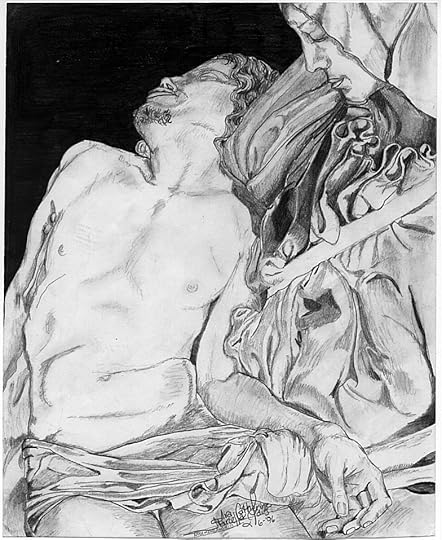
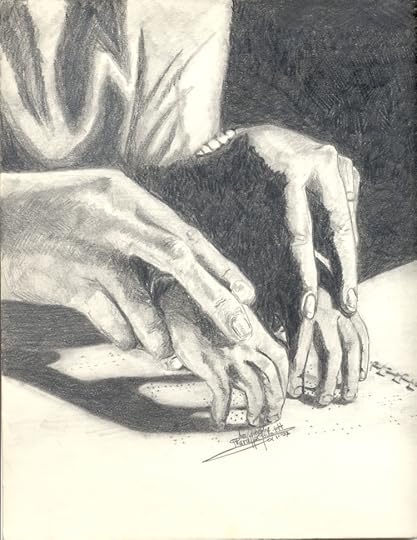
Let me interject here to say that a relevant mentor would have made all the difference for me. I didn’t know any other artists besides my father who had worked his entire life doing things he hated because he couldn’t find a way to provide for his family doing what he loved.
Here I was, following proudly, but miserably in his footsteps.
With the Internet of today, there’s no reason you can’t find someone to follow and have loads more guidance than I could have possibly dreamed of back then.
Find yourself a mentor.
Develop your style.
You can follow the trends or you can be totally unique. I’ve seen both work extremely well.
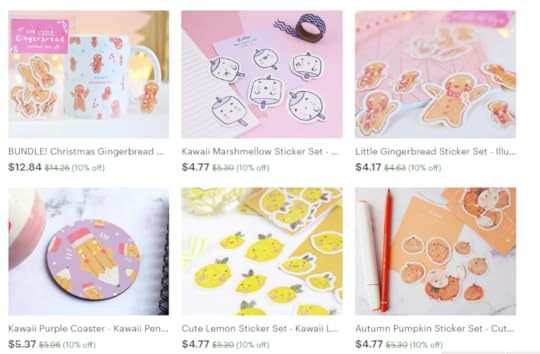
Katnipp is a fabulous example of someone whose style serves current trends. Her designs are sought after and she has found great success in selling them as stickers, mugs, bookmarks, coasters, and enamel pins.
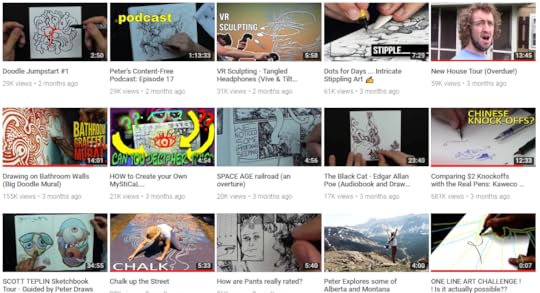
On the other hand, check out Peter Deligdisch at his Peter Draws YouTube channel. He is amazing and has created a brand and following while pursuing his own unique style.
Be sure to grab a copy of the show notes so you get all these great links to Catherine and Peter. Get your copy at HeyYoAva.com/Episode49.
How to Digitize Your Designs on the Cheap
Even as doubt crept in when I was watching Catherine work in her studio, my mind was already churning out workarounds. Sure, all of that equipment makes things convenient, but it’s not a requirement.
I make it no secret that I am a woman of serious financial constraints. I make enough in my business to get by, and doing bigger things than that is always a work in progress.
Obviously, I can’t afford to go out and buy an iPad, a big fancy Mac computer, an updated printer, a legit camera, a Cricut machine, and the list goes on and on.
If you’re in the same boat, I can help you with minimal equipment. I have a $100 smartphone, and a $200 refurbished Dell workstation. I will include links to everything in the show notes!
If you’re like me, and you’re much better at creating on paper, then I’m going to share with you how I digitize my designs with a free piece of software called Inkscape.
You can digitize your work with a DSLR camera or scanner, but these options are super expensive and require that you do a bit of research to find the best equipment within your price range.
Inkscape is a vector graphics program like Adobe Illustrator without the cost. It has one very important feature called Trace Bitmap that allows me to digitize my work.
I have minimal experience with vector graphic software, but am fairly proficient with Photoshop. I didn’t want to spend a ton of time learning new software, and I didn’t have to.
I can simply take a photo of my hand-drawn design with my phone, open it in Inkscape on my computer, and digitize it with just a couple clicks. The great thing about doing this with Inkscape is that the end result can be scaled without pixelating, and it easily removes the background.



I’m including a video on the blog and in the show notes, so be sure to check those out to see it in action.
Next Step: Create Your Online Portfolio
Once you’ve figured out your style and how to digitize your work, it’s time to build a showcase.
If you’ve listened to The Candid Cashflow Podcast for any length of time, then you know that I am a WordPress girl. However, recently I’ve realized that SEO isn’t the end all be all to building a business website.
If you are building your following on a platform like YouTube or Etsy that already gets massive traffic, then you can send that traffic to your website rather than trying to get it organically from the search engines.
So, in this scenario, building your portfolio on a free platform works just fine. I would suggest shelling out a few bucks for a custom domain at some point simply because it looks more professional. At this point, it’s just not imperative that you learn WordPress when something easier will suffice.
You can use any number of free options like Wix, WordPress.com, Blogger, Tumblr, etc.
As long as you can upload your images and make them look professional, that’s all you need. Your portfolio is an optional part of this whole scenario, but it’s always good to have your own place online where your creations can live. This allows you to build a following outside of the platforms you choose to sell your wares. You can also build an email list, share links to all of your shops, share your social links, and pretty much whatever your heart desires.
So, it’s not a requirement, but just a good business practice.
Where and How to Sell Your Art
There are many choices here, and I suggest that you start with just one.
The great news here is that selling digital downloads is one of, if not the easiest, ecommerce model to take on because it doesn’t require you to stock any inventory, ship anything, or have to deal with the headache that any of that entails.
Now, I know I told you to begin with just one platform, but I started with Etsy and Creative Fabrica because I could easily copy and paste my listings from Etsy over to Creative Fabrica.
Keep in mind that these two platforms, and most of the others I’ll share all have different ideas of what size a display image should be.
I make mine 1500×1000 pixels at 72 dpi. Etsy gives me a warning, but it has not hindered my ability to list and sell on their platform. Otherwise, I’d have to make 2 sets of the same images in different sizes. That’s a lot of work!
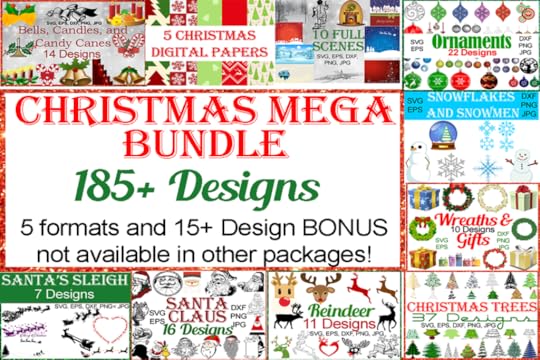
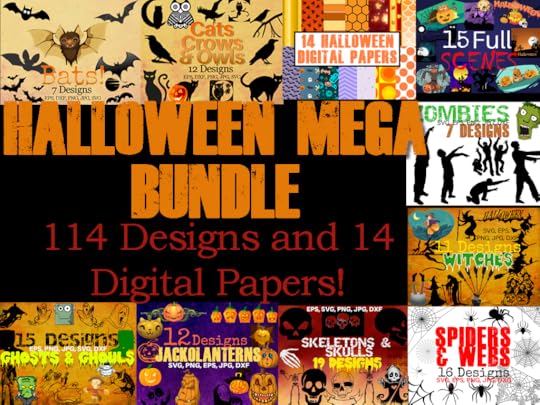
You want to offer 5 basic formats:
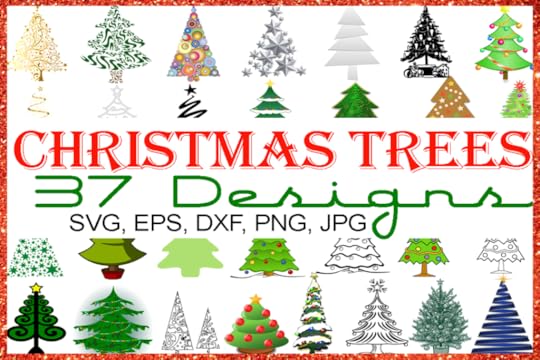
SVG – Cut File for Cutting Machines (Cricut Design Space, Silhouette Designer Edition)DXF – Cut File for Cutting Machines (Silhouette Studio)EPS – Cut File for use in other Vector SoftwaresPNG – For Printables, Iron On TransfersJPEG – For Printables, Iron On Transfers
This allows your customers to use your designs in many different ways. They can create stickers, shirts, mugs, pillow cases, etc. or just use them as clipart and in digital scrapbooking.
Needless to say, you’re covering multiple huge buyers’ markets.
You can create 4 of the 5 file formats with Inkscape. To convert your designs to JPGs without software like Photoshop, you can use the Convert.io website to convert one of the other formats into a JPG file.
5 Platforms Where You Can Set Up Shop
Etsy – Etsy is probably the most well-known in this list. While they began as a place where crafters could sell their handmade items, they have evolved to include crafting supplies. That’s where we come in!
Listings on Etsy cost just 20 cents each every 4 months. That allows you quite a decent profit margin.
CreativeFabrica.com – Creative Fabrica sells only digital graphic design and fonts. With their great membership deals, freebie giveaways, and more, they do all the marketing for you.
It’s free to open a shop and list your items there. They take a small percentage of your sales. It was super easy to get started with CF, and I’ve made 10 times more with them than with Etsy.
DesignBundles.net – This site is a lot like Creative Fabrica except you have to apply to open a shop. This is where your portfolio comes into play because they will ask for the URL. The approval process was super easy, and my shop was earning within just a couple hours of uploading my first designs.
Make sure your designs are completely unique. Not all of my were (had some free for commercial use stuff in the mix), so my shop got shut down as a result. However, they let me keep what I’d made as a credit on their platform and my account, so I’m hoping to reopen with only unique designs in the future.
CreativeMarket.com – This is another one where you have to apply to open a shop. They are super picky about who they approve, but if you include SVG files and fonts in your mix, you should get in.
TheHungryJPEG.com – This one is the same as Creative Market. They are picky, but like to see super clean unique designs and fonts.
If your work is good, you shouldn’t have a problem with these last two.
This isn’t it, when it comes to selling your art though. These are just the places you can sell it as a digital download and earn passive income. Let’s talk about physical products!
Selling Your Art as Physical Products
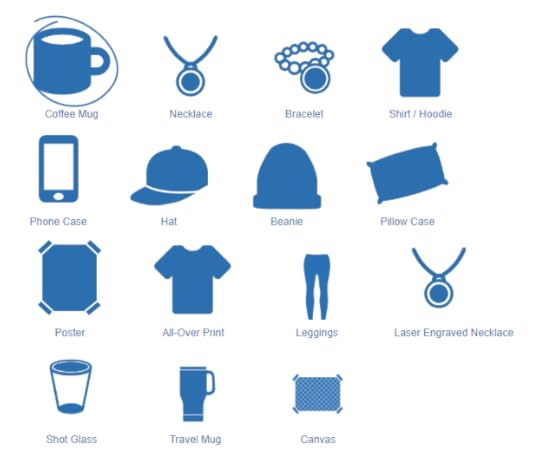
In Episode 47, we discussed making money with print on demand extensively. Be sure to check out that episode.
If you’re not comfortable selling commercial licenses for your designs, and would rather build your business as the sole license owner of your work, then print on demand is the way to go.
Using a service like Printful allows you to create many different products from your designs including, but not limited to, prints.
This is what Catherine with Katnipp Illustrations does except she actually prints her own products instead of using a service like Printful.
I simply took her model in a slightly different direction by deciding that I wanted to help others fuel their print on demand businesses by selling my designs. I always have the option of using them for print on demand myself. Sell shovels!
By choosing to sell your art as print on demand products, you can sell them on Etsy, Amazon, eBay, at craft fairs, on your own ecommerce shop, and well, pretty much anywhere.
It doesn’t end here.
You have dozens of options and the ability to reach millions and millions of buyers. There have never been more opportunities to earn a very good living as an artist.
Scaling Your Business
Once you’re up and running with your shop and you have a little cash flow, it’s time to think about scaling to the next level.
It’s quite simple to do that by expanding your current shop, opening additional shops on new platforms, or by choosing to sell physical products.
It is highly feasible that you can create a full-time income and achieve financial freedom from selling your art online. Isn’t that amazing!?!
But wait, there’s even more ways to earn!
Diversifying Your Income Streams
If you enjoy teaching others how to start and develop their own art empires, you can teach what you know through courses, a YouTube channel, or as a member of the growing Creative community on Twitch.tv.
We discussed live streaming on Twitch at length in Episode 27 of The Candid Cashflow Podcast. There are many artists live streaming their work on that platform, and the number is growing all the time.
The cool thing about Twitch is that it’s easier to reach monetization status on that platform than it is on YouTube. However, don’t ignore YouTube! There is a great opportunity there if you know how to rank your videos. You can earn even before you’re able to monetize your videos!
We will be discussing YouTube at length in a future episode, so consider subscribing now! I’ve seen super small channels do very well there, and I’ve seen channels with just a few thousand subscribers earn 5 figures.
The best news is that you don’t have to appear on camera if you don’t want to. Just show your artwork!
How Much Have I Made?
I’ve made enough to be impressed and experience the potential. Before I crunch the numbers with you, I want to say that I’ve priced my stuff competitively and probably a bit on the low end. I just started this endeavor at the beginning of October 2018, and realistically, I’m not out of the testing phase yet.
You also have to take into consideration that it’s Quarter Four and the Holiday season increases the demand for seasonal artwork. All of my uploads are targeted toward Halloween or Christmas.
Creative Fabrica is my biggest earner, and as of this broadcast I have earned $152.91 since October 3rd.
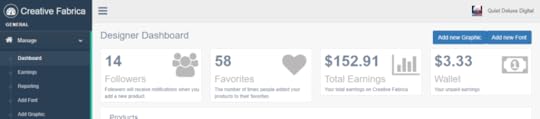
Etsy is next with $14.73.
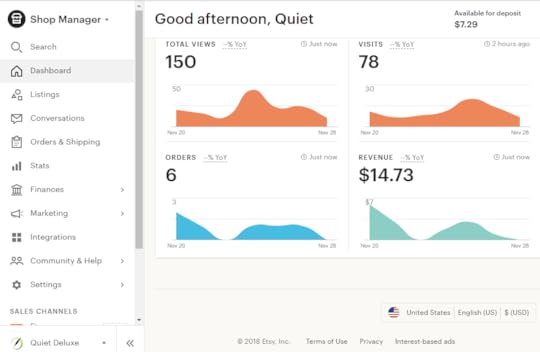
Finally, I earned $3 within just a couple hours of uploading on DesignBundles.net before my shop was deleted.
I hope these numbers inspire you to begin sharing your art with a world that desperately needs it! Art is healing!
That’s a Wrap!
Thanks for stopping by! It’s always nice to have you aboard the listening crew at The Candid Cashflow Podcast.
Now you can connect with us more personally at our new Facebook Group! I sure hope to see you there! Head over to https://www.facebook.com/groups/cashflownation/, and join!
There are 3 short questions for you to answer just to make sure the Group remains a resource to the Cashflow Nation.
The purpose of the Group is to notify you when a new episode is released, share resources that you can use to turn your passions into cashflow, and to give you access to myself and the rest of the Candid Cashflow crew.
I sure look forward to meeting you there!
I have many great episodes planned as The Candid Cashflow Podcast enters its second year online! Now is the time to subscribe! Find your way to financial freedom by learning how you can turn your passion into cashflow! Listen in your favorite app at HeyYoAva.com/candidcashflow!
Don’t forget to grab a copy of the show notes so you get all the links and bonuses. There’s a ton this week! Get those at HeyYoAva.com/Episode49.
Remember, I release a new episode each Wednesday!
Until next time, turning your passion into cashflow!
The post Earn Money From Your Artwork and Never Be a Starving Artist – The Candid Cashflow Podcast – Episode 49 appeared first on HeyYoAva.com.
November 21, 2018
6 Figures From Publishing No Content and Low Content Books – Interview with Kelli Roberts – The Candid Cashflow Podcast – Episode 48
In a hurry? Grab a PDF of this post to take with you on the go and get all the links and goodies too! <<<
This week, The Candid Cashflow Podcast is excited to present this interview with Kelli Roberts! I met Kelli through her husband, Dale, who was and is a client of mine. I did a bit of work for Kelli and have followed her progress this year as she’s launched a course and a new YouTube channel!
Kelli focuses mainly on creating and self-publishing no content and low content books. She also has a print on demand side hustle through Merch by Amazon.
I find several really cool things about Kelli’s approach to her business:
She doesn’t try to be a guru
She does ZERO marketing
If something doesn’t make money or isn’t enjoyable, she doesn’t do it
She cares about the people she reaches – for example, she pulled her course off the market so it wouldn’t become outdated and she is still working with her students to help them with aspects that are changing in the market
Kelli is a rare gem in the make money online world. She began back in the late 90’s with eBay and her business has evolved into its current iteration. I’ll let Kelli tell you all about it. Do NOT miss this episode.
If you do nothing else, visit Kelli’s links I’ll share at the end or grab the show notes at HeyYoAva.com/Episode48 so you get all her links because you’re going to want to follow her! I will also include her links in the description area on whatever platform you are receiving this broadcast.
So, if you want to learn about self-publishing journals and other low and no content books on Amazon without marketing and scaling that to 6 figures, then you’re going to want to stay tuned!
This holiday season, choose from the Most Wished For items Amazon has to offer. Get inspired and find the perfect item for everyone on your list. See Amazon’s Most Wished For Items at HeyYoAva.com/mostwishedfor.
“Real” Jobs, and the Path to Self-Publishing
Kelli started her career with college and a degree in Political Science with ambitions toward being a lawyer because she thought it was the “thing to do” to succeed. She ended up in a similar place as me and probably many of you out there listening. She found the corporate world chained to a desk is a soul-sucking experience.
In 1999, Kelli started a little side gig with eBay only to find she really enjoyed it and did quite well with it. At the behooving of her husband, Dale, she quit her job to do eBay full-time. That was her first experience without a 9 to 5 job, and she’ll be celebrating the 6-year anniversary of that decision in February of 2019.
Eventually, Kelli got bored with eBay and moved on to Amazon FBA. She found that Amazon FBA had all the same caveats of working with physical products that eBay had, and the model she was working with was becoming saturated quickly. She was on the lookout for something new again.
That’s when Kelli found out about self-publishing. She started out hiring ghostwriters and trying to build a brand that way but found she didn’t really like managing writers and telling them what to do.
Right about this same time 2 and a half or 3 years ago, Kelli saw a webinar about publishing low content and no content books and the light bulb flickered on. She tried it, she loved it, she made some decent money and hasn’t looked back since.
The Side Hustle of Selling Shirts
 Kelli zeroed in her laser focus on a challenge from a friend in the business to target one aspect of her business. She had several smaller streams of income at the time that she was trying to maintain from her previous endeavors. In August or September of 2017, this friend suggested that she choose one thing and really crush it.
That was probably the best thing that could have happened because Kelli is not one to back down from a challenge.
Kelli chose to design. She chose designing low content and no content books as well as t-shirts for Merch since those two avenues kind of feed into each other. Once she focused in on this one aspect of her business, her income shot up.
Grant it, it was close to Quarter Four, but the upswing in income gave Kelli the confidence she needed to really go all in, and it’s paid off exponentially for her in the long run.
As far as Merch by Amazon goes, Kelli treats it as a part-time side hustle. She spends about 30 minutes to an hour per day on it. During Q4, she does a bit more. If you compare the amount of time you’re putting in with the amount you are making, Merch works great as a side business.
Kelli does upload her designs on a few other platforms, but she differentiates the designs and she doesn’t upload everything. Those platforms are:
TeePublic
RedBubble
Zazzle
Kelli’s biggest money maker as far as platforms go is KDP Print, formerly known as CreateSpace.
Getting Started on YouTube
Kelli also started her YouTube channel, Kelli Publish, this year. From her first video 6 months ago (She had some unrelated videos from before, but changed the focus of her channel back in April 2018.), as of this broadcast, she has exceeded 2000 subscribers.
She shares videos about self-publishing low content and no content books as well as information about Merch by Amazon, and her live videos pull in quite a crowd each time she does one.
Should We Expect Any New Courses in 2019?
Kelli released a course in 2018 on publishing low content and no content books that did quite well but became quickly outdated with the changing of the market and Amazon’s move to merge CreateSpace and KDP Print.
This is one of the things I like about Kelli. Once she realized the information was going to get outdated so quickly, she pulled the course even though it was still making her a nice amount of money.
She doesn’t have any plans to release anything new for 2019 at this time, but she still maintains the information for her students who did invest in her course. That’s rare!
If you’ve explored self-publishing at all, then you probably know there are PLENTY of outdated courses on the topic, and because they make money, the authors leave them to mislead people. Not Kelli!
With Kelli, you get someone who is truly interested in helping people and puts that before her money-making. That’s how I like to do business as well!
Kelli’s Advice for Newbies
 Don’t look at self-publishing as a get rich quick process.
People have selective hearing. They hear that I made X amount of dollars and I have X amount of books up, but they choose not to acknowledge that it took me 2 years and ton of work to get to that point. – Kelli
Do a little bit every day in your business on a consistent basis and eventually, it’s going to snowball.
Kelli’s favorite thing about what she does is the variety, she loves doing live videos on YouTube, and she also enjoys Print on Demand and watching her creative side develop.
She also finds that her daily experiences feed into her inspiration. For example, if something frustrates her, she can create a funny design based on the situation and release the tension.
She also loves the learning aspect of what she’s doing. Through research and trying things, she is constantly learning new things.
Resources That Have Helped Kelli in Her Business and Quarter Four Advice
In general terms, self-development and networking have helped her in her business. After  that, apps like MerchBuddy, the Over app for designing on the run, and Google Drive.
Kelli pulled her reports from last year to find out what her top sellers were. What she found was that her best sellers for Q4 of 2017 were designs she had uploaded that summer. It wasn’t the designs she was uploading during actual Q4.
So, Kelli’s best advice for you in Q4 is to be consistent all year long and not just during Q4.
If you’re lazy for 9 months out of the year and only hustle for 3 or 4 months, Q4 is not going to be a happy time for you. – Kelli
Kelli on Not Doing Any Marketing for Her Business
 Kelli does ZERO marketing for her business outside of the content she creates for YouTube, and you’ll notice her videos do not link to her own products. Kelli doesn’t do any PPC or anything like that because she simply doesn’t like it or want to.
She has been hammered like all of us on creating an email list and the other basics of Internet Marketing, but she asked herself as she was walking home one day, “Why can’t I just create products?”
That’s exactly what she decided to do and it has worked wonderfully for her.
While she is sure she could make more money if she did market her business, she considers her marketing style to be unconventional. Instead of marketing what she’s made, she markets by trying to create what people are looking for.
Kelli believes that even if she learned marketing she might see growth in her business because she’d be spending time away from creating, so she’s happy with her current business model and we don’t blame her!
Kelli’s Number One Tip for The Candid Cashflow
 Audience and Where You Can Find Her Online
Be open to anything and always keep learning. -Kelli
Kelli never saw herself as a designer. If someone had told her she would be earning 6 figures with self-publishing and a YouTube channel, she would have laughed in their face. She didn’t take any design classes in high school or college, and she’s a really shy introvert by nature. So, for her, it’s crazy that this happened to her!
Find Kelli online at:
Her website – http://www.kellipublish.com/
On YouTube – https://www.youtube.com/kellipublish
On Twitter – https://www.twitter.com/kellipublish
That’s a Wrap
A huge thanks to Kelli for coming on the show. I’ll try to get better at thanking my guests during recording. This one ends a bit abruptly!
Also, the high ends of the audio have a bit of buzz. Lesson learned there as well. Thanks for listening and bearing with me as I feel this content is highly valuable to you as my audience.
Deciding to bring guests onto The Candid Cashflow Podcast was a huge step and will continue to be a learning process.
I hope you will consider subscribing and joining me each week for The Candid Cashflow Podcast. My focus is to help you find financial freedom through building multiple streams of income online. Subscribe in your favorite listening app at HeyYoAva.com/candidcashflow.
Don’t forget to grab a copy of the show notes so you get all the links and bonuses including where to find Kelli online at HeyYoAva.com/Episode48.
Remember, I release a new episode each Wednesday!
Until next time, turning your passion into cashflow!
Dare to be different.
The post 6 Figures From Publishing No Content and Low Content Books – Interview with Kelli Roberts – The Candid Cashflow Podcast – Episode 48 appeared first on HeyYoAva.com.
November 14, 2018
Making Money Online With Print on Demand – The Candid Cashflow Podcast – Episode 47
 In a hurry? Grab a PDF of the show notes and get all the links and goodies including this week’s massive BONUS! <<<
I have a feeling this episode is going to be HUGE, Cashflowers!
Print on demand is BOOMING right now. Not only because it’s so easy to get started, but because it’s dun dun dun QUARTER FOUR!
I’m sorry that I’m not getting this episode out a bit sooner for you all. I had a 3-week hiatus because my mom was in the hospital. I talked about that a little bit in my last episode.
Anyway, if you don’t know what in the world “print on demand” is, it entails a lot of things ranging from books to coffee mugs and t-shirts.
How it works is you place your design for sale on coffee mugs, tote bags, t-shirts or whatever, and people can buy those items! The items aren’t printed until the sale is made, thus the term, “print on demand”.
This is actually a huge trend right now, but I would hardly say it’s saturated. It’s only saturated if your designs look like everyone else’s.
If you want to learn how easy it is to get started with this business model and make some money, then stay tuned!
Are you ready to start your own business selling your own products? Then I can’t recommend Printful enough! It is absolutely free and easy to get started with them right now. Get your designs on a wide variety of products and start selling today! Find out more at HeyYoAva.com/printful!
Are You a Designer?
The reason I ask is that I am or was or is, and making money with my designs has always
been a challenge. That is a story for a whole other day.
If you are indeed a designer, print on demand is a GREAT way for you to earn from your talents. There are actually a couple ways you can go about it:
You can sell your designs yourself on your own products.
You can sell your designs to others for their use.
If you’re looking for a side hustle, a part-time gig, or even to replace your income entirely, there are multiple streams of income you can build quite easily with your designs and art.
There are more opportunities for artists to earn from their talents now than there have ever been.
You can even sell the same designs in more than one place! I’m going to include links in the show notes, so be sure to grab your copy at HeyYoAva.com/Episode47!
What If You’re Not a Designer?
Well, that is the beauty of the Internet! You don’t have to be! You can either buy designs from, or hire someone who is, a designer!
There are several ways you can go about this. Perhaps you know someone who is a designer. You can also find designers online in different communities.
You’re going to need a designer who is willing to work with your bottom line. You will already be paying for your platform one way or another. If you don’t have a decent profit margin to work with, then you have no business.
The cheapest place I know to get product designs would be Fiverr. You will most likely find the quality varies there. If you find a good designer for 5 bucks, you better hang on to them.
You can find designers on Fiverr who provide a range of quality and prices, so it’s definitely worth checking out.
Also, let me drop off this bomb right here. Some of the best-selling print on demand designs are simply just text.
So, if you’d like a super easy tutorial on how do text designs, grab the show notes at HeyYoAva.com/Episode47. I’ll include one in the BONUS section.
Speaking of that, in case you’re don’t know, I try to include a BONUS with all of my show notes that you don’t get from listening or just visiting the blog. Here lately, as a part of each BONUS section, I’ve been including links to PDFs for the first 30 episodes that contain 10 episodes. So that’s 3 PDFs total of show notes including the BONUSES.
I try my face off to pack in the value for you. So, get those show notes!
Okay, back to where to buy designs if you aren’t a designer. There are several websites where you can buy designs. One of my favorites is Creative Fabrica because they have several different account levels:
You can create a regular account and just pick and choose what you want to buy
You can join their Craft Club for $12 for an all-access pass and get commercial licenses for all of their cut file downloads (Cut files are for use with Cricut and Silhouette devices, but you can also use them for print on demand.)
You can purchase their monthly subscription for $19 per month and get access to everything in the Craft Club plus all their graphics and fonts
Creative Fabrica also sends out a ton of free items so be sure to join their email list!
I’ll include a couple more places like CF in the show notes! These sites are a huge value if you’re a just a crafter, scrapbooker, or if you’re interested in print on demand.
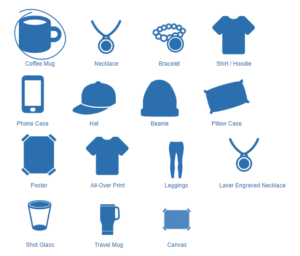
What Kind of Products Can You Sell?
You can pretty much sell anything. Since this is such a hot trend, new fulfillment sites pop up all the time.
The standard set of products looks a little something like this:
T-Shirts
Sweatshirts/Hoodies
Tank tops
Leggings
Baby Onesies
Hats
Beanies
Tote bags
Phone cases
Coffee Mugs
Pillowcases and throw pillows
Different types of wall art like prints and canvases
Of course, if you find this list limiting, you can find other things like:
Shoes
Umbrellas
Curtains
Bedding
Area rugs
Doormats
Watches
Clocks
Enamel Pins
Buttons
and so much more!
There is no limit. If you’re really savvy, you can have something unique manufactured just for you. You can do this through Alibaba.com.
So as far as what kind of products you can sell, the possibilities are endless. Stay tuned because I will share links to all the platforms I know where you can get your orders fulfilled.
Where Can You Sell Your Products?
An easier question would be, where can you NOT sell your products. Using this business model, you can sell your products almost anywhere. Some of it is going to depend on how much you have to invest.
You can start with nothing, or you can throw a little capital in and do a wider variety of things.
One of my FAVORITE models is integrating Printful with Etsy. If you’re not already familiar with Etsy, they built their reputation on being a marketplace where you and buy and sell handmade gifts and items.
The cool thing about building your business on a website like Etsy or even Amazon is that the traffic is already there. You don’t have to worry about creating marketing campaigns where you have no experience. You just optimize your products for the platform.
This is much easier than say, building a shop on your own website or a platform like Shopify where you are responsible for the traffic. Websites like Etsy already get millions and millions of visits each and every month.
Another cool aspect to the traffic a site like Etsy or Amazon pulls in is that it is BUYER traffic. I’m not saying you can’t build a successful business on a social media site like Facebook, but a good portion of the traffic on Facebook are NOT buyers.
People are visiting sites like Etsy and Amazon with their credit cards in hand…especially in Quarter Four! I just did an episode of The Candid Cashflow Podcast about grinding it out in Quarter Four, so consider giving that a listen. Links, as always, are in the show notes at HeyYoAva.com/Episode47.
If you have capital to invest, you could even bulk order your products to stock a brick and mortar store or for something like a craft show. There’s so much you can do with print on demand! I get excited when I talk about it.
 Printful vs. Gearbubble
The short answer here is that Gearbubble charges you to integrate with some platforms that are free with Printful. Etsy to be exact.
It’s not a matter of one platform being free really. What it’s all about is your bottom line. Whatever areas you don’t have to invest in, increase your profit margins.
If you can eliminate a cost without affecting the quality of your business, there’s no reason why you shouldn’t do that. You can either invest that money in another aspect of your business, or you can add it to your bottom line.
Let’s Talk Integrations and Fulfillment Platforms
With Printful, which I want to be clear is my main recommendation here, you can integrate seamlessly with the following store platforms:
Shopify
WooCommerce
Etsy
Big Cartel
ShipStation
Storenvy
BigCommerce
Ecwid
Amazon
Weebly
Squarespace
TicTail
Gumroad
eBay
Inktale
Whew, that’s a lot of integration.
If you use Printful with ShipStation, you can sell via Walmart! That is HUGE! I’m not sure if it’s just Walmart online or what, but it’s definitely worth checking out!
Keep in mind, some of these platforms do charge. As of this episode, Shopify is $29 per month, Amazon requires that you have a Seller Account which is $40 per month, and sites like Etsy and eBay are free, but there are seller and listing fees that will come directly out of your sales.
While you can’t really do business without it costing you anything, you can get by for extremely cheap. If your store is successful, then some fees or even 30 or 40 bucks a month is nothing in the grander scheme.
Real quick, I’m going to go over some other platforms I know and what I know about them which isn’t a lot. It’s up to you to do your own research. I’m actually taking a completely different avenue with all of this as a designer, so subscribe because I’ll be dedicating an upcoming episode of The Candid Cashflow Podcast to that!
Merch by Amazon
 This is a bit of a different animal because Amazon has their own fulfillment platform just for selling on Amazon. I’ve talked about Merch before in Episode 12 when I discussed 5 Amazon business models anyone can start, as well as Episode 16 when I talked about selling t-shirts online for profit.
A lot of people have made beaucoups of money with Merch by Amazon. You must apply for an account at https://merch.amazon.com.
You are also limited to these 6 products until Merch releases the next whatever you’ll be able to make:
Standard t-shirts
Premium t-shirts
Longsleeve t-shirts
Sweatshirts
Pullover Hoodies
PopSockets – grab the show notes for my insider info regarding selling PopSockets!
If you don’t want to be limited by these products, you can integrate Printful with your Amazon Seller account and sell all of the items you can make through their platform. To me, this is a better option.
So, if you don’t want to wait to be accepted into Merch by Amazon or you want to be able to sell your designs on a wider variety of products, this is the way to go and it will only cost you about $40 per month.
That is a crazy bargain when you consider that by selling on Amazon, you don’t have to pay for the following:
A website
Traffic
Promotion – unless you want to
Inventory
Customer service
Customer service alone would entail you needing to employ someone full-time at the very minimum. This model pays for itself!
Moving on.
GearBubble
 GearBubble costs $97 per month to integrate with Etsy. That’s a bit steep, especially if you are a beginner and not sure if your business will succeed or not.
If you are a seasoned seller and have space in your bottom line for this kind of fee, then testing the waters is up to you. I’ll stick with Printful!
ArtsAdd
 I also included this company in the aforementioned t-shirt episode just because of the array of products they have available…namely shoes and boots. I have never used them or ordered from them, but they appear to be UK-based.
Another problem with ArtsAdd is that the prices of their goods run on the high side making it hard to make a profit. However, I’m still including them in the list because there’s someone out there who can get around all those caveats.
Also, for UK-based listeners, this could be a much more viable option, so I want to include it here.
AwesomeMerchandise
 This is another UK-based company that is new to me. Again, they have a super wide array of products as compared to other print on demand services.
You can print your designs on things like drumsticks, guitar picks, coasters, enamel pins, jackets, rubber stamps sunglasses, and the list goes on and on!
Indeed, their merchandise is awesome!
GearLaunch
 This is a new one that I just found about when I was researching this episode. It appears to be about the same as GearBubble and Printful. I’m not sure if there are costs involved. As I said before, do your own research.
Gooten
 This one made the list because I spotted some unique product offerings like acrylic blocks, bandannas, and baby items.
They also have Christmas stockings and Christmas tree skirts which you could turn a quick profit on if you start right away!
Gooten has headquarters in both the US and the UK, so that’s great for sellers in multiple locations. I see a lot of promise here!
Printify
 Printify has a ton of products, but again, their prices are a bit steep and it’s difficult to gauge what your profit margin might be.
They have shoes, beach towels, a variety of colored clothing, and a few other unique qualities that make them interesting nevertheless.
CustomCat
 CustomCat offers a great selection of brand name items you can print with your design. They have the widest variety of bags I’ve seen in the print on demand space. It seems they really have a lot to offer and the prices aren’t terrible.
CustomCat integrates with Shopify and WooCommerce. It may also integrate with additional platforms via their API if you’re technically inclined. As I’ll mention in a moment, some of these platforms will require you to put in your orders manually.
I like what I see from this platform.
The point here is that there are hundreds of platforms out there, and it’s up to you to find the one that works best for you. If you are an absolute beginner, I stick with the recommendation of using Printful integrated with Etsy.
There is no law that says you can’t use more than one of these platforms. Some integrations will run themselves while others will require you to put in your orders manually.
If you want a more hands-off approach, you can always hire a Virtual Assistant to handle your orders for you.
That’s A Wrap!
There are so many ways to approach the print on demand business that I feel it would be super difficult for any and all of the aspects of this model to become saturated.
You know me, I think about the whole thing as it relates to this quote:
Don’t mine for gold when you can sell shovels.
I dedicated an entire episode to that concept. Give it a listen if you have time. Links are in the show notes!
What I mean by that is instead of selling products, I’m selling my designs. I’m selling designs so that I can help fuel the non-designers out there who want to utilize this business model. Just because you’re not a designer doesn’t mean you’re not creative!
Join me each week here on The Candid Cashflow Podcast where we focus on finding ways for you to set yourself financially free through the power of Internet-based side hustles. Subscribe in your favorite listening app at HeyYoAva.com/candidcashflow.
I appreciate you. Thanks for stopping by to listen! You’re the reason I do what I do.
Don’t forget to grab the show notes for all the links and goodies at HeyYoAva.com/Episode47.
I think next week, we’ll be resuming our guest spots with Kelli Roberts of Kelli Publish! You don’t want to miss that episode! Trust me.
If you would like to be a guest or know someone that would let us know at HeyYoAva.com/soundoff!
Remember, I release a new episode each Wednesday!
Until next time, turning your passion into cashflow!
The post Making Money Online With Print on Demand – The Candid Cashflow Podcast – Episode 47 appeared first on HeyYoAva.com.
November 7, 2018
How To Publish Public Domain Books on Amazon – The Candid Cashflow Podcast – Episode 46
In a hurry? Grab this article in PDF format and take it with you on the go! <<< You’ll also get all the links and bonuses not included in this post!
Cashflowers! I have sure missed hanging out with you! So, my mom went into the hospital on October 10, 2018 for a simple heart valve replacement. She was only supposed to be in the hospital for a couple days, but she suffered a stroke which was the first of several complications, so I have been MIA for the last 3 weeks!
 CT scan showing Mom’s brain. The white area is her stroke.
I’m so happy to be back, and I’m also pleased to report that Mom is home and doing fairly well. We are not out of the woods by any means, but we are home and that’s HUGE!
You just never know when you’re going to be ripped from your comfortable routine! You also don’t know how much stress you can handle until something like this happens and sometimes you feel like you are definitely not handling it!
Anyhoodles, I’m so happy to be back with you this week! This episode is kind of different because it’s not necessarily something I would encourage you to do on an ongoing basis as a means to make money, but it’s good information to know.
In fact, I’m certain most self-publishing gurus would tell you to steer clear of what I’m about to share with you, and I actually avoided it for a long time. I’m talking about republishing public domain books. Yes, taking a book that is out of copyright and republishing it on Amazon.
If you want to know more about publishing works from the public domain, then stay tuned!
So, I recently hooked my parents up with cell phone service from Ting. Ting is a mobile provider where you only pay for what you use, and phone lines are only $6 per month! If you’d like to find out more about this revolutionary cell phone service, then visit HeyYoAva.com/Ting!
I’ve seen marketers who push publishing from the public domain as a money-making method, and I want to be clear that is not what this episode is about.
The things I do online are often fueled by my personal interests and passions. I think this is the way to go! Why try to make money in an industry or niche you aren’t interested in? I would burn out very quickly.
I first came across the book I’m going to be talking about in 2010. I got a Kindle for Christmas and this book was free, so I downloaded it. At the time, I was working 3rd shift monitoring commercial and residential security systems. I had a lot of down time, so I actually read the book.
I’m pretty fickle when it comes to reading. If a work doesn’t grab me in the first chapter, I will not be motivated to continue reading it, but this one did. I’m not usually drawn in by self-help, motivational type books, but
The University of Hard Knocks was different.
There is a ton of real-world wisdom in that book which was published first in 1913! I was astonished that something that old would still be applicable, but I guess the truth is that wisdom is wisdom. It doesn’t matter when it was dispensed.
I actually devoted an entire podcast episode to this book not too long ago. It was Episode 37 of The Candid Cashflow Podcast. That episode was EPIC! Be sure to grab the show notes for a link at HeyYoAva.com/Episode46.
Selecting a Public Domain Work for Republishing
 I’ve read The University of Hard Knocks about 3 times. The first time I read it was the Kindle edition. It had been adapted to digital format from the original. Once I decided to do an episode of The Candid Cashflow Podcast on that book, I bought a paperback version so that I could reread it and make notes.
Both versions were not the most reader-friendly formats. The paperback had page numbers on the INSIDE of the left pages! You can see a picture in the podcast episode I mentioned above. I knew I could do better, and more importantly, I could give this work the stellar look it deserved.
There are many versions of The University of Hard Knocks on Amazon including a few adapted from the original and some old hardbacks. I felt that I had something to offer here and an opportunity to add value to the book.
So, based on my passion for the book and my ability to produce a better product, I selected The University of Hard Knocks to publish from the public domain.
Amazon’s Requirements for Publishing Public Domain Works
 When I decided to do this, I researched how to publish the work on Amazon to find their requirements are pretty short and simple. In order to publish a public domain work, you must differentiate it in one or more of the following 3 ways:
Annotate it
Translate it
Illustrate it
I went with the path of least resistance and decided to annotate The University of Hard Knocks.
I want to mention here that if you’re a self-publisher with the ability to translate or illustrate public domain works, then you absolutely should! By translating or illustrating the work, you are enhancing the work and expanding its reach. That’s valuable!
I simply added some questions and activities to the end of each chapter to transform my version of The University of Hard Knocks into a workbook. This allows readers to skip my annotations or put them to good use. Either way, I’ve added value to the work by formatting it properly.
The Self-Publishing Process for Public Domain Works
The self-publishing process for public domain works is pretty much the same as what you would go through to self-publish your own work except you must acknowledge the work as coming from the public domain in KDP.
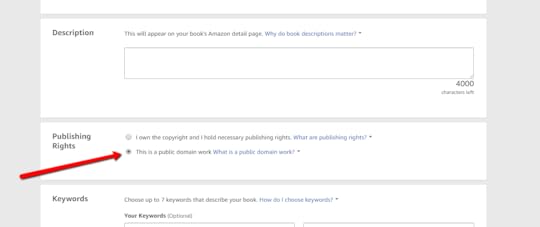
You won’t be able to participate in options like KDP Select and the Lending Library because the work is in the public domain.
Once you submit the book, you will most likely be contacted by KDP to verify some information about the work you are attempting to republish. I had to provide:
The birth year of the author
The death year of the author
The print date of the First Edition
The review period was also significantly longer than usual. Normally, I’m given a 12-hour period in which my book will go live. With the public domain, it was 36 hours instead.
Once I provided the requested information, I had ZERO problems publishing the public domain work on Amazon in both ebook and paperback formats. Links will be in the show notes.
Public Domain Works on Other Platforms
 Usually, when I publish books, I start out on Amazon and take advantage of KDP Select for the first 90 days. KDP Select allows you to run a couple promotions like a 5-day free promo and countdown deal. In exchange for that, you must let Amazon have exclusivity for 90 days.
After that, I usually opt out of KDP Select and publish to other booksellers via Draft2Digital. In the case of public domain works, I’m unable to do that because Draft2Digital doesn’t currently distribute books in the public domain.
If you’re interested in expanding your public domain work to a wider distribution, then PublishDrive is an option. Unlike Draft2Digital, they will consider distributing public domain works and their rules for doing so are pretty much the same as Amazon’s.
Be sure to grab the show notes at HeyYoAva.com/Episode46 because I’m including a ton of links to information in this episode to help you decide if publishing from the public domain is something you want to do.
Benefits of Publishing Public Domain Books
 The most obvious benefit is that you didn’t have to write the book. Writing books is a process that can take a lot of time and effort. When you publish works from the public domain, you are able to circumnavigate that process.
Whether you have annotated, translated, or illustrated the book in order to differentiate it, you’ve still put in the work. In my case with The University of Hard Knocks, I chose to annotate it. I added workbook-type sections after each chapter. The reader can skip these sections if they choose or use them.
I was able to produce what I feel is a better product, and I put in the work to do that. The direct result and benefit of that work is being able to turn a profit from it through self-publishing. However, that was not my main objective.
My main objective and benefit for publishing a public domain work was furthering the reach and quality of a book that has touched my life in a positive way.
Public domain books are classics for a reason. They enhance any bookshelf, and if you truly can add to a work in a meaningful way, then you absolutely deserve to reap the benefits of publishing from the public domain.
Problems with Publishing From the Public Domain
 KDP is notorious for its inconsistencies, and I’ve seen more than one author get their account whacked for lesser offenses than dabbling with the public domain. The simple truth is that you could lose your KDP account if you get a particularly pious associate who thinks you’ve done something wrong.
KDP bans are irrevocable.
Yes, it’s harsh, but Amazon has made a blatant decision to not waste their employee resources on arguing copyright. The bottom line is if you get a copyright complaint on your books, that book gets blocked…end of story.
If you do so repeatedly, you could get banned. I think the ban is an IP ban, so there are loopholes for creating a new account, but if Amazon finds you, they will ban you again even if you have not repeated the previous offense.
These are the risks you should understand as a self-publisher.
If you get thumped with a copyright dispute that goes to court, you could be charged with infringement like Moppet Books. They decided to create picture books for kids based on classics from Jane Austen, Ernest Hemingway, and more. They ended up with 9 counts of copyright infringement to be exact.
As I said early in this episode, publishing from the public domain has been promoted as a money-making scheme, and it’s been done over and over by companies with far better marketing platforms than you or I. To go into this thinking of it as a get-rich-quick scheme is just ignorant.
Let me put it in perspective for you. When Amazon launched Kindle in 2008, they imported tens of thousands of books from the public domain to be available for free on their platform. This was one of their main marketing strategies, and it worked!
There is NOTHING new under the sun, my friends.
Also, public domain books have lower royalty percentages by default. Amazon will only give you 35% royalty, Kobo is even less at 20%, and Apple comes in at the absolute bottom with only 9%.
There’s no real money in the public domain. It’s already been squeezed dry. So publishing in the public domain should only be considered a passion project in reality.
That’s a Wrap!
It feels amazing to be back with you! If you’re publishing from the public domain or considering doing so, I’d love to hear from you. Get in touch at HeyYoAva.com/soundoff or leave a comment!
If you liked what you heard, please consider subscribing in your favorite listening app at HeyYoAva.com/candidcashflow!
Don’t forget to grab yourself a copy of the show notes so you get all the links and goodies at HeyYoAva.com/Episode46.
I want to give a shout out to Scott J. Marshall II from DogDadOfficial.com! Scott was scheduled to be our guest in October, and I had to bail on him at the last minute. We’ll reschedule after the first of the year, so be looking forward to that!
Thanks for listening, and a HUGE thanks to the 404 of you who downloaded episodes in October even though there was no new content for 3 weeks! You are AWESOME!
Remember, I release a new episode each Wednesday barring natural disasters and family emergencies!
Until next time, turning your passion into cashflow!
The post How To Publish Public Domain Books on Amazon – The Candid Cashflow Podcast – Episode 46 appeared first on HeyYoAva.com.
October 10, 2018
Are You Grinding It Out In Quarter Four? – The Candid Cashflow Podcast – Episode 45
Grab the Show Notes

Greetings, Cashflowers! Hope you’re great!
Quarter Four is a term that is probably familiar to you if you’re into sports or ever worked in retail. In retail, it refers to the last 3 months of each year beginning with October 1st.
If it’s not obvious yet to you why Q4 is so hot, it’s because it’s during this time that consumers spend the most money shopping for the Christmas season.
It’s the end. It’s time for your best plays of the game!
The mad dash for Quarter Four has begun, and I’m taking advantage of it in a few small ways, are you? If you want to know more about going hard in Q4, and a few methods to make almost guaranteed money, then stay tuned!
Are you struggling with that person on your gift list who has everything?
Have you thought of giving a year of Amazon Prime?
It’s the gift that keeps giving throughout the year with free 2-day shipping, instant streaming of thousands of movies and shows, and access to millions of songs commercial-free.
Get that special someone Prime for a year. Details are at HeyYoAva.com/giveprime.

I had a completely different show scheduled for this week, but I’ve bumped that topic down to cover Quarter Four instead. I want to discuss why Q4 is so important, and how you can cash in.
Even if it’s a bit too late this year, why not start now gearing up for Q4 2019!?! The more you plan and prepare, the more epic it will be!
I have several friends who have been anticipating Q4 since last year. E-commerce sales were in the HUNDREDS OF BILLIONS of dollars in 2017. That is enough pie that anyone who wants a slice can have a decent chunk.
According to the National Retail Federation, holiday sales can be up to 30% of retail sales for the entire year. Quarter Four is the bread and butter for retail.
Needless to say, anyone selling anything online has been anticipating this time of year probably since December 31st of last year. Words like “fruitful” and “abundant” come to mind.
During Q4 of 2017, Amazon made $60.5 billion which beat analyst predictions by a cool billion. I personally know people who did very well with Amazon during last Q4, and have seen the numbers with my own eyes.
How did they do it?
Books and t-shirts!
How much?
$20,000.
If you don’t already have some significant infrastructure in place, it’s too late to see that kind of scratch this year, but you can still grab a piece of the pie.
The Mad Dash of Quarter Four

For months, I’ve had it on my to-do list to revamp my books so they are fresh and ready for Quarter Four. I have failed miserably at getting that done.
Working online isn’t all rainbows and butterflies. It really is a hustle and a grind. It’s just so much better than hustling and grinding for someone else’s dream.
There’s still time, but it’s ticking away rapidly. If you haven’t already begun your mad dash, you can still get in and get started!
I want to mention here, that The Candid Cashflow Podcast covered 5 Amazon side hustles anyone can start in Episode 12. The fasteest way to jump into a retail side hustle, is probably there.
This Week’s Impromptu Lesson
The last couple weeks, I have shared two of the most profound lessons I’ve learned about working online:
It takes multiple streams of income to succeed online.
You have to spend money to make money.
This week’s lesson has to do mostly with selling online, and it goes hand in hand with multiple streams of income.
Doing well in online retail is a numbers game.
What I mean by that is you can’t just upload one book and create one t-shirt and expect to get your piece of the pie.
Anyone that has managed to make 5 or 6 figures with one product is the exception, not the rule. If you’re new around here, I want to caution you not to latch onto some guru trying to sell you his course on how he did so because it’s going to be a waste of your time and money.
If you’re not ready to put in HOURS of mundane, keyboard tapping, mouse clicking, knuckle grinding work, then get out of here. Right now. Turn this off and walk away because that’s what it takes.
Still here? Great! Your reward is further insight into how one of my clients grossed 20 Grand with books and t-shirts in Q4 of 2017. This confirms this week’s lesson. How do you make $20,000 with books and t-shirts?
You create hundreds and thousands of products.
If you’re going to succeed there, you better be ready to put in the work. That’s what success is all about. There’s a quote from Les Brown that says:
To be successful, you must willing to do the things today that others won’t do in order to have the things tomorrow that others won’t have.
Is There Still Time to Cash In on Q4 2018?

The short answer is: Absolutely!
The long answer is: Absolutely, if you’re willing to put in the time, money and work.
Quarter Four is a bit of a work in progress for me. I have, and am going, all in on a couple areas hoping to reap some Q4 benefits.
One area is Merch by Amazon. For those who don’t know, Merch by Amazon is the print on demand arm of Amazon. Designers like me, and maybe you, can upload designs for printing on T-shirts, long sleeve t-shirts, sweatshirts, and hoodies. They are still in the process of rolling out their latest product which is Popsockets. More on those later.
Let me drop off a couple bombs right here. Here are a couple tips:
Plain words sell very well
Keep it simple when you do your listing. The title is the main traffic grabber…so much so that I don’t even bother with a description and bullet points
If you can come up with catchy sayings, you can slap those on a shirt in no time, and get in on the numbers game.
There’s one caveat here. If you don’t already have a Merch by Amazon account, you must apply for one. I’m not sure how long approval times are currently running, but it can take months or just a few days.
That’s okay! Go ahead and apply if this is something you’re interested in.
You can still make shirts and sell them online via other avenues. In Episode 16 of The Candid Cashflow Podcast, we discussed this extensively, and you can find out the best places to sell from the information provided. There will be a link in the show notes to that episode’s notes, so you get all the links and goodies. Grab those at HeyYoAva.com/Episode45.
I went all in on Popsockets this Q4 which are another product available to design through Merch. If you don’t know what these are, they are a nifty grip and stand for smartphones. I’m hoping they sell like crazy in Q4 since they make perfect stocking stuffers.
I’ve sold 5 in the last month or so. That’s far from Earth-shattering, but when you consider the odds that are majorly stacked against me, that’s pretty great actually.
For example, Popsockets are not a new product. I imagine that company has sold them in the millions already. They also have some rules for Merch creators that keep their own designs on the top of search results. So, as a creator, you really have to niche down and find a unique approach to find relevancy.
It’s all about using your noggin to figure out your best course of action. If ever there were room for mistakes to still be lucrative, it’s going to be during Quarter Four.
Where Should You Focus for a Q4 Return?

You should focus on products. Whatever your strategy is, you have to have products to sell if you want to see a Q4 return.
After that, you want to focus on getting eyeballs on your products.
It’s all going to depend on your business model, niche, etc. Keep it simple and grind it out. Everyone I know creating products, shirts, etc. is in “upload like a maniac” mode right now and probably throughout Q4.
I will include a couple methods for you if you’re just starting out to get involved and make a little cheddar for yourself in the show notes, so don’t forget to grab those at HeyYoAva.com/Episode45.
Who Should You Follow for Q4 Success?

Well, I’m happy you’re following The Candid Cashflow Podcast! I definitely have some great suggestions for you from my network.
That being said, I want to take a second and talk about networking for a moment. I discussed this in depth in Episode 26 of The Candid Cashflow Podcast, so be sure to check that out. There will be a link in the show notes.
Networking has tripled my business in the last year and a half. I have found that great people attract other great people, and before you know it, you have a wonderful crowd all helping each other!
So, reach out. You won’t be sorry. If you enjoy a particular YouTube content creator, don’t be afraid to reach out and let them know. If you enjoy content from a specific blog or whatever, interact! You never know when a few words could turn into a lucrative relationship!
No man is an island and you don’t have to go about your Internet endeavors all on your own. In fact, it’s a lot more fun with friends!
I’m going to put a few people out there for you. Some of these may be repeats, but these are solid people putting out explosive content that can help you make money if you pay attention.
Keith Wheeler – Self-Publishing, Kids Books, No Content Books
Kelli Publish – Merch by Amazon, No Content Books, RedBubble
Merch Money – Merch by Amazon
Kristie Chiles – Esty, Printful, GearBubble
Dale Roberts – Self-Publishing, No Content Books, Aggregate Publishing, and much more!
The Mikkelsen Twins – Dropping more info than most! Audiobooks, Merch, and more! Warning: language
That’s a Wrap!
That’s another episode of The Candid Cashflow Podcast on the books. If you enjoyed it, I hope that you will consider subscribing in your favorite listening app at HeyYoAva.com/candidcashflow.
I really appreciate everyone who downloads and listens to the show. I haven’t mentioned lately how things are going, but I am still experiencing slow, but consistent growth.
Over the last 3 months, we have met and exceeded the previous record for downloads each month. I’m super excited about that, and it’s all because of YOU! Thanks so much!
Don’t forget to grab a copy of the show notes, so you get all the links and bonuses at HeyYoAva.com/Episode45. I’ve also compiled all of the show notes into ebooks 10 at a time, and I’ll include the links to those once again in the show notes. They are chock full of information about turning your passion into cashflow!
If you’d like to be a guest or suggest someone as a guest for The Candid Cashflow Podcast, shoot me an email at HeyYoAva.com/contact-ava/.
Remember, I release a new episode each Wednesday.
Until next time, turning your passion into cashflow!
The post Are You Grinding It Out In Quarter Four? – The Candid Cashflow Podcast – Episode 45 appeared first on HeyYoAva.com.
October 3, 2018
Creating Cash Flow to Start Your Online Business – The Candid Cashflow Podcast – Episode 44
In a hurry? Grab the show notes in PDF format and take them on the go with you!
Grab the PDF

Greetings, Cashflowers, and welcome! Last week, I talked about one of the most important lessons I’ve learned in working online: success takes multiple streams of income.
You can’t just jump online, and generate a ton of cash from one endeavor immediately unless you are an absolute unicorn. We just can’t all be Jeff Bezos.
This week, I’m going to share with you another profound lesson: you must have cash flow to build a business online. While doing everything online allows you to avoid a ton of overhead, it still takes money to make money.
So, my friends, we’re going to find out how to get some cash flowing, so you can get started, so stay tuned!
Your free Amazon Business account is waiting for you and it’s absolutely free! You get exclusive discounts, fast shipping, and everything you love about Amazon.
Find out more at HeyYoAva.com/amazonbusiness.
You Need Money to Make Money

I have talked a ton on The Candid Cashflow Podcast about getting started with things absolutely free, and it is possible to make money online without any capital or cashflow.
It’s much easier if you have a bit to invest.
If you have more time than money, you can invest time to learn the things you need to know to establish and run your business.
If you have more money than time, you can essentially buy your way into business.
The best case scenario is to have a little of both!
I have learned a TON over the 12 years that I’ve been messing around online with websites and stuff. All of that knowledge and experience permeates everything I do and how I think about things.
My road to success has been long and slow, but I’m sharing everything I know so maybe yours won’t be!
How To Get the Cash Flowing
Depending upon how much money you need, this can be crazy simple. Websites are extremely cheap if you have a little knowledge on how to go about building one.
I don’t think a lot of people are aware that a dot com domain is around 12 bucks per year, and that’s on the higher end.
Hosting is equally inexpensive. A lot of hosts offer annual plans as little as $2.95 per month. For less than $50, you can get your website online for a year.
So, it really comes down to what you’re trying to do with your business online. How much money do you need?
It’s very possible to get a few hundred bucks to start you business quite easily. It’s going to depend on your skill set and level of commitment.
3 Ways to Earn Capital to Invest In Your Online Business
Your job. If you are currently employed, this is a great source to set aside a little cash for you business if you can.
Performing services. Whether it’s offline or on, you can provide services to generate a bit of cash. I know people who mow yards to earn side cash. You can use a website like Fiverr to provide services and earn a bit. Sell stuff. Who doesn’t have old stuff lying around that you don’t use anymore. Anything in decent condition can be sold in a number of ways.
Heck, do all three! Whatever it takes!
Let Me Just Say This
In 2018, no one should be struggling financially, but we still are. There are a million opportunities at your fingertips.
You can make money playing video games, for Pete’s sake! If you’re wondering how, we discussed that in Episode 27 of The Candid Cashflow Podcast when we talked about live streaming on Twitch.
All you have to do is find what jives with your talents and abilities and grind it out! I promise you that there is a side hustle that will work for you perfectly. As per our conversation last week, I would suggest using multiple side hustles!
Reinvest!
If you’re like me, once you have a little side cash coming in, you start thinking about all the things you can buy!
Don’t!
Think!
How can you reinvest that revenue into your business and make it better?
There will always be a way to invest in your business. Take a course to learn a new skill. Hire someone to create better graphics for you. Hire a good content writer. Buy a service to add a new functionality to your platform.
Whether it’s time or money, there is always room to invest it in the betterment of whatever you are doing online. I’m not one to use a ton of flashy services, but many of them do work.
Prepare to Fail

Failure is not just possible, it’s probable. I cannot count my failures. Unless you are King Midas himself, the percentage of things you touch that turn to gold will be nil.
Every failure is a lesson.
Learn, and move on. You will be better for it. The pieces of knowledge that you gain from your failures were the lessons you had to learn to reach success. It is the rule, and there is no exception.
Scale What Works

Once you have something that is working and generating consistent cash flow, scale it or use it to fund whatever business you really want to build.
There is nothing wrong with using one business or income stream to fund another until you have it off the ground.
At some point, you’re going to have to decide if you want to scale up or if you’re happy with where your business currently resides.
Build whatever is working for you to the point you are happy with and enjoy the ride.
Remember, there are a ton of ideas in the many episodes of The Candid Cashflow Podcast, links coming right up.
That’s a Wrap!
Thanks for listening! Just to recap, the two most important lessons I’ve learned in my 12 years of making money online are:
It takes multiple streams of income.You need money to make money.
If you’d like to explore the many opportunities available, check the archives at HeyYoAva.com/candidarchives. I’ll include links in the show notes to a few ebooks containing the show notes for 10 episodes at a time. Grab those at HeyYoAva.com/Episode44.
You can go through and choose the opportunities that fit you best. Not everything is a huge time or money investment, and you can start by taking action today!
If you’d like to suggest a guest or be one on an upcoming show, email me at HeyYoAva.com/contact-ava/. I’m waiting to hear from you.
Remember, I release a new episode each Wednesday.
Until next time, turning your passion into cashflow!
The post Creating Cash Flow to Start Your Online Business – The Candid Cashflow Podcast – Episode 44 appeared first on HeyYoAva.com.