Ava Fails's Blog, page 13
April 25, 2011
Don't Choke at 10000 Words
 Writing a novel is a huge undertaking and there are a number of ways to go about it. Some authors write an extensive outline that acts as a sort of road map as they write. Basically, the author plots the entire book in the outline. It's the written equivalent to say, a storyboard like filmmakers use to make a movie. Some authors just write and then revise and revise and then, revise again. There is no right way to do it. You do what works best for you.
I began writing at the beginning of April. I completed more than 10000 words in the first week. The sense of accomplishment was awesome. I'd never written anything that long. Then I choked. It's like the writing gods stole my motivation. I haven't even opened my manuscript in 3 weeks. I had set a goal to have the rough draft completed by month's end. I'm not going to reach that goal.
I don't have some miraculous tip that will help you make it through the duration of this endeavor. I can only relay the advice any writer would give you and I'm talking to myself: KEEP WRITING. Don't get wound up in doing too much research or reading too much "help" information (like this post). Just write. Anything that is not writing is procrastination. Any time that you spend doing other things is time you are NOT writing.
If you feel unmotivated, write anyway. In my next post, I'm going to provide some links to FREE writing software. I actually downloaded an alternative software to my word processing program to motivate myself further. Why? Word processing programs are designed to handle A LOT of different tasks including, but not limited to, novel writing. There are several programs available just for the writer that help you compartmentalize and organize your writing in manageable chunks.
This will help not only with feeling overwhelmed, but it's much easier to proofread and organize small chunks rather than pages and pages of text. At 10000 words, pages and pages is what you have. So stay tuned and find out if any of this software will help you in your journey.


April 15, 2011
Start Here to Publish to Kindle, Nook, and Smashwords
 Smashwords and Why You Need It
Smashwords is a listing and distributing site for ebook authors. All you have to do is format your ebook according to their guidelines and upload it. Smashwords throws it in their conversion software called Meatgrinder, and it comes out the other side formatted to distribute to all the channels you specified when you uploaded. Smashwords has distribution through the following ebook retailers:
Apple iBookstore
Amazon.com
BarnesandNoble.com
Sony
Kobo
Diesel
There will be more. If you are self-publishing your ebook, you WANT to be here. Check out their FAQ to learn more. Oh yeah, and you'll want to download their Style Guide: http://www.smashwords.com/books/view/52 It's free of course…because here at PWW, we LOVE free!
Kindle and Nook
You are probably here because you heard somewhere that you can publish your book to the Kindle, Nook, or both. Somewhere would be correct, and if you want to just stick with one or both of these, there is nothing wrong with that. Ignore what I said up there about Smashwords.
I've read in more than one self-publishing book that you want to deal with Amazon and Barnes and Noble DIRECTLY even if you do put your book on Smashwords. Both authors have multiple ebooks self-published through tthese services. I'm gonna take their work for it.
Formatting for the Kindle and Nook
…is NOT that fun. All of these sites have conversion software that is very limited. When you put your book in there, it is not going to look right when it comes out. Do yourself a favor, focus on writing the book, not the formatting. I mean don't even use Tabs ever! Why? Because you're going to end up taking them ALL out in then end. Here are a few quick tips:
Use normal boring fonts. Stick to ONE in this list: http://www.ampsoft.net/webdesign-l/WindowsMacFonts.html
Don't underline anything. Use bold (limited), italics, and no more than 14 pt font size to show any sort of emphasis
Use the Paragraph styling in your word processing software to set a first-line indent for your paragraphs. DO NOT use Tab.
Do not use the Enter key to create page breaks. In fact, just don't set your heart on page breaks at all.
TRUST ME and the self-publishing books I've read recently.
I suggest going with HTML for Kindle and a barebones Word doc for Nook. Here's a FREE ebook I wrote about how to format your book using HTML. It's not as hard as it sounds, I promise!
Book Suggestion
It's Zoe Winters hands down, people. Her book, Smart Self-Publishing: Becoming an Indie Author, lays it out for you. It's $3.95, and it covers a priceless amount of information that you could only learn through endless trial and error. Click it and go buy it, yesterday!
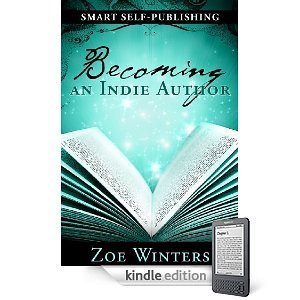
Why are you still sitting here? Go get started!!!
My good friend and former boss (best boss in the world), Mark Linsenbardt, posed few questions to me about indie publishing via Facebook. This post is the result of that conversation. Thanks for asking. PWW answers.
April 13, 2011
100th Post
 This is the 100th post on ProWebWriter.com!
We're just over a year old. There will be many more. I'm going to take a look back at the last year and then I'm going to share with you some of the exciting and upcoming things planned for PWW in the coming year.
Casting an Eye on the History Books
I bought the ProWebWriter.com domain in February of 2010 and quickly set about building a WordPress website. Prior to the existence of this site, I used Blogger, a free blogging service owned by Google. Here's the site: http://waxingpoeticwrites.blogspot.com I have nothing bad to say about Blogger, and I recommend the site for anyone who needs a website on the free. It's packed with features and a user-friendly interface.
ProWebWriter.com originally started out as my personal and professional website to help me procure freelance opportunities. I had the blog from the beginning, but in the beginning I used it to showcase different types of writing I've done. The remnants of that portfolio still exist on the site. It's much easier to direct potential clients to a website than to attach writing samples to an email. Which is why writers should have websites!
I also chose to write about some personal interests on PWW which is why you see categories like Attention Deficit Disorder and Intracranial Hypertension. Oddly enough, these are some of the most popular topics on the site. It's not really what I was going for, but I'm okay with it.
After the start of 2011, I decided to convert this website into a community and resource for writers everywhere. As writers, we all take a journey, and this is mine. I hope it can help other writers as they travel. My goal is simple, I will move forward in my writing career while helping other writers get where I am.
ProWebWriter now has a newsletter, forums, and regular articles to help other writers and to build a community where writers can help each other.
Upcoming
Throughout the coming year, PWW hopes to garner more members and become a resource to writers who are seeking to become independent authors. In the near future, we will be covering how to get your book up for sale at Amazon, Barnes and Noble, Smashwords, as well as a number of other venues. We will tackle getting your book out in print too. Bookmark us, if you haven't.
I Got Published!!!
 Looking for a way to break into the writing business? I found one! My dear friend Ava told me about a site on Facebook called Freellance (sic) Writers. They post daily different job sites where you can submit stories, be a ghost writer, write magazine articles, etc.
It was through that site that I found God Makes Lemonade. It is a series of books containing inspirational true stories from regular folks. I sent in my story, and they informed me that they were going to include it in their upcoming book! They paid me $250, and I get 10 free copies of the book once it's published to share with my family and friends! It'll be my first published work, and it gave me the inspiration to keep writing.
Freellance Writers posts new jobs daily, and I'm always checking to find new ways to make a little extra money, and build my writingportfolio. It's a great way to fill your spare time, and it is not only financially rewarding, but it can also give you a great sense of accomplishment and pride when someone tells you that your writing is good enough to be published.
I'm going to keep looking for new avenues and opportunities in the writing business, and I hope you will too! If I find anything of interest, I will be sure to pass this information on to you!
And be sure to watch for the God Makes Lemonade book, to be published later this year!
Guest Post by Lisa M. Lane
Lisa Lane is an up and coming writer. I asked Lisa to write a post because she had taken and avenue into freelance writing that I had not by utilizing Freellance Writers. I felt this was a viable resource for writers everywhere and who better to present it than someone who has utilized the system. I'm trying to convince Lisa to blog! Help me out!
If you would like to contact Lisa with questions or to hire her to write for you, please use the Contact Form below:
[contact-form]
April 12, 2011
Get Me On Kindle
The requests are starting to come in. How can I get my books on Kindle? I'm here to help you answer that question, but it's going to be a process because I'm doing this as I go, people. I have ONE book out. I'm going to be throwing out a lot of commands without a lot of reasons. So, if you're a person who has to know why you do everything, I understand, but bear with me. I've included some brief Whys below to help you. Time is of the essence.
Let's go with what we know so far, quick and dirty like:
HTML worked best for me in the Amazon Digital Publishing conversion process
I wrote a FREE ebook on how to format your book in HTML for Kindle. GET IT HERE
Barnes & Noble (For the Nook) likes Word .doc files
There is one more IMPORTANT place to upload and sell your ebook: http://smashwords.com
Don't distribute your ebook to Amazon and B&N through Smashwords, deal with these two directly
Facebook, Twiiter and Goodreads are your best choice for marketing
You need to read some books on Indie Publishing. Don't read any more than a couple because it can become a form of procrastination. Check out Kindle's Bestsellers List and find out who's seeing some success. I'll tell you a few: Amanda Hocking, John Locke, Zoe Winters, and J.A. Konrath. Two of these people have books out on Indie Publishing. These are the "couple" I read:
I recommend both of these, but moreso Smart Self-Publishing: Becoming an Indie Author by Zoe Winters. It's a shorter read and much more concise. Not to mention, she's entertaining and funny. These are good people who are helping other writers. Both these books together will set you back less than $10.
Why?
Because you will gain a much better insight getting the information yourself than if I regurgitate it for you. If you don't have a lot of time, seriously, the Zoe Winters book is the only one you need. Also, if you're that pressed for time, you might not have time for self-publishing. Just saying.
Get established on these sites if you are not already:
Kindle Direct Publishing
Barnes & Noble PubIt
Smashwords.com
goodreads.com
Why?
Because you are going to need to be there if you are serious about self-publishing. The first 3 sites are distribution sites, and the last one is for marketing.
Bookmark me and stay tuned. Much more to come.
Why?
Because I'll be telling you more as we go along…or you could just read Zoe Winters' book. I don't know her, she's not my friend, but her book helped me immensely. I have ADD and it was a short and entertaining read. That's all I'm saying.
I am not a writer
I don't like to admit I'm a writer. I'd rather confess to having gonorrhea (which I don't and if you have it that wouldn't change my opinion of you). Still, I write short fiction, personal essays and have made attempts at a novel-like entity. I even went to school for this stuff (not that you have to. I mean, did Dostoevsky go to an MFA program?) I've also had a few pieces published in literary magazines I can't pronounce. So I guess that makes me a writer.
But why am I so ashamed of this? I guess I've read so much great stuff that I don't want to be another hack. I also know what I'm capable of, and more importantly, what I'm not. That's not to say I don't stretch, but I know I won't write the next Crime and Punishment.
When asked to guest post I didn't think I'd be such a sad sack. Hang on: puppies and kittens! Well, actually I do have some good news. I've never met a confident writer. (I assure you the good news is coming.) But I have met persistent ones. And that's the wonder of this enterprise. We're sometimes insecure, generally rejected, and suffer from the mother of all writer's block. Yet we persist! I don't know if we're all masochists or if we have some special reserve of super strength. But there's something that keeps us ticking, and when it runs dry I go to the writing I love. I guess writing begets writing.
P.S. I have gonorrhea.
Guest Post by Abby Rotstein
I've known Abby now for the better part of 5 years. I'll never forget the first thing I heard her say. We were supposed to tell one thing about ourselves and one thing most people didn't know about us. She said, "90% of the time I'm not serious and most people don't know that 90% of the time I'm not serious." Needless to say, I felt an immediate rapport with Abby. Abby writes on occasion for magazines and entertains the world via her blog AbbyAsks.com.
Abby also had these suggestions for breaking into the magazine world:
Duotrope Digest is awesome. (duotrope.com) They have listings for tons of magazines and you can search it by genre, among other cool features. Also, the best thing to do is follow the submissions guidelines to the letter. Editors are grumpy and swamped with subs, so it's best not to piss them off. Plus, do your research. Most magazines have an online presence. I look to see what kinds of pieces they publish before submitting mine. Then I look at the author of that piece and see where else he or she may have published. This gives me more leads. Finally, I keep track of my stuff by spreadsheet. I recommend it b/c you'll have a lot of stuff out there and you may lose track of it. If you do lose track, you may wind up bugging a grumpy editor and that's no good. P.S. Send editors money. They like that.
Check her out: AbbyAsks.com
April 8, 2011
Crazy Kindle Screen
I got a Kindle for Christmas. Before the thing even came in the mail, I was researching, planning and conniving. Oh, the fun my Kindle and I would have. I have thoroughly enjoyed the convenience of the Kindle. I can take it anywhere. It holds loads of books. The thing is just awesome. I have access to millions of books for free, and millions more at discounted rates.
I first wrote about Kindle HERE. I didn't even have one then, and really no hope of getting one at 400 smackers. It sure sounded cool, but as with most gadgets, it would be a cool I would only read about. Thank goodness technology gets a price drop over time. It's funny how they price everything so sky high when it first comes out and then the price drops when the next generation comes out…and the next generation is better!
What interested me the most about Kindle was the fact that anyone could create content for it. You didn't have to be a best-selling author to get your stuff out there. Needless to say, when I got mine, I put this blog on it right away…just for kicks. It's exhilarating to see your own stuff on sale at Amazon. I've since published a book and am currently working on my first fiction novel.
Get To The Broken Screen Part Already!
All good things must come to an end. I stowed my Kindle away in my bag like always. I found myself up in the wee hours of the morning unable to sleep. So as I munched a Pop Tart, I pulled my Kindle out of my bag to find this:

Broken Kindle Screen
I nearly cried. It looks like the screen is broken, but there's no physical crack. I couldn't fathom what could have possibly happened to it just sitting in my bag. I hadn't moved my bag since I had put my Kindle WORKING into the bag. The next day I started looking around on the Internet, and found others with similar problems.
http://www.crunchgear.com/2007/12/29/kindle-screen-woes-anyone-else/
http://gadgets.boingboing.net/2008/05/26/this-is-what-a-broke.html
Well, at least I'm not alone. I ran through the trouble shooting at Amazon. There's quite a lot. I finally hit the big yellow Contact Us button hoping for the best case scenario since this seemed to be a widespread problem. I got this page:

You pick your problem using the drop-down menu and then Amazon suggests the best way to contact them concerning that issue. So, I went with their recommendation and clicked the button.

Then Amazon goes a step beyond that. Check it out.
 All I had to do was put in my phone number and either click the Call me now or Call me in 5 minutes button. This is perfect for people like me who have a little anxiety about calling customer service stuff. Of course, it that's not you, you can also call them on one of the two numbers provided below these options.
I did the Call me now and was connected directly with Amazon Customer Service. I explained to the representative what was going on and that I had attempted to troubleshoot the problem myself without success. Since my Kindle was still under warranty, I had a new working device in my hands just over 24 hours after I placed this call. Amazon gets it done!
In addition, they sent me an email with a printable mailing label so I can send the damaged Kindle back at no cost to me. They also preloaded the new Kindle with instructions on how to transfer my content over to it with ease. I'm back in business! FIVE stars for Amazon, and FIVE more for Kindle.
April 4, 2011
Use Networked Blogs
 Honestly, I'm not the greatest networker. I'm pretty bad at it actually. So, when I find a tool that works small wonders, then I must share it. Several months ago, I joined NetworkedBlogs on Facebook just to do it. I've joined blog networks before and never gotten any significant result, so I didn't think much about it.
I check my traffic once or twice per day. I'm not obsessed. I have a stat counter plug-in installed, and then I also use Google Analytics. When I write a new article, I check my stats shortly thereafter to see who's coming to check it out. I've seen the incoming traffic from NetworkedBlogs, but it wasn't astounding. Then I saw my numbers today on Google and decided to write to you about it.
A sidenote…I've already written about the differences between stats plug-ins and Google Analytics. There tends to be a stark contrast between the two simply because many people turn off the Javascript in their browser. Google Analytics uses a small piece of Javascript code to count visitors and gather information.
The Meat
I don't do regular traffic updates to the public for this site because I don't normally have a reason. I get just under 3000 hits per month. The Google data that I'm going to share only reports about half of that due to the information in the sidenote above. I was pleasantly surprised this morning to find that NetworkedBlogs is currently my biggest referring site. This is why YOU should be using it if your website includes a blog. If you are just starting out, start out with NetworkedBlogs.
The Stats

This screen shot shows the number of Absolute Unique Visitors I've had to my site per Google since March 4, 2011. The pie chart gives a simple visual representation where that traffic is coming from. 7.73% or 99 of my unique visitors came from referring sites. Referring sites are places where a link to my site has appeared and users clicked that link. Nearly ALL of this traffic is through NetworkedBlogs as shown in the screen shot below.

Here you see the top 10 sites that have referred traffic to my website. Out of 99 unique visitors, NetworkedBlogs referred 30 of those hits to my site.
How It Works
You must have a Facebook account. You can either search NetworkedBlogs on Facebook or go to their site linked in the first paragraph above. Follow the prompts to create your account. The essential part of this is to opt to send links to Facebook and Twitter each time you update your blog. If you don't have Twitter, well, why not!?! Are you a writer, or what? I'll talk about Twitter later. Anyway, that's pretty much it. When you post, NetworkedBlogs does the rest.
Don't forget to use the app on Facebook to find like blogs to follow. With Yahoo getting rid of MyBlogLog and sites like Entrecard just being junk traffic, this is a fine alternative to help you network. Give it a try. I would love to see your results! Best of luck, Writers!!!
April 2, 2011
I Need Free
 I can understand needing free. I have some options for you if you'd rather not shell out 50 bucks for a website. I know, it's not a very good sales tactic on my part, but I'm not here to make sales. I couldn't sell booze to an alcoholic anyway. I'm here to help writers, and writers need to have websites! I was in the process of reading The Newbie's Guide to Publishing by J. A. Konrath when my Kindle broke, but that's beside the point. The point is J.A. says this about writers needing websites:
"Every author needs a home page. It's a 24 hour advertisement for your book. But the best web pages, the ones that keep people coming back, are more than just ads. They focus on what they have to offer, rather than what they have to sell."
Who is J.A. Konrath?
This is also beside the point, but he's this dude who finally got published the traditional way after 9 books and 10 years. He does A LOT to help other writers newbies or not. He also does some publishing straight to Kindle and other ereaders now. He has run the gamut of the publishing world and seeks to advise other writers in doing the same. I highly recommend the book above whatever avenue you are seeking to publish be it on or offline. There will be links below.
Now back to YOU getting a website for FREE
J.A Konrath also says this in The Newbie's Guide to Publishing:
"Help Each Other. One hand should always be reaching up for your next goal. The other should be reaching down to help others get where you're at. We're all in the same boat. Start passing out oars."
So, if you're asking yourself how am I qualified to help you…well, I'm a writer with a website trying to help you get one too. No, I haven't published a book traditionally, no, I don't hold a degree in writing. "I am what I am; are you what you are or what?" Moving on.
FREE Websites
I started out at Blogger. Konrath has a Blogger blog; Amanda Hocking has one as well. What is Blogger? It's a FREE blogging platform owned by Google. I know, you keep saying you're not a blogger. You don't have to be, because like WordPress, Blogger allows you to set up your blog like a website. However, I'd just like to share that ProWebWriter was never meant to be a blog either, but I've found that's the best way to get this stuff out there to you. Originally, the "blog posts' were articles that I had written to show what a great writer I am (I know, right?) while I was trying to procure freelance work. No more.
So if you want FREE, use Blogger. You can find a million and one free templates, Blogger sites index quickly in Google, you don't have to worry about crashes and so much more. It doesn't matter how you are represented, just make sure that you have a web presence. Like Joe Konrath says, "It's a 24 hour advertisement…"
Stay tuned for more posts and get J.A.'s book on Amazon. And hey, if you need help…FREE help, Contact Me.
Sources:
March 31, 2011
Attention Writers
ProWebWriter has the answer. I am offering a new service to all of you website-less writers. I will set up your website comparable to this one for the unbeatable price of $50.
This sounds like a scam.
I know, right!?! Fifty bucks for a website! This is not a scam, this is a break. ProWebWriter is a community that seeks to help writers.
What does $50 get me?
A unique dot com domain of your choosing for ONE year
Reliable cPanel hosting (ongoing monthly cost of $2.95)
WordPress installed
A website, blog or BOTH based in WordPress
A unique theme with colors of your choice
A link for life on ProWebWriter.com
What is a domain?
A domain is a web address like ProWebWriter.com. It's what users will type in their address bar to view your website.
What is WordPress?
WordPress is one of the best blogging platforms available. It indexes quickly in the search engines and is highly customizable. You don't need to know any special programming to operate a WordPress site. If you can get around Microsoft Office or even Facebook, you'll have no trouble with WordPress.
What if I don't want a blog?
That's no problem. WordPress works just as well as a website. It's easy to maintain and update your content.
What are the requirments?
A PayPal account
$50 upfront payment
A completed form (see below)
Open line of communication
How do I know I can trust you with the upfront payment?
Well, you don't. However, you can see that I am pretty open and all lines of communication to me with the exception of a phone number are open to you here. I have nowhere to run with your money. Also, keep in mind that a good portion of your funds will be used to buy your domain and the first month of your hosting.
What's this about a form?
I need you to copy and paste the following form into an email -OR- directly into the contact form on my Contact Page. My email address is also listed on my Contact Page if you would prefer. Highlight the text of the form. Right-click and select Copy. Click the OK button on the pop-up window. Right click in the body of your email and select Paste.
Name:
Email:
Yahoo Messenger, Google Talk or AIM Username:
Preferred Username:
Temporary Password:
Website Author Name:
Chosen Domain:
1st Choice Domain Backup:
2nd Choice Domain Backup:
Base Color Hexidecimal:
Additional Color:
Additional Color:
Additional Color:
Additional Color:
Additional Color:
I'm not sure how to complete this form?
See Additional Notes below.
How long is this going to take?
I will start as soon as I receive your payment. I will keep you updated via email throughout the process. I can set up a site within 4 hours. Probably less. Please allow for life. Again, if for some reason I can't start immediately, I will send you an email telling you when I will begin working.
Additional Notes
To Search for the Availability of Your Domain: Please go to http://instantdomainsearch.com/ and search for your desired domain to make sure it is available. Then find 2 back-ups to complete your form above. This may take a little brainstorming on your part. If you don't know how to choose a domain, please Contact Me .
To Get Your Color Scheme: Go to http://kuler.adobe.com and click Create to the left under the search box. Click Custom under Select a Rule in the top center of the page. Choose your 5 colors using the click and drag tools available. Fill in your form with the 6-digit codes beside HEX below each color. You may also just put in color names and I will take care of this step for you and get your approval via email.
Send your PayPal payment to waxingpoetic75 at yahoo dot com.
Support: I can offer you some limited support. If I cannot answer your question, I will find the answer or direct you to someone who can.
I'm interested, but I have a lot of unanswered questions.