Start Here to Publish to Kindle, Nook, and Smashwords
 Smashwords and Why You Need It
Smashwords is a listing and distributing site for ebook authors. All you have to do is format your ebook according to their guidelines and upload it. Smashwords throws it in their conversion software called Meatgrinder, and it comes out the other side formatted to distribute to all the channels you specified when you uploaded. Smashwords has distribution through the following ebook retailers:
Apple iBookstore
Amazon.com
BarnesandNoble.com
Sony
Kobo
Diesel
There will be more. If you are self-publishing your ebook, you WANT to be here. Check out their FAQ to learn more. Oh yeah, and you'll want to download their Style Guide: http://www.smashwords.com/books/view/52 It's free of course…because here at PWW, we LOVE free!
Kindle and Nook
You are probably here because you heard somewhere that you can publish your book to the Kindle, Nook, or both. Somewhere would be correct, and if you want to just stick with one or both of these, there is nothing wrong with that. Ignore what I said up there about Smashwords.
I've read in more than one self-publishing book that you want to deal with Amazon and Barnes and Noble DIRECTLY even if you do put your book on Smashwords. Both authors have multiple ebooks self-published through tthese services. I'm gonna take their work for it.
Formatting for the Kindle and Nook
…is NOT that fun. All of these sites have conversion software that is very limited. When you put your book in there, it is not going to look right when it comes out. Do yourself a favor, focus on writing the book, not the formatting. I mean don't even use Tabs ever! Why? Because you're going to end up taking them ALL out in then end. Here are a few quick tips:
Use normal boring fonts. Stick to ONE in this list: http://www.ampsoft.net/webdesign-l/WindowsMacFonts.html
Don't underline anything. Use bold (limited), italics, and no more than 14 pt font size to show any sort of emphasis
Use the Paragraph styling in your word processing software to set a first-line indent for your paragraphs. DO NOT use Tab.
Do not use the Enter key to create page breaks. In fact, just don't set your heart on page breaks at all.
TRUST ME and the self-publishing books I've read recently.
I suggest going with HTML for Kindle and a barebones Word doc for Nook. Here's a FREE ebook I wrote about how to format your book using HTML. It's not as hard as it sounds, I promise!
Book Suggestion
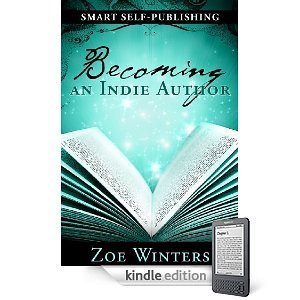
It's Zoe Winters hands down, people. Her book, Smart Self-Publishing: Becoming an Indie Author, lays it out for you. It's $3.95, and it covers a priceless amount of information that you could only learn through endless trial and error. Click it and go buy it, yesterday!
Why are you still sitting here? Go get started!!!
My good friend and former boss (best boss in the world), Mark Linsenbardt, posed few questions to me about indie publishing via Facebook. This post is the result of that conversation. Thanks for asking. PWW answers.