
Luke Wroblewski's Blog, page 5
April 27, 2025
The Evolution of AI Products
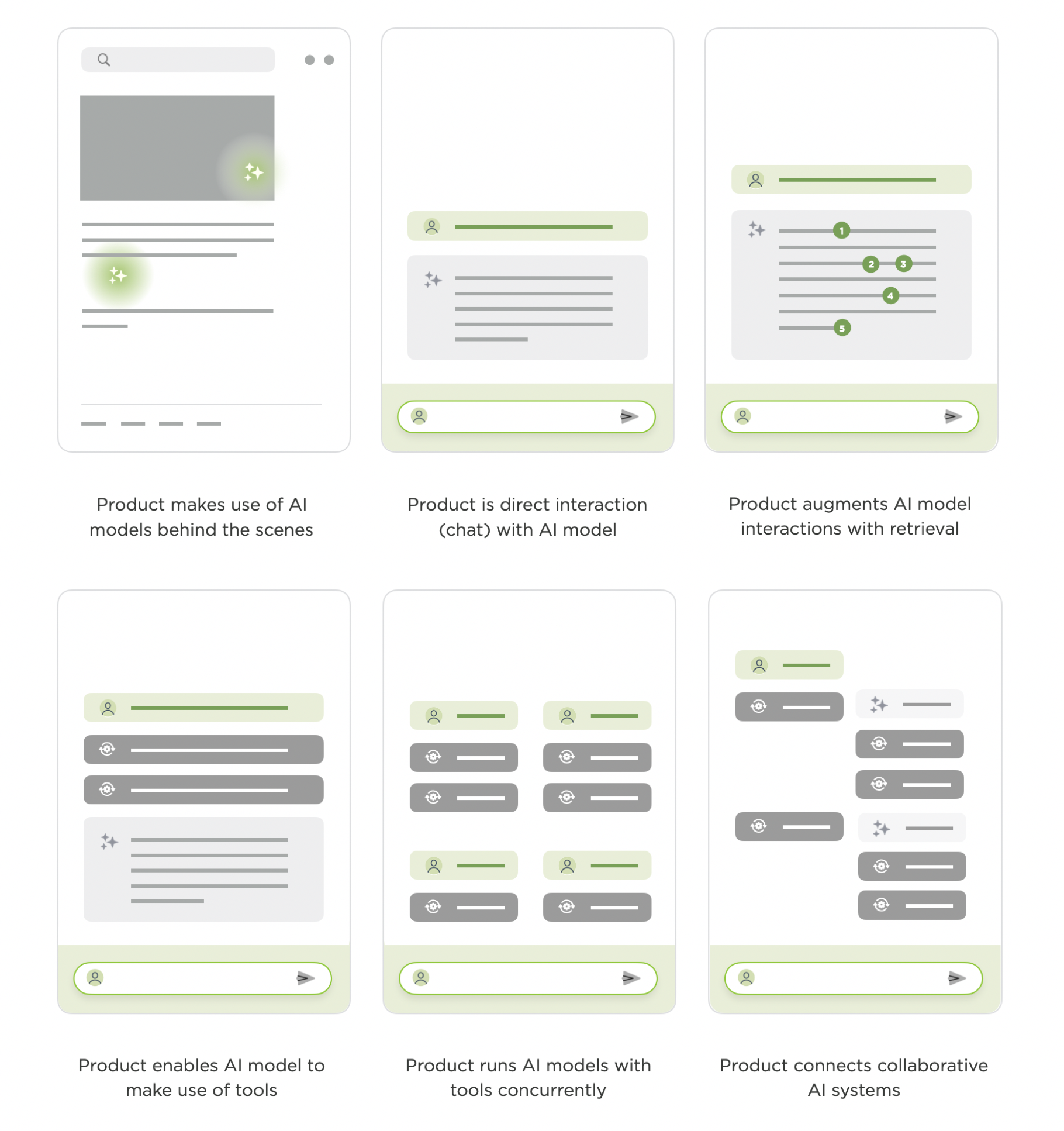
At this point, the use of artificial intelligence and machine learning models in software has a long history. But the past three years really accelerated the evolution of "AI products". From behind the scenes models to chat to agents, here's how I've seen things evolve for the AI-first companies we've built during this period.
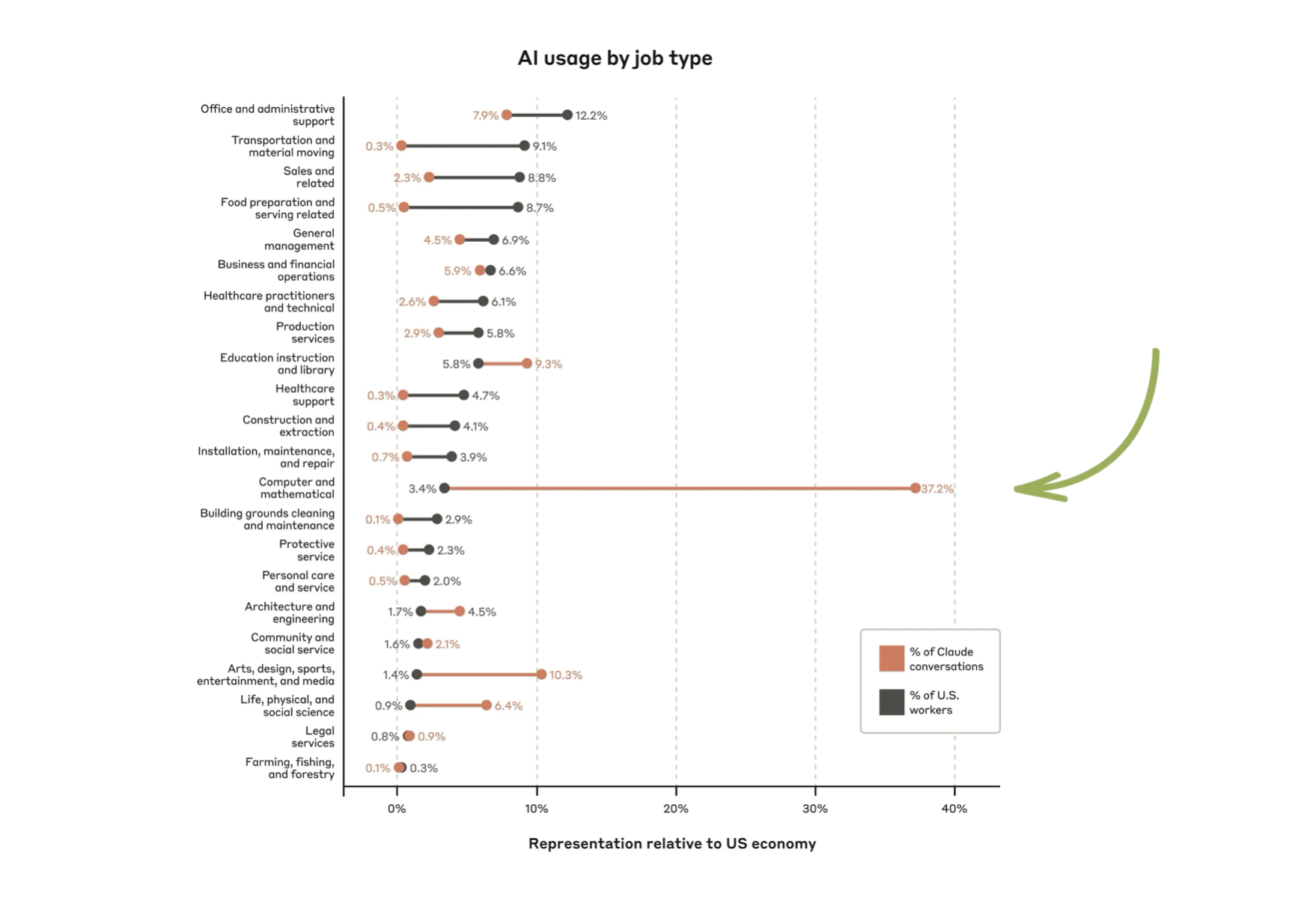
Anthropic, one of the World's leading AI labs, recently released data on what kinds of jobs make the most use of their foundation model, Claude. Computer and math use outpaced other jobs by a very wide margin which matches up with AI adoption by software engineers. To date, they've been the most open to not only trying AI but applying it to their daily tasks.
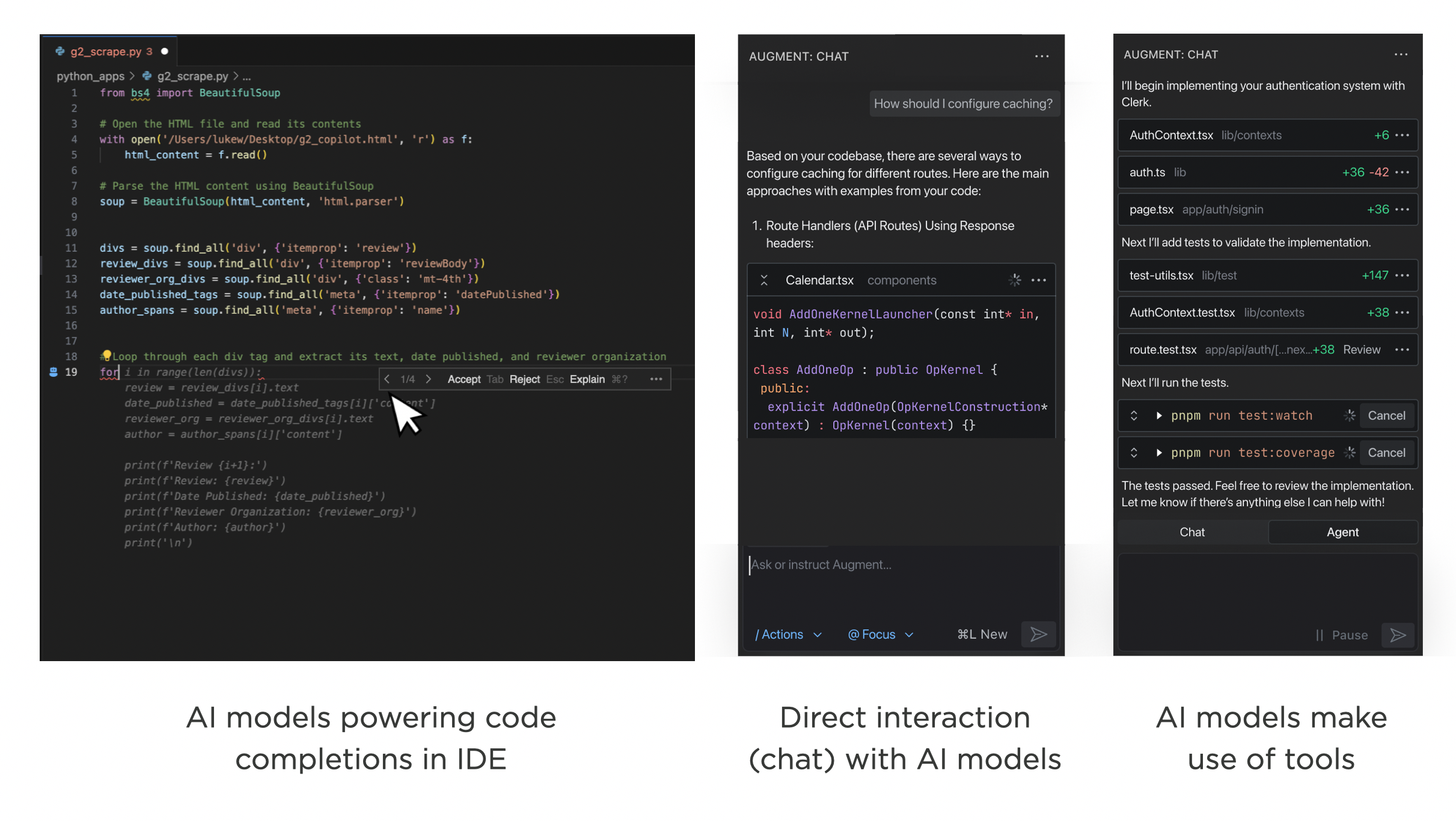
As such, the evolution of AI products is currently most clear in AI for coding companies like Augment. When Augment started over two years ago, they used AI models to power code completions in existing developer tools. A short time later, they launched a chat interface where developers could interact directly with AI models. Last month, they launched Augment Agent which pairs AI models with tools to get more things done. Their transition isn't an isolated example.
Machine Learning Behind the Scenes
Before everyone was creating chat interfaces and agents, large-scale machine learning systems were powering software interfaces behind the scenes. Back in 2016 Google Translate announced the use of deep learning to enable better translations across more languages. YouTube's video recommendations also dramatically improved the same year from deep learning techniques.
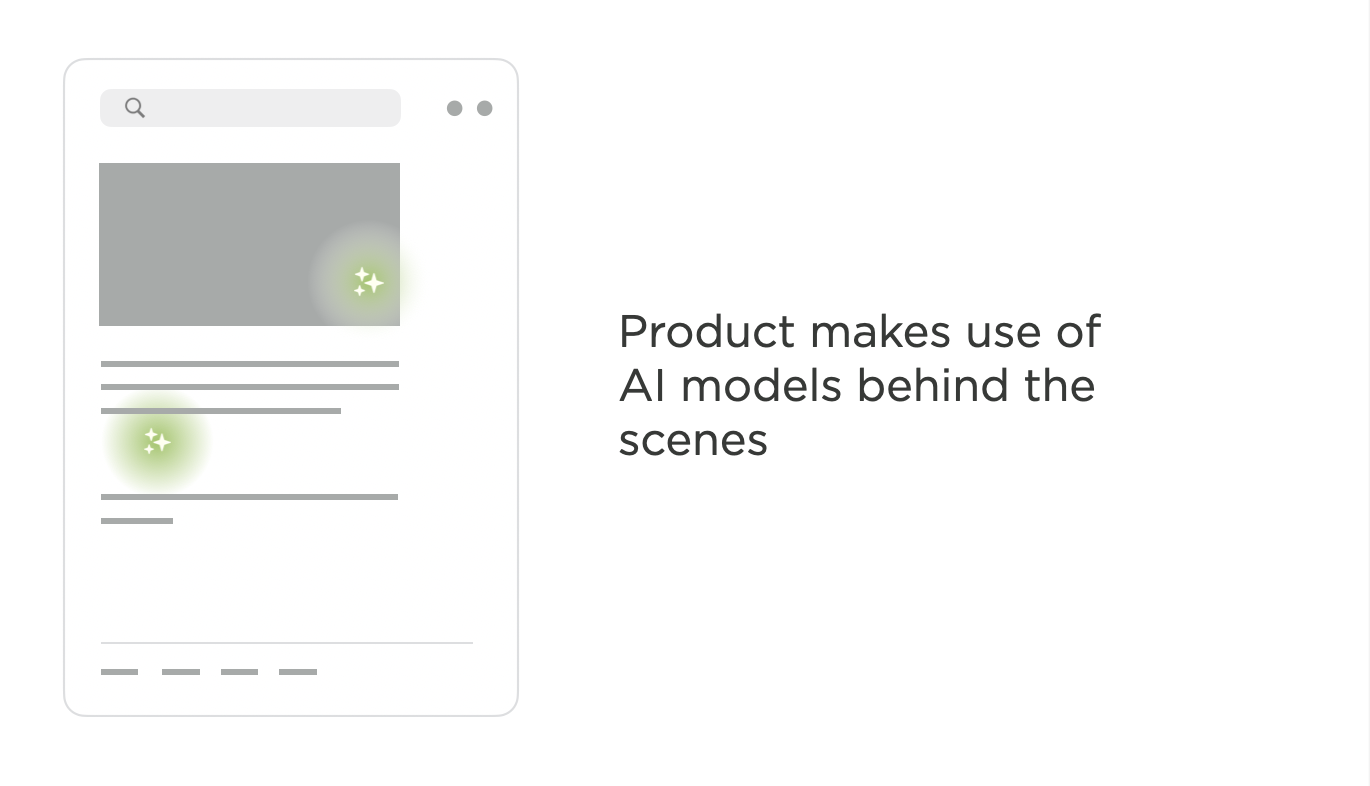
Although machine-learning and AI models were responsible for key parts of these product's overall experience, they remained in the background providing critical functionality but they did so indirectly.
Chat Interfaces to AI Models
The practice of directly interacting with AI models was mostly limited to research efforts until the launch of ChatGPT. All the sudden, millions of people were directly interacting with an AI model and the information found in its weights (think fuzzy database that accesses its information through complex predictive instead of simple look-up techniques).
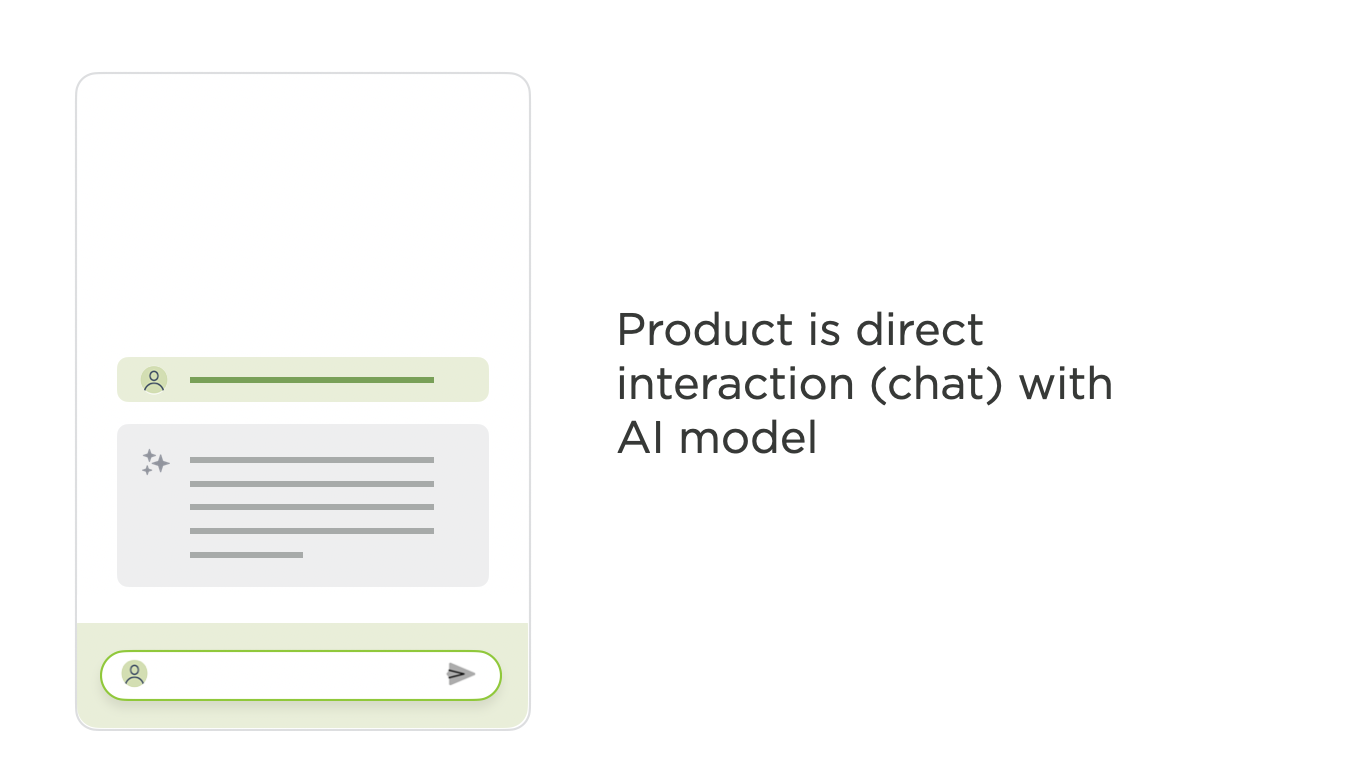
ChatGPT was exactly that: one could chat with the GPT model trained by OpenAI. This brought AI models from the background of products to the foreground and led to an explosion of chat interfaces to text, image, video, and 3D models of various sizes.
Retrieval Augmented Products
Pretty quickly companies realized that AI models provided much better results if they were given more context. At first, this meant people writing prompts (or instructions for AI models) with more explicit intent and often increasing length. To scale this approach beyond prompting, retrieval-augmented-generation (RAG) products began to emerge.
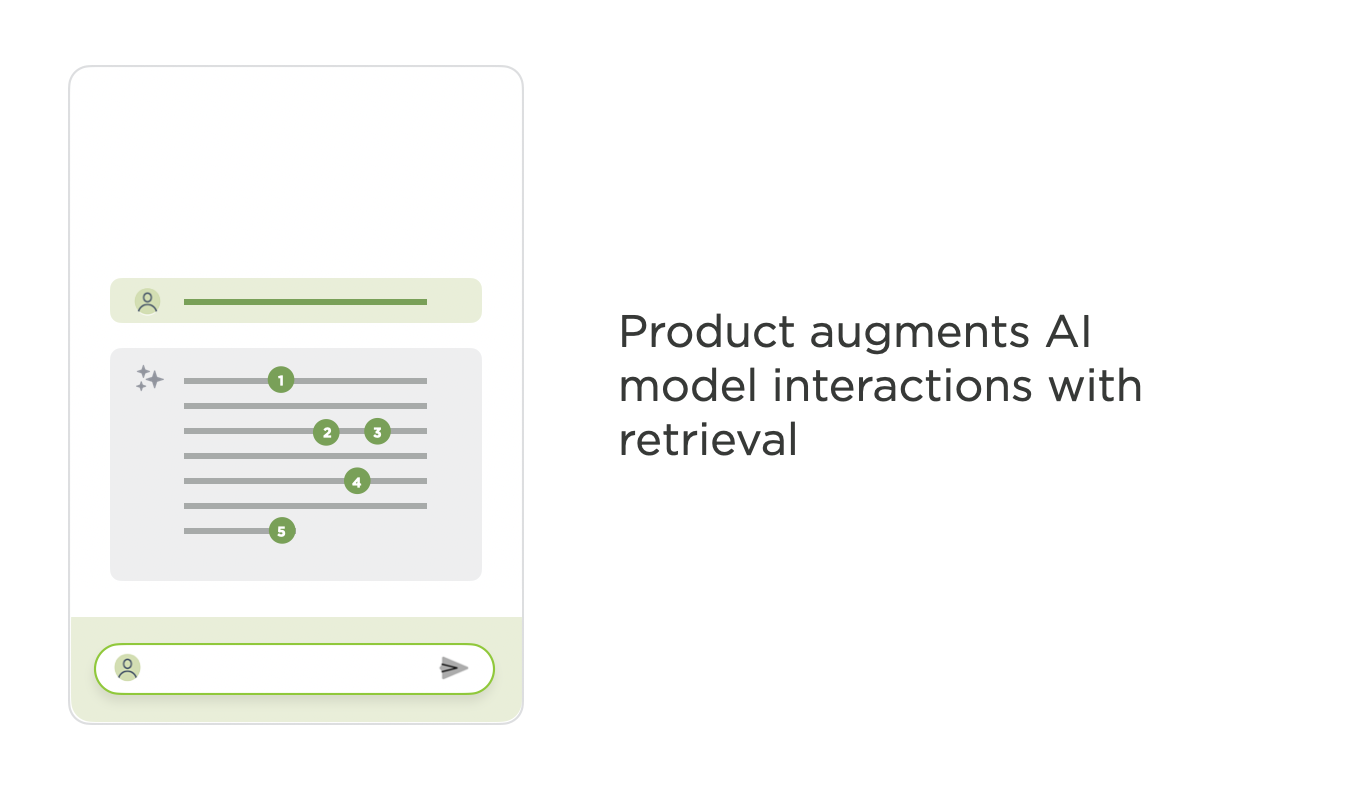
My personal AI system, Ask LukeW, makes extensive use of indexing, retrieval, and re-ranking systems to create a product that serves as a natural language interface to my nearly 30 years of writings and talks. ChatGPT has also become retrieval-augmented product as it regularly makes use of Web search instead of just its weights when it responds to user instructions.
Tool Use & Foreground Agents
Though it can significantly improve AI products, information retrieval is only one tool that AI systems can now (with a few of the most recent foundation models) make use of. When AI models have access to a number of different tools and can plan which ones to use and how, things become agentic.
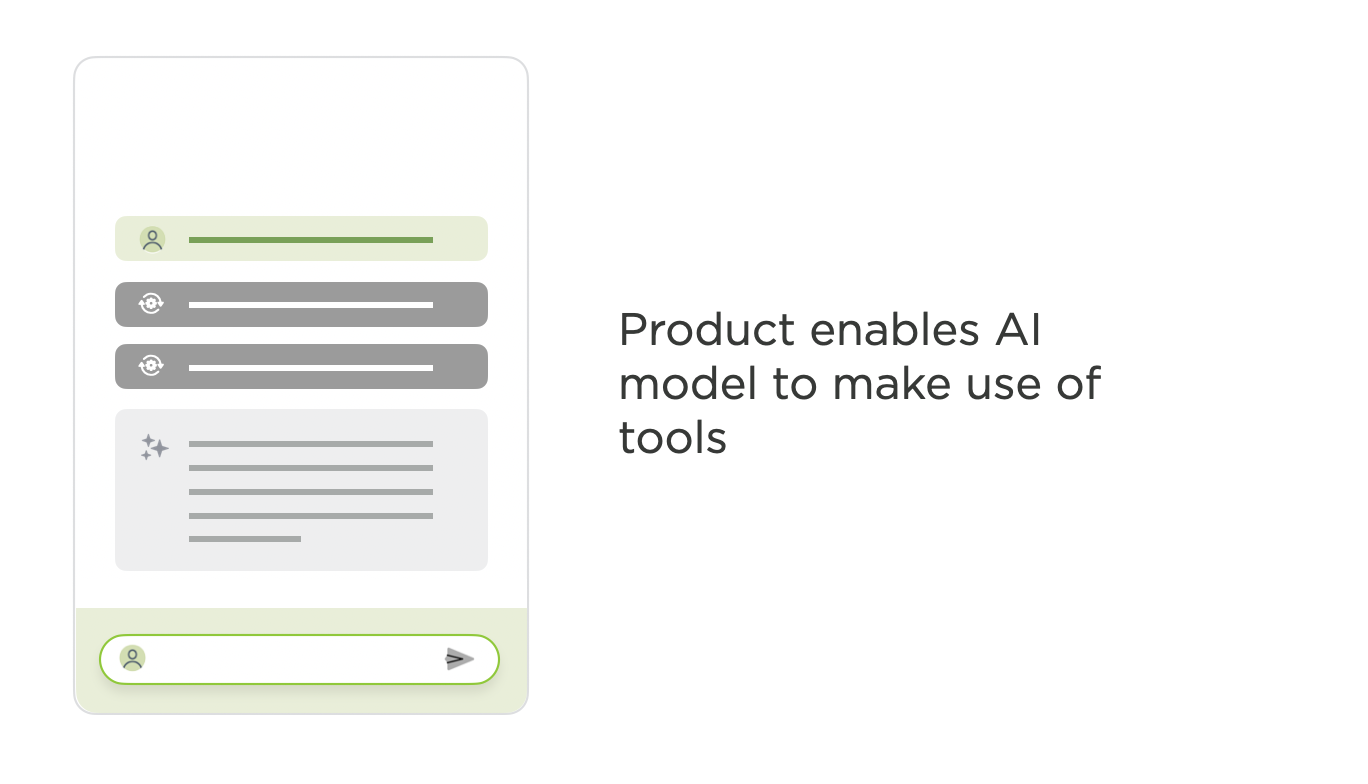
For instance our AI-powered workspace, Bench, has many tools it can use to retrieve information but also tools to fact-check data, do data analysis, generate Powerpoint decks, create images, and much more. In this type of product experience, people give AI models instructions. Then the models make plans, pick tools, configure them, and make use of the results to move on to the next step or not. People can steer or refine this process with user interface controls or, more commonly, further instructions.
Bench allows people to interrupt agentic process with natural language, to configure tool parameters and rerun them, select models to use with different tools and much more. But in the vast majority of cases, the system evaluates its options and makes these decisions itself to give people the best possible outcome.
Background Agents
When people first begin using agentic AI products, they tend to monitor and steer the system to make sure it's doing the things they asked for correctly. After a while though, confidence sets in and the work of monitoring AI models as they execute multi-step processes becomes a chore. You quickly get to wanting multiple process to run in the background and only bother you when they are done or need help. Enter... background agents.
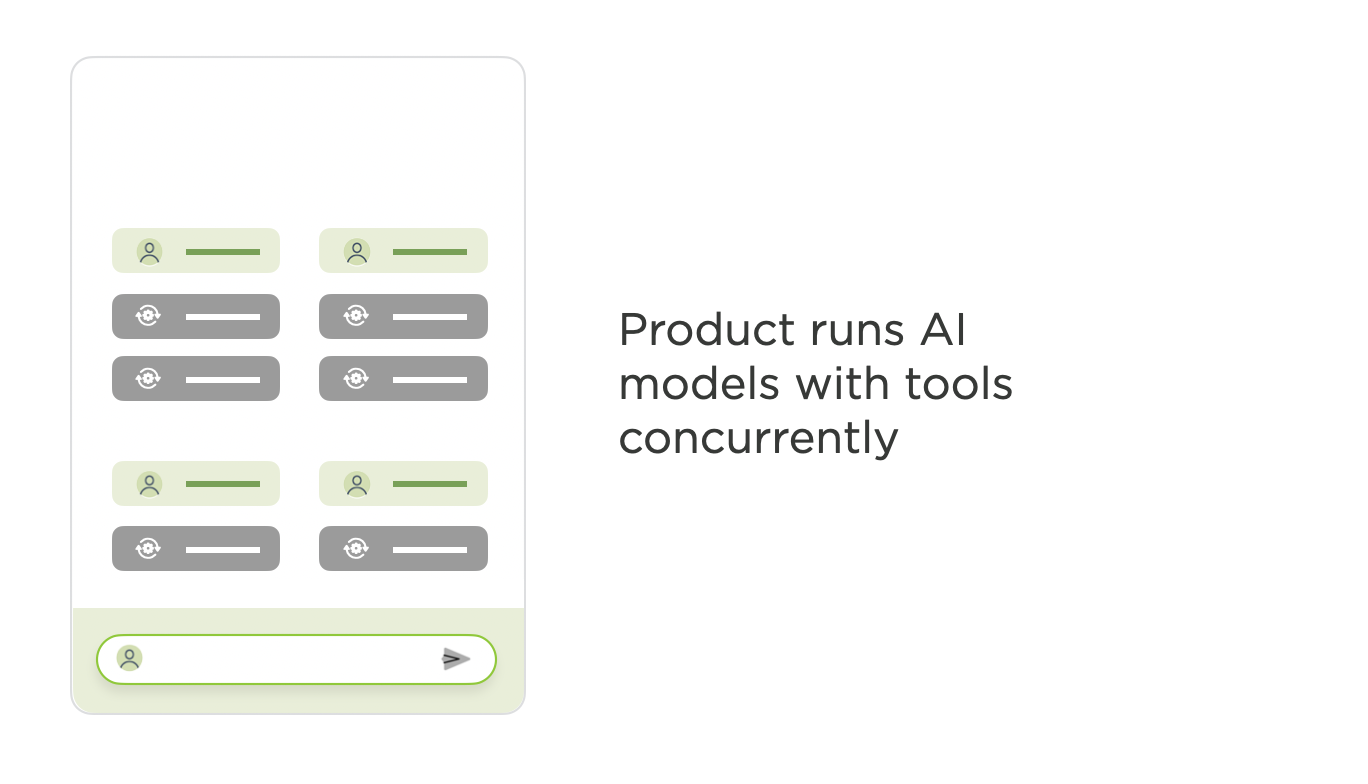
AI products that make use of background agents, allow people to run multiple process in parallel, across devices, and even schedule them to run at specific times or with particular triggers. In these products, the interface needs to support monitoring and managing lots of agentic workflows concurrently instead of guiding one at a time.
Agent to Agent
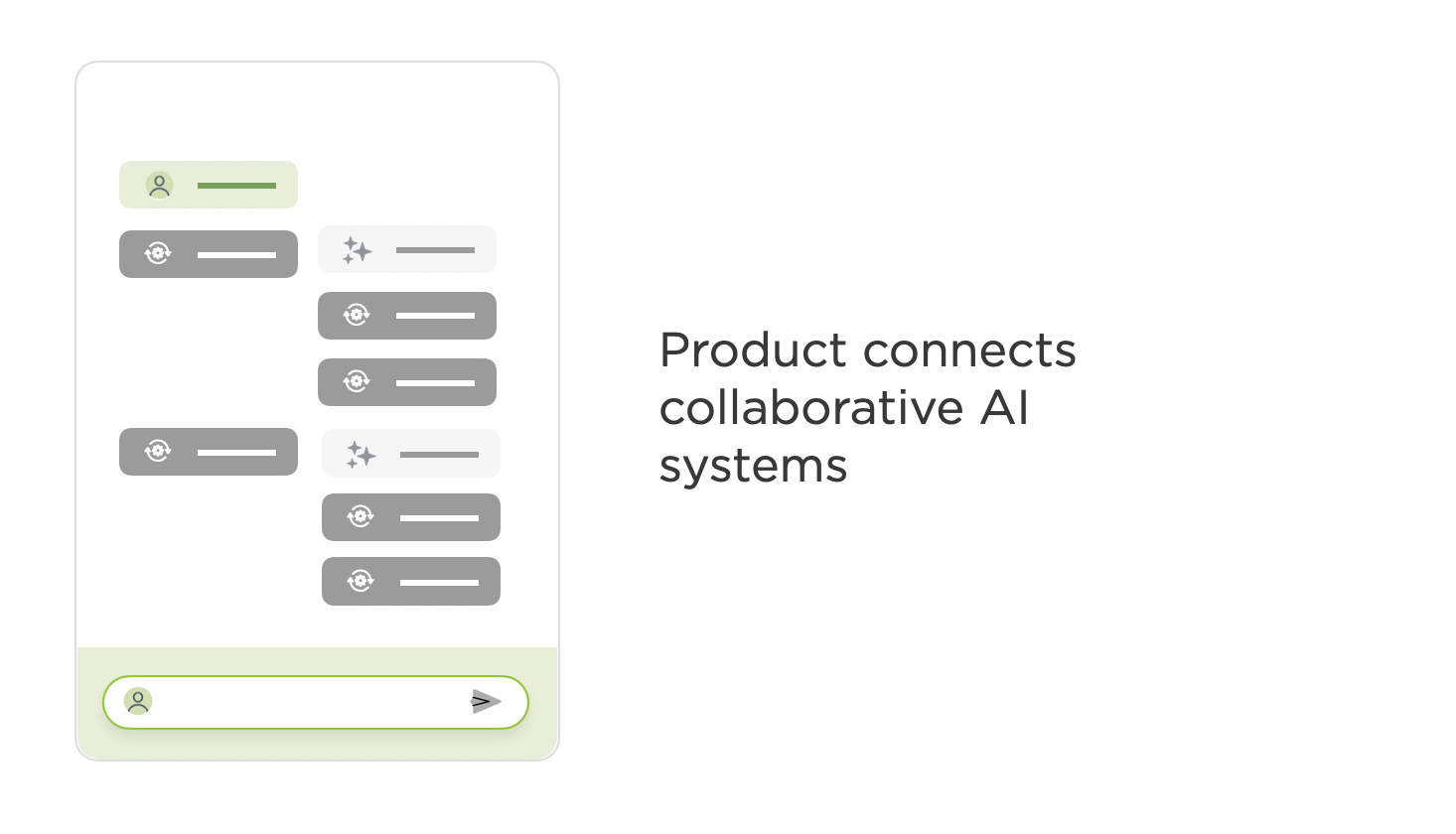
So what's next? Once AI products can run multiple tasks themselves remotely, it feels like the inevitable next step is for these products to begin to collaborate and interact with each other. Google's recently announced Agent to Agent protocol is specifically designed to enable "multi-agent ecosystem across siloed data systems and applications." Does this result in very different product and UI experience? Probably. What does it look like? I don't know yet.
AI Product Evolution To Date
As it's highly unlikely the pace of change in AI products will slow down anytime soon. The evolution of AI products I outlined is a timestamp of where we are now. In fact, I put it all into one image for just that reason: to reference the "current" state of things. Pretty confident that I'll have to revisit this in the not too distant future...


April 23, 2025
Designing Perplexity
In his AI Speaker Series presentation at Sutter Hill Ventures, Henry Modisett, Head of Design at Perplexity, shared insights on designing AI products and the evolving role of designers in this new landscape. Here's my notes from his talk:
Technological innovation is outpacing our ability to thoughtfully apply it
We're experiencing a "novelty effect" where new capabilities are exciting but don't necessarily translate to enduring value
Most software will evolve to contain AI components, similar to how most software now has internet connectivity
New product paradigms are emerging that don't fit traditional software design wisdom
There's a significant amount of relearning required for engineers and designers in the AI era
The industry is experiencing rapid change with companies only being "two or three weeks ahead of each other"
AI products that defy conventional wisdom are gaining daily usage
Successful AI products often "boil the ocean" by building everything at once, contrary to traditional startup advice
Design Challenges Before AI
Complexity Management: Designing interfaces that remain intuitive despite growing feature sets
Dynamic Experiences: Creating systems where every user has a different experience (like Gmail)
Machine Learning Interfaces: Designing for recommendation systems where the UI primarily exists to collect signals for ranking
New Design Challenges with AI
Designing based on trajectory: creating experiences that anticipate how technology will improve. Many AI projects begin without knowing if they'll work technically
Speed is the most important facet of user experience, but many AI products work slowly
Building AI products is comparable to urban planning, with unpredictability from both users and the AI itself
Designing for non-deterministic outcomes from both users and AI
Deciding when to anthropomorphize AI and when to treat it as a tool
Traditional PRD > Design > Engineering > Ship process no longer works
New approach: Strategic conversation > Get anything working > Prune possibilities > Design > Ship > Observe
"Prototype to productize" rather than "design to build"
Designers need to work directly with the actual product, not just mockups
Product mechanics (how it works) matter more than UI aesthetics
AI allows for abstracting complexity away from users, providing power through simple interfaces Natural language interfaces can make powerful capabilities accessible
But natural language isn't always the most efficient input method (precision)
Discoverability: How do users know what the product can do?
Make opinionated products that clearly communicate their value
April 19, 2025
Just in Time Content
Jenson Huang (NVIDIA's CEO) famously declared that every pixel will be generated, not rendered. While for some types of media that vision is further out, for written content this proclamation has already come to pass. We’re in an age of just in time content.
Traditionally if you wanted to produce a piece of written content on a topic you’d have two choices. Do the research yourself, write a draft, edit, refine, and finally publish. Or you could get someone else to do that process for you either by hiring them directly or indirectly by getting content they wrote for a publisher.
Today written content is generated in real-time for anyone on anything. That’s a pretty broad statement to make so let me make it more concrete. I’ve written 3 books, thousands of articles, and given hundreds of talks on digital product design. The generative AI feature on my Website, Ask LukeW, searches all this content, finds, ranks, and re-ranks it in order to answer people’s questions on the topics I’ve written about.
Because all my content has been broken down into almost atomic units, there’s an endless number of recombinations possible. Way more than I could have possibly ever written myself. For instance, if someone asks:
Where do I place labels on mobile Web forms?
What are some best practices for building a generative AI chat interface based product?
How do I start my journey as a product designer?
Each corresponding answer is a unique composition of content that did not exist before. Every response is created for a specific person with a specific need at a specific time. After that, it’s no longer relevant. That may sound extreme but I’ve long contended that as soon as something is published, especially news and non-fiction, it’s out of date. That’s why project sites within companies are never up to date and why news articles just keep coming.
But if you keep adding bits of additional content to an overall corpus for generative AI to draw from, the responses can remain timely and relevant. That’s what I’ve been doing with the content corpus Ask LukeW draws from. While I’ve written 89 publicly visible blog posts over the past two years, I added over 500 bits of content behind the scenes that the Ask LukeW feature can draw from. Most of it driven by questions people asked that Ask LukeW wasn’t able to answer well but should have given the information I have in my head.
For me this feels like the new way of publishing. I'm building a corpus with infinite malleability instead of a more limited number of discrete artifacts.
Two years ago, I had to build a system to power the content corpus indexing, retrieval, and ranking that makes Ask LukeW work. Today people can do this on the fly. For instance in this video example using Bench, I make use of a PDF of my book and Web search results to expand on a topic in my tone and voice with citations across both sources. The end result is written content assembled from multiple corpuses: my book and the Web.
It’s not just PDFs and Web pages though, nearly anything can serve as a content corpus for generative publishing. In this example from Bench, I use a massive JSON file to create a comprehensive write-up about the water levels in Lake Almanor, CA. The end result combines data from the file with AI model weights to produce a complete analysis of the lake’s changing water levels over the years alongside charts and insights about changing patterns.
As these examples illustrate, publishing has changed. Content is now generated just in time for anyone on anything. And as the capabilities of AI models and tools keep advancing, we’re going to see publishing change even more.
April 5, 2025
Usable Chat Interfaces to AI Models
Seems like every app these days, including this Web site, has a chat interface. While giving powerful AI models an open-ended UI supports an enormous amount of use cases, these interfaces also come with issues. So here's some design approaches to address the most prominent ones.
First of all, I'm not against open-ended interfaces. While these kinds of UIs face the typical "blank slate" problem of what can or should I do here? They are an extremely flexible way to allow people to declare their intent (if they have one).
So what's the problem? In their article on , the Nielsen/Norman Group highlighted several usability issues in AI-chatbot interfaces. At the root of most was the observation that "people get lost when scrolling" streams of replies. Especially when AI models deliver lengthy outputs (as many are prone to do).
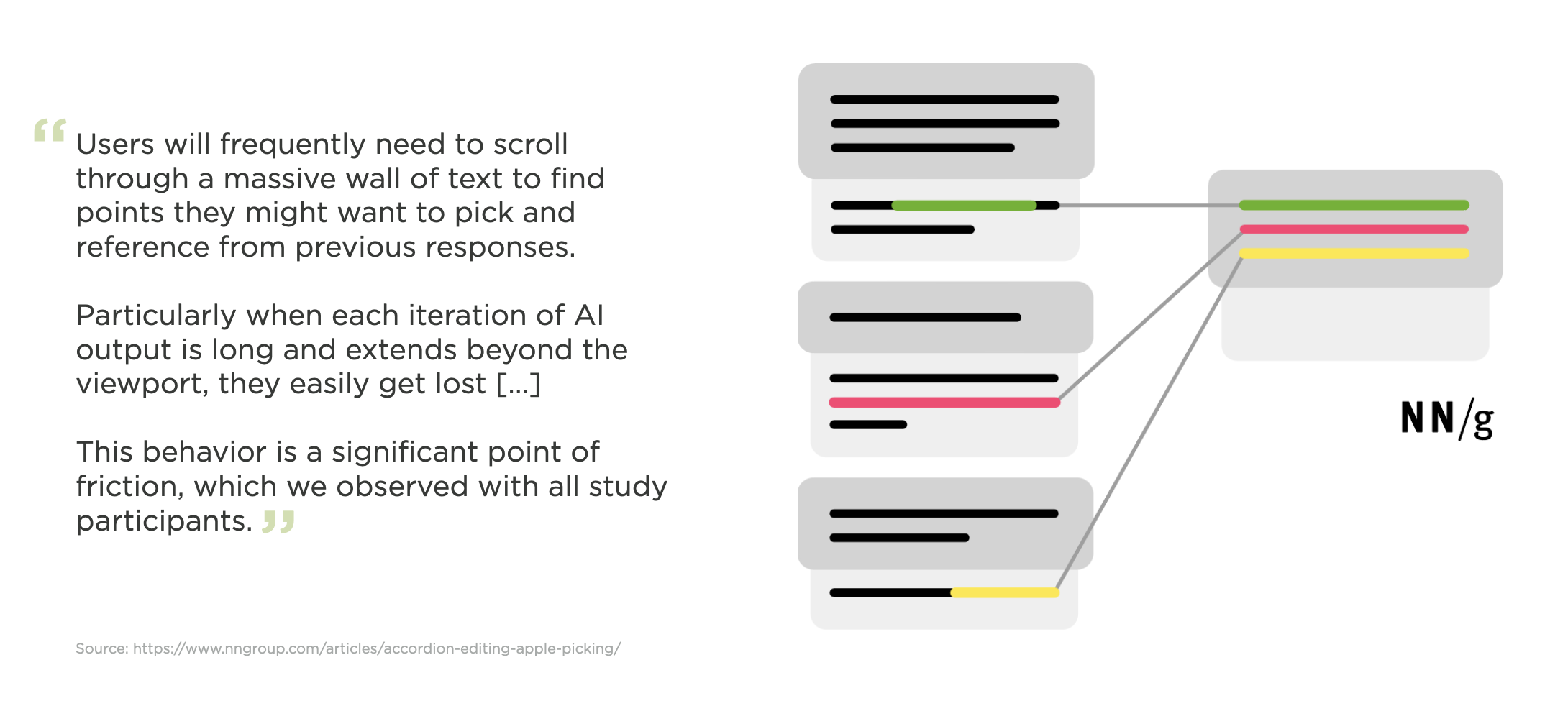
To account for these issues in the Ask LukeW feature on this site, where people ask relatively short questions and get long-form detailed answers, I made use of an expand and collapse pattern. You can see the difference between this approach and a more common chat UI pattern below.
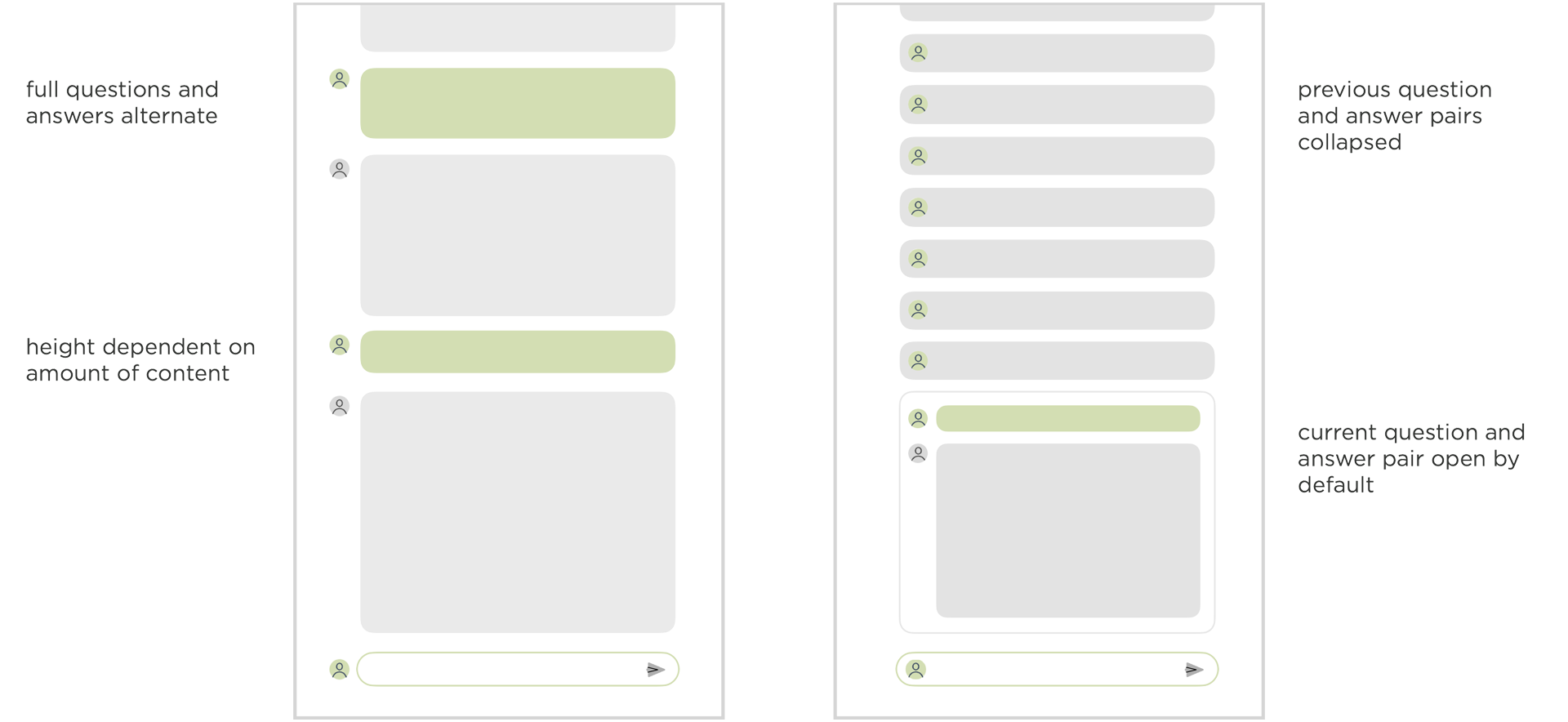
Here's how this pattern looks in the Ask LukeW interface. The previous question and answer pairs are collapsed and therefore the same size, making it easier to focus on the content within and pick out relevant messages from the list when needed.
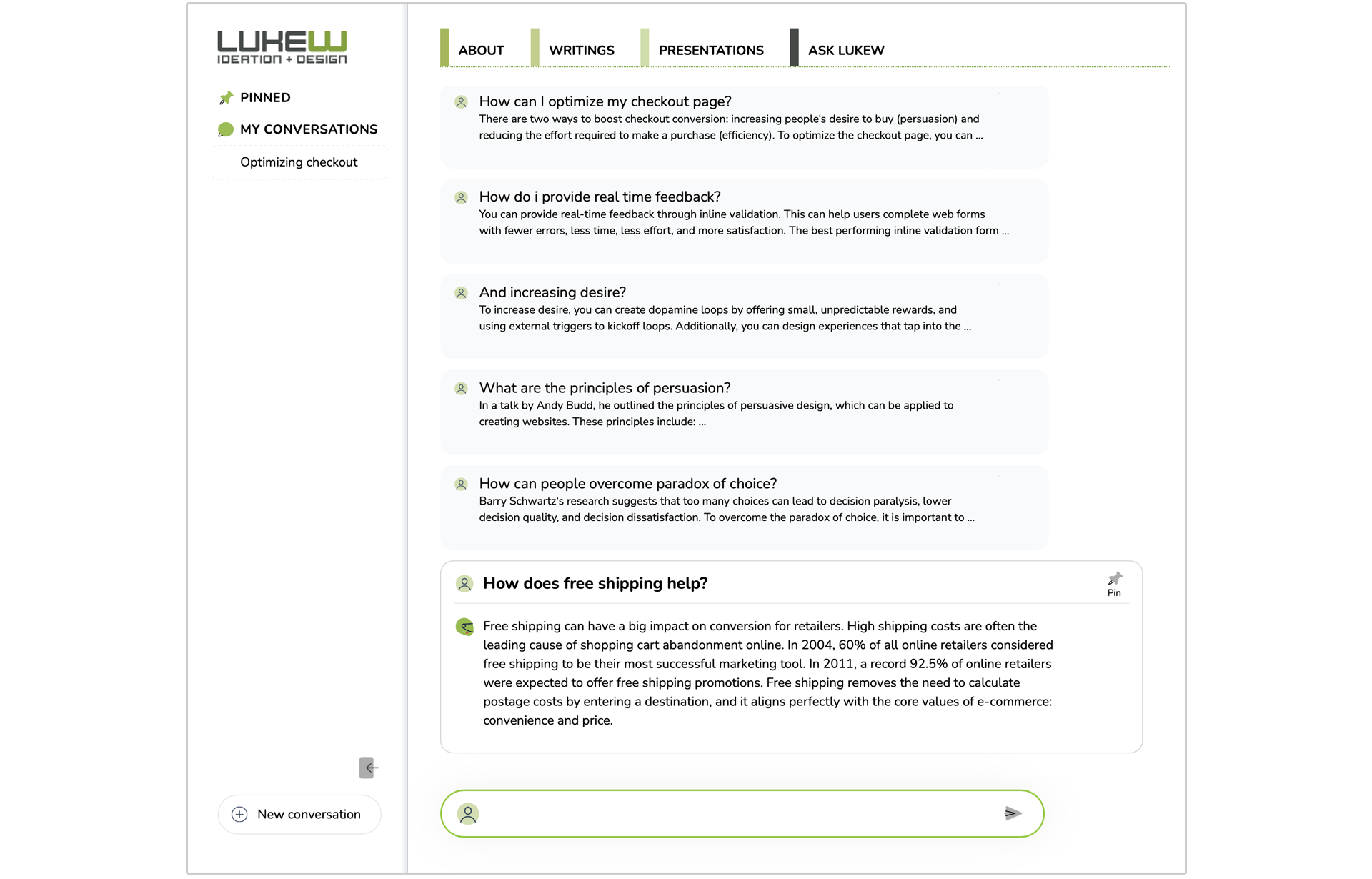
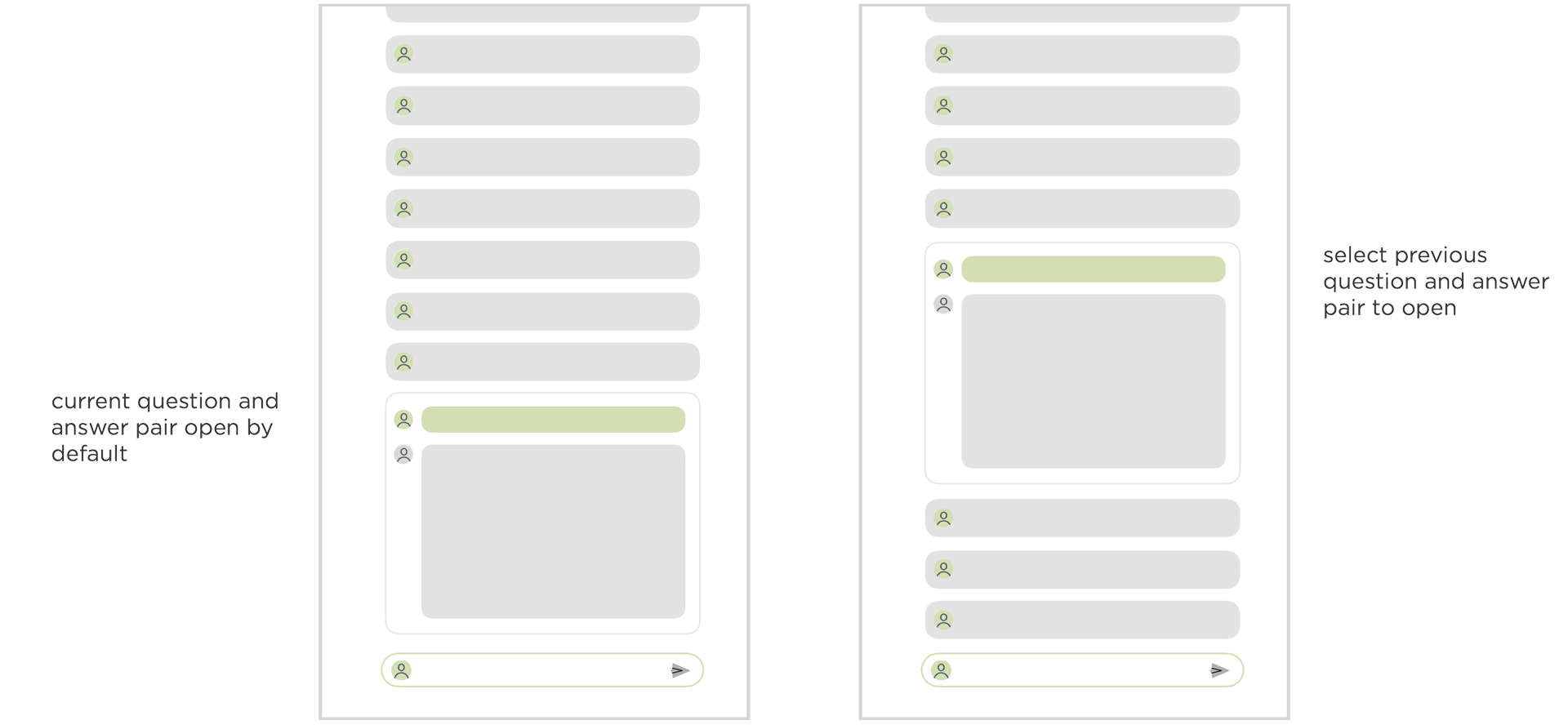
If you want to expand the content of an earlier question and answer pair, just tap on it to see its contents and the other messages collapse automatically.
We took this a step further in the interface for Bench, an AI-powered workspace for knowledge work. Unlike Ask LukeW, Bench has many tools it can use to help people get work done (search, data science, fact check, remember, etc.).
Each of these tools can create a lot of output. When they do, we place the results of each tool in a separate interface panel on the right. This panel is also editable so people can refine a tool's output manually when they just want to modify things a little bit.
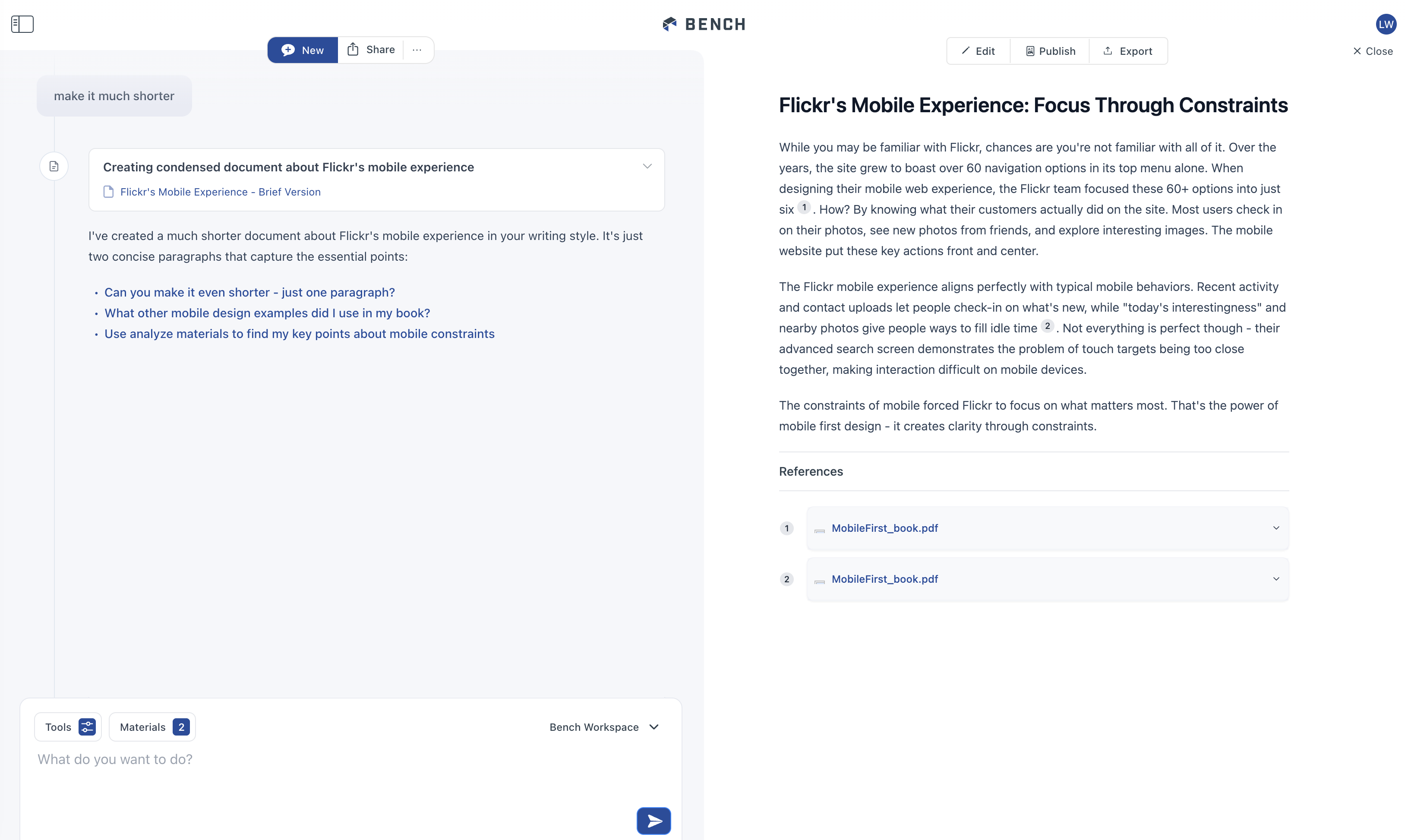
When the next tool creates output or people start another task, that output shows up on the right. The tool that created the output, however, remains in the timeline on the left with link to what it produced. So you can quickly navigate to and open outputs.

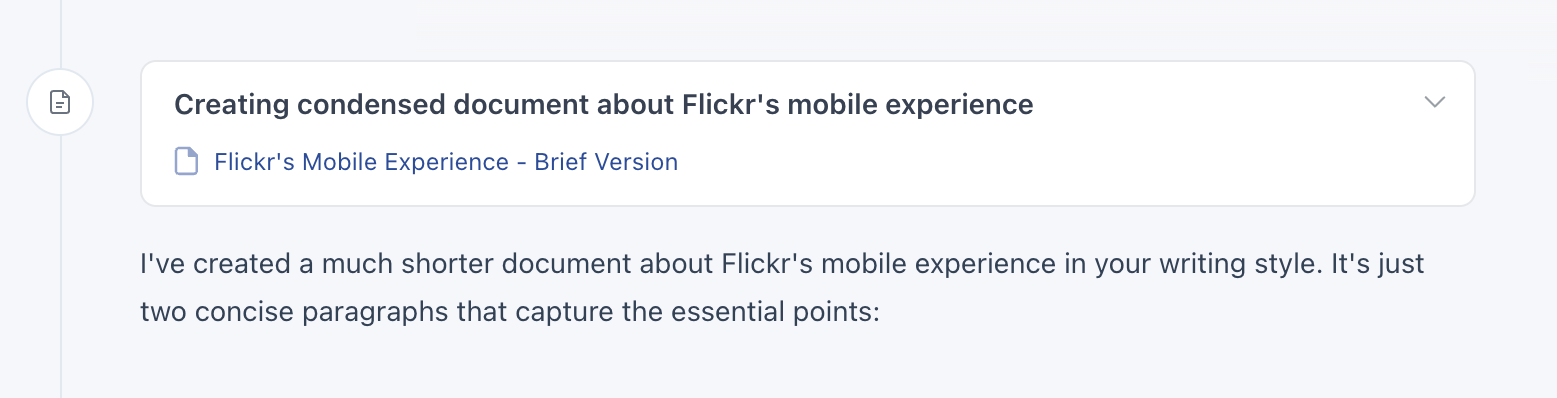
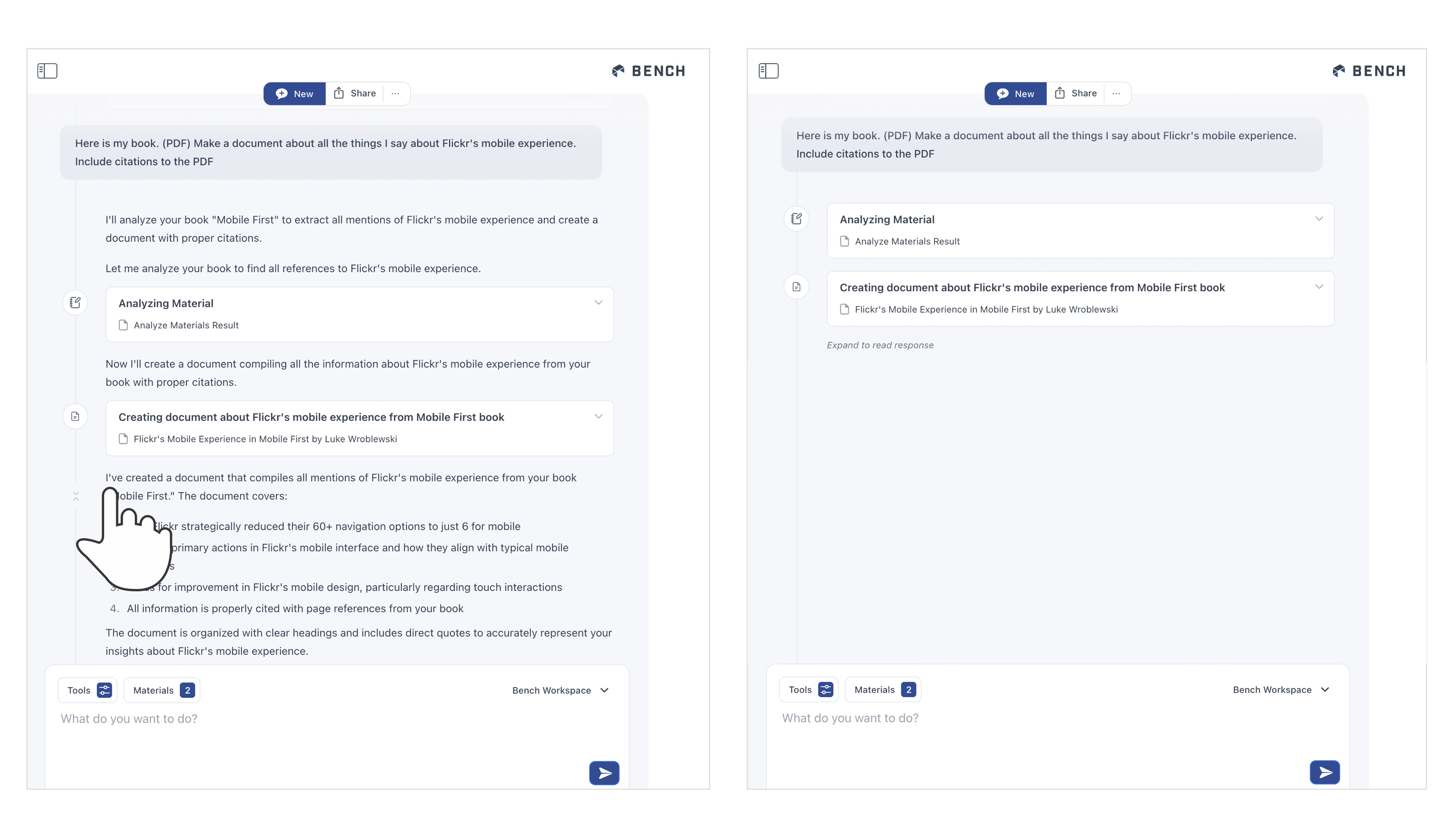
But what happens when there's multiple outputs... don't we end with the same problem of a long scrolling list to find what you need? To account for this, we (thanks Amelia) added a collapse timeline feature in Bench. Hovering over any reply reveals a little "condense this" icon on the timeline.
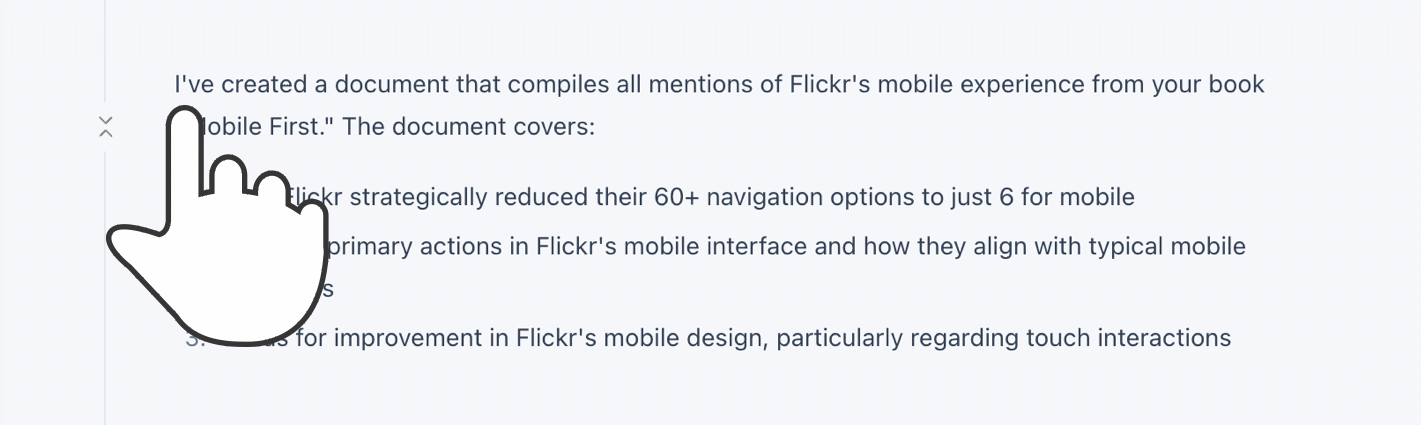
Selecting this icon will collapse the timeline down to just a list of tools with links to their output. This allows you to easily find what was produced for you in Bench and get back to it.
OK but even if the timeline is collapsed, people still have to scroll the timeline to find the things they need right? So they're still scrolling just less? For this reason, we also added a home page for each session in Bench.
If you close any output in the pane on the right, you see a title and summary of your session, all the files you used in it, and a list of all the outputs created in the session. This list can be sorted by the time the output was produced or by the tool that made the output. Selecting an output in this list opens it up. Selecting the tool that created it takes you to the point in the timeline where it was produced.
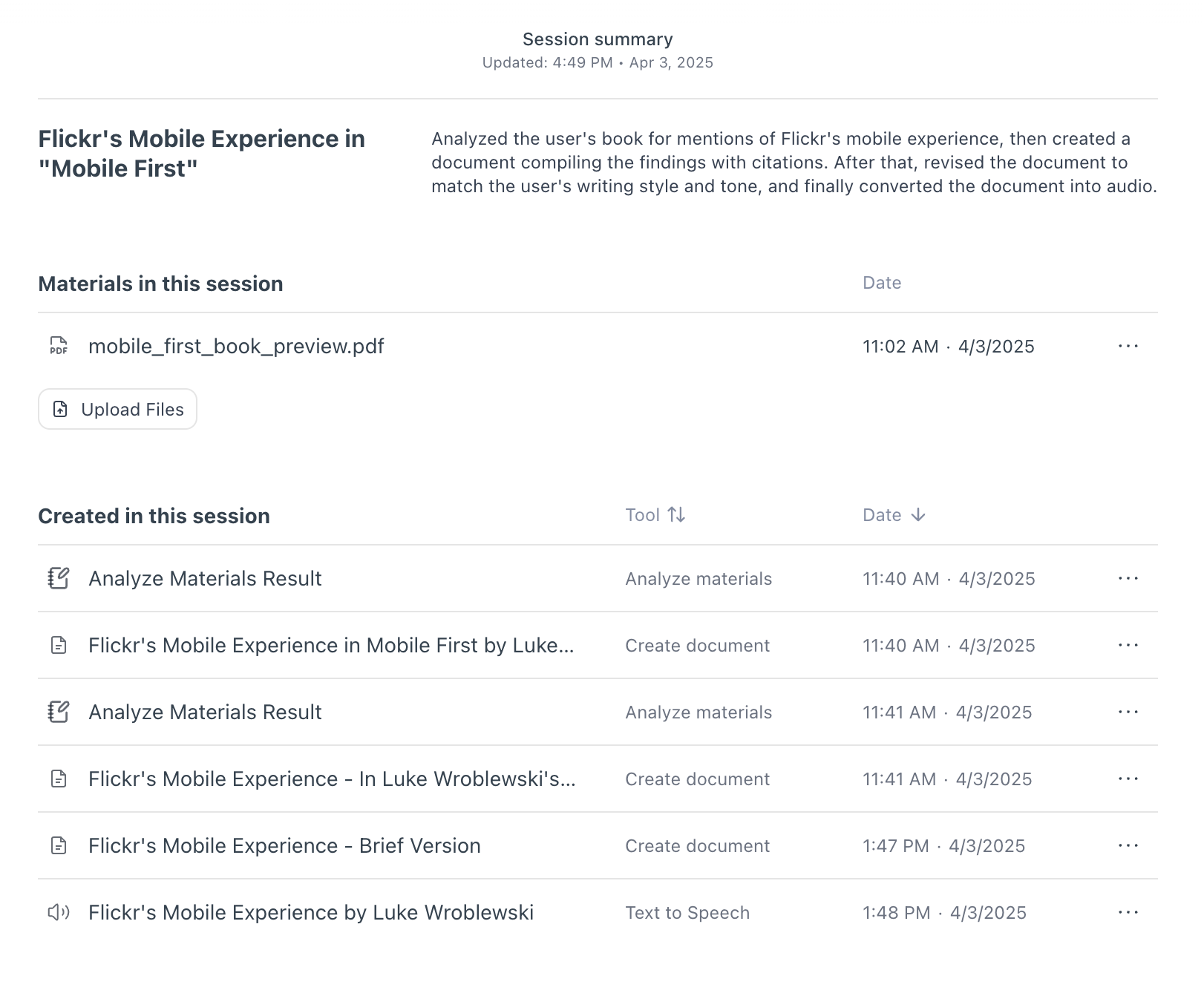
While I tried to illustrate this behavior with images, it's probably better experienced than read. So if you'd like to check out these interface solutions in Bench, here's an invite to the private preview.
March 28, 2025
Ask LukeW: 2 Years and 27,000 Answers
Time flies (insanely) fast during the AI tsunami all of us in the technology industry are facing. So it was surprising to learn my personal AI assistant, Ask LukeW, launched two years ago. Since then I've kept iterating on it when time allowed and two years later...
Ask LukeW is a feature I created for my website to answer people's questions about digital product design, startups, technology, and related topics. It's designed to provide personalized responses using my body of work in a scalable manner.
Since launching two years ago, people have asked (and the system has answered) over 27,000 questions. That averages out to more than 36 a day, which is definitely more than I'd be able to answer using my physical embodiment. So I've certainly gotten scale from the digital version of me.
Ask LukeW works by using AI to generate answers based on the thousands of text articles, hundreds of presentations, videos, and other content I've produced over the years. When you ask a question, AI models identify relevant concepts within my content and use them to create new answers. If the information comes from a specific article, audio file, or video, the source is cited, allowing you to explore the original material if you want to learn more.
In other words, instead of having to search through thousands of files on my website, you can simply ask questions in natural language and get tailored responses. Behind that simplicity is a lot of work on both the technology and design side. To unpack it all, I've written a series of articles on what that looks like and why. If you want to go deep into designing AI-powered experiences... have at it:
New Ways into Web Content: rethinking how to design software with AI
Integrated Audio Experiences & Memory: enabling specific content experiences
Expanding Conversational User Interfaces: extending chat user interfaces
Integrated Video Experiences: adding video experiences to conversational UI
Integrated PDF Experiences: unique considerations when adding PDF experiences
Dynamic Preview Cards: improving how generated answers are shared
Text Generation Differences: testing the impact of AI new models
PDF Parsing with Vision Models: using AI vision models to extract PDF contents
Streaming Citations: citing relevant articles, videos, PDFs, etc. in real-time
Streaming Inline Images: indexing & displaying relevant images in answers
Custom Re-ranker: improving content retrieval to answer more questions
Usability Study: testing a conversational AI interface with designers
March 27, 2025
Toward a Universal App Architecture
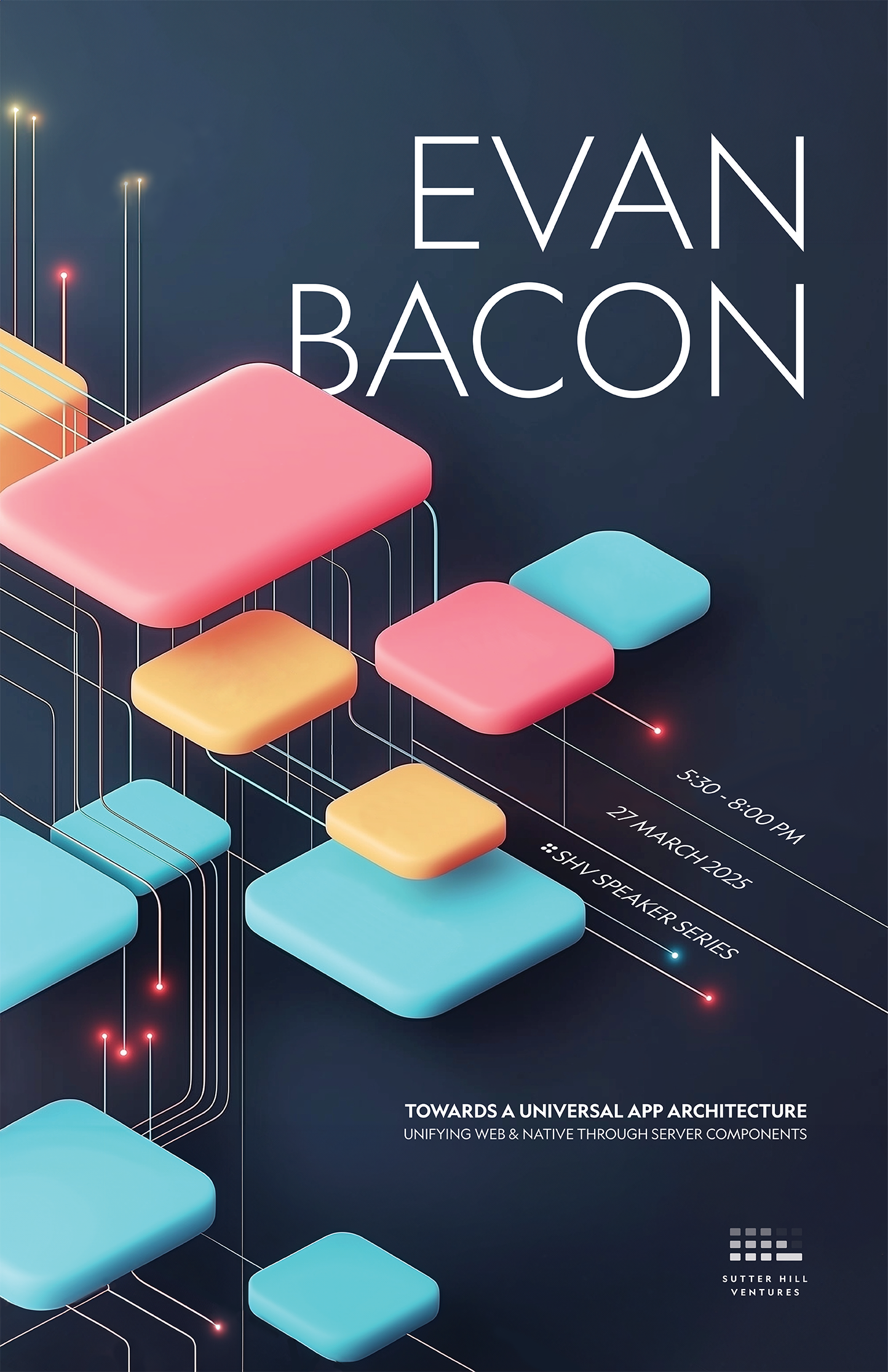
In his AI Speaker Series presentation at Sutter Hill Ventures, Evan Bacon presented his work on ExpoRouter and DirectFlight, tools designed to address the challenges in mobile app development and distribution. Here's my notes from his talk:
90% of time spent on mobile devices occurring inside native apps, particularly in regions outside America where mobile-first adoption is highest
Despite this, desktop and web platforms remain favored for high-performance tasks, though AI is rapidly enabling more productive mobile experiences for complex tasks like video editing and data analysis
While people are increasingly on mobile, getting native software int he app stores on these devices is still difficult for developers
ExpoRouter & Server Components
ExpoRouter is the first file-based framework that enables building both native apps and websites from a single codebase
By creating files in the app directory, developers automatically generate navigation systems that work across native and web environments
This leverages familiar web APIs like Link and Ahrefs for navigation, making the system intuitive for web developers
This combination of web-like development with native rendering has driven widespread adoption, with approximately one-third of content-driven apps in the iOS App Store (across shopping, business, sports, and food/drink categories) now using React Native and Expo
ExpoRouter's file-based architecture means every screen in an app automatically becomes linkable on both web and native platforms.
The system extends to advanced features like app clips, where URLs to websites can instantly open native content, downloading just what's needed on demand.
React Server Components represent the next evolution in this approach, enabling ExpoRouter apps to use the same data fetching and rendering strategies employed by best-in-class native applications
These components are serialized to a standardized React format that functions like HTML for any environment, creating a consistent system across platforms
The architecture supports streaming content delivery, allowing apps to start rendering on the client while the server continues creating elements and fetching data so apps look and feel identical to native apps
Deploying to App Stores
Even with improved development tools, getting apps to users remains complex, requiring Xcode (Mac-only), code signing, encryption status declarations, and a $100 developer fee
Expo addresses part of this challenge by enabling website deployment worldwide with a single command (EAS deploy), bringing modern web deployment practices to cross-platform development
But App Store distribution still requires Apple's multi-layered review processes
To address these distribution challenges, Bacon created DirectFlight, a tool that automates the process of adding testers to TestFlight
DirectFlight creates self-service links that allow users to add themselves to a development team and download apps without developer intervention for each user
This eliminates the need for developers to manually navigate Apple's slow interface, fill out redundant information, and manage the invitation process
DirectFlight works within Apple's rules by automating the official steps rather than circumventing them, making it a sustainable solution
There's lots of AI-powered tools for making native apps from text prompts. But these tools need streamlined distribution, which DirectFlight could help with.
As these tools mature, they promise to allow more developers to reach users directly with native experiences rather than being limited to web platforms
March 26, 2025
Vision Mission Strategy (Objectives)
Across tech companies large and small there's often confusion around the difference between a vision, mission, and strategy. On the surface might feel like semantics but I've found thinking about the distinctions to be very helpful for aligning teams.
Basically I've pulled out these definitions enough times that it seemed like time to write them all out:
Vision is what the world looks like if you succeed. It paints a picture of the future state you're trying to achieve. It's an end state.
Mission is why your organization exists. It's the fundamental purpose that should guide all decisions and actions.
Strategy is how you can get there. It outlines the high-level approach you'll take to realize your vision and fulfill your mission.
So why is this confusing? For starters, having a purpose doesn't provide clarity on what the end state looks like. So a mission isn't really a substitute for a vision. To get to that end state you need a plan, that's what strategy is for. It's high level but not as much as mission and vision.
It might also help to go one step deeper and think about concrete objectives. The specific, measurable goals that support your strategy. They break down the bigger plan into actionable steps. This is where people get into acronyms like VMSO (Vision, Mission, Strategy, Objectives). Three concepts already enough, so let's not get too corporate-y here. (I'm probably already walking the line too much with this article.)
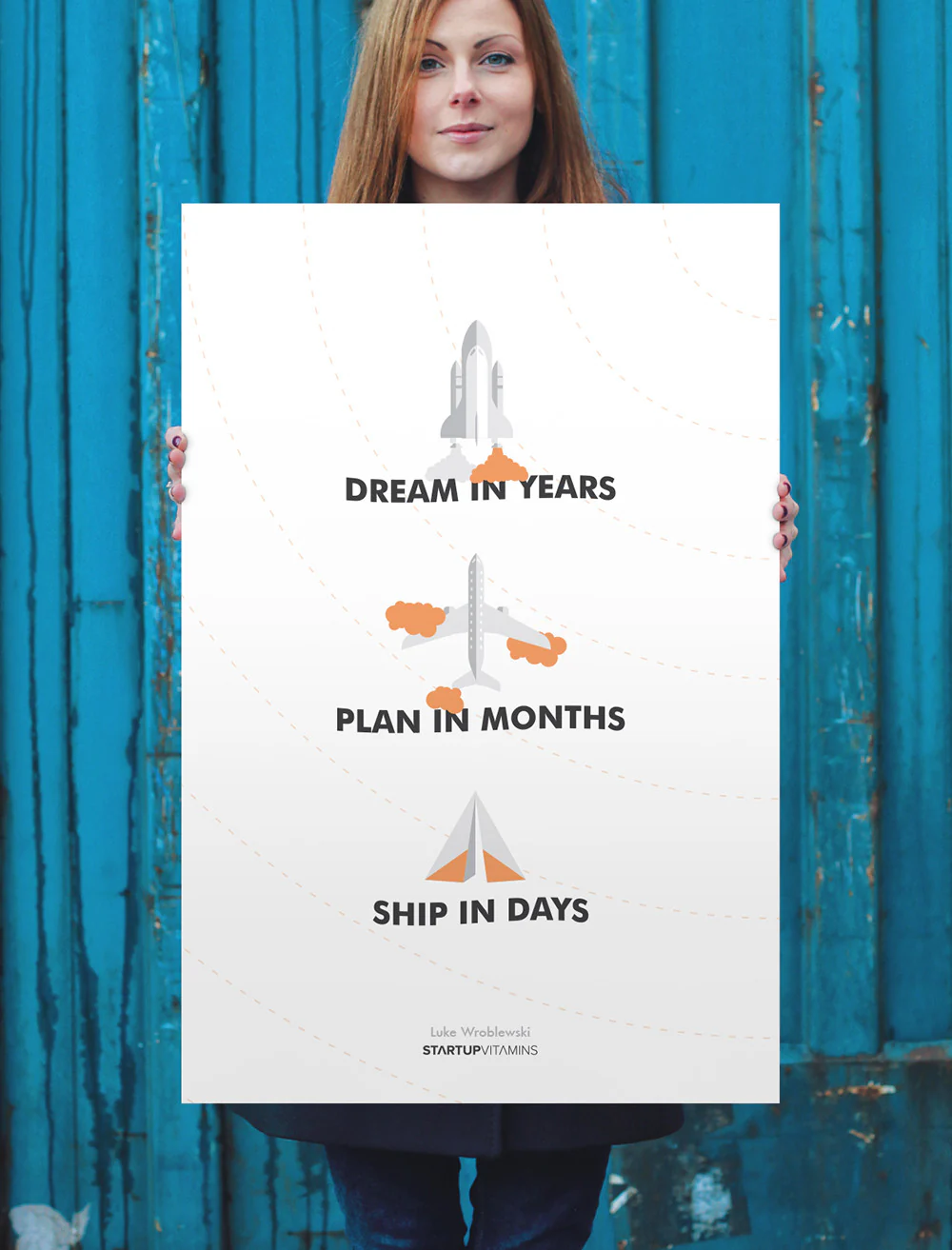
Instead I'll reference the poster Startup Vitamins made from one of my quotes: "Dream in Years, Plan in Months, Ship in Days." In the days of AI, it can feel like planning in months is too long but the higher level concept still holds up. Your dreams are the vision. Your plan is the strategy. Your set objectives and ship regularly to keep things moving toward the vision. Why do all this? cause of your mission. It's why you're there after all.
February 27, 2025
Molecular Sequence Modeling & Design
In his AI Speaker Series presentation at Sutter Hill Ventures, Brian Hei presented Evo, a long-context genomic foundation model, and discussed how it's being used to understand and design biological systems. Here's my notes from his talk:
Biology is speaking a foreign language in DNA, RNA, and protein sequences.
While we've made tremendous advances in DNA sequencing, synthesis, and genome editing, intelligently composing new DNA sequences remains a fundamental challenge.
Similar to how language models like ChatGPT use next-token prediction to learn complex patterns in text, genomic models can use next-base-pair prediction to uncover patterns in DNA.
Evolution leaves its imprint on DNA sequences, allowing models to learn complex biological mechanisms from sequence variation.
Protein language models have already shown they can learn evolutionary rules and information about protein structure. Evo takes this further by training on raw DNA sequences across all domains of life.
Evo 1 was trained on prokaryotic genomes with 7 billion parameters and a 131,000 token context.
The model demonstrated a zero-shot understanding of gene essentiality, accurately predicting which genes are more tolerant of mutations.
It can also design new biological systems that have comparable performance to state-of-the-art systems but with substantially different sequences.
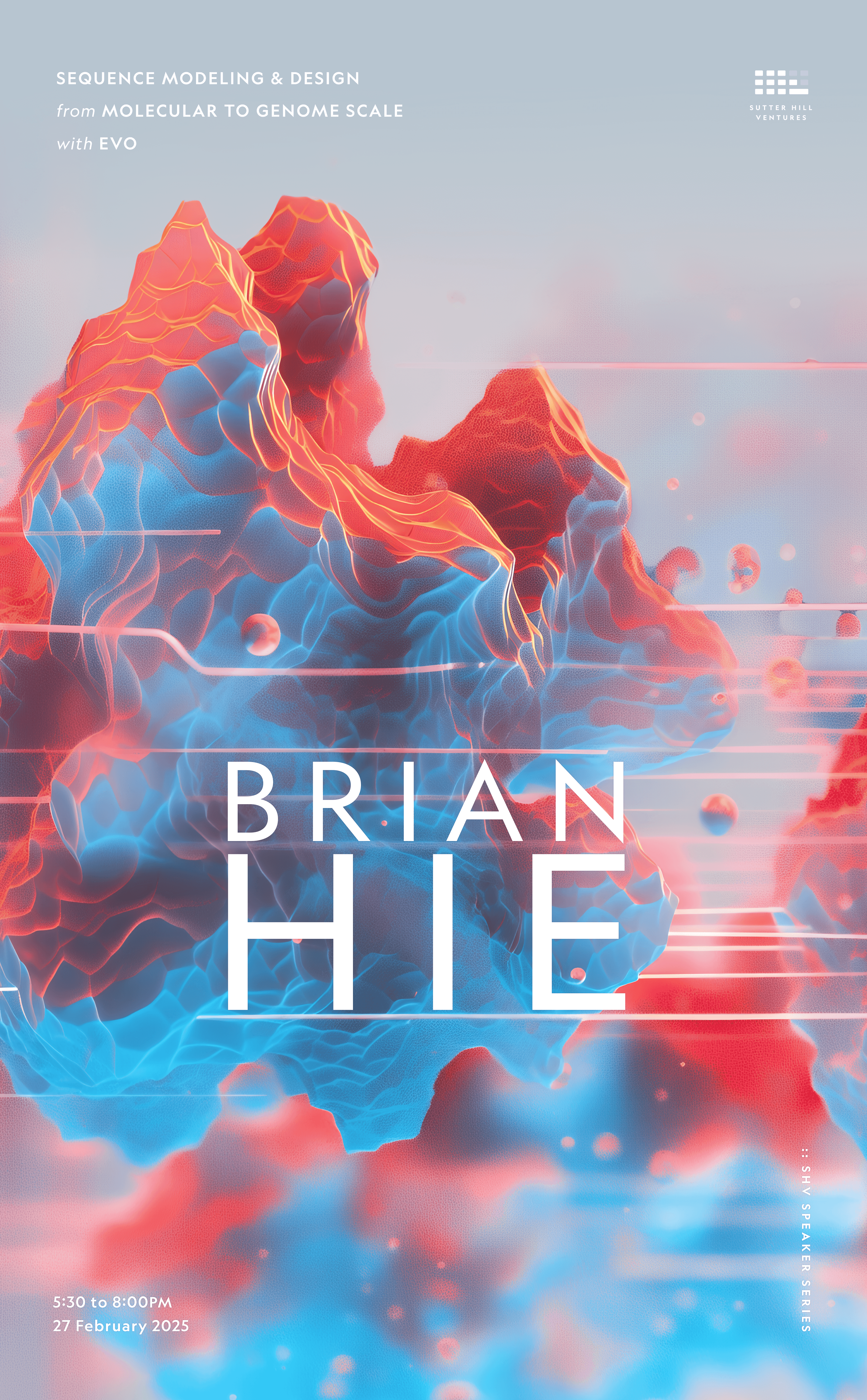
Evo 2 expanded to all three domains of life, trained on 9.3 trillion tokens with 40 billion parameters and a one million base pair context length. This makes it the largest model by compute ever trained in biology.
The longer context allows it to understand information from the molecular level up to complete bacterial genomes or yeast chromosomes.
Evo 2 excels at predicting the effects of mutations on human genes, particularly in non-coding regions where current models struggle. When fine-tuned on known breast cancer mutations, it achieves state-of-the-art performance.
Using sparse autoencoders, researchers can interpret the model and find features that correspond to biologically relevant concepts like DNA, RNA, and protein structures. Some features even detect errors in genetic code, similar to how language models can detect bugs in computer code.
The most forward-looking application is designing at the scale of entire genomes or chromosomes. Evo 2 can generate coherent mitochondrial genomes with all the right components and predicted structures.
It can also control chromatin accessibility patterns, writing messages in "Morse code" by specifying open and closed regions of chromatin.
All of the models, code, and datasets have been released as open source for the scientific community.
February 19, 2025
The More You Own, The More You Maintain
In software design and development, there's a hidden cost to everything we create: maintenance. Every new feature shipped becomes a long-term commitment that requires ongoing resources to support; bogging down teams and user interfaces.
When you buy a new bike, your thoughts probably go to epic rides, great scenery or better fitness. Less likely to lubing chains, filling tires, and swapping broken parts. But as soon as you're an owner, you're a maintainer. Add another bike to make up for the downtime when the first is being serviced? Now you're servicing two bikes.
The more you own the more you maintain. It's a truism that's especially useful to have rattling around in your brain when working on software design and development. New features, new design components, new documentation... as soon as they ship, they need maintenance. And yet, it's rare to hear the long-term costs of a feature come up during planning. Instead, we just keep adding things.
If every new feature just meant one more thing to maintain, things might not be that bad. But ten design components don't create ten relationships, they create forty-five potential interaction points to consider. Each new addition multiplies a system's complexity, not just adds to it.
This is why every design system keep spiraling out of control as it attempts to wrestle down this multiplicity. It's also why teams are always resource constrained and seeking headcount to keep shipping.
Instead, think hard about that next feature. Is it going to make up for those new maintenance costs? What about that design solution? Can you simplify it to be more like the rest of the UI instead of requiring new concepts or components? How you answer these questions will ultimately decide if you become what you maintain.
February 16, 2025
Ask LukeW: Conversational AI Usability Study
To learn what's working and help prioritize what's next, we ran a usability study on the AI-powered Ask LukeW feature of this Web site. While some of the results are specific to this implementation, most are applicable to conversational AI design in general. So I'm sharing the full results of what we learned here.
We ran the Ask LukeW usability study in January 2025 (PDF download) with people doing design work professionally. Participants were asked about their current design experience and then asked to explore the Ask LukeW website, provide their first impressions, and assess whether the site could be useful for them.
Much to my disappointment (I must be getting old), none of the participants were familiar with me so they first tried to understand who I was and whether an interfacing for asking me questions could be trusted. By the end, though, people typically got through this initial hesitation.
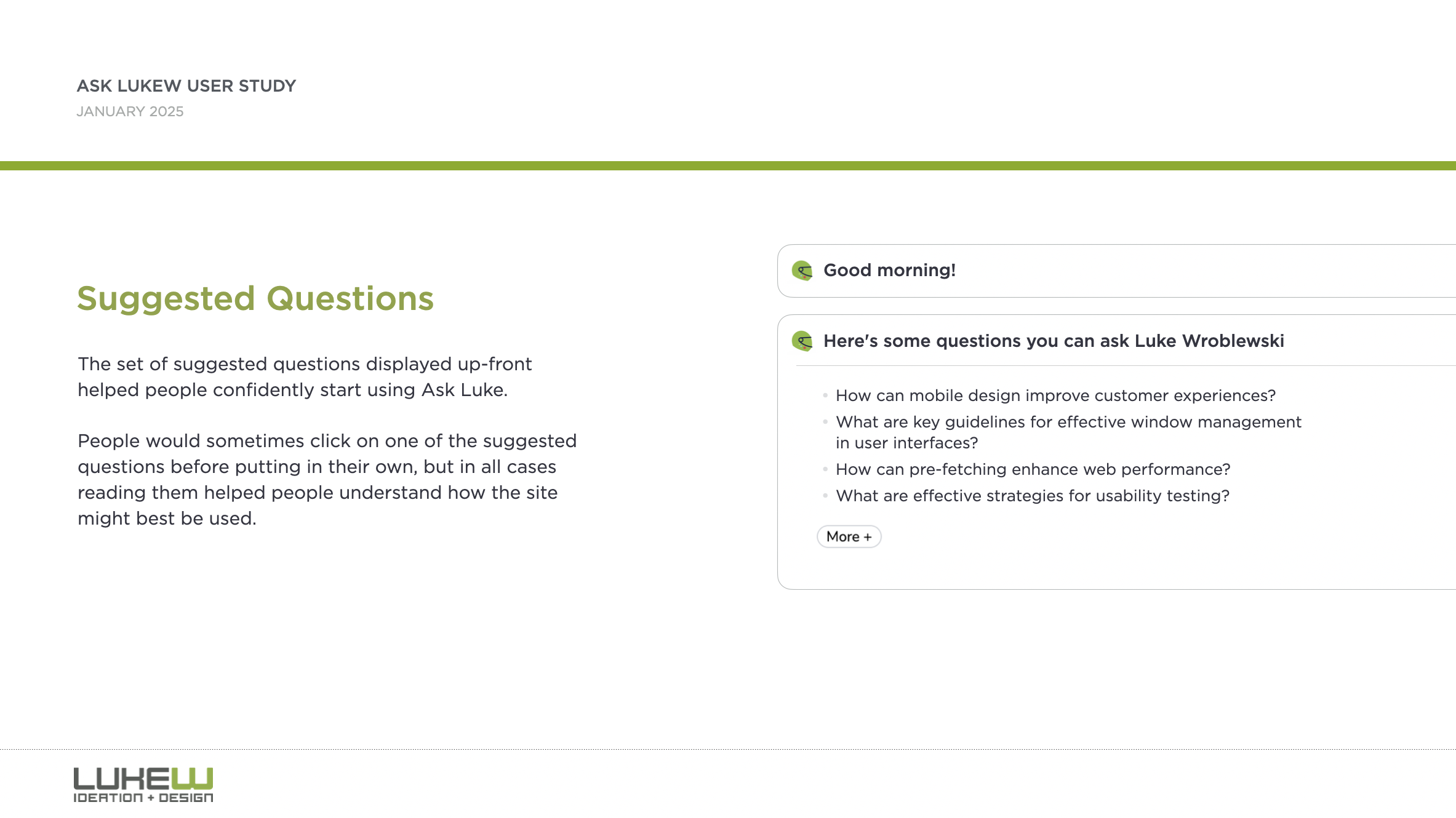
Suggested questions and citations played a big role in this transition. People would sometimes click on one of the suggested questions before putting in their own, but in all cases reading suggested questions helped people understand how the site might best be used. After getting a response, one of the most important aspects for developing trust was seeing that answers had sources which led to any documents cited in the response.
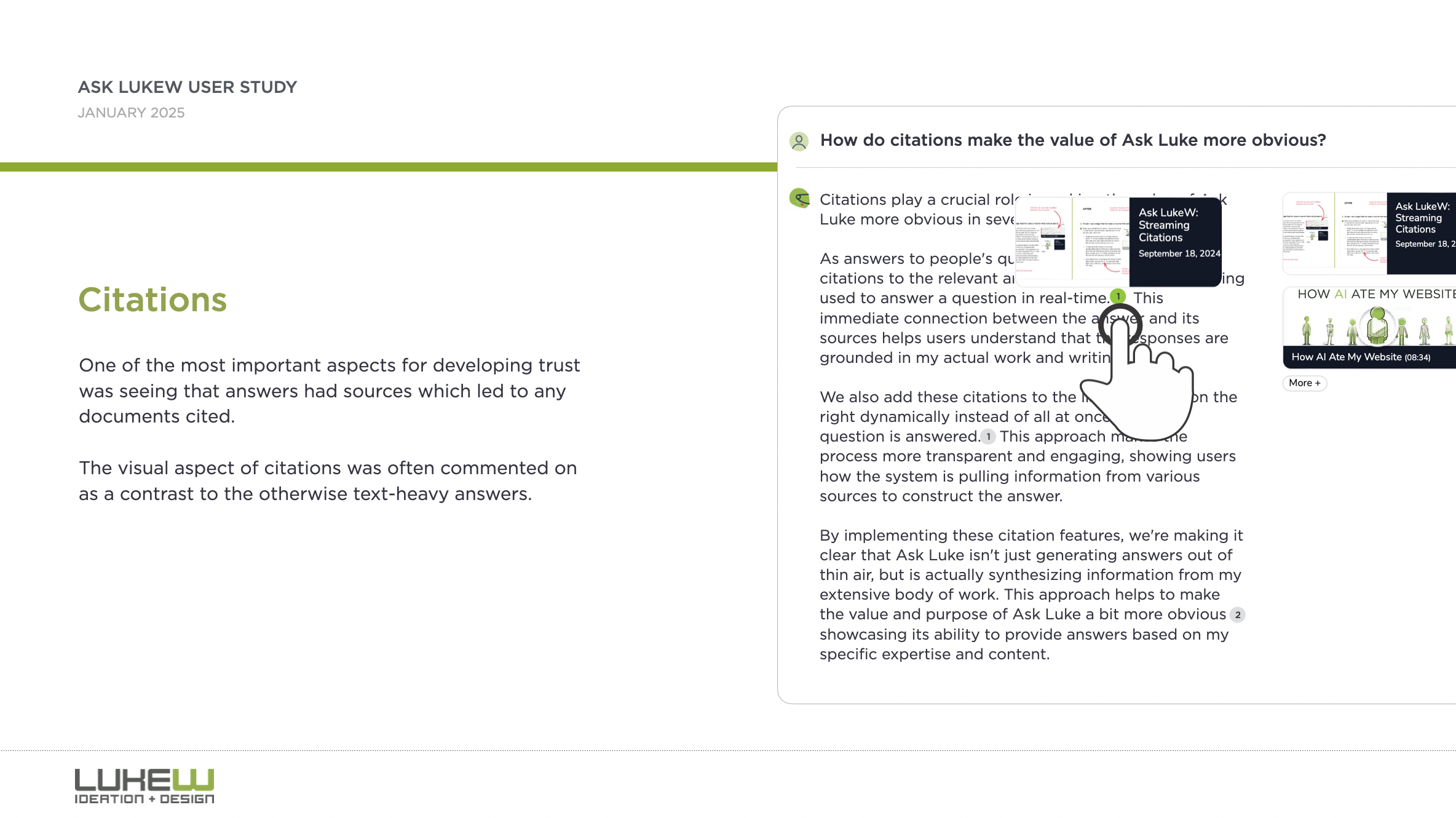
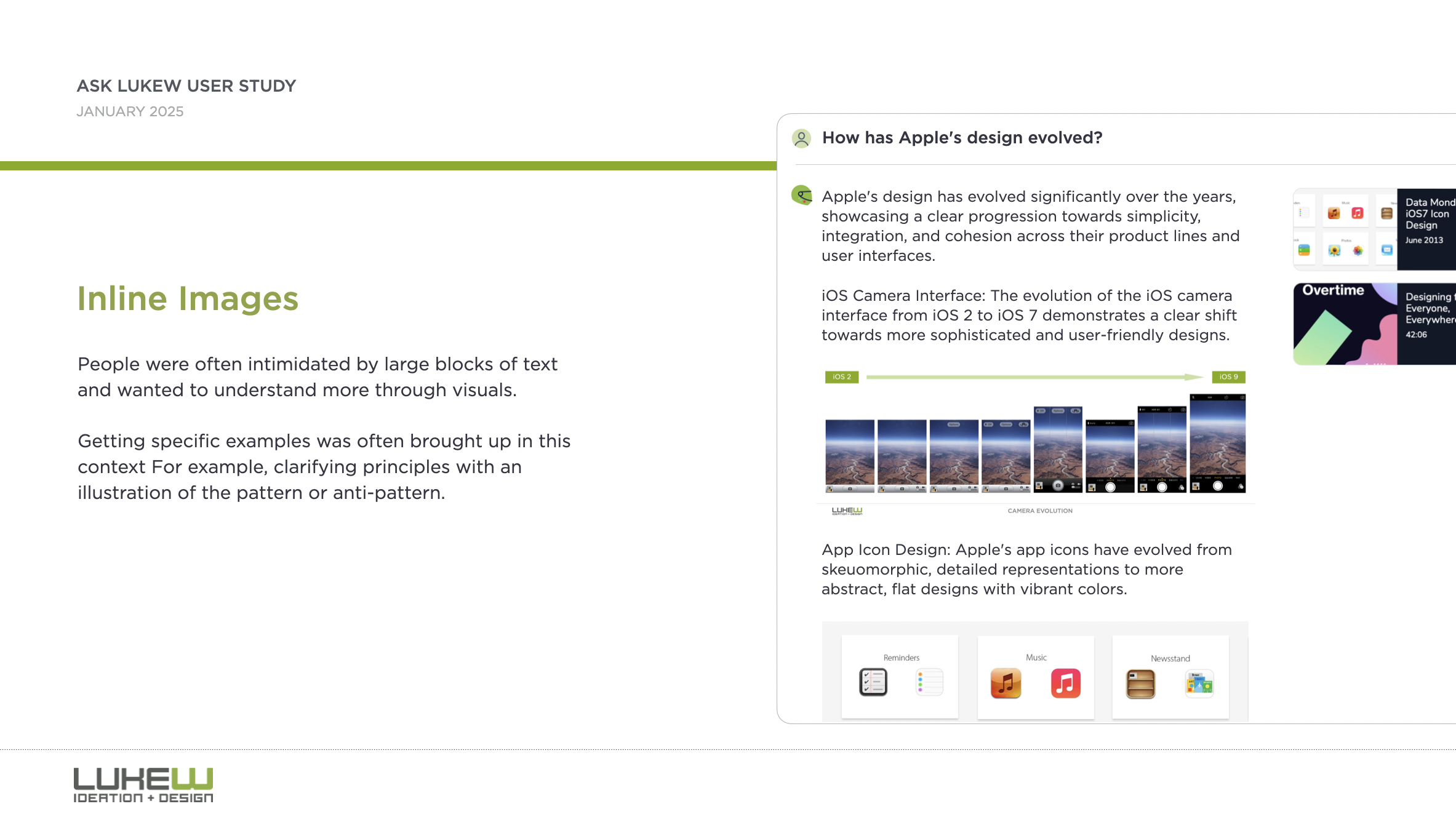
The visual aspect of citations was often commented on as a contrast to the otherwise text-heavy answers. People were often intimidated by large blocks of text and wanted to understand more through visuals. Getting specific examples was often brought up in this context. For example, clarifying design principles with an illustration of the pattern or anti-pattern.
"I feel like I'm just a pretty visual person. I know, like, a lot of the designers I work with are also, like, very visual people. And it might just be, like, a bias against blocks of text."
Some people ran into older content and had a fear that they were getting something that may be out of date. The older the content was, the more they had to think about whether it might still be information they could trust.

Some thought there were potential benefits in having an AI model with design expertise be usable with and have context on their design work. This was partly driven by the desire to keep all their stuff in one place.
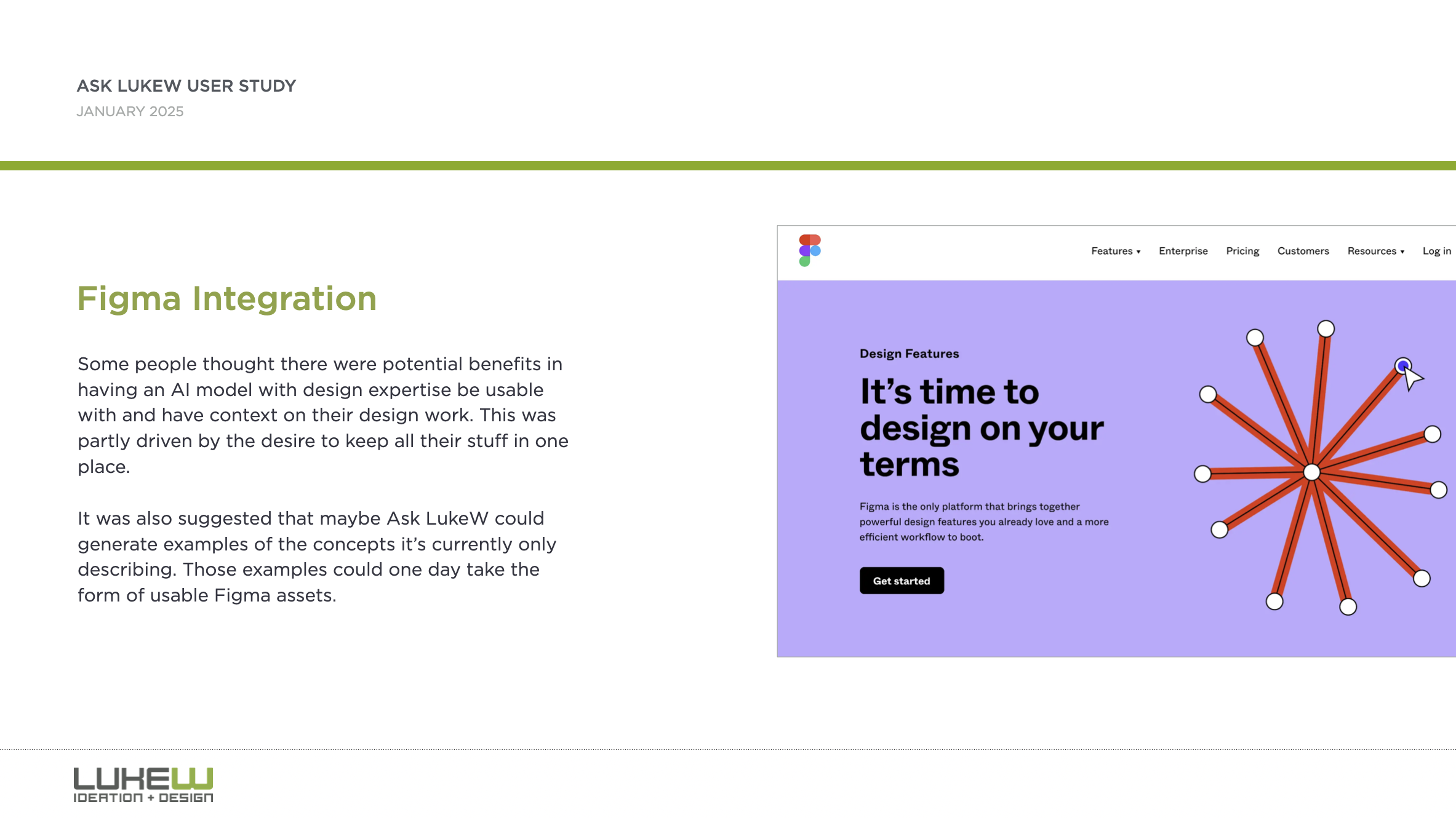
While a Figma integration is not in the cards for Ask LukeW now, making improvements to retrieval to address perceptions of older content and displaying more inline media (like images) to better illustrate responses is now.
Thanks to Max Roytman for planing and running this study. You can grab the full results as PDF download if interested in learning more.
Further Reading
Additional articles about what I've tried and learned by rethinking the design and development of my Website using large-scale AI models.
New Ways into Web Content: rethinking how to design software with AI
Integrated Audio Experiences & Memory: enabling specific content experiences
Expanding Conversational User Interfaces: extending chat user interfaces
Integrated Video Experiences: adding video experiences to conversational UI
Integrated PDF Experiences: unique considerations when adding PDF experiences
Dynamic Preview Cards: improving how generated answers are shared
Text Generation Differences: testing the impact of AI new models
PDF Parsing with Vision Models: using AI vision models to extract PDF contents
Streaming Citations: citing relevant articles, videos, PDFs, etc. in real-time
Streaming Inline Images: indexing & displaying relevant images in answers
Custom Re-ranker: improving content retrieval to answer more questions
Usability Study: testing a conversational AI interface with designers
Luke Wroblewski's Blog

- Luke Wroblewski's profile
- 86 followers

