Vlad Catrinescu's Blog, page 9
March 23, 2020
Free Webinar: Deep Dive into OneDrive Known Folder move
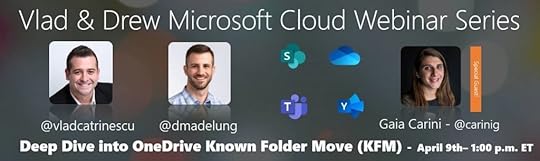
Join hosts & Microsoft MVP Vlad Catrinescu & Drew Madelung along with Principal PM Manager Gaia Carini on April 9th at 1 PM EST (10 AM PST) for a free webinar deep diving into OneDrive Knwon Folder Move (KFM)
Register here: https://zoom.us/webinar/register/7415827936857/WN_IobAcmShRra-0lu7a_XOgQ . If you cannot attend, no problem, it will be recorded and shared with you via e-mail within 24 hours of the webinar!
The post Free Webinar: Deep Dive into OneDrive Known Folder move appeared first on Vlad Talks Tech.


March 19, 2020
Free Webinar: Office 365 in today’s digital threats landscape: attacks & remedies from a hacker
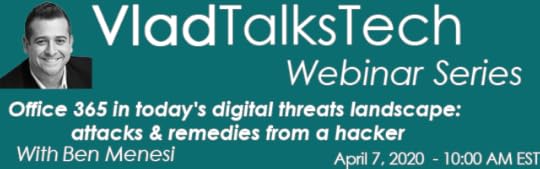
Join your host Microsoft MVP Vlad Catrinescu as well as special guest Ben Menesi on this free webinar to talk about Office 365 in today’s digital threats landscape on April 7th @ 10:00 AM EST!
Office 365 environments are very attractive targets for attackers. So, it’s never been more important to understand how its security structure works, and how to best configure it.
In this in-depth session, we’ll run through real-time attack scenarios and examine common attack vectors. And then we’ll explore the various defense capabilities of Office 365, the MS Graph API, and Azure AD. We’ll deep-dive into external sharing, authentication options, third-party application security (what apps should and shouldn’t be able to do), and even some do’s and don’ts regarding Azure AD endpoints and authorization mechanisms.
You’ll walk away with a solid understanding of how to use the Office 365 defense tools at your disposal, such as the Attack Simulator and Threat Intelligence, as well as how they relate to real-world attacks.
Register here: https://zoom.us/webinar/register/5415834243557/WN_Vf-gw2QIQlOGEcPLd_GLHw . If you cannot attend, no problem, it will be recorded and shared with you via e-mail within 24 hours of the webinar!
The post Free Webinar: Office 365 in today’s digital threats landscape: attacks & remedies from a hacker appeared first on Vlad Talks Tech.
March 16, 2020
Free Webinar: Understanding Power Platform licensing
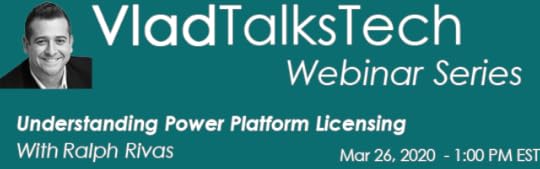
Join your host Microsoft MVP Vlad Catrinescu as well as special guest Ralph Rivas on this free webinar on understanding Power Platform Licensing. Get under the covers and find out what all this great functionality may cost by diving into the latest Microsoft information on licensing when using the Power Apps, Power Automate and Power Virtual Agents systems
Register here: https://zoom.us/webinar/register/4315832291586/WN_slsrfh0HQQuEdIPcii9kDQ . If you cannot attend, no problem, it will be recorded and shared with you via e-mail within 24 hours of the webinar!
The post Free Webinar: Understanding Power Platform licensing appeared first on Vlad Talks Tech.
March 13, 2020
Deep Dive into SharePoint Multilingual Webinar Recording and Questions
On March 10th, Drew Madelung and myself had the pleasure to host a webinar with Senior Program Manager Divyachapan (DC) Padur, and Senior Software Engineer Matt Mooty from Microsoft.
Multilingual in modern SharePoint Online is a brand-new feature that just came out, so we had over 300 attendees and a ton of interesting questions on the feature, so make sure you watch the webinar, and also check out the Q&A below. I highly recommend you watch the webinar and the demos inside before the questions, as some of the questions might not make sense if you have never seen the feature before!
 Modern SharePoint Multilingual FAQ
Q: What is the timeline for the Global Rollout of this feature?
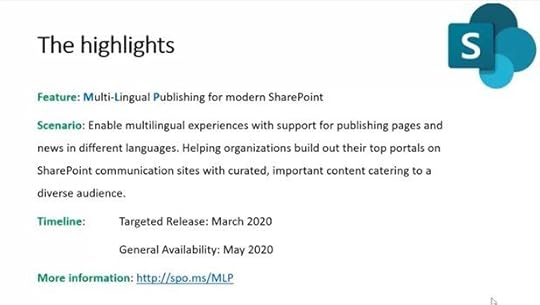
Targeted release tenants will see this option starting in March 2020, and it will go in General Availability starting with May 2020.
Q: What can we do to get the feature faster in our organization?
The fastest way to get the feature is to make sure that your Office 365 tenant is set in Targeted Release
Q:Will the modern SharePoint Online Multilingual feature work for Team Sites as well, or only for Communication Sites?
In this first release of multilingual, it will be only for communication sites. If you have business cases for it to work on Team Sites as well, please add it / vote for it on UserVoice and let Microsoft know it’s important!
Q: Once we create a site in SharePoint Online with a certain language as the default, can we change the default language?
No
Q: Is this going to be available on-premises in SharePoint 2019, or online only?
Online Only. It remains to be seen if it will be included in a potential SharePoint Server vNext, but it will not be available in SharePoint 2019.
Q: Will we be able to enable this on existing communication sites, or only new ones?
You will be able to enable it on any existing / new communication site in SharePoint Online
Q: What languages will be available with this feature?
All of the different languages supported in SharePoint Online will also be supported for SharePoint Multilingual
Q: Will this work for languages written from right to left as well?
Yes
Q: Will content be deep linked? Meaning if I am on Page XYZ in English and I switch to French, will I be redirected to the linked page, or to the home page of the French site?
Content is deep linked, so you will be redirected to the version of that page in French
Q: Where are pages created / what is the general information architecture for SharePoint Online Multilingual?
Insite the SitePages folder, there will be one folder per language that you enable for that multilingual site.
Q: I am currently using the SharePoint Online PnP multilingual solution. What is the migration path to go to this out of the box version?
There is no official migration path, but the PnP team might be working on documentation to allow you to migrate. As this relates to PnP best to ask directly on the PnP Github on the multilingual solution.
Q: Can the translator of a page be an Active Directory Group instead of only a user? Can it be a guest user if the translator is external?
The translator can be set to an Active Directory e-mail enabled security group, or a guest. You need to make sure to also give contribute permissions to the group/guest as setting a user as a translator does not give them any permissions at all, it’s simply for notifications.
Q:Is machine translation supported? Can we automate any translation of the content or is it all 100% manual?
All translation is manually done by a user, there is no integration with any automatic translation service.
Q: Are there any Power Automate ways to interact with this feature?
Not at this time
Q: Will the SharePoint mobile app be aware of the translated pages and behave the same way? So a user would see the news from a site in their preferred language
That is planned but there is no release date set.
Q: What happens if a page is simply updated?
The translators will receive an e-mail notification that content might need updating, and they can use the version history to see what was changed in the original language, and decide if they do the update in their own language or not
Q: If a user goes to the root of a multilingual site, will they be shown the default language or their preferred language?
If their preferred language is available, SharePoint will automatically show that user the content in their preferred language. Their preferred language comes from their Active Directory profile. You can Set it by following this article: https://support.office.com/en-us/article/change-your-personal-language-and-region-settings-caa1fccc-bcdb-42f3-9e5b-45957647ffd7
Q: What happens if a user’s preferred language is French, but the site is only in English (default) and Spanish?
The user will be redirected to the default language of the site.
Q:Can we hide content that hasn’t been translated yet from users?
When a page is created in a new language it will be in draft mode by default. End Users won’t see it until it gets published by a user with the appropriate rights
Q: Will the translators receive the e-mail notifications in their preferred language?
The translators will receive notifications e-mail in the default language of the site
Q: Can there be content differences between translated sites, so only specified section of the site get translated?
Translation is done on a page by page basis, so if you translate some pages but not others you can have only parts of a site translated. There is no restriction that translation pages have similar content.
Pages not translated into a user’s preferred language will be available in the site default language.
Q: Can the navigation be translated as well?
The navigation (both site and hub) can be translated the same way as the rest of the content. Even when switching language in the content (ex: Spanish user going to English page) the navigation will be shown in their preferred language.
Q: Can we have different navigation items per language?
No, the navigation will show up in all languages, so you cannot have a different amount of headers per language.
Q: What about translation of the non-page content? Content Types / List & Library Titles / Column Names / Documents?
List & Library Titles and Columns are translatable through the existing MUI feature. See this article for more information. https://support.office.com/en-us/article/choose-the-languages-for-a-sharepoint-site-user-interface-16d3a83c-05ab-4b50-8fbb-ff576a3351e8
Q: How does multilingual content work with the Search API and Content Rollup more in detail? Is there a specific managed property that you would need to filter on?
Content rollup does have a new clause in the query template specifically for multilingual. It uses the SPTranslationLanguage, SPTranslatedLanguages, and SPIsTranslation managed properties.
Q: How does the Microsoft Translator API fit into this?
Microsoft is still considering options for automatic translation.
Q:Is there an Admin Dashboard / Setting planned in the future to control Navigation and Site Pages translation easier than having multiple accounts with different languages?
Microsoft are working on it but cannot share a planned release date.
Q: Can Office 365 users set their language preference from Office Delve?
Please follow these instructions: https://support.office.com/en-us/article/change-your-personal-language-and-region-settings-caa1fccc-bcdb-42f3-9e5b-45957647ffd7
A huge thank you to DC and Matt for taking the time not only for the webinar, but also to help answer the questions below! To view all the information on Multilingual from Microsoft you can also check http://spo.ms/mlp
The post Deep Dive into SharePoint Multilingual Webinar Recording and Questions appeared first on Vlad Talks Tech.
March 12, 2020
Free Webinar: Bot Framework Composer – A game changer for bot development
Join your host Microsoft MVP Vlad Catrinescu as well as special guest & Microsoft MVP Stephan Bisser on this free webinar to talk about the Bot Framework Composer on March 26th at 11AM EST!
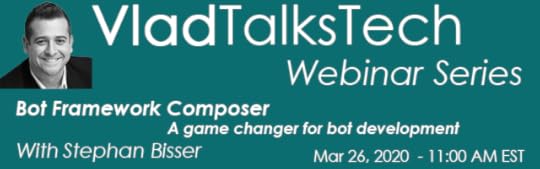
In this Webinar, you will get to know one of the newest additions to the Bot Framework family: “Bot Framework Composer”. Composer is a tool helping people building bots on top of the Microsoft Conversational AI platform within a visual interface rather than writing code. Therefore, this tool can be seen as somewhat innovative, as this lowers the barrier for building and deploying bots now, as even non-developers are now enabled to build bots. During this session, you will learn the basics of the Bot Framework as well as the whole build lifecycle for a modern bot. Furthermore, this session will contain a real-world demo showing the capabilities of building and deploying an enterprise bot without the need of writing code.
Register here: https://zoom.us/webinar/register/9215836010333/WN_2-0yJG3ZS5awWNao4mvYsg . If you cannot attend, no problem, it will be recorded and shared with you via e-mail within 24 hours of the webinar!
The post Free Webinar: Bot Framework Composer – A game changer for bot development appeared first on Vlad Talks Tech.
March 10, 2020
Free Webinar: Build Your First Microsoft Teams App… Using SPFx!
Join your host Microsoft MVP Vlad Catrinescu as well as special guest & Microsoft MVP Sébastien Levert on this free webinar to talk about building awesome apps for Microsoft Teams! The webinar will be on March 24th 2020 at 2 PM EST time!
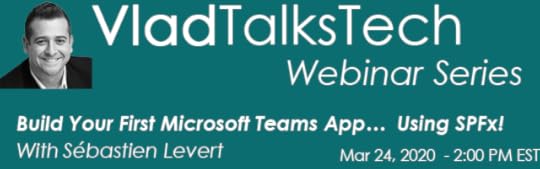
Congratulations! You’ve been working hard and you can now master the SharePoint Framework! How awesome would it be if the skills you developed could be reused in other emerging and bleeding-edge technologies? Like MS Teams? Your wishes just came true as it’s now absolutely possible to leverage the same SPFx toolchain to build great apps within Microsoft Teams! Come learn the basics of a Microsoft Teams App and how you can use the SharePoint Framework to build your next big application!
Benefits of Attending this Webinar:
Get the roadmap to transfer your SPFx skills to TeamsLeverage a new integration opportunity in MS TeamsUnderstand how powerful SPFx is for multiple types of projectsRegister here: https://zoom.us/webinar/register/4115834696327/WN_wRhThTkuTAGM4j-DRPQ52g . If you cannot attend, no problem, it will be recorded and shared with you via e-mail within 24 hours of the webinar!
The post Free Webinar: Build Your First Microsoft Teams App… Using SPFx! appeared first on Vlad Talks Tech.
February 24, 2020
Free Webinar: Microsoft 365 Certifications Overview
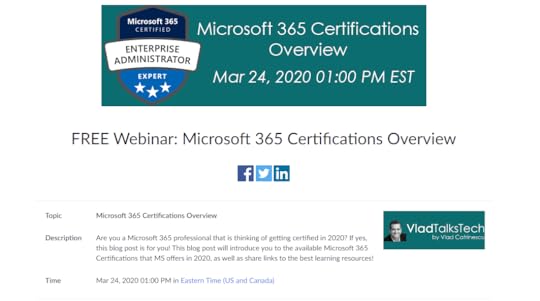
Following the great popularity & amazing questions on Microsoft 365 Certifications on my blog, I am organizing a free webinar to review the different Microsoft 365 Certification options, certification paths, as well as study resources to help you get certified!
The webinar will be on March 24th, at 1PM EST time, and we will reserve quite a lot of time for any questions in the chat. Even if you cannot attend, make sure you register , and the recording will be sent to you afterwards!
Register for free over here: https://zoom.us/webinar/register/9615822293604/WN_LKATRHhoSJ2QRYNm9iDDlg
 Leave a comment and don’t forget to like the Vlad Talks Tech Page on Facebook and to follow me on Twitter here for the latest news and technical articles on SharePoint. I am also a Pluralsight author, and you can view all the courses I created on my author page.
The post Free Webinar: Microsoft 365 Certifications Overview appeared first on Vlad Talks Tech.
February 11, 2020
Save 33% off your Pluralsight Subscription – February 2020
Is your Pluralsight subscription up for renewal soon or have you been waiting for a promotion to become a Pluralsight subscriber? Pluralsight, one of the best on-demand online training companies with over 6000 courses is currently having a promotion between now and February 19th, 2020 to save 33% on a Pluralsight Subscription, and it even works on renewals! You can also offer it as a gift to someone you care about!

Both the Annual and Premium are 33% off, and here is the difference between the plans!
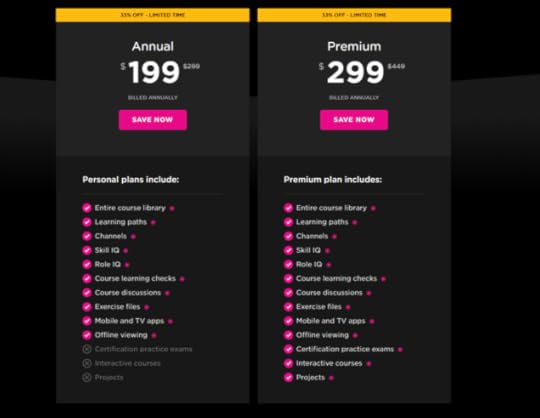
Whether you’re interested in learning SharePoint, Office 365, PowerShell, Angular or even Ethical Hacking and Security, 199$ for a year of unlimited learning is an amazing deal! Get the promotion now, click on the banner above or at the following link: https://spvlad.com/PS-Promo-Feb2020! Don’t wait too long as the deal ends on February 19th, 2020 !
Leave a comment and don’t forget to like the Vlad Talks Tech Page on Facebook and to follow me on Twitter here for the latest news and technical articles on SharePoint. I am also a Pluralsight author, and you can view all the courses I created on my author page.The post Save 33% off your Pluralsight Subscription – February 2020 appeared first on Vlad Talks Tech.
February 10, 2020
Free Webinar: Deep Dive into SharePoint Online Multilingual
Join my co-host Microsoft MVP Drew Madelung along with Senior Program Manager Divyachapan (DC) Padur on March 10th at 1 PM EST (10 AM PST) for a free webinar covering the upcoming multilingual functionality in SharePoint Online!
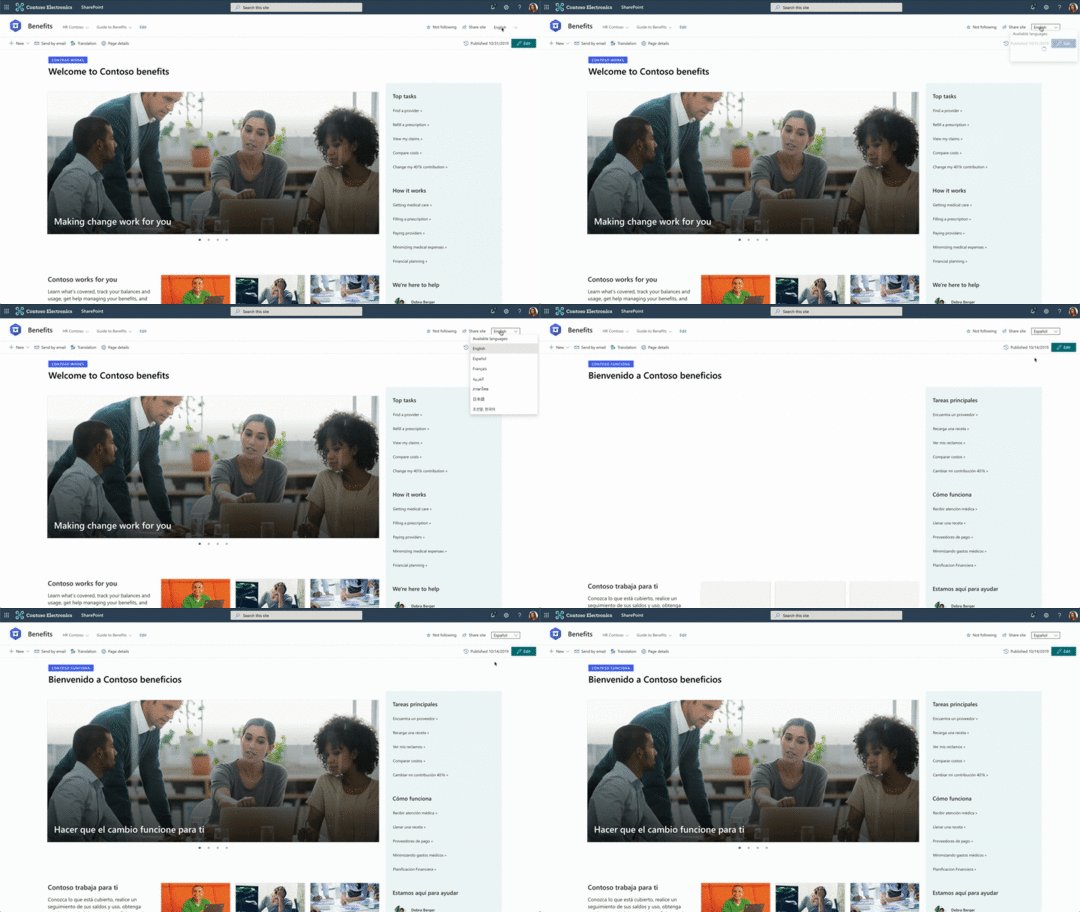 Image Credit: Microsoft Tech Community
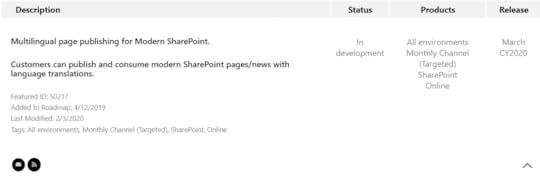
Announced at Microsoft Ignite 2019, Microsoft will soon release multilingual capabilities for SharePoint Online in calendar year 2020! Here is a description coming directly from the Microsoft Tech Community post during Ignite:
Global organizations need to enable content across different languages and so we are delivering multilingual site capabilities. This will enable you to create content and sites in multiple languages.
People will be able to view content in their preferred language, or easily switch to other available languages. Content translators will receive notification of changes. We are also delivering a new version history capability that will enable translators to visualize the differences between any two versions of a page in order to easily translate content as needed.
In this webinar, we will be able to dive deeper into how the new SharePoint Online Multilingual functionality works and ask any questions you might have into how to implement this in your intelligent intranet!
If you cannot make it live, make sure to register and we will send you the recording afterwards!
Title: Vlad & Drew Microsoft Cloud Webinar Series: Deep Dive into SharePoint Multilingual with Divyachapan (DC) PadurTime: March 10th 2020 @ 1 PM EST / 10 AM PSTRegistration: https://zoom.us/webinar/register/7015812875749/WN_v8LvK_LgQluKq06_m1ssMg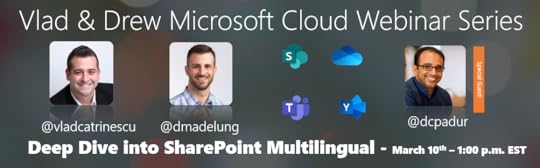
The post Free Webinar: Deep Dive into SharePoint Online Multilingual appeared first on Vlad Talks Tech.
January 7, 2020
Renewed as an MCT Regional Lead for Canada for 2020-2021
I am excited to announce that I have been renewed as an MCT Regional Lead for Canada for an another 2-year term, so until the end of 2021! If you want to learn more about the MCT Regional Lead program, and especially if you’re an MCT in Canada, please read on!
 What is an MCT?
Microsoft Certified Trainers (MCTs) are the premier technical and instructional experts in Microsoft technologies. Join this exclusive group of worldwide Microsoft technical training professionals and reap the benefits of MCT training certification and membership. As a Microsoft Certified Trainer, you need to earn a Microsoft Certification validating your experience and knowledge in using Microsoft products and solutions for each course you deliver.
What is an MCT Regional Lead?MCT Regional Leads are a small group of MCTs from around the world (~100) that are the liaison between MCTs in a region, and Microsoft Learning. The goal of the MCT Regional Lead program is to help current and prospective MCTs in our region with any questions they might have around the MCT program, Microsoft Official courses, or certifications! We also get to give feedback early on upcoming certifications and directions where Microsoft Learning is heading.
If you are an MCT for Canada, please join the MCT Canada Group on Meetup
as that is the main group we use to communicate! We have quarterly meetups on Teams, and I also try to organizer meetups in person whenever I travel in Canada to different events! But for now, please join the group so we can all be together in the same group.
Cristian Vergara has been the MCT Regional Lead for Canada for the last four years (including two years where we worked together), but now that he has joined Microsoft, he couldn’t have continued. He did an amazing job building the MCT Community and I am honored to be able to continue the work he started.
Leave a comment and don’t forget to like the Vlad Talks Tech Page on Facebook and to follow me on Twitter here for the latest news and technical articles on SharePoint. I am also a Pluralsight author, and you can view all the courses I created on my author page.The post Renewed as an MCT Regional Lead for Canada for 2020-2021 appeared first on Vlad Talks Tech.