Vlad Catrinescu's Blog, page 8
May 14, 2020
Free Webinar: Review of the new experiences of managed metadata services
Join hosts & Microsoft MVP Vlad Catrinescu & Drew Madelung along with product managers Sean Squires and Anupam Francis on May 20th at 11 a.m. ET for a free webinar covering updates to the managed metadata service in Microsoft 365!
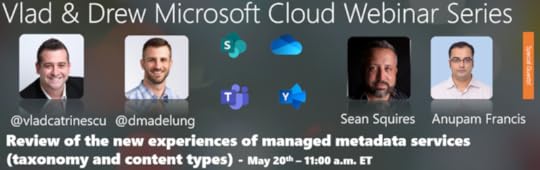
In this webinar we will talk about the updates coming to the managed metadata service. This includes experience updates to the term store, a new admin content type gallery, and improvements to managed metadata columns in lists and libraries. We will also talk about the new REST and Graph APIs supporting taxonomy updates.
The team is eager to share some other work in planning and hear your questions. Hope you can join us! You can register over here: https://us02web.zoom.us/webinar/register/1315894181277/WN_tTojR_2eTD6rrQZigtp_6A
The post Free Webinar: Review of the new experiences of managed metadata services appeared first on Vlad Talks Tech.


May 13, 2020
New Pluralsight Course: Core Components of Power Platform
Pluralsight course #25 is now out, and this one is not about Microsoft 365, but about the Power Platform! This course is a beginner / foundation level course, and will be part of the PL-900, Core Components of Power Platform path on Pluralsight! The course covers really the core components that you need to know, before you use any of the Power Platform products. Those core components are Connectors, the Common Data Service, and the AI Builder!
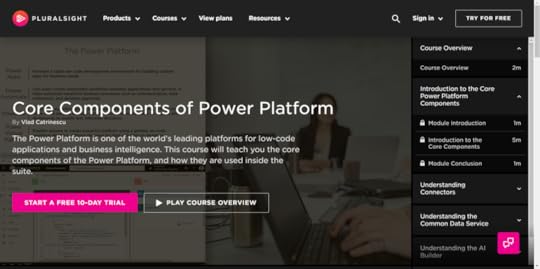
The Microsoft Power Platform is one of the world’s leading platforms for low-code applications and business intelligence, and one of the core pillars of the Microsoft cloud offering. While the Power Platform is made of multiple products, they share some important core components. In this course, Core Components of Power Platform, you’ll learn what those core components are, as well as how each of them is used by different products in the Power Platform. First, you’ll explore connectors. Next, you’ll discover the AI Builder. Finally, you’ll learn how the common data service can be leveraged to securely store information for your Power Platform apps. When you’re finished with this course, you’ll have the skills and knowledge of the Power Platform needed to more efficiently build your apps.
You can find the course on Pluralsight at : https://spvlad.com/2ySHF3q or by clicking the banner above! The PL-900 path on Pluralsight is not ready yet, but there should be 6 courses out there very shortly to cover the other objectives of the exam, including Power Virtual Agents which just got added as of May 7th to the exam objectives!
The post New Pluralsight Course: Core Components of Power Platform appeared first on Vlad Talks Tech.
May 11, 2020
New Pluralsight Course: Configuring and Managing Microsoft 365 Workload Integrations
I am extremely happy to announce that my 24th Pluralsight course is published, and this one is focused on some of the “smaller” applications in the Microsoft 365 Collaboration stack such as Yammer, Microsoft Stream, Analytics, and more!
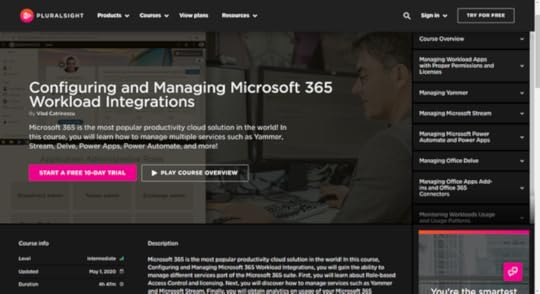
Microsoft 365 is the most popular productivity cloud solution in the world! In this course, Configuring and Managing Microsoft 365 Workload Integrations, you will gain the ability to manage different services part of the Microsoft 365 suite. First, you will learn about Role-based Access Control and licensing. Next, you will discover how to manage services such as Yammer and Microsoft Stream. Finally, you will obtain analytics on usage of your Microsoft 365 environment. When you are finished with this course, you will have the Microsoft 365 skills and knowledge needed to effectively manage multiple services inside the suite. This course also covers the Configure and manage workload integrations portion of the MS-300 exam!
You can find the course on Pluralsight at : https://spvlad.com/M365Workloads or by clicking the banner above!
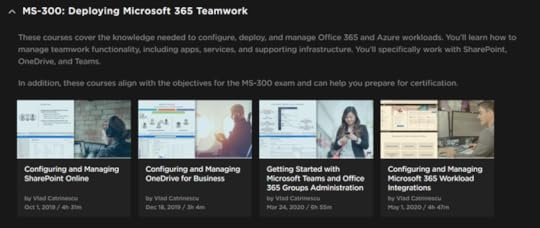
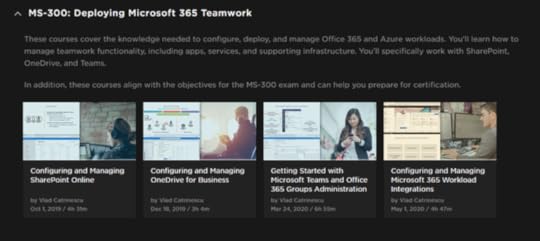
If you want to see all courses around the MS-300 exam, check out the MS-300: Deploying Microsoft 365 Teamwork Path which is made of multiple courses and over 19 hours of content!
You can also find a full study guide containing both free and paid ressources for the MS-300 exam over here: https://vladtalkstech.com/ms-300-study-guide-deploying-microsoft-365-teamwork
The post New Pluralsight Course: Configuring and Managing Microsoft 365 Workload Integrations appeared first on Vlad Talks Tech.
May 7, 2020
Microsoft Learning retires the Microsoft 365 Teamwork Administrator Associate certification
This is a sad blog post for me to write, but unfortunately Microsoft Learning has announced today that they are retiring the Microsoft 365 Certified: Teamwork Administrator Associate certification on August 31st, 2020.
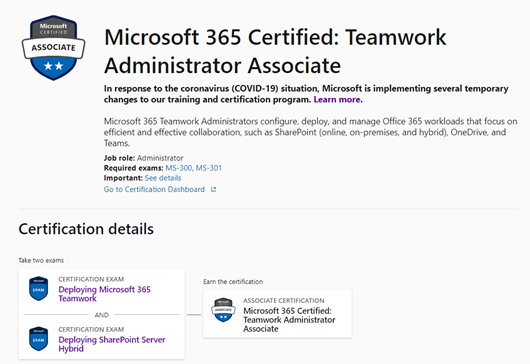
As a reminder, the Microsoft 365 Teamwork Administrator certification was testing on the following topics, in two different exams, the MS-300 and MS-301:
Configure and manage SharePoint OnlineConfigure and manage OneDrive for BusinessConfigure and manage TeamsConfigure and manage workload integrationsConfigure and manage SharePoint On-PremisesConfigure and manage hybrid scenariosMigrate to SharePoint OnlineWhat happens if you passed this certification, or if you were studying for it? Even if a certification that you’ve earned has been retired, it remains on your transcript and can be shared as usual. A retired certification remains in the active section of your transcript for at least two years after its retirement. Therefore, if you find that those topics are important and you want to showcase your skills in those topics, you have until August 31st, 2020 to pass the MS-300 and MS-301 to achieve the certification! You can view the official announcement here!
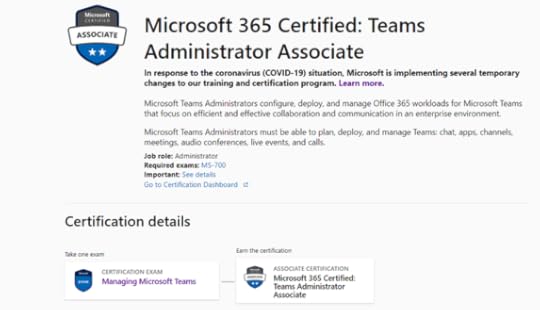
Microsoft Learning’s answer to this retirement is that everyone should take the MS-700 exam to become a Microsoft 365 Certified: Teams Administrator Associate. (You can find a study guide here)
My take on this retirementI am personally disappointed in this announcement for multiple reasons, but mainly because I know that there are still a lot of admins out there who manage SharePoint / OneDrive / Stream/ Yammer / etc and would love to get certified. The MS-300 covered the “collaboration” part of Microsoft Teams , and nothing about calling, managing voice , and auto attendants in Teams. While the MS-700 is great for Skype for Business admins transitioning to Teams, I do believe the “Microsoft 365 Teamwork” admin was a real role out there. Now, I wouldn’t have been surprised to see the MS-301 get retired, as Microsoft, and therefore Microsoft Learning not investing a lot in on-premises anymore. We don’t have any Windows Server 2019 or SQL Server 2019 exams anymore, so I wouldn’t have been surprised to see SharePoint 2019 go, but to see SharePoint Online, OneDrive for Business, Stream, Yammer, etc , certification content was completely a shock.
What should you do?Well, there are really two options that I see. First one, you can still go get your Teamwork Administrator Associate certification until August 21st and it will be valid for two years! By the rate Microsoft changes certifications, we don’t know what will happen in two years anyway, so we might, or might not see a new certification for SharePoint Online out there! There is some great content out there, including over 19 hours of content on Pluralsight for the MS-300 , as well as a ton of content on the MS-301. Furthermore, as announced by Microsoft only yesterday, if you are a consulting company that wants to achieve the Advanced specialization – Teamwork Deployment , you need to have 4 individuals in the company who have passed both MS-300 and MS-301 , so those certifications will still be valuable for your organization!
The other option is to go get Microsoft Teams certified, which I know a lot of the takers of the MS-300/301 were interested in anyways. To get the Microsoft 365 Certified: Teams Administrator Associate certification, you only need to pass the MS-700 and you are good to go. You can find study resources over here!
What do you think of this retirement? Let me know in the comments!
The post Microsoft Learning retires the Microsoft 365 Teamwork Administrator Associate certification appeared first on Vlad Talks Tech.
May 4, 2020
Save 33% off your Pluralsight Subscription – May 2020
Is your Pluralsight subscription up for renewal soon or have you been waiting for a promotion to become a Pluralsight subscriber? Pluralsight, one of the best on-demand online training companies with over 6000 courses is currently having a promotion between now and May 14th, 2020 to save 33% on a Pluralsight Subscription, and it even works on renewals! You can also offer it as a gift to someone you care about!
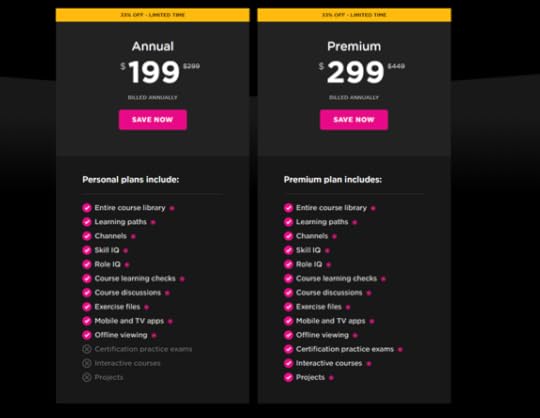
Whether you’re interested in learning SharePoint, Microsoft 365, PowerShell, Angular or even Ethical Hacking and Security, 199$ for a year of unlimited learning is an amazing deal! Get the promotion now, click on the banner above or at the following link: https://spvlad.com/PSSave33-May2020 ! Don’t wait too long as the deal ends on May 14th , 2020 !
The post Save 33% off your Pluralsight Subscription – May 2020 appeared first on Vlad Talks Tech.
April 29, 2020
Free Webinar: Mastering Microsoft Teams
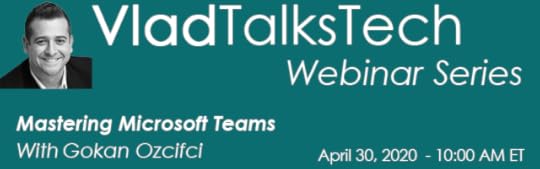
Join your host Microsoft MVP Vlad Catrinescu and special guest, Microsoft MVP & Regional Director Gokan Ozcifci on April 30th at 10 AM ET for a free webinar on Microsoft Teams!
Here is what we’ll cover:
Be prepared for an overview of Microsoft Teams, examples of how to get started with Microsoft Teams, best practices for managing different scenarios, and how SharePoint and OneDrive for Business interact with Microsoft Teams.We’ll cover how to plan, deliver, and operate Microsoft Teams for Groups, Whiteboard, meetings, notes, DLP, Roles and Permissions & Monitoring Usage and Quality.If your organisation is currently considering deploying or just starting your journey to Microsoft Teams, this session is for you as we’ll consider everything from A to Z.Register over here: https://us02web.zoom.us/webinar/register/6915839705186/WN_3Bj6XI2GRc6KYWVuNWDB4A
Even if you cannot attend, everyone who registered will get the webinar recording, so don’t miss out!
The post Free Webinar: Mastering Microsoft Teams appeared first on Vlad Talks Tech.
April 16, 2020
Free Webinar: Why the Microsoft 365 Administrator should care about the Power Platform Governance?
Join your host Microsoft MVP Vlad Catrinescu as well as special guest & Microsoft MVP Sara Barbosa on this free webinar on April 21st at 11am EST to talk about the Power Platform.

Microsoft 365 Administrator is no longer only responsible for administering Exchange Online or SharePoint Online. Every day the Microsoft 365 platform evolved and new features are released generates more demands for administrators one of them is the Governance of Microsoft Flow, Power apps, and Power BI.
Register here: https://zoom.us/webinar/register/7015870503104/WN__RIlEq4KSgWJ2PykMDu8YA . If you cannot attend, no problem, it will be recorded and shared with you via e-mail within 24 hours of the webinar!
The post Free Webinar: Why the Microsoft 365 Administrator should care about the Power Platform Governance? appeared first on Vlad Talks Tech.
April 12, 2020
Free Azure Training and AZ-900 Exam Voucher
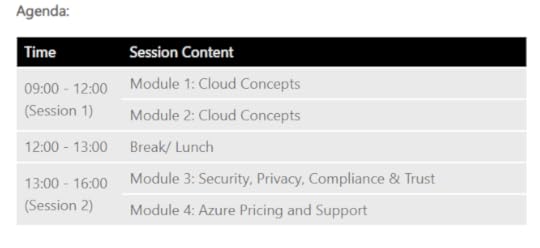
In the next few months, Microsoft will be running multiple free full day of virtual training on the Fundamentals of Azure! As a bonus, they are even giving away a free Microsoft Exam voucher so you can go take the AZ-900 Exam at the time of your choice!
Here is the description directly from Microsoft:
To create your vision for tomorrow, you need to understand what the cloud can do for you and your company today. Microsoft Azure Virtual Training Day: Fundamentals explains cloud-computing concepts, models, and services, covering topics such as public, private, and hybrid cloud as well as infrastructure as a service, platform as a service, and software as a service.
Common cloud concepts Benefits of Azure Strategies for transitioning to Azure cloud Azure computing, networking, storage and security basisDuring this free virtual event you will learn:
By attending the event, you will have the knowledge needed to take the AZ-900 Microsoft Azure Fundamentals certification exam and receive a voucher to take the exam for free at a date and time of your choice.
Virtual training will be in English.
All of those virtual trainings are directly given by Microsoft and in multiple timezones! Here are some options!
April 21st , GMT+2 timezone : https://info.microsoft.com/CE-AzureINFRA-WBNR-FY20-04Apr-21-MicrosoftAzureVirtualTrainingDayFundamentalsMaster-SRDEM17525_LP01Registration-ForminBody.htmlMay 5th, Eastern Time Zone: https://info.microsoft.com/en-us-landing-MicrosoftAzureVirtualTrainingDayFundamentalsMaster-may5-none.html?ls=Website&lsd=AzureWebsiteMay 12/13 (Same content but over two days , Eastern Time Zone: https://info.microsoft.com/en-us-landing-MicrosoftAzureVirtualTrainingDayFundamentalsMaster-none.html?ls=Website&lsd=AzureWebsiteMay 27 / 28 (Pacific Time Zone): https://info.microsoft.com/en-us-landing-MicrosoftAzureVirtualTrainingDayFundamentalsMastermay27-none.html?ls=Website&lsd=AzureWebsiteJune 2nd (Eastern Time Zone): https://info.microsoft.com/en-us-landing-MicrosoftAzureVirtualTrainingDayFundamentalsMasterJun02-none.html?ls=Website&lsd=AzureWebsiteJune 17th (Pacific Time Zone): https://info.microsoft.com/en-us-landing-MicrosoftAzureVirtualTrainingDayFundamentalsMaster-jun17-none.html?ls=Website&lsd=AzureWebsiteJune 24-25 (Pacific Time Zone): https://info.microsoft.com/en-us-landing-MicrosoftAzureVirtualTrainingDayFundamentals-None.html?ls=Website&lsd=AzureWebsiteThere are more optiosn available and you can see them all over here: https://azure.microsoft.com/en-ca/community/events/?query=Microsoft+Azure+Training+Day%3A+Fundamentals
If you want additional study material before going for the exam, check out my AZ-900 Study Guide over here: https://vladtalkstech.com/az-900-study-guide-microsoft-azure-fundamentals
Leave a comment and don’t forget to like the Vlad Talks Tech Page on Facebook and to follow me on Twitter here for the latest news and technical articles on SharePoint. I am also a Pluralsight author, and you can view all the courses I created on my author page.Want to learn the fundamentals of @Azure and get a FREE voucher for the AZ-900 Exam? Check out my blog post to see how you can get all of those for free, directly from Microsoft! >https://t.co/HJCa4K15KY pic.twitter.com/4HUVtgw798
— Vlad Catrinescu (@vladcatrinescu) April 12, 2020
The post Free Azure Training and AZ-900 Exam Voucher appeared first on Vlad Talks Tech.
April 3, 2020
Pluralsight is free for the entire month of April 2020
Pluralsight is free to individuals for the entire month of April—now is the perfect time to improve your tech skills or learn something for the first time! This will give you access to all 7,000 courses, no credit card required!
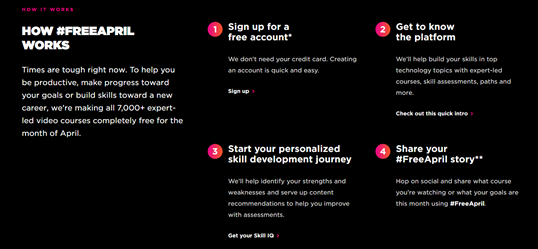
The only thing you have to do is register, no credit card required, and then start learning! Here is the link > https://spvlad.com/FreeApril
Here’s some Microsoft 365 Courses You Might Be Interested In!Those are some courses I think M365 Professionals might be interested in!
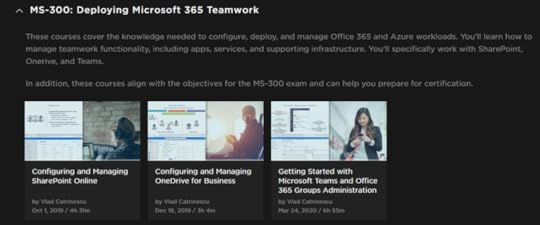
MS-900: Microsoft 365 Fundamentals (3 Courses – 3 Hours) > https://spvlad.com/MS-900Path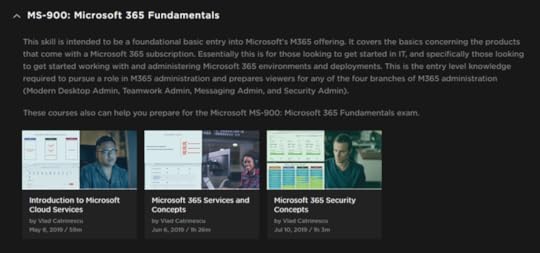 MS-300: Deploying Microsoft 365 Teamwork (3 Courses – 14h) > https://spvlad.com/MS300-Path
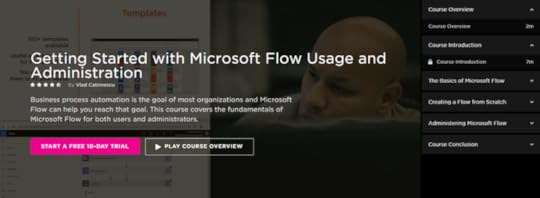
 Getting Started with Microsoft Flow Usage and Administration > https://spvlad.com/PS-MSFlow
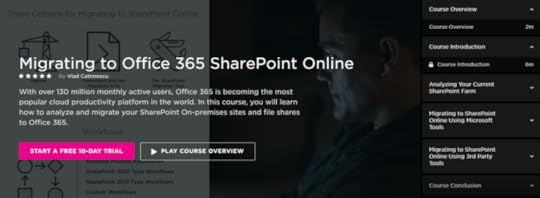
 Migrating to Office 365 SharePoint Online > https://spvlad.com/MigrateToSPO
The post Pluralsight is free for the entire month of April 2020 appeared first on Vlad Talks Tech.
March 27, 2020
New Pluralsight Course: Getting Started with Microsoft Teams and Office 365 Groups Administration
I am extremely happy to announce that my 23rd Pluralsight course is published, and this one is focused on a pretty hot topic right now: Microsoft Teams! It also covers the very important aspect of Office 365 Groups, as you cannot master Teams if you don’t master Office 365 Groups. This is by far my longest Pluralsight course ever at 7 hours, so lots of content in there to keep you busy for the next few days at least .
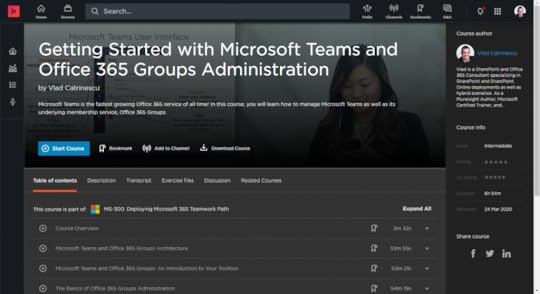
Microsoft Teams is the fastest growing Office 365 service of all time with over 20 million daily active users, and Microsoft expects it to double within the next 12 months. In this course, Getting Started with Microsoft Teams and Office 365 Groups Administration, you will gain the ability to manage Microsoft Teams, as well as it’s underlying membership service, Office 365 Groups. First, you will learn about the architecture of Office 365 Groups and Microsoft Teams. Next, you will discover how to manage Office 365 Groups and Microsoft Teams from three different admin centers and by using PowerShell. Finally, you will explore how to manage external and guest access for Office 365 Groups and Microsoft Teams. When you are finished with this course, you will have the skills and knowledge needed to effectively manage both Office 365 Groups and Microsoft Teams. This course also covers different objectives from both the MS-300 and MS-700 Certifications Exams.
You can find the course on Pluralsight at : https://spvlad.com/ManageMSTeams or by clicking the banner above!
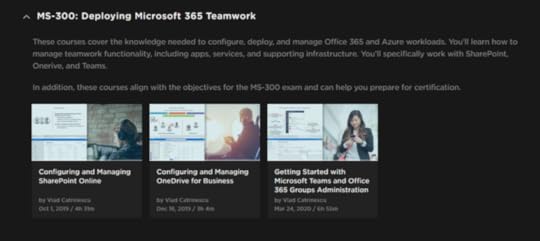
If you want to see all courses around the MS-300 exam, check out the MS-300: Deploying Microsoft 365 Teamwork Path which is made of multiple courses and over 15 hours of content!
The post New Pluralsight Course: Getting Started with Microsoft Teams and Office 365 Groups Administration appeared first on Vlad Talks Tech.