Ray DelVecchio's Blog, page 13
April 25, 2019
Web Design Bulletin: Automate Sales Process, Entertainment Industry, Old-School Reviews
Cool Tool, Service or Resource
Streak CRM – https://www.streak.com/
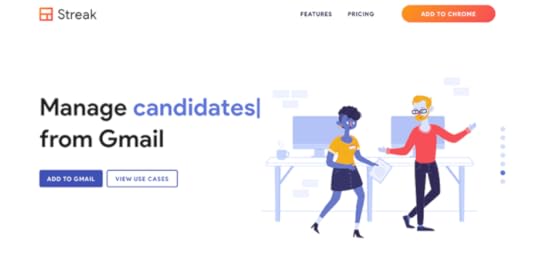
Every business industry has software that makes your life easier. For web design, you probably have favorites. However, you may not be as familiar with sales tools that will help you make money, such as CRM (customer relationship management) software.
Big companies use professional platforms like Salesforce.
As a freelancer, you can start without any software – a spreadsheet is good enough. The next step up is a freemium CRM that gives you the ability to test before you upgrade.
Stream CRM is the perfect solution because it integrates directly within Gmail and it can perform the most annoying of tasks automatically – sending repetitive sales emails for you!
Web Design Example
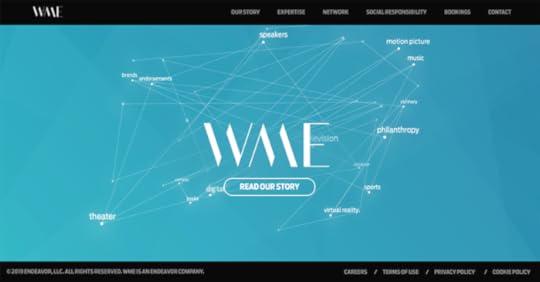
WME Entertainment – https://wmeentertainment.com/
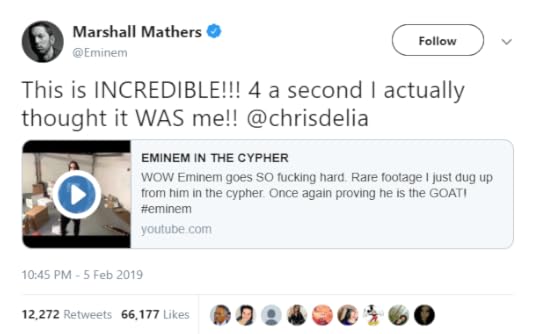
One of my favorite comedians is Chris D’Elia. His impression of Eminem recently went viral and even Marshall Mathers himself approved…
Because I like to dig into the business side of any successful person, I looked up the companies Chris works with. One of them is WME, a talent agency.
Their homepage has a cool motion animation with all of their industries. They network with brands around the world. They have a ridiculously impressive list of music and comedy clients. They have an online booking system for people who want to get in touch with their talent. Their website has multiple subdomains and a client login feature.
Overall, I can only imagine how much a project of this magnitude cost. My rough guess is they paid $50,000 to $100,000 to create their website.
How to Find Clients

About 2 years ago I subscribed to a paid publication called Consumers’ Checkbook. I heard about them through a client of mine.
They provide local residents with a list of service providers and mail surveys if you want to leave a review after you use one. It’s basically like a smaller version of Angie’s List that operates in a handful of regions across the USA.
Business owners that pay to be included in Consumers’ Checkbook would be better served to invest that money into online marketing.
They represent a great opportunity for you. The flip side is they’ve likely been pitched dozens of times already and tune out a generic pitch. You need to break through the noise and be different.
It’s why I cannot recommend enough to start freelancing locally – that’s your biggest advantage to build trust quickly and overcome any lack of experience.
P.S. Do you prefer step-by-step training to achieve freelancing results faster? Get expert guidance, tools, and 1-on-1 community support – Watch Tour of the Business Plan Membership!
FREE Download: 15 Tools To Start Your Web Design Business
Your information will not be shared or sold, period.
The post Web Design Bulletin: Automate Sales Process, Entertainment Industry, Old-School Reviews appeared first on Website Profit Course.


Web Design Bulletin: Business that Launched 5,000 Websites & Best Place for Code Help
Cool Tool, Service or Resource
Stack Overflow – https://stackoverflow.com/
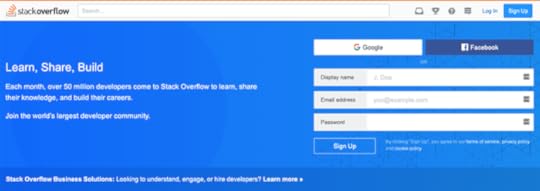
If you have any experience with web development code (Javascript, jQuery, HTML, PHP, CSS), you’ve been to this website. I find solutions to 90% of my problems here.
It goes to show that when you think you’re experiencing a really unique problem, it’s not uncommon. You’ll uncover plenty of people with the same issue.
BONUS LINK: The “Stack Exchange” network of forums has one dedicated to WordPress Development questions. This is useful when you’re digging into the PHP theme files to customize your website and want to learn about WordPress functions.
Web Design Example
Mettrr – https://www.mettrr.com/

This web design & development company boasts they’ve completed 5,000+ websites.
I love everything about this business and we share so many of the same values – they’ve just scaled at a much higher level.
A few things that grab my attention:
Dead simple homepage layout built for conversionsTop navigation is 100% geared towards conversionsGreat headline – “We can build a website for you in 48 hours”CTA contrast – all purple buttons lead towards a conversionMonthly & annual packages for recurring income
To top it all off, they mostly work with my target business niche – the home service industry!
How to Find Clients
After finding a web company like Mettrr above, I need to see LIVE websites they’ve built. With Google, I found one for a construction company within seconds.

This is how I establish confidence to deliver a similar website for a local company near me. Let me tell you, their portfolio design is 100X better than the construction template.
Don’t wait until you’re a ninja with websites to find a paying client. Start today.
Watch Tour of the Business Plan Membership for Training, Tools, and 1-on-1 Help!
FREE Download: 15 Tools To Start Your Web Design Business
Your information will not be shared or sold, period.
The post Web Design Bulletin: Business that Launched 5,000 Websites & Best Place for Code Help appeared first on Website Profit Course.
April 24, 2019
Web Design Bulletin: Free Photos, Arrested Development, License Verification
Cool Tool, Service or Resource
Pexels Free Stock Photos – https://www.pexels.com/
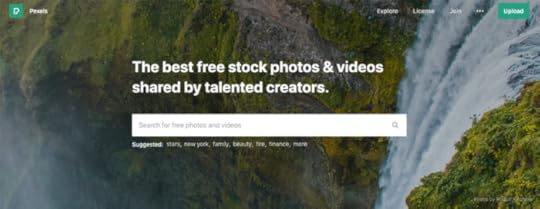
Getting photos for a client project is a tough task – it’s often the most significant obstacle to launching on time. Pexels allows you to get the job done faster by using free, high-quality stock photos.
Web Design Example
Recurring Developments – https://recurringdevelopments.com/
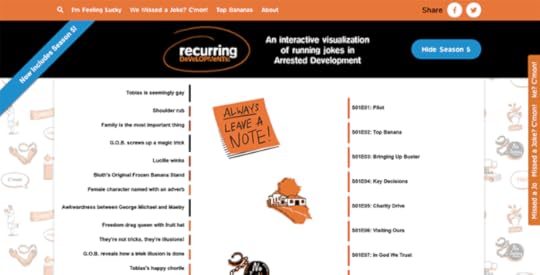
Do you like the TV show Arrested Development? It’s definitely one of the top 10 comedy series of all-time. Probably in my top 5 with The Office, Curb Your Enthusiasm, South Park, & Summer Heights High.
What’s your list?

I bookmarked the website above many years ago and was happy to see it’s still out there to share with you. It can be explained pretty easily – the left column represents storylines, the right column is the episode list, and when you click on a storyline it will draw lines to all the episodes it comes up.
I have no idea how the website is coded, though, in my experience, it’s usually easier than you think when you dig in. Use Google Chrome inspector and be the detective.
How to Find Clients
Here’s one of many reasons that specializing works. When you limit yourself to working with one business type, you’ll go deeper and discover new tips & tricks that only apply to that one industry.
My #1 target is home service contractors. In order to operate, they must be licensed by the state. Each state has a way that you can search out these licenses. Below is an example from Florida:
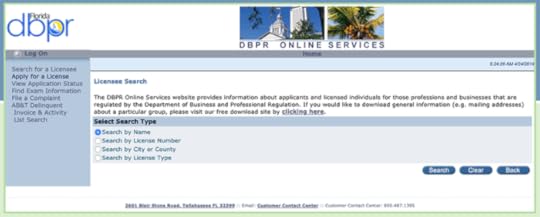
Florida Business License Verification
I did a quick search for Electrical Contractor licenses and here’s a screenshot of the results:
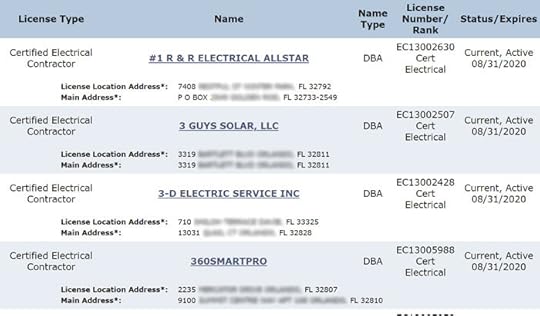
I would break down this process into 4 steps:
Do any custom data processing to copy/paste this into a spreadsheetFilter any non-active licensesFind if they have a website and/or email address availableSend out cold emails once I get a large enough list (30-50)
There are so many local websites that are goldmines – they just take some time, planning and research to find.
If you’d like help with that process, get my favorite business tools from the link below.
FREE Download: 15 Tools To Start Your Web Design Business
Your information will not be shared or sold, period.
The post Web Design Bulletin: Free Photos, Arrested Development, License Verification appeared first on Website Profit Course.
3 Business Quotes Forever Stuck in My Brain
I’m not an inspirational quote guy. I prefer real wisdom that impacts the way I make decisions. The “rah rah” motivation lasts for a few days, and then you settle back into your normal routine.
I am a junky for business books, podcasts, and people. They’ve shaped how I structure my business – and life for that matter.
Click here to view my top book recommendations…
I could find 100 short one-liners if I dug into the conversations or chapters read. One of the cool bonuses of the Business Plan Membership is you can download the top Kindle highlights from most of the books listed in the link above to capture these invaluable insights.
There are three that are top-of-mind, and stick out as essential to your long-term success:
1) “I’m willing to go broke for attention. Are you?”
This quote is a hard pill to swallow for the average person. Most folks believe that the key to financial success is possessing world-class skill. In reality, these people fail routinely in business.
Why? The rest of the world doesn’t know who they are.
You only make money through external contribution. The default mindset is if you’re not making money, it’s because you’re not good enough. Then you focus on internal improvement. You need to focus on getting more eyeballs on your existing offer.
A perfect example of this is the client I lost recently (which I wrote about in a previous email) – he’s a contractor who told me he doesn’t use lawn signs. To him, it was a money-saving choice (< $10 per sign).
I knew it was a wasted opportunity to get his name in front of more local residents.
For my business, this translates to investing time (with no financial guarantee) into creating helpful YouTube videos and advertising to expand reach on Google and Facebook.
For you, it could be buying business cards, creating a portfolio website or investing in training to get where you need to be faster than you could alone.
In the beginning, I was terrified to spend ANY money. Today, I’m more selective, yet quick to pull the trigger when I know something is going to help me grow.
2) “People are more hesitant to give you their phone number than their credit card number!”
This quote was on a podcast by a Southern couple, former high school teachers who quit their jobs and now make well over $1 million online selling digital products.
When I first heard this, I hit rewind and listened to it again 3-4x. For people who feel like a fraud when they begin freelancing, this should be your mantra.
While you probably do need to pick up the phone for local freelancing, I find that most successful business owners are hyper-busy and would rather pay you to deal with a problem and let them know when it’s fixed.
3) “We tend to overestimate what we can do in a day, and underestimate what we can do in a month.”
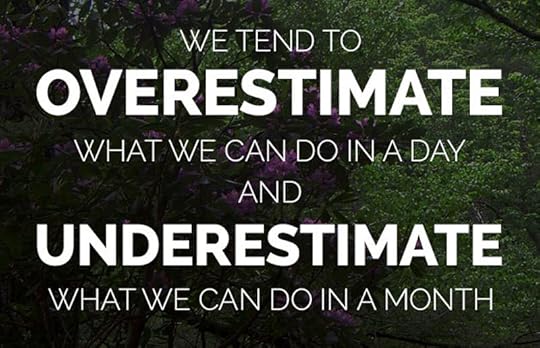
This is from a “virtual mentor” of mine who I’ve followed for years (Tim Ferriss), and it couldn’t be more accurate.
It’s why I had such trouble scheduling my calendar in advance. I would put 10 random things to knock out in one day. All of them take longer than expected. Unexpected things come up. Work gets pushed back. It would all deteriorate, and then I’d start from square one.
It would be best if you did the exact opposite. Schedule less. Leave free time. Only do the most important things while saying no to the “time-wasters”. Plan for the long-haul.
This is sustainable, and you’ll surprise yourself when you begin investing a little each day, instead of having grandiose expectations that die when you burn out.
P.S.Click the button below for a jump-start to your freelancing business! This isn’t magic. It’s a proven step-by-step guide that works and YOU must put into action. If you do, results will come!
The post 3 Business Quotes Forever Stuck in My Brain appeared first on Website Profit Course.
Web Design Bulletin: Keyword Planner, Working with Family, Case Studies
Cool Tool, Service or Resource
Google Ads Keyword Planner – https://ads.google.com/aw/keywordplanner/home
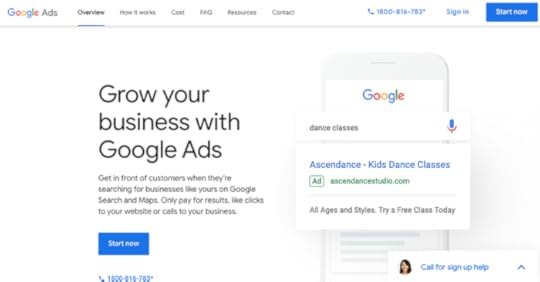
You don’t need to advertise on Google to use this tool. Get an estimate on the search traffic volume for your desired keywords. This is the first step to a good SEO content strategy or search ad campaign.
Web Design Example
Tandem HR – https://tandemhr.com/managing-the-late-employee/

One of my clients works in New Jersey & Pennsylvania, however, he gets traffic to his website from all around the USA through blog posts. Because of this, he likes keeping the blog active with an article each month.
The guy who writes these articles is a friend. Unfortunately, he is constantly late. I’ve had to talk to him about 5x in the past 2 years about this touchy subject.
Is it good to hire friends/family? Too many thoughts to discuss here, lol.
Anyway, it led me to find the article above through Google. I love the simplicity of this web design for an HR company. I would call this a “Seattle Seahawks” color scheme. If you navigate to their homepage, they have a really clear full-width layout with a video background to capture your attention.
How to Find Clients
As shown above, you can BLOG to bring leads to you instead of searching them out.
The MAJOR caveat to this client acquisition method is that it’s passive and therefore not predictable. It takes time to build a good reputation with Google.
Here is one way to attract better prospects, though: write case studies about your best current client(s). When you discuss questions they have asked and your solutions, there’s a good chance other similar businesses are searching for those questions on Google right now.
The more content you have, the better the chance you’ll be found.
Plant the seeds with a little time and effort up front, and you may be greatly rewarded down the road.
FREE Download: 15 Tools To Start Your Web Design Business
Your information will not be shared or sold, period.
The post Web Design Bulletin: Keyword Planner, Working with Family, Case Studies appeared first on Website Profit Course.
Web Design Bulletin: WordPress Code, Real Estate Websites, Local Trade Shows
Cool Tool, Service or Resource
WordPress Code Reference – https://developer.wordpress.org/reference/
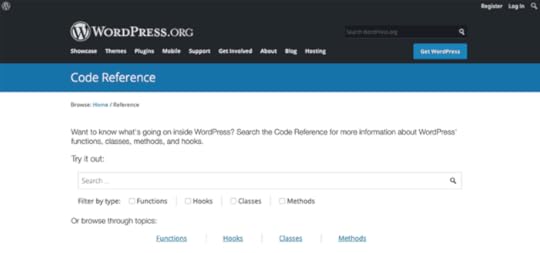
In my opinion, the best way to learn WordPress is by “hacking” the PHP theme files each time you want to implement a new feature.
I do this from time-to-time, and the above link is the best resource to lookup a function if you want to understand how it operates.
Web Design Example
Easy Agent PRO – https://www.easyagentpro.com/

I have no idea how I found this website, but it immediately stands out as a success for so many reasons:
Great layout, great design, great copywritingThey build websites for real estate agents onlyThey collect emails (for marketing)They have over 1,000 clientsThey offer a website demoThey have a podcastThey actively blog
Their packages range from $149 / month to $259 / month, and they’ve built-in features specifically for the real estate market.
This was so funny because I had a conversation with a subscriber a month ago (if you’re reading this – hey Tom!) who said he thought real estate agents are a good niche to target.
I think the universe was sending us a message. It’s my obligation to forward it to you – focusing on ONE business type is the best way to stand out as a web designer.
How to Find Clients
All industries have trade shows, some of which are for invited guests only. However, many are open to the public.
You can find events like this to drop-in, strike up conversations, and exchange business cards.
Twice a year, I get a postcard (see below) and see digital ads for a home show near me. Usually, the home show website has an exhibitor list.

P.S. Any time you swap business cards, follow up within 48 hours via email, thank them and let them know the next step. This is how you move the sales process along without being too aggressive!
FREE Download: 15 Tools To Start Your Web Design Business
Your information will not be shared or sold, period.
The post Web Design Bulletin: WordPress Code, Real Estate Websites, Local Trade Shows appeared first on Website Profit Course.
March 21, 2019
HostGator Review: Pricing, Support & Comparison
As a long-time HostGator customer for 9+ years, I want to share my thoughts about their web hosting for beginners.
If you are looking for an affordable & reliable way to launch your first website, stop thinking and click the button below to get started with HostGator today!
The post HostGator Review: Pricing, Support & Comparison appeared first on Website Profit Course.
March 10, 2019
How to Stay Organized in Your Freelance Business

Are you an organized person? I took a personality test, and here’s where I’m unique compared to the average male:
Orderliness – 93rd Percentile
Withdrawl – 93rd Percentile
Agreeableness – 82nd Percentile
Extraversion – 2nd Percentile
Volatility – 1st Percentile
There is so much I could say about these numbers, but they are incredibly accurate.
I react little to good or bad news, I’m introverted and dislike being at large social gatherings. I avoid confrontation when possible. I stay humble and listen to others well, selfishly because I want to learn from you!
I believe my #1 skill is organization.
Messy spaces bring me anxiety and prevent me from doing effective work.
Here’s a funny dichotomy – in order to be effective and push the boundaries, you have to get messy and test things.
The Process:
I get consumed by a project and use my desktop (both computer and physical) as my workspace.
Other things get pushed aside and begin to accumulate.
I feel overwhelmed because of the mess which may include emails to respond to, papers spread everywhere, to-do lists on index cards, random files on my desktop, bills to get to, administrative tasks like accounting.
I spend a day where my only goal is to knock out these tasks, organize the mess, and re-prioritize. I digitize any written notes that are important or schedule to-do’s on Google Calendar.
Repeat.
For me, organizing is oddly therapeutic. I do it willingly to procrastinate more important work, the way others might watch TV. However, it always leads to better results in the days after.
Read one of the best books on the topic…
The Life-Changing Magic of Tidying Up: The Japanese Art of Decluttering and Organizing by Marie Kondo
FREE Download: 15 Tools To Start Your Web Design Business
Your information will not be shared or sold, period.
The post How to Stay Organized in Your Freelance Business appeared first on Website Profit Course.
January 22, 2019
WordPress Shortcode Tutorial
Get all my free web design giveaways including the Shortcode Resources from this tutorial. Sign-up below!
The post WordPress Shortcode Tutorial appeared first on Website Profit Course.
Beginners Guide to Domains, Web Hosting, & DNS Settings
In the last ten years I’ve built over 70 websites and according to the analytics data, over 1 million people have viewed websites I manage (including personal and client).
All of these web projects were unique, but the core elements of setting up a site are the same for anyone who wants to get online.
This post is for the beginners out there who want to build their first website but are still confused by all the tech jargon involved in the process.
We are going to discuss the basics of domain registration and how website hosting works.
After that, we will discuss the various web hosting packages offered by most companies, along with the pros and cons of each.
By the end, you will have a much better understanding of web hosting which will allow you to pick a web hosting company and option that fits your exact needs.
Let’s get started!
1) How Websites Work
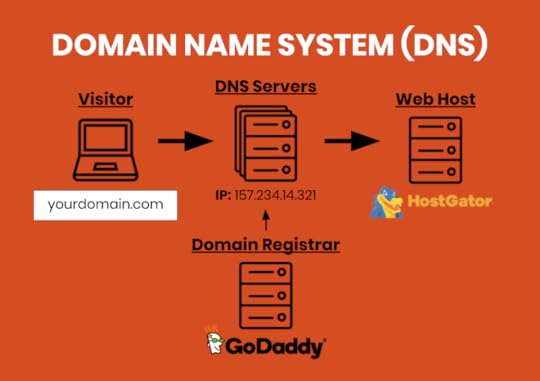
The first step to making any website is selecting and registering the domain name under a domain registrar (GoDaddy.com is probably the most well-known).
Today, it might be hard to get your preferred one or two word domain name. There is an entire business industry to purchasing thousands of domain names (sometimes automatically via software) and selling them off to people and/or companies who must get their brand domain regardless of the cost!
With that said, three word domains are more widely available – the main principles I follow are: keep them short, memorable, easy to say, and stick with .COM unless you have a specific need for another extension.
Once you register your domain name, the next step is to create your web hosting account with a company like HostGator.
Most companies offer all services – domain registration, web hosting, design options, plus a suite of others. I recommend that you take care of both domain and web hosting with HostGator to simplify the setup process.

Upon creating your web hosting account, your hosting platform will send you their “nameservers” along with a link to login to your web hosting control panel (usually cPanel).
The image above shows you a brief representation of how domain name system servers (DNS) work. It’s actually simple, however it’s often a confusing concept to most website beginners.
All domain registration companies give you access to “DNS settings” for each domain. This points a domain name to whatever web hosting company you choose.
So when you receive the nameservers from your hosting company via email, all you need to do is copy/paste them into your domain DNS settings.
The function of the DNS server is to translate your domain name into an IP address which the computer systems use!
When you update your DNS settings at the domain registrar, it can sometimes take 24-48 hours for these to “propogate” to all DNS servers located around the world.
NOTE: If you register your domain and setup hosting with HostGator, you don’t need to worry about this step because it’s good to go when your account is created.
Thus, when you as a visitor go to your browser and type in a domain name, the domain name is sent to the DNS server. The DNS server then maps it to the IP address of your web host (which you specified via the custom nameserver), and all the files making up your website are downloaded to the user’s browser for them to view.
Isn’t the internet cool? Or are you still confused? If so, don’t let it stop you, for now we’ll continue…
2) What is Your Goal?
So many people create an online presence for uniquely personal reasons and in my opinion, there aren’t many good excuses to NOT create your first website!
You may want to accomplish one of several things with your website, so it’s important to define your specific needs to quickly pick the best hosting type for your online platform.
Some good questions to ask yourself are:
Are you creating one website only?
Do you have a vision for many websites?
What software? (i.e. WordPress, builders, templates, code)
High traffic (global) vs. low (local)?
TIP: Remember you can always upgrade your hosting package for more space, speed and/or features. There is nothing wrong with starting a small site on a budget and growing it as you see more traffic.
3) Web Hosting Options
Almost all web hosting companies offer the same 5-6 hosting types, and 90% of the time with beginners, the cheapest shared hosting product is the right way to start.
It can get confusing quickly if you compare 5 hosting companies along with each of their 5-6 hosting types!
Let’s briefly break them all down and you’ll see why most only apply to intermediate or advanced users.
More than likely you will be choosing from one of these package options:
Shared Hosting
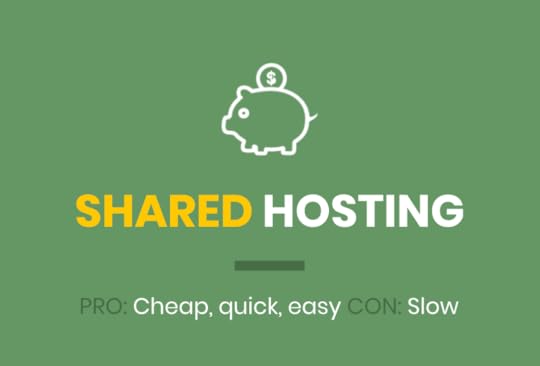
PRO: Cheapest, quickest, easiest to start for a beginner
CON: Sharing your hosting with other websites, website speed may be slow
Because shared hosting is cheap for the consumer, it’s dominated by big companies. That normally means a few things – their service is consistent, they are reliable, they have a lot of online support, and you can search Google to find answers to most of your questions.
As previously mentioned, you can always upgrade as your website grows.
Reseller
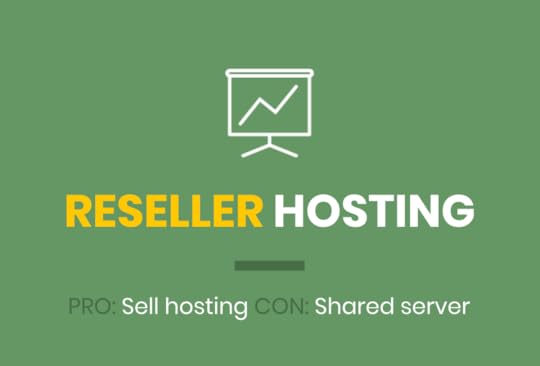
PRO: Sell web hosting and create unlimited websites
CON: Still a shared server platform
Because my plan from day #1 was to freelance with my web design skills, I immediately purchased reseller hosting instead of a basic shared account. I knew that I wanted to create many websites.
The nice thing about reseller hosting is you don’t NEED to create the websites. You can find clients who want to build a website on their own and sell them hosting only (by creating their own cPanel account to manage everything).
Virtual Private Server (VPS)

PRO: More control over your server
CON: Expensive and not as scalable with traffic surges
VPS Hosting is a step above reseller because even though it’s technically on a shared server physically, there is software that provides you a dedicated amount of processing power that isn’t affected by other people’s websites.
It is also a more technical hosting option where you get “root access” meaning that you have more control/privileges to modify things on your web server.
After years of running on a HostGator reseller package, I upgraded to VPS for many of my local client websites.
Dedicated Server
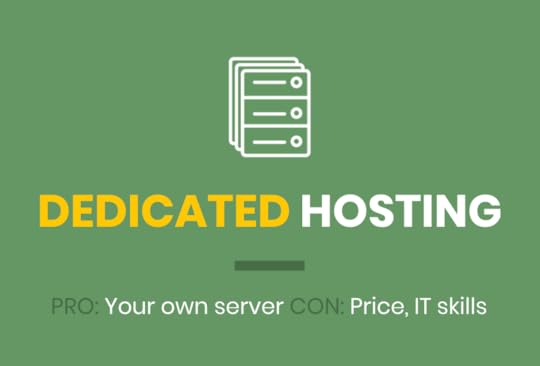
PRO: Your own server with physical resources to run your site
CON: Very expensive, may require IT skills
Unlike VPS, a dedicated hosting account provides you a physical web server that is 100% yours. Most people who require dedicated hosting already have high traffic websites that are beginning to lag in terms of download speed.
Unless you are running a global website that has been around for years, it’s highly unlikely that you’ll need to begin with dedicated hosting.
Cloud Hosting
PRO: Modern, fast and scalable during traffic surges
CON: Expensive and less control than standard web servers
While all the hosting packages up to this point are discussing physical services (i.e. one location with backups), cloud hosting is distributed where your hosting could be mirrored in 15-20 servers across the world.
This modern technology is great for speed and handling traffic since there isn’t one point of failure like standard hosting. The flip side to this is you won’t get the same ability to manually manage your server, if needed.
Managed WordPress
PRO: Cloud hosting specifically optimized for WordPress
CON: Expensive and less control
Managed WordPress hosting is a type of cloud platform that is completely optimized to run WordPress (which is a database driven content management system) fast and efficiently.
To give you an example, I transferred this website you’re currently reading over to Kinsta Managed WP Hosting, and the average load time went from around 2 seconds to 0.2 seconds – a 10X improvement!
With Managed WP, they take care of updating the core software and caching, so you are restricted from installing certain plugins that may conflict with their internal optimization techniques.
The result is the fastest performance possible with less of a headache if you’re a WordPress website owner putting your thoughts into the world. It’s just a lot more expensive than shared hosting for the beginner.
What to Do Next?
Create your first website today with HostGator. Click the link below to setup your domain and web hosting account (and get 45% OFF your first year)!
Get your domain name
Create a hosting account
Begin building your website
The post Beginners Guide to Domains, Web Hosting, & DNS Settings appeared first on Website Profit Course.