Best AI Logo Generator: How I Use Flux to Create Logos in Minutes
Look, I’ll be honest with you.
A year ago, if you’d told me I’d be using an AI logo generator to create professional brand marks, I would’ve laughed you out of the room.
AI and logos? No way. Too important. Too personal. Too… risky.
But here’s the thing: AI has gotten scary good. And I mean that in the best possible way.
Today’s best AI logo generator tools can handle 90-95% of the logo creation work. That means less time, less money, and honestly? Better results than I ever expected.
In this guide, I’m going to show you the exact AI logo generator I use (spoiler: it’s called Flux), walk you through the step-by-step process of using an AI logo generator, and share the prompting strategies that’ll help you create a logo that actually looks professional.
Ready? Let’s dive in.
Using an AI Logo Generator (And Why Your Logo Matters More Than You Think)Here’s a stat that might shock you:
75% of people recognize a brand primarily by its logo.
Not by the product. Not by the tagline. By the logo.
Even wilder? A logo alone shapes 90% of a brand’s first impression.
Think about it. When you see the Nike swoosh, you don’t need the name. When you spot those golden arches, you’re already thinking about fries.
That’s the power of a great logo.
It’s the face of your business. The first handshake. The visual shortcut that tells people who you are before you even open your mouth.
But here’s where it gets interesting:
Creating a professional logo used to cost thousands of dollars and weeks of back-and-forth with designers. Now? With the right AI logo generator, you can knock out 90% of the work in an afternoon—and only spend a few bucks doing it.
The designer still has a role (more on that later), but instead of starting from scratch, they’re just polishing and perfecting what AI already created.
Game changer.
Meet Flux: The Best AI Logo Generator I’ve Found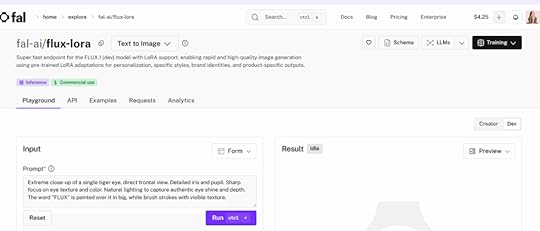
After testing literally dozens of AI image generators, I keep coming back to one: Flux.
It’s hands-down my favorite AI logo generator—and once you see what it can do, it’ll probably be yours too.
Here’s why it’s the best AI logo generator in my book:
First, it’s crazy cheap. We’re talking a few cents per image. Not $50. Not $500. Cents.
Second, the quality is insane. Flux understands concepts, styles, and brand vibes in a way that other tools just… don’t.
Third, it’s fast. You can generate 10 variations of a logo in the time it would take to write an email to a designer.
Getting Started with FluxSigning up is dead simple:
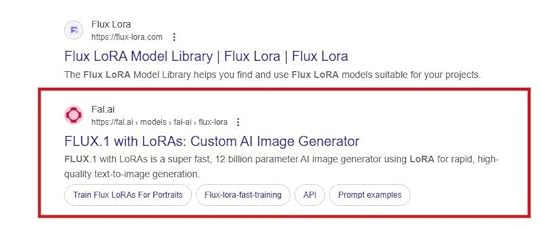
Step #1: Head Over to the Flux WebsiteThis is easy. Simply type “Flux Lora” on Google and click enter. You’ll get a couple of results.
This is the version I use:
 Step #2: Create an Account
Sign up with your name and email address.
Or you can sign up with GitHub, Google, or SSO.
My choice is GitHub, as it’s fast, easy, and convenient.
Honesly, this is super simple and takes less than a minute of your time.
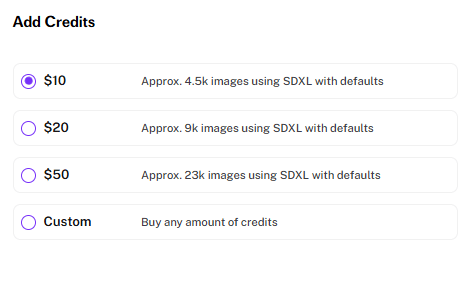
 Step #3: Add Credits to Your Account
You don’t need much to start! To begin with, I suggest topping up with a meager $10. You’ll be amazed at how far this can get you.
After these 3 steps, you’ll be in and ready to start creating amazing logos!
How to Create a Logo with Flux: The Step-by-Step ProcessCreating a logo with an AI logo generator like Flux isn’t complicated. But there is a method to it.
Follow these steps, and you’ll have professional options to choose from in no time.
Step 1: Log into your New Flux AccountOnce you’ve created your account and verified it with your email address, you can log in with a single click every time you want to enter Flux.
2. Step 2: Head to the Playground and Get Ready to PromptOnce you’re logged in, click over to the Playground.
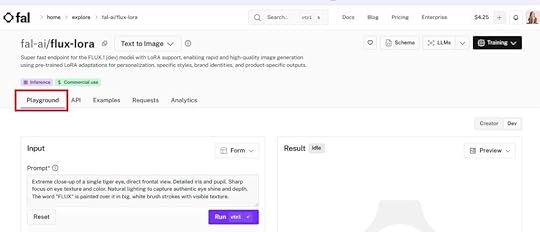
This is your creative sandbox. No pressure, no judgment—just you and an AI that’s ready to bring your vision to life.
Take a second to think about your brand before you start typing. What vibe are you going for? Modern? Vintage? Bold? Minimal?
Jot down a few notes if it helps.
Step 3: Create a Cohesive PromptHere’s where most people mess up when using an AI logo generator.
They type something like “make me a logo” and wonder why the results are garbage.
Your prompt needs three key elements:
The Brand Name. This seems obvious, but you’d be surprised how many people forget to include the actual text they want in the logo.The Style. Are you going for minimalist? Futuristic? Hand-drawn? Vintage? Be specific.The Image or Concept. What do you want to see in the logo? A mountain? A lightbulb? Abstract shapes? Tell the AI exactly what you’re envisioning.Here’s an example of a solid prompt:
“Create a minimalist logo for ‘Apex Analytics’ featuring a mountain peak made of data points, using navy blue and silver, clean lines, modern sans-serif font.”
See the difference? You’ve given Flux a clear direction.
Step 4: Hit Play and Check What Flux Comes Up WithClick generate and wait about 10-20 seconds.
Boom. Your first logo concept appears.
Let’s see what the prompt above came up with…
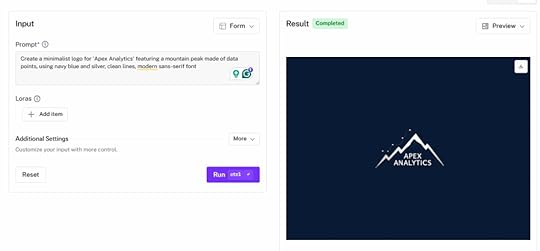
Whoa! Not bad, right?
Now, be honest with yourself: Is it perfect? Probably not on the first try.
But is it a solid starting point? Almost always.
Look at what works and what doesn’t. Is the style right but the colors are off? Is the concept solid but the text placement is weird?
Step 5: Tweak the Prompt and Rerun Until You Love ItThis is where the iteration happens.
Maybe your first attempt was too busy. Add “simplified” or “clean” to your next prompt.
Maybe the font wasn’t right. Specify “bold geometric font” or “elegant serif.”
Maybe you want to try a completely different concept. Go for it.
The beauty of AI? It doesn’t get annoyed when you ask for changes. No awkward emails. No feeling bad about requesting revision #7.
Just keep tweaking until something clicks.
I usually nail it within 3-5 iterations. Sometimes faster.
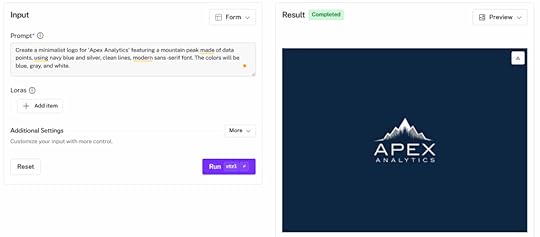
Here’s an example of the above logo, tweaked to add a color palette.
 Step 6: Hand It to Your Designer for the Final 5-10%
Here’s the key part people miss:
AI can get you 90-95% of the way there. But that last 5-10%? That’s where a human designer shines.
Send your top 2-3 AI-generated logos to a designer and ask them to:
Make it high resolutionFine-tune spacing and alignmentCreate multiple file formats (PNG, SVG, etc.)Ensure it looks good at all sizesYour designer will thank you. Instead of spending 10 hours creating concepts from scratch, they’re spending 30 minutes polishing something that’s already 95% there.
You save time. You save money. They get to focus on the creative details they actually enjoy.
Win-win.
Best Practices for Prompting Your AI Logo GeneratorWant to get better results faster from your AI logo generator? Follow these prompting principles.
1. Use Specific, Visual LanguageWhen working with any AI logo generator, vague prompts give you vague results.
Instead of “professional logo,” try “sleek corporate logo with geometric shapes and modern typography.”
Instead of “nature logo,” try “organic logo featuring intertwined tree roots, earthy green tones, hand-drawn style.”
The more specific you are, the better Flux can interpret your vision.
2. Include Industry and Brand KeywordsHelp the AI understand your brand’s personality.
If you’re a tech startup, use words like “innovative,” “cutting-edge,” “digital.”
If you’re a wellness brand, try “calm,” “natural,” “balanced.”
These keywords guide the AI toward the right aesthetic without you having to spell out every detail.
3. Balance Direction with Creative FreedomHere’s the paradox: You need to be specific, but not too specific.
Give clear direction on the must-haves (brand name, general style, core concept), but leave room for the AI to surprise you.
Sometimes the best designs come from the AI interpreting your prompt in an unexpected way.
Don’t lock it into a box. Give it guardrails, not a cage.
4. Iterate, Iterate, IterateYour first prompt won’t be perfect with any AI logo generator. That’s okay.
Think of each generation as a conversation with the AI.
First attempt: “Okay, you’re in the ballpark.” Second attempt: “Better, but let’s adjust the colors.” Third attempt: “Now we’re getting somewhere.”
Keep refining one element at a time. Don’t change everything at once, or you won’t know what worked and what didn’t.
Treat it like sculpting. Each iteration chips away a bit more until the final form emerges.
Real Prompts and Results: See Flux in ActionNow let’s look at some real examples of what you can create with this AI logo generator.
(These are fictional companies created for examples.)
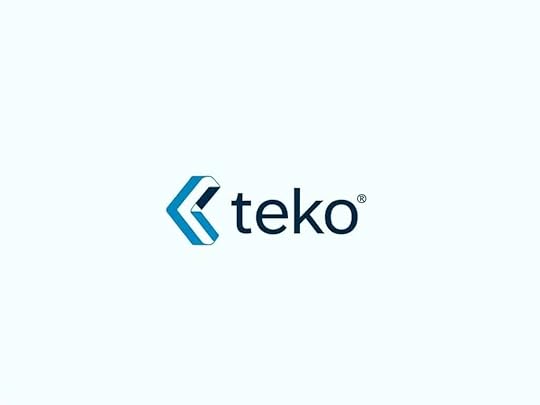
AI Logo Generator Prompt Example #1:“Design a clean, contemporary brand mark for technology company Teko, using simple angular forms and a crisp azure palette. Make sure the emblem conveys forward-thinking creativity and advanced solutions, working well across screens and printed materials.”
Result:
 AI Logo Generator Example Prompt #2:
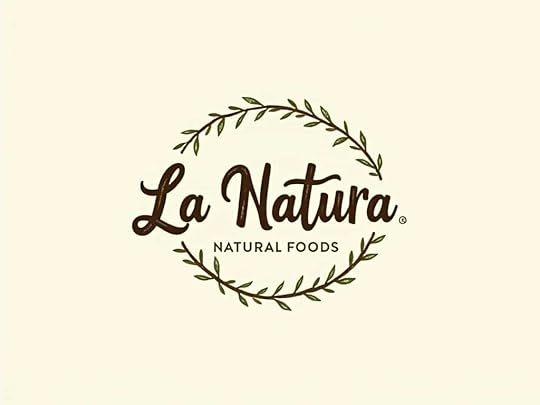
“Build a logo for natural foods company [add company name] that uses warm browns and greens, incorporates botanical elements, and feels artisanal with sketch-like qualities. The design needs to communicate purity, farm-fresh ingredients, and premium standards while looking great on product labels and promotional content.”
Result:
 AI Logo Generator Example Prompt #3:
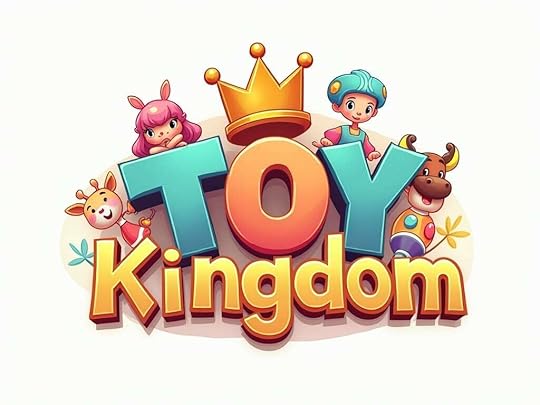
“Design a fun, vibrant character-based logo for kids’ toy shop named “Toy Kingdom” that features imaginative figures and uses either bold rainbow hues or soft muted tones. The emblem needs to attract both youngsters and adults, working perfectly across storefront displays, product wrapping, and advertising campaigns.”
Result:
 How Can You Create a Logo with an AI Logo Generator?
 Here’s the bottom line:
Creating a professional logo doesn’t have to drain your budget or take weeks of back-and-forth with designers.
With an AI logo generator like Flux, you can knock out 90-95% of the work in a single afternoon. For a few cents. From your couch.
Then, hand it off to a designer for final polish, and boom—you’ve got a professional logo at a fraction of the traditional cost and time.
So what are you waiting for? Sign up for Flux, craft your prompt, and start generating.
Your brand deserves a killer logo. Now you can actually afford to give it one.
But Wait—Learning AI Logo Creation Is Just the BeginningMastering logo generation with AI is awesome.
But what if I told you that’s just scratching the surface of what AI can do for your business?
Inside First Movers R&D AI Labs, you don’t just learn how to create logos.
You learn how to integrate AI into every aspect of your business—content creation, marketing automation, customer service, product development, and more.
We’re talking:
Courses that walk you through AI implementation step by stepBlueprints you can copy-paste into your workflowsLIVE training where you can ask questions and get real-time answersAI isn’t just a tool. It’s the biggest invention in human history since the internet.
And you can either ride the wave or get left behind.
First Movers R&D AI Labs is your ticket to staying ahead of the curve, future-proofing your business, and building something truly remarkable in the age of AI.
Don’t get left behind.