Eric C. Sheninger's Blog, page 27
March 19, 2020
Special Education (SPED) and Remote Learning
In a previous post, I shared some ideas as well as strategies that districts could embrace to establish a realistic remote learning plan taking into consideration both digital and non-digital pathways. One aspect I did not address that keeps coming up here in the United States is how to address special education students as per the Individuals with Disabilities Education Act (IDEA). Like everything else, thanks to COVID-19, this is uncharted territory as well. However, the US Department of Education (USDOE) has released some guidance that everyone should be aware of. You can access it HERE.
 Image credit
In this post, I am going to highlights considerations for special education educations students where a local education agency (LEA), such as a school or district, has initiated a remote learning plan. Below are some specific pieces from the report I have pulled where I also add my thoughts.
The USDOE also released this fact sheet that outlines how to protect the civil rights of students during the COVID-19 outbreak.
Guidelines are one thing, but seeing what it looks like in the field is another. Thus, I decided to reach out to some educators in my home state of New Jersey. The NJDOE, under the leadership to Dr. Lamont Repollet, had every district develop a plan on March 5 well before any school closed. These then had to be submitted back to the NJDOE as soon as possible. Knowing that this was the case, I sent an inquiry to two administrators to see how their districts were serving special education students. Below you can see the comprehensive plans that have been implemented.
Brad Currie - Chester School District (view their efforts HERE)Dr. Robert Zywicki - Mount Olive Township School District (view their plan HERE).
I would love to hear how your district or school is meeting IDEA requirements for your SPED students who are engaged in remote learning. Please consider sharing in the comments section below.
 Image credit
In this post, I am going to highlights considerations for special education educations students where a local education agency (LEA), such as a school or district, has initiated a remote learning plan. Below are some specific pieces from the report I have pulled where I also add my thoughts.
If an LEA continues to provide educational opportunities to the general student population during a school closure, the school must ensure that students with disabilities also have equal access to the same opportunities, including the provision of FAPE. (34 CFR §§ 104.4, 104.33 (Section 504) and 28 CFR § 35.130 (Title II of the ADA)). SEAs, LEAs, and schools must ensure that, to the greatest extent possible, each student with a disability can be provided the special education and related services identified in the student’s IEP developed under IDEA, or a plan developed under Section 504. (34 CFR §§ 300.101 and 300.201 (IDEA), and 34 CFR § 104.33 (Section 504).The translation is pretty straightforward in my eyes. If your district or school has any sort of remote learning going on during a closure, then accommodations have to be met for kids that need them.
IEP teams may, but are not required to, include distance learning plans in a child’s IEP that could be triggered and implemented during a selective closure due to a COVID-19 outbreak. Such contingent provisions may include the provision of special education and related services at an alternate location or the provision of online or virtual instruction, instructional telephone calls, and other curriculum-based instructional activities, and may identify which special education and related services, if any, could be provided at the child’s home.If your school has not closed yet, consider getting a contingency plan in place. In the case that you have already closed, IEP teams can meet physically (many schools are having just staff in to plan for remote learning) or virtually to modify plans. Protocols must be established to safeguard sensitive information.
The USDOE also released this fact sheet that outlines how to protect the civil rights of students during the COVID-19 outbreak.
Guidelines are one thing, but seeing what it looks like in the field is another. Thus, I decided to reach out to some educators in my home state of New Jersey. The NJDOE, under the leadership to Dr. Lamont Repollet, had every district develop a plan on March 5 well before any school closed. These then had to be submitted back to the NJDOE as soon as possible. Knowing that this was the case, I sent an inquiry to two administrators to see how their districts were serving special education students. Below you can see the comprehensive plans that have been implemented.
Brad Currie - Chester School District (view their efforts HERE)Dr. Robert Zywicki - Mount Olive Township School District (view their plan HERE).
I would love to hear how your district or school is meeting IDEA requirements for your SPED students who are engaged in remote learning. Please consider sharing in the comments section below.


March 18, 2020
Navigating Your Journey to Remote Learning
The COVID-19 pandemic has jolted the world in ways that many of us have never seen or could have predicted. Social distancing has quickly become the thing to do and will soon be the cultural norm. Gone are handshakes and fist bumps replaced by conversations at a distance of six feet or more or through tools like FaceTime. The world has moved from business as usual to business as unusual. In some cases, life, as we have become accustomed to, has come to a screaming halt. In my hometown of Houston, bars and restaurants have closed for fifteen days, which has been a trend occurring across the world to limit the spread of the disease.
The ripple effect has impacted schools across the globe. Many have already shuttered their doors for weeks, while others have opted for months and even indefinite amounts of time. Teachers, principals, district administrators, and other support staff have now been thrust into uncharted territory and are facing unpredictable challenges. My heart and respect go out to all of them for working to navigate through this crisis. I cannot overstate that they all need our support and patience right now.
Prior to the virus turning into a pandemic, school districts began to prepare, and others are now following suit with ways to provide instruction and learning for who knows how long. I am not in a position, nor is anyone who doesn’t work in a school or district, to tell anyone what they should or must do. However, I do know one thing, and that is, there is no one right or wrong way to develop realistic strategies for remote learning. The right way is your way that aligns with your vision, mission, and available resources.
 Image credit
Below I will offer some ideas that I have, knowing full well that they don’t represent a silver bullet. However, it is essential to focus on remote versus distance or virtual learning. In my mind, there is a clear distinction. Distance and virtual are appropriate where all kids have access to a device and the Internet. Remote, on the other hand, focuses on both digital and non-digital pathways to keep realistic learning going. I must emphasize the need to be realistic as this rests on the mere fact that most teachers have never been adequately trained in this area. Whereas parents and guardians have to be patient and understanding with teachers, the same can be said in terms of administrators and the expectations that they place on their staff.
Here are some ideas I have.
Get a plan in place. If there isn’t one, be proactive regardless of your position. Provide guidance and support to teachers and administrators while reassuring them that there is no one right or wrong way to go about remote learning. The best way is your way. Once a plan is in place, convey it to parents, guardians, and other stakeholders. The Mount Olive Township School District in NJ, under the leadership of superintendent Dr. Robert Zywicki, has been way ahead of the curve. You can check out their entire plan HERE.
Come to a consensus as to what is feasible in the community where you work. Provide devices and mobile WiFi, if possible. In the case of the latter, this is what the Mount Olive School District did. Equity matters more than ever.
Don’t put the responsibility on parents for students grades five and above. Our youngest learners will need some help and guidance, especially if their elementary schools have not been 1:1 or Bring Your Own Device (BYOD). Parents are juggling an equal amount of challenges and pressure. Asking them to take on this added responsibility will very well push some over the edge.
Shy away from low-level packets and worksheets. These aren’t an effective practice in school, and thus it shouldn’t be a go-to as a means to validate a remote learning plan.
Use playlists and choice boards. These have quickly become a high agency, pedagogically sound strategy to personalize learning in school and can be adapted as part of a remote learning plan.
Suggest lots of independent reading. You really can’t go wrong here.
Determine how feedback will be given once school reopens. In the case of districts and schools that have limited digital resources, it defeats the purpose of assigning lessons and work if kids don’t know how they did upon their return. Notice I am not saying to grade the work. There are too many variables outside the control of teachers that would make grading anything completed during an extended school closure fair. Feedback is often a more powerful conduit to learning than grades anyway.
Use Google Voice for parents and guardians to ask questions and get needed advice. It is free, easy to set up, and masks your real phone number. Voxer can also be used.
If technology is available and equity has been ensured, take some of these ideas into account.
Consider a balance between synchronous and asynchronous. Facilitating lessons using live video is excellent. However, with these chaotic times, learners might not be able to tune in. Asynchronous options such as flipped lessons and self-paced assignments have the added bonus of teaching kids how to manage their time and develop a greater sense of responsibility.
Fully utilize a learning management system (LMS) if one is in place. If you or your staff use Google Classroom, Canvas, Schoology, or another LMS routinely in the classroom, then this is a logical decision. Plus, kids are already used to logging on, completing assignments, and receiving feedback.
Develop the means for real engagement. Within the LMS, a slew of digital tools can be included for backchanneling, collaboration, checks for understanding, and creation. To assist check out the resources in this post.
Make the time for digital check-ins with learners. Consider having virtual office hours or use communication tools embedded in each LMS.
I also tried to articulate the information above in a video, which you can view below.
Consistent communication is vital for the success of any remote learning plan. Digital leadership compels all of us to meet our stakeholders where they are and engage in two-way communication when possible. Now more than ever, this is crucial in keeping everyone’s sanity. Think about what tools your community regularly uses, including students, and blend with traditional means.
When the dust settles, and after reflection, educators will have a much better idea of what worked and what didn’t. From there, districts and schools can begin to put in place professional learning plans that transform practices in the classroom that can be used for remote learning if the need arises.
The ripple effect has impacted schools across the globe. Many have already shuttered their doors for weeks, while others have opted for months and even indefinite amounts of time. Teachers, principals, district administrators, and other support staff have now been thrust into uncharted territory and are facing unpredictable challenges. My heart and respect go out to all of them for working to navigate through this crisis. I cannot overstate that they all need our support and patience right now.
Prior to the virus turning into a pandemic, school districts began to prepare, and others are now following suit with ways to provide instruction and learning for who knows how long. I am not in a position, nor is anyone who doesn’t work in a school or district, to tell anyone what they should or must do. However, I do know one thing, and that is, there is no one right or wrong way to develop realistic strategies for remote learning. The right way is your way that aligns with your vision, mission, and available resources.
 Image credit
Below I will offer some ideas that I have, knowing full well that they don’t represent a silver bullet. However, it is essential to focus on remote versus distance or virtual learning. In my mind, there is a clear distinction. Distance and virtual are appropriate where all kids have access to a device and the Internet. Remote, on the other hand, focuses on both digital and non-digital pathways to keep realistic learning going. I must emphasize the need to be realistic as this rests on the mere fact that most teachers have never been adequately trained in this area. Whereas parents and guardians have to be patient and understanding with teachers, the same can be said in terms of administrators and the expectations that they place on their staff.
Here are some ideas I have.
Get a plan in place. If there isn’t one, be proactive regardless of your position. Provide guidance and support to teachers and administrators while reassuring them that there is no one right or wrong way to go about remote learning. The best way is your way. Once a plan is in place, convey it to parents, guardians, and other stakeholders. The Mount Olive Township School District in NJ, under the leadership of superintendent Dr. Robert Zywicki, has been way ahead of the curve. You can check out their entire plan HERE.
Come to a consensus as to what is feasible in the community where you work. Provide devices and mobile WiFi, if possible. In the case of the latter, this is what the Mount Olive School District did. Equity matters more than ever.
In Mount Olive, school officials were initially doubtful the district could support virtual learning. Then they hatched a last-minute plan. The district distributed 1,300 Chromebooks to its middle school students and decided to pay $4,600 to provide wireless access for any student who didn’t have it at home. “We have achieved equality of online access in a week,” said Superintendent Robert Zywicki. “Boom. Mic drop.”Develop a manageable workload and time limit for learners. As this is new to everyone, piling on too much work will be counterproductive.
Don’t put the responsibility on parents for students grades five and above. Our youngest learners will need some help and guidance, especially if their elementary schools have not been 1:1 or Bring Your Own Device (BYOD). Parents are juggling an equal amount of challenges and pressure. Asking them to take on this added responsibility will very well push some over the edge.
Shy away from low-level packets and worksheets. These aren’t an effective practice in school, and thus it shouldn’t be a go-to as a means to validate a remote learning plan.
Use playlists and choice boards. These have quickly become a high agency, pedagogically sound strategy to personalize learning in school and can be adapted as part of a remote learning plan.
Thanks @E_Sheninger! Your coaching first exposed @MountOliveTSD to #choiceboards which were instrumental in helping us develop our health-related closing plan: https://t.co/wxJE0al5xD @RigorRelevance @DrLRepollet https://t.co/mPwre4SOIx— Dr. Robert R. Zywicki (@ZywickiR) March 16, 2020
Suggest lots of independent reading. You really can’t go wrong here.
Determine how feedback will be given once school reopens. In the case of districts and schools that have limited digital resources, it defeats the purpose of assigning lessons and work if kids don’t know how they did upon their return. Notice I am not saying to grade the work. There are too many variables outside the control of teachers that would make grading anything completed during an extended school closure fair. Feedback is often a more powerful conduit to learning than grades anyway.
Use Google Voice for parents and guardians to ask questions and get needed advice. It is free, easy to set up, and masks your real phone number. Voxer can also be used.
If technology is available and equity has been ensured, take some of these ideas into account.
Consider a balance between synchronous and asynchronous. Facilitating lessons using live video is excellent. However, with these chaotic times, learners might not be able to tune in. Asynchronous options such as flipped lessons and self-paced assignments have the added bonus of teaching kids how to manage their time and develop a greater sense of responsibility.
Fully utilize a learning management system (LMS) if one is in place. If you or your staff use Google Classroom, Canvas, Schoology, or another LMS routinely in the classroom, then this is a logical decision. Plus, kids are already used to logging on, completing assignments, and receiving feedback.
Develop the means for real engagement. Within the LMS, a slew of digital tools can be included for backchanneling, collaboration, checks for understanding, and creation. To assist check out the resources in this post.
Make the time for digital check-ins with learners. Consider having virtual office hours or use communication tools embedded in each LMS.
I also tried to articulate the information above in a video, which you can view below.
Consistent communication is vital for the success of any remote learning plan. Digital leadership compels all of us to meet our stakeholders where they are and engage in two-way communication when possible. Now more than ever, this is crucial in keeping everyone’s sanity. Think about what tools your community regularly uses, including students, and blend with traditional means.
When the dust settles, and after reflection, educators will have a much better idea of what worked and what didn’t. From there, districts and schools can begin to put in place professional learning plans that transform practices in the classroom that can be used for remote learning if the need arises.
March 15, 2020
Choice Boards 101: Strategies to Ensure Classroom, Professional, and Virtual Learning Success
As of late, I have been working with quite a few districts on personalization through a variety of blended learning strategies. My experience in this area began over three years ago, thanks to having the opportunity to coach teachers and administrators at Wells Elementary School. As we are now in our third year together, they continue to take feedback and act on it to improve their practice. I can honestly say that I have learned so much from them over the years as to what pedagogically-sound blended learning really is, and, in my mind, they are a global exemplar for others to emulate.
Their influence can be seen and heard in my writing, presentations, workshops, and work with other schools. Throughout this school year, I have had the honor of working with all the K-12 schools in the Corinth School District in Mississippi. They are a 1:1 district who have really begun to hit their stride and push the envelope when it comes to the purposeful use of technology aligned to research-based pedagogy. They have made some incredible shifts, including a shift towards station rotation and choice boards. You can read more about their progress in this post.
After my fourth coaching session with them, the principal asked if I could create a choice board for his staff to work through and learn to use even more technology tools effectively. I was excited because I always ask the schools I work with to reflect on the feedback that is provided and determine how to best use my time when I am there next. Ownership of learning shouldn’t just be for students. I was also equally terrified as I had never created a choice board of my own. Typically, I only share the ones created by Wells (TX), Snow Horse (UT), and Corinth Elementary (MS) as well as Corinth Middle School. As I have stated for years, don’t ask others to do what you have not done or are not willing to do yourself. Challenge accepted!
On a recent Sunday, I began my choice board journey. Since I had already provided numerous workshops and sessions in the district, the foundation was already set to move forward with this. First, I did a few Google searches for editable templates, which led me to an array of examples in Google Slides. I then chose one that aligned to the content, in my opinion, developed a learning target, created nine different activities, and hyperlinked to supporting resources. Since pacing is a pivotal component of both personalized and blended learning, I did another Google search for ways to integrate timers into Google Slides. In literally fifteen minutes, I had my choice board created.

The key with a choice board to use as a part of professional learning with adults or classroom learning with students is sound blended pedagogy. In addition, below are some tips that I have used with the schools and districts I coach:
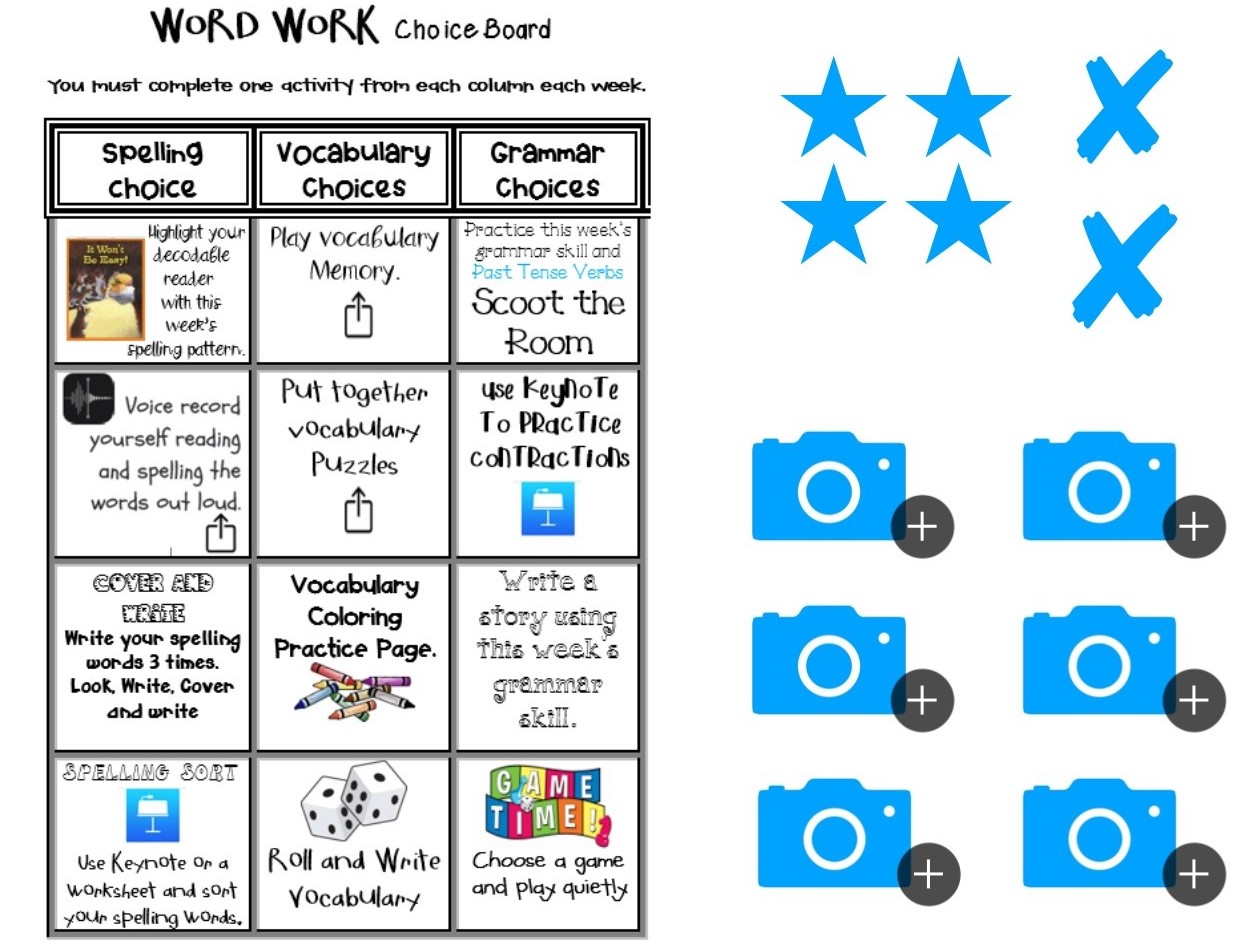
Use pre-made templates (just make a copy).Use a timer for pacing and self-management.Behind the scenes, the teacher works with at-risk students or those who need extra help. If you are leading professional learning, this frees up time to answer questions and provide feedback.Add links to your Learning Management System (Google Classroom, Canvas, Schoology, etc.) to see student work and to hold them accountable.Monitor regularly to ensure on-task behavior.Create a scaffolded formative assessment for all students to complete once they are finished (3 questions or more that increase in difficulty). For professional learning, you could have attendees share what they have created or learned using Google Forms.If students or adults finish the required choices and formative assessment, have them choose other activities.Consider using Google Slides and add either anchor charts or essential content for review to assist with completing the board.For more edtech tools, click HERE to access a resource curated by Tom Murray.HERE you can view the choice board activity that I created based on the story at the beginning of the post. You will see numerous slides before that actual board that allows access to the presentation as well as some content slides to review prior learning. The iteration that you see was updated and tweaked numerous times thanks to the feedback I received from the Corinth School District, Jill Bromenschenkel, and my wife. Going forward, I will definitely be integrating more choice boards and station rotation into my workshops. It’s vital that anyone leading professional learning practices what he or she preaches.
Choice boards, both digital and non-digital, represent a pedagogically-sound virtual or home-bound learning option, especially for our youngest learners. If they have been implemented prior to extended school closures or breaks consider incorporating them into a distance learning plan. In the case that they haven't been used, I would suggest creating a short video explaining to learners how to complete the board and how to submit or show work when finished.
Their influence can be seen and heard in my writing, presentations, workshops, and work with other schools. Throughout this school year, I have had the honor of working with all the K-12 schools in the Corinth School District in Mississippi. They are a 1:1 district who have really begun to hit their stride and push the envelope when it comes to the purposeful use of technology aligned to research-based pedagogy. They have made some incredible shifts, including a shift towards station rotation and choice boards. You can read more about their progress in this post.

After my fourth coaching session with them, the principal asked if I could create a choice board for his staff to work through and learn to use even more technology tools effectively. I was excited because I always ask the schools I work with to reflect on the feedback that is provided and determine how to best use my time when I am there next. Ownership of learning shouldn’t just be for students. I was also equally terrified as I had never created a choice board of my own. Typically, I only share the ones created by Wells (TX), Snow Horse (UT), and Corinth Elementary (MS) as well as Corinth Middle School. As I have stated for years, don’t ask others to do what you have not done or are not willing to do yourself. Challenge accepted!
On a recent Sunday, I began my choice board journey. Since I had already provided numerous workshops and sessions in the district, the foundation was already set to move forward with this. First, I did a few Google searches for editable templates, which led me to an array of examples in Google Slides. I then chose one that aligned to the content, in my opinion, developed a learning target, created nine different activities, and hyperlinked to supporting resources. Since pacing is a pivotal component of both personalized and blended learning, I did another Google search for ways to integrate timers into Google Slides. In literally fifteen minutes, I had my choice board created.
The key with a choice board to use as a part of professional learning with adults or classroom learning with students is sound blended pedagogy. In addition, below are some tips that I have used with the schools and districts I coach:
Use pre-made templates (just make a copy).Use a timer for pacing and self-management.Behind the scenes, the teacher works with at-risk students or those who need extra help. If you are leading professional learning, this frees up time to answer questions and provide feedback.Add links to your Learning Management System (Google Classroom, Canvas, Schoology, etc.) to see student work and to hold them accountable.Monitor regularly to ensure on-task behavior.Create a scaffolded formative assessment for all students to complete once they are finished (3 questions or more that increase in difficulty). For professional learning, you could have attendees share what they have created or learned using Google Forms.If students or adults finish the required choices and formative assessment, have them choose other activities.Consider using Google Slides and add either anchor charts or essential content for review to assist with completing the board.For more edtech tools, click HERE to access a resource curated by Tom Murray.HERE you can view the choice board activity that I created based on the story at the beginning of the post. You will see numerous slides before that actual board that allows access to the presentation as well as some content slides to review prior learning. The iteration that you see was updated and tweaked numerous times thanks to the feedback I received from the Corinth School District, Jill Bromenschenkel, and my wife. Going forward, I will definitely be integrating more choice boards and station rotation into my workshops. It’s vital that anyone leading professional learning practices what he or she preaches.
Choice boards, both digital and non-digital, represent a pedagogically-sound virtual or home-bound learning option, especially for our youngest learners. If they have been implemented prior to extended school closures or breaks consider incorporating them into a distance learning plan. In the case that they haven't been used, I would suggest creating a short video explaining to learners how to complete the board and how to submit or show work when finished.
March 12, 2020
Remote Learning Resources
The COVID-19 pandemic is putting us all to the test both mentally and physically. Schools across the world have begun to shut down for extended periods of time and remote learning plans are either being developed or put into effect. I will be the first one to say that this is no easy task. Special considerations have to be made for our youngest learners as this group presents a unique challenge. Equally as important are strategies that have to be put in place to ensure equity. Some students do not have access to devices or the Internet. In this case, they can’t be sent to public places as a solution. For any plan to work these major challenges have to be addressed. Now let's talk resources.
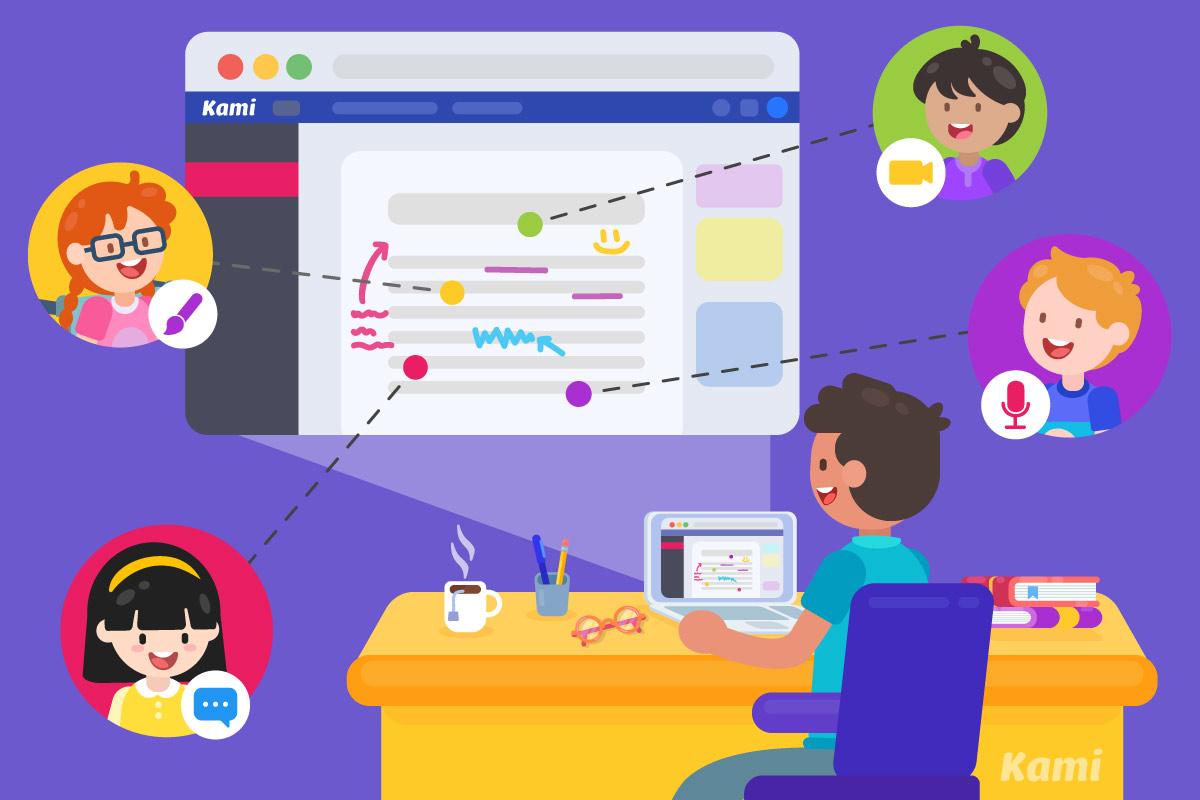
Over the years I have written extensively on the power of technology to empower learners both in and out of the classroom. There is a wealth of options out there. Google Hangouts and Zoom are great options to disseminate content through video just by pushing out a link. Asynchronous flipped lessons can be created using a variety of tools and added to YouTube or a learning management system (Google Classroom, Schoology, Canvas, Moodle) for learners to access. While all of these represent fantastic options, it is important to take into consideration ways to impart greater engagement and ownership through application and construction of new knowledge. Below are some posts that I have written over the years that might be able to aid educators as they look to facilitate remote learning.
Edtech Tools for SPED, Math, and Reading - Extensive list of tools with mini-descriptions on how they can be used to support distance learning.Ideas and Tools to Give Everyone a Voice - Increase engagement in virtual environments.Backchanneling: The Why, How, and What (Best Tool) - Get learners actively involved in virtual environments.The Pedagogy of Digital DiscussionFinding the Right ToolsYou can also search the following for specific tools, lesson ideas, and projects that are age-level appropriate tools using the following:
edshelfOER CommonsCommon Sense EducationBelow are even more amazing resources:
OER and Digital Curriculum105 Tools for Distance Learning & Strategies for Student EngagementRemote teaching and learning resources from Microsoft Education16 Free Resources for Schools Who are Closing Due to CoronavirusI hope these sites and resources are helpful and I encourage you to share more resources in the comments section below. For more ideas follow #remotelearning on social media.
Over the years I have written extensively on the power of technology to empower learners both in and out of the classroom. There is a wealth of options out there. Google Hangouts and Zoom are great options to disseminate content through video just by pushing out a link. Asynchronous flipped lessons can be created using a variety of tools and added to YouTube or a learning management system (Google Classroom, Schoology, Canvas, Moodle) for learners to access. While all of these represent fantastic options, it is important to take into consideration ways to impart greater engagement and ownership through application and construction of new knowledge. Below are some posts that I have written over the years that might be able to aid educators as they look to facilitate remote learning.
Edtech Tools for SPED, Math, and Reading - Extensive list of tools with mini-descriptions on how they can be used to support distance learning.Ideas and Tools to Give Everyone a Voice - Increase engagement in virtual environments.Backchanneling: The Why, How, and What (Best Tool) - Get learners actively involved in virtual environments.The Pedagogy of Digital DiscussionFinding the Right ToolsYou can also search the following for specific tools, lesson ideas, and projects that are age-level appropriate tools using the following:
edshelfOER CommonsCommon Sense EducationBelow are even more amazing resources:
OER and Digital Curriculum105 Tools for Distance Learning & Strategies for Student EngagementRemote teaching and learning resources from Microsoft Education16 Free Resources for Schools Who are Closing Due to CoronavirusI hope these sites and resources are helpful and I encourage you to share more resources in the comments section below. For more ideas follow #remotelearning on social media.
Distance Learning Resources
The COVID-19 pandemic is putting us all to the test both mentally and physically. Schools across the world have begun to shut down for extended periods of time and distance learning plans are either being developed or put into effect. I will be the first one to say that this is no easy task. Special considerations have to be made for our youngest learners as this group presents a unique challenge. Equally as important are strategies that have to be put in place to ensure equity. Some students do not have access to devices or the Internet. In this case, they can’t be sent to public places as a solution. For any plan to work these major challenges have to be addressed. Now let's talk resources.

Over the years I have written extensively on the power of technology to empower learners both in and out of the classroom. There is a wealth of options out there. Google Hangouts and Zoom are great options to disseminate content through video just by pushing out a link. Asynchronous flipped lessons can be created using a variety of tools and added to YouTube or a learning management system (Google Classroom, Schoology, Canvas, Moodle) for learners to access. While all of these represent fantastic options, it is important to take into consideration ways to impart greater engagement and ownership through application and construction of new knowledge. Below are some posts that I have written over the years that might be able to aid educators as they look to facilitate virtual learning.
Edtech Tools for SPED, Math, and Reading - Extensive list of tools with mini-descriptions on how they can be used to support distance learning.Ideas and Tools to Give Everyone a Voice - Increase engagement in virtual environments.Backchanneling: The Why, How, and What (Best Tool) - Get learners actively involved in virtual environments.The Pedagogy of Digital DiscussionFinding the Right Tools
You can also search edshelf for specific tools that are age-level appropriate tools. I hope these resources help and I encourage you to share more resources in the comments section below.

Over the years I have written extensively on the power of technology to empower learners both in and out of the classroom. There is a wealth of options out there. Google Hangouts and Zoom are great options to disseminate content through video just by pushing out a link. Asynchronous flipped lessons can be created using a variety of tools and added to YouTube or a learning management system (Google Classroom, Schoology, Canvas, Moodle) for learners to access. While all of these represent fantastic options, it is important to take into consideration ways to impart greater engagement and ownership through application and construction of new knowledge. Below are some posts that I have written over the years that might be able to aid educators as they look to facilitate virtual learning.
Edtech Tools for SPED, Math, and Reading - Extensive list of tools with mini-descriptions on how they can be used to support distance learning.Ideas and Tools to Give Everyone a Voice - Increase engagement in virtual environments.Backchanneling: The Why, How, and What (Best Tool) - Get learners actively involved in virtual environments.The Pedagogy of Digital DiscussionFinding the Right Tools
You can also search edshelf for specific tools that are age-level appropriate tools. I hope these resources help and I encourage you to share more resources in the comments section below.
March 8, 2020
Students Remember Experiences, Rarely Grades
As a kid, my parents used to take me to professional baseball and hockey games all the time. Even though I was an avid sports fan, I think I looked forward to the food and walking around the venue more than watching the sport that was being played. Over time this changed, but as a kid eating junk food all day and not worrying about calories, sugar, or fat was the life. Herein lies my point. I vividly remember the food and atmosphere, but not the score of each game. The same can be said for a variety of other experiences that have shaped my life and influenced my thinking over the years.
The Book Professor blog provides the following perspective:
Mrs. Williams had us draw pictures in Kindergarten that depicted what we wanted to be when we grew up. At the time, I wanted to be a farmer.
In art, Mr. Wynn was one of the coolest teachers I ever had. Since I went to a K-8 school, I had him as a teacher for years. Even though I was a horrible artist, he was always able to provide some sort of positive reinforcement. Mr. South had us evaluate how we would colonize Mars as 7th graders and then create prototypes of inventions that would help us get there. Dr. Hynoski used humor and showed compassion in high school chemistry and anatomy. I struggled to earn a good grade in both classes, but because of the classroom culture he created, I worked hard. I never had Mrs. McDonald or Mrs. O’Neil as teachers per se, but they were both student government advisors who were always willing to lend an open ear, whether it was school or personal related.
The teachers above, and many more, helped to mold me into the person I am today, not because of their grading practices but through the fantastic experiences they created for my classmates and me. While grades might work for some students, they definitely don’t for all, especially those who:
Feel ashamed by the stigma that a letter or number has (or had) on them.Don’t learn one particular way, but that is how their classes were structured. Receive high marks for not trying or being challenged and thus walk away questioning what was really learned.Are punished through unfair grading practices such as zeros where their final grade doesn’t adequately reflect what they learned. Lacked relevance and meaning during their time in a respective class or course.
The key takeaway here is that more often than not, it’s the engaging, relevant, meaningful, fun, awe-inspiring, practical, and empathetic experiences that kids will remember long after they have had a specific teacher or graduated. The result is the formation of relationships that serve students more than any letter or number ever will. For grades to really mean something, there has to be a deeper, more emotional connection beyond what is just seen on a report card or transcript. This is what learning can and should be.
The Book Professor blog provides the following perspective:
How often have you heard the saying, “Experience is the best teacher.” I used to hear that a lot, especially while growing up, and while I didn’t always appreciate it then, I now agree with it 100%. Although there are some experiences I wish I could have avoided due to the pain they caused, they’re still a part of my story. The innate beliefs we have about ourselves can be the driving force behind the decisions we make. Our experiences (good or bad) shape who we are. They become a part of us, a part of our story.When it comes to school, what do students remember? In the short term, it might be grades. However, as the years pass, what was earned becomes a distant memory. For the most part, I only remember the grades that I got in graduate school as I earned all A’s and one B. I don’t remember any of my marks from K-12, but do know that I was an above-average student. What I do recollect are the amazing experiences that some of my teachers provided me in their classes that epitomize the many strategies and ideas presented in Uncommon Learning.
Mrs. Williams had us draw pictures in Kindergarten that depicted what we wanted to be when we grew up. At the time, I wanted to be a farmer.
In art, Mr. Wynn was one of the coolest teachers I ever had. Since I went to a K-8 school, I had him as a teacher for years. Even though I was a horrible artist, he was always able to provide some sort of positive reinforcement. Mr. South had us evaluate how we would colonize Mars as 7th graders and then create prototypes of inventions that would help us get there. Dr. Hynoski used humor and showed compassion in high school chemistry and anatomy. I struggled to earn a good grade in both classes, but because of the classroom culture he created, I worked hard. I never had Mrs. McDonald or Mrs. O’Neil as teachers per se, but they were both student government advisors who were always willing to lend an open ear, whether it was school or personal related.
The teachers above, and many more, helped to mold me into the person I am today, not because of their grading practices but through the fantastic experiences they created for my classmates and me. While grades might work for some students, they definitely don’t for all, especially those who:
Feel ashamed by the stigma that a letter or number has (or had) on them.Don’t learn one particular way, but that is how their classes were structured. Receive high marks for not trying or being challenged and thus walk away questioning what was really learned.Are punished through unfair grading practices such as zeros where their final grade doesn’t adequately reflect what they learned. Lacked relevance and meaning during their time in a respective class or course.
The key takeaway here is that more often than not, it’s the engaging, relevant, meaningful, fun, awe-inspiring, practical, and empathetic experiences that kids will remember long after they have had a specific teacher or graduated. The result is the formation of relationships that serve students more than any letter or number ever will. For grades to really mean something, there has to be a deeper, more emotional connection beyond what is just seen on a report card or transcript. This is what learning can and should be.
March 1, 2020
Assessing the Value of Interactive Whiteboards (IWB's)
Long gone are the days where the overhead projector reigned supreme in the classroom. I still vividly remember venturing to the local office supply store to get my transparencies made for my lessons. After all, who would even think about direct instruction with the assistance of notes displayed on a screen instead of writing them all out in chalk? On second thought, I did do that on occasion when I forgot to get transparencies made. Coming home after a fulfilling day of teaching with chalk all over my sleeves was like a badge of honor. I still wish I had a dry erase board, though.
The overhead projector began to fall out of favor in the early 2000s with advances in technology. In my case, it was replaced with a large television that I could now hook up directly to my computer to display my notes that were meticulously crafted in PowerPoint. Some of you might be wondering why we didn’t have LCD projectors. Well, at this time, they were the shiny new tool on the block and quite expensive. Over time the television sets that were placed on carts with wheels were phased out in favor of LCD projectors once the cost plummeted. It should be noted that in both examples above, direct instruction was followed by some sort of student-centered learning activity.
Times have changed since I began teaching. Display technology has not only evolved over the years, but it has now become much more interactive and less costly. Districts and schools have started to replace standalone LCD projects with a variety of Interactive Whiteboards (IWB) such as Smart Boards, Promethean Panels, and an array of other touchscreen devices. In many cases, every classroom is outfitted, as well as conference rooms and professional learning spaces. Many of the devices even come with excellent software packages that can be used to increase student engagement. When I ask teachers and administrators what support is needed to help them improve learning in the classroom, the IWB is a typical response. No matter how many are purchased, the expense is significant.
Herein lies the point of my post. I shared my story about how both the overhead projector and television were used to support how I taught, not how my kids learned. Does the way in which IWB’s are now used in classrooms differ? If not, then we can conclude that the decision to invest in them was not a wise one. In almost every classroom I have visited over the years, I have observed these devices being used as glorified overhead projectors. The interactive capabilities are what differentiate these devices from any standalone projector. Thus it is incumbent upon schools and educators to ensure they are used in ways that they were designed for. If not, then why waste precious funds? I reinforced this point in Digital Leadership.
Technology should be used in ways that represent a fundamental improvement over what has been done in the absence of it in the past. A key consideration is how students will use it in ways to learn that they couldn’t without it. When it is all said and done, the value of IWB’s lies in the pedagogical strategies that empower our learners to actively use the device.
The overhead projector began to fall out of favor in the early 2000s with advances in technology. In my case, it was replaced with a large television that I could now hook up directly to my computer to display my notes that were meticulously crafted in PowerPoint. Some of you might be wondering why we didn’t have LCD projectors. Well, at this time, they were the shiny new tool on the block and quite expensive. Over time the television sets that were placed on carts with wheels were phased out in favor of LCD projectors once the cost plummeted. It should be noted that in both examples above, direct instruction was followed by some sort of student-centered learning activity.
Times have changed since I began teaching. Display technology has not only evolved over the years, but it has now become much more interactive and less costly. Districts and schools have started to replace standalone LCD projects with a variety of Interactive Whiteboards (IWB) such as Smart Boards, Promethean Panels, and an array of other touchscreen devices. In many cases, every classroom is outfitted, as well as conference rooms and professional learning spaces. Many of the devices even come with excellent software packages that can be used to increase student engagement. When I ask teachers and administrators what support is needed to help them improve learning in the classroom, the IWB is a typical response. No matter how many are purchased, the expense is significant.

Herein lies the point of my post. I shared my story about how both the overhead projector and television were used to support how I taught, not how my kids learned. Does the way in which IWB’s are now used in classrooms differ? If not, then we can conclude that the decision to invest in them was not a wise one. In almost every classroom I have visited over the years, I have observed these devices being used as glorified overhead projectors. The interactive capabilities are what differentiate these devices from any standalone projector. Thus it is incumbent upon schools and educators to ensure they are used in ways that they were designed for. If not, then why waste precious funds? I reinforced this point in Digital Leadership.
Overall though, when it comes to the real benefit of IWB’s in the classroom it is what the learner, not the teacher, does with the device as means to better understand concepts. It is important that any piece of display technology does not become a glorified direct instruction or presentation tool.I recently shared this on Twitter.
The best use of an interactive whiteboard (IWB) is when learners are using it to actively apply, think, construct new knowledge, and collaborate. This represents a sound investment. The opposite can be said if it functions as a glorified overhead projector. #digilead pic.twitter.com/iJ8afKWb63— Eric Sheninger (@E_Sheninger) February 16, 2020When and if IWB’s are purchased, there should be a clear vision for how they will be used in the classroom consisting of a balance between teacher and student use. Just having one student use it during large group while the others watch just doesn’t cut it in my opinion. Professional learning opportunities need to go beyond just how to use the device and associated software to include strategies that empower students to use it as a learning tool. Blended learning represents the best option in the form of station rotation, choice boards, and playlists. In each case, an activity can be designed to get kids using the IWB to collaborate, manipulate, solve problems, and create artifacts of learning.
Technology should be used in ways that represent a fundamental improvement over what has been done in the absence of it in the past. A key consideration is how students will use it in ways to learn that they couldn’t without it. When it is all said and done, the value of IWB’s lies in the pedagogical strategies that empower our learners to actively use the device.
February 23, 2020
Bookend Pedagogy
As I work with more and more schools in a coaching role, I am beginning to see specific trends emerge. Now, before I go any further, it goes without saying that I see fantastic examples of sound pedagogical practice and innovative strategies that are leading to improved learning outcomes. However, my role, as the schools I partner with and I see it, isn't to just spit out platitudes and tell them what they want to hear. The most important aspect is to empower them to take a critical lens to their work through evidence and begin to think deeply about needed changes to practice.
In a previous post, I outlined what a typical coaching day with me looks like, as well as the most common areas where growth can be achieved based on many classroom visits. Wells Elementary has been taking the feedback that I provide for over three years and recently asked me to create a session that focused on strategies for opening and closing lessons. I was excited about this opportunity as I was going to have the honor of meeting with all teachers by grade level and present newly created content. As I pondered over what I was going to call this presentation, the idea of bookend pedagogy popped in my mind. I ran the title by my wife as she never hesitates to tell me how it is. She liked it, and off I went to create a new slide deck.
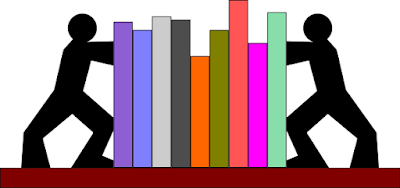
The more I think about it; I really see bookend pedagogy as a critical element of any successful lesson. How a lesson begins typically makes or breaks it in the eyes of a learner. A well-structured anticipatory set gets the ball rolling while a review or prior learning right after helps to ensure that the kids understand what was covered previously. The end provides valuable feedback to both the teacher and student to determine if the objective/target was met and that learning occurred. Without closure, it is difficult, if not impossible, to evaluate whether a specific lesson was a success. For my session with the Wells staff, I developed and then implemented a mini-lesson on personalized learning while ensuring that I included an anticipatory set, review of prior learning, direct instruction, and closure.
In the past, I have written posts on all three of these elements, but a quick review never hurt anyone. In addition, I will provide additional strategies and resources. The anticipatory set is used to prepare students for the lesson by setting the students' minds for instruction. This is achieved by asking a question or making statements to pique interest, create mental images, review information, focus student attention, and initiate the learning process. Types of sets can include the following:
Short video clipsRelevant writing promptsRiddlesPersonal stories or real-world scenariosCurrent eventsPicture promptsPropsOpen-ended questionsFor more context, check out this video.
Just because something was presented in class, the assumption cannot be made that students actually learned it, which makes reviewing prior learning critical. Research in cognitive science has shown that eliciting prior understandings is a necessary component of the learning process. Research also has demonstrated that expert learners are much more adept at the transfer of learning than novices and that practice in the transfer of learning is required in good instruction (Bransford, Brown, and Cocking 2000). Check out this article from TeachThought, which outlines 27 strategies to review prior learning.
How do you know if the class got it at the end of a lesson? Learning increases when lessons are concluded in a manner that helps students organize and remember the point of the lesson. Closure draws attention to the end of the lesson, helps students organize their learning, reinforces the significant aspects of the lesson, allows students to practice what is learned, and provides an opportunity for feedback and review. Time must be set aside for closure, and efforts should be made to include it in lesson plans. A straightforward way to do this is to provide three scaffolded questions (easy, moderate, challenging) as a means of formative assessment. Below are some general closure examples:
Explain one thing you learned today.What was the most challenging concept, and why?Identify the most significant learning from the lesson and explain why.What do you need to do to develop a deeper understanding?How did the lesson impact your understanding?How would you summarize what you learned for someone who wasn't here?What was one thing you were unsure of?Discuss an "aha" you had and how it connects to the learning target/objective.The above only represent some ideas on how to close a lesson. As is the case with anticipatory sets, reviews of prior learning, and closure, there is no one right way. Many tools can help facilitate all of the above. Here they are in no particular order:
Whiteboards (no tech)Paper exit ticketsPlickers (best tech option)MentimeterPear DeckNearpodGoogle FormsKahootQuizizzQuiz WhizzerGimkitGoSoapBoxPadletLinoitAnswerGardenFlipgridIt should be noted that bookend pedagogy might not be necessary during lessons that involve high-agency strategies such as station rotation, choice boards, playlists, or those involving extended inquiry and project-based learning. However, with any of these pedagogical techniques, there should be an opening and an end at some point, so always keep bookend pedagogy in mind.
In a previous post, I outlined what a typical coaching day with me looks like, as well as the most common areas where growth can be achieved based on many classroom visits. Wells Elementary has been taking the feedback that I provide for over three years and recently asked me to create a session that focused on strategies for opening and closing lessons. I was excited about this opportunity as I was going to have the honor of meeting with all teachers by grade level and present newly created content. As I pondered over what I was going to call this presentation, the idea of bookend pedagogy popped in my mind. I ran the title by my wife as she never hesitates to tell me how it is. She liked it, and off I went to create a new slide deck.

The more I think about it; I really see bookend pedagogy as a critical element of any successful lesson. How a lesson begins typically makes or breaks it in the eyes of a learner. A well-structured anticipatory set gets the ball rolling while a review or prior learning right after helps to ensure that the kids understand what was covered previously. The end provides valuable feedback to both the teacher and student to determine if the objective/target was met and that learning occurred. Without closure, it is difficult, if not impossible, to evaluate whether a specific lesson was a success. For my session with the Wells staff, I developed and then implemented a mini-lesson on personalized learning while ensuring that I included an anticipatory set, review of prior learning, direct instruction, and closure.
In the past, I have written posts on all three of these elements, but a quick review never hurt anyone. In addition, I will provide additional strategies and resources. The anticipatory set is used to prepare students for the lesson by setting the students' minds for instruction. This is achieved by asking a question or making statements to pique interest, create mental images, review information, focus student attention, and initiate the learning process. Types of sets can include the following:
Short video clipsRelevant writing promptsRiddlesPersonal stories or real-world scenariosCurrent eventsPicture promptsPropsOpen-ended questionsFor more context, check out this video.
Just because something was presented in class, the assumption cannot be made that students actually learned it, which makes reviewing prior learning critical. Research in cognitive science has shown that eliciting prior understandings is a necessary component of the learning process. Research also has demonstrated that expert learners are much more adept at the transfer of learning than novices and that practice in the transfer of learning is required in good instruction (Bransford, Brown, and Cocking 2000). Check out this article from TeachThought, which outlines 27 strategies to review prior learning.
How do you know if the class got it at the end of a lesson? Learning increases when lessons are concluded in a manner that helps students organize and remember the point of the lesson. Closure draws attention to the end of the lesson, helps students organize their learning, reinforces the significant aspects of the lesson, allows students to practice what is learned, and provides an opportunity for feedback and review. Time must be set aside for closure, and efforts should be made to include it in lesson plans. A straightforward way to do this is to provide three scaffolded questions (easy, moderate, challenging) as a means of formative assessment. Below are some general closure examples:
Explain one thing you learned today.What was the most challenging concept, and why?Identify the most significant learning from the lesson and explain why.What do you need to do to develop a deeper understanding?How did the lesson impact your understanding?How would you summarize what you learned for someone who wasn't here?What was one thing you were unsure of?Discuss an "aha" you had and how it connects to the learning target/objective.The above only represent some ideas on how to close a lesson. As is the case with anticipatory sets, reviews of prior learning, and closure, there is no one right way. Many tools can help facilitate all of the above. Here they are in no particular order:
Whiteboards (no tech)Paper exit ticketsPlickers (best tech option)MentimeterPear DeckNearpodGoogle FormsKahootQuizizzQuiz WhizzerGimkitGoSoapBoxPadletLinoitAnswerGardenFlipgridIt should be noted that bookend pedagogy might not be necessary during lessons that involve high-agency strategies such as station rotation, choice boards, playlists, or those involving extended inquiry and project-based learning. However, with any of these pedagogical techniques, there should be an opening and an end at some point, so always keep bookend pedagogy in mind.
February 16, 2020
Knowing Where We Are Paves the Way for Change: The Impact of Coaching
I often tell audiences during keynotes and workshops that my role isn’t to tell anyone what to do, but instead to get educators to think critically about what they do. It would be foolish of any speaker or presenter to do so, considering that we don’t really know the people who we are blessed to speak with, let alone the specific culture in which they work. The fact for many in education is that we teach the way we were taught and lead the way we were led. In some cases, this might still be effective. However, the opposite is more often true, and helping others come to this realization can be a tricky process.
Where I see the most change from my work is when I am fortunate to work with districts and schools on an on-going, long-term basis. This allows me to really get a pulse on the culture, understand the challenges that are faced, make observations, collect evidence as to where practices are, and ultimately build relationships in the process. Trust and honesty are key, which compels me not to hold back when engaging both teachers and administrators in dialogue on feedback. Often, we are blinded by our own bias or comfortable where we are. No matter the case, both can be detrimental to growth.
So how do we begin to move the needle? It starts with analyzing how feedback is given. What I have learned from past experiences, and currently, when working in schools, is that a tendency remains to tell people what they want to hear as opposed to pushing them with critical conversations on practice. The latter might sting at first, but it is needed to create a sense of urgency. Making people feel good is always crucial, and a critical component of a positive culture. However, it shouldn’t come at the expense of shying away from the problematic and thought-provoking conversations that are needed to drive change at the individual and systemic levels.
One of the best ways to help others know where they are and lay the groundwork for meaningful changes to practice is through coaching. Currently, I have several projects around the country where I have assumed this role. Last year alone, I visited over 1000 classrooms and pretty much followed the same process. At the conclusion of each day, I submit a detailed report that contains general commendations and recommendations for growth to each school. If I am there for an extended period of time, the district receives a comprehensive report within 24 hours of completing my last school visit.
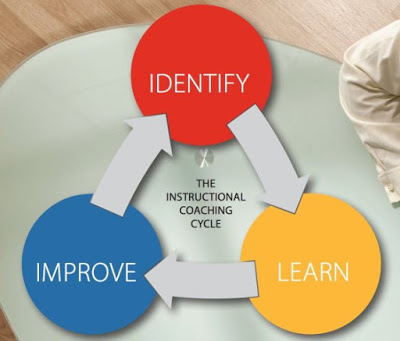 Image credit
In addition to general feedback, I script what I see by classroom while aligning evidence to support the ratings for how I chart data across five indicators. This allows me to provide some simple data for districts and schools to get an idea of where their practices are. Here is how I code each lesson after scripting and providing recommendations for growth:
Rigor Relevance Framework Quad alignment (A, B, C, D)Engaged (E) or disengaged (DE)Tech (T) or no tech (NT)Teacher-centered (TC)) or student-centered (SC)Student agency: High (H) vs. Low (L)Now, these are meant to be black and white in terms of whether it can be seen or validated with evidence (i.e., questions, assessments, tech used by kids for learning, student work, etc.). However, I always stress that there is gray inherent in what I provide and encourage dialogue and support between coaching visits. It goes without saying that these visits are just a snapshot and, by no means, are indicative as to what happens during the entire lesson or regularly throughout the year. It is up to the school and individual educators to make that determination. There is one non-negotiable that I establish, and that is an administrator or teacher who has to accompany me. The reason being to coach the individual(s) later on providing feedback and to ensure interrater reliability (do we see the same thing).
I am fortunate to be involved in several long-term projects where I have been able to document growth over time. Over the years, I have shared all of the wonderful things happening at Wells Elementary, as I am now in my third year as their coach. Other schools and districts are beginning to follow suit. One, in particular, is the Corinth School District in Mississippi. The stage was set over the summer for me to work six days in each of their three schools to assist with teaching, learning, and leadership associated with their 1:1 implementation. Following the protocol described above, I facilitated coaching days.
Even though I have a few stories of significant growth to share, I want to focus on just one. During my first visit to the high school in August, I spent the entire day visiting classrooms and then providing feedback to the admin team. They, in turn, then shared recommendations for growth with their teachers. One, in particular, Charles Carpenter, who taught economics and history, took the feedback pretty hard as we saw a reasonably typical lesson being implemented. In his words, he asked the principal if he should look for another job.
The next time I met with the teachers, I facilitated a workshop on digital pedagogy. Something from this day and the feedback from the classroom observation clicked for Charles. During my third visit, we saw him implementing a choice board with his economics class. Going from direct instruction primarily to this high agency approach represented a dramatic shift in practice. I again provided feedback both in the form of commendations and recommendations for improvement, specifically when it came to assessment. I can’t begin to tell you how pleased and excited I was during my fourth visit. When we visited his history class, he again had the students working on a choice board. The main difference from last time was that there were six different rubrics to go along with the activity.

The growth story of Charles Carpenter is one of many in the Corinth School District. His colleagues across all content areas at the high school have begun to implement an array of innovative strategies such as station rotation, choice boards, self-pacing, digital check-ins with students, and the purposeful use of technology aligned to effective pedagogy. The middle school has begun to make impressive progress with blended learning, especially at the 6th-grade level. Last but not least is the elementary school where evidence has been collected, demonstrating tremendous growth with high agency strategies. To be honest, I could fill this post with picture after picture as validation.
We can’t allow ourselves to stick our heads in the sand or cuddle up to the status quo. Sometimes a push is needed. In all the schools I work in, the catalyst for change is always the first coaching visit. Using an unbiased and non-judgmental lens, the stage is set for assisting educators in coming to a determination as to where they are. Initially, this can be a tough pill to swallow. However, the fact remains that nothing about public education is perfect. Sometimes it takes an outside view to help come to that realization.
If you would like to know more about our coaching process and on-going work for schools or districts, shoot me an email (esheninger@gmail.com).
Where I see the most change from my work is when I am fortunate to work with districts and schools on an on-going, long-term basis. This allows me to really get a pulse on the culture, understand the challenges that are faced, make observations, collect evidence as to where practices are, and ultimately build relationships in the process. Trust and honesty are key, which compels me not to hold back when engaging both teachers and administrators in dialogue on feedback. Often, we are blinded by our own bias or comfortable where we are. No matter the case, both can be detrimental to growth.
So how do we begin to move the needle? It starts with analyzing how feedback is given. What I have learned from past experiences, and currently, when working in schools, is that a tendency remains to tell people what they want to hear as opposed to pushing them with critical conversations on practice. The latter might sting at first, but it is needed to create a sense of urgency. Making people feel good is always crucial, and a critical component of a positive culture. However, it shouldn’t come at the expense of shying away from the problematic and thought-provoking conversations that are needed to drive change at the individual and systemic levels.
One of the best ways to help others know where they are and lay the groundwork for meaningful changes to practice is through coaching. Currently, I have several projects around the country where I have assumed this role. Last year alone, I visited over 1000 classrooms and pretty much followed the same process. At the conclusion of each day, I submit a detailed report that contains general commendations and recommendations for growth to each school. If I am there for an extended period of time, the district receives a comprehensive report within 24 hours of completing my last school visit.
 Image credit
In addition to general feedback, I script what I see by classroom while aligning evidence to support the ratings for how I chart data across five indicators. This allows me to provide some simple data for districts and schools to get an idea of where their practices are. Here is how I code each lesson after scripting and providing recommendations for growth:
Rigor Relevance Framework Quad alignment (A, B, C, D)Engaged (E) or disengaged (DE)Tech (T) or no tech (NT)Teacher-centered (TC)) or student-centered (SC)Student agency: High (H) vs. Low (L)Now, these are meant to be black and white in terms of whether it can be seen or validated with evidence (i.e., questions, assessments, tech used by kids for learning, student work, etc.). However, I always stress that there is gray inherent in what I provide and encourage dialogue and support between coaching visits. It goes without saying that these visits are just a snapshot and, by no means, are indicative as to what happens during the entire lesson or regularly throughout the year. It is up to the school and individual educators to make that determination. There is one non-negotiable that I establish, and that is an administrator or teacher who has to accompany me. The reason being to coach the individual(s) later on providing feedback and to ensure interrater reliability (do we see the same thing).
I am fortunate to be involved in several long-term projects where I have been able to document growth over time. Over the years, I have shared all of the wonderful things happening at Wells Elementary, as I am now in my third year as their coach. Other schools and districts are beginning to follow suit. One, in particular, is the Corinth School District in Mississippi. The stage was set over the summer for me to work six days in each of their three schools to assist with teaching, learning, and leadership associated with their 1:1 implementation. Following the protocol described above, I facilitated coaching days.
Even though I have a few stories of significant growth to share, I want to focus on just one. During my first visit to the high school in August, I spent the entire day visiting classrooms and then providing feedback to the admin team. They, in turn, then shared recommendations for growth with their teachers. One, in particular, Charles Carpenter, who taught economics and history, took the feedback pretty hard as we saw a reasonably typical lesson being implemented. In his words, he asked the principal if he should look for another job.
The next time I met with the teachers, I facilitated a workshop on digital pedagogy. Something from this day and the feedback from the classroom observation clicked for Charles. During my third visit, we saw him implementing a choice board with his economics class. Going from direct instruction primarily to this high agency approach represented a dramatic shift in practice. I again provided feedback both in the form of commendations and recommendations for improvement, specifically when it came to assessment. I can’t begin to tell you how pleased and excited I was during my fourth visit. When we visited his history class, he again had the students working on a choice board. The main difference from last time was that there were six different rubrics to go along with the activity.
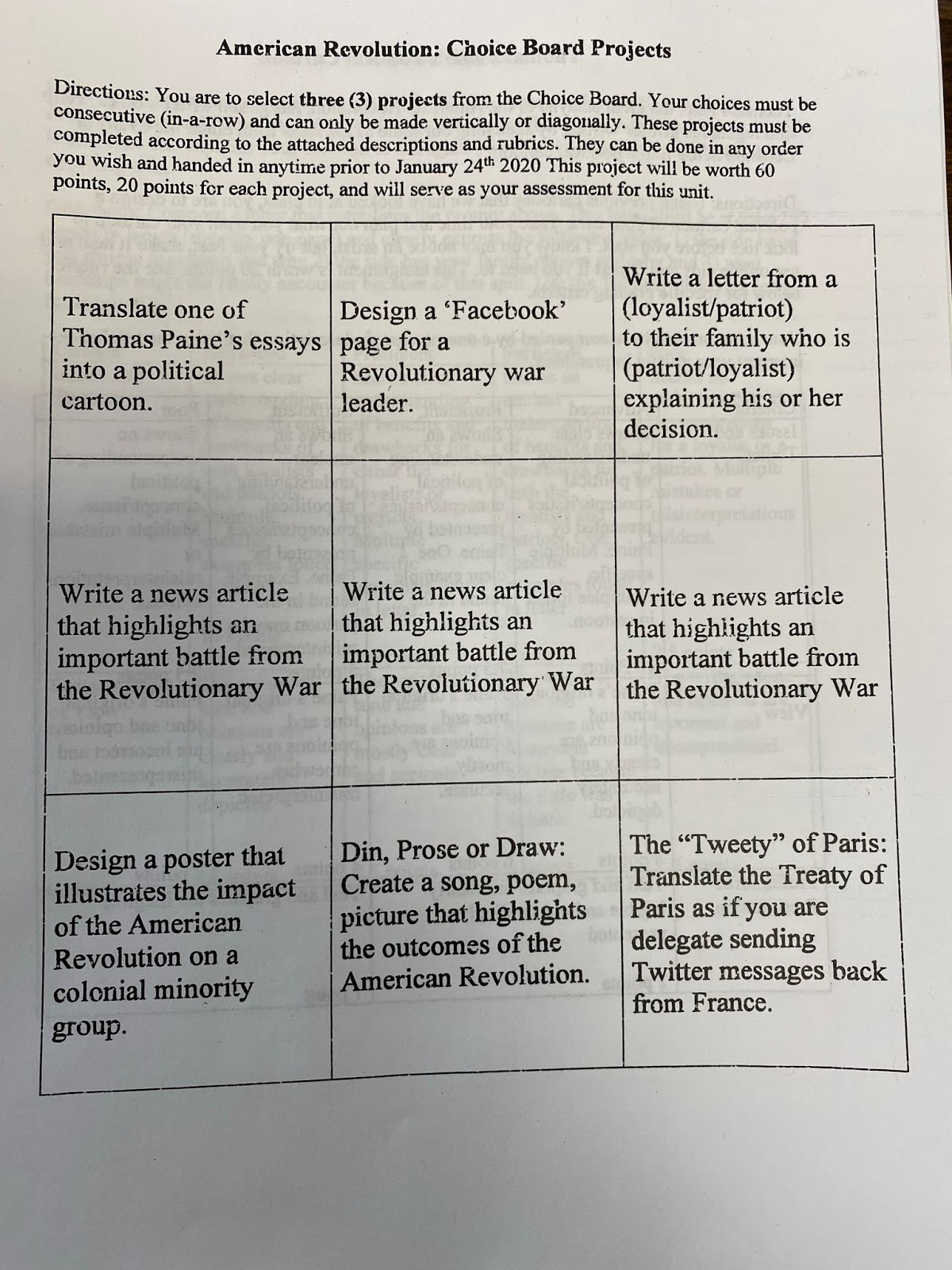
The growth story of Charles Carpenter is one of many in the Corinth School District. His colleagues across all content areas at the high school have begun to implement an array of innovative strategies such as station rotation, choice boards, self-pacing, digital check-ins with students, and the purposeful use of technology aligned to effective pedagogy. The middle school has begun to make impressive progress with blended learning, especially at the 6th-grade level. Last but not least is the elementary school where evidence has been collected, demonstrating tremendous growth with high agency strategies. To be honest, I could fill this post with picture after picture as validation.
We can’t allow ourselves to stick our heads in the sand or cuddle up to the status quo. Sometimes a push is needed. In all the schools I work in, the catalyst for change is always the first coaching visit. Using an unbiased and non-judgmental lens, the stage is set for assisting educators in coming to a determination as to where they are. Initially, this can be a tough pill to swallow. However, the fact remains that nothing about public education is perfect. Sometimes it takes an outside view to help come to that realization.
If you would like to know more about our coaching process and on-going work for schools or districts, shoot me an email (esheninger@gmail.com).
February 9, 2020
Personalized Learning in Action
Over the past year, I have been blessed to support the Davis School District in Utah with their personalized learning initiative across the district. It has been exciting and challenging work as I have been mentoring principals, facilitating workshops, and providing teachers feedback where schools are all at different places as they work to create more personal experiences for learners. In a sense, I have had to model what these strategies look like in practice while empowering teachers and administrators to take more ownership of their own learning. It's a tough ask of our kids to do this if we as adults aren't willing to do the same.
During my time in the district this week, I saw first-hand how job-embedded, on-going, and targeted support leads to amazing changes in practice. First, I have to provide a backstory. In the fall, I was slated to visit numerous schools across the district. Snow Horse Elementary was not one of them. However, the principal at the time advocated fiercely that she wanted me to visit, and arrangements were made. A few district administrators and I visited classrooms in March 2019. We did see some solid examples of station rotation, but overall there was a great deal of room for growth with a school-wide shift to personalized learning. You can read more in detail about what this looks like HERE.
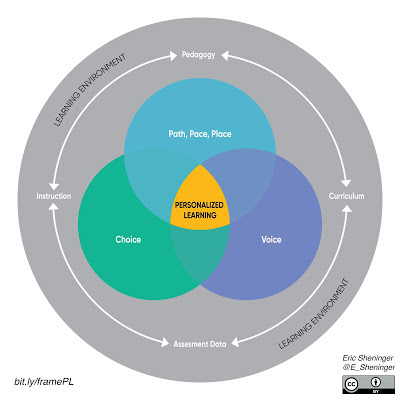
The district office later arranged for me to facilitate a two-hour workshop that focused on the key elements and structures depicted in the image above. After the session was completed, a team of second-grade teachers stayed after to begin planning on how to implement what they learned immediately. I was pleasantly surprised to hear only a day later that these same teachers requested me to come back to Snow Horse Elementary while I was still in town to see what they had accomplished. Below you will see some of the changes that we made to personalize learning a mere 48 hours after the workshop.
In the fall, I revisited the school and had someone on one time with the second-grade team at their request. I was able to answer some of their questions and provide feedback on what they had been working on. Fast forward to January 2019. I once again had the opportunity to visit classrooms across the school. I was so pleased to see significant growth across all classrooms and was so proud of all the teachers. However, the second-grade team blew my mind with what each of them was doing. We saw personalization in every classroom.
In some cases, you could see the teachers co-planned while others went down their own path. We saw learners were grouped by ability, accessing choice boards digitally on their iPads once specified tasks were completed.


Teachers were even able to monitor progress in Keynote and push kids to other tasks if they stayed on a choice too long. When finished with a task, the students dragged an "X" over it.

In other cases, learners submitted video and audio evidence through Keynote in both ELA and math.

Another teacher had essential questions mapped out for the entire week and daily reflections where kids supplied evidence of what they learned. Voice was honored through the effective use of Nearpod during a whole-group lesson.
As I continued to process what I saw, I figured it would be best to capture from each teacher why they decided to change, how they specifically changed, and what has been the result in terms of these changes. Below are their reflections.
Ranell Whitaker
Our 2nd-grade team was so excited about the first visit you had at Snow Horse Elementary. You had some pictures of choice boards that you showed us during your presentation that really inspired me. I had been doing Daily 5 in my classroom for several years with a very rigid schedule and exact assignments that every student was to complete within their 15-minute time frame. I felt that it was going ok, but I never felt like there was enough time for me to work with a small group or one on one with students. The students were also frustrated because some weren't able to finish assignments within the given time, and some students had too much time, and either didn't know what to work on or started to distract and disrupt others.
I looked at the choice boards you showed us and knew we could implement something similar. The night of your presentation, I went home and created my own choice boards for the next day for math and language arts, and we started implementing them the very next day. My students LOVED choosing what activity they would work on, and when they would work on it. I noticed the students were more engaged and excited about what they were doing because they had a CHOICE! And best of all, I stopped hearing "teacher, what should I do now?"!
I did start with a more structured approach to the choice boards, and each student had a printed-out version to cross off the items they completed. After several weeks of trial and error on choice board activities, I now feel that the students have exciting activities and games that help them excel and achieve their goals, all while they are choosing the activities that challenge them. The activities include reteach, extra practice, and enrichment. I have also allowed the students to use the amount of time they need for their activities with no problems. When they finish one activity, they are excited to start on a new choice.
Just about a month ago, we decided to go digital with the choice boards using Keynote. It was a game-changer. Students are now able to have their choice boards right on their iPads and show their work by uploading photos of their work or inserting a screenshot right on the choice board. I send them a new choice board for the week each Monday, and then on Friday they airdrop it back to me or send it in Apple Classroom. I am no longer making a million copies of worksheets and choice boards for the kids to turn in. They turn in one choice board at the end of the week, and I can see exactly what they accomplished in the time that they were given. If I notice a student has not completed much on their choice board, I am able to pull them aside and talk about how they are using their time and how they can improve. If a student is picking the same choice each day, I can speak to them and challenge them to try something new. I am also easily able to assign students specific choices as a "must do" if I feel it necessary.
Overall, this change has really opened me up to work with each child in my classroom EVERYDAY. I can pull a group as needed, and the students that I pull can get right back to what they were doing when they finish working with me. I am not trying to cram as much as I can into their brains in 15 minutes, and students can spend as much time as they need on a task (which they want to finish so that they can move on to the next activity they choose). I also don't feel the pressure of a time constraint as I did with timed rotations. I am thrilled with the choices my students make to challenge themselves and am so happy with the growth and progress that they have shown in the last few months. My students have learned the joy in accomplishing a task and have gained a lot of responsibility and accountability in their own education.
Jonna Sutterfield
When you came to visit back in the fall, what you had to say was exciting, and frankly, I just believed in it. It was eye-opening to think, yes students can make their own choices in how they want to learn, and more importantly, it opened up avenues to let students explain their learning at their level. It has given confidence to my students to be able to show me their way of understanding. That day struck a chord with my team and me, and we were so excited to implement personalized learning.
Today you saw how our Math usually goes. The students started out where I wanted them on their own levels. For example, a small group, challenge problem and had a must-do to perform. Once they completed that, they were then off to their own Digital Choice Boards to complete activities on their own. Within the Math Choice Boards are a variety of activities they can choose from. They know where to find more challenging stuff, extra practice and games, etc. to further their learning. For the most part, students will always be choosing wisely, and at times I feel I need to encourage some to try something new or others just to make choices!
Their choice boards are all digital, and they have them on their iPad. They do a daily check-off, and on Fridays, send them back to me. I do a quick check (I usually know what they are doing daily). So, it is more of a double-check. I don't grade them, except for participation. These choices are for them to implement what we are learning in class on their own and practice that.
My number one thing that I take away from personalized learning, that I share with others, is how much it has opened me up to meet the needs of my students. I have been able to pull small groups daily to reteach or even check for understanding. I love that I can immediately see their learning right then and there. They are roaming and trying new things and learning how to work on their own and sometimes with partners. With me being more accessible, I love that more of my students' learning is being reached, and I have a greater understanding of their learning, and it helps me to find more ways to challenge them and encourage them to try something new.
Also, the students are more engaged in what they are doing, and Math Choice and Daily 5 Choice are some of their favorite times. They get excited to move around and do a variety of learning.
Thank you again for your time at our school. It has been fun getting to try new things and see results!
Erin Fuller
I absolutely love my math choice boards. After we jumped in and made our first-choice board, it was amazing to me how much the students loved choosing how they learn. I also love how it frees me up to help each child, either by challenging or reteaching them.
During my math block on Monday, we started a new chapter on 3-digit addition. To begin my block, I always do an explicit lesson by starting with the essential question. I use Keynote to make my math choice board. The first slide states the essential questions for the entire week. The second slide is the actual choice board that they work off of each day. The third slide is the most important one for me. This is where they show me what they know each day. I either have them video themselves explaining the concept or do an audio recording answering a question from the lesson.
On the choice board, the middle row includes the things that the students must do each day. I want them to practice fluency, do independent practice, and 10 minutes in our differentiated math program each day. On the top and the bottom rows, I have built-in choices that they can use to take their learning to a higher personal level. I have put x's, checkmarks, and picture place holders on this slide, so they can show me what they're doing to learn during the week. If there is something that I want a specific student to do, I will circle it on their board to let them know I'm looking forward to seeing that completed. I changed it to a weekly board rather than daily, so they can only do one activity a week instead of spending every day doing the same thing. I have worked hard to challenge my high kids with activities to enrich them as well as activities to help fill in gaps with my low kids. Another thing I love is where they can check off if they worked with me because I needed them to or if they chose to get extra help on their own.

The last slide is so informative to me. I can quickly see if they get it by answering specific questions for me. This is the most valuable part to me because I can see which child gets it and which child doesn't immediately. If I am worried about them before the end of the week, I just grab their iPad and listen to the video they made that day, and I can give immediate feedback. This is also helpful if I need to talk to a parent about a concern. It is also beneficial to have when a parent tells me that their child is bored and isn't being challenged. I can show them their choice board and talk about how they are choosing not to challenge themselves.
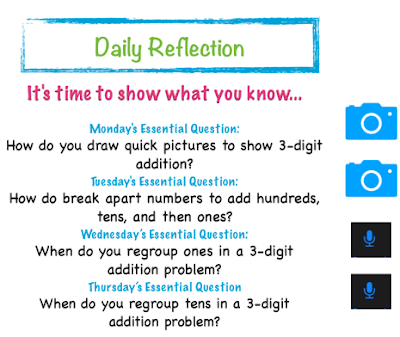
My choice boards, not just math but also my Daily 5 Choice boards, have changed my teaching. I know where my students are, and I know what they're doing to learn. This frees me up so that I can work one on one or in small groups on what they need, not just what I think they need after a full group lesson. I have never been able to immediately tell where each of my students was academically.
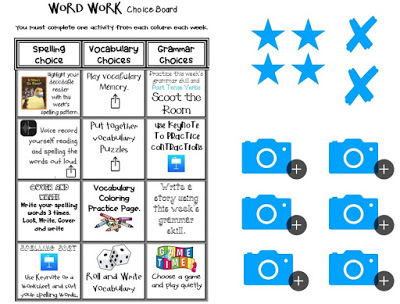
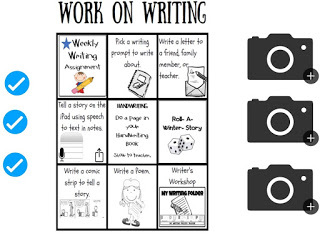
Jana Vanhorn
Today in my classroom, I created a Nearpod for my students. This week we are reading about different regions in the world, and I wanted to build some background knowledge before we started reading stories. The Nearpod included virtual field trips, open-ended questions, drawing pictures, and more. I have found that during a typical classroom discussion, I get the same students who participate and the same students who "check out." My students LOVE learning through Nearpod. They are more likely to be engaged in the learning and I get a response from every student. As a teacher, I have found that it is so valuable to get a response from every student because there is usually at least one or two who don't understand what to do or how to answer a question. I can now quickly have a conversation with them to get them back on track.
Whether personalizing the pedagogical strategies or instructional approaches, these teachers illustrate how implementing innovative approaches can have a positive impact on not only their practice but also the learning for their kids. When it is all said and done, they actually took some information provided to them and charted their own course forward. You might even say they experienced personalized learning themselves based on what they are now doing across their grade level.
During my time in the district this week, I saw first-hand how job-embedded, on-going, and targeted support leads to amazing changes in practice. First, I have to provide a backstory. In the fall, I was slated to visit numerous schools across the district. Snow Horse Elementary was not one of them. However, the principal at the time advocated fiercely that she wanted me to visit, and arrangements were made. A few district administrators and I visited classrooms in March 2019. We did see some solid examples of station rotation, but overall there was a great deal of room for growth with a school-wide shift to personalized learning. You can read more in detail about what this looks like HERE.
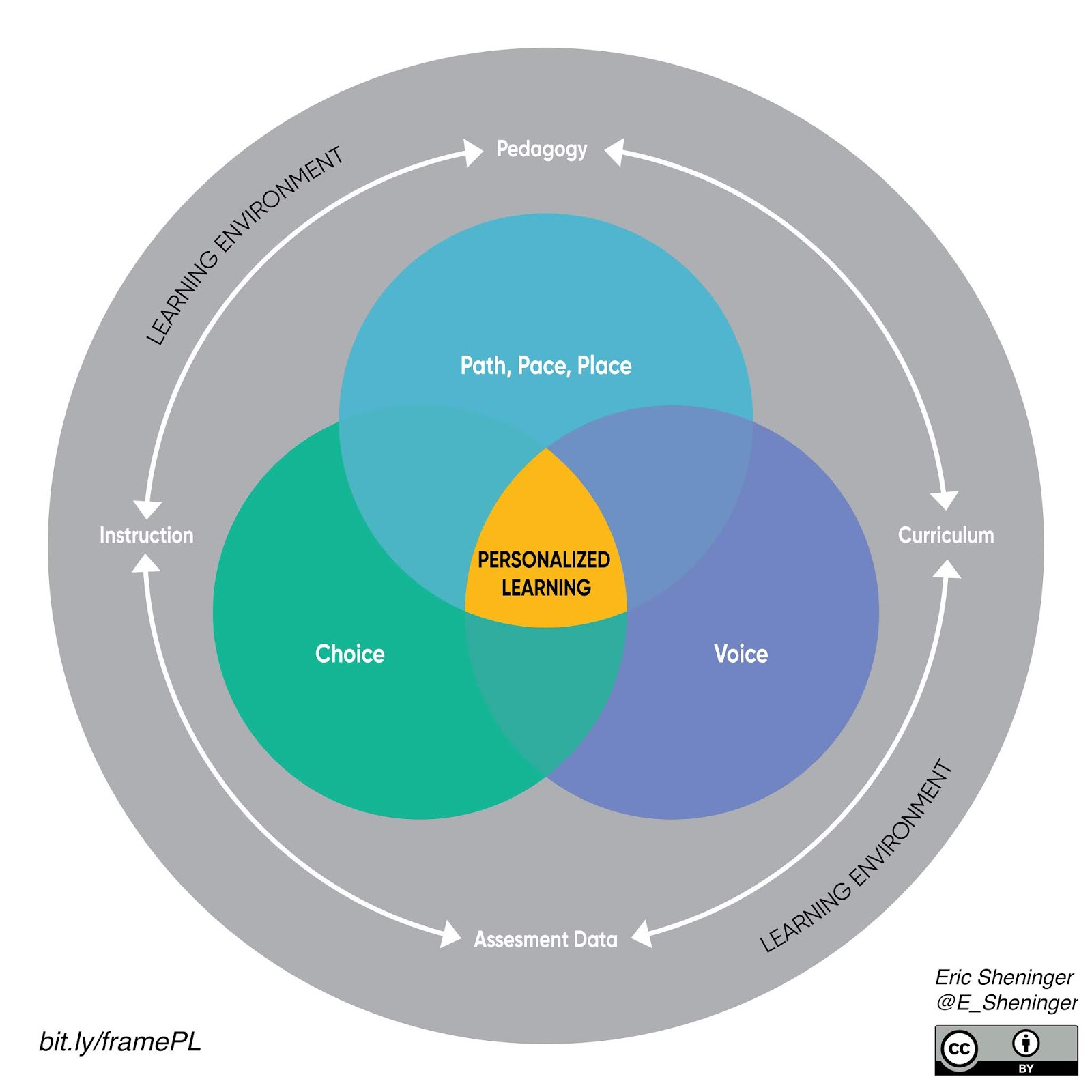
The district office later arranged for me to facilitate a two-hour workshop that focused on the key elements and structures depicted in the image above. After the session was completed, a team of second-grade teachers stayed after to begin planning on how to implement what they learned immediately. I was pleasantly surprised to hear only a day later that these same teachers requested me to come back to Snow Horse Elementary while I was still in town to see what they had accomplished. Below you will see some of the changes that we made to personalize learning a mere 48 hours after the workshop.
In the fall, I revisited the school and had someone on one time with the second-grade team at their request. I was able to answer some of their questions and provide feedback on what they had been working on. Fast forward to January 2019. I once again had the opportunity to visit classrooms across the school. I was so pleased to see significant growth across all classrooms and was so proud of all the teachers. However, the second-grade team blew my mind with what each of them was doing. We saw personalization in every classroom.
In some cases, you could see the teachers co-planned while others went down their own path. We saw learners were grouped by ability, accessing choice boards digitally on their iPads once specified tasks were completed.
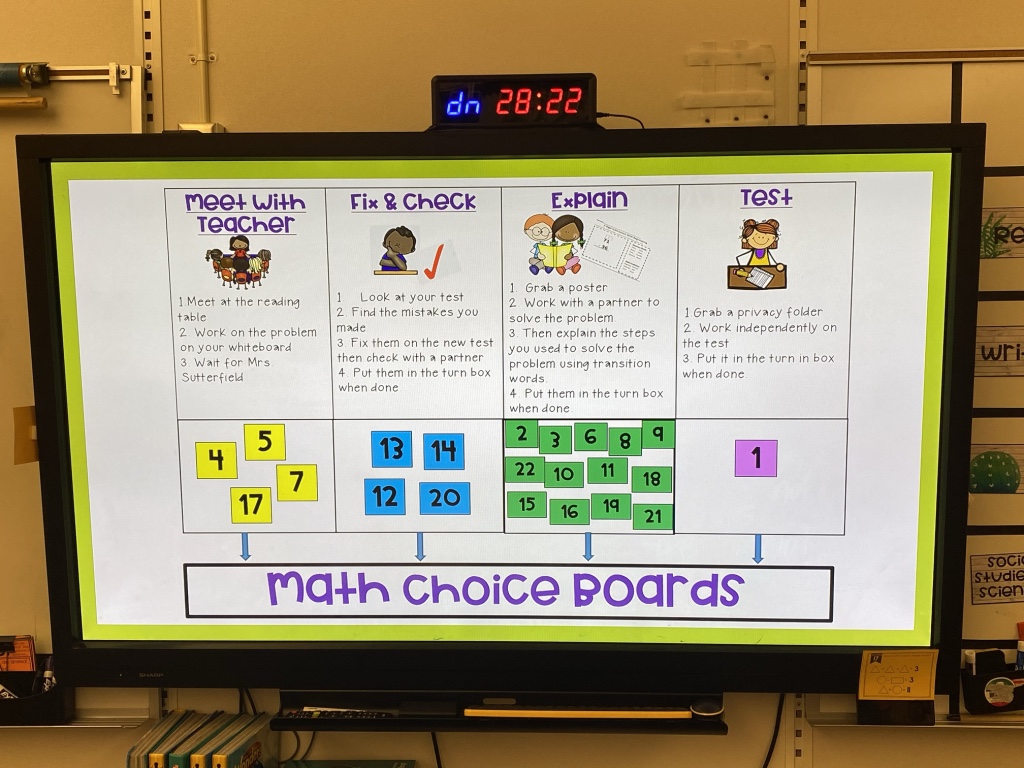

Teachers were even able to monitor progress in Keynote and push kids to other tasks if they stayed on a choice too long. When finished with a task, the students dragged an "X" over it.

In other cases, learners submitted video and audio evidence through Keynote in both ELA and math.
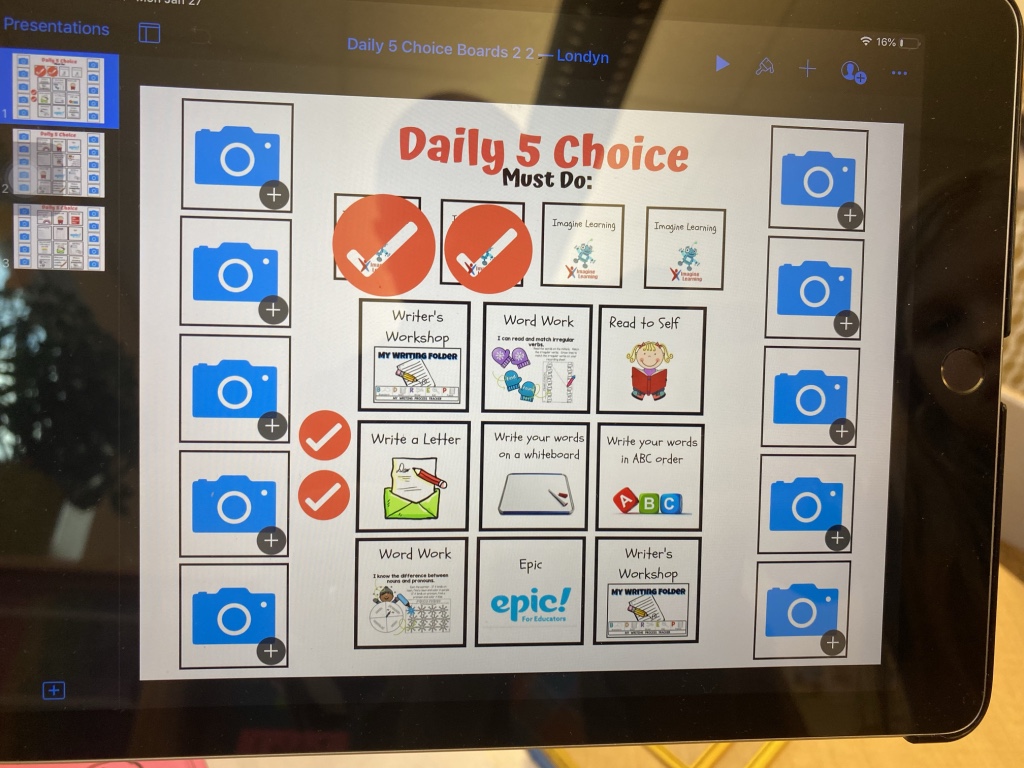
Another teacher had essential questions mapped out for the entire week and daily reflections where kids supplied evidence of what they learned. Voice was honored through the effective use of Nearpod during a whole-group lesson.
As I continued to process what I saw, I figured it would be best to capture from each teacher why they decided to change, how they specifically changed, and what has been the result in terms of these changes. Below are their reflections.
Ranell Whitaker
Our 2nd-grade team was so excited about the first visit you had at Snow Horse Elementary. You had some pictures of choice boards that you showed us during your presentation that really inspired me. I had been doing Daily 5 in my classroom for several years with a very rigid schedule and exact assignments that every student was to complete within their 15-minute time frame. I felt that it was going ok, but I never felt like there was enough time for me to work with a small group or one on one with students. The students were also frustrated because some weren't able to finish assignments within the given time, and some students had too much time, and either didn't know what to work on or started to distract and disrupt others.
I looked at the choice boards you showed us and knew we could implement something similar. The night of your presentation, I went home and created my own choice boards for the next day for math and language arts, and we started implementing them the very next day. My students LOVED choosing what activity they would work on, and when they would work on it. I noticed the students were more engaged and excited about what they were doing because they had a CHOICE! And best of all, I stopped hearing "teacher, what should I do now?"!
I did start with a more structured approach to the choice boards, and each student had a printed-out version to cross off the items they completed. After several weeks of trial and error on choice board activities, I now feel that the students have exciting activities and games that help them excel and achieve their goals, all while they are choosing the activities that challenge them. The activities include reteach, extra practice, and enrichment. I have also allowed the students to use the amount of time they need for their activities with no problems. When they finish one activity, they are excited to start on a new choice.
Just about a month ago, we decided to go digital with the choice boards using Keynote. It was a game-changer. Students are now able to have their choice boards right on their iPads and show their work by uploading photos of their work or inserting a screenshot right on the choice board. I send them a new choice board for the week each Monday, and then on Friday they airdrop it back to me or send it in Apple Classroom. I am no longer making a million copies of worksheets and choice boards for the kids to turn in. They turn in one choice board at the end of the week, and I can see exactly what they accomplished in the time that they were given. If I notice a student has not completed much on their choice board, I am able to pull them aside and talk about how they are using their time and how they can improve. If a student is picking the same choice each day, I can speak to them and challenge them to try something new. I am also easily able to assign students specific choices as a "must do" if I feel it necessary.
Overall, this change has really opened me up to work with each child in my classroom EVERYDAY. I can pull a group as needed, and the students that I pull can get right back to what they were doing when they finish working with me. I am not trying to cram as much as I can into their brains in 15 minutes, and students can spend as much time as they need on a task (which they want to finish so that they can move on to the next activity they choose). I also don't feel the pressure of a time constraint as I did with timed rotations. I am thrilled with the choices my students make to challenge themselves and am so happy with the growth and progress that they have shown in the last few months. My students have learned the joy in accomplishing a task and have gained a lot of responsibility and accountability in their own education.
Jonna Sutterfield
When you came to visit back in the fall, what you had to say was exciting, and frankly, I just believed in it. It was eye-opening to think, yes students can make their own choices in how they want to learn, and more importantly, it opened up avenues to let students explain their learning at their level. It has given confidence to my students to be able to show me their way of understanding. That day struck a chord with my team and me, and we were so excited to implement personalized learning.
Today you saw how our Math usually goes. The students started out where I wanted them on their own levels. For example, a small group, challenge problem and had a must-do to perform. Once they completed that, they were then off to their own Digital Choice Boards to complete activities on their own. Within the Math Choice Boards are a variety of activities they can choose from. They know where to find more challenging stuff, extra practice and games, etc. to further their learning. For the most part, students will always be choosing wisely, and at times I feel I need to encourage some to try something new or others just to make choices!
Their choice boards are all digital, and they have them on their iPad. They do a daily check-off, and on Fridays, send them back to me. I do a quick check (I usually know what they are doing daily). So, it is more of a double-check. I don't grade them, except for participation. These choices are for them to implement what we are learning in class on their own and practice that.
My number one thing that I take away from personalized learning, that I share with others, is how much it has opened me up to meet the needs of my students. I have been able to pull small groups daily to reteach or even check for understanding. I love that I can immediately see their learning right then and there. They are roaming and trying new things and learning how to work on their own and sometimes with partners. With me being more accessible, I love that more of my students' learning is being reached, and I have a greater understanding of their learning, and it helps me to find more ways to challenge them and encourage them to try something new.
Also, the students are more engaged in what they are doing, and Math Choice and Daily 5 Choice are some of their favorite times. They get excited to move around and do a variety of learning.
Thank you again for your time at our school. It has been fun getting to try new things and see results!
Erin Fuller
I absolutely love my math choice boards. After we jumped in and made our first-choice board, it was amazing to me how much the students loved choosing how they learn. I also love how it frees me up to help each child, either by challenging or reteaching them.
During my math block on Monday, we started a new chapter on 3-digit addition. To begin my block, I always do an explicit lesson by starting with the essential question. I use Keynote to make my math choice board. The first slide states the essential questions for the entire week. The second slide is the actual choice board that they work off of each day. The third slide is the most important one for me. This is where they show me what they know each day. I either have them video themselves explaining the concept or do an audio recording answering a question from the lesson.
On the choice board, the middle row includes the things that the students must do each day. I want them to practice fluency, do independent practice, and 10 minutes in our differentiated math program each day. On the top and the bottom rows, I have built-in choices that they can use to take their learning to a higher personal level. I have put x's, checkmarks, and picture place holders on this slide, so they can show me what they're doing to learn during the week. If there is something that I want a specific student to do, I will circle it on their board to let them know I'm looking forward to seeing that completed. I changed it to a weekly board rather than daily, so they can only do one activity a week instead of spending every day doing the same thing. I have worked hard to challenge my high kids with activities to enrich them as well as activities to help fill in gaps with my low kids. Another thing I love is where they can check off if they worked with me because I needed them to or if they chose to get extra help on their own.
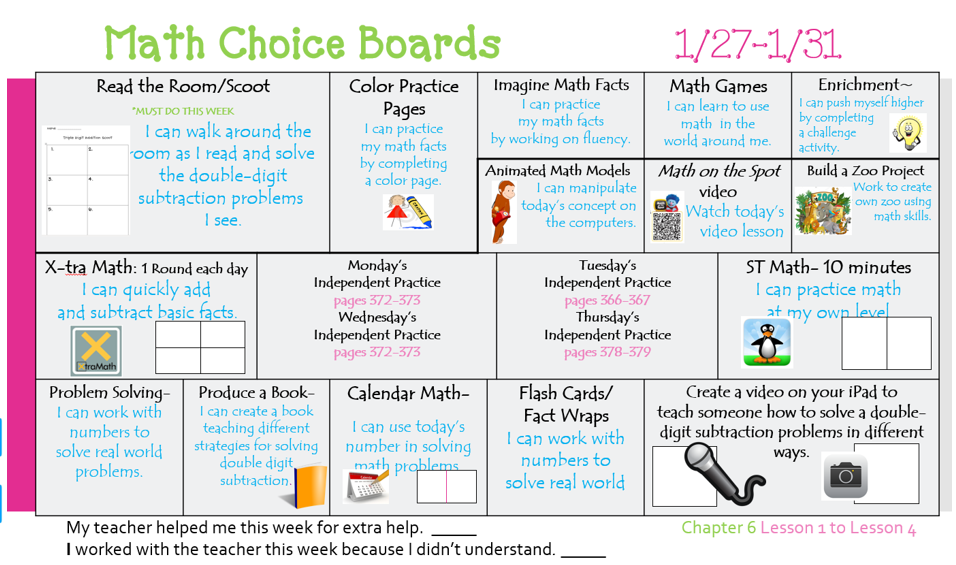
The last slide is so informative to me. I can quickly see if they get it by answering specific questions for me. This is the most valuable part to me because I can see which child gets it and which child doesn't immediately. If I am worried about them before the end of the week, I just grab their iPad and listen to the video they made that day, and I can give immediate feedback. This is also helpful if I need to talk to a parent about a concern. It is also beneficial to have when a parent tells me that their child is bored and isn't being challenged. I can show them their choice board and talk about how they are choosing not to challenge themselves.
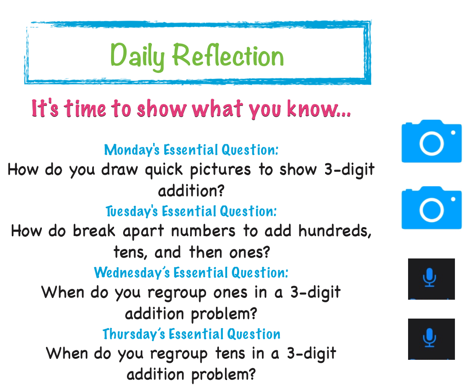
My choice boards, not just math but also my Daily 5 Choice boards, have changed my teaching. I know where my students are, and I know what they're doing to learn. This frees me up so that I can work one on one or in small groups on what they need, not just what I think they need after a full group lesson. I have never been able to immediately tell where each of my students was academically.
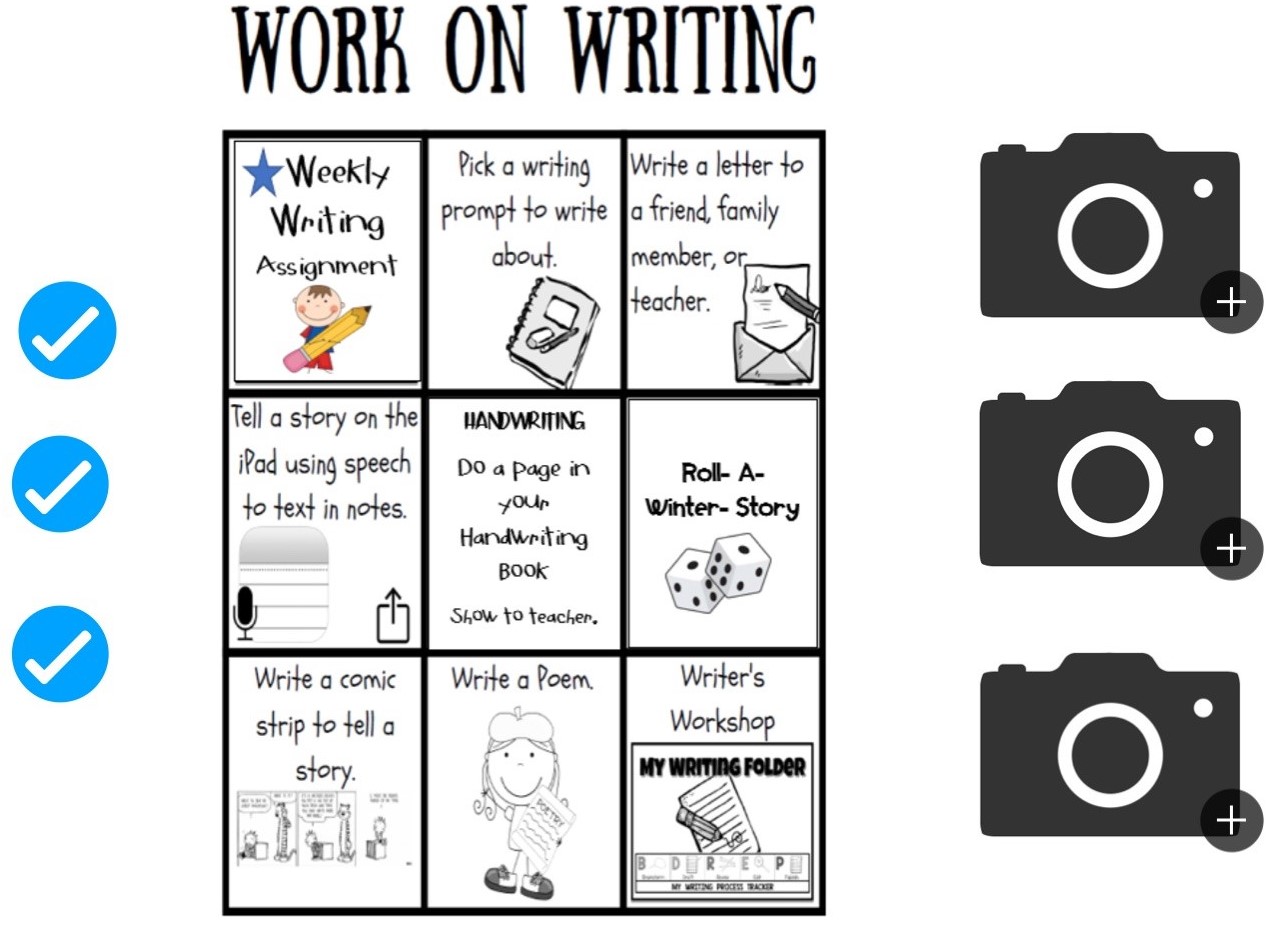
Jana Vanhorn
Today in my classroom, I created a Nearpod for my students. This week we are reading about different regions in the world, and I wanted to build some background knowledge before we started reading stories. The Nearpod included virtual field trips, open-ended questions, drawing pictures, and more. I have found that during a typical classroom discussion, I get the same students who participate and the same students who "check out." My students LOVE learning through Nearpod. They are more likely to be engaged in the learning and I get a response from every student. As a teacher, I have found that it is so valuable to get a response from every student because there is usually at least one or two who don't understand what to do or how to answer a question. I can now quickly have a conversation with them to get them back on track.
Whether personalizing the pedagogical strategies or instructional approaches, these teachers illustrate how implementing innovative approaches can have a positive impact on not only their practice but also the learning for their kids. When it is all said and done, they actually took some information provided to them and charted their own course forward. You might even say they experienced personalized learning themselves based on what they are now doing across their grade level.