S.D. Falchetti's Blog, page 4
February 2, 2021
Creating an Audible Audiobook through ACX
Some time ago I had an epiphany. Each morning I got in my car, drove thirty-five miles to work, then drove back. During that time I listened to XM Radio. My first ahah came when I realized I could listen to podcasts and actually learn something during my ride. My second ahah was so obvious that I wondered how I hadn’t thought of it during all those years of driving: I could listen to audiobooks. I think the reason I didn’t consider audiobooks is because I’ve always been a physical book fan. I enjoy the feel of book paper as I turn the page. I love the appearance of the typeface and the slippery touch of a book jacket. Indeed, I was a late adapter to ebooks for the same reason (which is ironic because I now primarily publish in ebook format). All of that changed when I listened to Wil Wheaton’s narration of Ready Player One. I loved the book, but when I heard it narrated it was like watching the first Harry Potter movie after having read the book. It had a whole new life of its own in those spoken words.
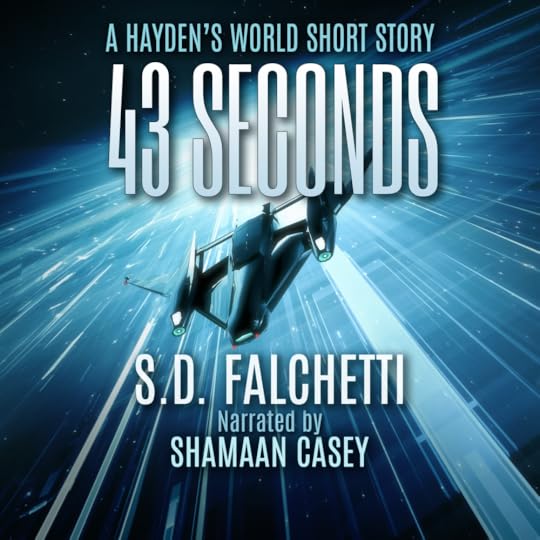
In November of 2020 I began researching how to publish an audiobook. Just as I began searching for a narrator, a narrator found me. It was one of those happy coincidences where the timing is right and everything falls into place. Shamaan Casey is a professional narrator who approached me with a pitch for 43 Seconds. When I listened to him read a sample of 43 Seconds, I couldn’t help but smile. Here was James Hayden, full of swagger, larger-than-life, debating with a gruff William. I’d written the words that were spoken, but somehow my writing just sounded better. And I knew why - it was the inflection, the dramatic pauses, the extra weight and nuances that Shamaan expertly placed upon my prose that breathe life into it. It’s the same way that a movie script can translate into a great movie with the right actor in the role.
If you’re used to self-publishing ebooks through Kindle Direct Publishing, then you can think of ACX as the KDP of Audible. Unlike KDP, you are probably collaborating with someone else (the narrator), and ACX has features to search its narrator database, listen to samples, contact narrators, have them audition, negotiate payment terms, sign a contract, upload chapters for proofing, and get final author sign-off before publishing. Once published, ACX operates as your book sales dashboard. Note there are many other services besides ACX to publish audiobooks and some of those services publish to Audible, so ACX is not the only way to get your audiobook on Audible, just as KDP is not the only way to get an ebook into Amazon.

ACX title screen for configuring a new audiobook
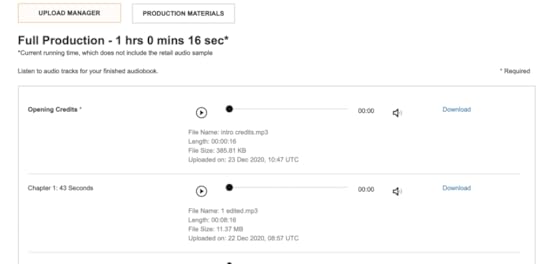
ACX production screen. As the narrator completes and uploads each chapter, the author reviews them and provides approval or requested changes.
In my case, Shamaan and I had worked out the details offline, so in ACX I skipped the auditions step and sent an offer directly to him. ACX emailed us both contracts to sign. I admit, as each new chapter was uploaded, I was excited to listen to it for the first time and hear how Shamaan tackled each scene. I’d make notes as I listened and send any pronunciation corrections, which he’d quickly make and resubmit. Corrections were few - things like acronyms I’d made up for the story - and if I were to do another book I’d know to scan it first for acronyms or unusual names and send a pronunciation cheat sheet before narration began.
I should note at this step that narration involves much more than narrating. The narrator is also the sound engineer and needs to edit and produce the audio file to meet ACX’s standards. Once the book is submitted to ACX, it can spend up to a month in QA review. A professional narrator handles all of this so that you don’t have to. Also, much like a two-hour movie takes much longer than two hours to make, you should keep in mind that most narrators give you a quote per finished hour (PFH). It will probably take them seven hours of work to make one hour of audio. So, if the price seems high you need to realize it’s not an hourly rate, it’s a price to produce a finished product that is one hour long.
If you’re used to KDP for ebooks, ACX’s process will seem slow. Shamaan’s narration went quickly, but ACX’s approval process takes weeks. The project was completed on Dec 23 and in the Audible store on Feb 1. My advice: have patience.
My experience was great, overall. ACX is easy to use and I was fortunate to connect with a talented, professional narrator. Shamaan also helped me through the process, offering advice at different steps and helping with promotion by cross-posting to social media.
43 Seconds is available on Audible and iTunes. Note ACX sets the price based on the length and it’s currently around seven dollars.


January 18, 2021
MSFS 2020 Mods Used in My YouTube Channel
Well, I blame James Hayden, the star of my Hayden’s World book series. In the stories, he’s an awesome pilot, and it’s hard to write about an awesome pilot without learning a thing or two about airplanes. What started out as curiosity evolved into hundreds of virtual flight hours in X-Plane and Microsoft Flight Simulator 2020.
Both X-Plane and Microsoft Flight Simulator have vibrant communities of talented fans who create both free and payware mods for the sims. Now that I’ve made over a hundred YouTube videos, it seems easier to list them all in one place so you don’t have to hunt and peck to find your favorite mod.
While you’re here, be sure to subscribe to my YouTube channel. If you enjoy sci-fi stories about pilots, why not grab the first story in the series, 43 Seconds, for free? It’s a fun short story that takes about twenty minutes to read, and is about a pilot willing to risk everything for a shot at the stars.
SCENERYPAYWARE
Orbx KSJC San Jose International
FlightBeam Studios KPDX Portland International
Vertical Sims KPCM Plant City Municipal
FREEWARE
KBWI Baltimore/Washington International
LIVERIESA320TBM 930
DA62
DA40NG
Diamond DA40 Explorer Liveries
C172
1956 Cessna C172 G1000 Classic
C152
MODS & UTILITIESWEBSITESJanuary 16, 2021
Astrophotography with the Nexstar 8SE
Earlier this summer, Comet Neowise passed by, giving me a glimpse of the second comet I’ve seen in my lifetime. The previous sighting was the amazing Hale-Bopp in the 90s. Although I am old enough for Halley’s 1986 visit, I couldn’t see it at all from my location in the northern hemisphere. Comet Neowise was visible to the naked eye once dark-adapted, and its tail spanned a large swathe of sky. My one regret is not having a decent telescope for its viewing.
If there’s one thing about the house-arrest experience of 2020’s pandemic, it’s that it encourages you to take up new hobbies. Astronomy was always one of my hobbies, but, like many, it had been back-burned as I got older. Newly-motivated, I purchased a Nexstar 8SE. Since one of my other hobbies is photography, it seemed inevitable that I would delve into astrophotography.
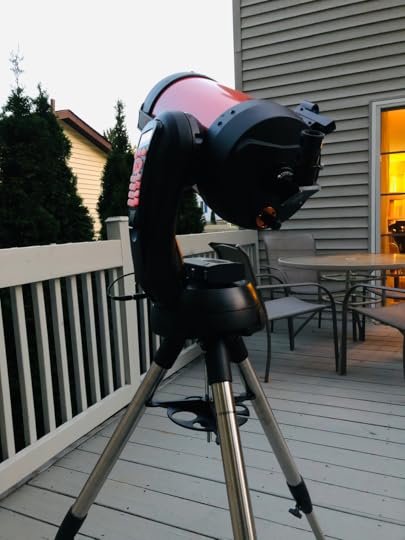
So, I think my biggest misconception about astrophotography was that all of those amazing internet photos were taken with giant telescopes. Bigger must be better for astrophotography, right? Well, I think I was surprised to learn that most photos I viewed were taken with relatively small (80 mm - 100 mm aperture) telescopes. The Nexstar 8SE has an 8” (203 mm) aperture. Many of these smaller scopes had modest focal lengths in the 250 mm - 450 mm range, compared to the Nextstar 8SE’s 2032 mm. So what gives?
I wrote a separate blog post about what to consider when buying a telescope. The things to keep in mind are:
Focal length directly affects magnification. Divide your eyepiece into your focal length for magnification. So, a 400 mm telescope with a 10 mm eyepiece magnifies 40 times.
Aperture directly affects brightness and detail. The dimmest object you can see is determined by aperture.
Focal Ratio (f/stop) directly affects how long of an exposure you will need to take to photograph a given object. Divide aperture into focal length to get focal ratio. Camera owners are very familiar with f/stops and know that “fast’ lenses will let a lot of light in, allowing shorter exposure times..
So the desired combination of these elements depends upon your stargazing targets. For example, most people don’t realize how big the Andromeda Galaxy is in the sky because you generally can’t see it with your naked eye. Imagine a full moon, then copy and paste that moon three times so that you have a line of three moons side-by-side. The Andromeda Galaxy is a little bit bigger than that in our sky! So, if you want to photograph it, and your telescope has so much magnification that it can’t even fit the entire full moon into a single frame, it has zero chance of capturing the Andromeda Galaxy. The Nexstar 8SE cannot fit an entire full moon in frame. I took this daytime photo of the moon by stitching together six photos:

So, if you want to photograph Andromeda-Galaxy-sized things, a smaller focal length telescope, like one of those 200 mm scopes I mentioned earlier, will work better than the Nexstar’s 2032 mm focal length.
Now the next part is a little tricky. As much as you may try, your eyes cannot take long-exposure images. So if you want to see dim things, you’ll want a larger aperture telescope. But if you want to photograph dim things, you want a telescope with a fast focal ratio, since focal ratio affects exposure time.
Those small scopes make a little more sense now. They all have very fast lens with medium focal lengths and are built for astrophotography. Could you use them for visual astronomy? You could, but for eyeballs the big guys like the Nexstar 8SE will do a much better job.
The other thing the small scopes have in common is a tracking equatorial mount. The Nexstar 8SE has a tracking altitude-azimuth mount. In theory, if you wanted a one hour time-lapse camera exposure, both telescopes should be able to keep everything motionless and centered due to their tracking capability, right? Well, no, not for an alt-az mount, and this is the part that confused me at first.
To understand why, let’s do a quick exercise. Make a fist and stick your arm straight out. I’ll wait…okay, I see you’re not doing it, c’mon…that’s better. Now, rotate your arm so that your fist turns clockwise. We’re going to call the axis that your arm is rotating the z-axis. Now lift your arm up as if pointing to the moon and bring it back down. The up-and-down motion of your arm is the y-axis, or altitude axis. Now swing your arm to the left and right. The left-right motion is the x-axis, or azimuth axis. An altitude-azimuth mount can move in the left-right and up-down directions, but can’t rotate in the z-axis.
An equatorial mount rotates in the z-axis, or right ascension axis. Stick your fist back out. Now, imagine an arrow coming up off the top of your hand. Move your hand up six inches in the direction of the arrow and bring it back down. By doing this you’ve added a second axis. The up-down motion is the declination axis.
Now, rotate your wrist 90-degrees clockwise. The imaginary arrow coming off the top of your hand rotates with it and is now pointing to the right. Swing your arm in the direction of the arrow. This is still the declination axis. It’s always in the direction the top of your hand is pointing, regardless of how you rotate it.
I found right ascension, declination, altitude and azimuth thoroughly confusing, but the arm exercise helped me understand it. So, why on earth would you want to use the complicated equatorial mount? The answer is because you are on Earth, and Earth has this inconvenient feature of constantly rotating. Because of the Earth’s rotation, stars travel in arcs across the sky. Like an archer’s arrow, they rise, peak, then fall below the horizon. If you remember your geometry days, trying to draw a circle using (x, y) coordinates is complicated. But drawing it in polar coordinates is mindlessly easy. Alt-az is x,y and equatorial is polar.
It’s not just that it’s harder. Imagine your archery friend wants you to take of video of him shoot an arrow. You zoom in on the arrow as it shoots 45 degrees up into the sky and you perfectly track it as it reaches its apex, tilts down, and descends, sticking in the ground. When you play back the video, the arrow is perfectly centered in frame, but it rotates, initially pointing up, flattening, then pointing down. That’s because you are tracking it in the x-y (alt-az) axis. You’d need to add a third axis, rotation of your wrist, to compensate for the rotation of the arrow.
Get it? The Nexstar 8SE will perfectly track Saturn across the sky, keeping it centered in frame, but, like the arrow, Saturn’s rings will start pointing up at 45 degrees, flatten, and then point down over time. The only way to fix that is to add a z-rotational axis to your telescope. If I were to do a long-exposure of Saturn, the disc of Saturn would stay centered but, like a snow-angel’s wings, Saturn’s wings would fan out into blurry arcs and its moons would trace star trails.
The answer to “how long of an exposure can you take with the Nexstar 8SE before getting star trails” is complicated, but in general, probably about 30 seconds. Things close to the North Star trace smaller arc than things further away, so the amount of blurring you get depends on where the object is in the sky. I usually limit exposures to 15 seconds.
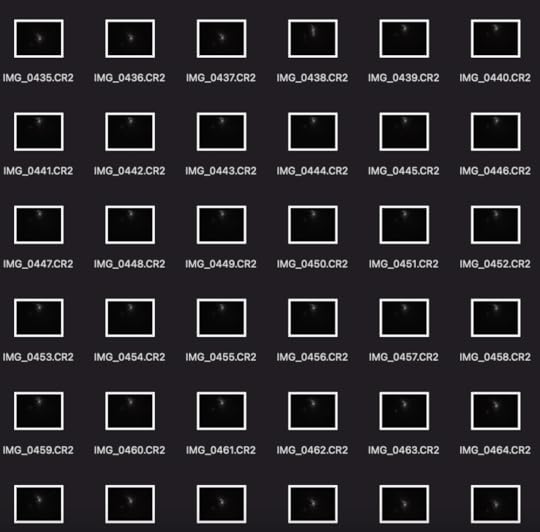
The other issue is that the tracking control software drifts over time and makes a correction every 30 seconds or so. In the 360-photo sequence of the Orion Nebula, below, you can see the nebula drift up and then back down. If I tried to do 60-second exposures, it would have been a blur. But as 5 second exposures it was fine. The photo stacking software re-aligned all the images in post-processing:
This is a good segue into the next misconception I had for astrophotography: what you see in the telescope doesn’t remotely look like the Hubble-telescope-type photos posted on the internet. First, your eye can’t take 15 second exposures, so even bright objects like the Hercules Cluster look like milky, faint cotton balls and colorful objects like the Orion Nebula look like milky, faint wedges. Second, 15 seconds isn’t enough even for a camera. To get those amazing photos, you need to stack hundreds of images. Imagine you’re using an old film camera and a 15 second exposure would blur due to movement. Instead, you do 15 one-second exposures, all on the same piece of film. The end result is 15 seconds of exposure without the blurring. This is key: even though I am limited to short timeframes for my exposures, there’s no limit to the number of exposures I can take, other than my time. So, if I want a one-hour exposure of a faint galaxy, I can take 360 ten-second exposures.
Now that I’ve got you grounded, here’s the equipment and software:
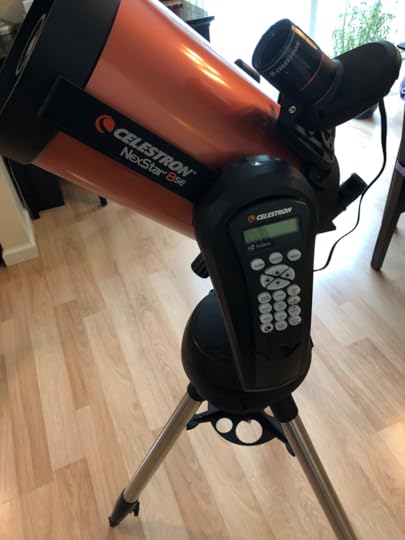
The Nexstar 8SE, upgraded with the StarSense camera. The 8SE has a 3-star alignment process by default, which requires you to center stars it picks in the finder scope. The StarSense camera automates this fully using plate-solving to identify all of the visible stars and figure out where the telescope is. During sub-freezing January nights, you will appreciate turning it on, going inside and getting a cup of tea, and coming back out to have the telescope all setup and ready to go.
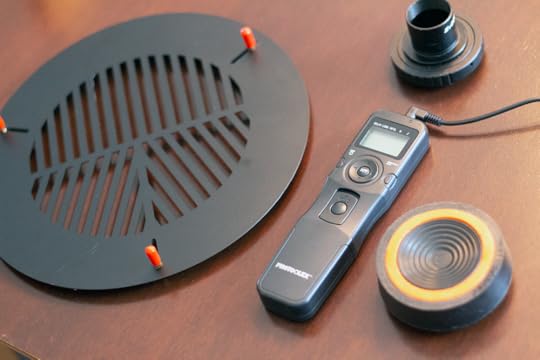
Left to right: 1) Bahtinov mask - placed over the telescope’s end, it produces a spiked diffraction pattern around a star that you can use to perfectly focus the telescope. You remove the mask afterwards. 2) Intervalometer - a programmable timer for your camera. You can set it up to take hundreds of exposures at a specified interval and duration. It plugs into the cable release on your camera. 3) Camera T-adapter - screws onto your camera like a lens. The narrow end is 1.25” and fits in your telescope like an eyepiece. Essentially, it changes your telescope into a giant camera lens 4) Anti-vibration pad - shock absorber placed under the legs of your mount. You’d be surprised how much your telescope picks up deck vibrations
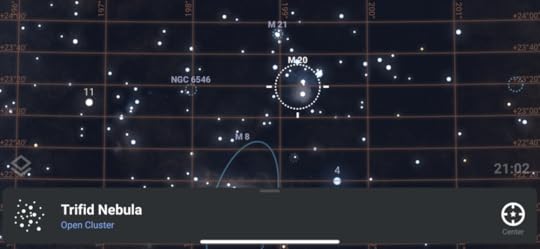
Stellarium+ iPhone app - point your phone at the sky and it will tell you what you’re looking at. I use it mainly for planning (and you do need to have a plan based on what’s visible tonight)
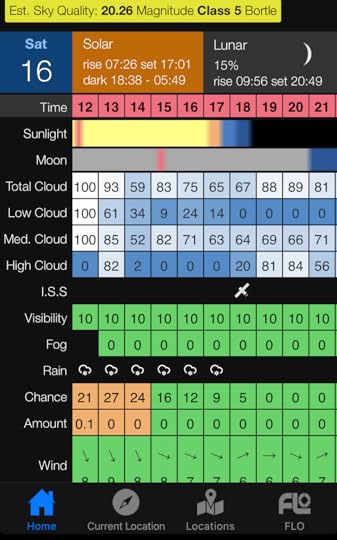
Clear Outside iPhone app: Clear nights are fairly rare. This lets you see the week ahead and the hour-by-hour cloud cover along with moon light pollution. It lets me work out my targets ahead of time and not be scrambling at the last minute poking my head outside to see if nature is cooperating.
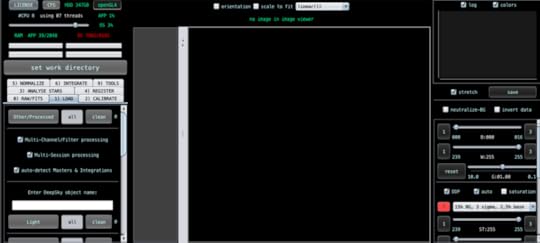
Astro Pixel Processor: Stacking software for astrophotography. APP is able to do all sorts of advanced things like stacking hundreds of images, removing light pollution, and assembling composite images taken at different times and angles
These are my tools, now a quick primer on how they work. Stacking software aligns your hundreds of photos by matching up stars, then it reinforces the repeating elements and discards the anomalies. When you take your photos, you’ll take up to four sets:
LIGHTS: The normal-exposure photos of the thing you’re photographing. Usually I take at least 25 lights at ISO 1200 - 3200 with exposure times of 5 seconds - 15 seconds
DARKS: Dark photos are taken with the telescope’s lens cap on, so they are black. They need to be taken at the same ISO and exposure time as the Lights and the camera should be at the same temperature as the Lights. I usually take 25 - 50 darks. Your camera produces inherent noise in low-light which will show up in the dark photos. The noise will then be subtracted from the Lights in your stacking software.
BIAS: Bias photos are taken with the telescope’s lens cap on at the same ISO as the Lights but with the fastest exposure your camera has. My T5i can do 1/4000 second. I’ll take 25-50 bias photos. The electronics of your camera produce inherent noise in the sensor, which shows up in the bias photos. This noise is then subtracted from the Lights in the stacking software.
FLATS: You can make flats anytime by putting a diffuse, even, white light source over your telescope and photographing it. Some people use an iPad with a white screen and a t-shirt over it. Your camera’s sensor sensitivity is probably uneven and this will produce stripes or gradients that are noticeable when you boost low-light photographs. These will be subtracted from the Lights in the stacking software. I admit, I usually don’t take flats, but they’re not a bad idea.
You feed your lights, darks, bias, and flats into Astro Pixel Processor (or another freeware program like Deep Sky Stacker) and it does the rest. Depending on the number of images you give it, it may take most of the day to process them. The image that you get out of stacking is surprisingly dark, but the image data is there hidden in the pixels. The next step is to make the data visible, a process called stretching. Astro Pixel Processor will do some of this for you, but I prefer Photoshop. During stretching, you adjust the curves of the photo to make the data fall into the visible range. If there are other issues, like the red-green-blue channels being misaligned due to aberrations, you align them to fix the color. It’s interesting that your telescope picked up all this data but it was just too dim to see.
Here’s what the unedited 5-second exposure of the Orion Nebula looked like coming straight from my camera at ISO 3200:
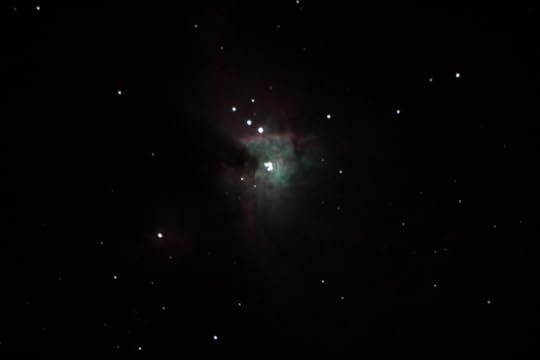
I took that picture 360 times, along with darks and bias photos, fed it into Astro Pixel Processor, then stretched it in Photoshop. Here’s what the final photo looked like:
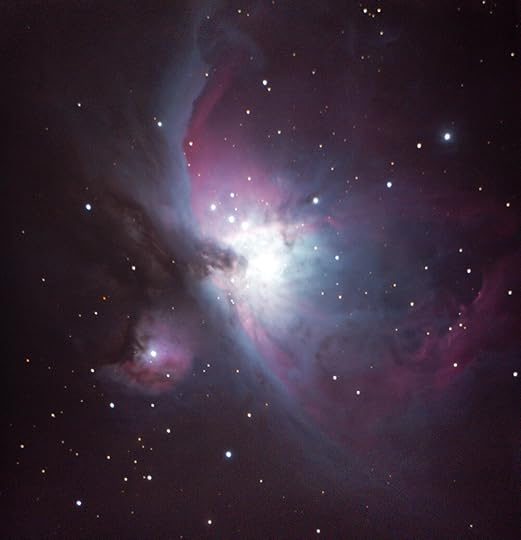
Just a little different than the original! It’s crazy that all of that was in the top photo to start. I didn’t add anything in Photoshop. I just reset where the white and black points were to straddle the wavelengths of the Orion Nebula. I’m still in awe that I took that from my deck.
Hopefully this was helpful. I may still get a small scope on a equatorial mount just for astrophotography, but the AP bug has definitely bit. Here’s a few other (less dramatic) photos I’ve taken in the months leading up to the Orion pic. These all have much less exposure time but were fun none-the-less:

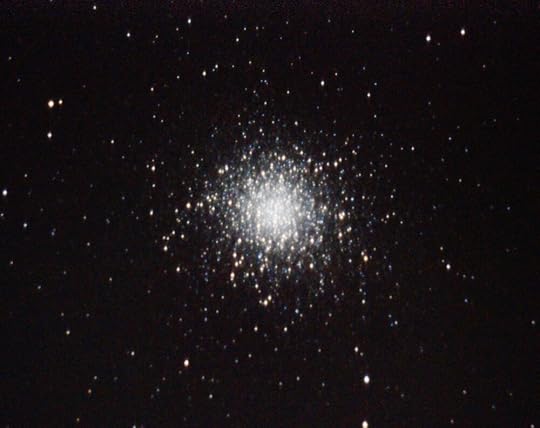
M13 Hercules Cluster - a great visual eyepiece target as well - it’s a very bright cotton ball to the eye

M27 Dumbell Nebula - hard to see through the eyepiece, but colorful in a long exposure. The super-colorful photos you’ll find on the internet are done with special narrowband filters
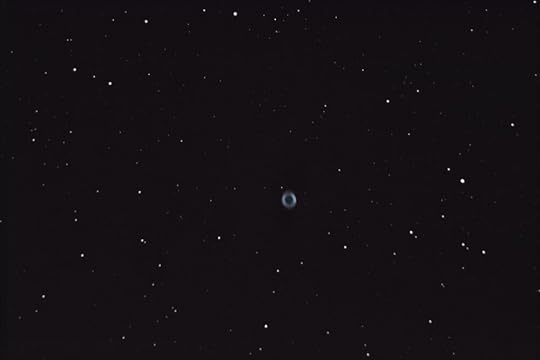
M57 - the Ring Nebula - small even with my Nexstar’s huge 2032 mm focal length. What’s awesome about the Ring Nebula is that it looks exactly like this visually through the telescope eyepiece.

This one needs no introduction! It was a bit late in the summer before I figured out how to get good planetary photographs and Saturn was already past its peak. Next summer I should get a clearer image. Not too bad, though.
IFR Flying in Microsoft Flight Simulator 2020
Microsoft Flight Simulator 2020 launched last fall and is the sim that we all hoped for. While we’re all used to too-good-to-be-true video game trailers that never quite materialize in real-life game play, MSFS 2020 actually looks like its awesome trailers. MSFS 2020 isn’t perfect - many of its aircraft systems lack the sophistication and polish of their X-Plane counterparts - but it does offer the entire world modeled with photo-real weather for you to explore.
MOSTLY UNNECESSARY DISCLAIMER: I’m just some guy playing a video game, and the info below is for flight sim use only. If you want real-world aviation advice, talk to a real-world Certified Flight Instructor.
In real life, aspiring pilots start with their Private Pilot License certification. In the United States, you need a minimum of 35 hours of flight time followed by a check ride to get it. It’s quite expensive. You’ll need to rent an airplane and pay a flight instructor for each of those hours. With rentals starting at $200/hour, the rentals alone are $200/hour x 35 hours = $7000. But, don’t let this discourage you. This is a high cost/short duration activity. We’re used to glossing over the cost of our extracurricular activities because they are low cost/long duration activities. For example, I took karate lessons for fifteen years. At $50 per month, I spent $9000 on karate lessons. But it was spread over fifteen years, not six months.
Pilots first learn to fly VFR (Visual Flight Rules). This is the same way you drive your car, looking through your windshield to figure out where to go and only occasionally glancing at your dashboard to make sure you’re not speeding. You may have a GPS in your car, but you’re not using it to keep your car on the road. If a blinding, torrential downpour rolled in, you’d slow down and pull over.
Most pilots stop there. VFR flying is no-hassle. Much like having a driver’s license where you don’t need anyone’s permission to hop in your car and go someplace, you can generally hop in your place, fly someplace, change your mind mid-route and go someplace else, all without talking to a soul. You don’t even need to file a flight plan. The only exception to this is when passing through airspaces (typically near larger airports) where air traffic controllers manage traffic.
In exchange for this freedom, you have limitations. You cannot fly through a cloud or even come near to one and you need several miles of visibility. This is because you’re flying by eyeballs, and when you can’t see it’s as illegal as driving your car with your eyes closed. If you’re a weekend aviator looking forward to a hundred-dollar cheeseburger, your hopes may be dashed by low clouds or fog.
Instrument Flight Rules (IFR) is the next step. When flying IFR, you are flying by instruments, not eyeballs. You are flying a precise set of rules and routes that keep you from crashing into terrain. That’s not enough, though. You also need to not crash into other pilots. For that, you need an air traffic controller watching you on radar. You’ve probably flown on commercial jets many times is bad weather. Commercial jets always fly IFR and can mostly ignore clouds, rain, and fog. Imagine if you could only fly commercial on sunny days.
The trade-off of this new superpower is a lot more preparation and rules. You’ll need to file a flight plan, get it approved by ATC, stick to it, and talk to the ATC the entire way.
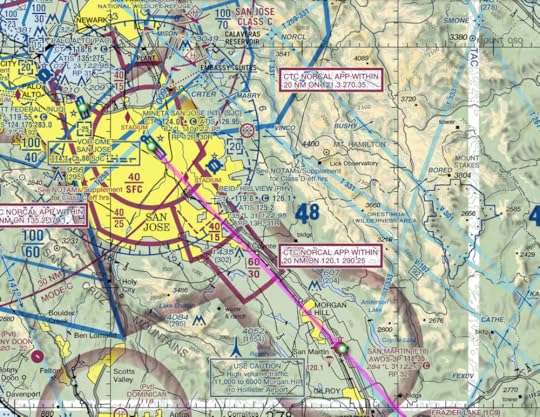
VFR map for arrival to San Jose. The map shows things you look for with your eyeballs, like mountains, towers, roads, and power lines.
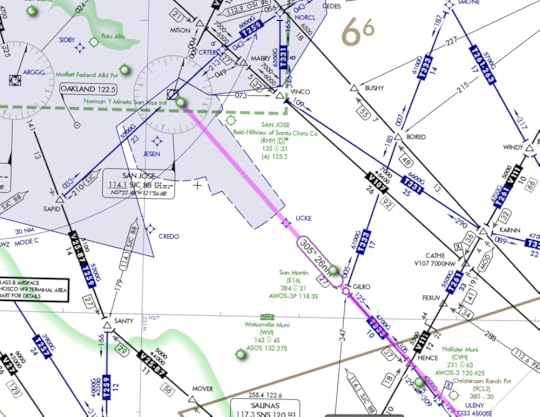
IFR map for arrival at San Jose. The maps shows airways, navigational waypoints, and navigational frequencies.
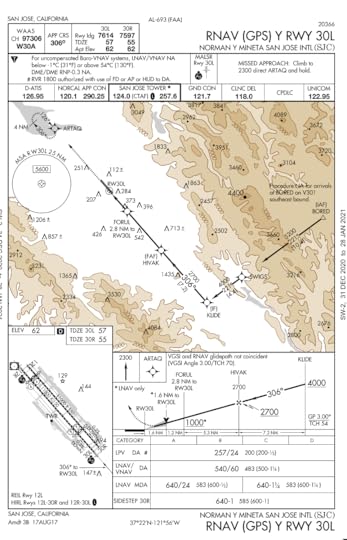
IFR plate for landing at San Jose using runway 30L. There are precise waypoints and altitudes to hit at specific distances from the runway. For this procedure, you need a GPS with RNAV capability.
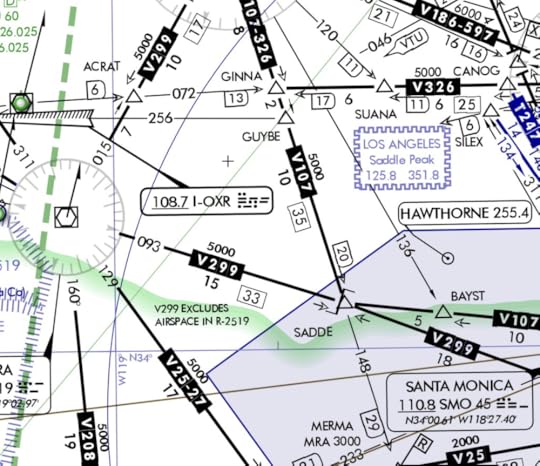
In IFR maps, someone has worked out the safe altitudes and flight paths between two points. On the map above, the airway labeled V107 (to the left of the Los Angeles postage stamp) connects the waypoints GUYBE and SADDE. The 5000 number above the V107 tag indicates that the minimum enroute altitude (MEA) is 5000 feet above sea level. If you fly an altitude of 5000 or higher along this segment, you will not hit terrain. The 10 number below V107 indicates this segment is 10 nautical miles long. Because the airway line is bolded, it is legally flyable. If it were not bolded, it would be for reference only.
Usually, the airport itself is not along a flyable airway. Even if it were, it would be below the minimum airway altitude. That means that when you take-off or land IFR at an airport, you need someway to get off the airway and safely navigate to the airport. The simplest is radar vectors from ATC. They will verbally guide you to where you need to be. If people are always getting vectored from the same waypoint and ATC is always sending them along the same paths, then the airport may just say “Alright, this is the standard way that planes arrive when coming from this waypoint.” They’ll then publish it as a Standard Terminal Arrival Procedure (STAR).
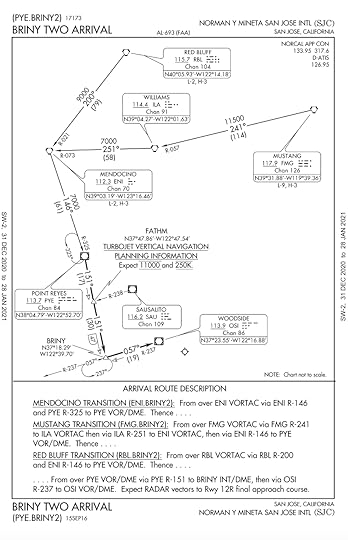
One of the STARs for San Jose. It covers standard arrivals for three different directions that planes may arrive, called transitions. Planes arriving from the north at Red Bluff VOR at the top of the map will use the Red Bluff transition for the BRINY TWO arrival.
Similarly, if planes are always vectored along the same paths when departing, the airport may publish a Standard Instrument Departure (SID) procedure.
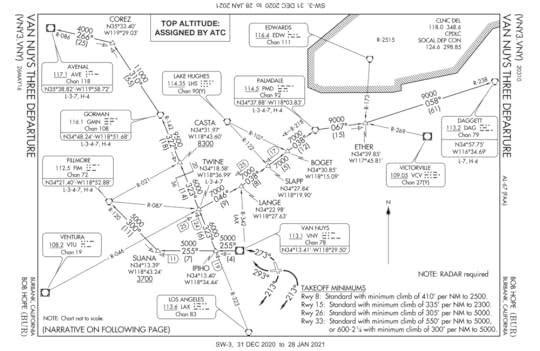
Burbank’s VAN NUYS THREE SID. There are instructions for each runway and what direction you intend to fly. If you are departing to the northwest along to top left corner of the map, where the Avenal VOR is located, ATC may say something like “Cleared IFR via the Van Nuys Three departure, Avenal transition…”
The arrival just gets you to the airport. You still need a way to land. In flight terms, this is called the approach. The airport will likely also have published approaches. Usually there are multiple options to accommodate the wide range of technologies on aircraft.

ILS (instrument landing system) approach for runway 30L at San Jose. You will need to arrive at a specific waypoint and a specific altitude to begin it (this point is called the initial approach fix - in this case it is KLIDE waypoint at 4000 feet). For an ILS landing, your navigation equipment is picking up a signal from the runway that guides your plane to the runway. You need to intercept the signal at a specific location, called the final approach fix (in this case HIVAK waypoint at 2700 feet). From that point, if you have an autopilot with vertical navigation capabilities, your plane will fly itself down to the runway, “riding the beam”. Even if you don't have an autopilot, the ILS signal will give you horizontal and vertical guidance on your instruments, allowing you to hand fly the beam.
So, your IFR flight may look like:
File your flight plan. After starting up your plane, contact Clearance Delivery at the airport and get your flight plan approved. Note they may change any element of it as needed.
On departure, fly a SID (Standard Instrument Departure) procedure
The SID will transition to the enroute portion of your flight
The enroute portion of your flight plan will transition to a STAR (Standard Terminal Arrival) procedure
The STAR will transition to an IAF (initial approach fix). ATC will probably get you from the STAR to the IAF via radar vectors.
Once at the IAF, you will fly the approach procedure to land
Not every airport has published SIDS and STARS, and if an airport does have one it’s really up to ATC whether they send you on it. They might just send you direct via radar vectors to your transition, for example, if traffic is light.
Microsoft Flight Simulator 2020, to its credit, has a nice graphical flight planning tool for selecting IFR routes, SIDS, STARS, and and approaches. It easily lets you toggle through all of the procedures and visually see how you’ll be flying
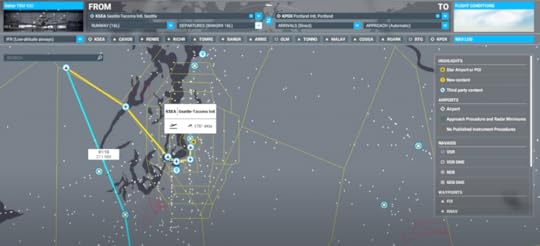
Planning an IFR departure from Seattle. The SID is the yellow line. The one selected, which takes me far to the west, doesn’t make sense for a south flight to Portland. The enroute portion of the flight is the blue line.
What’s nice about the visual flight planner is that MSFS uploads it all into your plane’s GPS. The planner isn’t perfect - if there are multiple transitions available for a departure it takes its best guess, sometimes flying you in crazy loops - but overall its pretty good. ATC will give you instructions based upon it, although the game fudges ATC vectoring near airports by having your GPS send you direct to initial fixes. If you’re completely overwhelmed by the choices, you can just set it to automatic and the game will make the flight plan for you.
I’ve done a couple of IFR flights now, ranging from light general aviation aircraft like the Diamond DA40 all the way up to airliners like the Airbus A320. It’s really fun, and I feel like I’ve learned something with each flight. Check out a few my flights on YouTube:
January 10, 2021
Thoughts on Amazing Stories 2020
Sunday nights in 1985 were all about Spielberg’s Amazing Stories. The opening credits were a mix of fantastical John Williams music and sweeping computer animation. In the preceding year, The Last Starfighter demonstrated that mid-80s CGI had advanced to the point of motion-picture-level special effects, and the Amazing Stories opening gave us a knight in armor swinging a sword, animated books flying through a Harry Pottereseque castle, and spaceships soaring through the stars. The series was an anthology, each episode a different amazing story with a different cast, inspired by its namesake, the Amazing Stories magazine first published in 1926.
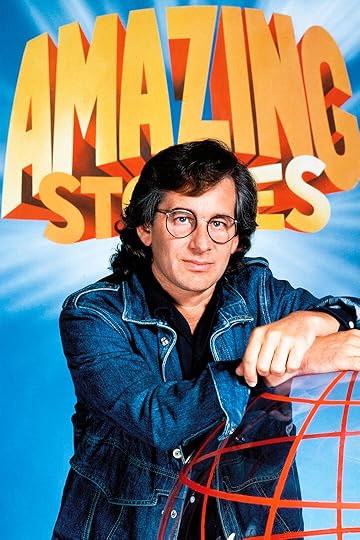
Spielberg, during the amazing 80s
The anthology format flourished in the 80s. Think about the anthology movies - 1981’s Heavy Metal and 1982’s Creepshow come to mind. When was the last time you saw a modern movie that was a collection of short stories? Certainly anthology television shows still exist. Netflix’s Black Mirror is a perfect example, and I’ve written reviews on my site about some of Netflix and Amazon’s other offerings of Electric Dreams and Love, Death and Robots. So, when I saw a 2020 reboot of the 1985 series, in particular during a pandemic year where we’re craving new content, my interest was piqued.
Premiering on Apple+, the 2020 reboot smartly retains the original John Williams theme music with a newly-imagined CGI opening.
There are only five episodes, which seems quite small considering the 1985 series had twenty-four episodes per season. In the pilot, “The Cellar”, a handyman restoring an old house time-travels to 1921, where he meets a free-spirited young woman while trying to figure out how to return to modern day. The mechanism of time traveling is a sudden drop in air pressure from a super storm. He deduces, Back-to-the-Future-style, that being at the right place when the storm hits will jolt him to the present. It’s a very generic time-travel story. A man travels into the past and meets a woman.
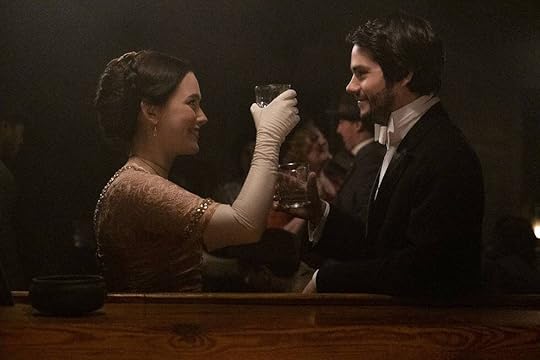
It’s quite similar to the 1980 movie Somewhere in Time starring Christopher Reeve and Jane Seymour.
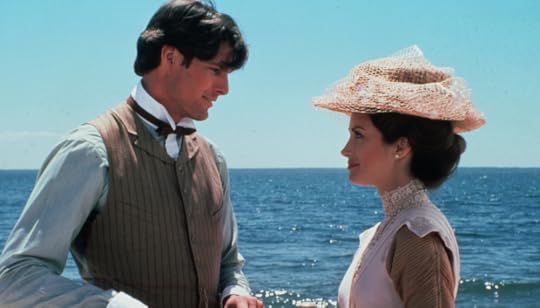
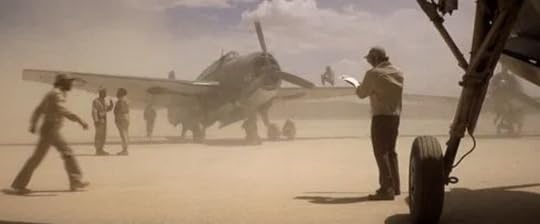
“The Cellar” isn’t a bad story. It’s just not an amazing story. The pacing is slow and it lacks the Spielberg hook. As a writer, there are certain story beats you need to hit. In long fiction, you establish normal life before introducing an upset to kickoff the plot. In short pulp fiction, you jump right into things with the hook. Spielberg had a mastery of using the hook even in feature-length movies. In 1977’s Close Encounters of the Third Kind, it was the discovery of a perfectly-preserved WWII squadron in the middle of a desert.
In 1981’s Raiders of the Lost Ark it was a dangerous trek into a trap-laden mountain in search of a golden idol.
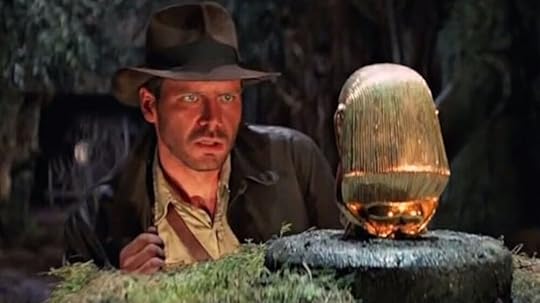
There’s no setup for the characters in these opening scenes. Who are they and what are they doing is part of the hook. It’s the opening beat of an amazing story. Arguably, the opening of Raiders isn’t even part of the plot. The golden idol’s acquisition has nothing to do with the quest for the ark and doesn’t provide any momentum for that storyline. Its sole purpose is to introduce us to Indiana Jones, rugged relic-hunter, and learn that he has a nemesis, Belloq. But it works. The hook is set.
The remaining four Amazing Stories episodes generally suffer from the same issue with beats. There’s a person who doesn’t move on after her death, an alien-possession of a coma survivor, and a time-traveling WWII pilot who helps a family before returning to the past. The standout episode is “Dynoman and the Volt!’, which feels like an amazing story. A comic-book-loving boy, who is made fun of and ditched by his friends, teams up with his grandfather, a grumpy man who is recovering from an injury that’s cost him the ability to work. His grandfather also loved comic books as a boy, and ordered a ring that his favorite superhero, Dynoman, wore. Sixty years later it arrives in the mail. When the grandfather puts it on, he slowly gains Dynoman’s powers.
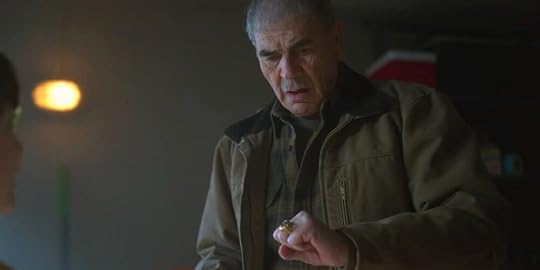
There is no crime-fighting in this story. Both the boy and the grandfather want to use the ring’s powers to impress their peers and regain respect. The story is a character story about the strained relationships of the grandfather, father, and boy, but what makes it work is that it’s just fun. It hits the right note that there’s still the adventure-loving boy in all of us, regardless of how grown-up we may think we’ve become.
In a way, I wish there were more than five episodes. There weren’t any bad episodes, but most were bland, except for Dynoman. It makes me wonder that, with a twenty-four-episode season like the 1985 original series, how many more Dynomans there could have been.
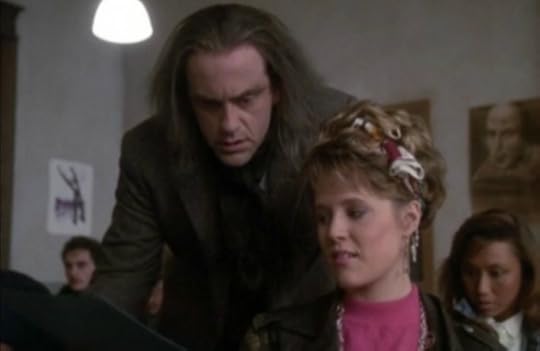
Incidentally, as I thought about the original series I found that all I remembered was the opening theme. I mean, there were forty-five episodes, certainly some must have stuck out? Sure, it’s been thirty-five years (!), but I can remember plenty of Star Trek: The Next Generation episodes from the same timeframe. It turns out, the original series really wasn’t that good. There were a few Dynomans in there, such as Christopher Lloyd in “Go to the Head of the Class”, a very Death-Becomes-Her plot where two students curse their teacher with unexpected consequences.
Or “Remote Control Man” where a meek man discovers his remote control can replace his awful family members with television characters, which at first seems great until he realizes the characters come with all of the crazy plots that TV characters have.
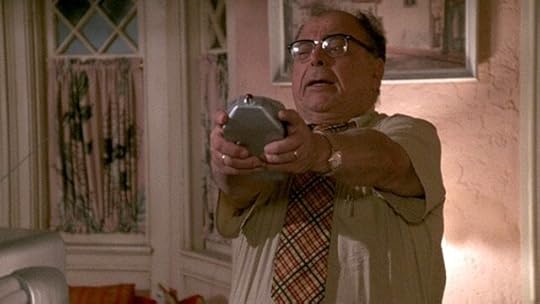
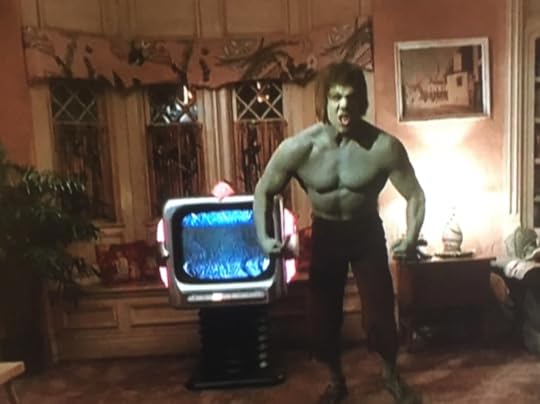
Just from the one-sentence plot summary of “Remote Control Man”, you can tell there is a bit of a moral to the story, in the same way that the Twilight Zone and the Outer Limits episodes usually had a perspective on mankind. It’s interesting because it’s not so much the plot that makes it a good story - I mean, the 70’s Hulk literally bursts through the remote control man’s wall at one point - but it’s the lesson. Anyway, something to noodle on as I search for some of the original forty-five episodes to rewatch.
December 13, 2020
VFR Flying in Microsoft Flight Simulator 2020
Microsoft has been tantalizing the flightsim community throughout the year with too-good-to-be true screenshots and videos of its new product, Microsoft Flight Simulator 2020. I immediately bought it on its release date in August, and have been using it nearly daily since then.

Actual in-game footage from one of my flights
Amazingly, Microsoft’s first release of Flight Simulator was forty-one years ago in 1979. I recall being a bit perplexed about it in the 80s, wondering what there was to do in it. How did it function as game? Were you just taking off, flying in a straight line for two hours, and landing? Did you get points? In the 80s, my video game attention span was limited to spaceship battles, magic sword fights, and pac men.
Fast-forward to a few years ago when I developed an increasing interest in aviation, writing a series a sci-fi stories about a pilot. In my quest for knowledge, I started watching YouTube aviation channels. It occurred to me that I could download the free trial version of X-Plane and tinker with each of the airplanes. I admit, it was a very engineerish thing to do, the virtual equivalent of taking something apart to see how it works. Of course, once I figured out how to start my virtual Cessna, there it was: the dark stretch of runway, blue sky, and a spinning propeller. The clouds beckoned their challenge. I reached for the throttle.
As I learned the ins and outs of virtually flying using the same maps and tools as real pilots and learning radio work on subscription ATC services such as PilotEdge, I understood now what eluded me in the 80s. The fun is in it not being a game. I felt like I was actually learning something and demystifying what happens behind those closed cockpit doors. Whether you think a simulator can teach you how to land a real-life plane or not, you can’t argue that I didn’t learn how to read actual FAA VFR sectional maps, navigate complex airspaces using traditional nav aids such as VORs and NDBs, and make and receive by-the-book ATC radio calls. One of my X-Plane virtual flights to Oshkosh was a recreation of the real-life annual AirVenture fly-in there, and the air traffic controllers giving me instructions on the radio were the actual real-life air traffic controllers from the Oshkosh event.
If I can follow instructions from a real-life controller, I must have picked up something.
The other surprising aspect of X-Plane is that it simulated the entire world. All of the airports were real and accurate, down to the simplest grass strips in the countryside. Roads, mountains, rivers and buildings were all correct. The advent of Google Earth, Open Street Maps, and other databases meant that X-Plane used a model of the Earth. I could follow actual streets in my neighborhood from the air, and find my house. From the air, my home town looked like my home town in real life.
Like most video games, you buy the game but the community provides mods. X-Plane brilliantly crowdsourced its world to its users, giving them easy-to-use tools to replicate real-life airports. If you buy X-Plane today, four of its airports were made by me. Other third-party tools allow you to import Google satellite images and cover your virtual world in them. So, what you end up with is a Google Earth-style recreation of the world.
Pilots fly using either Visual Flight Rules (VFR) or Instrument Flight Rules (IFR). VFR is how you drive your car, looking out your windshield with eyeballs to see which way to go. If you were to drive your car IFR, you’d be looking at your dashboard and GPS constantly, following precise written instructions while someone on the phone gives you cues when to turn and by how much. Many flightsim enthusiasts like to fly commercial jets, and these are flown IFR. You really don’t need a visually detailed world for IFR. In fact, much of your flight may be in the white-out of a cloud. All you need is an accurate navigation database and realistic working instruments. But for VFR, you need to find real-life things visually.
So, what is so exciting about Microsoft Flight Simulator 2020 is that Microsoft owns Bing, and Bing Maps is used to stream the entire Earth to the simulator on demand. It’s literally petabytes of data. Like Google Earth, some areas of Bing Maps have fully recreated 3D cities and towns based on satellite scans. In these areas, not only can you find your house, but it actually looks like your house, your yard, and your car in the driveway. The Dunkin Donuts down the street? It’s there. You can navigate just like real pilots, looking for a specific shopping center or a church or a bridge as a waypoint.
Visually, MSFS 2020 looks like it’s about ten years ahead of X-Plane. In terms of flight simulation, X-Plane feels like it’s about two years ahead of MSFS. I imagine that gap will close over the next year. But, as a virtual pilot who enjoys flying light general aviation Cessnas and Pipers VFR, I’ve been tickled. I have a YouTube channel where I share my X-Plane and MSFS flights, and there’s at least a dozen flights since getting MSFS.
Here’s a few of my recent flights. In some cases, in real life I’ve been to the places I’m flying over, and they look the same as they do in the simulator:
December 9, 2020
Thoughts on Ready Player Two
My superpower is being the last person on the planet to get on board with something popular. I’d love to pretend that it’s due to some hipster attitude of only considering things cool if they’re obscure and overlooked by the masses, but the reality is that I’m usually so engrossed in my preferred content that I ignore what is trending outside of my channels. I didn’t, for example, discover Breaking Bad until the series had ended. When I did, I binge-watched all seasons over the course of a few weeks. I admit, I didn’t watch it when it launched because the premise of a chemistry teacher turned meth kingpin didn’t appeal to me. But, it was brilliant.
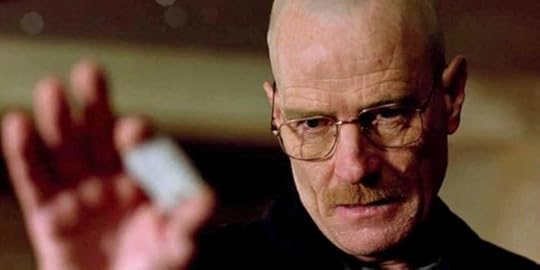
The “You got one thing wrong. This…is not crystal meth” scene showcases the same nerd-hero (or in this case anti-hero) themes that permeate Ready Player One
Ernest Cline’s Ready Player One was a similar experience. Years after it had been released and trended through the markets, I stumbled upon it. I vaguely knew it was peppered with 80s and gamer references. I hadn’t read it because I was engrossed reading exploration science fiction, and gamer/80 sci-fi wasn’t on my radar. After reading the first few chapters on my Kindle, I had a twelve-hour round trip drive planned for work, and opted for the audiobook narrated by Wil Wheaton. It was the perfect length for the trip.
I’m the same age as Ernest Cline. For the first time in my life, I felt that someone had written a book specifically for me. There are plenty of movies, tv shows, and books that throw 80s nostalgia at you, but Cline’s version is a specific subset of the 80s that applied to me. His character played Zork on a Commodore 64, knew about the secret dot room in Atari’s Adventure, and had posters of the same bands as me. Ready Player One’s protagonist, Wade, was poor, living in the futuristic version of a trailer park, using video games as an escape and watching other users do things easily, like teleporting off-world, that would break the bank for him. You get the feeling that this was the author’s experience growing up. I think this was one of the reasons RPO resonated with me so much. Growing up, I played Dungeons & Dragons with my friends because I loved the imagination of it, but also because it cost nothing once you had a rulebook. Where other students showed up Mondays wearing North Face parkas littered with ski lift tickets, my weekend budget was limited to $5 for a roll of quarters at the local arcade and a few cans of soda drank on a Sunday afternoon with four friends and a Dungeon Master’s Guide. Ski lessons or tennis lessons or any lessons that weren’t offered for free through my public school were out-of-reach, so I related very much to Wade in the opening portion of Ready Player One. It’s also one of the reasons that RPO was such wish-fulfillment for so many people. The little guy with scarce resources goes up against the mega corporation and wins.
When I saw the announcement of the sequel, Ready Player Two, I wondered where Cline could possibly go with the story, in the same way I wondered where the Matrix’s sequel would go. At the end of the Matrix, Neo has godlike power to control the matrix. What could challenge him? In the same vein, at the end of RPO, Wade is the omnipotent owner of the OASIS. Sequels are tough. People want more of the same but also something new. Deviate too far in either direction and everyone’s unhappy.
Ready Player Two picks up exactly where RPO left off. Wade is indeed the OASIS owner, granted superuser powers by the Robes of Anorak he was awarded at the end of the last book. Soon he learns that Halliday has other surprises for him, including a never-released new technology that allows users to directly connect their brains, Matrix-style, with the OASIS. In addition to “as real as life” immersion, the tech allows users to record real-world experiences, save them, and share them with others. If that sounds familiar, it’s the plot of 1995’s excellent movie Strange Days, where people sell life clips on the black market as a type of addiction.
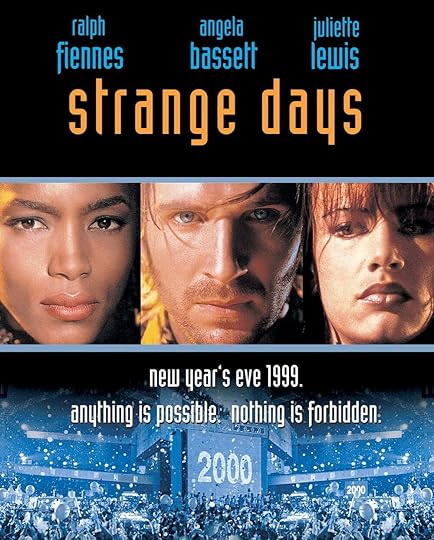
RPT very briefly explores the possibilities of living another person’s experiences, mostly as an exposition dump, but quickly moves on. Indeed, the decision to release the OASIS Neural Interface (ONI) tech is summarized in a few sentences by the main characters, with only Artemis objecting. Perhaps on a disappointing note, Artemis and Wade immediately break up at the beginning of RPT. It’s feels like a cheat, like after watching Daniel Laruso spend the entirety of the Karate Kid fighting black belts so that he could go on a date with Ally only to have the Karate Kid II open up with a throw-away line about how they broke up off-screen.
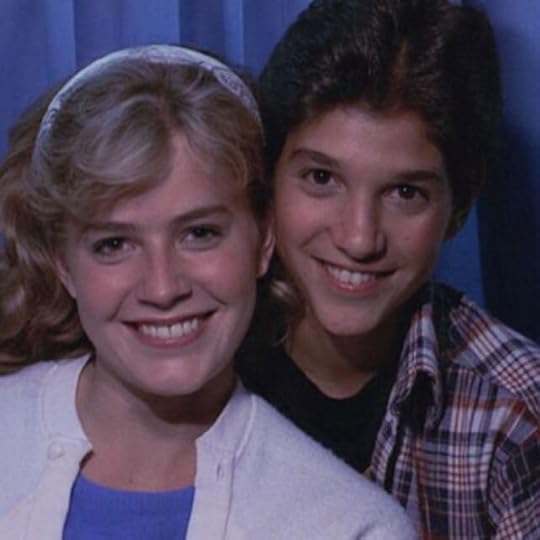
Well, that was short-lived
To be clear, Wade is a jerk in RPT and Artemis should break up with him, but usually when you start the protagonist out as a jerk it’s a setup for a redemption arc, not an inherent personality trait. And Wade is a jerk. His superuser powers go to his head and he uses them to smite vengeance upon anyone who disrespects him, violating friends’ and strangers’ privacy because he has the ability, and even spying on people through their own unit’s cameras in real life. He’s like a malevolent Alexa.
SPOILERS AHEADIn every superhero story, there’s a chapter where the hero loses his powers. It’s humbling, and intended to humanize them.

If you don’t know what this scene is from, you’re probably not the target audience for RPO
When this happens to Wade, my writer’s brain clicked and went ah-ha! Now I understand the set up. Wade will learn the error of his ways and have a redemption arc. Where he embraced technology without much thought of consequences, he will emerge at the end relying on human connection and the real world, a juxtaposition to where he started. In fact, the first novel had this. Wade, Artemis, and Aech all have something about their appearance that they are masking in the OASIS, and when they get together in real-life those differences turn out to be something that connects them. Instead of social-media-photo-perfect versions of themselves, they are real people, connecting in real life. In Superman II, admittedly Superman doesn’t really learn anything from giving up his powers other than he’s been given the great responsibility of keeping humanity safe and can’t ever lay it down. After he regains his powers, he simply returns to the diner where the bully was and knocks him senseless. As much as the viewer enjoyed the retribution, Superman didn’t learn anything from it.
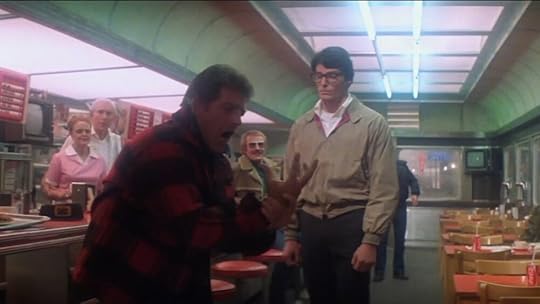
This is also the case with Wade in Ready Player Two. The way the ONI technology becomes a problem isn’t due to humanity misusing it, but more due to a evil third-party exploiting it. The stakes - half a billion lives - are incredibly high. At the story’s resolution, you’d expect Wade to take a step back and say, “Wow! That was intense. Maybe all this wasn’t such a great idea, right now.” Based on my lead-up, you can guess how he handles it.
BIGGER SPOILER AHEADThe plot deals with AI, which does seem like an inevitable evolution of the Matrix-like world of RPO. The technology to create an AI relies on copying a living person via a brain scan. The resulting duplicate is a sentient version of its real-life counterpart, persisting even if the real-life person dies. The scan can be captured without consent or knowledge of the real-life person.
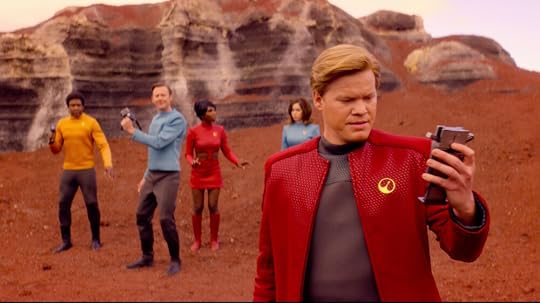
Ready Player Two’s approach to the hugely ethical issue of duplicating a person without his consent and creating a new life imprisoned in the OASIS can be summed up as “Cool. Let’s do it!” The concept itself usually appears as a horror theme in sci-fi. In Black Mirror’s USS Callister, a programmer creates a virtual Star Trek-ish universe and populates it with sentient copies of his co-workers. From the copies’ point of view, they are his co-workers who awoke on this spaceship, remembering everything about their lives. The programmer makes himself the all-powerful captain, and their jailer. The result is a mix of comedy, horror, and satire that is simply brilliant.
The 2010 Battlestar Galactica spinoff Caprica went fully dark with its take on this technology. After two men lose their daughters in a terrorist attack, one tries to recreate both as AIs in virtual reality. When he brings the other grieving father in to see his creation, the father is rightfully aghast. His dead daughter has been recreated in a virtual space where she appears terrified, not knowing where she is in this dark void, aware that she is not breathing and has no heartbeat. “It’s an abomination,” he says.
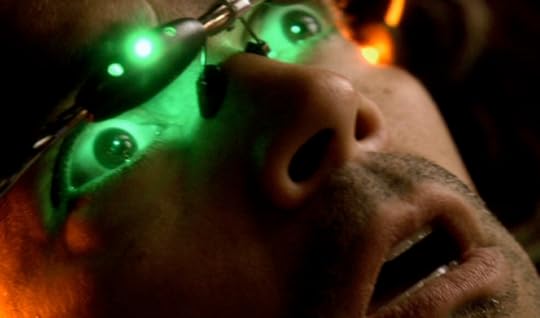
Ready Player Two’s characters handle this technology with all of the curiosity of a new iPhone app.
Hearing all of this, you’d think I didn’t like Ready Player Two. That’s not the case - I’d give it 3.5 stars. It’s as imbued with 80s settings and trivia as the first, but still manages to be very imaginative, and some of the quest scenes are worth a second read just because of how crazy and fun they are. There’s an entire world dedicated to Prince, complete with a Scott Pilgrim-like arena showdown at its end. There’s a world that is a mash-up of John Hughes movies, with a bit of wish fulfillment to change the ending of Pretty in Pink. The final battle of the book is satisfying in the same way that a hovering Superman asking Zod to step outside of the Daily Planet was in Superman II.
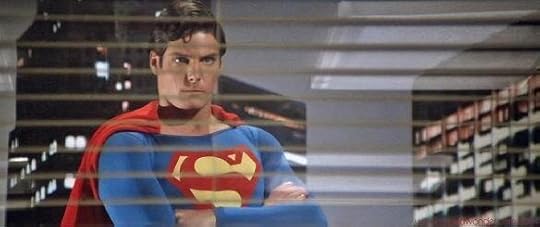
The Ready Player series are all about having fun. They’re escapism for forty-somethings who would love to play with their childhood toys again. In a way, they’re a bit like Superman stepping into his crystal chamber to put down the mantle of responsibility for a while. For me, and I am squarely in Cline’s target audience, they are a chance to slip away from adulthood for just a while and enjoy the comfort of my Empire Strikes Back bedsheets, imagining a world like my D&D character’s where the nerd is the hero. So, whenever you read a book, you have to ask, “Did the author accomplish what he set out to do with the story?” It helps to view RPT as a popcorn-fun indulgence, and ask if you had fun reading it. I did. My critical comments here are how I think it could have been better.
Ready Player One resonated much more with me than Ready Player Two, and the main reason is that Wade was the underdog fighting his way to top. In RPT, he’s already at the top, so the story is less compelling when you’re already given every advantage to succeed. The story touches on several technological advancements that come with moral issues, but it doesn’t engage those issues. Wade needs a character arc and instead is given a straight line. These are ways it could have been elevated from popcorn fun to a memorable story.
So, my verdict? I’m glad I read it and I had fun. I did listen to the Wil Wheaton audiobook version this time, as well. If you can do audiobooks, it’s the way to go. Wil Wheaton is the voice of Parzival. If you enjoyed RPO (the book, which was different than the movie), you will probably enjoy RPT, so give it a shot.
October 10, 2020
Nexstar 8SE
If you’ve read my stories, you’ll know that I have a passion for the stars. Growing up, I had a refractor telescope and when I got my first job I bought a 4.5” reflector. I’ve been interested in upgrading, and decided upon the Nexstar 8SE. After a week of stargazing, I plopped a review on Amazon and thought I’d post it here as well:
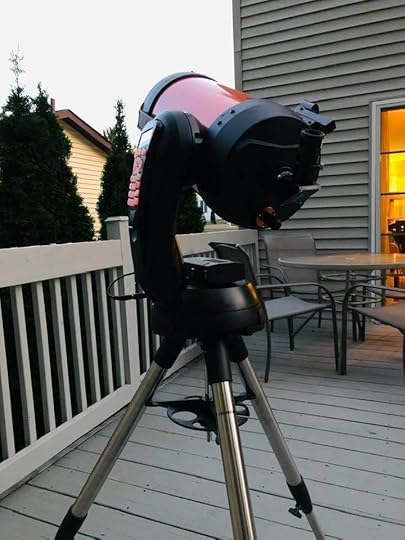
There are over four hundred Amazon reviews for this telescope, so I won't cover all of the technical details already discussed; instead, I'll hit on some of the things I still had questions about before buying the Nexstar 8SE.
One of the hard things about choosing a telescope is knowing how you want to use it. Whether you want to look at planets (which are super bright) or deep space objects (which are super dim) affects your choice. A scope with tons of magnification from a long focal length may be great for Saturn but have too much zoom for things like the Andromeda Galaxy.
Portability is also a factor. Can you carry the entire assembled scope out on to the deck yourself each night, or do you need to spend an hour lugging it out piecemeal, assembling, leveling, and aligning it? Once it's set up, how easy is it to find objects? If you want to look at Jupiter and the Moon - piece of cake...but what about objects too faint to see with your naked eye? Do you have the time and skill to read star charts under a red light, hunting-and-pecking across the night sky searching for dim fuzzies?
Lastly, do you want to take photos of your view? If you want exposures of more than a few seconds, does your mount have a way to compensate for the Earth's rotation to prevent your stars from blurring to streaks? If you're taking pictures of big things, like a nebula, will you have to make a mosaic because your scope has too much magnification to fit it all in frame?
I thought about all of these, and chose the Nexstar 8SE. It is a great scope and fairly easy to use (although not as easy as Celestron's "no knowledge of the night sky needed" slogan suggests). Here's how it fares for my selection criteria:
Portability:If hours of free time are needed between setup and gazing, the scope will be relegated to weekend use only. That may not seem bad, but consider that out of those weekends, it'll further be whittled down to ones with clear nights. So, if I don't want a scope I can use only once or twice a month, I need something portable. The 8SE weighs 33 lbs fully assembled (and can easily be separated into three lighter components). So, imagine picking up a 16 lb bowling bowl in each hand and walking out onto the deck. If you think you could do that, you can carry the 8SE out. I leave mine fully assembled and just carry it out myself whenever there are clear skies. It takes two minutes. If it's too heavy, there are three thumb-tightened knobs that quickly separate the tripod from the mount and tube, splitting the weight in half.
Type of Astronomy:The 8SE has a 2000 mm focal length and 8" aperture. 2000 mm is two meters (6.5 feet!) so you'd expect the tube to be at least 6.5 feet long unless it can bend space and time. Turns out, it does - well, not literally - but it's a Schmidt-Cassegrain telescope so it uses both reflectors and refractors to double-up the light path, resulting in a very short, fat tube that is highly portable. It's a great "best of both worlds" solution. High focal length (which translates to magnification) for planetary and lunar views and wide aperture (which translates to brightness and detail) for views of dim objects like galaxies. For me, it's perfect. I can bounce around the night sky seeing all of the planets and everything in the Messier catalog (globular clusters, nebula, and galaxies). The 8SE comes with a diagonal and a single 1.25" 25mm Plossl eyepiece that is one of my favorite eyepieces for this scope. With it, you will clearly see a small Saturn with its rings and shadows, or the disc of Jupiter with small cloud bands and its four largest moons. Deep-sky objects will be faint, dim cotton balls. Of course, you can increase the magnification by buying additional eyepieces or increase the contrast of DSOs with filters. I have a small refractor scope that uses 1.25" eyepieces and filters, and all of them are interchangeable with the 8SE.
Astrophotography:I think it surprised me that most of those awesome astrophotography pics we've seen that look like Hubble telescope photos are taken with cameras or sensors attached to small refractor scopes. They're all taken on equatorial mounts that are polar aligned, rotating like clockwork to compensate for the Earth's rotation. The default 8SE cannot do this. It has an alt-az mount, not an EQ. Although it will track an object and keep it centered, it's just not able to rotate in the direction that the sky does. As a result, the object will spin in place over time, and all the neighboring stars will orbit it, leaving streaks. You can purchase an EQ wedge that tilts the entire mount onto a polar axis but to be honest for the price and added weight of the 15 lb wedge you could just get a Sky Watcher mount and tripod and plop a DSLR with a decent lens on it, taking some nice wide-field long-exposure photos. That being said, short-exposure photography works great on the 8SE. A cheap t-adapter lets me attach my DSLR directly to the back of the scope. I can manage fifteen-second exposures without star trails. I took the attached photo of the Hercules cluster this way (by the way - for reference - the Hercules cluster does not look like this to your eye in the scope. In the scope, it is a milky cotton ball). So, can you throw a couple of thousand dollars to convert the 8SE into a long-exposure astrophotography scope? Sure - but I would suggest instead using that money to buy a separate, dedicated mount and tripod for DSLR photography.
Ease of Finding Objects:
First, you can just use the keypad arrows to slew the scope wherever you want without bothering to align it. Line up a star or planet in the red dot finder and just have a look; however, if you want the telescope to find and track it, you'll have to align it. There are four ways to do this: 1) 3-object auto-align: center the scope on any three bright stars or planets and the controller will plate-solve to figure out what they are. You don't even need to know or tell it their names; however, every time I tried this, it failed. 2) 2-star auto-align: center the scope on one star and tell the controller what it is, then it picks the second star and you center it. Works sometimes, but the scope has no way of knowing if its chosen star is obstructed (by trees, neighbor's houses). 3) 2-star manual align: You pick two stars, tell the controller their names, and center them. Always works for me. 4) 1-star manual align: Same as two-star, but less accurate. 5) I know I said there were only four options, but a fifth option is to buy the somewhat-expensive Sky Align accessory, which is a camera that will do all of this for you. I find that the two-star align is accurate for the part of the sky you chose when picking alignment stars, but quickly loses accuracy when you swing to distant parts of the sky. Fortunately, you can pick new alignment stars on-the-fly, so I typically align to the southern sky, see everything I want, then realign to the northern sky. When the alignment is accurate, it's really great for finding deep space objects. I can look at a dozen DSOs in thirty minutes, where I could look at only two or three if doing it manually. The single review-star I deducted is due to the somewhat endless frustration I have with the GoTo alignment process, and that in general I haven't been able to just align the scope to the sky, but have to realign to portions of the sky as I look in different areas. One other complaint is that the 8SE's controller has been upgraded over time (to have a mini-USB connection instead of RS-232), but the telescope's manual was not updated. The manual still has photos and instructions only for the old controller, including keypad buttons which are in different locations or have different names.
So, I think the 8SE hits the Venn-diagram sweet-spot intersection of portability, aperture, and focal length for me, and I'm happy with my purchase and recommend it to others searching for that same intersection.
July 23, 2020
Rock Your Wings
Every year, thousands of aircraft fly to KOSH Wittman Regional in Oshkosh for AirVenture. The volume of aircraft is so high that the traditional rules of call-and-respond for ATC are changed for the event, with ATC spotting craft with binoculars and calling to them by their appearance, instructing them rock their wings if they hear their instruction. A special NOTAM (notice to airmen) is published for the event detailing the rules to arrive and the colored dot system on the runways which allows multiple aircraft to use a runway at the same time.
This year, the Oshkosh AirVenture was canceled, but the online ATC flight sim company, PilotEdge, partnered with the organizers to provide a virtual recreation of it. NATCA provided real-world air traffic controllers. The result was a week-long event during the Spirt of Aviation week with hundreds of virtual pilots flying the famous Fisk approach to Oshkosh. I was one of them. Fly along with me in the video, below.
Of course, all good things must come to an end, and I needed to fly back home. Getting out of Oshkosh was as much fun as getting in:
July 13, 2020
Thoughts on Star Trek Continues
There are countless Star Trek fan films available on YouTube, but Star Trek Continues is in a league of its own. In an age of big-budget network spin-offs such as Star Trek: Discovery and Picard, it’s refreshing to find a fan series which so beautifully nails the looks, themes, and fun of the original series. There are no JJ Abrams-style lens flares or coolifying of technology and characters in an attempt to fix a problem which never existed; instead, each episode is a lovingly-crafted homage to the 60s series. Every element, from the sets, props, costumes, lighting, camera angles, special effects, and music, is a faithful reproduction. It quite literally is a continuation of ST:TOS. Perhaps the highest praise came after my wife and I watched “What Ships are For” together, and after the credits rolled, complete with stills of Scotty in a Jeffries Tube and the dancing Orion slave girl, we both stared, stunned, and said, “Wow. That was a real Star Trek episode.”
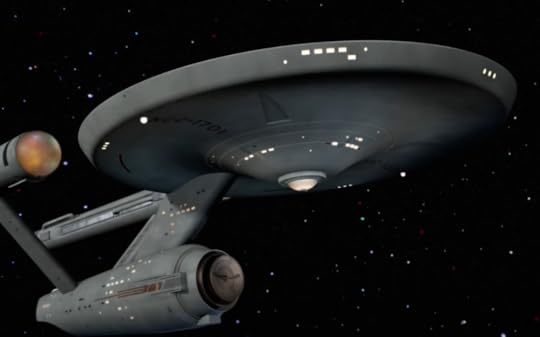
Even the special effects capture the accurate look of the 60s series models, avoiding the pitfalls of modernizing everything with CGI
Kirk is played by Vic Mignona, who also writes and directs the episodes.

It would be easy for anyone to turn Kirk into a bad Shatner impersonation, but Vic does a brilliant job of playing Kirk and not Shatner. He emulates Shatner’s body language - for example, Shatner’s habit of bowing out his elbows when standing on a transporter platform, balling his fists as if ready for a fight - but delivers dialogue and often soliloquies with a cadence that reminds of you of Kirk without Shatner’s overt pausing of each word for emphasis. Nicely done.
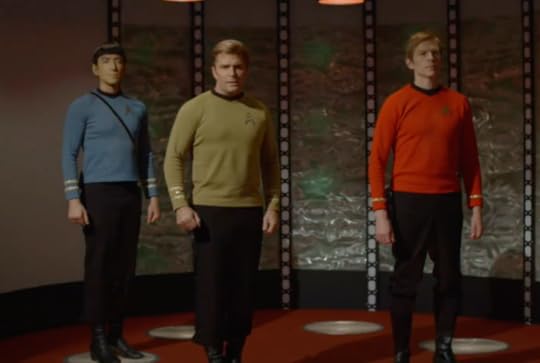
Spock is played by Todd Haberkorn.

Todd’s rendition of Spock is more like Vulcans in later series, such as Tuvok from Voyager, and tends to be matter-of-fact. Nimoy’s Spock tended to infuse emotion into his responses, at times being on the verge of smiling (sometimes nearly out-of-character for Spock), and the 60s series did a good job of giving Nimoy some excellent lines to work with, such as this classic exchange:
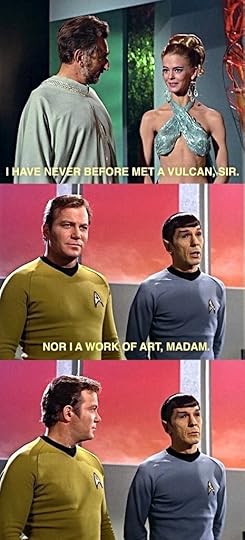
I’d like to see more of the original series’s cleverness in Spock’s writing, and more of Nimoy’s “human underneath” emoting in the Spock character, but Star Trek Continues delivers a solid Spock, including episodes where Spock is at odds with duty, friendship, and logic.
In the first two episodes, McCoy is played by Larry Nemecek before the role is picked up by Chuck Huber. Huber is a much better fit for McCoy. I’m not sure what happened in the first episode with the dialogue and casting for McCoy, but he was nearly unrecognizable to me. I wondered for a minute if he was supposed to be the original doctor from the ST:TOS pilot with Captain Pike, which has Chief Medical Officer Phillip Boyce instead of Doctor McCoy. Once the series transitions to Huber, McCoy solidifies. Huber plays McCoy with more warmth than DeForest Kelley, whose crankiness was, let’s face it, grating at times, and Huber’s rendition is welcome.

Chuck Huber as McCoy
Notable support characters include Chris Doohan (James Doohan’s son) as Scotty, who, not surprisingly, has his father’s mannerisms down to an art, and of couse looks like him. Mythbuster’s Grant Imahara plays Sulu. He starts the series trying to impersonate George Takei a bit too much, but comes into his own mid-series. Kim Stinger plays Uhura. She’s a little more like the JJ Abram’s version of Uhura than Nichelle Nichol’s rendition, but she brings a warmth to the character. Wyatt Lenhart plays Checkov, and is a charmer. The series introduces a ship’s counselor, in the vein of Next Generation’s Deanna Troi, with Michele Spect playing Elise McKennah. Spect plays the character with warmth and humor.

Chris Doohan’s Scotty

Kim Stinger’s Uhura

Wyatt Lenhardt’s Chekov

Grant Imahar’s Sulu
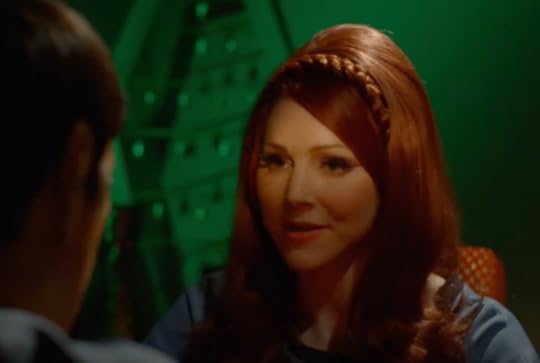
Michele Spect’s McKenna
The guest stars for the series are a who’s who of sci-fi. Just check out the series page for a list. A few stand-outs:
Erin Gray (Buck Rogers’s Wilma Deering) as Commodore Gray
Marina Sirtis (ST:TNG’s Deanna Troi) as the voice of the computer
John deLancie (Star Trek’s Q) as an ambassador
Cas Anvar (The Expanse’s Alex) as a Romulan
Jamie Barber (Battlestar Galactica’s Apollo) as a red shirt
Nicole Bryant (Doctor Who’s Pen) as an esper
Michael Forest (ST:TOS’s god Apollo, reprising the role)
Lou Ferrigno (the 70s Hulk) as an Orion Slave Master
PILGRIM OF ETERNITY1967’s “Who Mourns Adonis” had the Enterprise encounter a powerful entity who claimed to be the god Apollo, played by Robert Forest. The episode ends with the Enterprise phasering his temple, which was his source of power, and having him fade away.
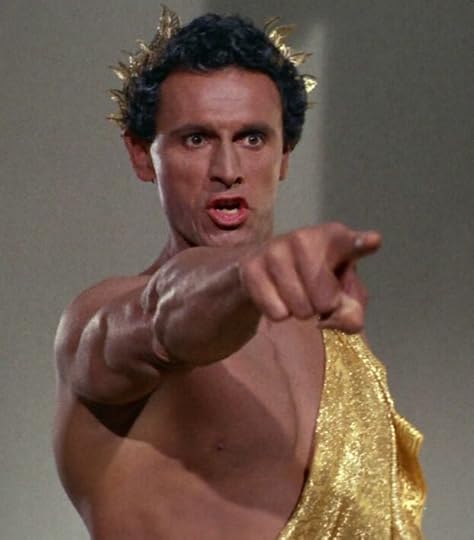
Two years later, in Star Trek Continue’s timeline, the crew encounters him again, now aged rapidly to his 80s. He appears to be powerless, but of course not all is as seems, and soon Apollo is up to his old tricks of seeking mortal adulation and smiting wrath upon those who challenge him. Robert Forest reprises his role as Apollo forty-six years after his original appearance.

LOLANI
In the 60s series, the green-skinned Orion slave girl is memorable for always appearing in the ending credits, yet in reality, she never appeared in an episode with Kirk. Her only appearance was in the unaired pilot with Captain Pike (and later in the Kirk episode which played flashbacks from the pilot at Spock’s trial in “The Menagerie”). In Star Trek Continue’s “Lolani”, the crew rescues a Orion slave from a Tellerite ship. After she spends time getting to know the crew, her slave master shows up demanding his property back, setting up a classic Star Trek conflict of “don’t interfere in other people’s cultures vs. what if what their culture does is morally reprehensible”.
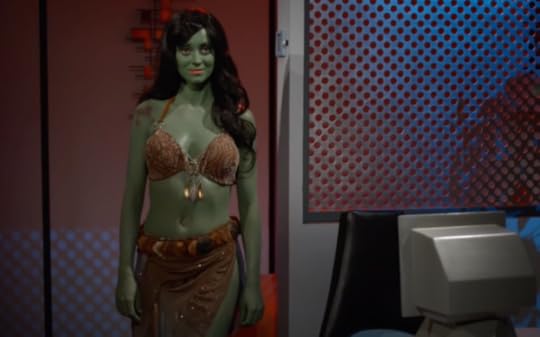
Fiona Vroom as the Orion slave girl.
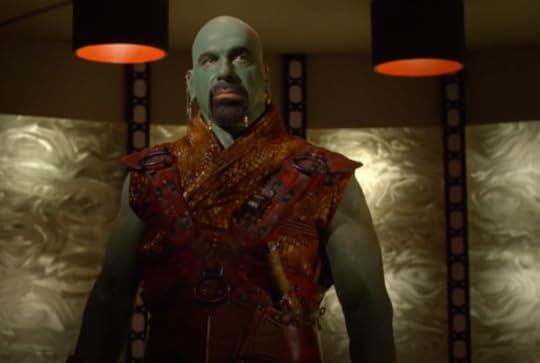
Lou Ferrigno as the Orion slave master.
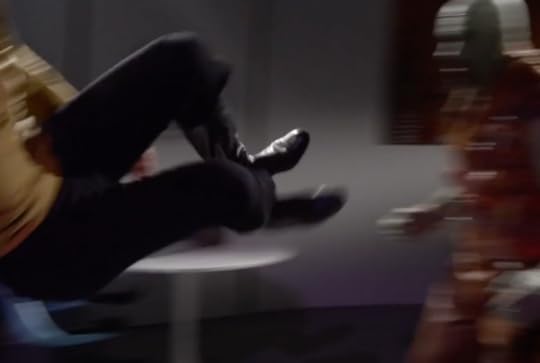
You know that Kirk will end up in a fist-fight with the slave master, who, as Lou Ferrigno, towers over him. I literally cheered when Kirk did his patented horizontal double-footed kick to the chest.
The episode reminds me in theme of the Next Generation episode “The Perfect Mate”, in which Picard transports a metamorph woman who is intended to be a gift for a peace treaty. Picard wrestles with judging other’s culture versus allowing a woman to be treated as property.
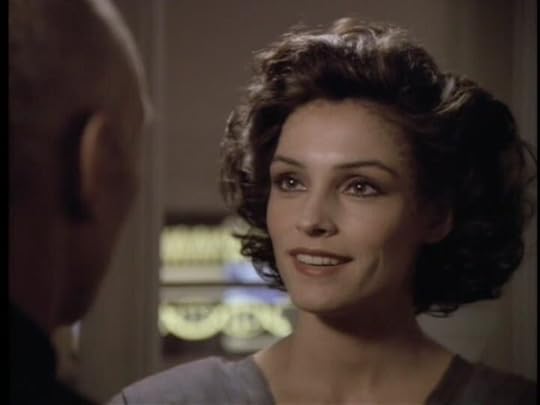
Famke Jannsen as Kamala in “The Perfect Mate”
THE FAIREST OF THEM ALL
The evil-Spock goatee universe featured in 1967’s “Mirror, Mirror” has been visited by numerous Trek series. In Star Trek Continues, the episode continues in the evil universe seamlessly from where the original ends, with the evil Kirk beaming back to the transporter pad as the good Kirk beams out. In the original episode, good Kirk planted seeds of doubt of evil Spock’s mind, and those seeds flourish in Star Trek Continues “Fairest of the All”. If you listen carefully, Michael Dorn (Worf from ST:TNG) is the computer’s voice on the evil Enterprise.
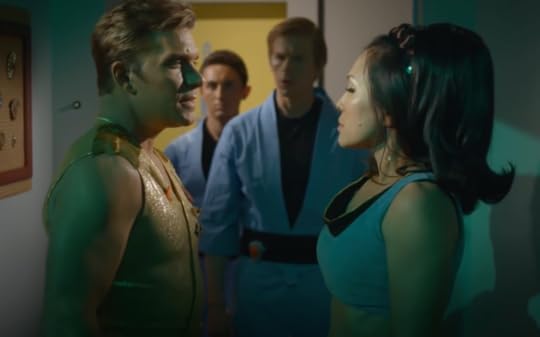
Asia de Marcos is a dead ringer for the original actress who played Marlena in “Mirror, Mirror”
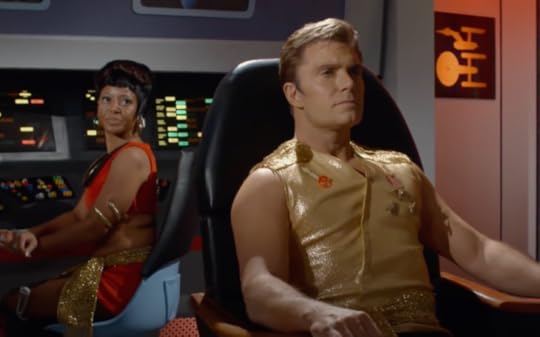
THE WHITE IRIS
Every Star Trek series has an episode where the Captain is injured and goes through mental soul searching to recover. In “The White Iris”, Kirk is treated with an experimental drug after being critically injured, which causes him to see women from his past who died, nearly all of which were characters in ST:TOS episodes. The episode uses the holodeck, which also appears in the first Star Trek Continues episode, but feels a bit out-of-place considering Star Trek: the Next Generation treated it as new technology in it’s 1987 pilot, “Encounter at Farpoint”.

DIVIDED WE STAND
When the Enterprise encounters an old earth spaceship, Friendship 3, they unknowingly get infected with nanites. As the nanites spread through the ship’s systems, Kirk and McCoy are injured and infected. When they awake, they’ve been transported back to Earth’s civil war as soldiers on opposing sides.
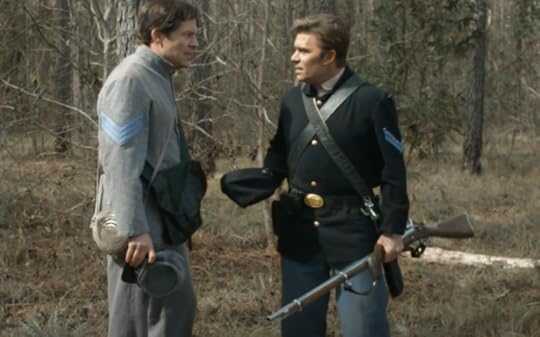
This is a predictably heavy episode, with all of the civil war’s horrors of unanesthesized limb amputations and mistreatment of captured soldiers. Kirk gives some inspiring speeches about freedom and is happy to glimpse President Lincoln, who I recall from 1969’s “The Savage Curtain” is one of Kirk’s favorite presidents. There is an undercurrent of persevering with disabilities.
I had to Google Friendship 3 because it sounded familiar. Friendship 1 was featured in the Voyager episode, “Friendship One”. In it, the crew discovers an old Earth spaceship crashed on a nuclear-winter world. They find the inhabitants weren’t ready for the advanced technology found on the crashed ship, misusing it to destroy themselves.
COME NOT BETWEEN THE DRAGONSA monster episode - sort of. When a rock-like creature crashes through the Enterprise, the crew becomes increasingly violent as they react to energy pulses that seem to be connected to the creature.
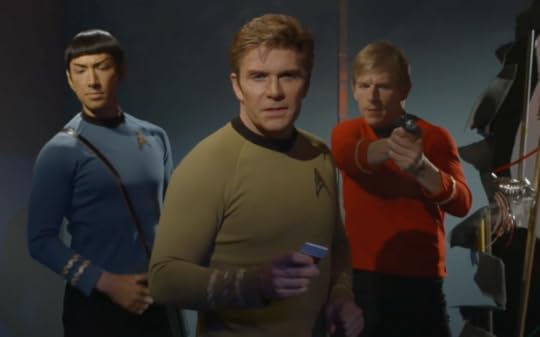
This episode reminded me a bit of the original series “Day of the Dove” where an energy creature fueled animosity between everyone on board, living off their anger.
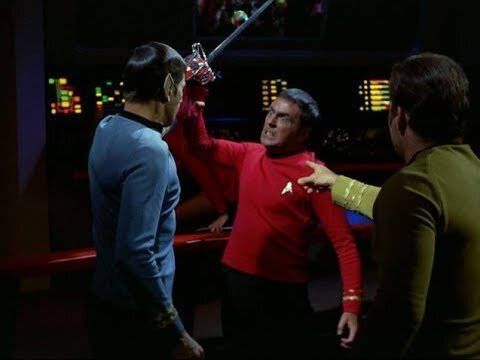
EMBRACING THE WINDS
Trial episodes are a staple of Star Trek. In “Embracing the Winds”, the U.S.S Hood’s crew and captain are lost after a life-support failure, and Commodore Gray (Buck Roger’s Erin Gray) must assign a new captain. When she offers the position to Spock, another officer petitions on the grounds that Starfleet only assigns male captains to Constitution-class starships, and she is being overlooked as a female. The resulting trial to choose between Spock and Commander Garrett (Clare Kramer) navigates the waters between sexism and affirmative action. This episode could easily have stumbled through a minefield but managed to pull it off with grace. I think I especially like it because the 60s series, despite it’s manly captains and Kirk’s womanizing, was exceptionally diverse, and Star Trek has always been forward-leaning in its societal commentary.
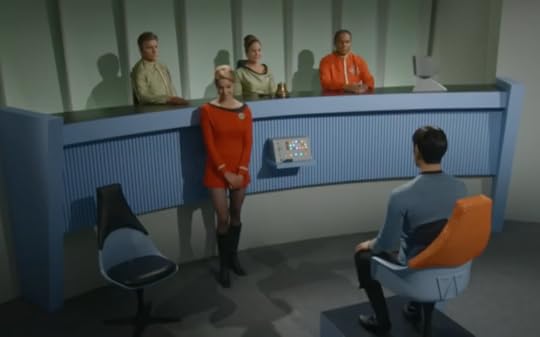

Clare Kramer
At the episode’s end, Commander Garret says, “Who knows? Perhaps someday a Garrett will command the Enterprise?” It’s a nice nod forward to Star Trek: The Next Generation’s “Yesterday’s Enterprise”, where the Enterprise-C is commanded by Captain Rachel Garrett.

Captain Rachel Garrett in “Yesterday’s Enterprise”, who has the misfortune of being killed once in the past, only to travel to the future and get killed once again. But, her sacrifice quite literally saves the Federation from destruction.
STILL TREADS THE SHADOW
In 1968’s “The Tholian Web”, the Enterprise encounters a federation starship, the U.S.S. Defiant, which is phasing out of normal space. Kirk is trapped aboard, and memorably reappears to the crew throughout the episode as a ghostly version of himself in a spacesuit. Eventually, they rescue him. In “Still Treads the Shadow”, the Enterprise encounters the Defiant once again, only to discover that a copy of Kirk was made and, due to time progressing more quickly in Defiant’s space, has aged considerably. In all this time, the Defiant’s computer has become sentient.
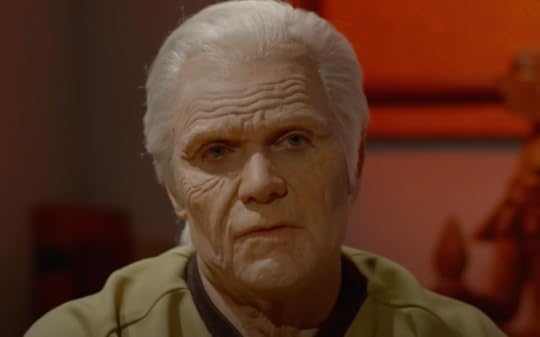
This reminds me of two episodes: the original series “The Deadly Years” where the crew rapidly ages, and the Next Generation’s “Second Chances” where Riker finds a copy of himself duplicated eight years ago in a transporter mishap.
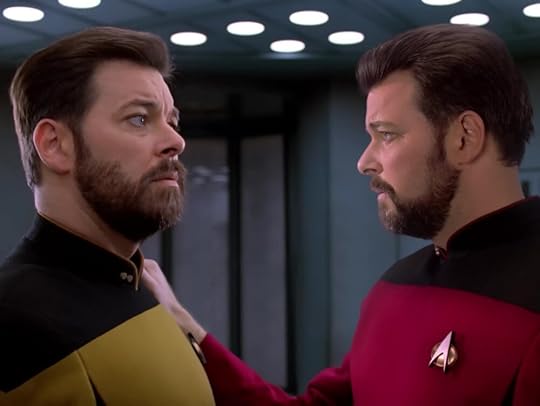
WHAT SHIPS ARE FOR
Star Trek episodes have a certain cadence, with a hook which occurs before the title sequence to keep you tuned in past the first commercial break. “What Ships are For” nails it, especially in tone with the original series, when the away team beams down to an inhabited asteroid to discover themselves and everything around them transformed into black and white. There they meet the ambassador (John de Lancie of ST:TNG Q fame) and his wife, who have asked for their help curing a plaque. There is a reason why everyone is in black and white, and the consequences of not being able to see color play out with twists that turn the episode into a morality play which also makes a statement on real-world events involving refugees. Kirk gives a classic “you can aspire to be better” monologue to the ambassador at the end, and the final twist has the panache of a well-written sci-fi short story. “Ships are safe in harbors,” Kirk says. “But that’s not what ships are for.”
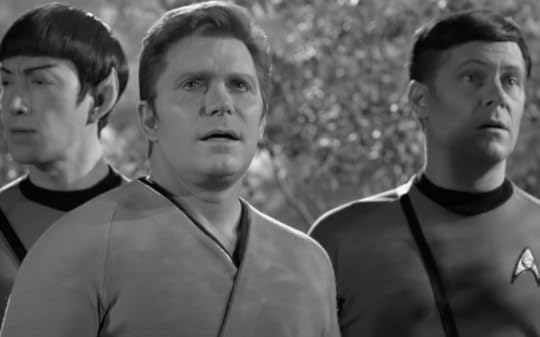

TO BOLDLY GO, PART I and PART II
The two-part series finale goes all-in with a big plot that connects events from earlier episodes. When the Enterprise is diverted to the same area where multiple Federation ships were either lost or damaged, they find a colony supposedly wiped out by Romulans. The only two people left on the planet are a surviving Esper and a Romulan. All is not what it seems, and they find themselves pursuing a starship full of espers headed for the galactic barrier. There are phaser ground battles, starship battles, and more than a few characters lost.
The episode features the female Romulan commander from the original series “The Enterprise Incident”, played by Amy Rydell, who really resembles the original 60s series actress.
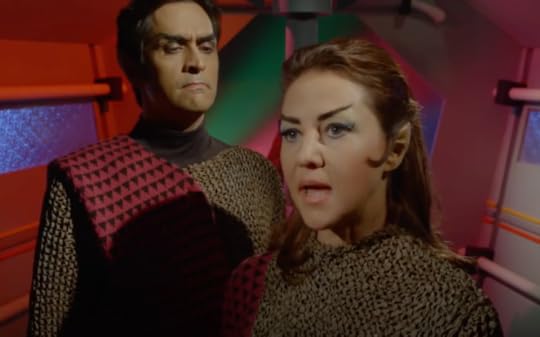
Amy Rydell from Star Trek Continues
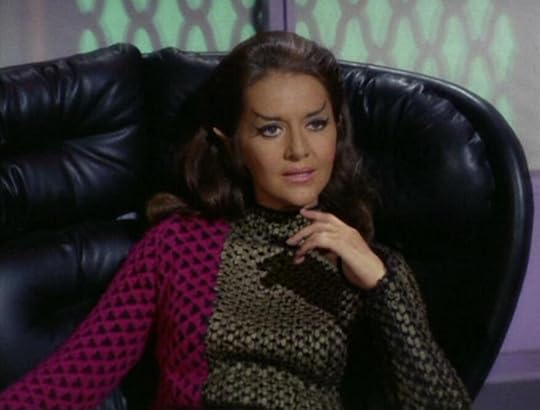
Joanne Linville from the original series “The Enterprise Incident”

Dr. Who’s Nicola Bryant as an evil esper
Perhaps the best part of the episode is the epilogue, which segues into the setup for Star Trek: the Motion Picture.
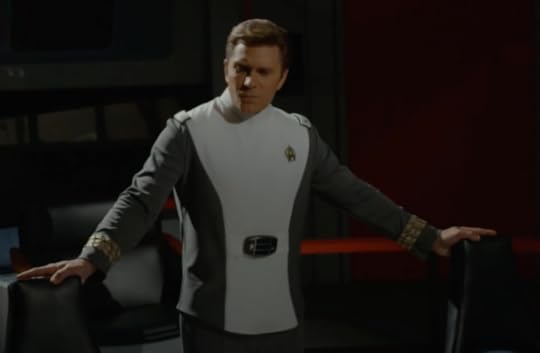
Parting scene of Star Trek Continues, with Admiral Kirk on the bridge
I thoroughly enjoyed Star Trek continues. It scratches an itch of the need for quality programming which cherishes what made the original series great. There’s campiness, but there’s also some very good writing. Kirk’s speeches, in particular, are inspirational, and he oozes leadership. The gems of the bunch are Pilgrim of Eternity, Embracing the Winds, and What Ships are For. If you’re not sure about the series, start where I did, with What Ships are For. It’s the episode that made me believe that the original series had, in fact, continued.