
Consistent Character Maker Update
A couple months ago, I wrote about how design tools are the new design deliverables and built the LukeW Character Maker to illustrate the idea. Since then, people have made over 4,500 characters and I regularly get asked how it stays consistent. I recently updated the image model, error-checking, and prompts, so here's what changed and why.
New Image Model
Google recently released a new version of their image generation model (Nano Banana 2) and I put it to the test on my Character Maker. The results are noticeably more dynamic and three-dimensional than the previous version. Characters have more depth, better lighting, and more active poses. So I'm now using it as the default model (until Reve 1.5 is available as an API).

One of the ways I originally reinforced consistency in my character maker was by checking whether an image generation model's API returned images with the same dimensions as the reference images I sent it. If the dimensions didn't match, I knew the model had ignored the visual reference so I forced it to try again. In my testing, this was needed about 1 in every 30-40 images. A very simple check, but it worked well.
A week into using Nano Banana 2, that sizing check started throwing errors. Generated images were no longer coming back with the exact dimensions of my reference images, breaking my verification loop. I had to resize the reference images to match Google's default 1K image size (1365px by 768px). But that took away my consistency check, so I had reinforce my prompt rewriter to make up for it.
Prompt Rewriter Iteration
This is where most of the ongoing work happens. As real people used the tool, edge cases piled up and the first step of my pipeline (prompt rewriting) had to evolve.
For example, my character is supposed to be faceless (no eyes, no mouth, no hair). This had to be reinforced progressively over several iterations. Turns out image models really want to put a face on things.
For color accuracy, I shifted from named colors like "lime-green" that relied on the reference images for accuracy to explicitly adding both HEX codes and RGB values. Getting the exact greens to reproduce consistently required that level of specificity. I also added default outfit color rules for when people try to request color changes.
Content moderation expanded steadily as people found creative ways to push boundaries. I blocked categories like gore, inappropriate clothing, and full body color changes, while loosening rejection criteria from blocking any "appearance changes" to only rejecting clearly inappropriate inputs. The goal: allow creative freedom while preventing abuse.
The overall approach was: start broad, then iteratively tighten character consistency while expanding content moderation guardrails as real usage revealed what was needed.
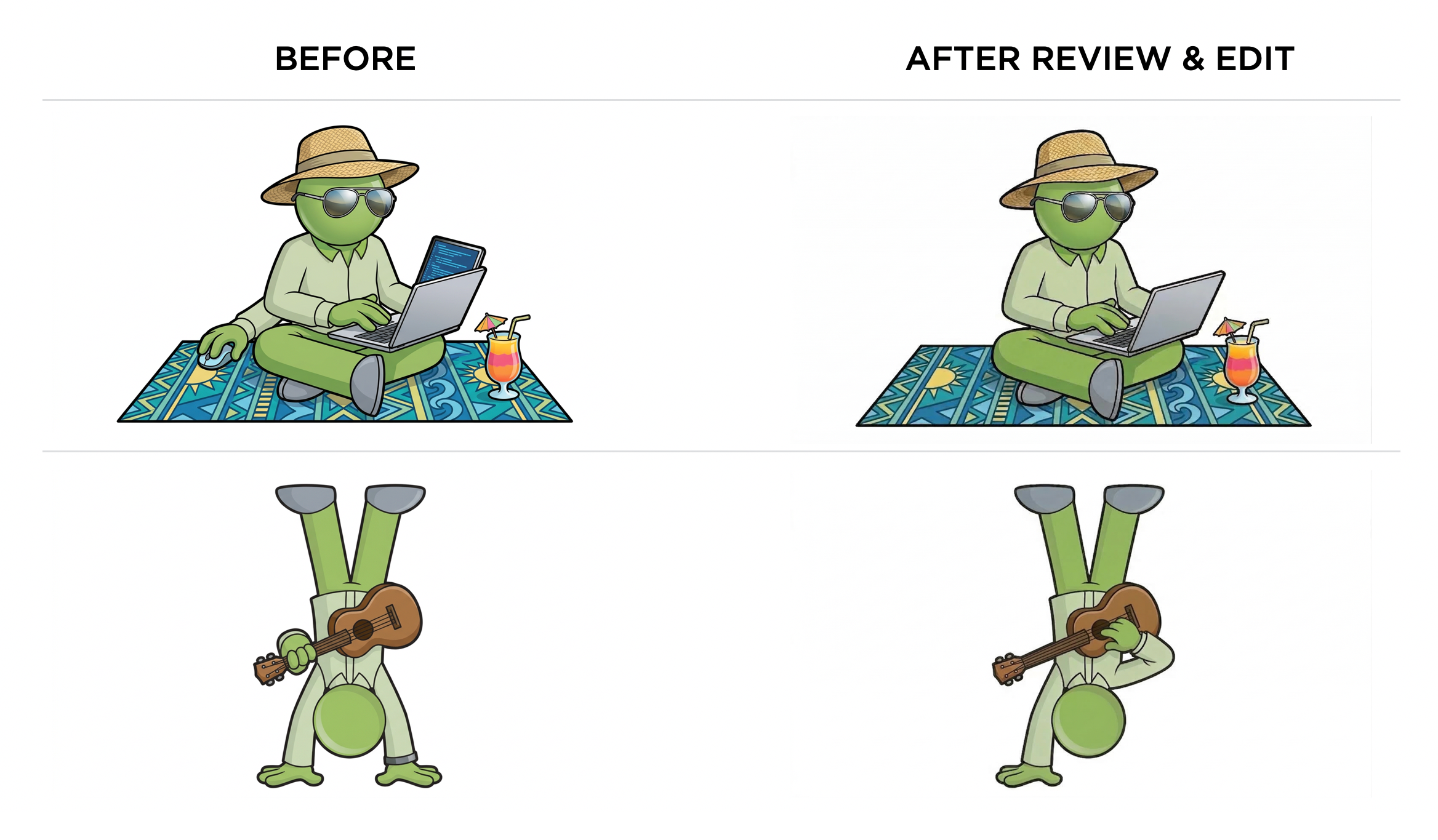
At this point, my character comes back consistent almost every time. About 1 in 50 generations still produces an extra arm or a mouth (he's faceless, remember?). I've tested checking each image with a vision model then sending it back for regeneration if something is off (examples above). But given how rarely this happens and how much latency and cost it would auto check every image, it's currently not worth the tradeoff for me. For other uses cases, it might be?
If you haven't already, try the LukeW Character Maker yourself. Though I might have to revisit the pipeline again if you get too creative.


Luke Wroblewski's Blog

- Luke Wroblewski's profile
- 85 followers

