How to use the Pixel 8 Pro’s temperature sensor
The Google Pixel 8 Pro comes with a unique new sensor – a temperature sensor. Here’s how to use it.
Situated next to the camera module on the back of the phone, the Pixel 8 Pro‘s temperature sensor is designed to work with objects or liquids, rather than with anything medical-related, and it’s very easy to use.
Whether it’s simply a gimmick you’ll use once or a feature that’ll be used on a regular basis, there’s no doubt it’s unique.
What you’ll need: The Short Version Unlock the Pixel 8 ProOpen the Thermometer appSelect MaterialTap Object TemperaturePoint your phone at the desired itemTap the screen to measureSee the temperatureStep1Unlock the Pixel 8 Pro
To begin, unlock the Pixel 8 Pro so you’re looking at your home screen.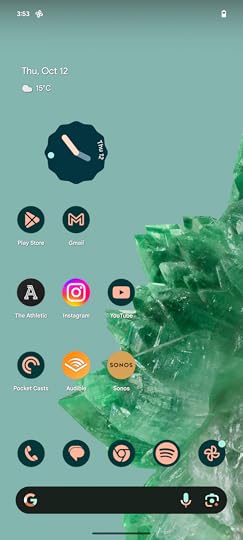
2Open the Thermometer app
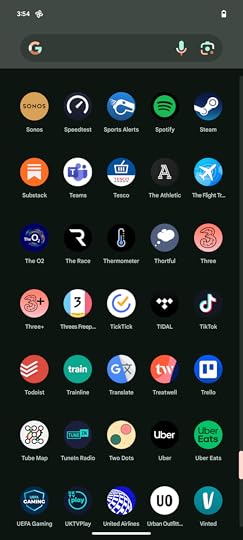
The temperature sensor, which is located on the back of the Pixel 8 Pro, is controlled via an app called Thermometer. Locate this app in the app drawer, or use the search bar to find it.
3Tap Object Temperature
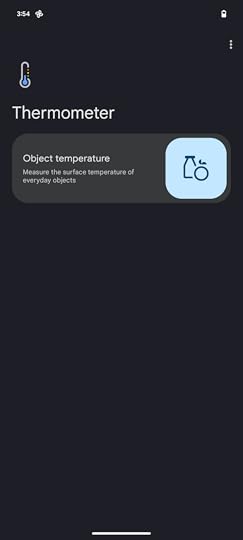
Once the app is open, tap Object Temperature.
4Select material
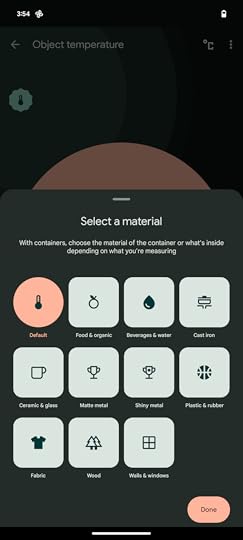
Next, you’ll need to select the material you’re going to be taking the temperature of. You can choose from a Default option, or be specific by choosing from the likes of Cast Iron, Shiny Metal, Fabric, Wood and Beverages.
5Tap the screen to measure
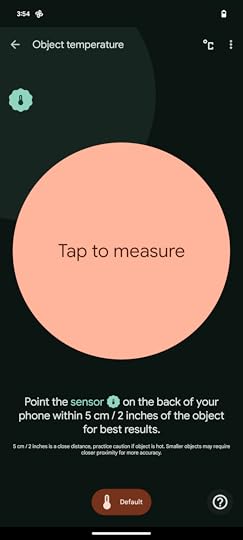
Once you’ve chosen your material, the next step is to point the phone at the item you want to measure. Google suggests you point the sensor within 5 cm or 2 inches of the object for the best results. With the phone pointing at the object, hit the large ‘Tap to measure’ button in the middle of the display.
6Take note of the temperature
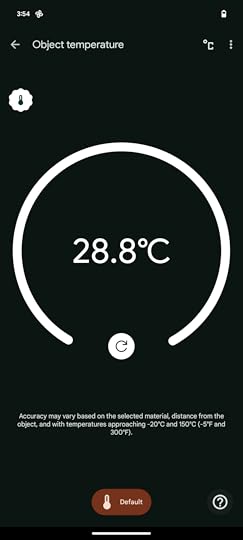
The temperature of the object should now appear on the screen where the ‘Tap to measure’ icon was previously.
The temperature sensor is only available on the Pixel 8 Pro and there’s no Thermometer app on the Pixel 8.
Source link
The post How to use the Pixel 8 Pro’s temperature sensor appeared first on Harmony Evans.