Eric C. Sheninger's Blog, page 55
January 18, 2015
How Digital Tools Improve Teaching and Learning
Adapted from an article I co-authored, Real-World Ready: Leveraging Digital Tools
Digital tools are transforming essential elements of the education space. Understanding how they are impacting teaching and learning will help guide your consideration of which tools are useful and how to best implement them.
 Image retrieved from https://l2lbyte.wordpress.com/learning-videos/
Currently, online tools....
Increase collaboration: Just as social media has given rise to new definitions of community, digital tools are transforming community and the give-and-take between students and teachers. Platforms for web-based discussion threads and creation of course or class wikis alter the types of student involvements in project-based and writing-specific assignments. A piece of student writing can become a diverse and substantive document when it is the basis for a step-by-step exchange of ideas and questions between teacher, peers, authors, and mentors. When digital tools are integrated in a pedagogically sound fashion they also promote and enhance other essential skills sets such as communication, creativity, critical thinking, problem solving, digital literacy, entrepreneurship, global awareness, and digital responsibility/citizenship.Innovate assessment: As formats and contexts for assignments evolve, the methods of assessment has had to keep pace. The openness of the online environment and the integration of such things as game attributes, shape all kinds of assessment, especially formative assessment, which measures learning progress (not only endpoints in learning). Enable learning about information and research: Research projects will always require substantive research, accurate and relevant synthesis, and defined audience-oriented approaches. However, in an information-saturated world, students are drawing on tools that help them analyze and understand multiple representations from a range of disciplines and subjects, such as texts, data, and photographs.Transform time-frames around learning: In many instances, digital tools offer an asynchronous (not simultaneous) environment for response and inquiry not present in brick-and mortar environments. Written and video discussions online can enable diverse views, opportunities for collaboration, and time to think and plan before responding in ways that in-class discussions do not provide. This is true for both online classrooms as well as “blended” classrooms, those integrating online and digital tools into a traditional learning setting.Ownership of learning: According to John Dewey, the type of activities that stimulate real involvement "give pupils something to do, not something to learn; and the doing is of such a nature as to demand thinking, or the intentional noting of connections; learning naturally results". There are thousands of free digital tools available that promote the art of doing. Students can now pick the best ones in order to create an artifact that demonstrates conceptual mastery through the construction of new knowledge as well as the acquisition and application of essential skill sets. The process of choice increases engagement, authenticity, and ultimately more value in the learning process. Unleash the power of digital tools and empower students to take ownership of their learning.By no means is this list exhaustive. With that being said, what would you add? How do you see digital tools transforming teaching and learning?
Digital tools are transforming essential elements of the education space. Understanding how they are impacting teaching and learning will help guide your consideration of which tools are useful and how to best implement them.
 Image retrieved from https://l2lbyte.wordpress.com/learning-videos/
Currently, online tools....
Increase collaboration: Just as social media has given rise to new definitions of community, digital tools are transforming community and the give-and-take between students and teachers. Platforms for web-based discussion threads and creation of course or class wikis alter the types of student involvements in project-based and writing-specific assignments. A piece of student writing can become a diverse and substantive document when it is the basis for a step-by-step exchange of ideas and questions between teacher, peers, authors, and mentors. When digital tools are integrated in a pedagogically sound fashion they also promote and enhance other essential skills sets such as communication, creativity, critical thinking, problem solving, digital literacy, entrepreneurship, global awareness, and digital responsibility/citizenship.Innovate assessment: As formats and contexts for assignments evolve, the methods of assessment has had to keep pace. The openness of the online environment and the integration of such things as game attributes, shape all kinds of assessment, especially formative assessment, which measures learning progress (not only endpoints in learning). Enable learning about information and research: Research projects will always require substantive research, accurate and relevant synthesis, and defined audience-oriented approaches. However, in an information-saturated world, students are drawing on tools that help them analyze and understand multiple representations from a range of disciplines and subjects, such as texts, data, and photographs.Transform time-frames around learning: In many instances, digital tools offer an asynchronous (not simultaneous) environment for response and inquiry not present in brick-and mortar environments. Written and video discussions online can enable diverse views, opportunities for collaboration, and time to think and plan before responding in ways that in-class discussions do not provide. This is true for both online classrooms as well as “blended” classrooms, those integrating online and digital tools into a traditional learning setting.Ownership of learning: According to John Dewey, the type of activities that stimulate real involvement "give pupils something to do, not something to learn; and the doing is of such a nature as to demand thinking, or the intentional noting of connections; learning naturally results". There are thousands of free digital tools available that promote the art of doing. Students can now pick the best ones in order to create an artifact that demonstrates conceptual mastery through the construction of new knowledge as well as the acquisition and application of essential skill sets. The process of choice increases engagement, authenticity, and ultimately more value in the learning process. Unleash the power of digital tools and empower students to take ownership of their learning.By no means is this list exhaustive. With that being said, what would you add? How do you see digital tools transforming teaching and learning?


January 11, 2015
The Drivers of a Successful BYOD Initiative
Technology seems to be more accessible that ever before. It is common to walk into a typical household these days and see a variety of devices being charged. One of the first things I look for when I go to a friend’s house is whether or not any charging cables are readily available in case I need one. Even when we entertain guests I will go to charge my iPhone and find that someone has already commandeered my charger, much to my chagrin. Many other people regularly take some sort of charging apparatus with them wherever they go. Access to technology is by no means isolated to only adults. As devices have become more affordable over the years, parents have bestowed a variety of mobile technologies upon their children. We really are living in a digital age.
As a result of the advances in technology and an increase in Wi-Fi access, schools have slowly begun to respond to this trend. The realization now is that many students possess devices and it only makes sense to harness and leverage their immense power. For many, even the most stubborn school districts that have fought this trend for years have begun to change course. All one has to do is look to the largest school district in the United States, the New York City public school system, to see that they have just lifted a ten year ban on students bringing their cell phones to school. The potential is there for schools and educators to empower students to take more ownership of their learning. This has resulted in a growing trend of Bring Your Own Device (BYOD) initiatives being adopted. This has been the preferred option as opposed to 1:1 initiatives due to overall cost. However, many schools and districts that have adopted BYOD have done so without proper planning and support.

The overall goal of any BYOD initiative should be to support and enhance student learning. It should not be implemented as a way to just pacify students by allowing them to use their devices only during non-instructional time or to eliminate discipline issues. Don’t get me wrong, I believe that these are two important outcomes of BYOD, but firmly believe that student-owned devices in school have to be aligned to learning outcomes first and foremost. Other important outcomes on behalf of the student include increasing productivity, conducting better research, becoming more digitally literate, and developing into a digitally responsible citizen. BYOD begins with trusting and respecting students. The fact remains though that the cart is too often placed before the horse. A rash decision is made to go BYOD without a sound rationale for how it will impact student learning. The following are key drivers of a successful BYOD initiative:
Infrastructure – Herein lies a common pitfall for many schools/districts that implement BYOD. Before going any further it is pivotal to ensure that the plumbing can withstand the stress of mobile technologies accessing the Wi-Fi network. You need to expect that there will be more devices connected to the network on a given day than there are students. Not only will some students bring in more than one device, but you have to account for staff member access as well. There is nothing worse than developing and implementing a lesson that integrates mobile learning devices than to have the Internet slowed down to a snail’s pace. Or even worse, the network crashes or begins to negatively impact teachers and students using school-owned mobile technology.Shared Vision – This is extremely important, as you will have staff and community members on both sides of the fence. Before going full steam ahead with BYOD, gather key stakeholders to establish a shared vision that includes rationale, goals, expected outcomes, expectations, and means to assess the effectiveness of the initiative. Central to a BYOD vision is a consistent focus on student learning.Strategic Plan – The shared vision that is created by all stakeholder representatives, including students, will drive a plan for action. As is the case in any successful initiative, sound planning is imperative. During the planning process one must consider community outreach, budget allocations to improve existing infrastructure, policies, professional development (teacher and administrator), student trainings, and evaluation procedures (i.e. How do I know that this is impacting student learning?). Sound pedagogy must be at the heart of any BYOD initiative. To assist in this area check out these mobile learning frameworks. Policy Development – Part of the strategic planning process will be to develop policies and procedures relating to BYOD. It is important that the resulting artifacts are not too overbearing and afford students the opportunity to be trusted and empowered to take ownership of their learning. A sound policy addresses Wi-Fi login procedures, a focus on learning, acceptable use, and absolving the school of any liability for lost, stolen, or broken devices. Professional Development – As I work with schools and districts across the country on BYOD initiatives, I can honestly say that this is one area where mistakes are made. Teachers need proper support in terms of developing pedagogically sound lessons, designing assessments aligned to higher standards, exposure to web-based tools and apps that cater to BYOD, ensuring equity, and developing classroom procedures. Prior to rolling out a school or district-wide BYOD initiative, teachers should know full well what the outcomes are as articulated in the shared vision and have a set of tools and instructional strategies that can be used on the first day. Another key to success is ongoing professional development to provide teachers with additional strategies and ideas so that devices are used to support learning. In addition to teachers, leaders also need professional development in regards to the observation and evaluation process. They are the ones after all that have to make sure that mobile devices are being used properly to support learning while addressing higher standards. Before implementing BYOD as a school or district make sure professional development has been provided to teachers and administrators. Student Programs – Students themselves need a form of professional development on the expectations and outcomes of device use. Successful initiatives contain an embedded component that includes educational programs for students before a BYOD initiative is rolled out and ones that are continued each year. These programs, which can be held once in the beginning of the school year, focus on how devices should be used to support learning as well as digital responsibility. As principal, I held annual assemblies in the early fall for each grade level, which focused on cyberbullying, creating positive digital footprints, and the tenets of our BYOD program. The end result was that our students embraced the shared vision and device use was more focused on learning than off-task behavior. We were also in a better position to give up control and trust our kids.Budget allocations - Although BYOD initiatives are a cost-effective means to increase student access to technology in school, there are solutions available to help streamline teaching and learning devices. ClassLink Launchpad is a fantastic learning management system (LMS) that can be purchased to deliver a uniform experience across all devices in order to assist with the teaching and learning. With ClassLink students and teachers can access a customized dashboard that is pre-loaded with a variety of tools that are used on a regular basis. Some teachers have even used it to help transform their classroom to paperless environments.By focusing on these drivers BYOD can be implemented successfully in your school or district with the primary focus being on student learning. For the latest BYOD resources and tools check out this Pinterest board. Please consider sharing your thoughts on the advantages and perils associated with BYOD. By openly discussing both sides of the issue we can crowd source the best set of drivers to ensure BYOD success.
As a result of the advances in technology and an increase in Wi-Fi access, schools have slowly begun to respond to this trend. The realization now is that many students possess devices and it only makes sense to harness and leverage their immense power. For many, even the most stubborn school districts that have fought this trend for years have begun to change course. All one has to do is look to the largest school district in the United States, the New York City public school system, to see that they have just lifted a ten year ban on students bringing their cell phones to school. The potential is there for schools and educators to empower students to take more ownership of their learning. This has resulted in a growing trend of Bring Your Own Device (BYOD) initiatives being adopted. This has been the preferred option as opposed to 1:1 initiatives due to overall cost. However, many schools and districts that have adopted BYOD have done so without proper planning and support.
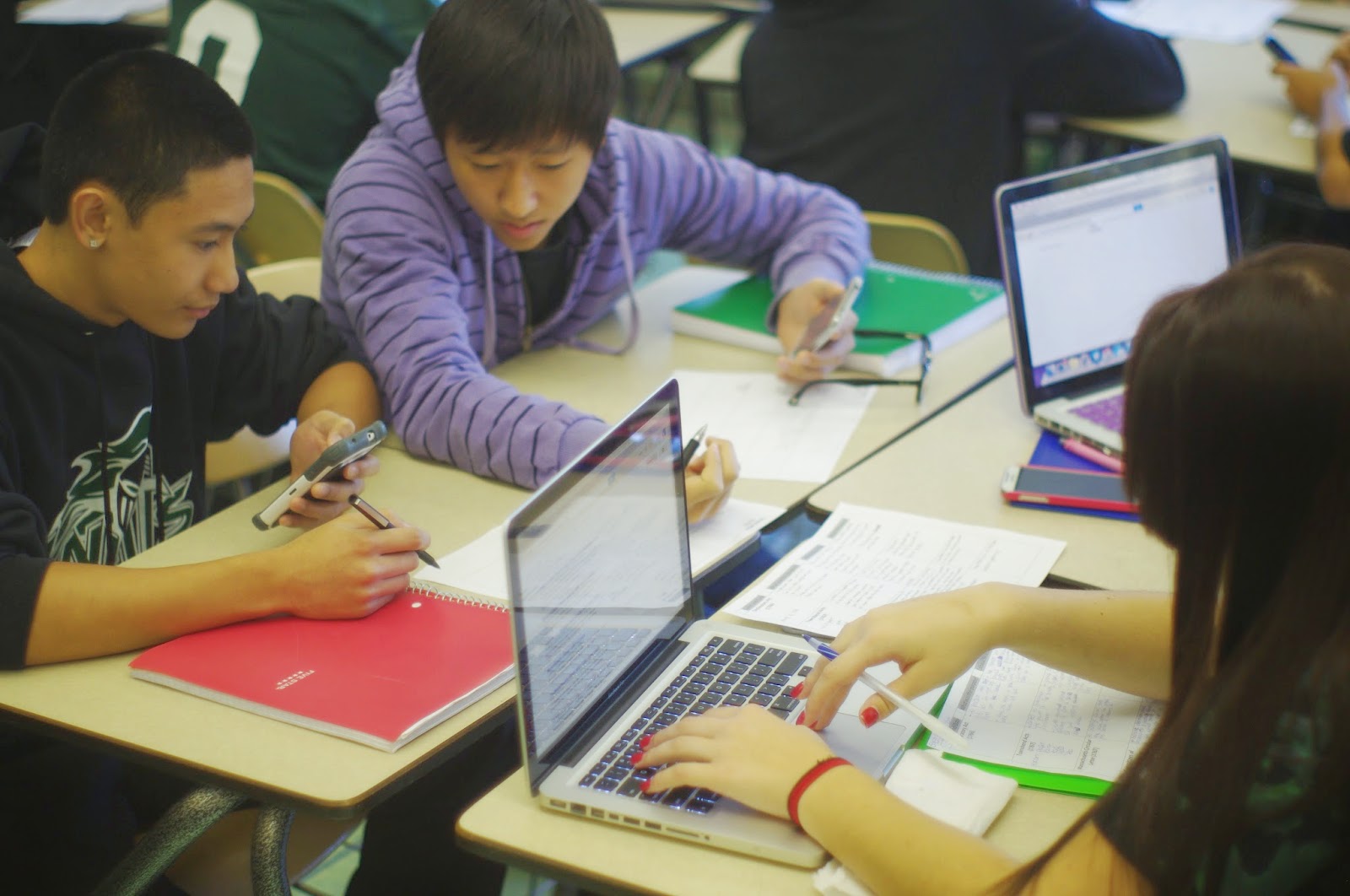
The overall goal of any BYOD initiative should be to support and enhance student learning. It should not be implemented as a way to just pacify students by allowing them to use their devices only during non-instructional time or to eliminate discipline issues. Don’t get me wrong, I believe that these are two important outcomes of BYOD, but firmly believe that student-owned devices in school have to be aligned to learning outcomes first and foremost. Other important outcomes on behalf of the student include increasing productivity, conducting better research, becoming more digitally literate, and developing into a digitally responsible citizen. BYOD begins with trusting and respecting students. The fact remains though that the cart is too often placed before the horse. A rash decision is made to go BYOD without a sound rationale for how it will impact student learning. The following are key drivers of a successful BYOD initiative:
Infrastructure – Herein lies a common pitfall for many schools/districts that implement BYOD. Before going any further it is pivotal to ensure that the plumbing can withstand the stress of mobile technologies accessing the Wi-Fi network. You need to expect that there will be more devices connected to the network on a given day than there are students. Not only will some students bring in more than one device, but you have to account for staff member access as well. There is nothing worse than developing and implementing a lesson that integrates mobile learning devices than to have the Internet slowed down to a snail’s pace. Or even worse, the network crashes or begins to negatively impact teachers and students using school-owned mobile technology.Shared Vision – This is extremely important, as you will have staff and community members on both sides of the fence. Before going full steam ahead with BYOD, gather key stakeholders to establish a shared vision that includes rationale, goals, expected outcomes, expectations, and means to assess the effectiveness of the initiative. Central to a BYOD vision is a consistent focus on student learning.Strategic Plan – The shared vision that is created by all stakeholder representatives, including students, will drive a plan for action. As is the case in any successful initiative, sound planning is imperative. During the planning process one must consider community outreach, budget allocations to improve existing infrastructure, policies, professional development (teacher and administrator), student trainings, and evaluation procedures (i.e. How do I know that this is impacting student learning?). Sound pedagogy must be at the heart of any BYOD initiative. To assist in this area check out these mobile learning frameworks.
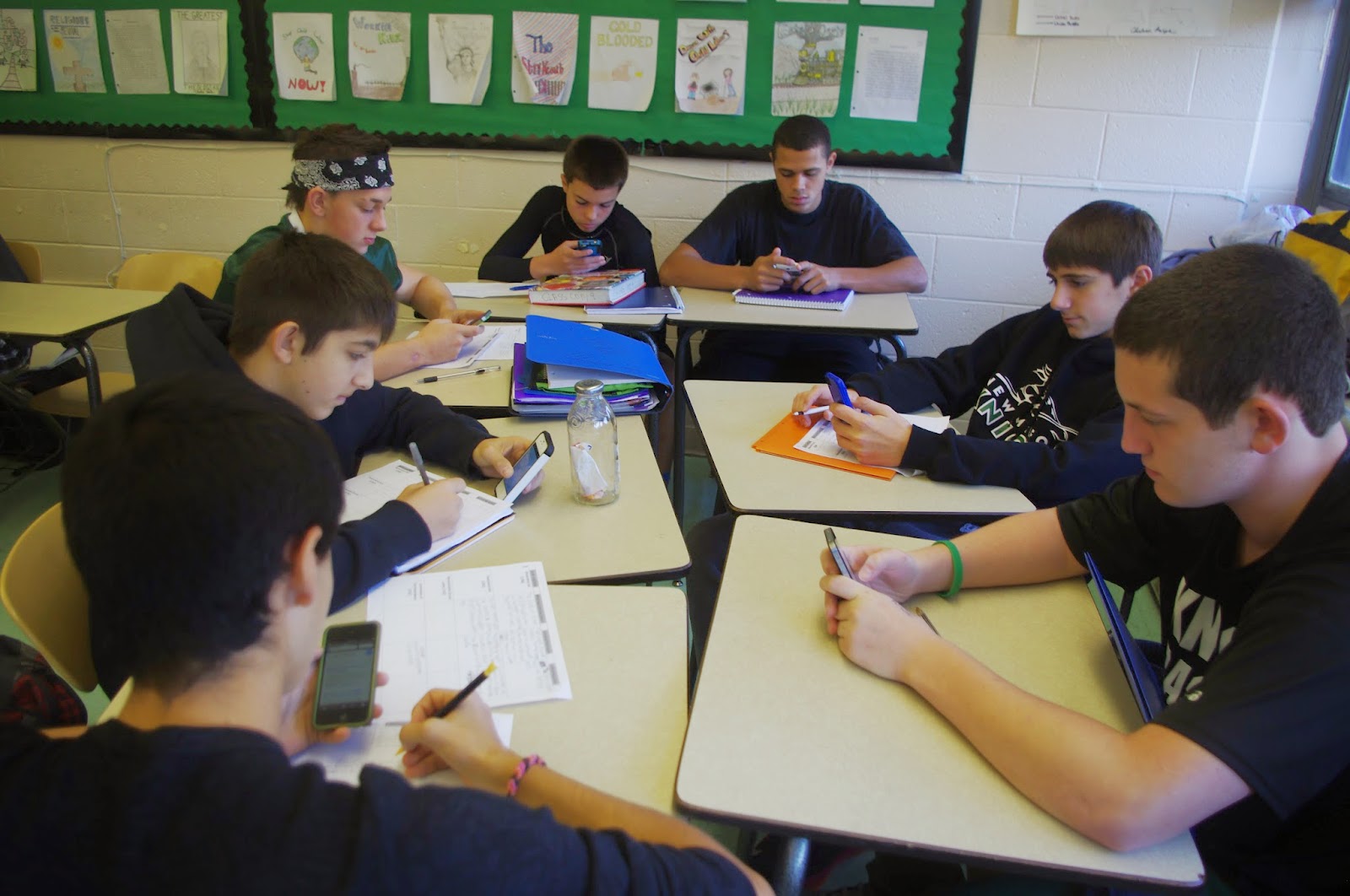 Policy Development – Part of the strategic planning process will be to develop policies and procedures relating to BYOD. It is important that the resulting artifacts are not too overbearing and afford students the opportunity to be trusted and empowered to take ownership of their learning. A sound policy addresses Wi-Fi login procedures, a focus on learning, acceptable use, and absolving the school of any liability for lost, stolen, or broken devices. Professional Development – As I work with schools and districts across the country on BYOD initiatives, I can honestly say that this is one area where mistakes are made. Teachers need proper support in terms of developing pedagogically sound lessons, designing assessments aligned to higher standards, exposure to web-based tools and apps that cater to BYOD, ensuring equity, and developing classroom procedures. Prior to rolling out a school or district-wide BYOD initiative, teachers should know full well what the outcomes are as articulated in the shared vision and have a set of tools and instructional strategies that can be used on the first day. Another key to success is ongoing professional development to provide teachers with additional strategies and ideas so that devices are used to support learning. In addition to teachers, leaders also need professional development in regards to the observation and evaluation process. They are the ones after all that have to make sure that mobile devices are being used properly to support learning while addressing higher standards. Before implementing BYOD as a school or district make sure professional development has been provided to teachers and administrators. Student Programs – Students themselves need a form of professional development on the expectations and outcomes of device use. Successful initiatives contain an embedded component that includes educational programs for students before a BYOD initiative is rolled out and ones that are continued each year. These programs, which can be held once in the beginning of the school year, focus on how devices should be used to support learning as well as digital responsibility. As principal, I held annual assemblies in the early fall for each grade level, which focused on cyberbullying, creating positive digital footprints, and the tenets of our BYOD program. The end result was that our students embraced the shared vision and device use was more focused on learning than off-task behavior. We were also in a better position to give up control and trust our kids.Budget allocations - Although BYOD initiatives are a cost-effective means to increase student access to technology in school, there are solutions available to help streamline teaching and learning devices. ClassLink Launchpad is a fantastic learning management system (LMS) that can be purchased to deliver a uniform experience across all devices in order to assist with the teaching and learning. With ClassLink students and teachers can access a customized dashboard that is pre-loaded with a variety of tools that are used on a regular basis. Some teachers have even used it to help transform their classroom to paperless environments.By focusing on these drivers BYOD can be implemented successfully in your school or district with the primary focus being on student learning. For the latest BYOD resources and tools check out this Pinterest board. Please consider sharing your thoughts on the advantages and perils associated with BYOD. By openly discussing both sides of the issue we can crowd source the best set of drivers to ensure BYOD success.
January 4, 2015
Leading the Maker Movement
Over the past year more and more schools across the globe have embraced the concept of making to learn. This phenomenon trickled into schools as the Maker Movement became more popular and natural connections to learning became quite evident. To begin to understand the educational value of making we must look at the roots of this movement. A recent article in Newsweek sums it up nicely:
 Image credit: http://www.inside3dp.com/wp-content/u...
As the Maker Movement has gained steams schools and educators alike have begun to incorporate makerspaces as exploratory centers for students to invent, tinker, create, and make to learn. A makerspace can best be defined as a physical place where students can create real-world products/projects using real-world tools. In 2013 I was fortunate enough to hire media specialist/teacher librarian Laura Fleming, who took the initiative to create a makerspace in our school. Through her work I discovered some guiding principles that might just help you begin to create a makerspace in your school or integrate the process of making across the curriculum. It is first important to understand three underlying qualities that essential in ensuring that students make to learn:
Making is a process – As with any process, making requires the ability for educators to give up control and trust students. It can be messy and unpredictable, but the products students create, problems they solve, and questions they answer become learning relevant learning experiences they value. Making is guided by a student’s natural inquiry and self-directed learning. Specific skills are require of students, the first of which is knowing what tool to use and how to use it safely. The second involves problem-solving and diagnostic skills that are required to figure out why something won’t work, come up with a creative solution, and not get frustrated. The right educator makes the difference – The process of making requires patience on behalf of an educator who will not have all the answers nor know how to help students out every time they experience a problem. This is quite ok as it is near impossible for someone to have all of the required content knowledge to assist students as they make to learn. The right educator helps students diagnose a problem so that they can create a solution. He or she guides students through the inevitable highs and lows of making something while tying the process and embedded concepts of various maker projects to different content areas. This educator understands that there needs to be a fundamental shift from transmitting knowledge to enabling a student to create his/her own solution. The right person is a coach, models when necessary, and has the mindset of a maker educator. Image credit: http://usergeneratededucation.wordpre... Identify the perfect space – This can be a challenge as available areas to set up a makerspace in many schools are few and far between. The perfect space must encourage creativity and support the idea that anything is possible. It should contain comfortable seating, have limited rules and control, be flexible, have ubiquitous access to WiFi and technology, and infuse prompts and guides to promote inquiry. Possibilities include the library/media center, classrooms, or a common area of the school. You can even develop a pop-up makerspace or a makerspace on a cart. The possibilities are only limited to your imagination. Once you understand the essential qualities to create the perfect makerspace or environment for your students it is time to begin planning. There is no need to reinvent the wheel here are there are many resources available. For a curated list of online resources related to makerspaces check out this Pinterest board. To learn more in depth about the concepts associated with making be sure to purchase the book Invent to Learn by Gary Stager and Sylvia Martinez. Laura Fleming's World's of Making website has everything you need to get started, including suggested items to outfit the space with. She also has generated a step-by-step flow chart pictured below that will assist you in your makerspace planning.
For a maker culture to succeed and thrive in a school, leadership matters. I learned some of these lessons unbeknownst to me as they were only brought to my attention after making to learn became an embedded component of our school culture. Selecting the right person to lead the initiative is pivotal. Once that is done give him or her the autonomy to make decisions related to the space and process. Ensure that there is a mutual understanding of the freedom to execute on innovative ideas and create a space that is always in a state of controlled chaos. Provide encouragement every step of the way, as there will be times when equipment does not work or fellow colleagues attempt to undermine the process due to their own insecurities. Finally, make sure there is an allocated budget for the maker educator to establish a space that attracts students. In simple terms, get out of the way.
THE MAKER MOVEMENT is a global community of inventors, designers, engineers, artists, programmers, hackers, tinkerers, craftsmen and DIY’ers—the kind of people who share a quality that Larry Rosenstock says “leads to learning [and]…to innovation,” a perennial curiosity “about how they could do it better the next time.” The design cycle is all about reiteration, trying something again and again until it works, and then, once it works, making it better. As manufacturing tools continue to become better, cheaper and more accessible, the Maker Movement is gaining momentum at an unprecedented rate. Over the past few years, so-called “makerspaces” have cropped up in cities and small towns worldwide—often in affiliation with libraries, museums and other community centers, as well as in public and independent schools—giving more people of all ages access to mentorship, programs and tools like 3-D printers and scanners, laser cutters, microcontrollers and design software.
 Image credit: http://www.inside3dp.com/wp-content/u...
As the Maker Movement has gained steams schools and educators alike have begun to incorporate makerspaces as exploratory centers for students to invent, tinker, create, and make to learn. A makerspace can best be defined as a physical place where students can create real-world products/projects using real-world tools. In 2013 I was fortunate enough to hire media specialist/teacher librarian Laura Fleming, who took the initiative to create a makerspace in our school. Through her work I discovered some guiding principles that might just help you begin to create a makerspace in your school or integrate the process of making across the curriculum. It is first important to understand three underlying qualities that essential in ensuring that students make to learn:
Making is a process – As with any process, making requires the ability for educators to give up control and trust students. It can be messy and unpredictable, but the products students create, problems they solve, and questions they answer become learning relevant learning experiences they value. Making is guided by a student’s natural inquiry and self-directed learning. Specific skills are require of students, the first of which is knowing what tool to use and how to use it safely. The second involves problem-solving and diagnostic skills that are required to figure out why something won’t work, come up with a creative solution, and not get frustrated. The right educator makes the difference – The process of making requires patience on behalf of an educator who will not have all the answers nor know how to help students out every time they experience a problem. This is quite ok as it is near impossible for someone to have all of the required content knowledge to assist students as they make to learn. The right educator helps students diagnose a problem so that they can create a solution. He or she guides students through the inevitable highs and lows of making something while tying the process and embedded concepts of various maker projects to different content areas. This educator understands that there needs to be a fundamental shift from transmitting knowledge to enabling a student to create his/her own solution. The right person is a coach, models when necessary, and has the mindset of a maker educator.
 Image credit: http://usergeneratededucation.wordpre... Identify the perfect space – This can be a challenge as available areas to set up a makerspace in many schools are few and far between. The perfect space must encourage creativity and support the idea that anything is possible. It should contain comfortable seating, have limited rules and control, be flexible, have ubiquitous access to WiFi and technology, and infuse prompts and guides to promote inquiry. Possibilities include the library/media center, classrooms, or a common area of the school. You can even develop a pop-up makerspace or a makerspace on a cart. The possibilities are only limited to your imagination. Once you understand the essential qualities to create the perfect makerspace or environment for your students it is time to begin planning. There is no need to reinvent the wheel here are there are many resources available. For a curated list of online resources related to makerspaces check out this Pinterest board. To learn more in depth about the concepts associated with making be sure to purchase the book Invent to Learn by Gary Stager and Sylvia Martinez. Laura Fleming's World's of Making website has everything you need to get started, including suggested items to outfit the space with. She also has generated a step-by-step flow chart pictured below that will assist you in your makerspace planning.
 For a maker culture to succeed and thrive in a school, leadership matters. I learned some of these lessons unbeknownst to me as they were only brought to my attention after making to learn became an embedded component of our school culture. Selecting the right person to lead the initiative is pivotal. Once that is done give him or her the autonomy to make decisions related to the space and process. Ensure that there is a mutual understanding of the freedom to execute on innovative ideas and create a space that is always in a state of controlled chaos. Provide encouragement every step of the way, as there will be times when equipment does not work or fellow colleagues attempt to undermine the process due to their own insecurities. Finally, make sure there is an allocated budget for the maker educator to establish a space that attracts students. In simple terms, get out of the way.
December 28, 2014
2014 Was One Wild Ride
The holidays present a wonderful opportunity for many of us, including me for once, to relax from the rigors of work while spending time with family and friends. However, there is always some quiet time to write so I am seizing that golden opportunity this morning. With 2014 coming to a close in a few days there is no better time than now to reflect on this past year. The year began like so many others had in the past with me as Principal of New Milford High School. There was never any thought in my head that I wouldn't finish my career in this position, let alone the year. I can honestly say that I could not have predicted many of the dramatic changes to my professional life that would transpire late in the year.
 Image credit: http://www.patrasevents.gr/imgsrv/f/f...
The one thing I have learned though since I began my social media journey almost six years ago is that we no longer follow a predetermined path. What was once unfathomable in my professional role has become a reality. What is even more crazy has been the successful implementation of initiatives, taking control of my own learning, and professional accomplishments that I never believed were possible. Social media really did open up a door to a whole new world that I never knew existed. The best part of this new world were the endless possibilities to improving professional practice and school culture. This year was no different in strengthening my resolve to lead without fear, learn collaboratively with a global network of passionate educators, and be the change I wished to see in education (with the help of many of you). Here are some professional highlights from 2014:Digital Leadership was published by Corwin on January 14, 2014. This was my first solo effort at authoring a book. In a little less than three months it became a Corwin best-seller. Being an author is still a shock to me as I never, ever thought I could write even a blog post, let alone three books.NMHS teachers began to earn digital badges in earnest as a way to gain acknowledgment for their informal learning. On February 27, 2014, CBS Channel 2 NYC visited NMHS and did a nice feature on our makerspace, which aired during the five o'clock news. Media specialist/teacher librarian Laura Fleming spearheaded this initiative in the fall of 2013 and the makerspace really hit it's stride around this time.In late March NMHS student Sarah Almeda created the best student projects I had ever seen during my tenure as principal. Not only did she articulate the importance of creativity in learning, but she also challenged the entire education system from a student's perspective. You can read about the project and view the video HERE.During the late spring we had hosted our 30th school visit to NMHS. These unsolicited visits were a result of our continuous efforts to share what was truly possible in education and how we created a school that worked better for students than adults. Most of the visits were from schools and educators across the Northeast, but there was one other significant guest who would forever alter my career path. More on this later.CBS Channel 2 NYC visited NMHS again on May 16, 2014. This time they did a feature on the 3D virtual learning initiative we were working on.Near the end of the school year in June I published one of my most popular blog posts to date that provided insight on the successful implementation of 13 specific change initiatives at NMHS.On July 9, 2014, I officially announced my decision to step down as Principal of New Milford High School. This was the hardest professional decision I ever had to make. After Scholastic visited in the spring, conversations began about a potential position with the International Center for Leadership in Education (ICLE). It was at this point that I chose to go down a new path and assist more educators to experience what is possible in education. My last day as Principal was September 3, 2014. The next day I received the best gift an educator could ever wish for from NMHS student Sarah Almeda.On September 20, 2014, I delivered my first TEDx talk titled Schools That Work For Kids. This is another professional accomplishment that I never thought was possible considering I had a fear of public speaking prior to 2009. Social media let me find my voice in multiple ways and also built up my confidence to overcome fears and self-doubt in my abilities as a leader, writer, and speaker.Thanks to the visionary leadership of Dr. Scott Rocco I was officially appointed as the K-12 Director of Technology and Innovation in the Spotswood School District. This move has allowed me to stay as a true practitioner, something I feel is vital to my work in the field of education. Currently I am assisting the district with their move to Google Apps for Education (GAFE) as well as a more systemic use of technology to enhance and support learning. In early October the Center for Digital Education notified me that I was a CDE Top 30 Award recipient. This was extremely gratifying as it was a testament to the collaborative work done over the years at NMHS.After months of work the ICLE team and I debuted our new Digital Leadership practice area late this fall to assist leaders, schools, and districts implement sustainable changes resulting in transformation. As 2014 comes to a close take a few minutes to reflect on your specific journey including accomplishments, the challenges you overcame, and new connections. You might very well see a link to social media as I have.
 Image credit: http://www.patrasevents.gr/imgsrv/f/f...
The one thing I have learned though since I began my social media journey almost six years ago is that we no longer follow a predetermined path. What was once unfathomable in my professional role has become a reality. What is even more crazy has been the successful implementation of initiatives, taking control of my own learning, and professional accomplishments that I never believed were possible. Social media really did open up a door to a whole new world that I never knew existed. The best part of this new world were the endless possibilities to improving professional practice and school culture. This year was no different in strengthening my resolve to lead without fear, learn collaboratively with a global network of passionate educators, and be the change I wished to see in education (with the help of many of you). Here are some professional highlights from 2014:Digital Leadership was published by Corwin on January 14, 2014. This was my first solo effort at authoring a book. In a little less than three months it became a Corwin best-seller. Being an author is still a shock to me as I never, ever thought I could write even a blog post, let alone three books.NMHS teachers began to earn digital badges in earnest as a way to gain acknowledgment for their informal learning. On February 27, 2014, CBS Channel 2 NYC visited NMHS and did a nice feature on our makerspace, which aired during the five o'clock news. Media specialist/teacher librarian Laura Fleming spearheaded this initiative in the fall of 2013 and the makerspace really hit it's stride around this time.In late March NMHS student Sarah Almeda created the best student projects I had ever seen during my tenure as principal. Not only did she articulate the importance of creativity in learning, but she also challenged the entire education system from a student's perspective. You can read about the project and view the video HERE.During the late spring we had hosted our 30th school visit to NMHS. These unsolicited visits were a result of our continuous efforts to share what was truly possible in education and how we created a school that worked better for students than adults. Most of the visits were from schools and educators across the Northeast, but there was one other significant guest who would forever alter my career path. More on this later.CBS Channel 2 NYC visited NMHS again on May 16, 2014. This time they did a feature on the 3D virtual learning initiative we were working on.Near the end of the school year in June I published one of my most popular blog posts to date that provided insight on the successful implementation of 13 specific change initiatives at NMHS.On July 9, 2014, I officially announced my decision to step down as Principal of New Milford High School. This was the hardest professional decision I ever had to make. After Scholastic visited in the spring, conversations began about a potential position with the International Center for Leadership in Education (ICLE). It was at this point that I chose to go down a new path and assist more educators to experience what is possible in education. My last day as Principal was September 3, 2014. The next day I received the best gift an educator could ever wish for from NMHS student Sarah Almeda.On September 20, 2014, I delivered my first TEDx talk titled Schools That Work For Kids. This is another professional accomplishment that I never thought was possible considering I had a fear of public speaking prior to 2009. Social media let me find my voice in multiple ways and also built up my confidence to overcome fears and self-doubt in my abilities as a leader, writer, and speaker.Thanks to the visionary leadership of Dr. Scott Rocco I was officially appointed as the K-12 Director of Technology and Innovation in the Spotswood School District. This move has allowed me to stay as a true practitioner, something I feel is vital to my work in the field of education. Currently I am assisting the district with their move to Google Apps for Education (GAFE) as well as a more systemic use of technology to enhance and support learning. In early October the Center for Digital Education notified me that I was a CDE Top 30 Award recipient. This was extremely gratifying as it was a testament to the collaborative work done over the years at NMHS.After months of work the ICLE team and I debuted our new Digital Leadership practice area late this fall to assist leaders, schools, and districts implement sustainable changes resulting in transformation. As 2014 comes to a close take a few minutes to reflect on your specific journey including accomplishments, the challenges you overcame, and new connections. You might very well see a link to social media as I have.
December 21, 2014
Making Time vs Finding Time
One of the most utilized excuses in education when it comes to change is lack of time. At one point or another, we have all used the time excuse when it comes to our professional work. With all of the mandates and directives that are thrown our way, time becomes a relatively easy scapegoat when it comes to skirting the issue of change. Whether it be in the form of endless piles of paperwork, never ending observations, meetings with parents, attending events, developing a master schedule, or constructing a school budget – there never seemed like enough time in my day to even get those responsibilities done. It is never easy in the role of a teacher either. Lesson planning, grading, meeting with students before/after school, running clubs, and coaching all take up a great deal of their time as well. Time is the number one enemy of needed change and improvement in my opinion.
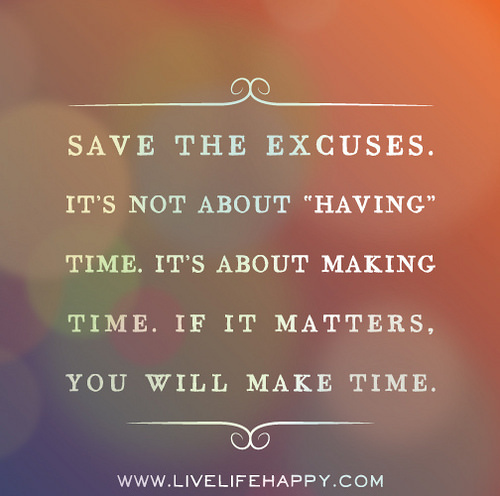 Image credit: https://farm8.staticflickr.com/7382/1...
Let’s face the perceived fact that there will never be enough time in any of our days to get everything done. Or is there? Regardless of your respective role in education, time will always be your enemy if you look at it with a fixed as opposed to a growth mindset. This is where you need to focus less on finding time and more on making time to complete necessary tasks that are not only required, but also ones that will allow you to grow, innovate, and develop more of a passion for your work. Before getting to this point you must look at how you currently utilize the time you have. In my case I was more of a manager as opposed to a leader. In response I began to either delegate the managerial aspects of my position as a principal to my assistants or I just got rid of obligatory routines shrouded in monotony such as certain meetings. For teachers it is important to look at how time is spent during areas of opportunity during the day (i.e. prep periods, lunch) to see where a growth mindset can be employed.
No matter how you slice it the time game will always be challenging, but there is hope. First and foremost, make the time to learn, grown, and get better as opposed to finding the time. There is nothing more important to an educator, outside of working with kids, than professional learning. Carve out some time each day if possible. Through social media a Personal Learning Network (PLN) provides a great antidote to the age-old time excuse. You can now learn anywhere, with anyone, at anytime you want for free. While online consider making some time to learn and then apply a new skill while earning a digital badge to acknowledge your informal learning. As great as a PLN is to professional growth, make the time to connect face to face with colleagues at conferences and workshops. Hands-on learning and networking experiences are invaluable to any educator who aspires to and models life-long learning.
If you are an educational leader one of your responsibilities is to take the time excuse away from your staff. Consider flipping your faculty meetings. This concept is based on the popular flipped classroom model. When flipping a faculty meeting teachers are given informational items to read and view in advance. This results in a shift from a leader-driven meeting to one where leadership is distributed. Instead of reviewing items off an agenda, time is spent more creatively as teachers take on a more active, creative role. For example, a short video outlining the agenda items can be created and viewed by teachers beforehand. Or articles and data sets can be distributed prior to the meeting for staff to review. Actual meeting time can then be dedicated to analyzing data, developing common assessments, making policy revisions, discussing and/or modeling effective pedagogical techniques, or engaging in hands-on technology trainings. Either way time is made available for all staff to do things on a consistent basis that normally fall by the wayside. To learn more about flipped leadership check out the latest book by Peter DeWitt.
Another way leaders can make time for teachers to engage in professional learning is to look for and then take advantage of opportunities embedded in the school schedule. During my tenure as principal I cut all non-instructional duties in half that each teacher had by contract to create the Professional Growth Period (PGP). This essentially freed up every single teacher at least two periods a week to engage in professional learning experiences that he/she was passionate about. You can read more about the journey to implement this initiative HERE.
In 2015 and beyond how will you make time for yourself and others to grow and innovate?
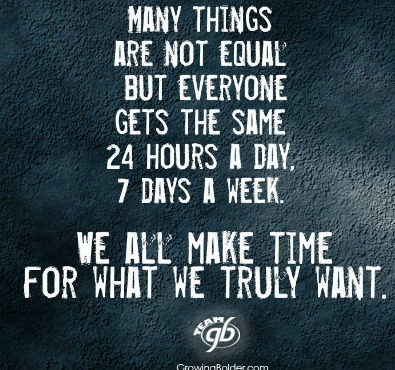 Image credit: http://www.beliefnet.com/columnists/b...
 Image credit: https://farm8.staticflickr.com/7382/1...
Let’s face the perceived fact that there will never be enough time in any of our days to get everything done. Or is there? Regardless of your respective role in education, time will always be your enemy if you look at it with a fixed as opposed to a growth mindset. This is where you need to focus less on finding time and more on making time to complete necessary tasks that are not only required, but also ones that will allow you to grow, innovate, and develop more of a passion for your work. Before getting to this point you must look at how you currently utilize the time you have. In my case I was more of a manager as opposed to a leader. In response I began to either delegate the managerial aspects of my position as a principal to my assistants or I just got rid of obligatory routines shrouded in monotony such as certain meetings. For teachers it is important to look at how time is spent during areas of opportunity during the day (i.e. prep periods, lunch) to see where a growth mindset can be employed.
No matter how you slice it the time game will always be challenging, but there is hope. First and foremost, make the time to learn, grown, and get better as opposed to finding the time. There is nothing more important to an educator, outside of working with kids, than professional learning. Carve out some time each day if possible. Through social media a Personal Learning Network (PLN) provides a great antidote to the age-old time excuse. You can now learn anywhere, with anyone, at anytime you want for free. While online consider making some time to learn and then apply a new skill while earning a digital badge to acknowledge your informal learning. As great as a PLN is to professional growth, make the time to connect face to face with colleagues at conferences and workshops. Hands-on learning and networking experiences are invaluable to any educator who aspires to and models life-long learning.
If you are an educational leader one of your responsibilities is to take the time excuse away from your staff. Consider flipping your faculty meetings. This concept is based on the popular flipped classroom model. When flipping a faculty meeting teachers are given informational items to read and view in advance. This results in a shift from a leader-driven meeting to one where leadership is distributed. Instead of reviewing items off an agenda, time is spent more creatively as teachers take on a more active, creative role. For example, a short video outlining the agenda items can be created and viewed by teachers beforehand. Or articles and data sets can be distributed prior to the meeting for staff to review. Actual meeting time can then be dedicated to analyzing data, developing common assessments, making policy revisions, discussing and/or modeling effective pedagogical techniques, or engaging in hands-on technology trainings. Either way time is made available for all staff to do things on a consistent basis that normally fall by the wayside. To learn more about flipped leadership check out the latest book by Peter DeWitt.
Another way leaders can make time for teachers to engage in professional learning is to look for and then take advantage of opportunities embedded in the school schedule. During my tenure as principal I cut all non-instructional duties in half that each teacher had by contract to create the Professional Growth Period (PGP). This essentially freed up every single teacher at least two periods a week to engage in professional learning experiences that he/she was passionate about. You can read more about the journey to implement this initiative HERE.
In 2015 and beyond how will you make time for yourself and others to grow and innovate?
 Image credit: http://www.beliefnet.com/columnists/b...
December 14, 2014
Impact of a Makerspace
One of the best parts of my day is checking in on Media Specialist/Teacher Librarian Laura Fleming as she always shares the incredible work her students are doing in the makerspace she created at New Milford High School. Whether it is pictures or Vine videos, each day I witness high school students tinkering, inventing, creating, and making to learn. She has created a learning space and environment that students truly find value in as they are afforded the opportunity to explore their passions, be creative, and take ownership over their learning. Lately I have been seeing many pictures from a specific group of students who have developed an interest in building their own computers. Last week I was utterly amazed when Laura asked me to check out the website (NMHS Computer Designs) that these students had created. After looking it over I asked if one of the students would consider writing a guest blog post for me. Luckily for us he said yes. I hope you enjoy this guest post by NMHS freshman Chris Pavone as he explains the impact Laura and a makerspace have had on his high school learning experience.
My name is Chris and I am a freshman at a New Jersey High School. I always had an interest in computers, but that increased even more thanks to my library makerspace. When I started school this year, I found out that the makerspace had a Take-Apart Tech Station where students could visit and take apart computers. Through this I learned the parts of a computer. I enjoyed the experience so much that my friends and I then decided to challenge ourselves and began to think what we really could do with computers. We decided to not only take a computer apart, but also to then put it back together. We also decided to make a new computer case to put our computer in.

The first thing we had to do was find a working computer to take apart. Once we did that, we carefully took everything out of it. There were a lot of screws and parts to disassemble. It took us about three days of working on it to get everything out without breaking any of the parts. After the computer was completely taken apart, we then began to think of ideas for making a new computer case. We started looking around the library and in the back room we saw some empty boxes. This is when we decided to turn a regular cardboard box into our new computer case!
We planned out how we would arrange the computer components in the box and drew lines where we wanted all of the parts to be. Instead of screws, we used hot glue to attach the pieces to where we wanted them to be in the box. We cut out pieces of the box to make cutouts for all of the plugs. In order to do this, we measured the pieces and the size of the holes we needed to cut in the box. After that we only had to put in the hard drive and the CD drive into our case and on day four our new computer was assembled!
At that point we attached a monitor and a power supply and turned our computer on to test it. As amateur technicians, we were not surprised that we ran into a few problems. We spent some time researching the error messages we were receiving. After a few hours, and with the help of Mr. Caronia, a member of our school IT department, we figured out the adjustments we needed to make. After successfully booting up our computer, Mr. Caronia created a user account for us to be able to login and gain full access to our computer. We set it up so that other people in the library could use it and test it out too. Right away students were logging on and using the computer to play games and do their work. They were shocked that a computer in a cardboard box could work! My school principal even came down to look. After a few days, we moved our computer out into the showcase in our hallway.
If it weren’t for our librarian and Mr. Caronia, none of this would have been possible. Although this project was difficult at times, it was so fun and we were proud to have pulled it off. A few days later, we wanted to try the same thing again and this time we decided to turn an old G5 Mac into a Windows-based PC. Once again, we really enjoyed it!
At this point we decided to create a website in order to share our creations with other schools around the world. Our hope is that students and teachers all over will learn from our work. Not only do we hope they learn from it, but we hope that they participate in it. Visitors can register on our site to receive updates, they can post messages and questions in our forum, and they can participate in our challenge. On our site we have a challenge for students to build their own computers and put them in a creative case. Students who do this can submit creations to us and we will post them in our gallery. We are proud that we have comments from teachers all over the country on our site already. I am also proud that a student contacted me to tell me how much my website impacted her and a project she was working on. I was even contacted by a librarian looking for my help in setting up a makerspace for her library!
We know this is just the beginning for us and have plans to continuing taking apart computers, creating creative computer cases and sharing them on our site. We hope our work inspires others to do the same!
Our schools are in desperate need of teacher librarians and media specialists like Laura Fleming. Had it not been for her growth mindset and innovative spirit, the learning environment that invokes relevancy and meaning in Chris's school day would not have become a reality. This is now the case for hundreds of students at NMHS. Informal learning is just as powerful, if not more, than formal learning. Create a space that works for kids and let them make for the sake of making.
My name is Chris and I am a freshman at a New Jersey High School. I always had an interest in computers, but that increased even more thanks to my library makerspace. When I started school this year, I found out that the makerspace had a Take-Apart Tech Station where students could visit and take apart computers. Through this I learned the parts of a computer. I enjoyed the experience so much that my friends and I then decided to challenge ourselves and began to think what we really could do with computers. We decided to not only take a computer apart, but also to then put it back together. We also decided to make a new computer case to put our computer in.

The first thing we had to do was find a working computer to take apart. Once we did that, we carefully took everything out of it. There were a lot of screws and parts to disassemble. It took us about three days of working on it to get everything out without breaking any of the parts. After the computer was completely taken apart, we then began to think of ideas for making a new computer case. We started looking around the library and in the back room we saw some empty boxes. This is when we decided to turn a regular cardboard box into our new computer case!
We planned out how we would arrange the computer components in the box and drew lines where we wanted all of the parts to be. Instead of screws, we used hot glue to attach the pieces to where we wanted them to be in the box. We cut out pieces of the box to make cutouts for all of the plugs. In order to do this, we measured the pieces and the size of the holes we needed to cut in the box. After that we only had to put in the hard drive and the CD drive into our case and on day four our new computer was assembled!
At that point we attached a monitor and a power supply and turned our computer on to test it. As amateur technicians, we were not surprised that we ran into a few problems. We spent some time researching the error messages we were receiving. After a few hours, and with the help of Mr. Caronia, a member of our school IT department, we figured out the adjustments we needed to make. After successfully booting up our computer, Mr. Caronia created a user account for us to be able to login and gain full access to our computer. We set it up so that other people in the library could use it and test it out too. Right away students were logging on and using the computer to play games and do their work. They were shocked that a computer in a cardboard box could work! My school principal even came down to look. After a few days, we moved our computer out into the showcase in our hallway.
If it weren’t for our librarian and Mr. Caronia, none of this would have been possible. Although this project was difficult at times, it was so fun and we were proud to have pulled it off. A few days later, we wanted to try the same thing again and this time we decided to turn an old G5 Mac into a Windows-based PC. Once again, we really enjoyed it!
At this point we decided to create a website in order to share our creations with other schools around the world. Our hope is that students and teachers all over will learn from our work. Not only do we hope they learn from it, but we hope that they participate in it. Visitors can register on our site to receive updates, they can post messages and questions in our forum, and they can participate in our challenge. On our site we have a challenge for students to build their own computers and put them in a creative case. Students who do this can submit creations to us and we will post them in our gallery. We are proud that we have comments from teachers all over the country on our site already. I am also proud that a student contacted me to tell me how much my website impacted her and a project she was working on. I was even contacted by a librarian looking for my help in setting up a makerspace for her library!
We know this is just the beginning for us and have plans to continuing taking apart computers, creating creative computer cases and sharing them on our site. We hope our work inspires others to do the same!
Our schools are in desperate need of teacher librarians and media specialists like Laura Fleming. Had it not been for her growth mindset and innovative spirit, the learning environment that invokes relevancy and meaning in Chris's school day would not have become a reality. This is now the case for hundreds of students at NMHS. Informal learning is just as powerful, if not more, than formal learning. Create a space that works for kids and let them make for the sake of making.
December 7, 2014
It's Elementary When it Comes to #EdTech
As a practitioner I am always looking to learn how to better assist educators at all grade levels. Superintendent Scott Rocco provided me with a great opportunity to not only work with teachers in his district, but to also push me outside my comfort zone, which has always been secondary education. In my position as K-12 Director of Technology Integration and Innovation in the Spotswood School District, I am assisting with the district’s transition to Google Apps for Education (GAFE) as well as working with teachers on the effective integration of technology. Our goal is the purposeful integration of technology to support or enhance learning. We not only want students engaged, but also want to see evidence of learning aligned to high standards as well as the development and application of essential skill sets.
 Image credit: http://www.cdtl.nus.edu.sg/technology...
The other day I had the unique challenge and opportunity of working with elementary teachers in the Spotswood School District. This was a particular challenge as the teachers of this particular school serve students in only grades pre-kindergarten, kindergarten, and first. The goal was simple, to introduce and train them on some age appropriate technology tools while identifying natural pedagogical fits. To accomplish this I had to quickly familiarize myself with some new tools. I had a few in my toolbox, but needed more. So I did what I have been doing for the past five years and that was submit a query to my Personal Learning Network (PLN) using Twitter and Google+.
Within minutes I was bombarded with so many new tools. As I started to look them up I quickly realized I had to revise my query, as I was not specific enough. The teachers I was working with only had access to a laptop cart, thus apps that had to be downloaded on a device were not an option. Within minutes I received new recommendations and I took a few minutes to learn how to use each new tool. Due to the intuitive nature and ease of use, this did not take much time at all. At the meeting later that day I introduced each of the tools to the group and noted which ones did not require student access to a computer. Each demonstration was then following by a quick discussion on the natural pedagogical link and possible learning activities. Below is the list of tools presented:
Padlet - Create an online wall of virtual, multimedia post-it notes with your studentsKahoot - game-based digital pedagogy Plickers – No tech, no problem! Download and print cards for free; make sure you also download the free app on your phoneLittle Bird Tales - digital storytelling in the primary classroomBuild Your Wild Self - creative design application that is great for writing promptsAWW - a web whiteboard - a free, online whiteboard to foster creativityedshelf - search for web-based tools by age, subject, platform, and category After just thirty minutes the group of passionate educators I worked with were now equipped with a new set of tools that they could begin to immediately implement as part of their lessons the next day. The added benefit for me as a result of this training is that I learned about an array of new tools to better assist elementary teachers with technology integration in Spotswood and beyond as I work with educators across the globe. What web-based tools that can be accessed through a browser would you add to this list? Please share in the comments section.
 Image credit: http://www.cdtl.nus.edu.sg/technology...
The other day I had the unique challenge and opportunity of working with elementary teachers in the Spotswood School District. This was a particular challenge as the teachers of this particular school serve students in only grades pre-kindergarten, kindergarten, and first. The goal was simple, to introduce and train them on some age appropriate technology tools while identifying natural pedagogical fits. To accomplish this I had to quickly familiarize myself with some new tools. I had a few in my toolbox, but needed more. So I did what I have been doing for the past five years and that was submit a query to my Personal Learning Network (PLN) using Twitter and Google+.
Within minutes I was bombarded with so many new tools. As I started to look them up I quickly realized I had to revise my query, as I was not specific enough. The teachers I was working with only had access to a laptop cart, thus apps that had to be downloaded on a device were not an option. Within minutes I received new recommendations and I took a few minutes to learn how to use each new tool. Due to the intuitive nature and ease of use, this did not take much time at all. At the meeting later that day I introduced each of the tools to the group and noted which ones did not require student access to a computer. Each demonstration was then following by a quick discussion on the natural pedagogical link and possible learning activities. Below is the list of tools presented:
Padlet - Create an online wall of virtual, multimedia post-it notes with your studentsKahoot - game-based digital pedagogy Plickers – No tech, no problem! Download and print cards for free; make sure you also download the free app on your phoneLittle Bird Tales - digital storytelling in the primary classroomBuild Your Wild Self - creative design application that is great for writing promptsAWW - a web whiteboard - a free, online whiteboard to foster creativityedshelf - search for web-based tools by age, subject, platform, and category After just thirty minutes the group of passionate educators I worked with were now equipped with a new set of tools that they could begin to immediately implement as part of their lessons the next day. The added benefit for me as a result of this training is that I learned about an array of new tools to better assist elementary teachers with technology integration in Spotswood and beyond as I work with educators across the globe. What web-based tools that can be accessed through a browser would you add to this list? Please share in the comments section.
November 30, 2014
Stop Ignoring Google+
In case you didn't know there are thousands of educators and an array of learning communities over at Google+. The bottom line is that many people are missing out on some great content, resources, and conversation. From my point of view educators become quickly attached to one specific social media tool as their go to source for his/her Personal Learning Network (PLN). Take Twitter for example. Now anyone who knows me knows that I absolutely love Twitter as a professional learning and networking tool. It has been and will continue to be my number one choice when it comes to learning in the foreseeable future. Twitter has many positive attributes, but also a growing number of negative aspects. Some examples in my opinion, include an increasing amount of negativity and disrespect, rise in social media cliques, difficulty in following chats, noise, and overbearing opinions. Even as Twitter still works great for me and others it is not the only player out there. Nor should it be considered the best learning option for all. At times I just need to get away from the echo chamber to focus more on my learning.
 Image Credit: http://blog.markerly.com/wp-content/u...
Lately I have been spending more and more time over at Google+. It amazes me that some people think that it is a dead community. This is obviously not that case or I would not be dedicating as much time as I have recently. There are some similarities between the two social networks. One great characteristic shared by both Twitter and Google+ are hash tags (#). The only difference being that popular hash tags in the Twitter world do not carry the same weight over in Google+. Instead of favoriting a tweet you give it a G+. The practice of retweeting is mirrored by a simple arrow at the bottom of the post that will allow you to share it across your network and beyond. As a social network you can also share text, images, videos, and links, but in a much more dynamic way. This is one of the many ways that a Google+ experience differentiates itself from Twitter. Here are some other key differences that provide an enhanced learning and experience:
Circles - Unlike Twitter you can place all of the members of your PLN in different circles. With Twitter you send out a tweet and everyone who follows you, pulls up your page, or accesses the hash tag (if you use one) has an opportunity to see it. You can do the same thing on Google+, but you also have the ability to send your message to a specific circle, all of your circles, extended circles, or the entire Google+ world. With circles you can organize your PLN sort of the same way you would your websites using a social bookmarking tool.No Character Limits - Twitter is a bit prohibitive with it's 140 character limit. This is the one feature I love the most about Twitter as it allows me and others to be brief. What if you want more? With Google+ there are no character limits so you can be as detailed as you want. This really adds to your ability to make a point, explain a strategy, discuss an issue, etc. It also keeps all those random rants from entering into your stream that Twitter is becoming notorious for.Threaded Conversations - Twitter chats work for some, but they definitely do not work for all. Just the shear pace of a chat makes them difficult for many educators to follow. Personally I have found that when I try to engage and ask questions directed to specific people those questions go unanswered. With Google+ each update becomes a threaded conversation that you can engage in at your own pace. Comments also live in the update so you can go back and reference them at anytime. You can even share the thread across other social networks while accessing all of the resources, ideas, and knowledge that was discussed. I see this characteristic as bringing order to chaos.Dynamic Updates - In addition to sharing text, links, videos, and photos with Google+ you can also create and share events and polls right from your status update box. A More Comprehensive Profile - Your Google+ account seamlessly links your YouTube account. If you use Picasa all of the pictures you upload will also go to your Google+ page. Another cool picture feature is that all pictures include in my Google Blogger posts are archived in the photo section of Google+. The about section allows you to include much more detail than Twitter without character limits and and array of additional categories.Hangouts - Many educators are aware of Google Hangouts (GHO's) that allow users to engage in free group video chat. Hangouts on Air are even more dynamic video chats where you can schedule live broadcasts, host interactive conversations by taking audience questions in real time or in advance, use live apps to enhance the viewing experience, and immediately archive to YouTube when finished.Communities - This is one of my favorite features of Google+. Anyone can join an existing community or create a new one. The difference between Twitter is that you can have rich conversations and share blog posts, resources, ideas/strategies, plan/publicize events, and have discussions aligned to specific categories. Evan Scherr and I have created a Digital Leadership Community. With the evolution of #digilead on Twitter our goal was to develop a space that brings together all the people, ideas, resources, and conversation related to digital leadership and learning. Evan and I hope that you will consider joining this community and sharing everything that you already do on Twitter. Not only is it free, but it gives you a chance to amplify your work and voice while engaging with like-minded educators at a deeper level. Google+ is a powerful and dynamic social media tool that many educators and leaders are not taking advantage of. To begin simply start by setting up your circles, connect with other educators, share your content (i.e. blog posts) and lurk for a little bit. Search for and join a few communities as well. If you need any help please feel free to connect and engage with me on Google+.
So what is stopping you from using Google+? If you are using it consistently what added benefits would you highlight?
 Image Credit: http://blog.markerly.com/wp-content/u...
Lately I have been spending more and more time over at Google+. It amazes me that some people think that it is a dead community. This is obviously not that case or I would not be dedicating as much time as I have recently. There are some similarities between the two social networks. One great characteristic shared by both Twitter and Google+ are hash tags (#). The only difference being that popular hash tags in the Twitter world do not carry the same weight over in Google+. Instead of favoriting a tweet you give it a G+. The practice of retweeting is mirrored by a simple arrow at the bottom of the post that will allow you to share it across your network and beyond. As a social network you can also share text, images, videos, and links, but in a much more dynamic way. This is one of the many ways that a Google+ experience differentiates itself from Twitter. Here are some other key differences that provide an enhanced learning and experience:
Circles - Unlike Twitter you can place all of the members of your PLN in different circles. With Twitter you send out a tweet and everyone who follows you, pulls up your page, or accesses the hash tag (if you use one) has an opportunity to see it. You can do the same thing on Google+, but you also have the ability to send your message to a specific circle, all of your circles, extended circles, or the entire Google+ world. With circles you can organize your PLN sort of the same way you would your websites using a social bookmarking tool.No Character Limits - Twitter is a bit prohibitive with it's 140 character limit. This is the one feature I love the most about Twitter as it allows me and others to be brief. What if you want more? With Google+ there are no character limits so you can be as detailed as you want. This really adds to your ability to make a point, explain a strategy, discuss an issue, etc. It also keeps all those random rants from entering into your stream that Twitter is becoming notorious for.Threaded Conversations - Twitter chats work for some, but they definitely do not work for all. Just the shear pace of a chat makes them difficult for many educators to follow. Personally I have found that when I try to engage and ask questions directed to specific people those questions go unanswered. With Google+ each update becomes a threaded conversation that you can engage in at your own pace. Comments also live in the update so you can go back and reference them at anytime. You can even share the thread across other social networks while accessing all of the resources, ideas, and knowledge that was discussed. I see this characteristic as bringing order to chaos.Dynamic Updates - In addition to sharing text, links, videos, and photos with Google+ you can also create and share events and polls right from your status update box. A More Comprehensive Profile - Your Google+ account seamlessly links your YouTube account. If you use Picasa all of the pictures you upload will also go to your Google+ page. Another cool picture feature is that all pictures include in my Google Blogger posts are archived in the photo section of Google+. The about section allows you to include much more detail than Twitter without character limits and and array of additional categories.Hangouts - Many educators are aware of Google Hangouts (GHO's) that allow users to engage in free group video chat. Hangouts on Air are even more dynamic video chats where you can schedule live broadcasts, host interactive conversations by taking audience questions in real time or in advance, use live apps to enhance the viewing experience, and immediately archive to YouTube when finished.Communities - This is one of my favorite features of Google+. Anyone can join an existing community or create a new one. The difference between Twitter is that you can have rich conversations and share blog posts, resources, ideas/strategies, plan/publicize events, and have discussions aligned to specific categories. Evan Scherr and I have created a Digital Leadership Community. With the evolution of #digilead on Twitter our goal was to develop a space that brings together all the people, ideas, resources, and conversation related to digital leadership and learning. Evan and I hope that you will consider joining this community and sharing everything that you already do on Twitter. Not only is it free, but it gives you a chance to amplify your work and voice while engaging with like-minded educators at a deeper level. Google+ is a powerful and dynamic social media tool that many educators and leaders are not taking advantage of. To begin simply start by setting up your circles, connect with other educators, share your content (i.e. blog posts) and lurk for a little bit. Search for and join a few communities as well. If you need any help please feel free to connect and engage with me on Google+.
So what is stopping you from using Google+? If you are using it consistently what added benefits would you highlight?
November 23, 2014
A Wake Up Call For School Leaders
So the other day I tweeted out this comment, “I am amazed each day to see so much educational progress in my Twitter feed. This should be the norm, not the exception.” Many people in education talk a great game when it comes to the effective use of technology, but the results (lack there of) speak for themselves. I constantly see and hear about leaders who tout themselves in a way that makes others develop a perception that they actually know something about the effective integration of a variety of technology tools to improve professional practice. However, once you get past the rhetoric you quickly realize that it is just talk with a clear lack of substance. This is not to say that they are unwilling to learn or embrace significant change in this area. It just hasn’t happened yet, at least from my view. Thus, the use of social media in schools by educators continues to be an uphill battle.
 Image credit: http://dangerouslyirrelevant.org/wp-c...
For those educators and schools that are either resistant to or unsure about using social media, I challenge you to move from a fixed to a growth mindset to create schools that work better for kids and establish relevance as a leader in your district, school, or classroom.
Begin to strategically utilize an array of free social media tools such as Twitter and Facebook to communicate important information (student honors, staff accomplishments, meetings, emergency information) to stakeholders in real-time. Consistency aligned with intent is key. Take control of you public relations by becoming the storyteller-in-chief to produce a constant stream of positive news. If you don't share your story someone else will and you then run the chance that it will not be positive. Stop reacting to public relations situations you have limited control of and begin to be more proactive. When supplying a constant stream of positive news you will help to mitigate any negative stories that might arise. Establishing a brand presence should no longer be restricted to the business world when schools and districts now have the tools at their fingertips to do this in a cost-effective manner. Simply communicating and telling your story with social media tools can accomplish this. When you do, the brand presence develops solely based on the admirable work that is taking place in your district, school, or classroom.Connect with experts, peers, and practitioners across the globe to grow professionally through knowledge acquisition, resource sharing, engaged discussion, and to receive feedback. This will not only save you time and money, but will open up your eyes to infinite possibilities to truly become a digital leader. Who would not want to tap into countless opportunities that arise through conversations and transparency in online spaces? Don't wait another second to start building a Personal Learning Network (PLN).If you are an administrator, stop supporting or enforcing a gatekeeper approach and allow educators to use free social media tools to engage learners, unleash their creativity, and enhance learning. Hiding behind CIPA is just an excuse for not wanting to give up control. If you want students that are real world or future ready, they must be allowed to use the tools that Schools are missing a golden opportunity and failing students by not teaching digital responsibility/citizenship through the effective use of social media. We need to begin to empower students to take more ownership of their learning by promoting Bring Your Own Device (BYOD) and the use of mobile learning devices if schools do not have the means to go 1:1. By BYOD I don’t mean just allowing kids to bring in and use their own devices in the hallways and during lunch. That is not BYOD. Real BYOD initiatives allow students to enhance/support their learning experience, increase productivity, conduct better research, and become more digitally literate.
It is time for the profession of education to catch up to society. In order to start moving schools in a better direction we must help leaders experience the true value of technology. Once this happens they can begin to better model expectations for others, which will result in sustainable changes leading to transformation. Our students deserve and demand better. Together we can continue to be the change that we want to see in education.
 Image credit: http://dangerouslyirrelevant.org/wp-c...
For those educators and schools that are either resistant to or unsure about using social media, I challenge you to move from a fixed to a growth mindset to create schools that work better for kids and establish relevance as a leader in your district, school, or classroom.
Begin to strategically utilize an array of free social media tools such as Twitter and Facebook to communicate important information (student honors, staff accomplishments, meetings, emergency information) to stakeholders in real-time. Consistency aligned with intent is key. Take control of you public relations by becoming the storyteller-in-chief to produce a constant stream of positive news. If you don't share your story someone else will and you then run the chance that it will not be positive. Stop reacting to public relations situations you have limited control of and begin to be more proactive. When supplying a constant stream of positive news you will help to mitigate any negative stories that might arise. Establishing a brand presence should no longer be restricted to the business world when schools and districts now have the tools at their fingertips to do this in a cost-effective manner. Simply communicating and telling your story with social media tools can accomplish this. When you do, the brand presence develops solely based on the admirable work that is taking place in your district, school, or classroom.Connect with experts, peers, and practitioners across the globe to grow professionally through knowledge acquisition, resource sharing, engaged discussion, and to receive feedback. This will not only save you time and money, but will open up your eyes to infinite possibilities to truly become a digital leader. Who would not want to tap into countless opportunities that arise through conversations and transparency in online spaces? Don't wait another second to start building a Personal Learning Network (PLN).If you are an administrator, stop supporting or enforcing a gatekeeper approach and allow educators to use free social media tools to engage learners, unleash their creativity, and enhance learning. Hiding behind CIPA is just an excuse for not wanting to give up control. If you want students that are real world or future ready, they must be allowed to use the tools that Schools are missing a golden opportunity and failing students by not teaching digital responsibility/citizenship through the effective use of social media. We need to begin to empower students to take more ownership of their learning by promoting Bring Your Own Device (BYOD) and the use of mobile learning devices if schools do not have the means to go 1:1. By BYOD I don’t mean just allowing kids to bring in and use their own devices in the hallways and during lunch. That is not BYOD. Real BYOD initiatives allow students to enhance/support their learning experience, increase productivity, conduct better research, and become more digitally literate.
It is time for the profession of education to catch up to society. In order to start moving schools in a better direction we must help leaders experience the true value of technology. Once this happens they can begin to better model expectations for others, which will result in sustainable changes leading to transformation. Our students deserve and demand better. Together we can continue to be the change that we want to see in education.
November 16, 2014
Real World Ready
This past September I was honored to have been asked to speak at TEDxBurnsvilleED. The theme for all of the TEDx talks was Real World Ready. When looking at the structure and function of the majority of schools across the globe it was quite evident to me that students are being prepared for a world that no longer exists. Compounding that issue is the fact that school traditionally works better for the adults than the kids who are there to get an education. When there is more of a focus on conformity, control, rules, test scores, maintaining the status quo, and rigid schedules kids lose. School and life should should no longer be separate entities.
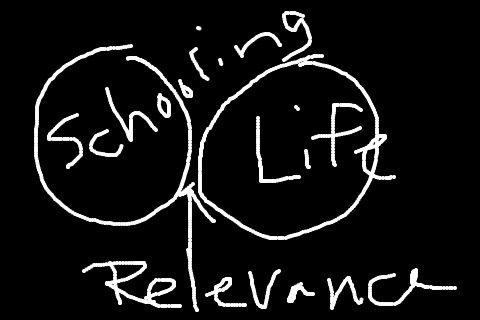 Image credit: http://static.squarespace.com/
As educators we need to begin to implement a bold vision for change to flip the concept of education and focus on relevant learning experiences that actually prepare students for the real world. School should allow students to follow their passions, use real world tools to solve real world problems, develop and apply essential skill sets, think divergently, create artifacts of learning to demonstrate conceptual mastery, and foster creativity. Schools need to work for students if the goal is to prepare them for the real world. Below is my brief TEDx talk on the topic.
I would love to hear your thoughts. Do you think I am on the right track? What else do schools need to do to prepare students for success in the real world?
 Image credit: http://static.squarespace.com/
As educators we need to begin to implement a bold vision for change to flip the concept of education and focus on relevant learning experiences that actually prepare students for the real world. School should allow students to follow their passions, use real world tools to solve real world problems, develop and apply essential skill sets, think divergently, create artifacts of learning to demonstrate conceptual mastery, and foster creativity. Schools need to work for students if the goal is to prepare them for the real world. Below is my brief TEDx talk on the topic.
I would love to hear your thoughts. Do you think I am on the right track? What else do schools need to do to prepare students for success in the real world?