An Awesome Alternative to Buffer Suggestions
So Buffer has been warning us that they are going to turn off the Suggestions functionality beginning on August 1, 2015. I’ve gotten warnings from both their online app as well as the Android app on my phone that link to this article. If you’re not familiar with Suggestions, it was a feature in Buffer that suggested content you could add to your Buffer to be posted to your Social Media profiles automatically over a few days.

Suggestions is/was a great feature because the format was friendly and the content was actually interesting.
14 Collaboration Tools for Social Media Teams http://t.co/NMJnIDTVuM pic.twitter.com/YUx4x50nRA
— ProWebWriter (@pr0webwriter) July 28, 2015
Video: Your Brain on Coffee http://t.co/qO7ASGIzW3
— ProWebWriter (@pr0webwriter) July 27, 2015
“We don’t see things as they are, we see them as we are.” – Anais Nin
— ProWebWriter (@pr0webwriter) July 24, 2015
Previously, I used Klout to help me find content to share quickly, but I never got the engagement I’ve been able to accomplish with Buffer Suggestions. So when they announced they were turning off the feature, I was disappointed. Not to mention the suggestions they make in the article I linked above do not hold a candle to Buffer’s functionality. They really were doing this better than anyone else.
What’s their solution? Using Feeds in their apps which is a paid feature only. Well, y’all know I don’t pay for stuff…especially when I got it for free and now you’re trying to upsell me. Bump that. I really think this is a huge mistake for Buffer and I’m not the only one. You can see that in the comments on that article. So, what am I going to do? With the August 1 looming in a couple days, it was time to find an alternative. I did…I found something better.
I did a write-up about this tool on my other site. This is the best tool I’ve come across maybe ever. I can’t believe there’s not more buzz out there about it. It makes me think I’m missing something, but in the meantime, I’m going to use it! I’m talking about If This Then That. Buffer who?
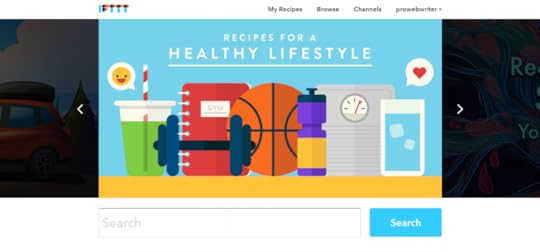
IFTTT is so much more than a solution to this one small issue. To really understand everything you can do with this service, you have to spend a little time exploring their website. If This Then That is a common concept used in programming, but you’ll never see it more simple than this. So what can you do with it?
Automatically change your Twitter Profile image when you change your Facebook Profile picture
Send out a Happy New Year tweet automatically
Automatically add content to your Blogger or WordPress.com blog
Mute your phone ringer when you arrive at the office automatically
Post a tweet when you update your Facebook status
These are only a few things. The possibilities are endless! As of this writing, there are 214 Channels that you can connect to IFTTT. The magic happens when you connect these Channels to each other.
Getting Started With If This Then That (IFTTT)
Well, of course you have to create an account first. Once you’re all set up, I suggest going to the Channels tab and connecting any channels you think you’ll use. In my case, I connected all of my Social Media accounts like Twitter, Facebook, Pinterest, and Instagram.
Just click on the Channel you want to connect. As long as you are logged into that network in the browser you are using, it will connect automatically. Otherwise, you will be prompted to log in. Easy peasy.
Next, browse the recipes that have already been created by IFTTT and others. Recipes? Yes, recipes. I can’t cook…er, make this stuff up. See what’s out there. You WILL be surprised. Here’s a taste.

See anything useful? There’s even stuff on there that’s just for fun like the Space Channel. You will also notice there’s a lot of support for the Internet of Things with the GE appliances and Nest thermostat Channels. I’m pretty excited about this service, and I’m probably not even scratching the surface.
How I’m Using IFTTT to Replace Buffer Suggestions
Not only am I using it for this purpose, but I think it’s BETTER than Buffer!
First off, if you don’t have a Reddit account, create one.
Disclaimer: There is a little bit of everything on Reddit, and I do mean EVERYTHING including stuff I hate and don’t want to see like naked people, gore, and some of the worst content you can find online. It is easy enough to avoid this content without ever seeing it. Also, Reddit comes with a bit of a learning curve, but if you can use a search box, you should be good.
Reddit is sort of a forum on steroids. It is broken up into topics called “subreddits”. Each subreddit covers a specific topic. Search Reddit for topics that interest you and either subscribe or bookmark the subreddits that pique your interest.
For example, given the niche of this website, I subscribe to the following subreddits:
https://www.reddit.com/r/SimplePrompts/
https://www.reddit.com/r/selfpublish/
https://www.reddit.com/r/WritingPrompts/
https://www.reddit.com/r/writing/
https://www.reddit.com/r/Wordpress/
https://www.reddit.com/r/Poetry/
https://www.reddit.com/r/HireaWriter/
https://www.reddit.com/r/freelanceWriters/
The Reddit Channel on IFTTT allows you to create a Trigger, or the This part of If This Then That from all of these options:

So, I created a few Recipes to help me out with my Twitter posts now that Buffer Suggestions is a no-go. First, I made a general one that posts the topics that I Upvote on Reddit to my Twitter stream. This Recipe happens in real-time. As you know it’s nice to have a variety of Tweets that come out at all different times to the tune of up to 14 Tweets per day. So, to take care of the the drip-feed, 24-hour part of my Twitter stream, I created a Recipe that posts all the new posts to both Simple Prompts and HireaWriter to my stream using relevant hashtags like #WritingPrompts or #WritingJobs. This provides both my followers and me with valuable content automatically.
In between all of my automated Tweets, I can still add in posts from Facebook, spontaneous Tweets, promotions, and whatever else I feel like. I’m producing a Twitter stream that brings on new followers and builds my audience. I find that very easy to do with Twitter and that’s why I like it. If Twitter is not your bag, you can do this with Facebook, Instagram, Pinterest, or whatever it is that suits your fancy. Heck, you can do it with them ALL.
The Best Part
How much do you have to pay for this fantastic service? IT IS FREE!!! I know! I can’t believe it either. I don’t know if they will charge in the future or really what the background of IFTTT even is, but I’m gonna rock it like it’s hot until……..
They add new Channels all the time, and I recommend and encourage you to take some time and explore it. You will not be sorry. I have begun implementing the service for my clients and it saves me and them a BLUE TON of time. Happy IFTTT-ing! I would love to hear from you if this post helped you and tell me how you’re using IFTTT.
The post An Awesome Alternative to Buffer Suggestions appeared first on ProWebWriter.com.