Making an Android App using Python
I am a huge fan of Python. It's quick, clean and versatile. It's the only language I or anyone else would ever code in, if those sort of decisions were upto me. But, I digress.
So, one day, I was bored in class. And in one of those rare flashes of insight, I got this very simple idea for a word-game. (Yes, a word-game. I'm geeky that way.)
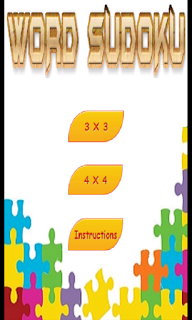
You get a bunch of letters and a grid, and you pick the letters up and put them into the grid - in a manner such that each row and each column contains a valid word. Simplistic. For example:
A C EB A RS P A
The first requirement is a list of all the possible combinations of words that fit into the above described combination. That's easy enough. Google the list of all three-lettered and four-lettered words in the English language, discard the insanely erudite ones, and simple brute-force script using the random library in python, will generally generate a valid set of words within a second or two.
Then, out comes PyGame, a library to quickly create games with python. It was only due to my lethargic attitude and poor coding-chops that it took me over six months to write the code. A good coder would have been able to do it in less than a week. Pretty basic stuff. You make two classes. One for the "tiles" that hold the letters and one for the "cell" that holds the "tiles". Define some basic methods for them to interact such as ...
tile.put_into_cell(cell)
tile.take_out_of_cell(cell)
... update the relevant variables and you're well on your way to creating the code.
Anyway, I got the game working on my laptop. What next? How about making it a windows installable - complete with the always-ignored Terms of Usage? There is a library called py2exe for that, but I didn't make a windows-installer. I set my eyes on something bigger. An android app.
Technically, if you want to do android programming, you should learn Java and the Android library. But, I am a lazy person like that. I've already learnt python. Why can't it suit all my needs? Apparently, it can.
StackOverflow told me to check out pgs4a - the "pygame subset for android", and sure enough after setting it up and tweaking my pygame code - all of which took about three days - I had a functional android-app. That too without learning a shred of Java or Android-programming. All you've gotta do is "import android" and then map certain pygame "events" (such as MOUSEBUTTONDOWN) to the required Android event and you're done. Seriously, that's all you have to do.
The functions provided by the library are pretty basic and the apk will take 6MBs just to store the python library files, but it's one heck of a shortcut! Isn't it?
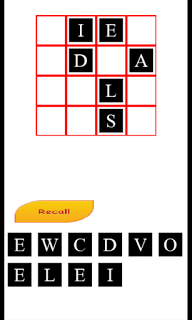
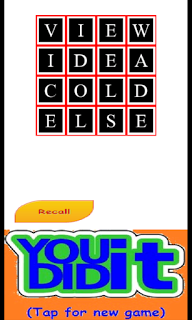
The app can be found here (Google Play wants $25 that I don't have, that's why the app ain't up there).
So, one day, I was bored in class. And in one of those rare flashes of insight, I got this very simple idea for a word-game. (Yes, a word-game. I'm geeky that way.)

You get a bunch of letters and a grid, and you pick the letters up and put them into the grid - in a manner such that each row and each column contains a valid word. Simplistic. For example:
A C EB A RS P A
The first requirement is a list of all the possible combinations of words that fit into the above described combination. That's easy enough. Google the list of all three-lettered and four-lettered words in the English language, discard the insanely erudite ones, and simple brute-force script using the random library in python, will generally generate a valid set of words within a second or two.
Then, out comes PyGame, a library to quickly create games with python. It was only due to my lethargic attitude and poor coding-chops that it took me over six months to write the code. A good coder would have been able to do it in less than a week. Pretty basic stuff. You make two classes. One for the "tiles" that hold the letters and one for the "cell" that holds the "tiles". Define some basic methods for them to interact such as ...
tile.put_into_cell(cell)
tile.take_out_of_cell(cell)
... update the relevant variables and you're well on your way to creating the code.
Anyway, I got the game working on my laptop. What next? How about making it a windows installable - complete with the always-ignored Terms of Usage? There is a library called py2exe for that, but I didn't make a windows-installer. I set my eyes on something bigger. An android app.
Technically, if you want to do android programming, you should learn Java and the Android library. But, I am a lazy person like that. I've already learnt python. Why can't it suit all my needs? Apparently, it can.
StackOverflow told me to check out pgs4a - the "pygame subset for android", and sure enough after setting it up and tweaking my pygame code - all of which took about three days - I had a functional android-app. That too without learning a shred of Java or Android-programming. All you've gotta do is "import android" and then map certain pygame "events" (such as MOUSEBUTTONDOWN) to the required Android event and you're done. Seriously, that's all you have to do.
The functions provided by the library are pretty basic and the apk will take 6MBs just to store the python library files, but it's one heck of a shortcut! Isn't it?


The app can be found here (Google Play wants $25 that I don't have, that's why the app ain't up there).


No comments have been added yet.