The Joys of Jutoh
I’ve been formatting books since January of 2012. Two and a half years! When I first started out there weren’t many ways to format an ebook. I learned by following a fantastic tutorial by an author (whose name I can’t now recall—ack!), but he taught how to format your book into HTML and then convert it into a mobi (for Kindle) and epub using Calibre.
I then found Paul Salvette who has fantastic instructions on how to format in HTML and then convert your book use KindleGen to create an mobi file and I’m not sure what he uses to convert it to epub, but you can be sure it’s something very techy because he believes in doing things “the right way”.
Well, finally, after trying nearly a dozen programs to convert my HTML files, I’ve found one that really does the trick  well—Jutoh. Yes, it costs money, but $40 isn’t a lot to pay considering that I charge $50 to do it for you. J (That includes cleaning your document, standardizing your punctuation, converting it into HTML and then finishing the formatting in Jutoh.) What I hate to admit is that now, with Jutoh, you don’t even need to convert your document into HTML if you don’t want to (although, I still do because I can put in pictures and links much more easily there than I can in Jutoh itself).
The thing is, with Jutoh, you can create beautiful ebooks with a minimum of fuss and even have it create different versions for the different vendors just by jumping through two additional hoops (it’s not difficult, truly). I’m currently teaching my on-line self-publishing class the beauty of Jutoh and how to get it to do all the lovely things we’d like to see in our e-books, but I’m thinking that I need to offer a class just in how to use Jutoh. Yes, there are great tutorials out there on Youtube (this is a link to a very good one) and a book produced by the creator of Jutoh, Julian Smart (who is fantastic, by the way and will answer even the stupidest questions from users—I know, I’ve emailed him a number of times), but perhaps a class devoted just to using that program wouldn’t go amiss.
What do you think?
Oh, and in my class prep for the self-publishing class, I wanted to show exactly how to upload a book to the different vendors and put it up for pre-sale, so I’ve done this (the easiest way to teach something is to do, right?). The Merry 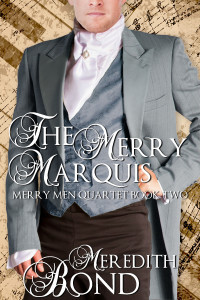 Marquis is now available for pre-order at Amazon, and Kobo and soon Barnes & Noble through Smashwords.