
Show Folders in Outline – Review Mode
There are lots of little additions that I’m liking about OmniFocus 2. As an example, from the change log:

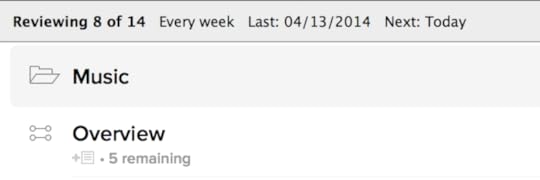
Here’s an example of how this can be helpful: I have a number of projects titled “Overview” which are essentially administration type projects that oversee the rest of the projects sitting in a folder. Something like:
Big Project
Overview
Folder A
Project 1
Project 2
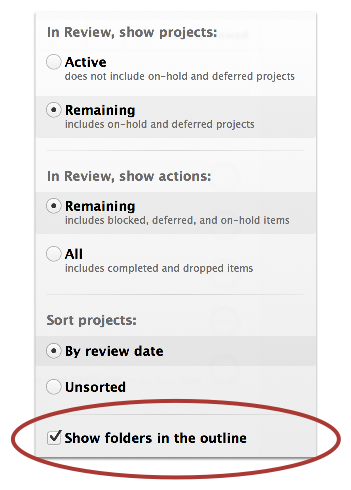
One of the issues has been that in Review mode, I would have to guess which “Overview” folder I was reviewing. It wasn’t a big deal, but it was something. In any case, this feature totally helps out. To turn it on,
Go to review mode (Command-6) by default.
Select the view icon (or type Shift-Command-v)
Select the option “Show Folders in the Outline”:
 Now we can have a better view of the hierarchy:


No comments have been added yet.


