Author tip of the day: Link to your books in your G+ profile!
This will take you less than five minutes...
Author tip of the day: Link to your books in your G+ profile!
This will take you less than five minutes and help prove you're an author.
1. Go to your Profile
2. Click the "About" link
3. Scroll down to "Links"
4. Click edit
5. Type in the name of your book
6. Add the link to Amazon
7. Rinse and repeat for all -- yes all -- of your books
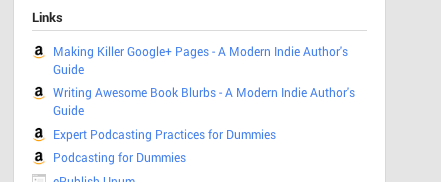
You can link to whatever marketplace you want, or even a landing page if you made one. But I like the branding the "a" provides, clearly showing the link as a book for sale.
#author #publishing
This will take you less than five minutes and help prove you're an author.
1. Go to your Profile
2. Click the "About" link
3. Scroll down to "Links"
4. Click edit
5. Type in the name of your book
6. Add the link to Amazon
7. Rinse and repeat for all -- yes all -- of your books
You can link to whatever marketplace you want, or even a landing page if you made one. But I like the branding the "a" provides, clearly showing the link as a book for sale.
#author #publishing


No comments have been added yet.