ProWebWriter’s Exhaustive List of Android Tips
This aspires to be a dynamic post. This means that I will update it periodically as I think of more things to add. You know what that means….bookmark it, and check back. Do it.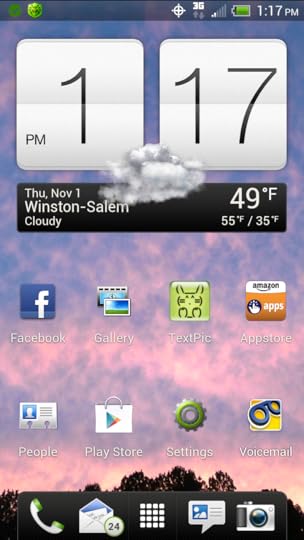
DO NOT buy an app for grabbing screen shots from your phone like this:
UNTIL you do some intense Googling to ensure there’s not a shortcut built into the version of Android loaded on your phone.
Learn how to utilize widgets. Learn how they work, how they are sized and how to get them on your screen. With most devices if you long-press to add an app to the screen, you are offered the option of viewing what widgets are available. Any given app may have an available widget, so if you’ve added a bunch of apps, see what you’ve got. Sometimes the widgets are better than the actual app icon.
Take time to peruse App Stores. Whether it’s the Google Play Store or another lesser known store, browse around. This is the only way to find lesser known apps that may actually rock. I’ve found some great tools this way.
Trade phones with a trusted friend and see what apps they have loaded. This is another great way to find new apps you may find useful.
Before installing an app, check the permissions. My brother’s job released an app for his work email that seemingly made things more convenient for him. However, when he checked the permissions, the app basically granted permission to render his phone a useless brick if the employer felt it was necessary. He opted out of the convenience. All the more reason to check the permissions included with an app created by complete strangers who may sell your personal information or that of your contacts.
If you find a developer you really like, search for them exclusively by typing their name in the Play Store. Google uses those famous algorithms EVERYWHERE and the odds are that developer has other great apps.
Make your email address and passwords short (but strong). Typing it 8 million times on a tiny virtual keyboard is going to get old. You might as well make it as easy on yourself as possible.
Use Dropbox. This app is multi-faceted awesome. It makes sharing between your Android devices and your computer seamless. It automatically backs up all the images from the gallery on my phone. That means that I can snap a screen shot for a blog post like this one, and it’s uploaded automatically to Dropbox and synced with my computer while I’m writing the copy for the image. Dropbox adds a sharing option to many other apps too where you can instantly upload images, audio, or video to access from other devices. You can easily share files with friends from your Dropbox Public folder. I simply can’t say enough how useful this app is.
In fact, use all the storage apps. They’re all useful in their own way. I know this isn’t an app review post, but apps are often tips in and of themselves. Box has 50GB free and works much like Dropbox. Google Drive gives you 5GB and holds all of your Google files from Google Docs and the like.
Avoid power management apps. I haven’t found one that actually helps and I’ve tried more than a few. Mankind’s downfall with all of these awesome portable devices is our lacking in battery technology. Batteries suck, and there’s not much you can do about it. An app that constantly runs in the background will NOT help. Learn to optimize components on your phone so that you get the best battery life. Don’t have wifi on when there’s none available, optimize your screen brightness, optimize how long your screen stays on once your put your phone down, etc. Many of this is can be done with aforementioned widgets.
Don’t leave home without your charger…in light of the above.
Use optimizing apps for RAM and cache. Any one will do. I like Gemini App Manager for RAM, and I use an all-in-one app to keep other things cleaned out and running smooth.
Definitely invest in the highest capacity SD card. Many devices come with the option to expand the file space via a micro SD card. As of this writing, the max is running at 32 and 64GB I think. Get the largest amount your device can handle. This is usually specified in the specs somewhere. If you can’t find it, ask someone. You’ll want the space for your music, files, apps, etc.


No comments have been added yet.