A Better Alternative to Goodreads: The StoryGraph

Many authors and readers dislike Goodreads for several reasons.
1. Amazon owns it. Yup. That explains a lot, doesn’t it?
2. It’s become a place for scammers.
In fact, on the top of the Author Dashboard, Goodreads has a message for authors that says, "we are currently investigating a small number of bad actors who have attempted a reviews-based extortion scam against some authors on Goodreads."
3. The community can be toxic. This doesn’t just goes for readers/reviewers but authors behaving badly, too.
4. The website is confusing and hard to navigate.
(They recently changed how book pages look in an effort to make them more user-friendly, but the rest of the site is still the same.)
Do you want to escape one or all of this?
But do you still want to have a great platform where you can build your TBR list, review books, check out book reviews, and set up a reading challenge?
Don’t worry. I’ve got you.
THE STORYGRAPH
Why is it amazing?
- Black woman-owned
- Independent platform (no multibillion corporation using your data in nefarious ways)
- Website and app available for free in the App Store
- Sleek, uncluttered look
- Personalized recommendations based on your preferences
- No paid placements (book recommendations are not influenced by ads and budgets)
- Your reading habits displayed in neat pie charts (see below)
- A better reviewing system
- You can rate with .5, .75, and .25, so if you’ve ever had to specify a 4.5 rating in a review on Goodreads but had to choose between selecting 4 or 5 stars, you don’t have to do that on The StoryGraph.
- A special content warning section that is extremely important. They are prominent and easy to see, not buried in reviews like on Goodreads, if a reviewer even thinks to add content warnings in their reviews.
- Easily upload your Goodreads data so you don’t lose anything!
UPLOADING YOUR GOODREADS DATA:
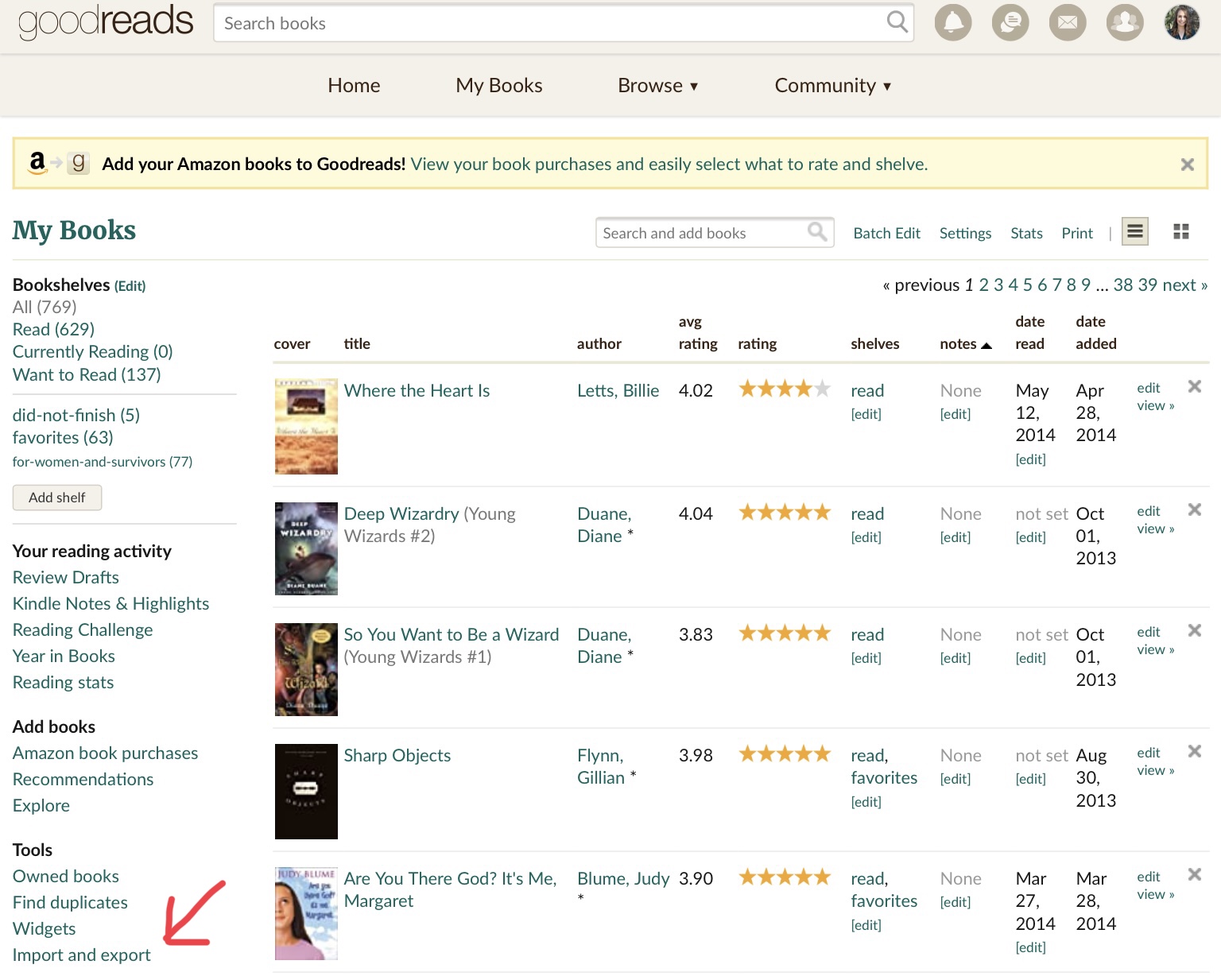
1. On Goodreads, navigate to your “My Books” page on your Goodreads profile.
2. In the left-hand sidebar, click on “Import and Export” under “Tools.”
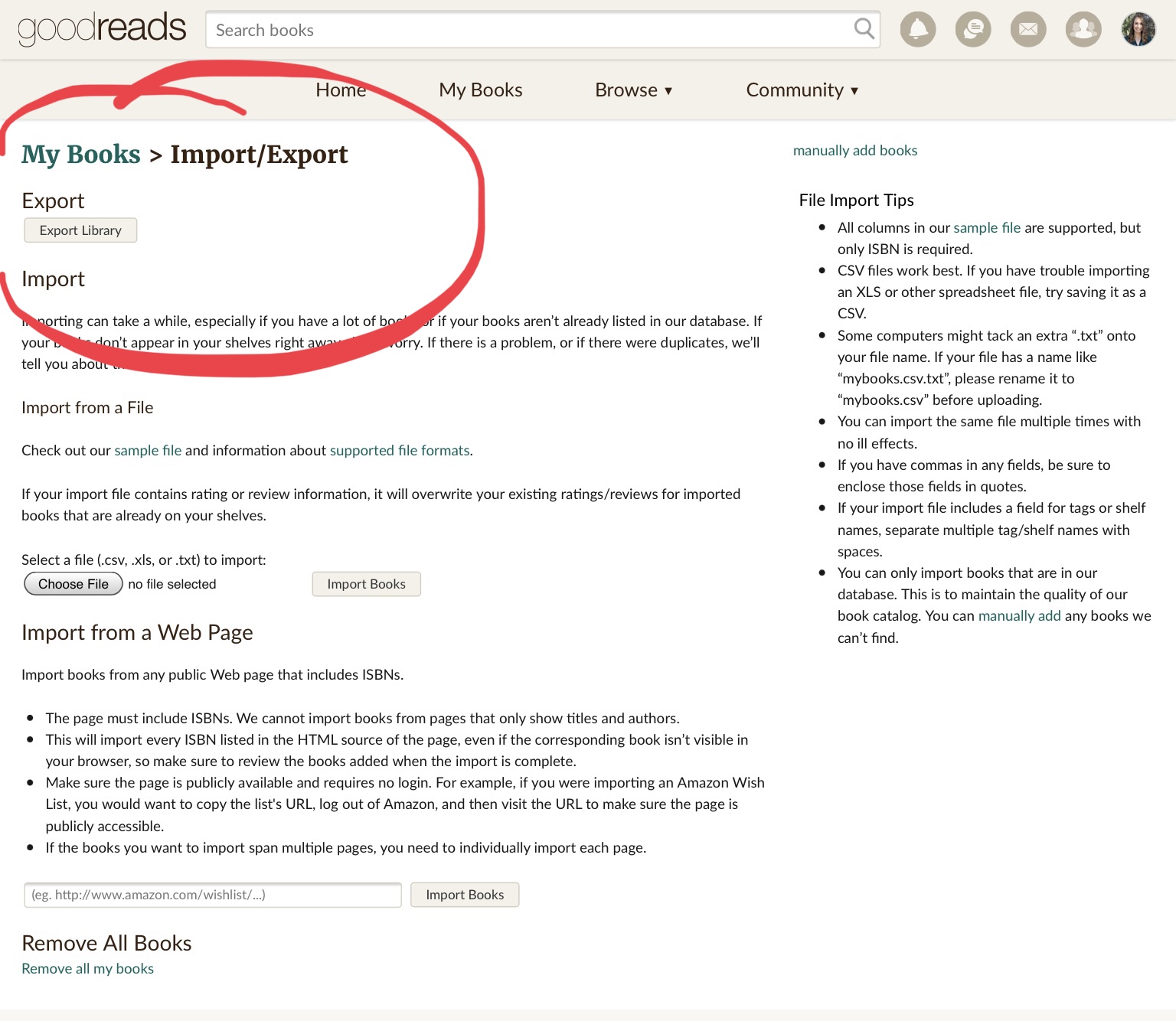
3. Click “Export Library.”
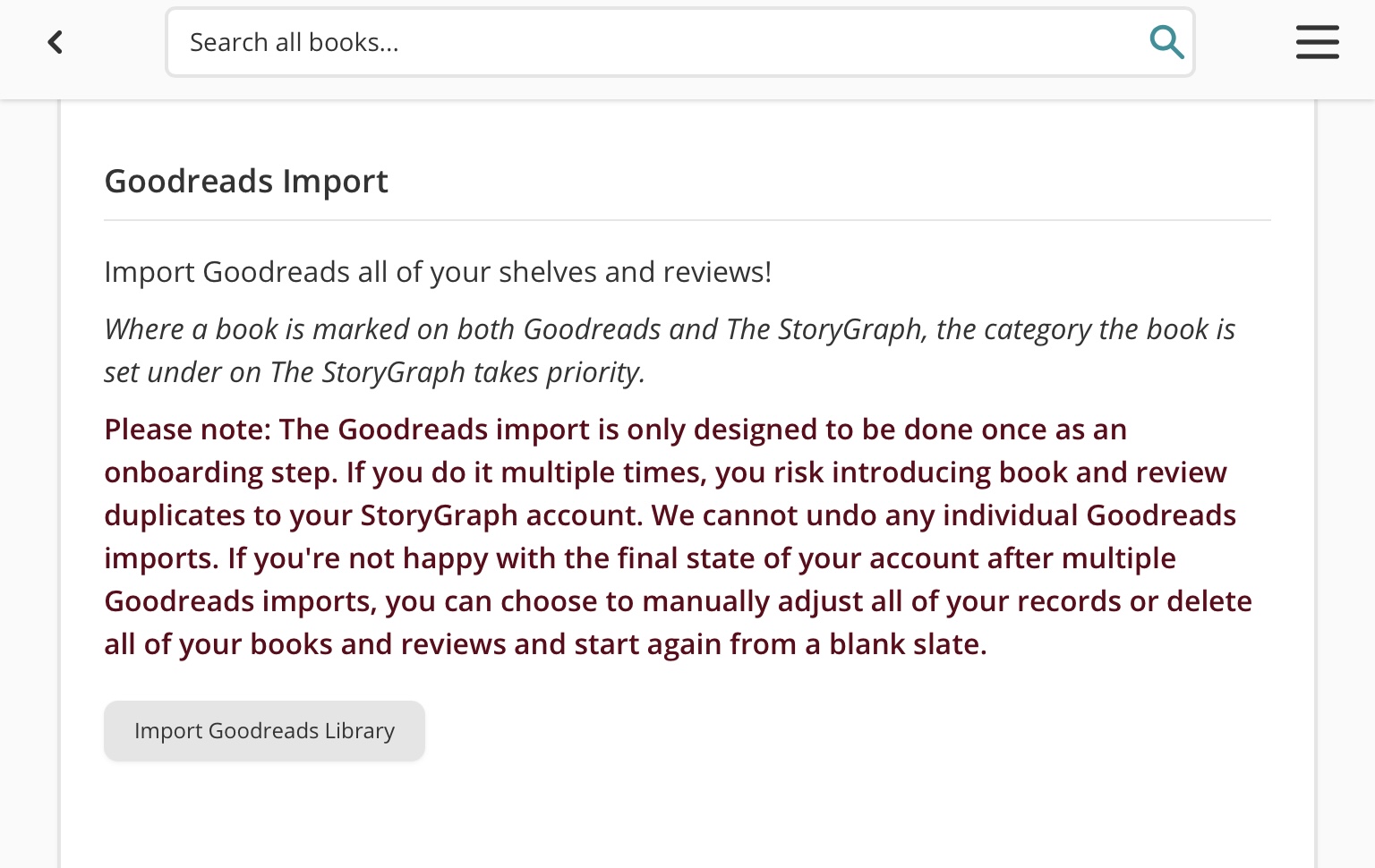
4. When you’re signing up for The StoryGraph, they will ask you about and walk you through the steps of importing your Goodreads data. It’s super easy!
5. If you’ve already signed up and need to import your Goodreads data, sign in, go to “Manage Account,” scroll down to “Goodreads Import.”
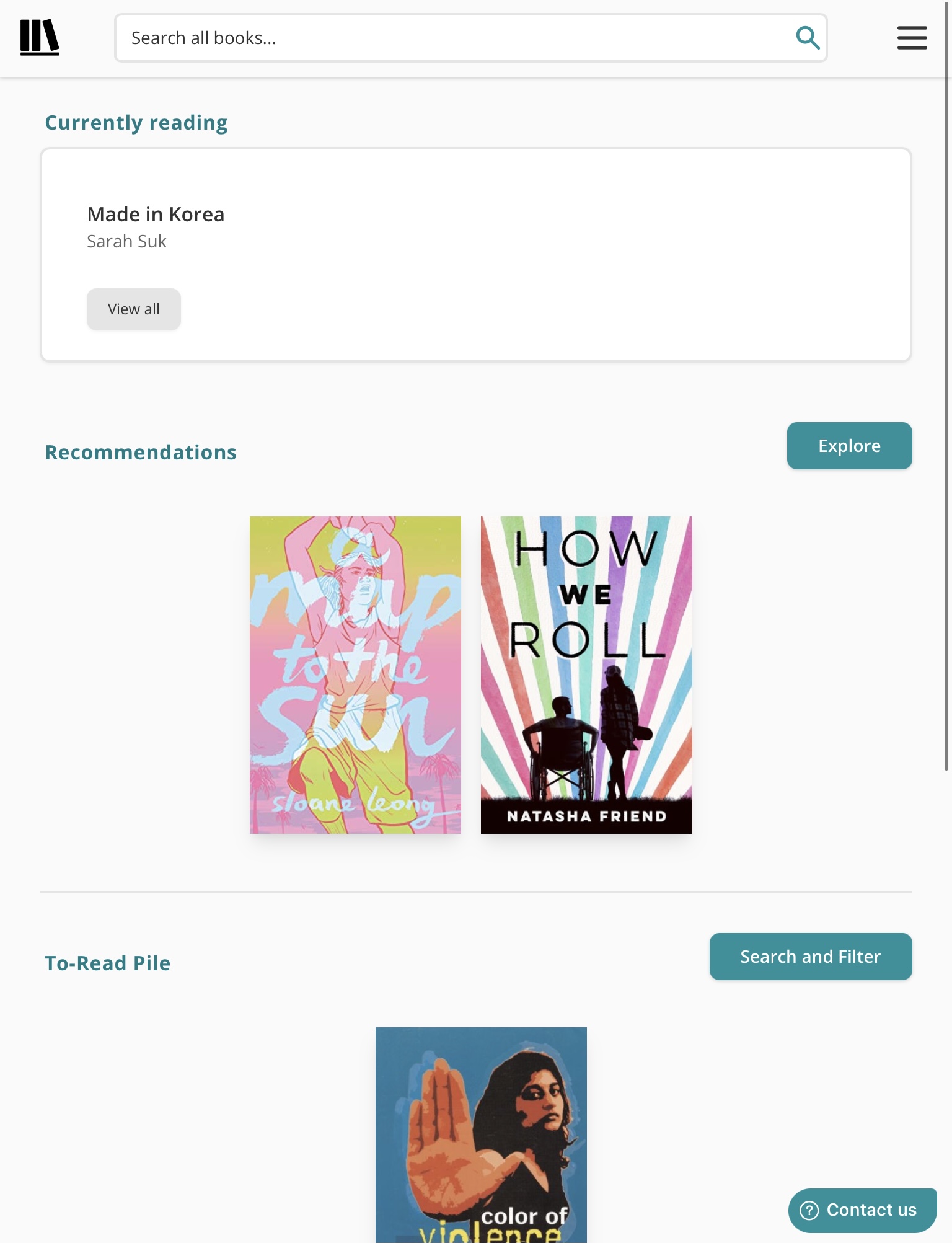
This is what I see when I first log-in on The StoryGraph app:
This is what my “Profile” looks like:
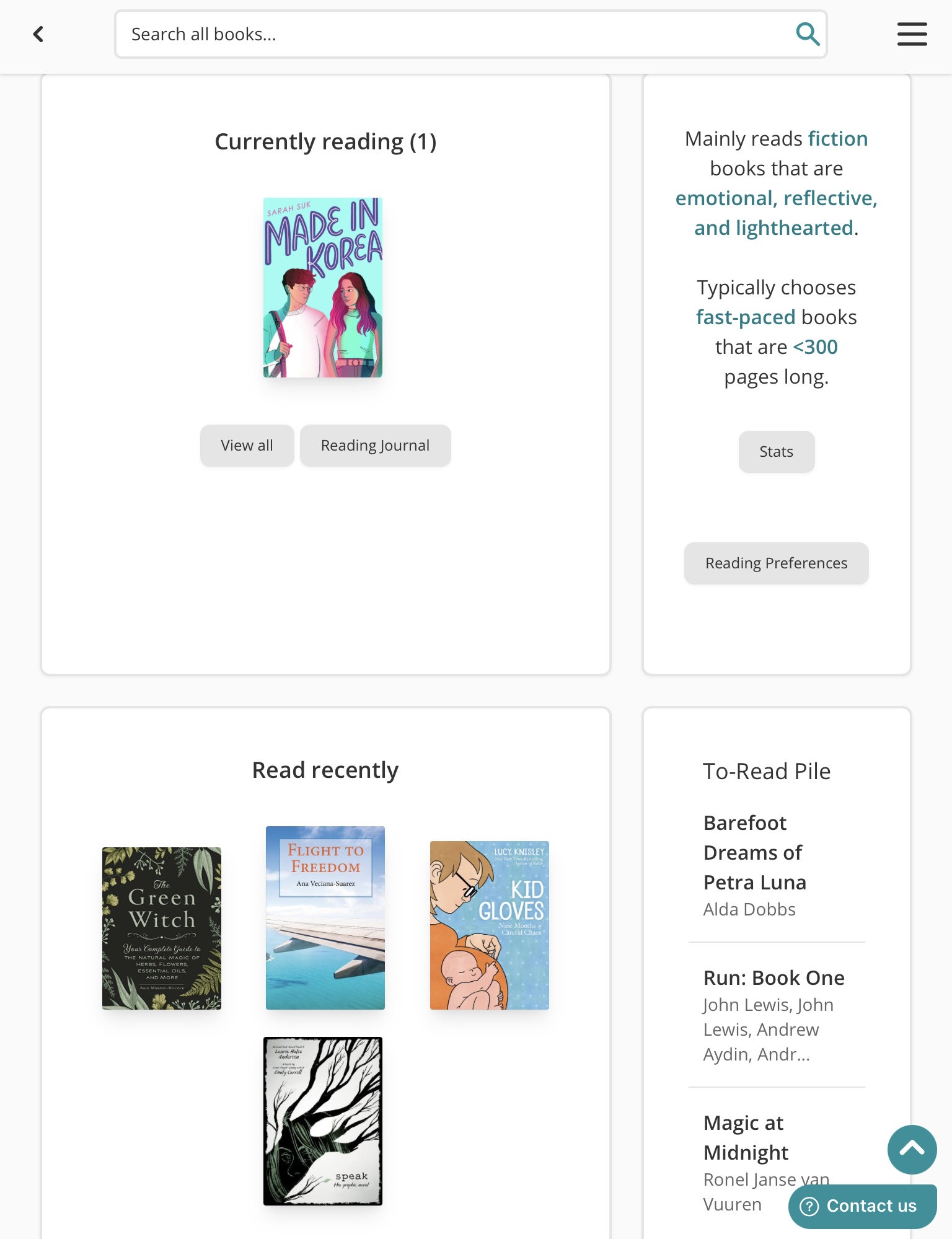
This is what my “stats” show for 2021:
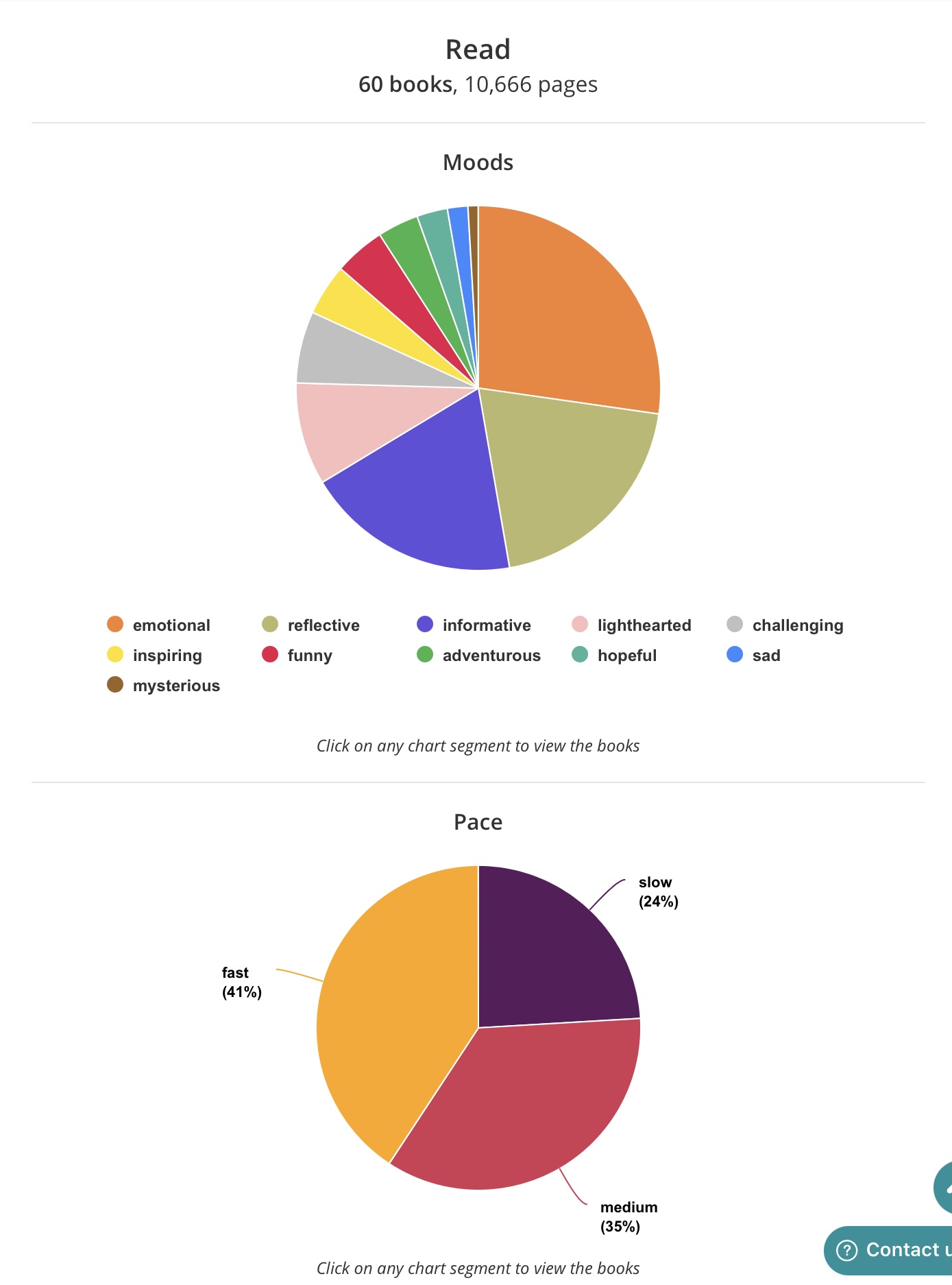
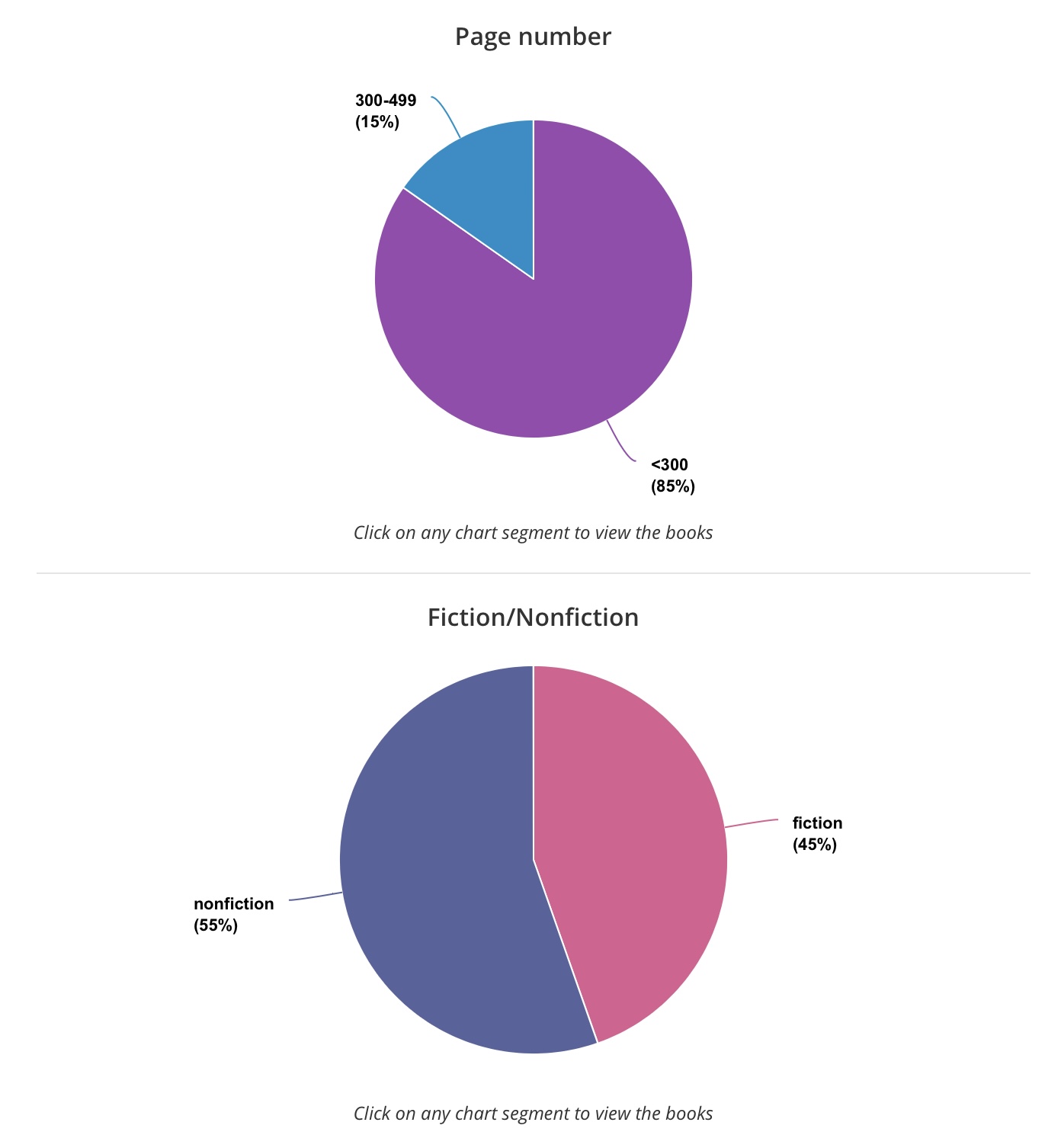
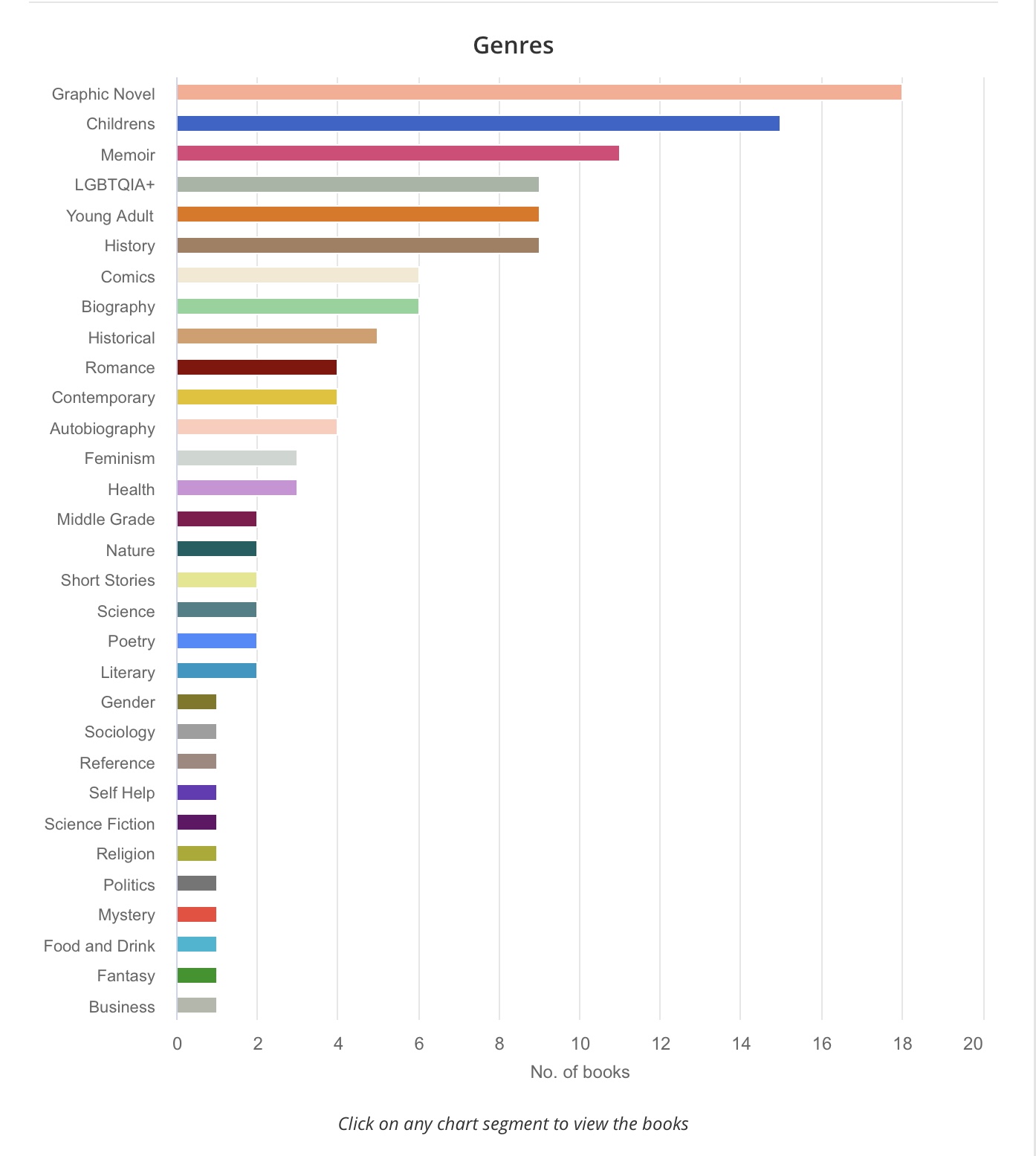
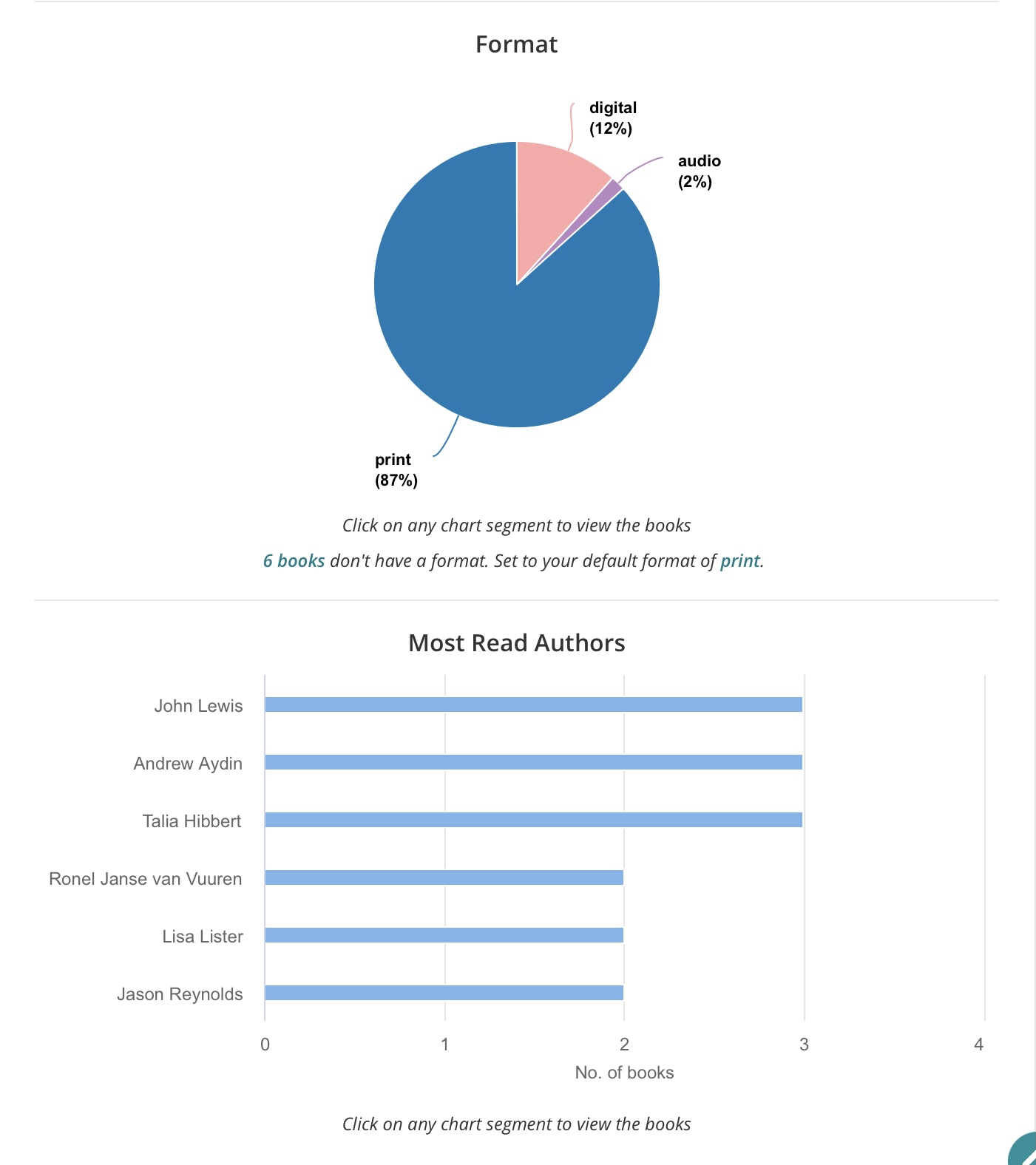
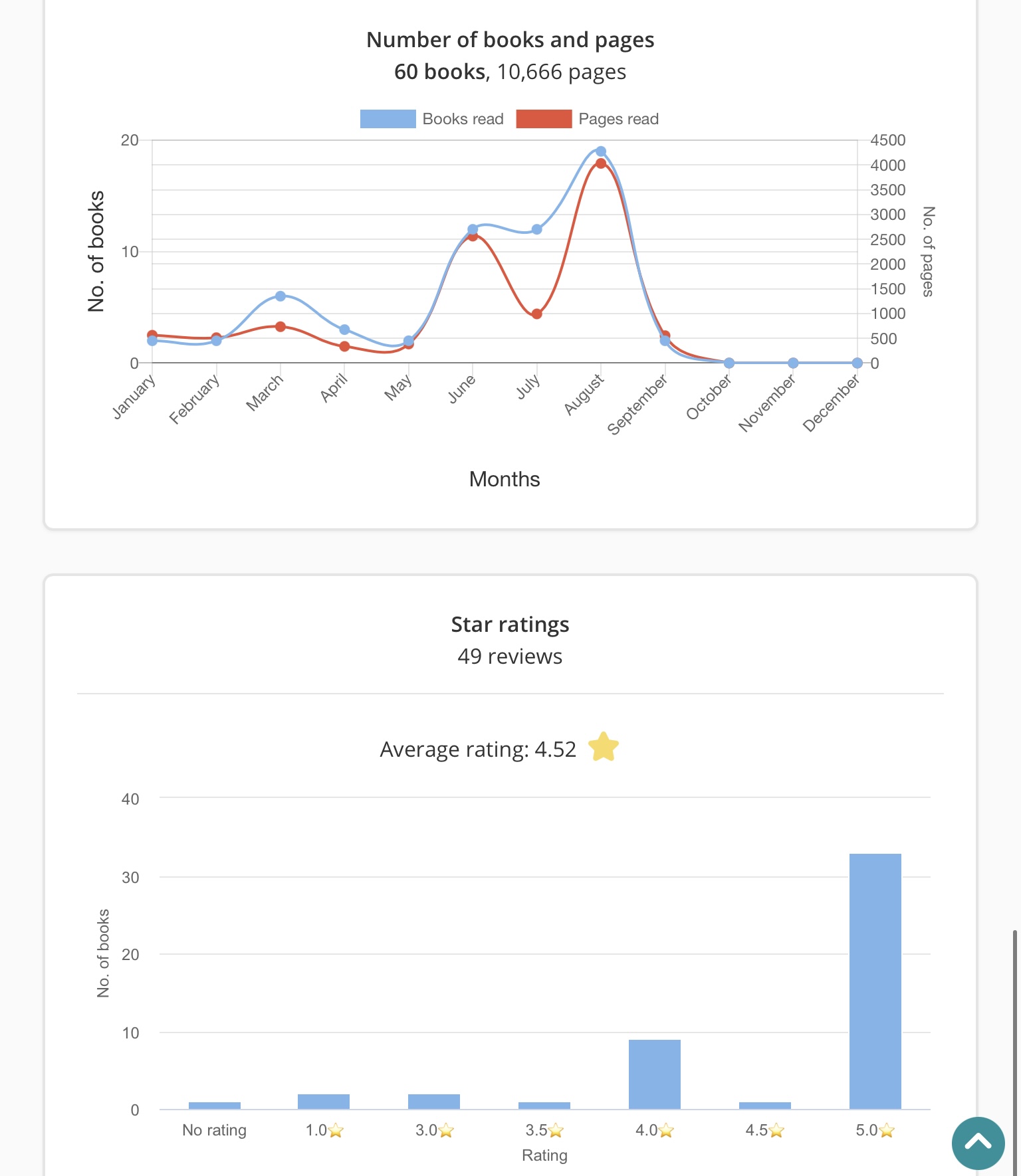
NOTE: The “stats” button can be found on the sidebar of your Profile. You can change the stats depending on what you want to see. You can change the year and even view a specific month.
AUTHORS:
What about author profiles?
This is a new-ish platform. I personally asked if they plan to have author profiles (like Goodreads does), and I received a reply in the affirmative. I don’t know when they’ll implement this, but you can enjoy all the reader/reviewer benefits in the meantime.
This is what a book’s page looks like on the app:
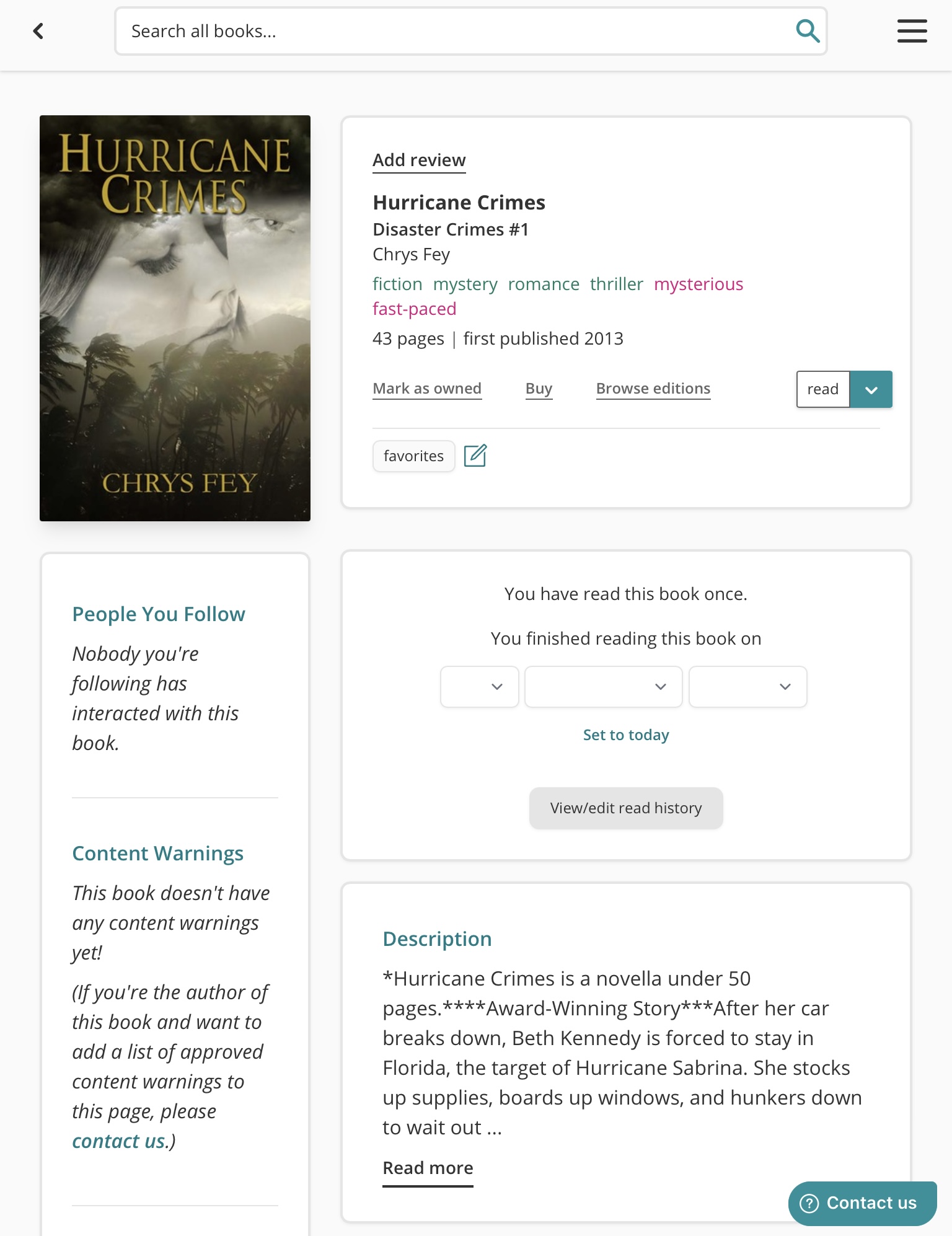
NOTE: You book(s) may not have reviews here yet, but The StoryGraph is gaining in popularity, more and more people are switching over to it, and as this happens and Goodreads data is imported, your books will eventually start accumulating reviews.
If you like the sound of ANY of this, what are you waiting for?
Join The StoryGraph now!
QUESTION: Are you on The StoryGraph? Let me know if you join and what you think of it! I, obviously, love it! Do you want to sign up now? I hope so! 😀
You can find my profile here and follow me.