Web Design Bulletin: ColorZilla, Worthington Millwork, Facebook Messanger
Cool Tool, Service or Resource
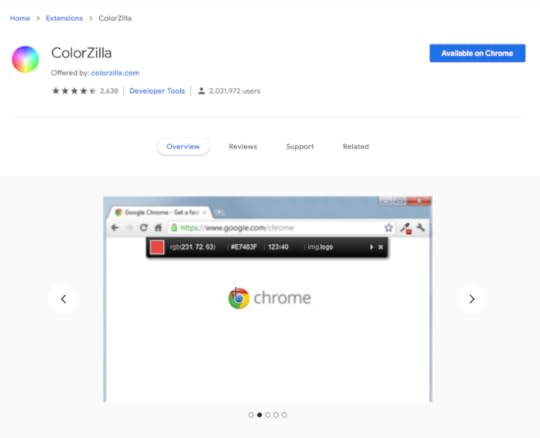
This eyedropper tool has come in handy many times while selecting a color scheme for a new website.
It lets you pick colors on any website and provides the hex and RGB codes to use with your preferred design software.
No need to reinvent the wheel, find a color combo that you like on an existing website, and make something unique with it!
Web Design Example
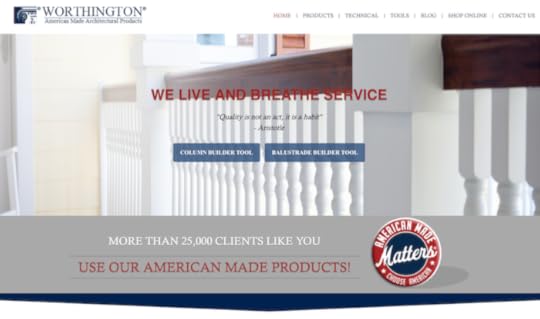
This Florida based company makes architectural columns and balustrades (I had to look this up).
They have a great setup, including:
WordPress website design
Full-width layout promoting builder tools
Trust with 25,000 clients and American made
Pop-ups to download their catalog (& get your email)
Chatbot (bottom-right)
The only quick negative I see is the website is labeled “Not Secure” in the browser bar. That’s because they still have links within the navigation menu that are HTTP instead of HTTPS. Once that’s cleaned up, they will get the padlock icon.
You can fix that quickly with a past tool recommendation, the WordPress plugin Really Simple SSL.
I also was able to uncover who built their website. It’s a company from Austin, TX. It’s not at the bottom of the site, but it’s in the code.
Can you figure it out?
How to Find Clients

Today’s recommendation comes from Jeremy, a subscriber who I mentioned in a recent email that’s taking action. He’s building his web design freelancing business.
Look for local businesses that have Facebook pages with a bad (or no) website listed. There’s a better chance you’ll reach them on Facebook Messenger if they run an active page.
From there, you can set up an in-person meeting to discuss the details – and potentially get paid!
Become a WordPress expert, watch this FREE 3-part video series now!
The post Web Design Bulletin: ColorZilla, Worthington Millwork, Facebook Messanger appeared first on Website Profit Course.