
How to Use and Share Instagram Videos and IGTV

This is a multi-part series on Instagram. In this installment, we talk about Instagram videos and IGTV. (I kept this post short because I’m at a training today and I didn’t want to lose momentum in this series. Here we go!)
Let’s first review some basics:
You can record a video on Instagram and post. When doing this, your live video can be as long as one hour.
When you record a video to your phone and then post it to Instagram, your video can’t be longer than one minute. They also must be at least three seconds.
Videos posts to your Instagram Story has a time limit of fifteen seconds.
How to Record and Share Instagram Videos and IGTV
Here are the steps:
Record a video on your phone.
Open Instagram and tap the IGTV logo.

Your phone will take you to your recorded videos.
You’ll see a plus (+) sign. Tap it.

From your camera roll on your phone, tap the video you want to select.
Tap next. (I went back to capture the screenshots so as you can see, you can already see my title.)
Assign a title and description.

Finally, tap post. Your video will automatically post on your IGTV app as well.
This video example isn’t one I would typically create for Instagram. It would be better to share tips. But for the purpose of this blog post, I quickly created a more general video.
Note: You can also record a video in Instagram. Go to your newsfeed, tap the plus sign in the lower task bar, switch from photo to video, and record.
Instagram and IGTV
You can also add a video from IGTV to your Instagram Story. Here’s how:
Go to the App store and upload IGTV.
Log in to IGTV.
Select your video from your phone’s recorded pictures and videos.
Tap the paper airplane icon.
Next, select “Add video to your story.”

Tap the plus sign in the circle at the bottom of your screen.
Or, tap “Send to >.”
Finally, tap “Share.”

As you go through this process, you’ll see the option to add the story to Highlights. Highlights allows you to group old stories together in a new section that sits below your Instagram bio. This obviously gives greater emphasis to them.
How to Use Instagram Videos
Wondering how to use Instagram videos as an author?
Talk about your newest book.
Explain why you became an author.
Discuss your process when you write.
Showcase your favorite books (by other authors).
Use a video to talk about a contest.
Ask questions, such as which books are your readers’ favorites.
Do a fun video with your dog or cat.
Create a video showing the room where you write.
Take a walk in the woods and explain why you like the path you chose.
Ask your readers what they would like to see in your videos.
How will you use Instagram videos?
Want to know all of my best social media marketing tips? Get a copy of Social Media Just for Writers.
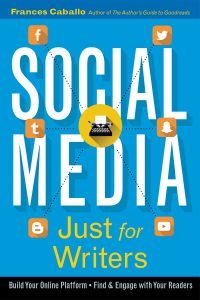
Well written, well researched – well thought out. This book is a must have!
Ryshia Kennie
 Author of this blog: Frances Caballo is an author and social media strategist and manager for writers. She wrote several social media books including Social Media Just for Writers and The Author’s Guide to Goodreads. Her focus is on helping authors surmount the barriers that keep them from flourishing online, building their platform, and finding new readers. Her clients have included authors of every genre and writers’ conferences. Not sure how you’re doing online? Sign up for her free email course.
Online Book Marketing Strategies for Writers
The post How to Use and Share Instagram Videos and IGTV appeared first on Social Media Just for Writers.


10 Twitter Tips Writers Need to Know

- Frances Caballo's profile
- 274 followers

