
Instagram Account Lagging? Start Using Instagram Stories

If you use Instagram and you notice that your account is stagnating, the problem is twofold:
You’re not engaging sufficiently with other users.
You’re creating Instagram Stories.
In this installment of my multi-part series on Instagram, we’re talking about Instagram Stories.
But before we get into that discussion, let’s review some statistics that Hootsuite published two weeks ago. Here we go.
Instagram Statistics to Take Seriously
Instagram has 1.1 billion monthly active users. Among those people, 500 million use this app every day.
71% of Instagram’s users around the world are under the age of 35.

72% of U.S. teens use Instagram. In fact, in the fall of 2018, Instagram surpassed Snapchat in this demographic.
Important to this discussion today, 500 million people use Stories every day. Most brands (2 million of them) are telling their stories with Stories.
Now, let’s look at the breakdown of Instagram’s users:
34%of Instagram users are millennials
22%of all Instagram users log in at least once a day
38%of users check Instagram multiple times a day
25%of smartphone owners use Instagram
Now, let’s get into Instagram Stories.
Instagram Stories
In August 2016, Instagram launched Instagram Stories. Stories are basically a feature that allows users to take photos, add effects and layers, and add them to their Instagram Stories.
Instagram introduced them to combat competition from Snapchat’s Stories introduced in 2013, which disappeared in 24 hours.
When Stories were introduced in 2016, they disappeared at the end of 24 hours, similar to Snapchat.
Now, you can archive your Stories. Here’s how:
Go to your profile and tap the three bars in the top right corner
Tap Settings > Privacy and Security > Stories Controls
Tap Save to Camera Roll and Save to Archive
If you want, you can even tap “Share Your Story to Facebook”

How to Create Instagram Stories
Here’s how to create your first Instagram Story:
Go to your home feed and tap your picture with the blue and white plus sign in the top row. Alternatively, you could just tap the camera icon.

Snap a picture. Yes, I’m using my dog but, hey, why not?

Select a filter.

If you want, draw on the image with your fingertip.

Select multiple pictures, if you like.

Tap Share your story.

Once you’ve created your first story, just tap the camera in the upper left-hand corner on your newsfeed to create more stories.
You’ve probably heard that you can add a swipe up to access a link to your books or blog post from an Instagram story. That feature is limited to users who have business accounts and 10,000 followers.
Use Canva to Create and Upload Instagram Stories
An easy way to create an Instagram Story is to use Canva. Here are the steps.
In the app store, upload the Canva app.

Select Instagram stories. Change the photos from the templates, the colors, or add a hashtag.

When you’re ready, click upload. Then select Instagram from the options.
 Click Share.

If you’re more comfortable using Canva on your desktop, you can create an Instagram Story that way as well. Just follow these steps:
Go to Canva.com.
In the search bar on Canva, type Instagram Story.
Use one of Canva’s templates or create your own.
Download the Story and then send it to yourself using Gmail.
On your phone, open your Gmail account and download your new Instagram Story to your images.
Open Instagram and tap the camera icon in the upper left-hand corner.
You’ll find an icon on the bottom left that will take you to your pictures. Tap that.
Select the Story you created.
Add and special effects you’d like to and then tap share.
Easy, right?
How to Use Instagram Stories as an Author
What next? Here are some fun ways to use stories:
Promote your newest book.
Promote a free book when it’s the first in a series.
Going to a book festival or writer’s conference? Create and share your experience in Instagram stories.
Start a story around your writing process.
Stack your favorite books to share them with your readers.
Just for fun, create a story around your pets.
Now that you know how to create Instagram Stories, what’s your next step? Create more stories, snap more pictures, use your Instagram account daily, and engage with other users and your readers and colleagues.
Remember this: have fun!

Want to know all of my best social media marketing tips? Get a copy of Social Media Just for Writers.
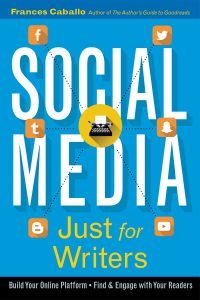
Well written, well researched – well thought out. This book is a must have!
Ryshia Kennie
 Author of this blog: Frances Caballo is an author and social media strategist and manager for writers. She wrote several social media books including Social Media Just for Writers and The Author’s Guide to Goodreads. Her focus is on helping authors surmount the barriers that keep them from flourishing online, building their platform, and finding new readers. Her clients have included authors of every genre and writers’ conferences. Not sure how you’re doing online? Sign up for her free email course.
Online Book Marketing Strategies for Writers
The post Instagram Account Lagging? Start Using Instagram Stories appeared first on Social Media Just for Writers.


10 Twitter Tips Writers Need to Know

- Frances Caballo's profile
- 274 followers

