How to Control What Visitors Post on Your Facebook Page
 January 18, 2018
Anna Hubbel
As transparent and engaging as you may want your Facebook page to be, nobody likes a troll. The best way to prevent users from trolling your page is by preventing visitors from posting on your page, which you can do by changing your settings.
Prevent #trolls from trolling your @Facebook page by changing your settings. #facebookhowto
Click To Tweet
Steps for Changing Visitor Page Settings
Step 1: After logging into your page, go to “Settings” at the top right of the page.
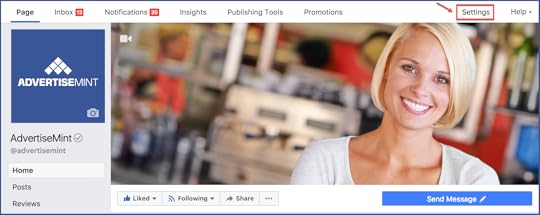
Step 2: With the “General” tab selected, find and select “Visitor Posts.”

Step 3: You then have the option to select either “Allow visitors to the Page to publish posts” or “Disable posts by other people on the Page” (depending on your preference).
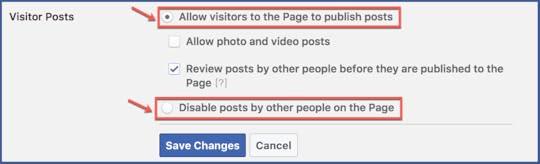
If you’ve selected “Allow visitors to the Page to publish posts,” you have two options to choose from: “Allow photo and video posts” or “Review posts by other people before they’re published to the Page.”
If you select to review posts, you are able to review posts first by going to “Posts by Others” in your activity log. By approving a post upon review, you can then choose to allow it on your page.
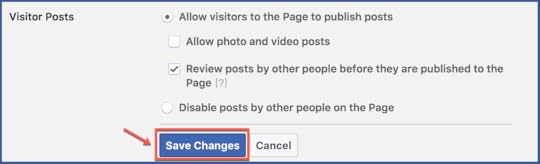
Step 5: After you’ve specified your preferences, select “Save Changes.”
Additionally, when it comes to visitors’ posts, you can also:
Hide or delete individual comments
Block words and turn on the profanity filter
Ban specified users from your page
Turn off reviews for your page
If you want to change more of your page settings, you can also learn how to turn off similar page suggestions on your Facebook page.
The post How to Control What Visitors Post on Your Facebook Page appeared first on AdvertiseMint.