How to Ban Troublesome Followers from Your Facebook Page
 January 24, 2018
Anna Hubbel
You can ban page followers from posting on your @Facebook page, liking and commenting on your posts, and messaging you. #facebookhowto
Click To Tweet
Spam is a nuisance, especially when certain users continuously publish it on your Facebook page. You can, however, ban individual followers from posting on your page, liking your posts, posting comments, and messaging and liking your page.
How to Ban Someone Who Likes Your Page
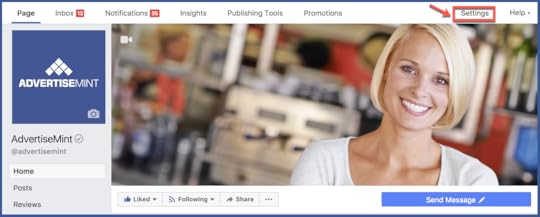
Step 1: Go to “Settings.”
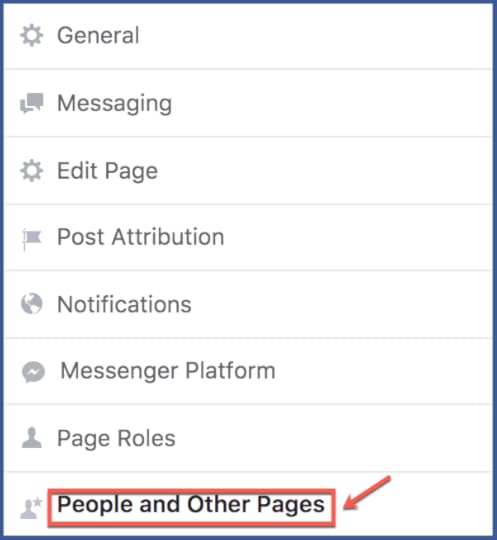
Step 2: Select “People and Other Pages” in the left-hand column.
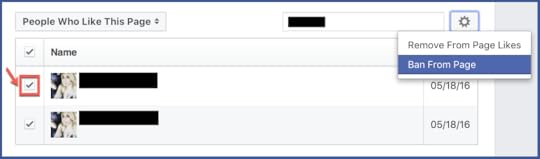
Step 3: Search for the user you want to ban and click to check the box next to their name.
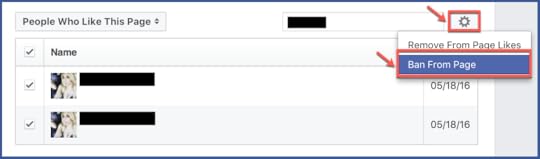
Step 4: Select the gear icon and choose “Ban From Page.” Click “Confirm.”
Ban Someone from a Comment on a Post
Step 1: Hover over a comment by the user and select “…” located at the right. Select “Hide Comment.”
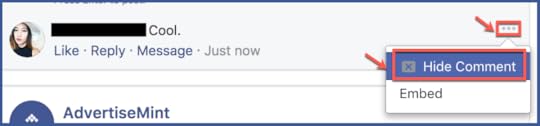
Step 2: Click “Ban [Name].”

Ban Someone from Messaging Your Page
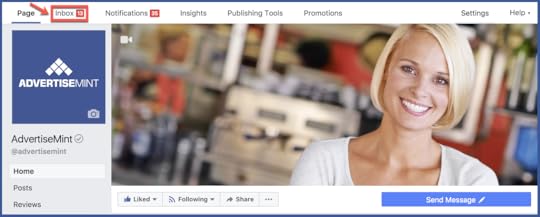
Step 1: Select “Inbox” at the top of your Page.
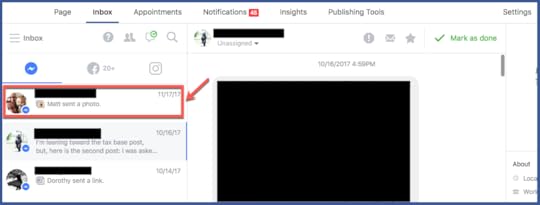
Step 2: Choose the message from the person you want to ban on the left.
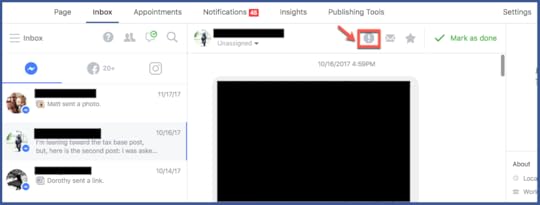
Step 3: Select the “Mark as spam” icon.
Ban Someone from a Post
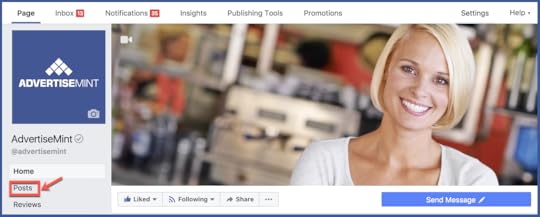
Step 1: Choose “Posts” from the left-hand column of your Page.
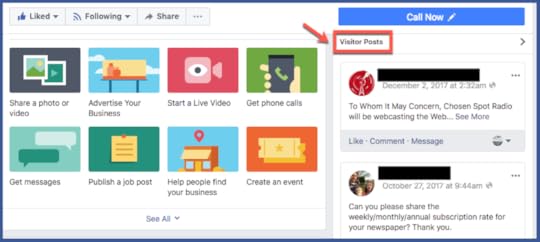
Step 2: Select “Visitor Posts” at the right-hand side of your Page.
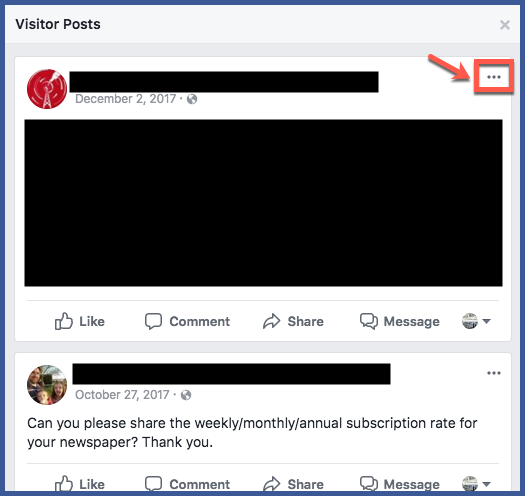
Step 3: Locate the post by the user you want to ban and select the “…” icon.
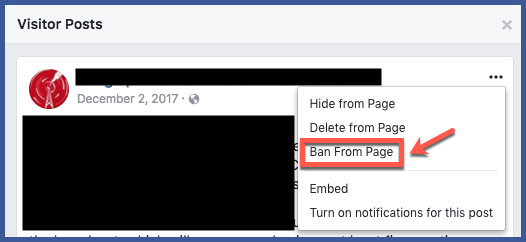
Step 4: Click “Ban From Page,” then “Confirm.”
Unban Someone From Your Page
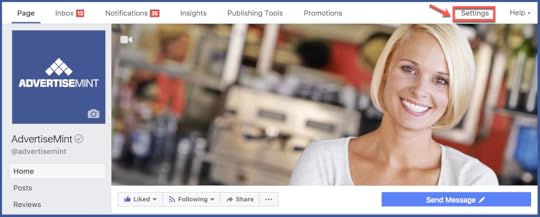
Step 1: Go to “Settings.”
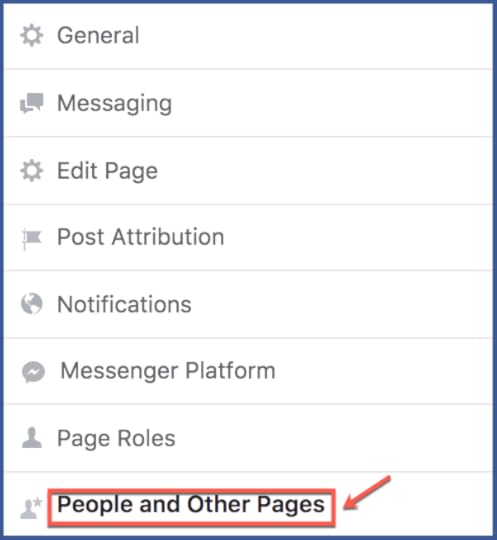
Step 2: Go to “People and Other Pages.”
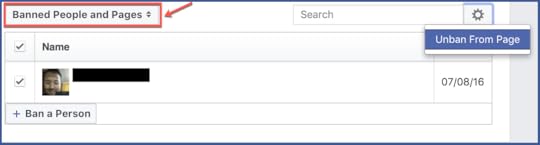
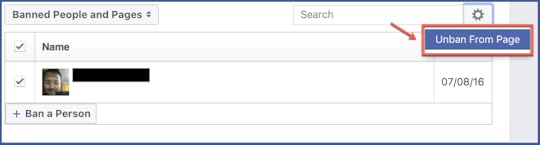
Step 3: Select the “People Who Like This Page” dropdown and choose “Banned People and Pages.”
Step 4: Click to check the box next to the user you want to unban.
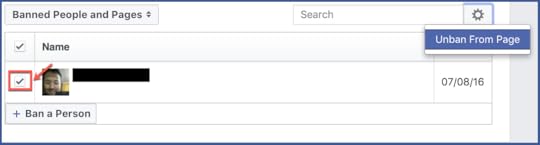
Step 5: Click the gear icon and choose “Unban From Page,” then click “Confirm.”
Learn also How to Control What Visitors Post on Your Facebook Page.
The post How to Ban Troublesome Followers from Your Facebook Page appeared first on AdvertiseMint.