Everything You Need To Know About Building An Online Course
Just like blogs before them, online courses have become fairly commonplace. And for good reason. Online courses are a great way to teach something by hitting three different types of learning: video (visual learning), audio (auditory learning), and active (kinesthetic learning).
Before we go a step further, let’s both get on the same page with something:
If you’re creating an online course, you should be doing it as a way to solve a problem for someone, not as a get-rich-quick scheme.
Lots of folks on the Internet want to tell you that you can make “5 to 6 figures in your course launch.” I love Regina Anaejionu’s perspective on this trend in the online entrepreneurship space:
“The ‘6-figure suck-in’ really refers to the super annoying trend to publish income reports that are misleading, to title your courses and resources in a way that implies an unrealistic promise, and the wave of people caught feeling like they NEED to make 6 figures or NEED to reach a certain income amount in a certain time or else they’re failures.”
And while it is absolutely possible to make great money with an online course, it takes a lot more work (and investment!) than most people are willing to share/endure. I will touch on making money with an online course later in this article, sharing case studies of varying shapes and sizes. But I want to make it absolutely clear that this article is not going to have you swimming through money like Scrooge McDuck by the end.
Let’s start with a few questions you should be asking yourself if you’re thinking of creating an online course:
1. Do I have something worth teaching?
2. Where do I even start?
3. Once I’ve created an online course, then what do I do?
4. Can I make money with an online course if I don’t have a big audience?
Lucky for you, I want to answer all these questions in this article. Starting with the most important one (#1).
Everyone has a skill to teach
There is something unique about you. There is something you know better than most people. You are full of interesting ideas, thoughts, opinions, and experiences.
When I set out to create my first online course in 2013, I had absolutely no clue what I should teach. I knew I wanted to move away from trading time for money, but I didn’t know where to start. A friend of mine gave me some great advice in the form of a question. He asked, “What’s something you have experience with that you could share with other people?”
My self doubt immediately crept in and told me, Nothing! I’m not special. I’m not a teacher. Why should I create an online course? These thoughts are normal, and they continue to come to the surface every time I think about creating a new online course. The first time around, that self doubt lasted a couple weeks before I realized I had quite a bit of experience in landing paying sponsorships for projects. Over 1,600 paying sponsors, to be exact. There had to be something I’d learned during all that experience and some processes/tactics I could share.
And there were! I created an online course called How To Get Sponsorships For Anything. That course was my starting point, and three years later, it has brought in over $100,000 in total revenue. I’ll talk more about how I’ve reached that number, along with other sales-related stuff, in a minute.
You have something to teach. Don’t believe me? Send a text message or email to 10-15 of your friends. Ask them one simple question: “What do you think I’m good at or better at than most people?”
The responses to that question could form the topic for your first online course. If you need more ideas, you may want to try No Bad Ideas Brainstorming with a friend or two.
Where do you even start with online courses?
You don’t need to spend a ridiculous amount of money to create your online course, but you should start with the idea that you want to make something great (and useful).
Step 1: Create a plan of attack
If you start with a plan for creating your online course, the process of actually making your online course will be that much easier. Here are the three phases I like to go through each time:
Phase 1: Plan
Interviews/research (finding out what your target buyers’ current pain points are)
Outlining the course content (based on interviews/research)
Picking your software/equipment (Google Docs? Keynote? iMovie? Teachery? More on this in a minute)
Phase 2: Create
Writing your course content (after picking software)
Getting your content proofread by an editor
Getting feedback from target buyers
Create a pre-launch and/or sales page (start collecting emails)
Creating your course slides/deck
Recording your lessons/course content
Hosting your online course (course platform, website, plugin?)
Phase 3: Launch
Create a way for people to buy your course (software)
Coming up with a marketing and launch plan (more on this in a minute as well)
I could probably write an entire article about each one of those items*. The most important one may seem like creating the content or creating a way for people to purchase the course, but no! The interviews/research are the most important part. You need to make sure your online course topic is actually solving a problem for people.
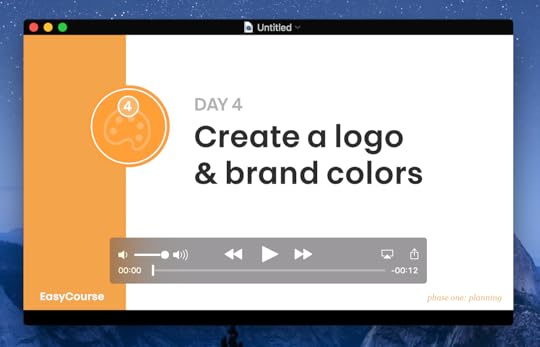
*Related: I created a 30-day step by step course on how to build your online course. The registrations for EasyCourse are open until May 30.
When my buddy Paul Jarvis and I created our Finish Your Damn Book course, we did it after getting email after email from people asking us what our process was for writing our books. We finally received enough of these emails and decided it was time to create the course. On the other hand, my girlfriend Caroline was doing design and branding work for paying clients. She would get emails from entrepreneurs and small business owners who wanted to hire her, but didn’t have the budget and wanted to learn for themselves. After a few Skype calls with these people (where she just tried to help them), she saw a few patterns and an opportunity to create an incredibly affordable online course called the Better Branding course. Listening to your existing (or potential) customers is one of the best ways to make sure you’re creating an online course that people actually want.
Step 2: Create your course content
This is my process for creating an online course. I’ve created ten online courses now, and I feel like I have a great process in place for going from idea to finished product.
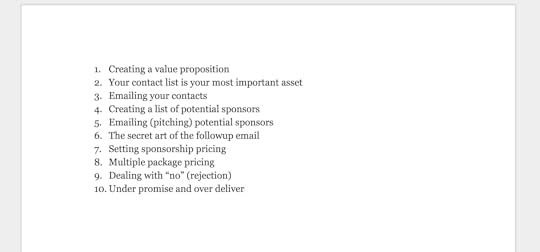
Write your course outline: This is simply a bulleted list. A brain dump, if you will. Get all your thoughts about your course topic down in broad strokes. Don’t worry about refining your initial thoughts. Just put ideas down. Here’s my course outline for my How To Get Sponsorships For Anything course.
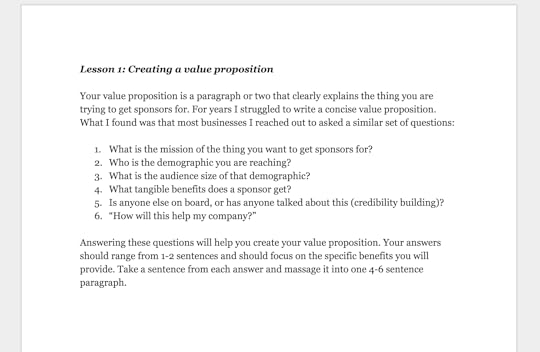
Write your course lessons: Take each bullet point and write the content needed to clearly explain and teach that point. These will become your lessons. I, personally, like to write the content out for each lesson and not worry about proofreading, organizing, or editing.
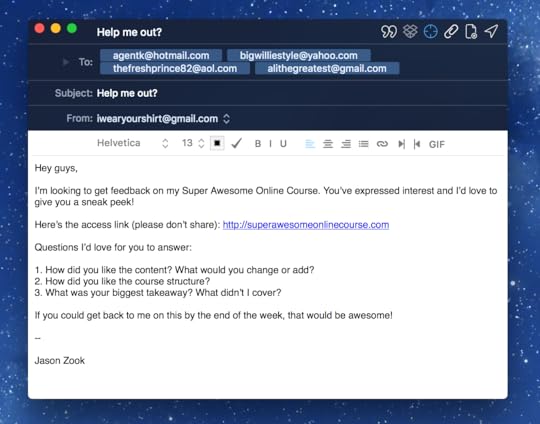
Get your content proofread: Have someone look your content over for typos. They may want to give you advice on content, but be careful here! If that person doesn’t represent your target buyer, take their feedback with a grain of salt.
Get feedback on your lessons: Once proofread, share your lessons or a PDF version of your course with a handful of potential buyers. What do they have to say about it? What questions do they have? Where do they need more information?
*This first group of people who read your course content are critical in helping you create a great online course that actually helps someone.
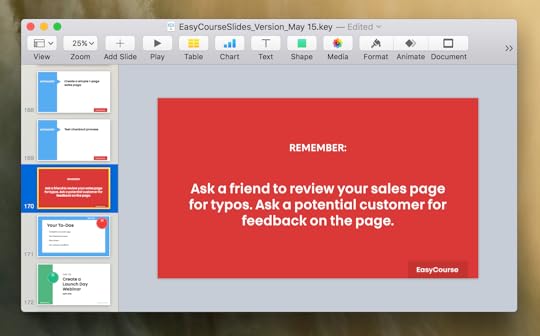
Create presentation files for your lessons: I prefer using Keynote here. You may use Powerpoint or Google Slides. Whichever one helps you work efficiently, pick that one. Take your lesson content and create bite-sized versions of it for lesson slides. Add imagery to help back up your content. Add video tutorials or walk-throughs.
Record your screen with your presentations: This is where your online course comes to life. Record your screen* (I like Quicktime, Screeny, or Screenflow) and talk over your slides. These become the video lessons for your course. Remember to be yourself, have fun, and remember real people will be watching these videos (so have an extra cup of coffee!).
*You can also record your presentations directly in Keynote, although I’ve yet to try that myself. I use Quicktime and I’m comfortable with that process!
Step 3: Pick the right equipment/software
Technically (see what I did there?), this might be step 2.5, but let’s just roll with it.
There are a plethora of choices for you to make when it comes to recording, hosting, and sharing your online course content. Since this is my article, I’m going to share my favorites with you.
For audio, RODE Smartlav: I love this $80 lavalier microphone. It plugs directly into the microphone port of your computer (or phone) and clips onto your shirt. The audio quality is fantastic and you can’t beat the price. If you want to go a bit higher quality (and money) I like/use the RODE Podcaster.
For recording, Quicktime: You can’t beat free (if you’re on a Mac)! Two clicks of a mouse and your screen is being recorded. You can even do simple clip trimming once you’re done. Just run your slides and record your screen. Boom.
For editing, iMovie or Final Cut Pro X: I, personally, use Final Cut Pro X to edit my course videos. Removing ums, ahs, and mess-ups while recording is a breeze. I can also add in images and other video clips easily. I 100% recommend using iMovie if you don’t have experience with Final Cut Pro X. It’s free on Apple products and extremely user friendly, with a lot of the same bells and whistles of Final Cut. If you’re using Windows, Movie Maker should be your choice (and I believe it’s free).
For video hosting, Wistia (or YouTube or Vimeo): If you want free, go with YouTube. If you want your online course to look extra sexy and not have any external branding (other company’s logos), I recommend Wistia or Vimeo. Wistia is $25/month and gives the best video experience within an online course, in my humble opinion.
After the content is created, then what?
Once your course is ready, you need to find a virtual home for it.
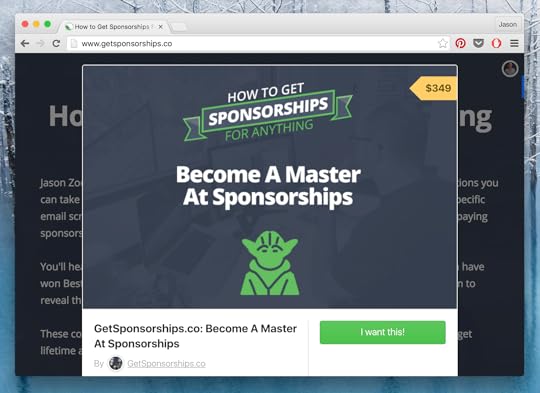
In 2013, when I created my How To Get Sponsorships For Anything course, I looked around at the different course software that was available. Everything had lots of fees, and nothing looked like it would keep my branding intact or let me customize things. So, I designed the online course framework I wanted and had a WordPress developer build it out with a payment and user management system for $2,000 (I do not recommend doing this, keep reading…).
When I started passing my course around for feedback from friends, most of them said the content was great, but they looooved the course platform! “What course platform is this?” a friend asked. And another said, “Ya, the course is fine, but this course design is great. What software are you using?” A few similar emails later, and I saw a need in the market.
So, with the help of a friend who happened to be looking for a side project, Teachery was born. An online course platform that’s customizable and easy to use, requires no technical skills at all, and has zero fees!
Yeah, I’m pimping my own product here. Why? Because it’s the simplest and most affordable (and comprehensive) online course platform available. You can learn more about Teachery’s features here. You can check out our (awesome) prices here*.
*If you sign up for a trial of Teachery and send me an email mentioning this article, I’ll happily give you a month of Teachery for free.
And if Teachery doesn’t look right for you, by all means, please investigate other online course platforms. Just make sure to crunch the numbers when it comes to all the fees you’ll have to pay, if they take a percentage of your sales (Teachery does not), and what their customer support looks like. If you have an issue with Teachery and you send an email, you’ll most likely get a response from one of the founders (myself included).
No matter what course platform you choose, make sure it’s the one with the least amount of friction to get your online course out into the world!
How do you make money with an online course?
I’m going to give you a system for selling your online course, but I want to preface it by saying this is just one system. One way to sell an online course. Here’s what it looks like:
1. Create a sales page that collects emails for your course with a launch date
On this sales page, you want to address the pain points your online course is going to solve for your potential buyers. How do you find these pain points? Talk to your customers! Whether it’s via email, surveys, Skype, or (best) in-person chats, ask your potential customers what problems they have with the topic you want to create an online course for. Listen to them. Look for patterns. Address the specific pain points and problems you hear in the sales page copy. Then, have an email signup form on the sales page that clearly explains people can sign up for early access (and the best price) and list a launch date.
I like using ConvertKit for my email capture. They also do landing pages. Teachery has landing pages as well.
You should create the sales page well in advance. You should also share it early on. Get people excited about your course and you’ll have folks waiting in line to give you money.
2. Share some behind-the-scenes stuff along the way to build up your list
Did you fill a wall with Post-it notes? Did you design a really cool logo or animation for the course videos? Are you filming extra content for the course in a cool location (or with an interesting person)? Share this with your existing networks and tell them to sign up for your course email list.
3. What do you use to actually collect the money?
Short answer: If you’re using Teachery for your course, we have payment pages built right in. They’re customizable, and they offer promo codes, countdown timers, and lots of other fun features. Teachery integrates with Stripe, so you only pay Stripe’s processing fee of ~3% every time you sell a course.
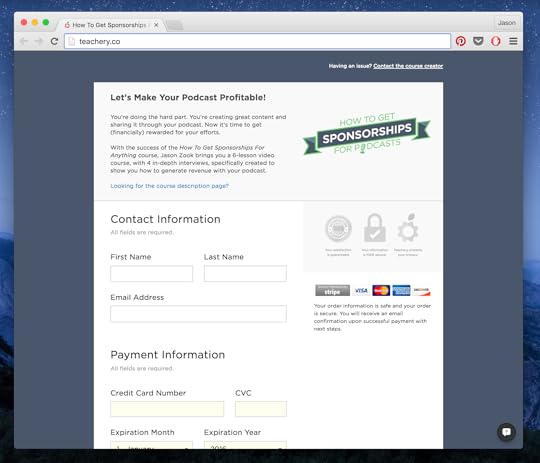
Longer answer: Gumroad is an extremely versatile payment processor. You’ll need a payment page to put a Gumroad buy box on (or modal window triggered by a buy button). Teachery offers sales pages, but if you want more flexibility, I’d highly recommend using Squarespace to create a simple and effective sales page. There are plenty of other landing page and payment processing companies out there, but be careful not to get stuck down a bunch of rabbit holes!
4. Ready to launch? Timed discounts and bonuses are great
The 100% truth is that people need urgency to buy stuff, especially digital products like online courses. In the launch email you send to your subscribers (when you’re ready to start selling), do a discount for the first 24-48 hours. Personally, I think 20-30% off is a great place to start. You can do more, you can do less (I wouldn’t do less, but that’s just me). Depending on the length of your launch, which I’ll talk about in a second, you could do multiple discounts. For example if you’re doing a 2-week course launch window:
First 48 hours, 40% off
The rest of the first week, 25% off
End of the first week, throw in some extra bonus goodies if people buy (mid-launch bonus)
The second week, 15% off or no bonus and just say the course launch is closing
Last day, course is closing!
Each of these could/should be an email to your course email list subscribers. You may be thinking that’s a bunch of emails to send people. Let them decide that.
Don’t make assumptions based on what you think; make decisions based on what people tell you they want.
If 20 people buy and 2 people complain, does that mean you’re sending too many emails? If it were me, I’d just say my course wasn’t for those 2 people, and I’d concentrate on the 20.
5. Should you use discounts? Should you have an open and closed course launch? What about evergreen courses?
Whoa nelly, that’s a ton of questions, but really good ones.
Discounts: You need to do what feels right. Truthfully, I believe digital products need a “retail price” that they’re worth (something only you can determine). Then you can decide if discounts are appropriate. Maybe you only do two or three discounts per year? Think about how often you’re motivated to buy things in the grocery store because of a discount on a retail price. Yes, your course isn’t a buy-one-get-one antiperspirant deodorant, but the same psychology applies.
Open/closed launch: I prefer open/closed launches with my courses because it allows me to hunker down and work with the human beings who buy my courses. I want to be there for them. I want to help them. I want to answer their questions. If I open the course, make some sales, and then close down the selling process, I can focus on my buyers and make them happy. This puts me in complete control, and I really enjoy that.
Evergreen courses: You’ll read below about an evergreen course that’s made over $60,000. While this is possible, it’s not the norm. I have one course that’s evergreen that hasn’t sold anything after the initial two-week launch period. Not a single sale. I made over $15,000 in the launch period, but nothing since then (it’s been over 6 months). I tend to think lower-priced courses have a better chance at selling as evergreen courses, where higher-priced courses (over $300) need more urgency to buy.
6. Don’t be afraid to repackage your course with other products or with other people
In a minute, you’re going to read a case study about using a deal site to promote a course. I’ve had courses featured on AppSumo and MightyDeals. You can submit your course to them and if you get accepted, make great money.
Also, online course topics usually make great collaboration opportunities. Think of all the different processes, tools, and products/services you talk about in your online course. Who can find online who sells related products or courses? Can you team up and bundle your offerings as a separate purchasing opportunity?
Don’t think of your email list as your only place to sell your online course. Think of your online course as an asset in your arsenal, and find different avenues and outlets to share its existence!
A few profitable online course case studies…
I want to share four case studies with you about selling online courses.
Case Study #1: How my girlfriend made $66,200 with a $20 course (in 19 months)
My girlfriend, Caroline, got very curious about hand lettering in 2014. She found tutorials online, found a few videos on YouTube, but mostly just taught herself hand lettering through trial and error. During the process, she realized that there simply wasn’t a great resource for beginners like her who wanted to learn how to do hand lettering.
After a few months of experimentation, she decided to share what she learned about hand lettering in a blog post on her website, Made Vibrant. A couple of months later, she started to notice a spike in traffic to that blog post.
At the same time, my sponsorship online course had been making good money (more on that in the fourth case study below). Instead of jumping at the opportunity to build an online course, she decided to gauge her new audience’s interest by adding an email signup form at the bottom of the blog post. That signup form said very simply, “Like this article? If you’d be interested in a $20 hand lettering for beginners online course, enter your email below.” Caroline set a number in her mind, 200, and if that many people signed up, she’d commit to making the online course. Low and behold, 200 people signed up in just three weeks.
She hunkered down and created an online course in a week, following the steps I outlined above. When her course was done, she sent an email to the 200 people, sold about 50 courses, and made around $1,000 (awesome!).
So where did the other $65,200 in revenue come from? Mostly from consistent organic traffic to that ONE blog post (yes, just the one). Caroline has continued to engage with the community of buyers for nearly two years, creating monthly hand-lettering challenges on Instagram and continuing to send valuable additional content to the people who’ve already purchased.
Case Study #2: How I made $6,000 pre-selling a course in 2 weeks
This is a case study I’m extremely proud of. I think it’s especially relevant to many of you reading this who still aren’t sure you want to put in the work to create an online course.
After a year of having my How To Get Sponsorships For Anything course, I knew podcasting was gaining popularity and that I could make a smaller version of my sponsorship course focused solely on getting sponsorships for a podcast; however, instead of going through all the effort upfront to make the course, I decided to have my potential customers vote for the course with their money.
I created a very simple sales page outlining the How To Get Sponsorships For Podcasts course. I put a pre-order button (using the Bumpsale pricing method) on that page and said the pre-order window would be open for two weeks. I sent a link to the pre-order page to my email list (which was under 2,000 subscribers at the time) and promoted the link on social media.
In the back of my mind, I told myself the pre-order needed to get to $5,000 for me to want to invest the time in creating the course. Plus, using Bumpsale, I could gauge the threshold for what people were willing to pay. At the end of the two weeks, the pre-orders had crossed over $6,000 in revenue, and I was off to the races. I emailed all the pre-order folks and told them the course would be ready in a few weeks (at the same time asking them what pain points they’d experienced with trying to land sponsors for their podcast—this gave me great additional content ideas for the course material!). I put in the work to make the course, emailed access to all the pre-order buyers, and have continued to sell the course since.
Pre-selling a course is a great idea, and here’s the beauty of pre-selling: If you have a goal in mind that you don’t hit, just refund all the pre-orders (very easy to do, logistically speaking). No one loses any money, and you can focus on a different course or project.
Case study #3: A course that made $3,349 at launch went on to make over $100,000!
My buddy Paul Jarvis and I kept getting emails asking us how we went about writing our non-fiction books. Paul and I would talk on Skype, both sharing stories of people emailing us asking similar questions about the authoring process. Push came to shove, and we finally decided we’d heard enough people asking us about it. So, we set out to create an online course.
Piggy-backing off an email course that Paul created called Write Your Damn Book, we decided to create an online course called Finish Your Damn Book. While Paul’s email course was great, it didn’t go into quite the detail via email that we could go in with video, audio, and written lessons.
We put the course together, Paul designed a beautiful sales page, and we announced the Finish Your Damn Book course to our two email lists (a combined group of over 20,000 people at the time). Then we waited… And waited…
In the first week after launching the course, we had only 17 sales of the course at $197. A total revenue of $3,349.
What happened to all the people who were emailing us? All that interest we thought was there? And how the heck did we turn $3,349 into over $100,000?
Well, we didn’t give up on the course, but did give up on our email lists as a place to promote the course. We shared the course on sites like Product Hunt, Designer News, Hacker News, and various other places. While those drummed up another handful of sales (read: less than 10), it got us on the radar of AppSumo. AppSumo is a very popular website with an email list of near 1M subscribers (yep, one million!). They told us they wanted to feature Finish Your Damn Book if we were willing to do a discounted price just for their audience. We were hesitant at first, but we realized we wanted to make a lot more than $3,000 for the time and effort we’d put into the course. While we aren’t allowed to share specific numbers, let’s just say the AppSumo deal was very lucrative.
The other way we were able to make money with a course that no one in our audience wanted was to add it to a bundle of our products we called The Bundle of Awesome. This bundle contained about 20 digital products (courses, books, etc) that Paul and I had created, and was sold over the course of three months. The Bundle of Awesome brought in over $43,000 in total revenue—and Finish Your Damn Book was one of the most popular items talked about by purchasers of the bundle.
Sometimes, a course launch will be less than stellar. We learned a valuable lesson about the effectiveness of capturing an interested audience via a specific email list for each course we sell. We also learned that a course can be resold and repackaged in many different ways to bring in revenue.
Case Study #4: A detailed breakdown of how I made $32,680 in 8 months
The fourth case study is a full breakdown of how I made $32,680 in 8 months with my How To Get Sponsorships Course in 2014. This dives fairly deeply into using webinars to sell an online course on an ongoing basis (using Facebook Ads and landing pages).
While this strategy for selling an online course can work really well, I simply got tired of doing webinars about a similar topic. That shouldn’t dissuade you from trying webinars—just make sure you enjoy doing them and are providing a lot of value.
What’s left?
Phew! We made it! When I first sat down to write this article, it started as something completely different. In fact, I want to share the original topic with you, because it became an entire other article, and I think it’s important: Should You Build An Online Course?
There’s a lot to chew on here, but one of the most important questions might not be how to create your course, but if a course is right for you. If it is? Awesome!
I’m a big believer in online courses and have been able to generate some great revenue with them over the years. Just don’t get stuck in the traps of chasing the money (especially the “6-figure launches”) with online courses. Build something meaningful and useful, and something you can be incredibly proud of.
The post Everything You Need To Know About Building An Online Course appeared first on Jason Does Stuff.