Jason Matthews's Blog, page 5
October 8, 2014
Authorly for Book Apps
 (This article by Jason Matthews first appeared on TheBookDesigner.)
Authorly turns books into apps. Don’t feel bad if you’ve heard the term a thousand times but still don’t know exactly what an “app” is; the tech learning curve never ends. App is short for application though that probably doesn’t clarify much.
This is similar to enhanced ebooks (EEBs), something we discussed in a previous post. Since the digital medium is capable of so much more than mere ink on mere paper, this boils down to storytelling helpers like audio, video, even reader options to the direction and outcome of a storyline. In theory, apps engage readers with major possibilities including:
narration and sound effects
animations and visual effects
hotspots
plot choices and alternative endings
questions and answers
forum participation with other readers
word-to-word highlighting
author interviews and more
Many of those advanced features aren’t commonly used today, though that could change fast. The short answer is an app can make any book more interactive and improve the user experience. Ebook apps are predominantly in illustrated children’s books, but other uses should expand to every genre and any book. Those that are short on text and heavy on other elements, like images or video, are perfect candidates. Think cookbooks, comics, travel guides, any form of education, etc., while also imagining possibilities for fun extras in mystery, thriller and romance genres.
Authorly is a web-based digital publishing system that enables anyone to design their own book app, even with a do-it-yourself option. That’s exciting because not long ago if you wanted an app and weren’t ultra tech savvy, you’d need to hire a designer and pay handsomely for it, a real gamble that left many authors deep in the red. iBooks Author from Apple performs a similar service but it’s only been accessible to Apple users via the iBooks Store, which left many unable to utilize it. Authorly publishes these apps to Apple iTunes, Google Play, Amazon Appstore and the Nook App Marketplace. Anyone with an Apple or Android device can create and buy an Authorly app.
How difficult is it for technophobes?
It’s not much harder than learning any new software and requires no programming skills. It utilizes drag and drop features.
What does it cost and what are the terms?
Authorly has a free do-it-yourself program. They also have paid versions ($20/page, less for bulk orders) if you’d like their pros to help out. (Think of a page as an individual screen of images and accompanying text.) Authors choose the price of the finished product. On sales, Authorly keeps 20% of the royalties while the retailers take another 30%, leaving the author with the final 50%.
CEO Adam Kaslikowski reports the majority of authors prefer the paid services while approximately 25% choose the DIY program. Because Authorly has created such a buzz, there is currently a queue of several weeks for apps to be produced and uploaded to retailers. They are adding to their staff to keep up with demand. Adam also mentioned the large number of illustrated books for children, comics and educational books using the service.
Using It
Authorly was founded a few years ago, but in February of 2014 they opened the self-publishing branch. I played around with it. The program appears to have been built around concepts for picture books, designed to work with individual pages that consist of images and text. I uploaded some to get my feet wet. At first glance, it’s similar to creating a Power Point but with fewer gadgets and options.

The website and actual software have a distinct beta-stage feel. In my first moments I ran into obstacles with simple tasks, like losing text boxes after creating them by clicking my cursor somewhere else. Unfortunately the onsite “Help” tab currently goes to a 404 Page Not Found link. That led me to try another browser, and switching from Firefox to Chrome made a big difference, which helped getting things to stay put. I then added images, video, text and brief audio clips of me narrating sentences. The next task was to play around with new slides and enhancements. Like many authors, I’m familiar with programs like MSWord, Power Point and Google Presentations so I assumed adding elements, editing and assigning animations would be similar on Authorly as to those common programs, but that isn’t really the case. In my opinion it’s less intuitive for a first time user, causing me to send an email to request tutorial info on basics. Even a YouTube search of “Authorly Tutorial” currently yields nothing, which may be an indicator of how new it is. (A screen-cast of one their pros creating a project would work wonders.) The other surprise was not being able to view what little I had created, to see it as it would be seen with a Preview or Present mode. Maybe I wasn’t doing it properly, but again without any tutorial guidance, that was my take. My guess is these things will see improvements in the user-friendliness department in the near future.
To get a feel for how some initial projects look coming out of Authorly, which were probably created by their pros, see the video below (more complex animations are in the works):
Melissa Pilgrim is an author who creates projects for all mediums—film, TV, theatre and books. One of her children’s books, Animal Motions (Indigo River Publishing), is an illustrated story that was recently turned into an interactive app via Authorly. Melissa is among the 75% of authors who enlist the help of Authorly’s design team. She says, “Working with Authorly was a wonderful experience. They encouraged me to design all the concepts dealing with the animations and audio hotspots. Since I am new to app technology, they also let me know what was possible to do in regards to the animations now, and what will be available later in the future as the technology progresses.
 “The word-by-word highlighting on the ‘Read To Me’ and ‘Auto Play’ options was a valuable feature they wanted to add, for they felt it would help children learn to read as they had fun acting out and listening to the story—and I completely agree! The added sound effects/hotspots they provided were fantastic too (which were each based on a list of sounds I requested), for they allow children to learn the sounds animals really make.”(See the Animal Motions app at Amazon, iTunes or Melissa’s website.)
Authorly also has created their own library called BookFair, a monthly subscription service to unlimited access to the books selected by staff.
Conclusions
I have some thoughts for authors considering adding elements like these. First and foremost, recognize that the more data your book contains, the more it will probably cost the buyer. If you want videos embedded into a book, it’s wise to keep them as short as possible with smaller file sizes. I’d recommend video clips that are less than a minute. Adam Kaslikowski says $4.99 is a sweet spot for app prices, while $9.99 is an upper limit to avoid.
Another thing to remember is to make sure your app enhances the storytelling of the book, and you’re not just leaping into this as a thing to try for extra sales. Professionalism is a must, something that needs to be reiterated among indie author circles. It would be great to be approved for the BookFair, reserved for the best Authorly apps. Also note that changes can be made after publishing, but there is typically a charge based on the amount of change.
I’m also hoping the future design of the software is more accommodating to larger books with more text and less enhancements. For the time being, a novel app will probably need to be made some other way but it would be cool if that were more feasible. Just my opinion. I like the potentials here.
For more information, visit Authorly.com.
Home – Author Help Videos – How-To Guides – Novels – About
Subscribe to this blog for updates on indie authors and self-publishing. add me to Google Plus circles


October 5, 2014
CreateSpace vs Ingram Spark Explained
Thank you to Giacomo Giammatteo for explaining the major differences between CreateSpace and Ingram Spark for self-publishing paperbacks. This article makes it very clear, pointing out your options. Giacomo is the author of gritty crime dramas about murder, mystery, and family. And he also writes non-fiction books including the “No Mistakes” Careers series.
I have done a few posts on printing for the self-published author, but the more I play around with social media, the more confusion I see among indie authors. Most of the confusion stems from misinformation or old information regarding the two biggest players in the indie author printing game—CreateSpace and Ingram (either Spark or Lightning Source).
First, to clear up a simple thing that always bothers me—it’s Lightning Source, not Lightening Source. There is no ‘e’ in the name, just like there is no ‘e’ in the lightning that you see during a storm.
And to clear up a few other misconceptions—there are lots of options available to indie authors. In Choosing a Self-Publishing Service, Mick Rooney and I covered quite a few possibilities, and Mick’s site The Independent Publishing Magazine has plenty of articles on those options. But for this post, we’re only going to deal with two options—CreateSpace and Ingram Spark.
What To Compare
Determining what to compare is a major consideration for a blog post. If we go into detail on all the choices, it would require a book to do a proper justification. We don’t have time for a book, so I picked what seems to be the biggest concerns for most indie authors…(continue reading this article by Giacomo Giammatteo).
Home – Author Help Videos – How-To Guides – Novels – About
Subscribe to this blog for updates on indie authors and self-publishing. add me to Google Plus circles


September 25, 2014
Amazon Author Central: Marketing Books Like a Pro
 A new video course for maximizing your abilities to reach a global audience as an Amazon author. For a limited time a COUPON CODE will be available making the course free: BACKTOSCHOOL (https://www.udemy.com/amazon-author-central-marketing-books-like-a-pro/?couponCode=BACKTOSCHOOL).
Indie authors have more ways to sell ebooks with Amazon than at any other retailer because Amazon has enabled so many useful tools for them. Surprisingly, many authors are not using these options at all or not effectively. Authors who make the most of the available tools sell more books and generate more reviews, which helps continue the cycle.
This video walks new and established authors through the steps of doing everything in their power to make the most of their Amazon presence. You’ll learn to:
create a complete and efficient Author Central profile for Amazon USA and nations around the world.
make Amazon Associate-Affiliate program profiles and benefit from additional commissions on future sales.
build Global Amazon links for purchases and reviews to be left in the proper nation worldwide.
maximize your Amazon potentials.
Whether inserted in a website, blog, email signature or within the book itself, you’ll discover how easy and wise it is to always use Global Amazon links, which gives you an advantage since it is still not being done by many authors.
Taught by Jason Matthews, author-speaker-blogger-publishing coach, who has mentored thousands of writers with his guide, How to Make, Market and Sell Ebooks.
It’s time to make of the most of your Amazon potentials. Click here for the FREE COUPON while supplies last.
Home – Author Help Videos – How-To Guides – Novels – About
Subscribe to this blog for updates on indie authors and self-publishing. add me to Google Plus circles


September 4, 2014
Playtime with Amazon���s Search Engine and Selling Prompts
 This article by Jason Matthews first appeared on The Book Designer.
In 2012, Forrester Research reported that more people use Amazon���s search engine than Google���s when searching for products to buy. That wasn���t a surprise. Google���s search engine was designed to provide information and sell advertising while Amazon���s was designed to sell products. Hearing this news excited me as an indie author selling books. I realized the need to pay more attention to a powerful search engine: Amazon���s.
Consider how readers find books at Amazon. People often shop for specific titles that are recommended to them by friends and family. In those cases, the title or author name is usually known and won���t be difficult for the shopper to find. Sometimes people browse titles and read descriptions, often clicking on Amazon up-sell icons as in the ���customers who bought this item also bought��� variety. And then some people discover books entirely on their own using search terms. It���s with these cases where authors can have the most influence to help buyers discover their books. Authors accomplish this by employing keywords, individual words or short phrases that can be part of your title, subtitle, categories, KDP dashboard selections and more.
If you feel any dread when it comes to keywords (or metadata), you���re not alone. Many authors have a limited understanding of these digital entities and struggle to add elements to their books to assist with Amazon���s search engine. Fortunately there���s good news for those who recoil when it comes to keyword research; this can be fun. Think of it as a game where you play around and experiment with Amazon���s search engine. (Great video tutorial course with coupon code: KEYWORD7.)
Remember that most of this boils down to one smart question: are readers able to find your book without knowing the exact title or author name? The answer may be a resounding no at first, but these things can be improved upon.
Step 1: Get familiar with Amazon���s search engine.
Select the book department since most people who buy books shop there. Your starting point should look like this:

As you probably know, the search engine is the orange highlighted box above where you can type.
Step 2: Recognize the Selling Prompts that appear.
As you type letters into the box, Amazon immediately offers time-saving prompts of what it thinks you might be searching for. (This is my belief of course; the formula for Amazon���s search engine is a secret. I���m speculating the obvious, that these prompts are related to what previous customers have searched for and bought.) For example, start typing the letters T-H and watch the green box of prompts become active below:

Amazon thinks you might be shopping for bestsellers like The Fault in Our Stars, or The Goldfinch or perhaps A Game of Thrones. Take it two letters further with T-H-E-R for the change in results below:

Now Amazon prompts you with people, book titles and subjects. It thinks you might be searching for Theresa Caputo (star of Long Island Medium television show), books on therapy or popular titles like Wherever You Go, There You Are. (These prompts change over time, so your results may be different. Amazon likes to sell and recommend what���s hot now.)
Consider how these selling prompts may influence people as they type. Because the prompts are time-savers, people actually looking for those items will often scroll down and click on them. But how many of these prompts influence buyers who were searching for something else? Once the prompt appears a buyer may think, ���Hmm, I���d love to know more about Theresa Caputo.��� It probably happens frequently with Mrs. Caputo benefitting because she���s already a celebrity and her name begins with the same letters as many titles and subjects: T-H-E-R.
Step 3: Your Turn to Experiment
Now that we���ve chatted about Amazon���s search bar and selling prompts, how might this feature help you sell books? Begin by playing around with multiple search terms related to your book, analyzing the prompts along with their results when clicked. Then you can make incremental changes to your keywords and metadata that will help your book match up with those terms over time. Even though prompts may change in the months ahead, there are still good strategies that come from this.
Let���s discuss some examples. Like any book, yours has a title, possibly a subtitle, categories, keywords and interior text that help both readers and Amazon���s search engine determine the content. (I didn���t mention the description because my experiments have shown Amazon���s search engine does not currently index the words of the description, although Google���s does).
For instance, let���s say you wrote a novel called The Day I Met Dad about a man traveling into the past in attempt to get to know his father, who had died just before his son���s birth. The novel has elements of science-fiction, family relationships and humor. Those genre-related terms may enter your keyword list, but one subject of major importance is time travel. You may consider all sorts of keywords like time machine, time travel, time traveler, time traveling or even versions with the British spelling: travelling. My advice is to begin by typing the word ���time��� into the search bar. You may also need to start typing the next word to see results relevant to your novel. Here are prompts that arise with T-I-M-E–T:

Clearly the term ���time travel��� is a great choice because it���s the first selling prompt. When clicking on that prompt for ���time travel��� you may notice the book results are different than if you had typed ���time travels��� into a search. This is why it���s important to experiment with closely related words. I would also choose a keyword like ���time travel fiction��� over ���time travel novel��� for the same reason.
Other things to consider are the books that result after clicking the prompt. How many results does Amazon list, shown on the left corner of the screen? More results can make it more challenging to rise to the first page, which is why it helps to optimize each element of your book as I���ll explain later. How many of the titles have ���time travel��� in them? The title and subtitle carry huge metadata importance to Amazon���s search engine, so if your novel doesn���t have that element in the title, it will be more difficult to rise to the first page of results. In that case a subtitle would help, like The Day I Met Dad: A Time Travel Fiction. I know some authors may find that subtitle unattractive, but it will assist immensely with the search engine offering the book from a subject search. (It���s an option that can always be added later to a KDP book.)
For another example, let���s say you wrote a memoir about overcoming a history of drug abuse. A preliminary list of keywords might include drug abuse, drug abuse memoir, drug addict, drug addiction, drug addiction recovery and more. When playing around with Amazon���s search prompts, some things become apparent by the time these letters are typed: D-R-U-G–A.

The top three results are all relevant to the story, which would make great keyword choices. When I added a ���d��� to the end, ���drug addiction recovery��� was also a good choice.
What about genre? I believe subject matter and genres are less like to change as much over time compared to prompts for people, characters and bestselling titles. Let���s say you wrote a novel that involves elements of historical romance. Type H-I-S-T into the search bar and see these prompts:

Again, I would choose ���historical fiction��� and ���historical romance��� over ���historical novel��� or ���historical novels.���
We could go on all day with analyzing selling-prompts, and you can at home with your own examples. Below are some tips for implementing keyword choices to help Amazon���s search engine connect these terms to your book, along with reminders for how time may change things.
Titles and Subtitles
When possible, adding a keyword or two to titles and subtitles helps immensely with search results. This is easier for nonfiction, but many fiction books can benefit as well by finding ways to get keywords into the title or subtitle, as in the time travel example above. Obviously this is something you���ll want to do only once, and so it makes more sense with genre and subject matter than a term that might be just a trend.
KDP Keywords
Amazon lets you insert seven keywords (or short phrases) into a box in the KDP dashboard. Use all seven choices with some variety, e.g. not just related to time travel. There���s no need to insert your author name, especially if you���ve created a profile at Amazon Author Central. If you published through a press that doesn���t give you access to your KDP dashboard, find out what those keywords are and consider requesting a change if they don���t seem helpful. This is a very quick process and can be changed again any time. You may want to check your keywords in Amazon searches every six months and see the results for both selling prompts and your book in the results. It���s really easy to make alterations when that seems like a wise choice.
Categories
Amazon lets you pick two categories and will sometimes assign extras of its own choosing. These categories should be keyword related and often can be linked to special Amazon-recognized keywords as this tutorial explains: Make Your Book More Discoverable with Keywords. This is another area than can be checked over time and easily changed in your KDP dashboard.
Interior Book Text
For paperbacks with the Look Inside feature, Amazon indexes about the first 20% of the book���s text for search terms. You can load up with a dozen or more keywords and add them to the bottom of your copyright page, which generally doesn���t get read by readers but does by Amazon���s search engine. This might be a line like ���Subjects include: time travel, time travel fiction, time travel books, science fiction, humorous fiction, family relationships, fathers and sons��� and a few more terms you found during research. Remember to place this somewhere that will be read by the search engine but probably not by readers. I make changes to this about once a year, but I���m fairly obsessive about these things.
Description
Amazon does not currently index the book���s description even though their tutorials claim they do. Believe me; I���ve experimented plenty of times with my own titles. However, Google does index the Product Page description, and so Google search results for your description will show up listing the Amazon book. For that reason, and because Amazon could alter their program, it���s worthwhile to include the same ���Subjects include:��� line discussed above at the very end of your description to help with Google searches, though this is the least effective method outlined here.
Extra Option: Cross-Test at Google Keyword Planner
Since this post is already long and focused on Amazon, I don���t want to over-complicate it. But for those who want to go the extra step, you can cross-test keyword choices at Google���s Keyword Planner to get rough numbers on how many people type your exact keyword choices into Google searches. A similar ratio should exist at Amazon.
Remember that you can experiment with keywords and categories, then give it a few months to a year, and make changes if you don���t see improvements when searching for your book. And you don���t have to be as obsessive as I am to benefit from it. Have fun while making discoveries.
Home – Author Help Videos – How-To Guides – Novels – About
Subscribe to this blog for updates on indie authors and self-publishing. add me to Google Plus circles


Playtime with Amazon’s Search Engine and Selling Prompts
This article by Jason Matthews first appeared on The Book Designer.
In 2012, Forrester Research reported that more people use Amazon’s search engine than Google’s when searching for products to buy. That wasn’t a surprise. Google’s search engine was designed to provide information and sell advertising while Amazon’s was designed to sell products. Hearing this news excited me as an indie author selling books. I realized the need to pay more attention to a powerful search engine: Amazon’s.
Consider how readers find books at Amazon. People often shop for specific titles that are recommended to them by friends and family. In those cases, the title or author name is usually known and won’t be difficult for the shopper to find. Sometimes people browse titles and read descriptions, often clicking on Amazon up-sell icons as in the “customers who bought this item also bought” variety. And then some people discover books entirely on their own using search terms. It’s with these cases where authors can have the most influence to help buyers discover their books. Authors accomplish this by employing keywords, individual words or short phrases that can be part of your title, subtitle, categories, KDP dashboard selections and more.
If you feel any dread when it comes to keywords (or metadata), you’re not alone. Many authors have a limited understanding of these digital entities and struggle to add elements to their books to assist with Amazon’s search engine. Fortunately there’s good news for those who recoil when it comes to keyword research; this can be fun. Think of it as a game where you play around and experiment with Amazon’s search engine.
Remember that most of this boils down to one smart question: are readers able to find your book without knowing the exact title or author name? The answer may be a resounding no at first, but these things can be improved upon.
Step 1: Get familiar with Amazon’s search engine.
Select the book department since most people who buy books shop there. Your starting point should look like this:
As you probably know, the search engine is the orange highlighted box above where you can type.
Step 2: Recognize the Selling Prompts that appear.
As you type letters into the box, Amazon immediately offers time-saving prompts of what it thinks you might be searching for. (This is my belief of course; the formula for Amazon’s search engine is a secret. I’m speculating the obvious, that these prompts are related to what previous customers have searched for and bought.) For example, start typing the letters T-H and watch the green box of prompts become active below:
Amazon thinks you might be shopping for bestsellers like The Fault in Our Stars, or The Goldfinch or perhaps A Game of Thrones. Take it two letters further with T-H-E-R for the change in results below:
Now Amazon prompts you with people, book titles and subjects. It thinks you might be searching for Theresa Caputo (star of Long Island Medium television show), books on therapy or popular titles like Wherever You Go, There You Are. (These prompts change over time, so your results may be different. Amazon likes to sell and recommend what’s hot now.)
Consider how these selling prompts may influence people as they type. Because the prompts are time-savers, people actually looking for those items will often scroll down and click on them. But how many of these prompts influence buyers who were searching for something else? Once the prompt appears a buyer may think, “Hmm, I’d love to know more about Theresa Caputo.” It probably happens frequently with Mrs. Caputo benefitting because she’s already a celebrity and her name begins with the same letters as many titles and subjects: T-H-E-R.
Step 3: Your Turn to Experiment
Now that we’ve chatted about Amazon’s search bar and selling prompts, how might this feature help you sell books? Begin by playing around with multiple search terms related to your book, analyzing the prompts along with their results when clicked. Then you can make incremental changes to your keywords and metadata that will help your book match up with those terms over time. Even though prompts may change in the months ahead, there are still good strategies that come from this.
Let’s discuss some examples. Like any book, yours has a title, possibly a subtitle, categories, keywords and interior text that help both readers and Amazon’s search engine determine the content. (I didn’t mention the description because my experiments have shown Amazon’s search engine does not currently index the words of the description, although Google’s does).
For instance, let’s say you wrote a novel called The Day I Met Dad about a man traveling into the past in attempt to get to know his father, who had died just before his son’s birth. The novel has elements of science-fiction, family relationships and humor. Those genre-related terms may enter your keyword list, but one subject of major importance is time travel. You may consider all sorts of keywords like time machine, time travel, time traveler, time traveling or even versions with the British spelling: travelling. My advice is to begin by typing the word “time” into the search bar. You may also need to start typing the next word to see results relevant to your novel. Here are prompts that arise with T-I-M-E–T:
Clearly the term “time travel” is a great choice because it’s the first selling prompt. When clicking on that prompt for “time travel” you may notice the book results are different than if you had typed “time travels” into a search. This is why it’s important to experiment with closely related words. I would also choose a keyword like “time travel fiction” over “time travel novel” for the same reason.
Other things to consider are the books that result after clicking the prompt. How many results does Amazon list, shown on the left corner of the screen? More results can make it more challenging to rise to the first page, which is why it helps to optimize each element of your book as I’ll explain later. How many of the titles have “time travel” in them? The title and subtitle carry huge metadata importance to Amazon’s search engine, so if your novel doesn’t have that element in the title, it will be more difficult to rise to the first page of results. In that case a subtitle would help, like The Day I Met Dad: A Time Travel Fiction. I know some authors may find that subtitle unattractive, but it will assist immensely with the search engine offering the book from a subject search. (It’s an option that can always be added later to a KDP book.)
For another example, let’s say you wrote a memoir about overcoming a history of drug abuse. A preliminary list of keywords might include drug abuse, drug abuse memoir, drug addict, drug addiction, drug addiction recovery and more. When playing around with Amazon’s search prompts, some things become apparent by the time these letters are typed: D-R-U-G–A.
The top three results are all relevant to the story, which would make great keyword choices. When I added a “d” to the end, “drug addiction recovery” was also a good choice.
What about genre? I believe subject matter and genres are less like to change as much over time compared to prompts for people, characters and bestselling titles. Let’s say you wrote a novel that involves elements of historical romance. Type H-I-S-T into the search bar and see these prompts:
Again, I would choose “historical fiction” and “historical romance” over “historical novel” or “historical novels.”
We could go on all day with analyzing selling-prompts, and you can at home with your own examples. Below are some tips for implementing keyword choices to help Amazon’s search engine connect these terms to your book, along with reminders for how time may change things.
Titles and Subtitles
When possible, adding a keyword or two to titles and subtitles helps immensely with search results. This is easier for nonfiction, but many fiction books can benefit as well by finding ways to get keywords into the title or subtitle, as in the time travel example above. Obviously this is something you’ll want to do only once, and so it makes more sense with genre and subject matter than a term that might be just a trend.
KDP Keywords
Amazon lets you insert seven keywords (or short phrases) into a box in the KDP dashboard. Use all seven choices with some variety, e.g. not just related to time travel. There’s no need to insert your author name, especially if you’ve created a profile at Amazon Author Central. If you published through a press that doesn’t give you access to your KDP dashboard, find out what those keywords are and consider requesting a change if they don’t seem helpful. This is a very quick process and can be changed again any time. You may want to check your keywords in Amazon searches every six months and see the results for both selling prompts and your book in the results. It’s really easy to make alterations when that seems like a wise choice.
Categories
Amazon lets you pick two categories and will sometimes assign extras of its own choosing. These categories should be keyword related and often can be linked to special Amazon-recognized keywords as this tutorial explains: Make Your Book More Discoverable with Keywords. This is another area than can be checked over time and easily changed in your KDP dashboard.
Interior Book Text
For paperbacks with the Look Inside feature, Amazon indexes about the first 20% of the book’s text for search terms. You can load up with a dozen or more keywords and add them to the bottom of your copyright page, which generally doesn’t get read by readers but does by Amazon’s search engine. This might be a line like “Subjects include: time travel, time travel fiction, time travel books, science fiction, humorous fiction, family relationships, fathers and sons” and a few more terms you found during research. Remember to place this somewhere that will be read by the search engine but probably not by readers. I make changes to this about once a year, but I’m fairly obsessive about these things.
Description
Amazon does not currently index the book’s description even though their tutorials claim they do. Believe me; I’ve experimented plenty of times with my own titles. However, Google does index the Product Page description, and so Google search results for your description will show up listing the Amazon book. For that reason, and because Amazon could alter their program, it’s worthwhile to include the same “Subjects include:” line discussed above at the very end of your description to help with Google searches, though this is the least effective method outlined here.
Extra Option: Cross-Test at Google Keyword Planner
Since this post is already long and focused on Amazon, I don’t want to over-complicate it. But for those who want to go the extra step, you can cross-test keyword choices at Google’s Keyword Planner to get rough numbers on how many people type your exact keyword choices into Google searches. A similar ratio should exist at Amazon.
Remember that you can experiment with keywords and categories, then give it a few months to a year, and make changes if you don’t see improvements when searching for your book. And you don’t have to be as obsessive as I am to benefit from it. Have fun while making discoveries.
Home – Author Help Videos – How-To Guides – Novels – About
Subscribe to this blog for updates on indie authors and self-publishing. add me to Google Plus circles

August 25, 2014
Bestselling Keywords for Amazon Authors Video Course
 Authors, are your keywords doing their job? When you type your own book’s keywords into Amazon searches, does your book appear in the results?
If your books aren’t popping up in the results of Amazon searches, it will be hard for potential readers to find it. Some of this is a matter of simply using keywords better. This video explains that and much more using Amazon’s internal search engine and Google’s Keyword Planner in easy to follow steps.
The video course, Bestselling Keywords for Amazon Authors, has just been released at Udemy and other educational retailers. For a very limited time, a free coupon will be available to new students on a first come, first serve basis. Once the coupons are gone, they are gone. Here is the coupon code: AUGUSTKEYWORDS.
Course description:
Most readers find books at Amazon by typing terms into the search bar. Think of Amazon as a search engine and these terms being keywords, which are misunderstood by many authors. Using keywords wisely in every aspect related to your book makes an enormous different for how many people find your book.
This course is designed for writers about to publish and for authors already selling books on Amazon. It explains everything in an easy to follow method to help you find and implement the best keywords for your book, whether it’s already published or not.
Taught by Jason Matthews, an author, speaker and publishing coach, this course gives your book the advantages it needs to reach a greater audience. Each video lesson shows real-time examples at the sites you’ll be using. All of the videos are between 2 and 5 minutes, making it simple to follow and implement the advice.
Doing better with keywords and Amazon searches leads to good things: more people will find your books, which means more people will buy your books.
Home – Author Help Videos – How-To Guides – Novels – About
Subscribe to this blog for updates on indie authors and self-publishing. add me to Google Plus circles


August 22, 2014
Formatting MS Word for Amazon Kindle
For a limited time this new video course, Formatting MS Word for Amazon Kindle, will be available for free. First come, first serve until the coupons are gone. Use this coupon code before they expire: GooglePlus.
The video below is just the Preview. Click here for the course.
Home – Author Help Videos – How-To Guides – Novels – About
Subscribe to this blog for updates on indie authors and self-publishing. add me to Google Plus circles


August 20, 2014
Intrigue Queen, Branding an Indie Author
 It’s no secret indie authors need to market their books, but how many are branding themselves? It’s one thing to pick a genre and produce multiple books–it’s another to intentionally build a brand.
This is why we can learn a few things from Alana Woods, who splits time between the UK and Australia. Besides writing gripping novels (winner of the Australian Fast Books Prize for Best Fiction), she’s a source of great ideas on writing and marketing.
Alana, how does an author brand herself?
 Every indie author knows that promotion and marketing is our own responsibility.
It isn’t essential, but to focus my mind I made a business plan and it consists of this.
A brand to build exposure— Alana Woods is the Intrigue Queen . I chose this because I write suspenseful thrillers. It’s the central theme around which I market my product.
My target market—The narrow market is book publishing. The wider market is the entertainment industry as books not only compete with other books but also TV, cinema, games etc.
My product—What I write, packaged in books.
Where my product sits in the market—Narrow market: genre. Wider market: books.
Where to place my product—Online and/or physical book stores, direct selling.
My goal—To be the top selling author in my genre.
Strategies to achieve my goal—Promotion and marketing. Currently it revolves around ebooks and paperbacks. Eventually it will include audiobooks and foreign translations.
Hanging on to the apron strings of 7 is the question: are there any circumstances unique to me as an Australian author?
 If I were starting an actual business and wanted a loan my bank would require me to identify the competition. I’d also have to detail my projected growth, i.e., market penetration, number of sales, takings and profit over a given number of years.
Identifying the competition is one thing but projections … I’d be lying if I said I wasn’t pulling figures out of the air. Fortunately I don’t have to satisfy the bank.
“So what does Brand Alana Woods do?”
Steps 1 to 4 of the business plan: Writing is Paramount
First and foremost I write. I need a product to promote and market.
Publishers and others in the game will advise sticking to one genre and becoming known in it. But as an indie I can cast a wider net.
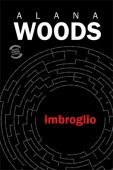
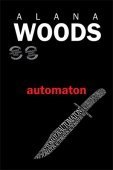
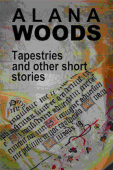
Principally I’m a thriller fiction writer. Imbroglio and Automaton.
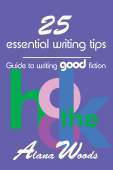
But because editing is my profession and I’ve done quite a bit of work with other authors, I’ve also produced a writing guide. 25 Essential Writing Tips: Guide to Writing Good Fiction.
Then there’s my book of short stories. Most authors have a collection they’ve written over the years and I’m no exception. Tapestries and Other Short Stories.
 I’m currently working on a third thriller (Dragline) and considering an editing guide to add to my how-to’s.
I have another string to my bow. I’m an editor. I consider the expertise this experience gives me is invaluable in making me a better writer because in honing someone else’s manuscript I’m honing my own writing skills. A spin-off is that if the authors I’ve worked with like the results they may promote me, which could lead to more readers seeking my books.
Step 5: Product Placement
I’ve done both direct selling of hard copies and online selling through Amazon exclusively to date. Direct selling for me consists of bookshops, speaking engagements, book shows, libraries, book clubs and weekend markets.
Promotional material is essential when direct selling: a poster or two and business cards especially, but bookmarks are also handy and well-received.
Steps 6 and 7: Goals and Strategies
I’m continually striving to achieve my goal and there is a continuing learning curve.
I have used social media in every way recommended by already successful authors. To begin with I flung a very wide net but soon learned to be discriminating. I focus now on Facebook, Twitter and Goodreads and to a lesser extent Google+ and LinkedIn. I have a presence in Pinterest. (click icons below for Alana’s links)





I engage with core groups on Facebook, those like Jason’s that have members committed to helping others as well as themselves. I also belong to several Goodreads groups.
I post regularly on my website-blog, featuring articles targeting authors with writing, editing and other writing-skewed information and readers with book reviews and author interviews.
I chase book reviews but am not anal about it. I believe they’re important because the more reviews a book has the more widely read and desirable it will appear to potential buyers.
As for family and friends. I don’t pester them. I request a shout out for a new book and after that if they’re willing to help they’ll do so spontaneously. Those who have helped have made a big difference by finding bookshops to stock my books, lining up book-club engagements and buying dozens of copies to give as presents for birthdays, Christmas etc. You can’t beat word of mouth.
I accept invitations for guest blog articles and author interviews because all they cost me is a little time and they help spread the word.
To date I’ve succumbed only once to paying for advertising or promotion. I’ve just joined BOTM (the Venture Galleries Book of the Moment Club) and paid $49.99 per book for a one-week feature for my two thrillers. The books then remain in the BOTM catalogue. It’s a new venture so I don’t have feedback yet.
 Translations are now looking possible with the appearance of a new translation service—Babelcube. It operates like ACX, offering translations into other languages for a royalty split instead of an up-front fee. I’ll be giving this a go.
Step 8: Unique Circumstances for International Authors
As an Australian author if I wanted to use the traditional publishing route my publisher would decide where my book would be sold: within Australia only or also overseas. Until WWII the UK had a stranglehold on the English-language global book market. The US split off after the war. If you’re interested in a bit of detail, here’s a link.
E-publishing has demolished that wall. Authors in every nook and cranny of the world can now publish our own books wherever we please. Ebooks and paperbacks, that is.
 But unless you’re in the US and UK, audiobooks are still out of reach. Amazon’s ACX is available in those countries only. Amazon holds out hope that this will change. (See my audiobook production articles for more on this.) And as far as I’ve been able to ascertain, Amazon has the market cornered; there are no alternatives.
Another factor—that I’ll only touch on today because this article is already long enough—is parochialism. Believe it or not, in this digital publishing age, my two thrillers have been criticised for being parochial. In the 1960s, when Australian artists and writers were deserting the country like rats abandoning a sinking ship, their reason for doing so was because Australia was a cultural wasteland no-one was interested in. I thought that thinking was well and truly behind us. Apparently not!
Conclusion
Am I achieving my goals? You’ll be the first to know when I’ve made my first million and maybe I’ll see you in the winner’s circle—we can have a celebratory drink and toast our successes! (Yes, we will–I’ll get the bubbly on ice.)
Questions or comments for Alana Woods? Please share them in the section below or by clicking here.
Home – Author Help Videos – How-To Guides – Novels – About
Subscribe to this blog for updates on indie authors and self-publishing. add me to Google Plus circles


August 6, 2014
My Babelcube Experience, Author Seeks Translators (part 1)
 What author wouldn’t love to have her/his books translated into other languages? Babelcube could be your dream come true. Ah, I see you’re reading the Danish version of my latest… marvelous translation… hope you enjoy…
The concept of Babelcube is genius; they put authors and translators together to create foreign versions of the author’s book. Additionally, they distribute those books to retailers and offer a fine royalty to both author and translator. For authors, consider that it’s free to sign up with minimal effort, and the royalties get better as sales get better plus you have a translator with vested interest in selling your books.
Sound too good to be true? Maybe, maybe not. Definitely deserves a test run.
I found the upload process very user-friendly. Just sign up (for free), fill out a profile and add books. All the standard stuff goes there including title, cover image, description, genre, 2000 max character sample and more. (They only accept books already listed on Amazon.) You’re asked to briefly write about existing sales/rankings plus give website links, social media, Goodreads and more to show your commitment to author platform and marketing. This is a good thing IMO, something perspective translators probably appreciate. Here’s my Babelcube page: http://www.babelcube.com/user/jason-matthews.
After filling out that info, you wait. Within a few days I had two offers for two of my books, one for an Italian translation and the other for Spanish. The translators wrote in perfect English, which gave me peace of mind, and you can research them as well. Along with the offers came sample translations of the first page or two so I could check with foreign friends who read Italian and Spanish before moving on to the next stage.
Stage 2 is sending your entire book minus any of the front or back matter. The translators work on the first 10 pages and return it. Then you go back to your foreign friends and see if those 10 pages read well. At this point you can still cancel the deal. Otherwise, if you like it and want to move forward, you agree to the full translation and go from there. (I’m waiting on the first 10 pages from both translators, but I’ll do follow-up posts as this continues and link them here.)
How are the payments? The translators make the most when the book generates less than $2000 in royalties, and the author does better as more books are sold. Babelcube’s cut is 15% across the board. Remember the translator is doing all the initial work and has the most at risk. Good for authors as the translator wants to sell books when they are published.
 What about distribution partners and retailers? These are all the biggies with more probably entering the picture soon.

I’m an optimist, so it wouldn’t surprise me if people have concerns about piracy, rights, length of terms and more. Any comments, please leave them below or click here for the comments section.
Home – Author Training Videos – How-To Guides – Novels – About
Subscribe to this blog for updates on indie authors and self-publishing. add me to Google Plus circles


July 28, 2014
Smashwords or Draft2Digital for Ebook Distributor?
 This article first appeared on The Book Designer.
You’re selling ebooks on Amazon. Where else? The options keep expanding as a rising global market embraces digital books. There are dozens of potential retailers, but only a few of the big sellers have enabled indie authors to directly upload in do-it-yourself fashion. KDP Amazon was the first to offer that. In recent years, Barnes & Noble, Kobo and Google Play have followed suit. Apple iTunes allows DIY uploading too, if you’re a Mac user.
Beyond those options, other retailers exist that are only available through a distributor. Since 2008, Smashwords (SW) has been the established solution, where authors can upload for sales and also distribution to many retailers that don’t enable direct uploading. Smashwords admits it is primarily a distributor, where most authors will make about 90% of their earnings via the SW distribution partners and not direct sales from the SW bookstore.
Lately more distributors have emerged, some charging upfront for their services and others free of cost with their earnings made on a cut of any sales, usually around 10% of the retail price like with SW. I prefer the no-cost-up-front companies. One choice is Draft2Digital (D2D), and it’s often compared to SW. Each distributor has pros and cons, but is this just a case of apples and oranges or is there a frontrunner? I’ve written on this in the past as have many others, but since e-publishing is an ever-changing industry, it’s nice to reevaluate some of the deciding factors.
Fear the Meatgrinder?
The most obvious difference is the formatting to be done before uploading. SW CEO, Mark Coker, is an expert on formatting that will be compatible for all reading devices. The Smashwords Style Guide, is a 27,000 word manual explaining the majority of requirements for the average ebook. Its length and scope have been reported to cause hair-loss, migraines and contemplated suicides for tech-challenged authors. In contrast, Draft2Digital doesn’t have a style guide. Their goal is “to support your style guide.” Just send them your Word doc, RTF or EPUB file and they’ll convert it.
An intriguing contrast: do we trust D2D’s program as an intuitive ebook formatter or do we buckle down and learn to do it ourselves? Not surprisingly, this factor alone divides the masses. Some writers (like me) appreciate the knowledge to upload with their own personal touches, while others love skipping that learning curve altogether. Would you prefer not to learn how to create an NCX file or even know what an NCX file is? Would you prefer not to be subject to the rigid requirements of the Meatgrinder, the endearing name given to the SW file converter and spell-check software on steroids? You don’t have to worry about that with D2D. Hey, if Google can build a car that drives on autopilot, D2D can probably design a program to format ebooks.
I wonder if quality is compromised. Are aesthetically unpleasing ebooks getting published more by D2D than SW? I believe that’s probably true, but I also think the quality is getting better all the time.
Sales Potential
This is what matters to me: who are the distribution partners? Presently D2D will get your ebook into
Apple
Barnes & Noble
Kobo
Scribd
Page Foundry
(Recognize that all of those except PF can be done on a DIY basis, though it’s harder for PC owners to get into Apple. Still, there’s value in doing things once and having it relayed to all channels, or after the inevitable updates happen when a reader points out a typo or you decide to add your latest link to the About the Author page.)
Outside of Amazon, those first three retailers are the main players. Apple is now my second biggest seller. But those retailers aren’t exclusive to D2D.
SW distributes to
Apple
Barnes & Noble
Kobo
Scribd
Page Foundry
In fact, SW has been doing it longer and also distributes to
Baker & Taylor Blio
Flipkart (India)
Oyster
txtr (Germany)
plus three channels to libraries
Library Direct
Baker & Taylor Axis 360
Overdrive
Note that India represents a ton of potential readers, and as the digital age matures Flipkart could be a great source of sales. For current ebook distribution partners and sales potential, the advantage clearly goes to SW.
Paperbacks
Want your book in print with the same ease of skipping the format learning curve? D2D also enables a paperback version to be uploaded to CreateSpace (CS), Amazon’s print-on-demand company. Again, I prefer to upload directly, but formatting books for CS can be a Herculean task for newbies, known to drive even pacifists to seek gun applications and home addresses for Microsoft Word designers. Interior templates exist and formatters too, but D2D is offering an attractive option for CS paperbacks. I haven’t tested their system to comment on performance, though I admit being a fan of the concept. Can you envision being chauffeured to a book signing in a Google car while D2D formats your next release in paperback? It’s a nice thought. Fortunately CS has an excellent digital previewer for analyzing results and determining what changes need to be made. Advantage for paperbacks goes to D2D.
Small Victories
Another bonus with D2D is monthly payments compared to quarterly payments from SW. D2D also doesn’t stamp their edition with their name as SW does (Smashwords Edition), making it a more attractive copyright page for those who feel the self-publishing stigma is a factor. I’ve also checked my titles at B&N online and noticed the D2D book description displays entirely while the SW description is limited to the short version. Small advantages to D2D.
Leveled Playing Field: Sales Reports, Speed, Preorders
In recent times D2D had much faster sales reporting and speed of uploading to retailers, especially after updates were made (price change, newer version, metadata, etc.), but SW has evolved and caught up in both regards. I believe the speed for updates taking effect at retailers still leans to D2D, but the new sales data from SW is more detailed and appealing.
Another SW special has been setting up a book for preorders before publishing. The benefit: on the day of release the retailers will count all of the preorder sales as if they happened in one day, which can result in your book showing up at the top of popular charts, thus resulting in even more sales. Recently D2D set up preorders too, and it works in the same way. Just publish your book with a firm future date listed for release.
Price Points
At SW you can create coupons to make your book available at any discount, even for 100% off. This is handy in case you’d like to advertise specials for things like gifting copies or generating reviews. At both vendors you can set your price to always be free, but the coupon option is a bonus for authors who would prefer to charge most of the time. Advantage here to SW.
The Future
Expansion is an important element. SW has been expanding its distribution channels since they began. In the past year SW has added OverDrive, txtr, Scribd, Flipkart and Oyster. Just recently D2D added Scribd and Page Foundry and mentions they have plans in the works to expand. D2D has also seen its titles briefly removed from B&N and Kobo shelves, though they were replaced and that was largely due to retailers taking a stand on adult material. Hopefully that won’t happen again.
I like betting on proven winners, and since Mark Coker has such established history and ongoing presence in the publishing community, my choice is to stick with SW and plan for more expansion.
Decisions
There are a few options that make sense. I recommend always directly uploading to KDP Amazon of course (plus B&N, Kobo and Google Play if you want to).
Option A: Use SW exclusively. Bottom line: it has the most retailers under its belt, and learning basic formatting is good for you and not really that bad, just like eating spinach.
Option B: Use D2D exclusively. It gets you into the most important biggies like SW does, plus it can make CS paperbacks. And it’s as simple as sending them whatever you have.
Option C: Use a combination. Decide which one for Apple, B&N, Kobo, Scribd and Page Foundry based on the personal preferences. Consider D2D for CS paperbacks and rest assured that Smashwords will get you into FlipKart, Oyster, txrt, Baker & Taylor, the library channels and the new set of retailers destined to join the field.
Ultimately it boils down to your skill sets, your time and your needs.
Have a comment? Please share them in the comments section.
–
Home page – New Adult Novels – About
Subscribe to this blog for updates on indie authors and self-publishing.
Step by step video course for How to Make, Market and Sell Ebooks. add me to Google Plus circles +Jason Matthews