Jason Matthews's Blog, page 4
June 3, 2015
Calibre Course for Your Epub Needs
 Calibre is an open source program for making Epubs, the standard file type for ebooks at most retailers. It’s important for authors to have Epub versions of their books, and you can easily convert MS Word and other files to Epub with Calibre. Plus you can edit and do so much more.
For a limited time, this new course will be free at Udemy: https://www.udemy.com/calibre-convert-to-epub-file/
Please leave a review if you enjoy the course. Thank you!
See the video below for more information.
Subscribe to this blog for updates on indie authors and self-publishing. add me to Google Plus circles
Home – Author Help Videos – How-To Guides – Novels – About


April 17, 2015
Multinational Amazon Book Reviews
You read it. Now you’re leaving an Amazon book review that will show in the nation where you post it. The US or UK perhaps, but probably not both.
Why not? Presently, Amazon reviews are not automatically linked among the 13 nations represented by the online bookseller. (True, you can scroll down for reviews from Amazon.com, but they don’t get counted on any product description pages.)
If leaving a review is important, why not go the extra distance and post the review at all 13 Amazon nations? It only takes about two minutes, not much longer than it takes to leave one review.
What are the benefits? It’s good for readers and even the book and author if you liked the book. Beyond that you benefit from the inter-connectivity of all things online plus having your link to a website for browsers to click.�� Definitely worth investing a few minutes of effort.
Just watch the video to keep it as short and sweet as possible. Share any thoughts or comments?
Subscribe to this blog for updates on indie authors and self-publishing. add me to Google Plus circles
Home �� –�� Author Help Videos �� –�� How-To Guides �� –�� Novels�� –�� About


March 3, 2015
Spice Up Your Author Page with Icons
 Indie authors know the importance of connecting with readers. It’s about building community, using the gifts of the internet to network with people all over the world and ultimately help with book sales. How can you facilitate this within your ebook?
If a reader enjoyed it, there’s a good chance she/he will click on your author page especially if it’s easy to find in the Table of Contents. Somewhere in that author bio should be links to places like Facebook, Twitter, your website or blog, whatever you prefer for connecting. Most authors do it with text links. The problem is the growing number of links many of us want to share with potential readers. I have a half dozen or more, and suddenly the page looks a lot less appealing with so many hyperlinks blaring at the reader. Icons are more effective, and it doesn’t matter how many you have. The more the merrier.
On a minimal scale, notice which example below gets the job done better. Text links…
or icon links…�� ����
����

The answer is clear especially when you get into higher numbers. Images quickly tell readers where you and your other books can be found. List the sites you want and hopefully enough of them so that the readers can choose the social media connection they prefer. Others may include G+, Pinterest, Goodreads, YouTube or maybe your blog feed. Bottom line, make it easy for readers.
If you format in MS Word, just use the Insert tab to add a Picture for each icon image and size it accordingly, around .5 inches or 100 pixels square. Then use the Insert tab and add a Hyperlink to the URL of the destination. Choosing the Open in a New Window option is wise too.
Only include Amazon icons for Amazon books. If you upload directly to vendors like Kobo or Apple, use their icon or none at all. For Smashwords, Draft2Digital or other distributors, just use social media icons and not book vendors.
What about copyright and legal issues? It’s true that each company has its own specifics on what you can and can’t do with their logo. You can check each website’s branding guidelines, which I’m just going to list a few because there are dozens of possibilities. Unfortunately the approved icons are rather boring, and the creative ones you find online with an image search are typically not allowed. Boo-hoo, I know. My assumption is this rule gets broken like the old 55 mph speed limit and you’re probably just risking a notice to make a change, but I’m no lawyer and sense the idiot emails coming soon. Here are the places to go for the company approved icons:
https://www.facebookbrand.com/
https://about.twitter.com/press/brand-assets
https://developers.google.com/+/branding-guidelines
http://www.youtube.com/yt/brand/downloads.html
Questions or comments? Leave a reply below.
Subscribe to this blog for updates on indie authors and self-publishing. add me to Google Plus circles
Home – Author Help Videos – How-To Guides – Novels – About


January 27, 2015
My Babelcube Experience (part 3) Translated Paperbacks with CreateSpace
 The plan for part 3 on Babelcube was scheduled for sales, but translated paperbacks recently became an option that deserved a look. It’s a logical step since Draft2Digital is their main distributor. Draft2Digital has included the choice of a CreateSpace paperback for a while on top of ebooks to retailers. It also makes sense because ebooks still aren’t mainstream in many nations, so having a print version of your translated book might be wise. Sales will be pushed to part 4, coming soon, while we talk paper now. (Part 1 and Part 2 for those who haven’t read them.)
Using the automated system, making a paperback with CreateSpace via Babelcube is an absolutely bare bones experience, nothing like making one directly through CreateSpace yourself. The current system has a long way to go if it wants to produce quality looking paperbacks, but there is also some good news which we’ll get to.
The problem with the automated system is because Babelcube and D2D simply upload the ebook version formatted for print with a program that is below reasonable expectations, so the opening page of the print book is likely to be a Table of Contents and it continues downhill from there. Page 2 of my TOC was numbered with the author name in the header as you can see in the photo below.

Their system makes choices for trim size, font, layout, you name it, not allowing for personal preferences. Here’s another example below where the conversion process oddly assigned a page break after a first line that translates to Part 2, then was followed by a couple paragraph returns, then the chapter title and then the chapter text, which are obviously missing.

That page should have looked like the one below, which is from my formatting.

However, the good news is you can supply and upload your own PDF interior and cover files, which is clearly the way to do this. You will need to be familiar with formatting interiors and covers with CreateSpace beforehand because you won’t have access to the CS digital previewer through Babelcube.
(Here’s a coupon to save 63% on my Createspace Formatting video course.)
My advice is to first create the book yourself at CreateSpace, even as a mock draft, so you can use the digital previewer and order a physical proof if you want. You won’t be legally allowed to publish it that way since it would be against Babelcube’s terms of service. But at least you’ll feel confident once you do submit those interior and cover files to Babelcube, which will hand them off to D2D which will hand them off to CreateSpace which will publish them into paperbacks and place them on Amazon. As soon as it’s available, order a copy and double-check it matches your original.
What do you think, is this worth the effort especially without being able to use the CS previewer? For the right author and the right book, perhaps. Please share any comments.
Subscribe to this blog for updates on indie authors and self-publishing. add me to Google Plus circles
Home – Author Help Videos – How-To Guides – Novels – About


January 1, 2015
MS Word for CreateSpace Paperbacks, Free Course Limited Time Offer
Happy 2015! Brand new Udemy course just released – Make Paperbacks with CreateSpace: Sell More Books on Amazon – featured 1 week for FREE January 1st – 7th. All the training in the comfort of your own home as a New Year’s gift. (Share with a writer you love.)
Everything you need to format MS Word for CreateSpace paperbacks. Making books is easier than ever. The course helps you:
save time
save money
design your book the way you want it
sell books with CreateSpace, Amazon’s print-on-demand company
have readers enjoying your printed book all over the world!
Offer expires January 8th. To redeem the course for FREE, use coupon code HAPPY2015 or copy and paste the URL, https://www.udemy.com/make-paperbacks-with-createspace-sell-more-books-on-amazon/?couponCode=Happy2015.
And if you enjoy the course and the free gift, please do the courtesy of leaving a course review at Udemy.
Thank you and Happy New Year.
Subscribe to this blog for updates on indie authors and self-publishing. add me to Google Plus circles
Home – Author Help Videos – How-To Guides – Novels – About


December 2, 2014
Teaching at Udemy, Online Courses for Non-Fiction Authors
 What can you teach? Udemy and other retailers of online courses should be on your radar if you’re an author who instructs… well, anything. Limiting yourself to just book sales could be missing a golden opportunity.
For educational purposes, the video medium is a natural progression from books and the classroom. It’s also a smart one. MOOCs (massive open online courses) are the future of learning, whether recorded or live. It just makes sense. More students at locations around the world can be reached by fewer teachers, delivering quality instruction at less cost. Plus most people absorb information better when it comes as a combination of video, audio and the written word. All it takes is an internet connection.
Why Udemy?
After testing several online retailers, Udemy for instructors is the closest comparison to KDP Amazon for writers.��The user-friendly platform makes it simple for anyone to create and edit courses. They have more tools, training guides and even a Facebook Instructors group for assistance with any need. And they sell by far the most courses of anywhere I’ve tried. My courses exist at six other online retailers–Udemy outsells them all. There’s also no application process, which does mean a range of quality exists in the courses. It’s my belief, ala Amazon indie books, the best tend to rise over time.
Raw data at Udemy is exciting: nearly 5 million students from 190 countries. This was accumulated in just a few years and is growing fast. 10,000 instructors teaching in 53 languages is even more exciting because presently there are about 500 students per instructor.
How do the royalties work?
When you bring in students from your own methods (i.e. website, social media, emails) using instructor coupons, you keep 97% of the coupon price. That’s correct, 97%. Not sure if this deal will last forever, but it’s been going on for a while and feels too good to be true. If Udemy promotes your course and makes an in-house sale, you still earn 50%. Not too shabby. And there are affiliates who promote courses as well, also paying about 50% of sales price on average. Even if you don’t have a course to promote, anyone can make money selling as an affiliate.
Most courses are priced between $10 to $30 per hour on online content, but that’s up to you. The average Udemy instructor makes $7,000 per year while successful ones make over $100,000. Remember, once courses are in place there’s little that needs to be done, mostly communications from time to time.
Besides the paid courses, you can also price courses for free. Could be a smart way to build platform and up-sell other products.
What types of courses can you teach?
Anything that can be taught. Courses related to technology do well as does anything related to making money. Go figure. Traditional subjects are popular: reading, writing, arithmetic, languages. There are courses in Music, Health & Fitness, Photography, Lifestyles, Design, Marketing, Dog Training, pretty much everything.
What do you need to get started?
You need video. They recommend at least 60% of your course to be high quality video. It can be live action, as in footage from a camera or your webcam, or it can be screen-cast. Classes that teach an activity like yoga or cooking are suited for live footage. Screen-cast is my preference since they demonstrate how to do things online so students can follow in real time. (My self-publishing related courses are offered here at major savings.) You can also upload PowerPoint, PDFs, audio, zip files and even perform live with student interaction.
Udemy recommends mixing up the teaching materials because some students learn better by reading, some by doing, others by watching and listening. Adding quizzes and course completion requirements also help keep students engaged.
What do you think, is Udemy for you? Share a comment.
Subscribe to this blog for updates on indie authors and self-publishing. add me to Google Plus circles
Home – Author Help Videos – How-To Guides – Novels – About


November 13, 2014
My Babelcube Experience (part 2) Getting Interesting
 My optimism for self-pub opportunities spiked when I heard about Babelcube and their book translation services. I filled out a profile, uploaded books and began working with translators. I also wrote a blog post on that initial aspect (see Part 1 of My Babelcube Experience).
Now comes part 2, what I’ve learned since a few translations have just been published. The answer is a fair amount. Some notes:
Babelcube uses Draft2Digital as a distributor, which doesn’t distribute to Amazon anymore so how does that work? Not sure, but it might explain why these titles went live two weeks ago to Apple, Kobo, Barnes & Noble and Scribd, but just today on Amazon.
Full length novels are much harder to get translated than shorter works or non-fiction. I still haven’t had any offers on my novels that are 98K and 108K in word count, but every other book has been translated, is being translated or has received offers.
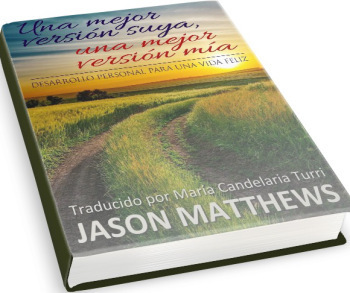
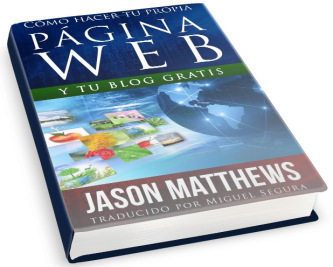 Non-fiction seems easier to get deals. Perhaps it’s because the writing is simpler. How-to books attract attention, here and apparently abroad. One thing to beware of for authors of how-to guides: recognize any differences that exist in America (or your home nation) compared to the final destination. For example, my guides deal with websites and software that are popular in the US but not always elsewhere, so some changes were made accordingly. It helped to point that out to the translators ahead of time.
Take your time getting qualified readers to check the sample offer. Why rush into a decision when the book may take a few months once you agree on a deal? Babelcube doesn’t give advice or support there, leaving each author to find a solution. Fiverr, Facebook and Yahoo answers are places to get translations checked if you don’t have friends that read well in certain languages. However, you may have to take the word of strangers you don’t really know or trust.
Don’t ask proofreaders to read more than a few assorted paragraphs unless you’re giving something in return. If you have multiple books and offers in Spanish, for example, try not to wear out your Spanish-reading friends by asking them to read and critique large sections of each title.
 Don’t expect masterpieces. These translators are working for free on the hopes of selling books and making a cut on the sale. They’re unlikely to be perfect in what they do. Of course you expect competency, but in some cases you may ask yourself, “Is it better to have something in a foreign language or nothing at all?” These can be hard choices.
Don’t upload MS Word .doc. Instead use .docx–it converts better. My uploads got stuck in a Babelcube cyber-vortex that took several emails and Twitter and Facebook mentions to sort out, segue to the next tip.
Don’t rely on prompt customer support whether you email them, make a post on their Facebook page or @-message them on Twitter. Presently Babelcube has the slowest customer support I’ve dealt with for any publishing-related website, and it’s surprising for a fledgling company that seems to have a good product and a jump on any competition. They really should take customer relations and social media more seriously, IMO.
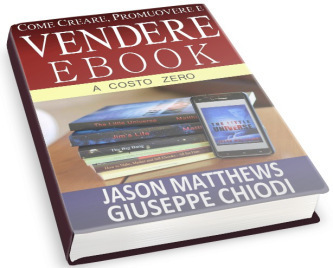
Below is the status of some of my titles. The top three have just been published, while the fourth is months away.

There are some good translators out there. There are also some not so great people to beware of.
If you get along well with your translator, add their name to the cover design and give them some kudos in the “About the Author” section. Whatever extra credit you give should help in their interest at marketing the book in their country, which may be easier for them than you.
Part of me wonders if this is a flash in the pan. Google translate has come a long way in a few short years. I remember trying the program when it was younger, and it was terrible. These days, it’s getting more intelligent fast, especially with non-fiction. Might there be a limited number of years before Babelcube’s service will be obsolete to Google or Amazon or something else?
Now for the real question: how are sales? At this point it hasn’t been enough time. Two of my titles just came out and I’m curious how they’ll do. I hope they aren’t duds because the translators spent several weeks on them. Sales will be a main focus of part 3 of this experience. I’ll let you know.
What do you think about this: good idea, not so good idea or waste of time? Please share comments.
Home – Author Help Videos – How-To Guides – Novels – About
Subscribe to this blog for updates on indie authors and self-publishing. add me to Google Plus circles


November 7, 2014
An Author and a Blog
This Jason Matthews article first appear at TheBookDesigner.
 At a recent writers conference I listened to a lecture from Laurie McLean of Foreword Literary, an agent I admire. She discussed the challenges of getting published and how writers can increase their chances by building a stronger author platform using social media and other tools. During the talk Laurie said something along the lines of, “At the very least, new authors should be blogging,” which was followed by a moment of silence from hundreds of aspiring authors seated in the auditorium.
That’s a bold statement, I thought, wondering how many throats just swallowed hard, the great majority belonging to writers who probably weren’t blogging. It’s ironic how Laurie’s comment affected me, since I’ve been recommending the same thing since 2010 while maintaining two blogs during that time. One is dedicated to things related to self-publishing, the other is for anything else in the universe that I feel like writing about.
And yet I’m still not sure how to quantify the importance of it; surely there’s no one-size-fits-all answer to whether an author should blog, how frequently to post or at what word count. These days when writers ask me for blogging advice, I revert to an “it depends” answer, although Ms. McLean may disagree and probably has ample evidence.
Of course I believe a blog boosts an author’s online presence. One that functions well can be an author’s HQ, leading to everything else the world might want to know about her/him. The social media and book links are there, the updates and events, the musings, sample chapters, maybe some photos and video.
But is a blog essential? Can one manage with just Facebook and Twitter, or perhaps by simply writing great books? If you don’t have a blog already, it’s important to know they can drain your time and energies. For newbies, there’s a significant learning curve to make the most of the tech involved. But even after the posts start piling up, building an audience takes time, and you may be blogging to crickets for months on end while only spammers leave comments. In worst cases, blogs can feel like a burden with no measurable reward. You may even question if the blog is helping you or hurting you as an author.
After the lecture and standing ovation, I asked Laurie if she would expand on her comment. Since she’s landed lucrative publishing contracts and has been in the writing business far longer than WordPress or Blogger, I took her reply to heart as an agent who understands many aspects of publishing that an indie author like me may never know.
She said, “I strongly believe that blogs should be a standard component of any writer’s toolkit. Not only does it get you writing on a regular schedule, it lubricates your writer’s brain, eases that fear of putting yourself out there in the world, facilitates networking with your peers and readers, and makes you focus on your author brand and how you want your work to be known.”
 Blogging For Authors Video Course: Coupon Code BLOG7
It’s About Writing
I have to agree because this is the crux: blogging gets you writing. Authors need that as athletes need exercise and musicians need to make music. And it doesn’t have to be the same kind of writing we do for our books. Blogging can an athlete’s cross-training or a musician’s jam session with friends, where we work on different muscles and skill sets knowing it benefits the whole and makes us better at what we do. That’s why I love my “anything in the universe” blog, where the most popular posts often have nothing to do with the subjects of my books. These cross-training posts are just stuff I find interesting and want to write about, like the life expectancy of NFL players.
It’s Visibility
Author platform boils down to online presence. Each element adds to the big picture (i.e. Facebook, Twitter, website, Amazon Author Central, Google Plus, YouTube), but having a blog is the crème de la crème if used well. Nothing else has the same potential as a blog used consistently over time, plus all those other elements can be implemented into it. People from all over the world routinely visit my blogs from posts written years ago, and these visitors arrive from thousands of different Google subject searches. For example, this morning someone visited my blog from a post I made in May of 2011 while plenty of others visited posts written at least two years back. Nothing else I do online has that kind of lasting power. Facebook, Twitter and Google Plus mentions come and go like paper flyers taped to street signs compared to the perpetual billboards of blog posts. If you like the concept of more bang for your buck, then blogging will reward your cyber investment better over time.

It’s Embracing Tech
In 2009 I recoiled at the thought of having a blog, not knowing exactly what one was and dreading another thing in my life that required maintenance. It sounded like work, and I didn’t know if I had time for it. You may feel the same way. Understandable. A Facebook friend summed it up by saying, “When I started out, I was scared of the site as I’m in my senior years and learning it nearly gave me a nervous breakdown. But now that’s a distant memory.” Like her, I also came to embrace the learning curve and even excel at it. The good news is how user-friendly these things have become.
How Frequent, How Many Words?
Here comes the real divide. Some advice says blog as much as you can, several times a week if possible. Others tout quality over quantity with more developed posts winning out in the long run. My belief is to blog however it fits into your schedule. As a reader, sometimes I prefer short messages with immediate gratification while other times I’m willing to delve into a topic. It’s smart to write both ways too. For those who fear the burden of regular, well developed posts, you can allow select others to add articles in the form of guest-blogging.
“It has been said over and over that you should write every day,” Laurie added. “A twice weekly, or even once weekly blog post, can add to achieving this goal of daily writing. I advise my clients to blog 1/3 of the time about their ‘product’ (works in progress, books for sale, etc.), 1/3 about some personal aspect of their lives (make sure it is something you want to share such as a hobby or interest rather than photos of your children and your home address), and 1/3 about the craft of writing (solving plot problems, tips on pacing, character development or dialogue, etc.). Follow this formula, write a 250-500 word blog post twice a week, and by the time you have a book to sell, you’ll already have an audience to market to.”
That’s good advice though I haven’t always followed it. On one of my blogs, I post about once a week. On the other, closer to once a month. This method doesn’t cause me to stress over them, which helps stay sane.
The most blog-induced stress I’ve experienced was when I posted every day for a month as an experiment, attempting to make the posts as interesting as possible. That was a writing challenge comparable to NaNoWriMo. By the end of the month, I was spent but the results were remarkable. Visitor traffic had more than doubled as did the number of subscribers.
Do they Sell Books?
My experience has been a mixed bag: the non-fiction blog sells non-fiction books better than my anything blog sells novels. This estimate is based on the number of Amazon links that get clicked by visitors, a helpful stat to monitor. A smarter approach is to think of them for building an audience and networking, and not to value them based solely on book sales.
What I’ve Found to Work
blogging about topics that really interest me
posting frequently when possible, or as seldom as once a month with quality articles
doing it consistently for years
making it engaging, asking questions to readers
discussing topics that get a range of opinions, even controversial ones
discussing new topics that people haven’t heard much about
What Doesn’t Work
blogging primarily about my books or sample chapters
writing about my daily happenings, life or family
posting without much substance just to get something out there
Getting Started for Newbies
The free platforms at WordPress.com and Blogger are fine choices for authors on a budget. There’s no monthly hosting cost, but it’s wise to purchase a custom domain name at around $10 per year. WordPress.org is an upgrade for those willing to pay for more template options and monthly hosting. Also many websites have a blog tab or function enabling you to create a blog and website in one location.
Essentials that Benefit any Blog
links to your social media sites, preferably easy to recognize icons
links to your books on Amazon and other retailers, preferably icons
subscription or follow links in two locations, one at the top of the page and another at the end of each post
social media buttons for retweeting on Twitter, sharing on Facebook, Google Plus, Pinterest, etc.
sharing enabled with your social media sites and Goodreads, etc. to display your latest post as they happen
navigation to other pages (e.g., About – Contact – Sample My Books)
mobile friendly features for cell phone and tablet visitors
Conclusion
Every author has different needs, time frames and skill sets. Like Laurie, I believe every author can benefit by having a blog, but I don’t think every author needs one. If you have extra time, want to improve your writing, want to bolster your online platform and are in this for the long haul, then yes, you should be blogging. If you’re writing to satisfy another goal and not sure how important it is to you, blogging may feel like a burden you don’t need. Or you may have limited time and the ability to write amazing books, which people read and share with others (the ultimate goal). In that case, you probably don’t need one either.
By the way, thank you to Laurie for letting me share these insights. She’s at Foreword Literary and knows her stuff.
What are your thoughts? Please share in the comments.
Home – Author Help Videos – How-To Guides – Novels – About
Subscribe to this blog for updates on indie authors and self-publishing. add me to Google Plus circles


October 24, 2014
Facelift or Botch for Amazon Author Central?
Seems like every time I publish something, like a video training course, the internet gives it a new spin. In this case Amazon Author Central profile pages got a facelift which may be a botched job. It appears an effort was made to have more show at the top of the page at the sacrifice of information about each item. This is the new look and I’ll explain the differences: The biography is a thin column beneath the main photo, which shows less text than the old version (I need to shorten the URLs to appear on one line). Also only two photos display, whereas the old version showed a choice of boxes beneath the main one allowing readers to click on eight options. Just one blog post is listed unless you click the “pan sideways” button, where before several blog headlines were shown prominently. It took me a few minutes to figure that out as I am used to scrolling down, not panning sideways. Fortunately you can still scroll down and find the old information, but it’s not as apparent at first glance since it’s further down from the landing zone. The video area shows higher on the page but only one, where before there was a choice of eight like the photos. “Author Updates” have replaced “Latest Tweet” and “Blog Posts” so that’s kind of a toss-up. The horizontal book presentation has a lack of reviews displayed. This is a bit concerning for books with many good reviews, in the event people don’t scroll down further to see the reviews. Although for books with great covers and few reviews, it might help a bunch.
The image below is from the UK Author Central, which never displayed blog posts and must be next in line for the facelift (France already got hers, Germany and Japan waiting).
 Perhaps it’s just a matter of getting used to the changes, but at first glance I prefer the old version. If they could figure out a way to add the reviews to the horizontal book display, I’d like it better. Plus the photos and video options from before were a nice touch.
What are your thoughts? Please share in the comments. Have you seen your new look and made any changes?
Home – Author Help Videos – How-To Guides – Novels – About
Subscribe to this blog for updates on indie authors and self-publishing. add me to Google Plus circles


October 12, 2014
2014 Digital Author and Indie Self-Publishing Conference LA
 The Annual Digital Author and Indie Self-Publishing Conference is focused on the new paradigms for authors in an increasingly digital world where the publishing giants are Amazon, Apple, Smashwords and other digital resources, rather than the Big Five Publishers. As the market changes, many authors are now publishing through a growing field of Independents, or becoming their own publisher.
This year’s conference takes place from Oct. 17th – 19th at Los Angeles Valley College.
Attendees can “turn back time” and get in at last months’ prices by going to the club rate here: http://www.wcwriters.com/specials.
Or they can still get the 2-for-1 rate here: http://www.wcwriters.com/241.
Additionally, as faculty I (Jason Matthews) am entitled to bring a free guest, but I need to know immediately if you would like to attend.
Additionally again, I can offer a free scholarship or two to deserving clients, who should attend this conference but just can’t afford anything. Seriously. I can award the prize on my behalf. Pretty cool, just let me know.
Home – Author Help Videos – How-To Guides – Novels – About
Subscribe to this blog for updates on indie authors and self-publishing. add me to Google Plus circles