
Julian Worker's Blog, page 228
April 16, 2017
‘The 1970s club scene in New York was special’: Nicky Siano
The DJ, who played at Studio 54 and opened his first club, the Gallery, in Manhattan in 1973, reveals the New York party and music hotspots he rates today
Filed under: Travel Tagged: 1970s, dj, gallery, manhattan, new york, nicky siano, night club, party, scene, studio 54, the days of, what happened in


Poet’s Pacific paradise: Pablo Neruda’s homes in Chile
As a new film about Pablo Neruda gets a UK release, we visit two of the Pacific-facing homes where the poet found inspiration: Isla Negra and the ‘crazy port’ of Valparaíso
Filed under: Travel Tagged: Chile, neruda, pablo, the best of, Valparaiso, what is there to do in, what is there to see in, what to do, what to see, what to see in, why go to

Rev up for Europe’s fastest rollercoaster as Ferrari Land opens in PortAventura in Spain
The Red Force rollercoaster, at the Ferrari Land theme park, is also Europe’s tallest taking riders up 112 metres – and clocking in at speeds of 110mph
Filed under: Travel Tagged: europe's, fastest, ferrari land, in europe, in spain, portAventura, rollercoaster, spain, spanish, what is there to do, what to do in, where is, why go to

April 13, 2017
New Theme: Twenty Seventeen
We’re excited to announce that this year’s WordPress default theme, Twenty Seventeen, is now available on WordPress.com.
Designed by Mel Choyce, Twenty Seventeen is a business-oriented theme that allows you to create a stunning front-page layout with multiple sections. The theme can be topped with a large custom header image or atmospheric video of your choosing.
Twenty Seventeen can be customized further by adding a logo, custom color or fonts, or widgets.
We paid special attention to making sure the theme’s typography works well with as many languages as possible. Font adjustments for the following alphabets improve readability:
Arabic
Chinese
Cyrillic
Devanagari
Greek
Gujarati
Hebrew
Japanese
Korean
Thai
Twenty Seventeen has also been designed to look good on a variety of screen sizes.
Learn more about WordPress’s latest default theme here, or check out the demo site!
Filed under: Themes


March 24, 2017
A New WordPress App Update, Designed for the iPad
Over the past few months we’ve been working to dramatically improve users’ experience on iPad — and we’re proud to share those with you now, in our WordPress app for iOS, available in the iTunes Store.
[image error]
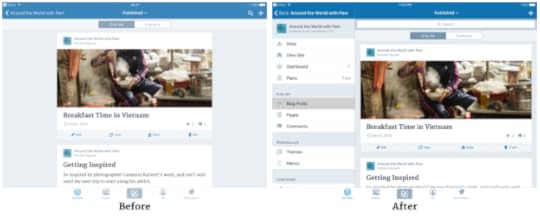
The apps were originally designed with only iPhones in mind, so we wanted to make better use of the space available on the iPad and especially iPad Pro, to maximize your productivity in the app. These changes shipped incrementally, with the very final ones being included in the 7.1 release that went out last week.
We’ve improved the My Sites management to make it easier to handle multiple sites on iPad. Now you can see the posts from that blog alongside the list of blogs, and site management is now all on one screen – no more back and forth!


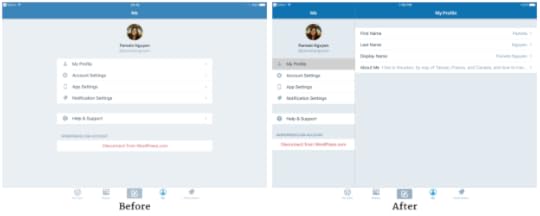
Managing profiles follows the same pattern.
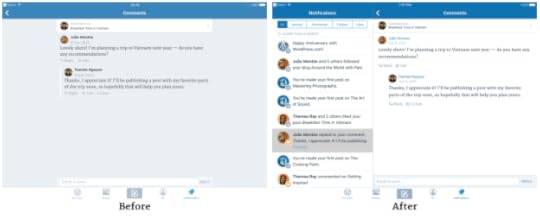
Notifications has been overhauled, too.
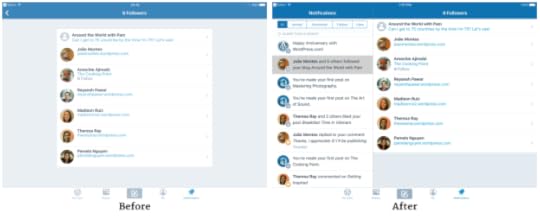
We’re really excited about these improvements and hope iPad users of WordPress will be, too! We look forward to continuing to improve your WordPress experience, no matter what device you use.
Filed under: Admin Bar


March 23, 2017
Unlimited Premium Themes Now Included in the Premium Plan
Finding just the right look for your site can be a fun task. If you’re on the Premium plan, it’s about to get a lot more fun: the Premium plan now includes unlimited access to all our premium themes.
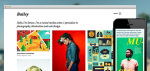
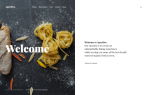
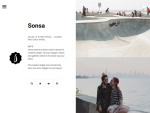
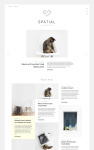
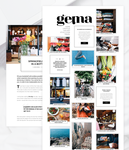
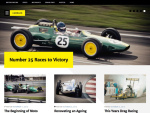
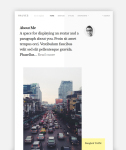
With over 200 premium themes on WordPress.com — and new themes added regularly — that’s more than $16,000 worth of premium themes. We bring the best premium theme designs to WordPress.com, meaning you get new, unique themes to choose from more often. From niche- and industry-specific themes like Aperitive and Marquee to beautiful blogging themes like Radiate to themes with colorful, stylish touches like Gema or Jason, you have more chances than ever of finding your perfect style.
This new addition to the Premium plan gives more of you the opportunity to try our great premium themes and make your sites shine!
Visit the Plans page to learn more about what WordPress.com Premium has to offer, or browse all our premium themes to get excited about the possibilities. Ready to upgrade your site? Head to My Sites → Plan.
Filed under: Features, Themes


March 22, 2017
Field Notes: CMS Africa Summit
Automatticians, the people who build WordPress.com, participate in events and projects around the world every day. Periodically, they report back on the exciting things they do in the community.
This year’s CMS Africa Summit was my third attendance at this amazing conference. My colleagues Marjorie, Sarah, Hannah, and Luminus joined me for the event and in doing so we sent Automatticians from three different continents.
Democratizing eCommerce
For several years now, Automattic has been the title sponsor for CMS Africa Summit. After conferences in Kenya (2015) and Uganda (2016), the 2017 edition took place in Abuja, Nigeria. The team behind the summit consists of industry leaders from all three of those countries. Together they also represent some of the world’s most popular open source content management systems (CMSs): Joomla, Drupal, and (of course) WordPress.
As one of the tech hubs in Sub-Saharan Africa, Nigeria is leading tech innovation on the continent. The conference by consequence focused on the practical use of CMSs, more so than in previous years: how they can boost local businesses and grow the economy.
For that reason, the attendees were very interested in eCommerce as a way to take their startups online. We introduced them to WooCommerce as an open source tool for economic empowerment, and shared practical and localized guidelines. Many of the entrepreneurs we encountered expressed their love for open source software because it doesn’t require them to invest their precious startup budget in software.
Presence
The slides and summaries of our talks can be found on our respective websites. Here’s a selection of some of the other talks we loved. Prosper Otemuyiwa, our favorite keynote speaker, focused on how to build a product the open source way. Nigerian CMS organizer Adedayo Adeniyi talked about the need for online growth in Nigeria and putting checks and balances in place for high-quality local web development. Software developer Idris Abdul Azeez highlighted the importance of documenting not only software configuration but also its development process, since writing readable code is a necessary cornerstone for the open source community and facilitates members’ contributions.
We were moved when lead organizer Oduor Jagero shared his excitement that Automattic had sent a team of staff to attend, present workshops, and connect in person with the Nigerian tech and open source community. Beyond the financial support, taking the time to teach and to listen to the local stories is especially appreciated. If you’re ready to listen too, here’s a great place to start: Jagero asked his friends on Facebook to share their blog posts about love. Three of the best stories will be awarded a basket of WordPress goodies. Here are the best ones he selected: Lovine Mboya, Akello, and Nepenthe.
CMS Africa Summit 2017 was amazing, just as in previous years. As outsiders, the local community welcomed us with open arms. The eagerness to learn, grow, and be successful was inspiring. On to the next one!
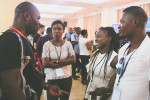
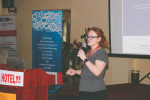
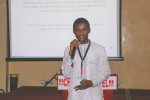
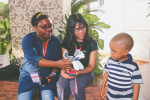
Below are some pictures taken by organizer David Aswani.


















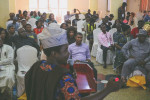
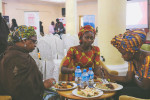
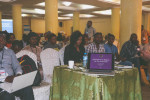



Filed under: Automattic, Events


March 21, 2017
New in Reader: Combined Cards
If you’ve ever followed a frequently updating site in Reader, you may have noticed a problem. When one of your followed sites goes on a posting streak, it can easily overwhelm your stream, causing you to miss posts from less frequent sites.
Today we launched a new feature to alleviate this problem: Combined Cards. Now, when a site you follow gets prolific, we’ll combine those posts into a single card — provided the posts are all from the same day and uninterrupted by posts from other sites.
Here’s a recent example from Time Magazine. (Did you know you can follow Time in Reader? You can!) Before on the left, after on the right.
[image error]
For Writers: If you post once a day, your posts will never be combined in Reader. If you post more than once a day, it’s possible your posts will be combined for some readers and not others — it depends on how many other sites they follow and when they post. Posts will only be combined if they’re uninterrupted by other posts.
For Readers: Your Followed Sites stream still shows all the posts from the sites you follow, in exactly the same order. The only thing that’s changed is that if a site posts a string of new posts, we’ll combine them into one card so they take up less vertical space.
We hope this change makes Reader more pleasant to use, and helps you feel comfortable following more frequently updating sites. If you’d like some suggestions, here are some great high frequency sites we recommend: Fortune, People, Laughing Squid, Uproxx, The Sports Daily, Heavy, TechCrunch, Black America Web, and BGR. Remember to click the “Follow” link at the top of the page to add it to your Reader.
WordPress.com members can visit Reader in the usual spot. Not a member yet? Join us. And thanks, as always, for being part of the WordPress.com community.
Filed under: Reading


March 20, 2017
Save Your Favorite Images and Media on WordPress.com, Anytime
We’ve added a new media section to your WordPress.com dashboard, allowing you to bulk upload, edit, and tweak your media files. Let’s look at the changes:
Upload Media in Bulk
Add new items in bulk by going to Media → Add New to activate the file picker. You can also drag and drop items right onto the page.
Edit Media
Now you can edit media files as you add them to your post or directly from the media section. To modify media information like the title or caption, select the items you would like to edit, then click Edit.
In the details view, you can update the title, caption, and description. Any changes made in these fields will be saved automatically for you.
Edit Photos
If you have a photo that needs to be cropped or rotated you can now update this here, too! From the media detail view select Edit Image.
In the Image Editor (see this guide for full instructions), you can crop, rotate, and flip images directly on WordPress.com.
If you’re happy with the changes you’ve made, select Done.
Search
Finding a previously uploaded media item is easier, too. Go to the filter tabs to sort media by file type, or select the magnifying glass to open the search field and search for images by title. In the details view, you can copy the URL link for use in a new post or page.
We hope you enjoy these updates to your Media Library!
Filed under: Admin Bar


March 13, 2017
A Few Tiny Steps Towards an Improved Writing Space at WordPress.com
Today we’re proud to unveil some design changes to the WordPress.com editor. It has the same great features you’ve come to expect, but with a cleaner, more refined experience — and a few new improvements, like a distraction-free writing mode.
[image error]
Welcome to our new distraction-free writing experience. We hope you enjoy it.
To give you a tour, I chatted with the two people who helped to create it. Joen Asmussen and Matías Ventura are two Europe-based computational designers at Automattic who have been designing different aspects of the WordPress.com experience over the past six years. It’s certainly come a long way from its very first prototype:
[image error]
The editor as it looked with the launch of the WordPress.com redesign, late 2015.
… and we also know there’s still a long way to go!
JM: Much of what we know about design is grounded in experiences in the physical world, and you can learn a lot about a designer from the objects that they admire. I understand that your favorite designed object is a … door handle?
Joen: Hah, yes indeed! Or perhaps clarification is needed — one of my favorites. A guiding principle of mine is that the best design is invisible. It is functional to the point that you forget how it works: you just use it. The door handle is a design that has been honed for who knows how long — it’s easy to forget that it was once designed from scratch. And everyone knows how to use a door handle. That makes it a great design.
JM: What inspirations do you take from those objects to the work you bring to a digitally based product?
Matías: I think that same clarity of purpose and the ability to adapt to whatever complex ideas a person wants to express or achieve is something digital tools should seek to provide. The WordPress editor is a good example of this goal, because it needs to be immediately evident for someone who wants to just write yet also capable of fulfilling a varied spectrum of needs.
Joen: Products are never finished, and there are always aspects that can be refined or improved, the ultimate goal being to make using the product easier, faster, second-nature. If we can refine the editor to the point that its usage becomes second nature, we’ll have something great.
***
Today, we know that design is more about iteration than it is about perfection, but that absolutely does not stop designers like Joen and Matías from iterating with the spirit of perfection. And with the new set of refinements launching today on WordPress.com, one can definitely see that commitment to craft in action. Those refinements include:
A new distraction-free writing mode.
Your recent drafts available in the top toolbar.
Better clarity on the saved state of a post.
Permanently visible publish/preview buttons.
Together, we hope they will they help fine-tune the writing experience. (And if you have a self-hosted WordPress site with the Jetpack plugin, you’ll also be able to use the new editor features.)
[image error]
The new editor experience we are launching today.
JM: What are you most excited about with this improved writing experience, and what do you hope most for the writer when they’re using it?
Joen: Everything has a right place. In this iteration, we’ve tried to find those places for the preview and publish buttons, as well as the post settings. By making the buttons permanently visible and the sidebar optionally toggled, my hope is that the combination will provide a seamless flow for both the person who just wants to write, as well as the person who needs to configure their post settings.
[image error]
All the settings for your post or page are now pop out of the right side of the screen.
Matías: I’m glad we were able to bring back the notion of a distraction free environment that puts the content in the center. I’m also fond of the recent drafts menu next to the “Write” button, as it provides a quick way to carry on with your unfinished posts. These editor refinements have the potential to let your work on WordPress keep you deeply in the productive state of flow.
[image error]
You now know the immediate status of your work as it is written to the cloud.
[image error]
Your drafts are easily accessible, and always visible to work on quickly.
JM: Are there any other design evolutions or revolutions coming down the pipeline for WordPress.com that you can speak about?
Joen: There’s a group of us focusing on editor improvements right now in the WordPress community at large. The key bits are embracing “blocks” as a way to attach more advanced layout options to each section of a post, so people can easily and quickly write richer articles than they could in the past.
Matías: We want to make it easy, and pleasurable, to create any kind of content with the editor. I believe that the essence of design is about the intersection of culture and technology — and we’re doing just that with this improved writing experience. It is a privilege that this effort is being done within the diverse open source community of WordPress, it means you not only own your content but you also have ownership over the tools with which it is created.
JM: Thanks so much for your time, Joen and Matías! I’ve enjoyed using the new distraction-free writing experience and can tell you I definitely got this post finished a little faster than usual. You’ve given me new focus.
Filed under: Design, Editing





![[image error]](https://en-blog.files.wordpress.com/2017/03/media-section-add.png)
![[image error]](https://en-blog.files.wordpress.com/2017/03/media-section-select.png)
![[image error]](https://en-blog.files.wordpress.com/2017/03/media-section-details.png)
![[image error]](https://en-blog.files.wordpress.com/2017/03/media-section-image-editor.png)
![[image error]](https://en-blog.files.wordpress.com/2017/03/media-section-search.png)
![[image error]](https://en-blog.files.wordpress.com/2017/03/toggle-sidebar.gif)
![[image error]](https://en-blog.files.wordpress.com/2017/03/saving.gif)
![[image error]](https://en-blog.files.wordpress.com/2017/03/drafts.gif)