
Ben Forta's Blog, page 26
April 7, 2015
Check Out The New Document Cloud Blog
 The Adobe Document Cloud blog is now online, and existing Acrobat related blogs (including the Reader and EchoSign blogs) have migrated to it.


April 2, 2015
Introducing Adobe Slate
 Today we released Adobe Slate, a new iPad app that will help you become a masterful storyteller. You provide the words, add imagery, select a theme, and Slate turns your thoughts into a highly polished professional looking document, one that is modern and responsive, and which looks great on any device and screen size.If this sounds vaguely familiar, that may be because last year we published another storytelling app, Adobe Voice, which Yahoo's David Pogue called "one of the simplest, most creative, most joyous apps ever written." Voice, an App Store Editor's Choice, has become particularly popular in classrooms (even among first graders!) and thousands of teachers have made Voice a key component of their classroom toolbox. We love Voice, we've updated the app multiple times since it was released, and more updates are on the way. But, back to Slate.
Voice and Slate share a common mission, they are designed to make storytelling fun and simple, while not sacrificing the final experience and output in any way. Where they differ is in the generated output. Voice creates movies, your voice and imagery set to a soundtrack of your choice, all played back in a movie type experience. Slate creates a document, one that uses the latest web technologies and responsive design, allowing your story to be displayed perfectly in any web browser. So, if it's a document you want, use Slate, if it's a movie, use Voice. Either way, you'll get to tell your story as beautifully and as professionally as you can imagine.
Creating a Slate story is simple and fun (here's an example created by my 11-year-old for a school project). To create a story you specify the title, pick a title screen background image, enter the text (you can type, talk, or copy/paste from other documents), optionally select text styles, and add additional images as needed (from your camera roll, Creative Cloud, a Dropbox, and from online Creative Commons searches). When done you select a theme which ensures that colors, fonts, and transitions all work harmoniously together to create a perfectly polished document. And finally, click publish to generate the web page. You can make content private or public, and you can share your creations with the world.
Voice and Slate are both free apps, a Creative Cloud id is needed but it can be a free or paid account. Both Voice and Slate are iPad apps, and yes, we absolutely recognize that we need non-iOS versions, and that is something we are actively exploring.
In the meantime, grab Slate, give it a try, and please share your creations.
March 31, 2015
 Title says it all,
 Adobe ColdFusion Summit 2015
 The ColdFusion team has announced Adobe ColdFusion Summit 2015 to be held November 9 - 10, 2015, at the Aria Resort & Casino in Las Vegas, NV.
March 30, 2015
Adobe Comp CC Released
 I was privileged to be able to introduce Khoi Vinh and Adobe Comp during MAX 2014 Sneaks, and today Comp CC is available for download. Use Comp CC to create layouts on your iPad at the touch of a finger. Comp CC transforms natural drawing gestures into crisp graphics, and lets you send your comps to Photoshop, Illustrator or InDesign to finish on your desktop.
March 25, 2015
Win A Copy Of Super-Modified
 Super-Modified is Behance's new 288 page book that demonstrates how classic approaches to art and design are being subverted, blurred, and reinvented by today's creatives. Here's how you can win a copy.
March 23, 2015
Add Richard Curtis To Your Blog List
Richard Curtis' blog is a goldmine of Photoshop and Lightroom goodness, and he's recently been covering 3D printing, too. I'm blown away by the depth and scope of his posts, and his ability to keep producing highly informative quality content with such frequency. Add Richard's blog to your reading list.March 22, 2015
Google Mobile-Friendly Test
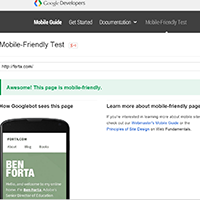 Is your site mobile friendly? Use Google's Mobile-Friendly Test tool to find out. And yes, this site is, thanks to responsive design.
March 18, 2015
The Document Cloud Team Is Blogging
 Yesterday I mentioned the Adobe Document Cloud. Here's another useful link, the Document Cloud team has been busy blogging.
March 17, 2015
The Adobe Document Cloud
Here it is, the 3rd pillar in our cloud strategy. Adobe Document Cloud combines a completely reimagined Acrobat with the power of e-signatures. Now you can edit, sign, send, and track documents wherever you are - across desktops, mobile, and web.Ben Forta's Blog

- Ben Forta's profile
- 6 followers
Ben Forta isn't a Goodreads Author
(yet),
but they
do have a blog,
so here are some recent posts imported from
their feed.

