My Babelcube Experience (part 3) Translated Paperbacks with CreateSpace
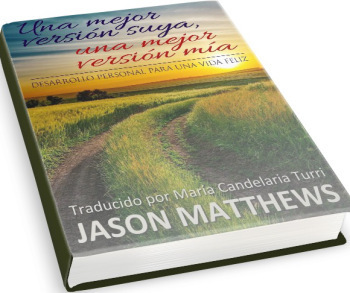 The plan for part 3 on Babelcube was scheduled for sales, but translated paperbacks recently became an option that deserved a look. It’s a logical step since Draft2Digital is their main distributor. Draft2Digital has included the choice of a CreateSpace paperback for a while on top of ebooks to retailers. It also makes sense because ebooks still aren’t mainstream in many nations, so having a print version of your translated book might be wise. Sales will be pushed to part 4, coming soon, while we talk paper now. (Part 1 and Part 2 for those who haven’t read them.)
Using the automated system, making a paperback with CreateSpace via Babelcube is an absolutely bare bones experience, nothing like making one directly through CreateSpace yourself. The current system has a long way to go if it wants to produce quality looking paperbacks, but there is also some good news which we’ll get to.
The problem with the automated system is because Babelcube and D2D simply upload the ebook version formatted for print with a program that is below reasonable expectations, so the opening page of the print book is likely to be a Table of Contents and it continues downhill from there. Page 2 of my TOC was numbered with the author name in the header as you can see in the photo below.

Their system makes choices for trim size, font, layout, you name it, not allowing for personal preferences. Here’s another example below where the conversion process oddly assigned a page break after a first line that translates to Part 2, then was followed by a couple paragraph returns, then the chapter title and then the chapter text, which are obviously missing.

That page should have looked like the one below, which is from my formatting.

However, the good news is you can supply and upload your own PDF interior and cover files, which is clearly the way to do this. You will need to be familiar with formatting interiors and covers with CreateSpace beforehand because you won’t have access to the CS digital previewer through Babelcube.
(Here’s a coupon to save 63% on my Createspace Formatting video course.)
My advice is to first create the book yourself at CreateSpace, even as a mock draft, so you can use the digital previewer and order a physical proof if you want. You won’t be legally allowed to publish it that way since it would be against Babelcube’s terms of service. But at least you’ll feel confident once you do submit those interior and cover files to Babelcube, which will hand them off to D2D which will hand them off to CreateSpace which will publish them into paperbacks and place them on Amazon. As soon as it’s available, order a copy and double-check it matches your original.
What do you think, is this worth the effort especially without being able to use the CS previewer? For the right author and the right book, perhaps. Please share any comments.
Subscribe to this blog for updates on indie authors and self-publishing. add me to Google Plus circles
Home – Author Help Videos – How-To Guides – Novels – About