AI Image Designers: 4 Game-Changing Tools That Create Stunning Visuals in Minutes
The visual content revolution is here, and it’s powered by artificial intelligence.
Picture this: You’re staring at a blank canvas in Photoshop, cursor blinking mockingly at you. Three hours later, you’ve got a mediocre social media post that looks like it was designed by someone who learned Photoshop from YouTube tutorials in 2015.
Sound familiar? You’re not alone.
While traditional graphic design requires years of training and expensive software, today’s AI image designers put professional-quality visuals in anyone’s hands. You don’t need a design degree or a massive budget. You just need the right AI tools and five minutes of your time.
The numbers don’t lie. Visual content gets 94% more views than text-only posts. But hiring professional designers costs thousands, and learning complex software takes months. That’s where AI-powered image designers change everything.
These platforms eliminate the learning curve, slash the costs, and deliver results that would make traditional designers jealous. From social media graphics to presentation slides, AI handles the heavy lifting while you focus on your message.
What Makes a Great AI Design Tool?Not all image designers are created equal. The best ones share three critical features that separate professionals from pretenders.
Smart template recognition means the AI understands what you’re trying to create before you even finish describing it. Tell it you need a LinkedIn post, and it knows the dimensions, style, and layout that works.
Brand consistency automation ensures every design matches your visual identity without manual adjustments. Upload your logo and colors once, and the AI applies them across every creation.
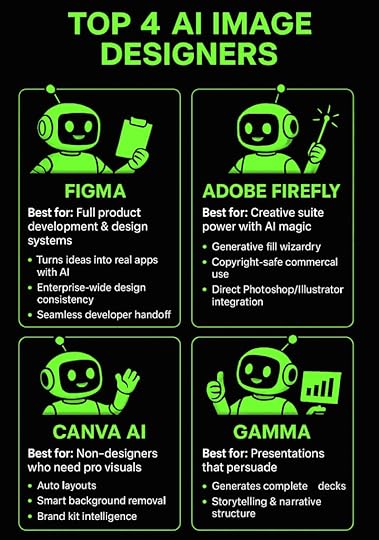
Top 4 AI Image Designers: There’s a Tool for Everything 1. Figma: Complete Product Development Platform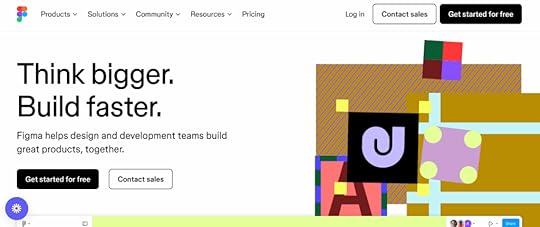
Figma feels like having a crystal ball that shows you the future of design. This isn’t your grandmother’s design tool—it’s a complete product development powerhouse that makes traditional workflows look ancient.
Watch this: You describe an app idea in plain English, and Figma’s AI-powered Make feature turns it into a functional application. Not a mockup. Not a prototype. An actual working app with databases, user authentication, and all the complex stuff that usually requires a development team.
The platform’s design systems work at enterprise scale, meaning your brand stays consistent across thousands of assets. Create once, use everywhere, update instantly across your entire organization. It’s like having a design police force that never sleeps.
What makes Figma absolutely essential:
The collaborative workspace lets entire teams work simultaneously on the same project. Real-time comments, version control, and approval workflows happen automatically. No more endless email chains about font choices.
Seamless developer handoff eliminates the traditional friction between designers and programmers. Developers get exact specifications, code snippets, and assets without endless back-and-forth meetings.
The visual orchestration approach means you literally see your entire design system in real-time, making it simple to identify bottlenecks and optimize processes.
Perfect for: Teams building apps, websites, or any digital product that needs design consistency and developer collaboration.
2. Adobe Firefly: Creative Suite Power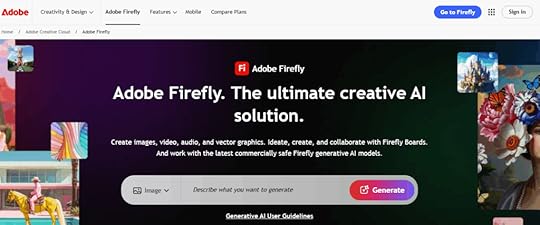
Adobe Firefly brings AI magic directly into the workflow that millions of creatives already know and love. This image design tool doesn’t replace your existing process—it gives it superpowers.
The generative fill feature feels like actual wizardry. Select any part of an image and describe what you want there instead. Need to remove a person from a photo and fill in the background? Done. Want to add a mountain range to a landscape? Just type it.
What makes Adobe Firefly game-changing:
Copyright-safe training data means you can use generated images commercially without legal nightmares. Adobe trained Firefly on their Stock imagery and openly licensed content, so you’re covered.
Creative Suite integration eliminates workflow disruption. Generate assets directly in Photoshop, Illustrator, and other Adobe apps without switching platforms or learning new interfaces.
Professional-grade output quality matches what you’d expect from Adobe’s legendary reputation. These aren’t toy-quality images—they’re production-ready visuals.
Perfect for: Professional designers, marketing teams, and content creators already invested in Adobe’s ecosystem.
3. Canva AI: Design for Everyone
Canva AI is what happens when you take professional design and make it accessible to literally anyone. The Magic Design feature analyzes your content and brand requirements to generate multiple layout options instantly.
Here’s the kicker: The platform understands design principles that most people never learn. Visual hierarchy, color theory, typography rules—Canva AI applies them automatically while you focus on your message.
What makes Canva AI brilliant for non-designers:
Smart background removal works with professional quality on any uploaded photo. Complex selections that would take hours in Photoshop happen in seconds with scary accuracy.
Brand kit intelligence learns your style preferences and suggests colors, fonts, and layouts that match your identity. Every design maintains consistency without you thinking about it.
Template adaptation takes any design and reformats it for different platforms. Social posts become presentations, flyers transform into web banners, all while preserving design integrity.
Perfect for: Small businesses, solopreneurs, and anyone who needs professional visuals without design training or big budgets.
4. Gamma: Presentations That Persuade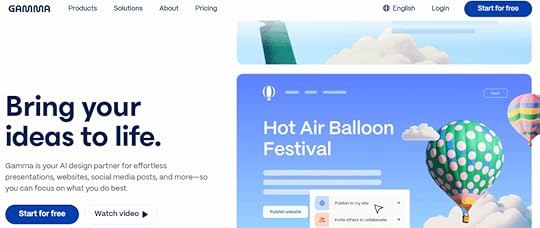
Gamma eliminates the most soul-crushing part of presentation creation—starting with a blank slide and staring at it until your eyes bleed.
This design tool understands narrative structure and creates complete presentations that actually tell compelling stories. Describe your topic or paste in an outline, and Gamma generates slides with professional design, logical flow, and compelling visuals.
The AI doesn’t just fill templates—it understands storytelling. It knows when to use comparison slides, when to highlight key points, and how to build toward a conclusion that actually lands.
What sets Gamma apart from everything else:
Intelligent narrative structure means presentations feel thoughtfully planned rather than randomly assembled. The AI acts as both designer and communication strategist.
Complex information breakdown turns dense technical content into digestible slides with appropriate visuals and clear explanations. Your audience actually understands what you’re saying.
Real-time collaboration features let teams work together while the AI continuously optimizes design and content organization. Changes happen instantly across all team members.
Perfect for: Business professionals, consultants, educators, and anyone who needs presentations that actually persuade and inform.
 AI Image Designers FAQ: Your Questions Answered
What’s the difference between AI image designers and traditional graphic design software?
Traditional software is like learning to drive a Formula 1 car when you just need to get to the grocery store. You manually create every element, understand complex design principles, and spend hours on each project. AI image designers generate professional results from simple descriptions, applying design expertise automatically while cutting creation time from hours to minutes.
Can these image design tools create content that looks professional enough for business use?
Absolutely. Modern AI image designers produce quality that makes expensive agencies nervous. Adobe Firefly integrates with Creative Suite for enterprise-grade output, while Canva AI and Gamma create business presentations used by Fortune 500 companies. The technology has crossed the “good enough” threshold and landed in “better than most professionals” territory.
Do I need design skills to use these image designers platforms effectively?
That’s the entire point—you don’t. These tools are built for people who can barely center text in Word but need professional results. The AI handles design principles, color theory, and layout optimization automatically. You focus on your message while the technology handles making it look incredible.
How do AI image designers handle brand consistency across multiple projects?
Smart brand kit features learn your visual identity from uploaded logos, colors, and style preferences. The AI applies these consistently across all designs, suggesting appropriate fonts, layouts, and color schemes that match your brand guidelines automatically. It’s like having a brand manager who never forgets the guidelines.
Are there any limitations to what these image designers tools can create?
While incredibly powerful, AI image designers work best with standard formats like social media graphics, presentations, and marketing materials. Highly specialized design work like complex infographics or custom illustrations might still require human expertise, though that gap is closing faster than a Tesla on autopilot.
Master AI Image Designers for Your BusinessThe image design landscape has fundamentally shifted. Professional-quality visuals are no longer locked behind expensive software and years of training.
AI democratized design, putting enterprise-level capabilities in anyone’s hands. These four platforms—Figma for product development, Adobe Firefly for creative professionals, Canva AI for accessible design, and Gamma for compelling presentations—represent the current leaders in AI-powered visual creation.
The entrepreneurs and businesses leveraging these image designers tools right now will dominate their markets tomorrow. While competitors struggle with traditional design workflows, you’ll create stunning visuals in minutes instead of hours.
But having the right tools is only half the battle. Success comes from knowing how to use them strategically, avoiding costly mistakes, and staying ahead of rapid technological evolution.
The AI revolution waits for no one. Your competition is already moving.
Ready to transform your visual content strategy with AI? Join First Movers R&D AI Labs and get direct access to proven workflows, expert guidance, and a community of entrepreneurs successfully scaling with artificial intelligence. We test the latest image design tools so you don’t waste time on what doesn’t work, and we share exactly what’s driving results right now.
No more second thoughts. No more questioning whether you’re using the right tools or following the best strategies. Just results, community, and the confidence that comes from having Dr. McCoy and the entire First Movers network in your corner.
Join First Movers R&D AI Labs today and turn AI image designers into your unfair competitive advantage.