AI Tools: 32 Super Essential Tools for Content Marketing Automation in 2025
Welcome to the AI gold rush.
This isn’t a metaphor. We’re living through the most significant technological shift since the internet itself, and right now—today—you have the same opportunity that early affiliate marketers had in the early 2000s.
Think about it. Back then, people like Jeremy Schoemaker started in the early 2000s and built legendary systems that generated millions. Pat Flynn began affiliate marketing in 2008 after being laid off and built Smart Passive Income into a multi-million dollar empire. Some affiliates went from $20k to consistently hitting $150k+ per year because they got in early when the barriers were low and the competition was minimal.
Today, those same affiliate marketing opportunities exist but they’re incredibly hard to break into. Why? The market is saturated. Every niche is dominated by established players with massive budgets and teams. The technical barriers are higher. The competition is fierce.
But here’s the thing: AI is creating a brand new playing field.
The numbers don’t lie. The global AI market was valued at $279.22 billion in 2024. The market volume is forecasted to reach $1.91 trillion by 2030.
And here’s the kicker: Just 13% have no AI adoption plans, meaning nearly four out of five organizations are engaging with AI in some form. This is your moment.
The entrepreneurs who embrace AI tools right now—who learn to automate their content marketing, streamline their workflows, and scale their businesses with artificial intelligence—will be the millionaires of tomorrow.
You can create a thriving content marketing business by yourself. You can build websites in minutes instead of hiring expensive developers. You can write compelling blog posts in minutes instead of days. You can create stunning visuals without expensive photographers or designers.
The question isn’t whether AI will transform business. It’s whether you’ll be part of the transformation or watching from the sidelines.
What Are Content Marketing AI Tools?Content marketing AI tools are software applications that use artificial intelligence to automate, enhance, and scale your content creation and marketing processes.
These tools are revolutionizing how solo entrepreneurs and small teams operate. Instead of spending weeks building a website, you can have a professional site live in minutes. Instead of struggling with writer’s block for hours, you can generate high-quality blog posts, social media content, and marketing copy instantly.
Here’s what’s possible with the right AI tools:
Time Savings That Change Everything. Tasks that used to take days now take minutes. A website that would cost $5,000+ to have custom-built can be created in under 10 minutes. Blog posts that took 6-8 hours to research and write can be generated and refined in under an hour.
Professional Results Without the Professional Price Tag. You no longer need to hire specialists for every aspect of your business. AI tools can create professional-grade images, write compelling copy, build functional websites, and even handle customer service interactions.
Scale Like a Team, Work Like a Solo Entrepreneur. One person with the right AI toolkit can produce the same output as a traditional team of 5-10 people. This isn’t hyperbole—it’s happening right now for smart business owners who’ve embraced these technologies.
24/7 Business Operations. AI doesn’t sleep. Your chatbots can handle customer inquiries around the clock. Your content can be automatically optimized for search engines. Your workflows can run continuously without human intervention.
The barrier to entry has never been lower, and the potential for scale has never been higher.
Quick Navigation: 32 AI Tools by CategoryWebsite & Landing Page Builders
10Web.ioDurable.coLovableContent Creation & Writing
ChatGPTClaude ProGemini AdvancedJasper AIPerplexity AINotebookLMVideo & Audio Tools
Opus ClipHeyGenEleven LabsDescriptUdio Music Creation ToolDesign & Visual Creation
Adobe FireflyCanva AIGammaAutomation & Workflows
Zapiern8nGumLoopBusiness Operations
Microsoft CopilotGoogle AI StudioTidio AIDocuAskFathomCursorSEO & Content Optimization
Surfer SEORankMath AIOriginality AISocial Media & Marketing
Buffer AIBrand24Specialized Tools
ChatAidWebsite & Landing Page Builders1. 10Web.io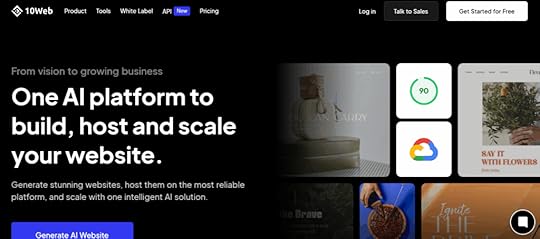
10Web is like having a professional web developer in your pocket, except this one works at lightning speed and never asks for coffee breaks. You literally just describe your business in a few words, and boom—you’ve got a fully functional site with content, images, and everything.
What blew my mind is how it recreates any website you admire. Just paste a URL and 10Web’s AI reverse-engineers the design without copying a single line of code. It’s like having a design team that can instantly clone any website aesthetic you love.
The platform runs on Google Cloud, which means your site loads fast and stays secure. Plus, the AI Co-Pilot feature lets you chat with the system to make changes. Want to swap out images or rewrite a section? Just ask the AI. It’s web development for the rest of us.
2. Durable.co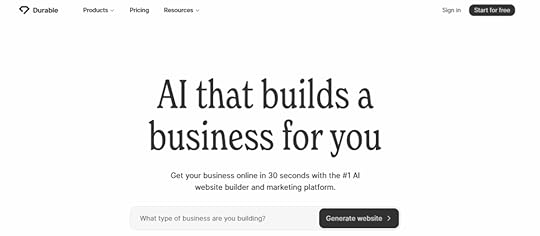
Durable takes the “30-second website” promise seriously, and they actually deliver. This isn’t some basic landing page generator—it builds complete business websites with CRM, invoicing, and even writes blog posts for you.
The AI is smart about business types. Tell it you’re a dentist, and it knows you need appointment booking. Say you’re a consultant, and it builds in contact forms and service pages. It’s like the AI actually understands how different businesses operate.
What’s clever is how it handles the business side too. Your website isn’t just pretty—it’s functional. Built-in invoicing means you can literally start taking payments the same day you launch. That’s the kind of integration that saves you months of setup time.
3. Lovable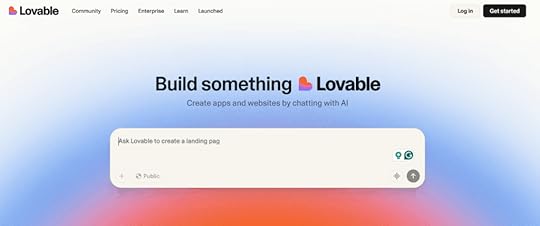
Lovable feels like magic. You describe an app idea in plain English, and it builds a working web application. Not a prototype or mockup—an actual functioning app with databases, user authentication, and all the complex stuff that usually requires a development team.
People build custom inventory systems, client portals, and even mini-SaaS tools without writing a single line of code. The AI understands business logic in shocking ways. Tell it you need a customer management system with different user roles, and it builds exactly that.
The real game-changer is how it handles the technical complexity behind the scenes. Database design, security, responsive layouts—all automatically handled while you focus on what your app should do, not how to build it.
Content Creation & Writing4. ChatGPT
ChatGPT is the tool that started the AI revolution, and it’s still the Swiss Army knife of content creation. What makes ChatGPT special isn’t just its writing ability—it’s how it thinks through problems and maintains context across long conversations.
The web browsing feature changed everything for content creators. Now ChatGPT can research current events, find statistics, and create content based on the latest information. No more outdated facts or stale references in your content.
Here’s what makes ChatGPT indispensable for content marketers:
Custom GPTs for specialized tasks: Build your own AI assistants trained for specific purposes. I’ve created GPTs for writing content – and it’s great!
Image analysis capabilities: Upload screenshots of competitor content and ChatGPT analyzes their strategy, helping you create better content that stands out.
Code integration: Need to embed something technical in your content? ChatGPT writes the code and explains it in simple terms.
The free version is surprisingly powerful, but ChatGPT Plus removes usage limits and gives you access to the latest models. For heavy content creators, it’s worth every penny.
5. Claude Pro
Claude is the thoughtful, sophisticated cousin of ChatGPT. While other AI tools sometimes feel robotic, Claude writes with nuance and understanding that often surprises me. It’s particularly brilliant for long-form content where you need consistent quality throughout.
The 200,000 token context window is a game-changer for content creators. You can upload entire documents, provide extensive brand guidelines, or work on massive content projects without the AI forgetting what you discussed earlier. I’ve used it to write entire eBooks while maintaining voice consistency throughout.
Claude excels at analysis and critical thinking. Give it a content strategy document, and it won’t just summarize—it’ll identify gaps, suggest improvements, and even predict potential challenges. It’s like having a senior content strategist available 24/7.
The ethical training shows in Claude’s output. It naturally avoids problematic content and provides balanced perspectives on controversial topics, which is crucial for brand safety in content marketing.
6. Google Gemini
Gemini is Google’s answer to ChatGPT, and its killer feature is seamless integration with Google Workspace. If you live in Gmail, Docs, and Drive like most businesses do, Gemini feels like a natural extension of your existing workflow.
Watching Gemini work within Google Docs is impressive. It can analyze your existing content, suggest improvements, and even write new sections that match your established tone. The AI understands your document structure and maintains formatting automatically.
The Gmail integration is particularly clever. Gemini can draft responses that match your writing style by analyzing your previous emails. It even considers the context of email threads and suggests appropriate responses based on the conversation history.
For teams already invested in Google’s ecosystem, Gemini eliminates the friction of switching between tools. Everything happens within the apps you’re already using, making AI assistance feel invisible and natural.
7. Jasper AI
Jasper built its reputation as the AI specifically designed for marketers, and it shows in every feature. This isn’t just another writing tool—it’s a marketing content factory with built-in frameworks and templates that actually understand conversion psychology.
The brand voice feature is where Jasper shines. Train it on your existing content, and it learns your specific tone, style, and messaging. Then it applies this consistently across all content types, from social media posts to long-form sales pages.
Here’s what makes Jasper powerful for marketing teams:
Campaign planning tools: Jasper doesn’t just write individual pieces—it helps plan entire content campaigns with consistent messaging across multiple channels.
Conversion-focused templates: Built-in frameworks like AIDA, PAS, and other proven copywriting formulas ensure your content follows tested conversion patterns.
Team collaboration features: Multiple team members can work within the same brand voice parameters, ensuring consistency even with distributed teams.
The SEO integration helps optimize content for search engines while maintaining readability and conversion focus. It’s particularly valuable for content marketing teams that need to balance SEO requirements with persuasive copywriting.
8. Perplexity AI
Perplexity is what happens when you combine AI writing with real-time research capabilities. Instead of generic content, you get well-researched, fact-checked writing with actual citations. It’s like having a research assistant and writer rolled into one tool.
The follow-up question feature is brilliant for content development. Start with a basic query, and Perplexity suggests related questions that help you explore topics comprehensively. This natural progression often uncovers content angles I wouldn’t have thought of otherwise.
What sets Perplexity apart is source credibility. It doesn’t just pull information from anywhere—it prioritizes authoritative sources and provides clear citations. This is crucial for content that needs to establish trust and authority.
The research threads feature lets you build comprehensive knowledge bases on specific topics. Start researching a subject, and Perplexity maintains the conversation context, building deeper understanding as you ask more questions.
9. NotebookLM
NotebookLM is Google’s experimental tool that turns your documents into conversational AI assistants. Upload your research, brand guidelines, or existing content, and NotebookLM creates an AI that can discuss, analyze, and build upon that specific information.
The podcast generation feature is absolutely wild. Upload documents about your industry or company, and NotebookLM creates realistic podcast-style conversations discussing your content.
What makes NotebookLM special is how it stays grounded in your source material. Unlike general AI tools that might hallucinate facts, NotebookLM only works with the information you provide, ensuring accuracy and relevance to your specific needs.
The collaborative workspace feature is perfect for content teams working with extensive research materials. Everyone can interact with the same knowledge base, ensuring consistent understanding across team members.
Video & Audio AI Tools10. Opus Clip
Opus Clip is the lazy content creator’s dream come true. Take one long video and watch it magically transform into dozens of short, viral-ready clips. I’ve seen hour-long podcasts become 30 different TikTok videos in minutes, each with its own compelling hook and perfect pacing.
The viral score feature is genuinely helpful—it predicts which clips have the best chance of taking off on social media. The AI analyzes factors like engagement patterns, hook strength, and content structure to give each clip a score. It’s like having a social media expert review every piece of content before you post.
What impressed me most is how Opus Clip understands storytelling. It doesn’t just randomly chop up videos—it identifies complete thoughts, dramatic moments, and natural conversation breaks. The AI even adds animated captions and optimizes aspect ratios for different platforms automatically.
11. HeyGen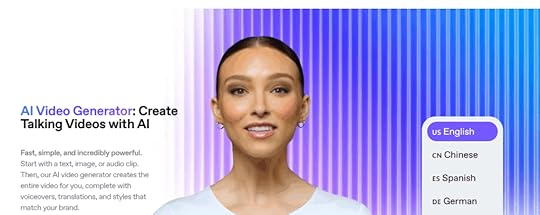
HeyGen feels like the future of video production. Create professional videos with realistic AI avatars speaking in dozens of languages without filming anything. I personally use HeyGen to create my digital avatar, and boy, I have no complaints at all!
Look how realistic “she” looks!

See her in action here:
The custom avatar feature is where things get really interesting. Upload videos of yourself, and HeyGen creates an AI version that can speak in any language while maintaining your facial expressions and mannerisms. Companies are using this for multilingual marketing campaigns and training videos. (I’m using it too, and I love it!)
The platform handles everything that usually requires a video production team. Script writing, avatar selection, voice generation, and even basic editing—all controlled through a simple interface. You can literally create a professional marketing video during your lunch break.
12. ElevenLabs
ElevenLabs creates voices so realistic they’re actually a little unsettling. The voice cloning technology can replicate anyone’s voice from just a few minutes of audio samples. I personally use this with HeyGen to create super realistic videos you can’t tell apart from real videos of me.
The emotional range is what sets ElevenLabs apart from other voice tools. The AI doesn’t just read text—it understands context and adjusts tone accordingly. Sad scenes sound genuinely emotional, exciting moments have energy, and conversational content feels natural.
Here’s what makes ElevenLabs powerful for content creators:
Real-time voice conversion: Change your voice during live streams or calls, opening up creative possibilities for character-based content.
Commercial voice licensing: Access professional voice actors’ voices for your projects without hiring talent.
Multi-language support: Maintain the same voice characteristics across different languages, perfect for global content strategies.
The platform is particularly valuable for audiobook creation, podcast production, YouTube videos, tutorials, courses, and any content that needs consistent, high-quality narration.
13. Descript
Descript revolutionized editing by making it as simple as editing a Word document. Delete words from the transcript, and they disappear from the audio or video. It sounds too simple to work well, but it completely changes how you approach content editing.
The Overdub feature borders on magical. Record yourself saying something wrong, and Descript can generate the correct words in your own voice. Need to add a sentence you forgot? Type it, and Overdub speaks it in your voice. It’s like having a voice actor who sounds exactly like you on standby.
Screen recording integration means you can create tutorial videos, edit them like text documents, and add professional touches without juggling multiple apps. The AI handles filler word removal, background noise reduction, and even automatic subtitle generation.
14. Udio
Udio democratizes music production in ways that seemed impossible just a few years ago. Describe the mood, genre, or style you want, and Udio creates original songs complete with lyrics, melody, and instrumentation. It can generate everything from hip-hop beats to orchestral pieces that sound professionally produced.
The lyric generation feature is surprisingly sophisticated. Tell Udio you need a song about overcoming challenges for a motivational video, and it writes lyrics that actually make sense and flow naturally with the melody. The AI understands rhyme schemes, verse structure, and chorus development.
What’s particularly useful for content creators is how Udio handles commercial usage rights. The music you generate is original and cleared for use in your projects, eliminating the licensing headaches that usually come with background music for videos and podcasts.
Design & Visual Creation15. Adobe Firefly
Adobe Firefly brings AI magic directly into the creative workflow that millions of designers already know and love. What makes Firefly special isn’t just that it generates images—it’s how seamlessly it integrates with Photoshop, Illustrator, and the entire Creative Suite. You’re working on a design and need a specific element? Generate it without leaving your project.
The generative fill feature is genuinely mind-blowing. Select any part of an image and describe what you want there instead. Need to remove a person from a photo and fill in the background? Done. Want to add a mountain range to a landscape? Just type it. The AI fills in the missing pieces so naturally you’ll forget they weren’t there originally.
What I appreciate about Firefly is Adobe’s approach to copyright. The AI is trained on Adobe Stock imagery and openly licensed content, which means you can use generated images commercially without legal worries. That’s peace of mind you can’t get from every AI image generator.
16. Canva AI
Canva AI is what happens when you combine the world’s most user-friendly design platform with seriously smart artificial intelligence. The Magic Design feature analyzes your content and brand requirements to instantly generate multiple professional layout options. It’s like having a graphic designer who works at superhuman speed.
The AI understands design principles that most people never learn. It knows about visual hierarchy, color theory, and typography rules, then applies them automatically. Upload your logo and brand colors once, and every design maintains consistency without you thinking about it.
Here’s what makes Canva AI powerful for non-designers:
Smart background removal: Upload any photo and Canva instantly separates the subject from the background with professional-quality results.
Brand kit intelligence: The AI learns your brand style and suggests colors, fonts, and layouts that match your identity across all designs.
Template adaptation: Take any template and Canva AI adapts it to different formats—social posts become presentations, flyers become web banners, all while maintaining design integrity.
The collaborative features mean entire teams can create on-brand content without needing design training or approval workflows.
17. Gamma
Gamma eliminates the most painful part of presentation creation—starting with a blank slide. Describe your topic or paste in an outline, and Gamma generates a complete presentation with professional design, logical flow, and compelling visuals. It’s like having a presentation designer who actually understands your content.
The AI doesn’t just fill templates—it understands narrative structure. It knows when to use comparison slides, when to highlight key points, and how to build toward a conclusion. The presentations feel thoughtfully planned rather than randomly assembled.
What impressed me most is how Gamma handles complex information. Give it dense technical content, and it breaks it down into digestible slides with appropriate visuals and clear explanations. The AI acts as both designer and communication strategist, making sure your message lands effectively.
The real-time collaboration features let teams work together while the AI continues optimizing design and content organization throughout the process.
Automation & Workflows18. Zapier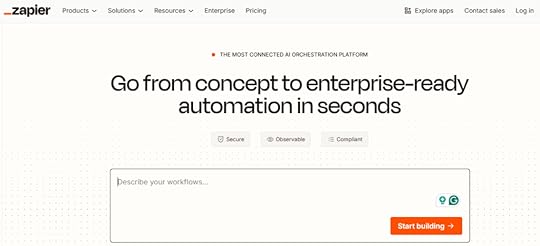
Zapier is the OG of automation tools, and for good reason—it just works. Connect over 5,000 apps and watch your repetitive tasks disappear into automated workflows called “Zaps.” I’ve seen businesses save dozens of hours per week by automating everything from lead management to social media posting.
The beauty of Zapier is its simplicity. You don’t need to understand APIs or write code. See a repetitive task? There’s probably a Zap for it. Moving leads from Facebook ads to your CRM, posting Instagram content to multiple platforms, or syncing calendar events with project management tools—Zapier handles it all.
The AI-powered automation suggestions are genuinely helpful. Zapier analyzes your connected apps and recommends workflows you probably didn’t know were possible. These suggestions often reveal automation opportunities that save significant time once implemented.
19. n8n
n8n is for people who want Zapier’s power but with complete control over their automation infrastructure. The open-source approach means you can customize everything, self-host your workflows, and avoid vendor lock-in entirely. It’s automation for the technically minded who value flexibility over convenience.
The visual workflow builder rivals enterprise automation tools while offering unlimited customization possibilities. With over 200 built-in integrations and the ability to create custom nodes, n8n can handle virtually any automation scenario you can imagine.
What makes n8n appealing for power users is its advanced capabilities. Create complex workflows with conditional statements, loops, and data processing that goes beyond simple trigger-action automation. Run it on your own servers for complete data control and unlimited automation without subscription costs. Build integrations with proprietary systems that aren’t available on other platforms.
20. GumLoop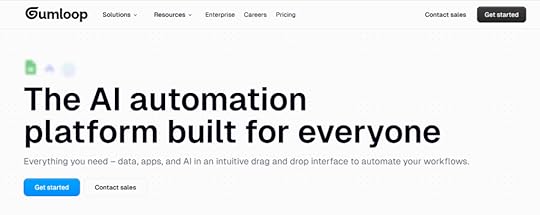
GumLoop is the most underrated automation tool in the market right now. Founded by two Canadian prodigies, this platform combines the visual simplicity of Zapier with the intelligence of modern AI models. It’s like automation tools grew a brain and learned how to think.
What sets GumLoop apart is its AI-powered approach to workflow creation. Instead of just connecting apps, GumLoop can analyze data, make decisions, and adapt workflows based on context. The AI suggestions help identify automation opportunities within your existing processes that you might never have considered.
Teams at Webflow, Instacart, and Shopify are using GumLoop to automate complex workflows that would normally require development teams. The platform’s continuous AI agents can run workflows that monitor data sources and react to changes in real-time, making it perfect for sales automation, research tasks, and administrative workflows.
Business Operations21. Microsoft Copilot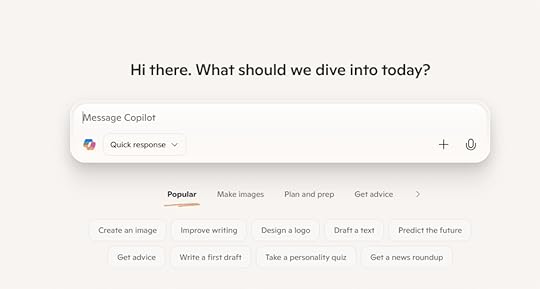
Microsoft Copilot feels like the future arrived quietly and embedded itself into the apps you already use every day. Instead of learning another platform, you get AI superpowers directly in Word, Excel, PowerPoint, and Outlook. Watching it analyze spreadsheet data or generate presentation slides feels like having a genius assistant who never sleeps.
The AI understands business context in ways that genuinely surprise me. It summarizes long email threads, extracts action items from Teams meetings, and suggests document improvements based on your company’s writing style. This isn’t just fancy autocomplete—it’s AI that helps you think through problems.
What makes Copilot particularly valuable is how it maintains security while providing cutting-edge AI capabilities. Your organization’s data stays protected while you get access to tools that would have seemed like science fiction just a few years ago. It’s enterprise AI done right.
22. Google AI Studio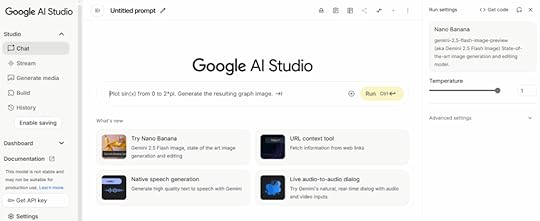
Google AI Studio opens up advanced AI capabilities for businesses that want to build custom solutions instead of being stuck with one-size-fits-all tools. You get access to Google’s language models and the development tools needed to create AI applications tailored to your specific business needs.
The platform bridges the gap between simple consumer AI tools and enterprise-level development. Whether you’re building chatbots, content generation systems, or data analysis applications, AI Studio provides the foundation without requiring a computer science degree.
The prompt engineering tools help fine-tune AI behavior for specific use cases, while API integration lets you embed powerful language models into existing business applications. It’s perfect for companies that need AI solutions but don’t want to build everything from scratch.
23. Tidio
Tidio creates chatbots that customers actually want to talk to instead of immediately demanding to speak with a human. The platform combines live chat with AI automation, so customers get instant answers for simple questions while human agents handle the complex stuff. No more frustrated customers stuck with unhelpful bots.
The AI learns from your business’s specific products, services, and customer interactions. Over time, it gets scary good at understanding what customers really want and providing accurate solutions. The visual chatbot builder lets non-technical people create sophisticated conversation flows without touching code.
Integration with e-commerce platforms and CRM systems means Tidio can access customer information, order history, and product details to provide personalized support. It’s customer service automation that actually improves the customer experience rather than making it worse.
24. DocuAsk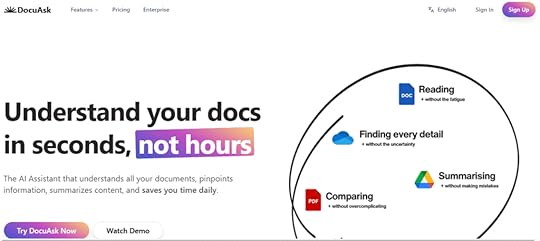
DocuAsk turns your document chaos into a conversational AI assistant that actually knows what it’s talking about. Upload contracts, manuals, research papers, or any text-based documents, and DocuAsk creates an AI that can answer questions about that specific content. It’s like having a research assistant who memorized every document in your business.
Natural language querying eliminates the soul-crushing process of manually searching through documents. Ask complex questions in plain English and get accurate, sourced answers with references to specific sections. Legal firms and consulting companies are using this to transform how they handle information.
The platform works with entire document libraries simultaneously, making it easy to find information across massive collections of files. The AI stays grounded in your source material, so you get accuracy and relevance rather than creative hallucinations.
25. Fathom
Fathom eliminates the most annoying part of meetings—frantically taking notes while trying to participate in the conversation. The AI automatically records, transcribes, and summarizes every meeting while extracting action items and key decisions. Finally, you can focus on the discussion instead of becoming the designated note-taker.
The AI identifies speakers, highlights important moments, and generates follow-up emails based on meeting content. Integration with CRM systems means client meetings get automatically logged with relevant details and next steps, keeping your sales pipeline organized without manual data entry.
What’s most impressive is how Fathom handles context and nuance. It doesn’t just transcribe everything—it understands when decisions are made, action items are assigned, and follow-up meetings are scheduled. The summaries capture actual outcomes rather than just word vomit.
26. Cursor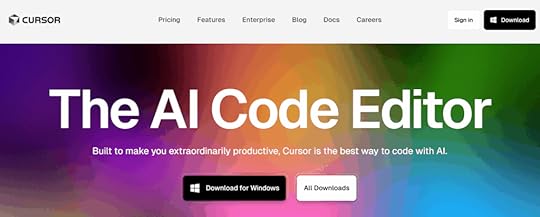
Cursor brings AI assistance directly into coding, making software development accessible to more people while dramatically boosting productivity for experienced developers. The AI understands context across your entire codebase and suggests complete functions, identifies bugs, and explains complex code in plain English.
The platform goes beyond simple code completion with intelligent refactoring suggestions, automated testing generation, and real-time optimization that improves performance. Cursor adapts to your specific project requirements and coding style, becoming more helpful the more you use it.
Even if you’re not a developer, Cursor helps with technical content creation. Need code examples in blog posts or technical documentation? Cursor writes the code and explains it in terms that non-technical audiences can understand.
SEO & Content Optimization27. Surfer AI
Surfer AI is like having a data scientist reverse-engineer Google’s ranking algorithm for your specific keyword. The platform analyzes top-performing pages and examines hundreds of ranking factors to create data-driven optimization recommendations that actually work.
The real-time feedback system shows exactly how your content compares to top-ranking competitors as you write. This eliminates the guesswork from SEO content creation and provides clear guidance for improvement. The visual editor makes optimization accessible even if you don’t speak SEO fluently.
Surfer’s strength lies in identifying the specific elements that search engines favor for particular keywords. Instead of following generic SEO advice that may or may not apply to your niche, you get precise recommendations based on what’s actually working in your market right now.
28. Rank Math Content AI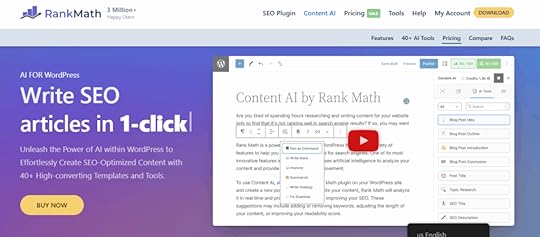
Rank Math Content AI is the secret weapon that WordPress content creators have been waiting for, and honestly, it’s criminally underrated. This isn’t just another AI writing tool—it’s 40+ AI-powered features built directly into your WordPress editor that turn SEO optimization from a tedious chore into something that happens automatically as you write.
The magic happens when you type “//” in any WordPress editor. Instantly, you get access to an AI assistant that doesn’t just write content—it writes SEO-optimized content based on real competitor analysis. The AI researches your target keywords, analyzes what’s ranking on page one, and tells you exactly what to include in your content to outrank the competition.
What sets Rank Math AI apart from standalone tools like Jasper or ChatGPT is its deep integration with actual SEO data. While other tools generate generic content, Rank Math AI generates content specifically designed to rank higher in search engines. It suggests related keywords, creates FAQ sections with proper schema markup, and even generates meta titles and descriptions that are optimized for click-through rates.
The bulk editing features are where this tool becomes absolutely essential for content teams. Need to write meta descriptions for 500 blog posts? Rank Math AI can do it in minutes. Want to optimize all your old content for new keywords? The AI analyzes each post and suggests improvements based on current search trends.
29. Originality AI
Originality AI serves as quality control for the AI content revolution, and honestly, it’s become essential as AI-generated text floods the internet. The platform helps maintain content authenticity and avoid potential search engine penalties that may target obviously artificial content. The detection capabilities update continuously to identify content from the latest AI models.
The detailed reports show which sections may have been AI-generated and offer suggestions for improvement. This makes it invaluable for content teams working with freelancers, agencies managing multiple writers, or businesses that want to ensure published content maintains human authenticity while leveraging AI for efficiency.
Beyond simple detection, Originality AI helps maintain editorial standards across large content operations. The plagiarism checking ensures originality while the AI detection helps balance automation with human creativity. It’s like having a quality assurance team built into your content workflow.
Social Media & Marketing30. Buffer AI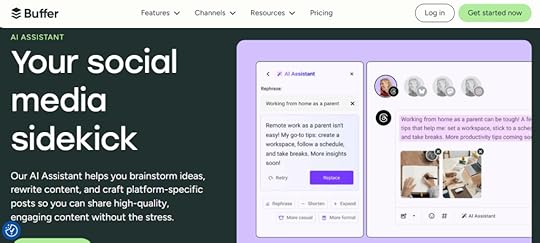
Buffer AI transforms social media management from a time-consuming chore into an intelligent, automated system. The AI analyzes your audience’s behavior patterns to recommend optimal posting times, suggest hashtags that actually drive engagement, and propose content formats that perform best for your specific followers.
The platform’s AI assistant can repurpose long-form content into social media posts automatically, creating variations optimized for different platforms. Blog posts become Twitter threads, YouTube videos transform into Instagram carousel posts, and podcasts turn into LinkedIn articles—all with platform-specific optimization.
Buffer’s analytics provide insights into which content types generate the most engagement, allowing you to refine your strategy based on actual performance data. The AI learns from your results and continuously improves its recommendations, making your social media strategy smarter over time.
31. Brand24
Brand24 uses AI to monitor mentions of your brand, competitors, or industry keywords across social media platforms, news sites, blogs, forums, and other online venues. It’s like having a digital listening post that never sleeps, applying sentiment analysis to determine whether mentions are positive, negative, or neutral.
The AI goes beyond simple keyword matching by understanding context and identifying relevant conversations even when your brand isn’t explicitly mentioned. This helps track industry discussions, competitor activities, and market trends that inform strategic decision-making and competitive positioning.
Brand24 identifies influencers and brand advocates within your industry, opening opportunities for partnerships and collaborations. The real-time monitoring capabilities help maintain brand reputation while discovering emerging trends and customer concerns before they become major issues.
Specialized Tools32. ChatAid
ChatAid specializes in creating AI chatbots that customers actually enjoy talking to instead of immediately demanding human agents. Unlike basic chatbots that rely on keyword matching, ChatAid’s AI understands context, remembers conversation history, and handles multi-step problem resolution like a human would.
The system learns from each customer interaction, continuously improving its ability to provide accurate and helpful responses. The visual chatbot builder lets non-technical people create sophisticated conversation flows that feel natural and helpful rather than robotic and frustrating.
Integration capabilities mean ChatAid can access your knowledge base, product information, and customer history to provide personalized support experiences. The platform supports multiple channels including website chat, social media messaging, and email support, creating consistent experiences across all touchpoints.
Your AI-Powered Future Starts NowThe AI revolution isn’t coming—it’s here.
While others hesitate and make excuses, you have the opportunity to join the new wave of AI-powered entrepreneurs. The ones who will look back in 10 years as the smart money that got in early.
Remember what we talked about at the beginning? The affiliate marketers who started in the early 2000s built legendary systems worth millions. Today’s AI market is growing annually and will reach $1 trillion by 2030. The opportunity is massive and it’s happening right now.
These 32 AI tools represent the foundation of modern content marketing automation. From website creation and content writing to social media management and customer service, artificial intelligence is transforming every aspect of how we build and scale businesses.
Ready to Master AI for Your Business?Building a successful AI-powered content marketing business isn’t just about having the right tools—it’s about knowing how to use them strategically, avoiding costly mistakes, and staying ahead of the rapidly evolving AI landscape.
That’s where First Movers R&D Labs comes in.
First Movers isn’t just another online community. It’s your strategic advantage in the AI revolution. Here’s what makes us different:
Direct Access to Dr. Julia McCoy – Get personalized guidance from someone who’s been building AI-powered content businesses since before it was trendy. No more second-guessing your strategy or wondering if you’re doing it right.
Ready-to-Deploy AI Bots – Skip months of trial and error. Get proven AI assistants, prompts, and workflows that you can implement immediately in your business. These aren’t theoretical frameworks—they’re battle-tested systems that are already generating results for our members.
Community of Like-Minded Entrepreneurs – Connect with other business owners who are successfully scaling with AI. Share wins, troubleshoot challenges, and discover new opportunities together. The collective knowledge in this community is worth more than any course you could buy.
Cutting-Edge Strategies – Stay ahead of AI trends and updates before they hit the mainstream. We test new tools and techniques so you don’t have to waste time and money on what doesn’t work. When a new AI breakthrough happens, you’ll know about it first and exactly how to leverage it.
Implementation Support – Stop wondering “what if” and start seeing results. Our community helps you turn AI knowledge into profitable action. No more analysis paralysis or getting stuck in tutorial hell.
The entrepreneurs who join First Movers today will be the ones dominating their markets tomorrow. While others struggle to figure out AI on their own, you’ll have a proven roadmap, expert guidance, and a community of successful practitioners supporting your success.
The AI revolution waits for no one. Your competition is already moving.
Join First Movers R&D AI Labs today and turn AI into your unfair advantage.
No more second thoughts. No more questioning whether you’re using the right tools or following the best strategies. Just results, community, and the confidence that comes from having Dr. McCoy and the entire First Movers network in your corner.
Your AI-powered future starts now.
AI Tools FAQsWhich AI Tools Should I Start With as a Beginner?Start with just three tools: ChatGPT for writing, Canva AI for design, and Zapier for automation. Don’t try to use 15 tools on day one—you’ll burn out fast.
ChatGPT handles 80% of your content needs, even the free version. Use it for brainstorming, social posts, and blog drafts. Add Canva AI for graphics and presentations using their Magic Design feature. Finally, Zapier connects your tools together—start by automating simple tasks like adding email subscribers to your CRM.
Master these three before adding specialized tools. Most beginners fail because they try everything at once instead of building competency gradually.
Are Free AI Tools Actually Good Enough for Business Use?Yes, but with limitations you need to understand. Free versions are perfect for testing workflows and proving value before investing money. ChatGPT’s free tier is legitimately powerful for content creation, but you’ll hit usage limits. Canva’s free plan creates solid designs but adds watermarks.
My strategy: start free, then upgrade the tools that become essential to daily operations. This way you make informed investment decisions rather than paying for unused features.
Free tools work great for limited use cases. If you only remove backgrounds from a few images monthly, Canva’s free version is perfect. But daily use justifies the upgrade.
How Do I Choose Between Similar AI Tools?Use my three-factor framework: workflow integration, specific features that matter to YOUR use case, and scalability.
Integration matters most. If you live in Google Workspace, Gemini beats ChatGPT despite minor feature differences. Switching between tools creates friction that outweighs advantages.
For features, focus on what you actually need. Perplexity’s citations make it better for research than ChatGPT. Claude’s 200K token limit beats ChatGPT for long documents.
Skip comparison charts—use free trials with real projects. Test your actual workflows to see which tool handles them better. That practical experience beats reading reviews.