Jason Matthews's Blog, page 24
February 17, 2012
Indie Authors of Authonomy
 Want to find some great books from writers who frequent Authonomy? The best of the best new talents whom Harper Collins just doesn't know what to do with? Now there's a site dedicated to these gems. It's called Books from Writers at Authonomy–The Best of the Best eBooks and Paperbacks, managed by Winston Chad Emerson, fellow Authonomite and author of A Circle in the Woods.
Here you'll find a growing list of self-published and traditionally published titles from the best writer's workshop in the world, Authonomy, hosted by HarperCollins-UK.
Every book listed here comes from a long-time member of Authonomy, "an online community of discovery where writers become authors." Ranging from thrillers to chick lit, how-to books to science fiction, this ever-expanding catalog has something for every reader.
It really does, and it will keep getting better as more discover it. Visit the site today at http://www.squidoo.com/self-published-books-from-writers-at-authonomy.
–
Click here for the home page of How to Make, Market and Sell Ebooks All for Free.
Subscribe to this blog for updates on what Indie authors can do to sell ebooks.

 add me to your Google Plus circles.
+Jason Matthews author








February 6, 2012
Smashwords Confirms Dramatic Indie Author Rise
 Mark Coker of Smashwords has probably done more for self-publishing than anyone since Dan Poynter. Both of these guys are heroes of mine and deserve to be known by everyone thinking of becoming Indie authors.
Most writers know Smashwords as a place to sell ebooks and enjoy distribution to retailers that otherwise might be difficult to get into (e.g. Apple, Sony and Kobo). What many may not realize is how explosive the participation has become at Smashwords. The graph (top left) is a report from their blog demonstrating the enormous growth of both authors and ebooks in just a few years, numbers that are climbing astronomically. If the rate continues as it has, by the end of 2014, 1 million authors may have published a staggering 6 million books. Even if the growth rate drops off, the future year-end numbers should still be impressive.
 This other chart (on the right) is similarly remarkable. It represents unique weekly visitors to the Smashwords website over the past 3.5 years. The site is much more than just a place to publish–it's also for readers to sample and buy ebooks. There's a need to stress the words unique visitors here, as it's not only the authors checking in multiple times per day skewing the results. Lots of readers love Smashwords too, even if they buy at other venues like Amazon or Barnes & Noble. Too bad this chart doesn't have specific numbers though it's clearly multiplying by amounts that should make any stockbroker take notice. Can you say Smashwords IPO? Hopefully that will be a reality one day.
This degree of growth encourages some and upsets others. The term, Indie author, is still a polarizing one–often met with mixed emotions among readers, understandably so. Not all Indie books are easy to read and some are just plain awful, but there are plenty of diamonds in the rough. I know because I've read many of the hidden gems plus some of the bad apples. My point in republishing these Smashwords graphs is not to debate whether or not to read Indies; it's just to point out the inevitable changes already happening within the world of publishing. It's my opinion (and Mark's) that the power is shifting from the traditional publishing houses to the authors and readers, which we believe is a good thing.
Mark Coker calls the present a "time of Indie adolescence." Sounds like a fine analogy and a reminder to writers out there that it's still a great time to join this movement. It's never too late to self-publish, and there's never been a better time than right now.
–
Click here for the home page of How to Make, Market and Sell Ebooks All for Free.
Subscribe to this blog for updates on what Indie authors can do to sell ebooks.
add me to your Google Plus circles.
+Jason Matthews author







January 30, 2012
Monday Writer's Hangout Google Plus, 6pm PST
 Last Monday we hosted the first series of Monday Writer's Hangout on Google Plus, an hour spent chatting about writing, our books and the self-publishing business in general. We didn't have quite as much fun as the folks in this Zach Manchester Creative Commons photo, but it went so well we decided to make it a weekly event.
Authors young and old, experienced and newbie are welcome to join us, ask questions and lend their expertise to the group knowledge-base. Subjects which may get discussed:
ebook formatting
selling on Amazon, Barnes & Noble, Apple
finding good editors/cover designers
KDP Select
Smashwords
websites and blogging
selling with PayPal and Shopping Carts
social media tips for Facebook, Twitter, Google Plus
how to get reviews and more…
Look for our writer's hangout on Google Plus every Monday at 6pm PST (California), which is 9pm EST. Until I discover a better way, for those interested in hangin' with us it's best to get added to my writer's circle on Google Plus by leaving a comment in this blog post below. Leaving a comment helps me distinguish writers from spammers, because some people spam my G+ profile with cirlce-adds and get ignored. After leaving a comment, visit my G+ profile and add me to your circles – http://gplus.to/JasonMatthews.
Having trouble calculating 6pm California time? Try this world clock – http://www.timeanddate.com/worldclock/.
If there's a better way to announce a G+ hangout schedule, let me know in the comments too.
–
Click here for the home page of How to Make, Market and Sell Ebooks All for Free.
Subscribe to this blog for updates on what Indie authors can do to sell ebooks.
add me to your Google Plus circles.
+Jason Matthews author







January 24, 2012
Indie Authors Home-Made Book Covers part 1
 When self-publishing, the average Indie author wears many hats while transforming the words of a manuscript into an ebook or paperback. This means handling multiple jobs of the publishing biz that would normally be done by specialized pros: editing, interior formatting, cover design, marketing, etc. The Indie dilemma–you can't just write unless you have deep enough pockets to hire out for many professionals.
Enter discussions in forums and you'll likely hear energized opinions of what authors should or should not do for themselves. Editing probably stands out the most, but another heated debate is on cover design. Should an Indie author design her/his own cover? Well, the tools exist online to do it for free, so is that reason enough to give it a try?
It was for me. I've done it 7 times, and although my covers haven't been nominated for awards (nor will they), I do sell books. Ultimately the reviews and referrals sell more than the covers, but let's not get off track. This post is not intended to be an argument for or against doing it yourself; it's just to give examples from authors I've met in cyberspace who made their own covers and are willing to share experiences. This is not a contest nor is it meant to be in any order, and for those who still insist on hiring out… at the bottom are affordable solutions.
Before judging these books by their covers it's important to recognize that plenty of Amazon best-sellers have less-than-stellar front faces. http://www.amazon.com/gp/bestsellers/books/ is a list of top 100 paper-books, not ebooks, and it may surprise you to find many simple designs (basic photo or graphics with text) on best-selling books. Seems about 20% of the books on this top 100 list are simple enough to be reproduced by the average Indie.
Here are some covers made by Indie authors using (mostly) free resources.

Title: Love of My Life: Memoirs of a Love Lost
Author: Angie Russell
Description from author: Cover was made using Adobe Photoshop CS2. Basic elements were applied like text, cropping of photograph, soft glow, etc. I'm a novice in Photoshop but was still able to make a cover I was proud of. Took me about 2 weeks and 8 drafts.
Author's blog: www.angienrussell.wordpress.com
Amazon Kindle page: www.amazon.com/dp/B004YQDPR6
***
 Title: Baba's Kitchen: Ukrainian Soul Food with Stories From the Village
Author: Raisa Marika Stohyn
Description from author: I used a Kodak digital. I brewed a pot of traditional borshch, with hand cut vegetables. As I have no experience in food photography, it took ten days to get the shot! Days 1-9 were frustrating. I got complicated, adding a head of garlic, a lemon slice and bread. I soon discovered that cold borshch looks unappetizing; I heated and washed utensils daily. Lighting, props, even spoon angle had to be precise. Once I was happy, I used Picasa's free photo editing program to fine tune and add text.
Author's website: www.ukrainiansoulfood.ca
Amazon Kindle page: http://www.amazon.com/dp/B006WPZE6M
***

Title: Severance
Author: Shawn Cannon
Description from author: I created my book cover for free. I used an open source program called GIMP. It is very similar to Photoshop, without any cost. Google was a terrific resource to find royalty free images. There was one photo, that I did ask for permission to use. Custom fonts were found online for free as well. After that, it was just trial and error. By no means am I an artist. I was just dedicated to playing around with GIMP until I found some looks and features that I was ultimately pleased with. I did not want a cover that looked like it was created by an amateur, and I was determined to keep my costs down in the process. I probably spent ten hours in all from start to finish.
Author's website: http://www.novelistshawncannon.com
Twitter: https://twitter.com/shawntheauthor
***
 Title: Will Love For Crumbs
Author: Jonna Ivin
Description from author: I knew what I wanted for the picture, so I asked a friend to pose and another friend with a good camera to take the shot. The rest I did in photoshop. Found the text on line and downloaded it for free. Painted her sign myself. All free!
Author's website: http://www.jonnaivin.com/ (Still working on website. I don't know much about them.)
Amazon Kindle: http://www.amazon.com/Will-Love-Crumbs-Memoir-ebook/dp/B006V1KQLU
***

Title: The Red Poppy
Author: P. Alan Davis
Description from author: The making of this cover was very simple. I used a photo of a Maui Poppy I took last year. Because I needed a more vertical image for a book, I rotated the image 90 degrees. I posterized it using Nero and adjusted the color from lavender to more of a red hue using the same software. The image was inserted into a MS Publisher file and the title and by-line were added. I saved it as a PDF then converted it to JPG. I did two separate covers–one for Kindle and one for paperback using the same image but different layouts and text.
Author's blog: http://padaarch.blogspot.com/
Amazon Kindle page: http://www.amazon.com/gp/product/B00652M1G8/
 ***
***
Title: From Interviewed to…YOU'RE HIRED! A Short Guide to Interview Success Strategies
Author: Dr. Angela Massey
Description from author: First, I studied some of the book covers on Amazon to get a feel for what's selling and would probably work. Second, I paid for the cover picture from iStock.com. Third, I created the cover in myeCovermaker.com. Since I'm not a graphic artist, I wanted something easy to use, yet sophisticated enough to provide a nice looking cover. I went through four revisions before settling on the current cover, and I'll probably change it again! All in all, creating the book cover was the most demanding part of my book writing process.
Author's website: www.lifeonpurposellc.com redirects to www.drangelamassey.com
Amazon Kindle page: http://www.amazon.com/Interviewed-YOURE-Interview-Strategies-ebook/dp/B006UXUVUK/
***

Title: Neverdark
Author: C. S. Einfeld
Illustrator: Aaron Einfeld
Description from author: Aaron designed it originally in pencil, then using CGI, primarily DAZ studio and a bit of Bryce.
Author's blog: www.authorcseinfeld.blogspot.com
Amazon Kindle page: http://www.amazon.com/Neverdark-ebook/dp/B0069TD5AI/
***

Title: Desert Harvest
Author: Wando Wande
Description from author: I used open source software, Gimp. The painting is a public domain image by Federick Remington.
Author's blog: omnifish.wordpress.com
Amazon Kindle page: http://www.amazon.com/Desert-Harvest-ebook/dp/B006OEVPB4/
***

Title: Twilight of the Bald and other stories
Author: Robert Challis
Description from author: I wanted a striking image featuring a smooth cranium, for which I was the ideal model. After taking a digital photo and adding the text, I experimented with photoshop effects rather randomly. The effect I used is from filters/stylize/glowing edges, then adjusting the fine controls to the degree of brightness I wanted. A self photo removes any copyright issue as well as being satisfying to the vanity!
Smashwords book page: http://www.smashwords.com/books/view/75022
***
 Title: Extreme Skiing and Psychedelic Mushrooms: The Art Of Chasing Fear
Author: Jason Matthews
Description from author: Mostly proud of this because I made it in 20 minutes. The photos are freely available from Flickr's Creative Commons. I used Inkscape for everything including the photo transparency and text graphics. This cover is from a free short story, and it's the example in my video class teaching e-publishing with free resources.
Author's website: http://ebooksuccess4free.webs.com/
Amazon Kindle page: http://www.amazon.com/Extreme-Skiing-Psychedelic-Mushrooms-ebook/dp/B005OZJ1JC/
***
Now for those who really want some affordable professional solutions, here are some ideas:
If you email list@smashwords.com, you can get a list of cover designers as well as ebook formatters–experienced, inexpensive and approved by Smashwords.
Contact Bradley Wind via his Flickr page – http://www.flickr.com/photos/bwind3/sets/72157617997470513/ and see about an affordable cover.
oDesk.com specializes in hiring out for small jobs with people from all over the world.
99desings can have multiple artists competing for your job, though expect to pay more for it.
Some of my favorite free online programs useful for making book covers include: Inkscape for graphics editing, Flickr Creative Commons for photos, and Picasa for simple photo editing.
In the comments sections, feel free to either offer your services or recommend a cover designer.
I titled this post part 1 because I believe many other Indies might show up in the near future with covers and stories of their own to feature. Look for an update here if it's out.
–
Click here for the home page of How to Make, Market and Sell Ebooks All for Free.
Subscribe to this blog for updates on what Indie authors can do to sell ebooks.
add me to your Google Plus circles.
+Jason Matthews author







January 18, 2012
CreateSpace Pro Plan Discontinued
 Heads up to Indie authors with paperbacks using CreateSpace and the Pro Plan, which is something I use too. As of today, Jan-18-2011, the feature is being discontinued. The Pro Plan cost $39/year/book and allowed authors a reduced price when purchasing their own books. It also enabled better royalties on all sales along with Expanded Distribution channels to more booksellers, libraries, etc. For just $39/year, it was something that definitely made sense to do, easily paying for itself after a few dozen orders.
CreateSpace just sent me this letter, which says;
We've discontinued Pro Plan and now all authors receive the benefit of lower member order costs and higher royalty payouts previously available through Pro Plan, for free.
Where is the Pro Plan star icon?
Since we've discontinued Pro Plan, the star icon has been replaced with a solid blue book icon for all paperback books.
How do I get Expanded Distribution now that Pro Plan is gone?
Expanded Distribution is now $25. To purchase Expanded Distribution and enroll your book through these channels, click "Channels" from your Project Homepage and then click the orange "Add to Cart" button.
What happens to my existing title enrolled in Pro Plan?
Royalties and member order rates will remain the same for titles that were previously on Pro Plan. These titles will also remain available through the channels you selected within Expanded Distribution. If your Pro Plan title is not already enrolled in Expanded Distribution, you can enroll it for free at any time.
What happens to my existing title not enrolled in Pro Plan?
Your member cost for book orders will drop and your royalty earnings will increase. Use our order calculator and royalty calculator to determine your rates. These titles can be enrolled in Expanded Distribution for $25. Confirm your title's Expanded Distribution before purchasing.
Guess my only question is if they'll reimburse us the $14 difference? Probably not, but I still love CreateSpace as my preferred method of making paperbacks for free and selling them on Amazon.
–
Click here for the home page of How to Make, Market and Sell Ebooks All for Free.
Subscribe to this blog for updates on what Indie authors can do to sell ebooks.
add me to your Google Plus circles.
+Jason Matthews author







January 17, 2012
?rel=me ?rel=author ?rel=really, Google?
 ?rel=me and ?rel=author has left some of us asking, rel=wtf? For authors who write blogs, articles or just have plain old websites, understanding these tags and their association to a Google Plus profile can be confusing to say the least. In my attempt toward comprehension, it seemed every lesson had slightly different variations on the same theme, sort of like the Gospel's account of Christ's life but on a smaller scale. Even watching top brass, Matt Cutts and Othar Hansson, explain in a 10-minute low budget whiteboard video presentation–there seems to be something… uh, lacking. Hey Othar, I need a telescope and a degree in handwriting to read you. (And I thought my videos were lame.)
For sites and blogs with single authors, it's extremely important to jump through the rel=author hoop for verifying webpages to your Google Plus profile page. The tag, rel=author, defines authorship. Okay, so what's in it for me, you might ask? Answer: your photo may get listed next to the search results of your page, may being the operative word. Aha, that's what this is all about: getting your smiling mug on page one so surfers will click your link!
This tag can feel elusive especially since Google seems to continually tweak their instructions on how to make it, but it simply means that anyone who is a contributor to a website or blog and also has a Google Plus profile can follow a few steps to make Google aware of the connection. Since they're the king of global internet search, as soon as I learned of this feature I raced to all of my sites and added the ?rel=author code (though not correctly the first time).
How do rel=me and rel=author tags get inserted? There are actually a few ways to accomplish the connection and then one main way to check that it's working. The first thing you'll need to do is create a Google Plus account with a recognizable face shot as your main profile image. Sorry, no dogs, family reunions or animations for the main profile photo.
 On your Google Plus profile page (click your name from the home page), you can Edit to insert information about yourself, upload photos/video, as well as add URL links for websites and other social media profiles. When Editing, notice the section that says Contributor To where you can add the URL for all of your websites and blogs. It's most common to use the "About me" page of your sites, or you could use the Home page. For newbies, I recommend copying and pasting the URL from another browser tab to confirm the URL is spelled correctly. Once that is done, you need to go to the corresponding "About me" or Home page of your websites/blogs and input your Google Plus profile URL followed by the tag, ?rel=author. For example, my G+ profile URL is https://plus.google.com/1178503314477... so when I add the rel=author tag, my G+ profile link could be any of the following and even a few more variations:
https://plus.google.com/117850331447734054313?rel=author
https://plus.google.com/117850331447734054313?rel=author+JasonMatthews
Notice if you click on either of the latter links they direct you to the same G+ page, https://plus.google.com/1178503314477....
These tags can go anywhere on the site that is crawled, even invisibly to visitors like in the section:
href="http://ebooksuccess4free.wordpress.co...https://plus.google.com/117850331447734054313/about"
title="+JasonMatthews"/>
Of course, in all of the above examples you'll need to substitute your profile number and profile name where I have inserted mine.
This rel=author tag can be added to the section, or a sidebar widget (like a G+ badge) or to signature text, or to the footer, pretty much anywhere. My form of overkill was to add some everywhere just to be on the safe side. All that really matters is the "Contributor To" links point from your Google Plus Profile page to your websites, and the rel=author tags from your sites point back to your Google Profile page. That's how Google sees the connection and verifies that you are both the webmaster and person behind the Google Plus profile.
Next you can check your work to see if the link is being recognized by Google by visiting the Rich Snippets Testing Tool – http://www.google.com/webmasters/tools/richsnippets. Enter the URL address and click the Preview button. If you see your profile photo and a green line that says, "Verified: Authorship markup is verified for this page," then you've got it and it should appear as this image below. If not, you can redo the previous steps or try some other methods.

Now, what about this rel=me business? Fortunately, all 10 of my sites were verified (I'll explain below) without even adding rel=me, so this tag still feels elusive and delivers some of the more varied explanations by the experts. (However, rel=me has been around for quite some time as an element of XFN, which is a solution for identity consolidation.) From the consensus, rel=me seems most important for people who contribute to websites but are not the sole contributors to the sites, or for active bloggers who post with the rel=me tag that points to their "About me" page which points to Google Profile page. Confused? Perfect, you must be paying attention.
The ?rel=me tag can be used from any article and ultimately points back to the Google Plus Profile even if indirectly. If you post an article on another site and have an "author bio" on that site, your post can contain a rel=author tag that links to your "author bio" page that links with rel=me back to your Google Plus Profile (as in ). Hence Google sees the connection has been made. Good for bloggers who write multiple posts pointing to their own "About me" page or writers who moonlight and have an "author bio" page at someone else's site. Still confused? It's okay; I was too. Support for this from Google can be found here – http://support.google.com/webmasters/bin/answer.py?hl=en&answer=1229920.
Google has recently added an email version to verify for those of us who still don't quite get it:
Sign in to your Google profile.
Click Edit profile.
On the right-hand side, click the Contributor to box, and add all the sites you write for.
Next, click the Work box.
Click the New contact info box (the last in the list, and type the email address you use for the sites you write for.
In the list to the left of the email address you just added, click Email.
Click Save, and then click Done editing.
Repeat for every email address you want to add.
On your profile, click Verify next to the email address you just added.
Once you've finished and also Verified Authorship Markup with the Rich Snippets Testing Tool, fill out this form to complete the procedure – https://spreadsheets.google.com/spreadsheet/viewform?formkey=dHdCLVRwcTlvOWFKQXhNbEgtbE10QVE6MQ&ndplr=1.
–
Click here for the home page of How to Make, Market and Sell Ebooks All for Free.
Subscribe to this blog for updates on what Indie authors can do to sell ebooks.
add me to your Google Plus circles.
+Jason Matthews author







January 12, 2012
Authors on Show, Indies Recommend Other Authors
 Indie writers should know about Authors on Show, which was nominated as one of the best writing sites in the world last year and finished in the top twenty. The site makes a real effort to showcase talented new writers, those hidden gems flying under the literary radar, and help them achieve any publishing goal.
A description of their mission from the source;
We are a site that promotes unpublished authors looking for an agent and those who are unpublished or self-published and seeking to secure a traditional publishing deal. We have recently also been promoting self-published authors to give them a helping hand in being seen, but are now reverting back to the original role of helping those who are unpublished.
We have two sites; Authors on Show is the main one and AOS is the Blog for daily postings and the archives of all the authors we have promoted over nearly two years .
Indie authors are renown for their altruism with other writers, and this site exemplifies the Indie spirit. The focus of its members is primarily recognizing the talents of others and sharing publishing tips rather than self-promoting at all costs, which is the aspect of the site that makes it so unique (in my opinion). Who are the fine authors behind the scenes?
 Lorraine Holloway-White is the founder of Authors on Show and currently promoting MM Bennetts. Now busy with her spiritual work, which has taken off in a much bigger way than she anticipated, Lorraine has handed over the general day to day management to Ian, Emmett and Lori.
Born a natural medium and healer in the UK and a Roman Catholic, Lorraine is not a spiritualist and disagrees with most spiritualist teachings about mediumship. On her blog, she answers questions from anyone who wants to learn more.
Lorraine is the author of A Guide's Guide to Mediumship and Healing, A Sceptical Medium and How To Know If You're a Medium, available as paperbacks or Kindle through her Amazon page – http://www.amazon.com/Lorraine-Holloway-White/e/B004PW4YLA/ and in the UK – http://www.amazon.co.uk/Lorraine-Holloway-White/e/B004PW4YLA/.
 Ian J. Smethurst is a British science fiction novelist, with two published titles under his belt, E.D.F Chronicles : The Krenaran massacre and its sequel, E.D.F Chronicles : E.D.F Resurgent. He's currently promoting Tish Thawer.
With the help of the other staff members, Ian intends to take Authors on Show back to its essence, championing the new writer working hard to hold that coveted publishing contract in her/his hand.
Ian's books can be seen at his Amazon page – http://www.amazon.com/Ian-J.-Smethurst/e/B005GVUYAO/ and in the UK – http://www.amazon.co.uk/Ian-J.-Smethurst/e/B005GVUYAO/.
 Lori has written The Wrestling Babe internet column part time since 2003, is a former music reviewer for Indie Music Stop, and pens several other works which appear in both print and web media. She's currently promoting Alisa Statman. One of her recent freelance articles, An Overview of Causes of Hearing Loss and Deafness, was licensed by Internet Broadcasting, the leading provider of Web sites, content and advertising revenue solutions to the largest and most successful media companies.
Lori resides in the Pittsburgh, PA area, where she writes as a guest blogger for Slush Pile Reader and Paparazzi Publishing. She is also the Pittsburgh Examiner's etiquette columnist and a book reviewer for Free Press (an imprint of Simon & Schuster).
Lori wrote The Cruiserweight, seen at her Amazon page – http://www.amazon.com/L.-Anne-Carrington/e/B0055STQL6/ and in the UK – http://www.amazon.co.uk/The-Cruiserweight-ebook/dp/B0049U4VSY/.
 E M (Emmett) Delaney is a freelance writer, historian and soon-to-be self-published Indie. His novel, The Write In, will be available for purchase on Amazon as a paperback in January 2012 and from his site – https://www.sites.google.com/site/emdelaneyauthor/.
E M spent most of his professional life as a Collateral Recovery Agent (Repo Man). His memoirs, in which he has based another book, The Take-Back Man: The True Life Story of the Repo Man, are currently being shopped through traditional means for agent representation. Delaney refers to himself as a graduate of 'The University of Hard Knocks,' often making the claim that it was his unique life experience that contributed to his ability to tell the stories he tells. Emmett is currently promoting Kellie Wallace.
 Sue Roebuck is from the UK, now living in Portugal with her husband. She taught English at colleges in Portugal and has recently creating e-learning courses, also known as "teaching in your pajamas." These days writing has become her full-time occupation which, Sue says, is a dream come true.
Her first novel, Perfect Score, is a finalist in the 2012 EPIC e-book Awards. It also had an honorable mention in the 2011 Rainbow Awards. Her horror short story, An Act of Kindness, has recently appeared in a charity anthology called After Dark. Her latest novel, a dark thriller, is to be published by Etopia Press in early 2012. Sue's personal blog – http://www.susanroebuck.com/ aims at authors helping other authors.
See more at Sue's Amazon page – http://www.amazon.com/Susan-Roebuck/e/B0050B2O3U/ and in the UK – http://www.amazon.co.uk/Susan-Roebuck/e/B0050B2O3U/.
For Indie authors interested in submitting work to Authors on Show, see the submission policy at http://authorsonshow.com/2011/12/28/submissions/.
To promote another worthy author on the site (or maybe even yourself), email ian@authorsonshow.com.
–
Click here for the home page of How to Make, Market and Sell Ebooks All for Free.
Subscribe to this blog for updates on what Indie authors can do to sell ebooks.
add me to your Google Plus circles.
+Jason Matthews







January 2, 2012
Udemy, Online Education Opportunities
 For authors who write non-fiction or teach subjects, Udemy might be a great way to boost sales and exposure. It's an online tool for continued education where students come to learn, and instructors can design then upload courses utilizing Power Point, video, screen-casting, PDFs, audio, and zip files. Could authors of fiction use it? Perhaps. Some of their subjects (like Hobbies and Crafts) could be a fit to establish a video presence beyond a simple book trailer at YouTube.
The attractive thing about Udemy is that it offers a similar payment platform to content creators as many ebook retailers like Amazon; free to join and upload courses while paying 70% of any sales to the author/producer. Courses can also be priced free, which might be a smart way to brand or network. The paid lectures typically range from $19 to $99 and more, some are even priced over $1,000. Udemy also has an Affiliate program for those interested in making extra money and selling courses as well as a discount Course of the Week. Plus they have an abundance of categories including:
Featured Courses
Technology and Internet
Business and Professional
Academics
Creative and Performing Arts
Health and Fitness
Language
Lifestyle
Music
Test Prep
Hobbies and Craft
Games
It's headquartered in Silicon Valley, founded by Eren Bali and Gagan Biyani, launched in May 2010. Within the first few months the site had registered over 10,000 users and is going strong today. Udemy isn't the only site doing this, but they may have one of the best platforms from the producer's perspective (i.e. free entry and no monthly fees). Sclipo is a similar site and has been around longer, but they charge either $14 or $19 per month to list a course (depending on the specifics) and WizIQ plans start at $10/month. Myngle and Live Mocha are just for learning languages. eduFire is primarily for languages and exam prep, and their platform is designed for live tutoring, teacher-student interaction.
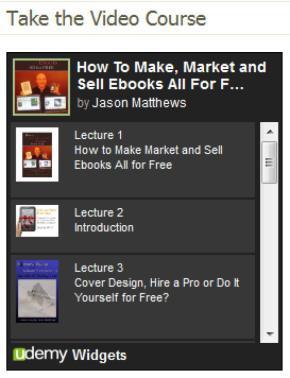 I recently uploaded a video training course for the subject of How to Make, Market and Sell Ebooks All for Free. It's an extensive 13 lecture, 7.5 hour video training guide made of screen-casting and Power Points. The program covers everything from cover design to formatting for retailers to selling from your own sites on autopilot, marketing, utilizing social media and more. My experience with the Udemy system felt quite user-friendly and professional. Time will tell if the course sells (which I hope it does since the entire presentation took a couple of weeks to put together), but regardless of the final numbers it was a great experience. My feeling is this; it's always smart to create new avenues for selling product or programs (especially revenue streams that run on autopilot), and this was a new one my book needed. This course is also available for Affiliate sales, where anyone can sell the program and receive half the profits on each sale.
http://www.udemy.com/how-to-make-market-and-sell-ebooks-all-for-free/
Content providers can also rest assured that they retain all rights to programs uploaded to Udemy. If it makes sense to promote a course at another venue, you have the right to do so. Have an experience with Udemy or any other venue for selling (or giving away) lengthy video presentations? Share it in the comments.
–
Click here for the home page of How to Make, Market and Sell Ebooks All for Free.
Subscribe to this blog for updates on what Indie authors can do to sell ebooks.
add me to your Google Plus circles.
+Jason Matthews







December 21, 2011
Ecwid, Online Shopping Cart can Sell Ebooks too
 Thanks to one of my authors, Cindy Kennedy, who sells amazing gluten free cakes at http://oraravalleycakes.com.au/, for making me aware of Ecwid.
Ecwid is a shopping cart software that works with physical and digital goods, like ebooks, and is very simple to use. It has both free and paid versions, but the free version should be good enough for most any author. Ultimately, it works similarly to the way I describe using PayPal to send a customer to a download page after purchase; actually it appears to work exactly that way. However, it has a nice shopping cart appearance and is so easy to use–works in just minutes–plus the appearance can be customized. You can see Cindy Kennedy's use of Ecwid at her website's Store. Just click on any of the items to see pricing and checkout.
Even though it basically is the same as creating a download page and a PayPal button with customized features for being sent to the product after purchase, it looks nice and requires less work for set up. Of course, when sales happen your small percentage to PayPal will still be the same, so it's great that the free version of Ecwid doesn't skim anymore of the profits from the author. It's easy to use, fast, free and set up for mobile devices–works with any web browser. (If PayPal is not your choice of online bankers, it also works with Google Checkout, Authorize.net and 2CheckOut.)
Ecwid is compatible with most sites and blogs, although it contains Javascript so it doesn't work on free WordPress.com blogs, like this one you're reading now. For other sites, all you do is add the HTML code for the products you register with Ecwid. Perhaps the easiest way is to create a blank page on your site or blog and make that a Bookstore. Your Ecwid account will contain a Dashboard that has the HTML coding for all of the widgets. Then you just copy and paste them to your site in HTML edit mode. Easy–peasy. Customers can pay with credit card or PayPal accounts, etc.
Authors can add their ebooks and paperbacks to the Ecwid Control Panel through their Catalog Menu and Add New Product. For digital goods you'll select the File tab and follow the prompts to name the product and select its image, description, price. Then you can direct PayPal to send the buyer to a download page. For paperbacks, the author would need to send the book to the buyer after purchase.
They also have a Facebook application, which allows you to integrate the shopping cart items to Facebook pages. That seems pretty cool. There's not much customer support since it's so user-friendly. From their site; There is no manual, nor will there be one in the future. We believe that if a product requires a user manual, then it's not user-friendly enough already. We want Ecwid to be obvious to the user. So if you have found something complicated and need information, please ask a question on the Community Forums or search our Knowledge Base.
Will I make the change to Ecwid from how my present system is set up? Probably not since it runs the same way as mine already are. However, it does have a nice look to it, have to admit. Maybe aesthetics will make a convert out of me. It also would be ideal for new sites… if I make any more.
–
Click here for the home page of How to Make, Market and Sell Ebooks All for Free.
Subscribe to this blog for updates on what Indie authors can do to sell ebooks.
add me to your Google Plus circles.
+Jason Matthews







December 11, 2011
Ccebooks, Brand new Site promoting Indie Authors and Their Ebooks
Ccebooks is a brand new site dedicated to promoting Indie authors and their books. Now is a great time to get in at ground level and establish a bookmark for your ebooks and links to retailers for purchase.
From their site; Welcome to ccebooks. We are a new venture aimed at promoting the best of contemporary fiction and non-fiction. We allow you to access any number of ebook publishers and their authors from one central site. We are a brand new site presently looking for new authors to populate our pages. If you are already published on a eBook site but find that you are struggling against the big names to get noticed then this is where you can beat the rankings!
Here's a list of the current genres, and my guess is that this list is expanding.
Action and Adventure
Adult Fantasy
Fantasy
General Fiction
Romance
Science Fiction
Supernatural
Thrillers
If you are interested in submitting your books to the site, there aren't a lot of hoops to jump though. This is what they tell you to do:
Send the relevent details to submissions@ccebooks.com;
1.) The title of the work
2.) A description of up to 4000 characters in length
3.) A thumbnail cover page in jpg format, 200x140px
4.) Copy and paste the link to your book at its hosting website
For example,
http://www.amazon.com/The-Valley-of-Lesbos-ebook/dp/B006AAQEHM/
You may have several of these if your ebook is published on multiple sites. You are welcome to include them all.
You will be sent a notification by email when your entry goes live.
Please note that you should NOT upload the work itself. This is because ccebooks.com is an indexing and promotional site whose purpose is to bring readers attention to works which would otherwise would be ranked too low to show up in searches of the publishers' own sites.
You can also register as user with ccebooks.com and submit content from your contact page. Once you have registered, select Admin> My Account>Contact. Send to the email address below.
There are no charges of any kind for submitting work to ccebooks.com.
No Charges? Sounds good to me.
–
Click here for the home page of How to Make, Market and Sell Ebooks All for Free.
Subscribe to this blog for updates on what Indie authors can do to sell ebooks.
add me to your Google Plus circles.
+Jason Matthews